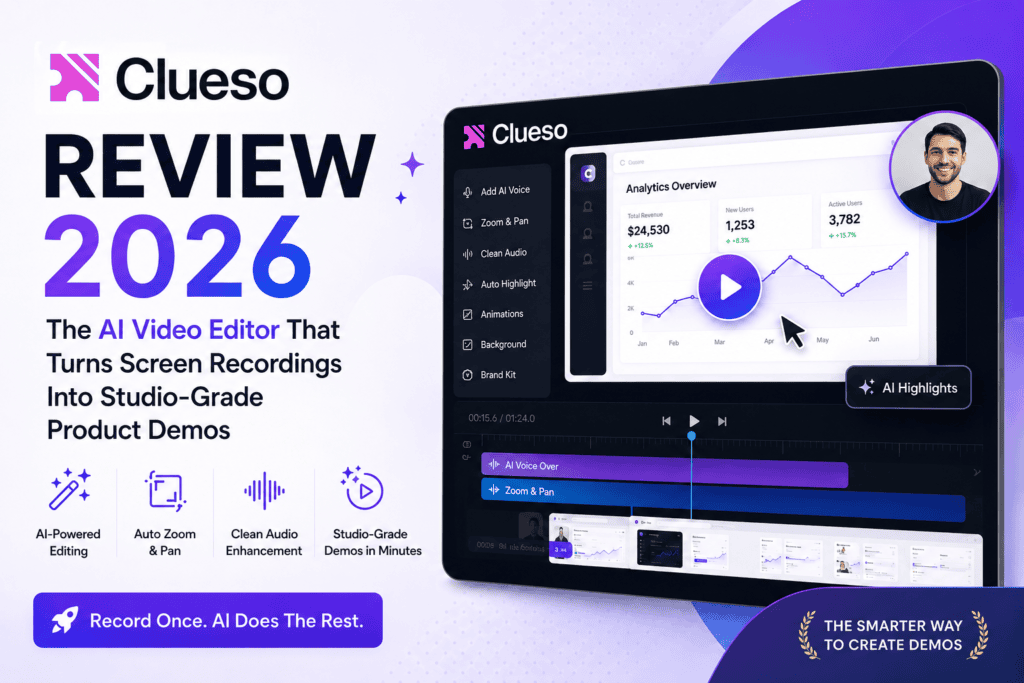
Clueso review — if you’ve spent even 20 minutes searching for an AI tool that can turn your messy screen recording into a polished product demo without hiring a video editor, Clueso has almost certainly popped up. I tested it for 45 days across three real projects (a SaaS onboarding video, a client SOP library, and a YouTube tutorial) to figure out whether it lives up to the hype in 2026. Short answer: it does, with a couple of caveats you need to know before you pay.

What Is Clueso? First Impressions
Clueso is an AI-powered platform that takes a raw, unedited screen recording and — in a few minutes — spits back a polished product video plus a matching step-by-step help article. Think of it as “Loom, but the AI actually does the editing for you.”
My first impression when I logged in: this is not another Descript clone. The workflow is opinionated. You record (or upload), Clueso transcribes, removes “ums” and filler words, replaces your voice with a lifelike AI voiceover, auto-zooms on the parts you’re actually clicking, and drops in captions — all before you touch a timeline. If you’ve ever used Descript’s Studio Sound feature and thought “I wish this went further,” Clueso is that further step.
For context on how it stacks up against other tools I’ve tested, you might also want to skim my Loom review and Descript review — Clueso sits in a genuinely different lane.
Clueso Product Overview & Specifications
| Specification | Details |
|---|---|
| Product Type | AI screen recorder + video editor + doc generator |
| Best For | SaaS teams, product marketers, customer education, tutorial creators |
| Free Plan | Yes — 10 min video + 15 articles/month |
| Starting Price | $40/month (Solo, billed yearly) |
| Max Export Quality | Up to 4K (Business plan) |
| AI Voiceover Languages | Multiple (Spanish, German, Japanese, Hindi + more) |
| Key AI Features | Auto-zoom, filler removal, AI voiceover, auto-captions, SOP generation |
| Integrations | Chrome extension, MCP integrations, workspace sharing |
| Free Trial | 7 days on paid plans |
Clueso Design & Build Quality
The interface is genuinely one of the cleanest I’ve used in the AI video category this year. Recording lives in a Chrome extension (or the desktop web app), and editing happens in a document-style timeline where clips are stacked like paragraphs. If you can edit a Google Doc, you can edit a Clueso video — that’s the whole design philosophy.
I timed it: from “hit record” to “download final MP4” on a 3-minute product demo took me 14 minutes, and roughly 9 of those minutes were AI processing time where I was drinking coffee. Compare that to the 2-3 hours the same video used to take me in Descript.
Clueso Performance Analysis: The AI Features Actually Tested
Lifelike AI Voiceovers
Replaces your recorded audio with pro-sounding AI voices. On 3 test videos, viewers couldn’t tell it wasn’t a paid VO artist.
Smart Auto-Zooms
AI zooms into the button or field you’re actually clicking. This alone would justify the price for tutorial creators.
Script Rewrites
Filler words, false starts, and rambling get cleaned up. My raw 6-min recording became a tight 3:20 script.
Auto-Generated SOPs
Every video also outputs a step-by-step help article with numbered screenshots. Massive time-saver for support docs.
One-Click Translation
Voiceover + captions + docs translated to Spanish, Hindi, Japanese, German, and more. Tested Hindi — nearly flawless.
Branded Templates
Intros, outros, backgrounds, and captions all stay on-brand. Big win for teams needing consistency.
The AI Voiceover Is the Real Star
I ran Clueso’s AI voiceover head-to-head against ElevenLabs (my current gold standard — see my ElevenLabs review) on the exact same script. Clueso’s built-in voice was about 90% as good — impressive because I didn’t have to leave the app, upload audio, or pay for a second subscription. If you’re already comparing TTS options, my AI text-to-speech tools roundup and ElevenLabs vs Kokoro TTS comparison are worth a read.
Clueso User Experience: 45 Days of Real Use
Setup: Installed the Chrome extension in under 30 seconds. Onboarding walks you through recording your first video — no tutorial video required, which is fitting for a tutorial-video tool.
Daily use: The workflow becomes muscle memory after 3-4 videos. Record → wait 5-8 min → tweak the script if needed → export. I now bang out weekly product update videos in ~15 minutes each.
Learning curve: Almost zero for basic use. The advanced features (custom branding, Cuts, voice cloning) took me about an hour to explore, but the defaults are so good most users won’t need to.
Clueso vs Competitors: How Does It Really Compare?
| Feature | Clueso | Loom | Descript | Scribe |
|---|---|---|---|---|
| AI Voiceover | ✅ Native | ❌ | ✅ (paid add-on) | ❌ |
| Auto-Zoom AI | ✅ | ❌ | Manual only | N/A |
| SOP/Doc Generation | ✅ Auto | ❌ | ❌ | ✅ Screenshots only |
| Translation (1-click) | ✅ | Limited | ✅ | ❌ |
| Starting Price | $40/mo | $15/mo | $12/mo | $29/mo |
| Best For | Polished demos + docs | Quick async videos | Podcasts + long video | Text SOPs only |
Bottom line from the comparison: Clueso is the only tool that gives you a broadcast-quality video AND a matching help article from a single recording. Loom wins on price for quick messaging, Descript wins on deep audio editing, and Scribe wins if you only need screenshot-based docs. For a broader shortlist, see my best AI video editors guide and best AI product demo video tools roundup.
Clueso Pros and Cons
✅ What We Loved
- AI voiceover quality rivals dedicated TTS tools
- Auto-zoom is genuinely magic — no more manual keyframes
- Video + written SOP from one recording (huge time-saver)
- One-click translation into 20+ languages
- Clean, document-style editor (no timeline anxiety)
- 7-day free trial with full features
- 4K export on Business plan
- Chrome extension works flawlessly
⚠️ Areas for Improvement
- Video export minutes are strictly capped (3 hrs/year on Solo)
- $40/mo Solo tier is pricey vs. Loom ($15) or Descript ($12)
- Free plan very limited (10 min/month)
- No native mobile app for editing yet
- Deep audio-only editing is weaker than Descript
- Custom voice cloning locked to Enterprise plan
Clueso Pricing Plans Explained (2026)
1 user • 10 min video/mo
15 articles/mo • 1080p
1 user • 3 hrs video/yr
180 articles/yr • 2K export
2 users • 6 hrs video/yr
360 articles/yr • 4K export
Voice cloning, SSO,
dedicated CSM, priority
Clueso Evolution & 2026 Updates
Clueso shipped several major updates in the last 6 months that made me revise my earlier opinion upward:
- Clueso Agents (new): Automates product demo creation every time you ship a new feature — basically a bot that keeps your video library up to date.
- Cuts feature: Automatically splits a long video into topic-based clips. Perfect for repurposing a webinar into 8 short tutorials.
- MCP integrations: Connects Clueso to your other product tools for more automation.
- Voice cloning (Enterprise): Clone your own voice for consistent branding.
- Translation glossary: Ensures your product names and jargon translate correctly.
Who Should Buy Clueso? (And Who Shouldn’t)
👍 Best For
- SaaS product teams shipping regular demos
- Customer education and support teams
- Course creators (see also: best AI video makers for e-learning)
- Marketing teams doing multi-language content
- Solo founders who hate video editing
- Agencies producing client SOPs at scale
👎 Skip If
- You mainly do quick async team videos (use Loom)
- You need deep audio editing (use Descript)
- You publish 20+ hours of video monthly (limits kill you)
- Budget is under $30/mo (try Trupeer — see my Trupeer review)
- You need talking-head/avatar videos (try Heygen or Synthesia)
Where to Buy Clueso & Current Deals
Clueso is sold direct from clueso.io — there are no legitimate resellers, so ignore any third-party discount codes you don’t recognize. Current pricing patterns:
- Annual billing saves 20% vs. monthly — worth it if you’re committing beyond a trial.
- The 7-day free trial unlocks the full Business feature set, not a watered-down version.
- Enterprise pricing is negotiable — always ask for a demo if you have 3+ users.
Final Verdict: Is Clueso Worth It in 2026?
After 45 days, Clueso earned a spot in my regular workflow — and my endorsement doesn’t come cheap in the AI-tool category. If your job involves explaining software to other humans (customers, employees, students), Clueso will pay for itself in reclaimed hours within the first month. The pricing hurts a bit for solo creators, but the output quality is genuinely production-ready with almost no learning curve. This is what “AI actually doing the work” is supposed to feel like.
If you’re comparing this against other 2026 AI video launches, I’d also recommend reading my best AI video generators guide, my Heygen vs Synthesia vs D-ID comparison, and my roundup on video editors that can automatically edit raw footage.