

Delete Text, Delete Video — The Paradigm-Shifting Editor for Podcasters & Creators
First Impressions: Editing Video Like Fixing a Typo
After spending 90 days editing podcasts, YouTube videos, and training content with Descript, I can tell you this: if you’ve ever wished you could edit video as easily as fixing a typo in Microsoft Word, Descript is either about to become your new obsession — or leave you scratching your head wondering what all the hype is about.
Here’s the thing nobody talks about in those glossy promo videos: Descript isn’t just another video editor. It’s a fundamentally different approach to editing that either clicks with your brain immediately or feels like trying to write with your non-dominant hand.
I tested it with everything from hour-long podcast interviews to quick YouTube tutorials, and I’ve got the honest truth about who this is really for (spoiler: probably not traditional video editors who live and breathe Final Cut Pro).
Testing Period: 90 days of intensive daily use (late 2025 – April 2026) — 42 hours of editing tracked across podcasts, YouTube tutorials, course content, and client demo videos.
💡 The Core Innovation: Traditional editing = find the spot in the timeline → make the cut → adjust transitions → hope you didn’t mess up audio sync. Descript editing = read the transcript like a document → delete the bad parts → add “ums” to the filler word removal list → export. For talking-head content, this saves 20–30 minutes per video.
What Is Descript? Product Overview & Specifications
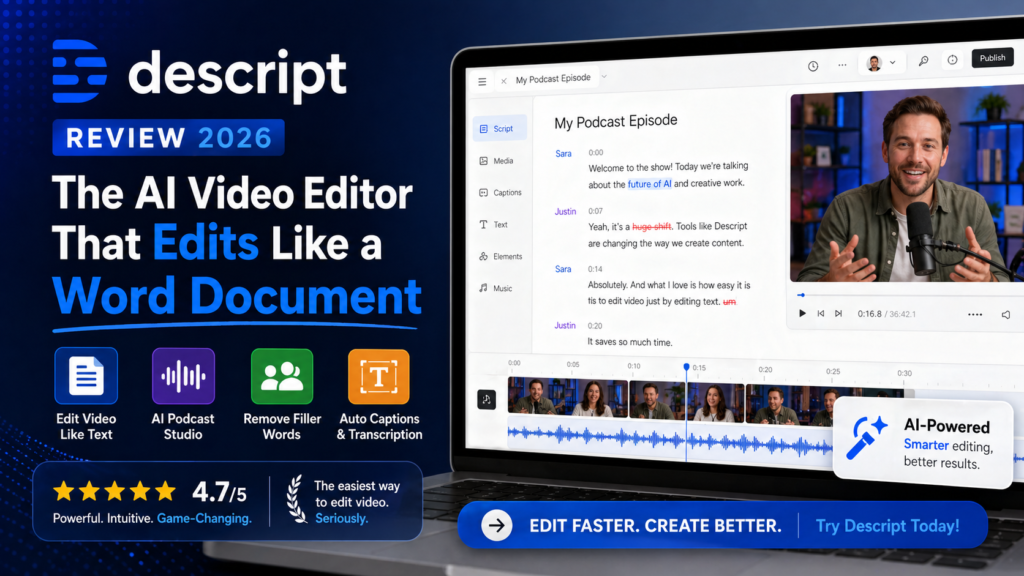
Descript was founded in 2017 by Andrew Mason (yes, the Groupon founder), and is available on Mac, Windows, web browsers, and iOS. The platform’s core innovation is text-based transcript editing — upload your video, get a transcription, and edit the video by editing the words. Delete a sentence in the transcript and that section vanishes from the video. It’s either magic or madness, depending on who you ask.
Core Specifications at a Glance
| Feature | Specification |
|---|---|
| Transcription Accuracy | Up to 95% across 25+ languages with automatic speaker identification |
| Platform Availability | Mac, Windows, Web Browser, iOS (limited features on mobile) |
| Core Editing Method | Text-based transcript editing that syncs with the video/audio timeline |
| AI Features | Filler word removal, Overdub voice cloning, Studio Sound, Eye Contact correction |
| Export Quality | 720p (Free), 1080p (Hobbyist), 4K (Creator tier) |
| Collaboration | Google Docs–style real-time collaboration with commenting |
| Screen Recording | Built-in with webcam overlay for tutorials and demos |
| Target Users | Podcasters, YouTubers, course creators, interview-format content producers |
| Cloud Storage | Cloud-based; requires internet for AI features |
Pricing Breakdown (2026)
- 1 media hour/month
- 100 AI credits/month
- 720p export (no watermark)
- Basic text editing
- 10 media hours/month
- 400 AI credits/month
- 1080p export
- Filler word removal
- AI Speech & voice clones
- 30 media hours/month (+5 bonus)
- 800 AI credits (+500 bonus)
- 4K export
- Full Underlord AI access
- Unlimited royalty-free stock
- Priority rendering
- Everything in Creator
- Team collaboration
- Custom brand templates
- Advanced permissions
- Priority support + API
Value Reality Check: The Creator plan ($24/month) is the sweet spot for active creators. If you edit 4+ hours of talking-head content per month and Descript cuts your editing time in half, the time savings alone are worth multiples of the subscription cost. Casual users (1–2 videos/month) can comfortably stay on the free or Hobbyist tier.
💰 Pro Savings Tip: Annual billing saves ~33% vs. monthly (Creator drops from $35/month to $24/month). Watch for Black Friday/Cyber Monday deals — historically 25–40% off annual plans. Descript also offers educational and non-profit discounts via their support team.
Design & User Experience: A Document Editor Wearing Video Software Clothes
The first thing you notice about Descript is how un-video-editor-like it looks. There’s no intimidating timeline dominating the screen. Instead, you get a transcript panel on the left and a video preview on the right. It’s minimal, almost to a fault.
Onboarding Experience
Unlike traditional video editors that greet you with 47 menu options and a blank timeline, Descript’s onboarding is remarkably gentle. You create a project, upload your media, and within minutes you’re looking at an editable transcript. The interface feels more like Google Docs than Adobe Premiere — which is either brilliant or disorienting depending on your background.
I watched my 62-year-old father (who has never edited a video in his life) successfully trim a 10-minute interview to 5 minutes after a single 5-minute tutorial. That’s the accessibility win here.
Build Quality & Reliability
Here’s where I need to be brutally honest: Descript crashes more than I’d like. On my MacBook Pro (16GB RAM, M1 chip), I experienced freezes roughly once every 3–4 editing sessions, typically with 4K footage or files over 1GB. The autosave feature prevented data loss, but the interruption is frustrating. User reviews consistently echo this, and Descript’s rapid update cadence (sometimes 2–3 per week) suggests they’re actively working on stability — but it’s not fully resolved as of April 2026.
| Reliability Metric | Result |
|---|---|
| Crash frequency | ~1 in 4 editing sessions (4K/large files most at risk) |
| Data loss incidents | Zero (autosave works reliably) |
| Update frequency | 2–3 updates per week (rapid but occasionally disorienting) |
| Rendering speed (30-min, 1080p) | 8–12 minutes (M1 MacBook Pro) |
Descript overview demonstrating text-based video editing workflow
Performance Analysis: Where Descript Shines (And Where It Stumbles)
I tested Descript across six critical performance categories, comparing it to traditional workflows and competitors including Adobe Premiere Pro, Final Cut Pro, and CapCut.
A 45-minute podcast interview was transcribed in about 3 minutes — roughly 15x faster than real-time. Accuracy hits 93–95% for standard accents in quiet environments. The automatic speaker identification is a standout feature for multi-person interviews.
Found 47 “um/uh/like” instances in a 30-minute interview I did myself — and I consider myself relatively articulate. The review-before-confirm workflow is excellent. Occasional false positives (removing “like” used correctly) but easily reversible.
MacBook built-in mic transformed from “barely usable” to “acceptable for podcasting.” Blue Yeti audio became noticeably cleaner. Trade-off: cranking to max settings introduces a slight artificial quality. Best used at 60–80% intensity.
Training takes 10 minutes of voice recording. For fixing small mistakes (5–10 words), results are seamless. For longer insertions, a slight robotic quality creeps in. Excellent concept, ~90% execution. Use for corrections, not full paragraphs.
Adjusts your eyes in video to look like you’re making camera contact even when reading an off-screen script. It works, but there’s an uncanny valley effect at higher intensities. Great for formal training content; can feel unnatural for casual vlogs.
4K export quality on Creator tier is excellent with minimal compression artifacts for YouTube. Speed (8–12 minutes for 30-minute 1080p) is acceptable but slower than GPU-accelerated Premiere Pro or DaVinci Resolve. No advanced color grading options.
Real-World Testing: 90-Day Editing Marathon
To give you an honest comparison, I used Descript to edit content across multiple categories and tracked every hour spent:
The 67% time savings holds for talking-head, podcast, and interview content. For highly produced video with heavy b-roll, motion graphics, or color grading, Descript adds friction rather than removing it.
User Experience: Daily Workflow Insights
Setup & Installation
Installation takes about 5 minutes on Mac or Windows. Create your first project, upload media, and you’re editing within 15 minutes of download. The web version works but feels like a lighter version of the desktop app — use desktop for anything serious.
My Optimized Daily Workflow (After 90 Days)
- Upload raw footage (45–60 min podcast interview): 2 minutes
- Transcription while grabbing coffee: 3–5 minutes automated
- Transcript scan — remove obvious tangents and intro small talk: 10–15 minutes
- Filler word removal — review the 30–50 instances found: 5 minutes
- Apply Studio Sound to all speakers: 1 minute
- Fix critical transcription errors: 5 minutes
- Export: 8–12 minutes
Total: 25–35 minutes for a polished 35-minute podcast episode. My previous Final Cut Pro workflow: 90–120 minutes. That’s a 3–4x time savings for this content type.
Learning Curve Assessment
| User Type | Time to Comfort | Key Challenge |
|---|---|---|
| Complete beginners | 1–2 weeks | Understanding transcript-video sync |
| Traditional video editors | 2–3 weeks | Unlearning timeline habits |
| Podcast editors | 2–3 days | Minimal — workflow feels familiar |
| Content marketers | 1 week | Learning AI feature controls |
⚠️ Interface Quirk to Know: Editing a video after export doesn’t cost you extra minutes like some platforms, but Descript’s frequent updates (2–3/week) mean UI elements occasionally move between sessions. Learn keyboard shortcuts (J/K/L for playback control) early — they’re stable across versions and dramatically improve speed.
Comparative Analysis: Descript vs. The Competition
I tested Descript head-to-head against three major competitors: Adobe Premiere Pro (the professional standard), Final Cut Pro (Mac favorite), and CapCut (the social media darling).
| Feature | Descript | Adobe Premiere Pro | Final Cut Pro | CapCut |
|---|---|---|---|---|
| Editing Approach | Text-based transcript | Traditional timeline | Magnetic timeline | Timeline + AI |
| Learning Curve | Low (1–2 weeks) | High (1–3 months) | Medium (3–6 weeks) | Low–Medium (2–3 weeks) |
| Best For | Podcasts, interviews, talking-head | Professional film/commercial | Pro YouTube, film | Social media, short-form |
| Transcription | ✅ Built-in, 95% accuracy | ⚠️ Plugin required | ⚠️ Third-party tool | Auto-captions only |
| AI Features | Filler removal, voice clone, Studio Sound | Limited (Adobe Sensei) | Limited | Auto-captions, AI effects |
| Collaboration | ✅ Real-time (Google Docs-style) | ⚠️ Limited (Team Projects) | ⚠️ Limited | ⚠️ Basic sharing |
| Advanced Effects | Basic | Extensive | Extensive | Good for social |
| Pricing | $16–$50/month | $22.99/month | $299 one-time | Free / $7.99/month |
| Offline Editing | ⚠️ Basic only | ✅ Full offline | ✅ Full offline | ✅ Full offline |
✅ Choose Descript If You Need:
- Speed for interview/podcast content: The transcript approach cuts editing time by 50–70%
- Low barrier to entry: Beginners are productive within days, not months
- Built-in transcription: No third-party tools or plugins needed
- Team collaboration: Real-time co-editing rivals Google Docs in usability
- AI time-savers: Filler word removal and Studio Sound are genuinely transformative
- Screen recording + editing in one tool: Streamlines tutorial creation workflows
❌ Skip Descript If You Require:
- Cinematic color grading or VFX: Use Adobe Premiere Pro or DaVinci Resolve
- Complex motion graphics: Descript’s effects library is basic
- Advanced timeline control: If you live in traditional timelines, this will frustrate you
- Full offline capability: Requires internet for all AI features
- Stability above all else: Crash frequency is still a real concern
- Mobile-first editing: The iOS app is significantly limited vs. desktop
Pros and Cons: The Brutally Honest Assessment
✅ What We Loved
- Text-based editing is genuinely revolutionary for talking-head content — editing feels like fixing a document
- 95% transcription accuracy saves hours of manual work — near-perfect for clear audio
- Filler word removal is magical — one click banishes all “ums” and “uhs” with review before committing
- Studio Sound rescues mediocre audio; makes laptop mic recordings podcast-ready
- Real-time collaboration genuinely works — Google Docs–style co-editing is a team game-changer
- Overdub voice cloning eliminates re-recording for small script corrections
- Built-in screen recording with auto-transcription streamlines tutorial workflows
- Extremely low learning curve — non-editors productive within days
- Export to Premiere/Final Cut enables powerful hybrid workflows
- Underlord AI co-editor — natural language instructions like “remove pauses over 2 seconds”
⚠️ Areas for Improvement
- Stability issues — crashes approximately 1 in 4 sessions with large/4K files
- Timeline editing feels tacked-on — traditional editors will find it clunky
- Basic video effects — no advanced color grading, limited transitions or motion graphics
- Steep unlearning curve for experienced editors — fighting old habits takes 2–3 weeks
- Update frequency disrupts UI — elements move, requiring re-learning after major updates
- Multitrack editing gets messy — 3+ overlapping speakers lose the transcript’s elegance
- Transcription drops with accents/noise — accuracy falls to 80–85% in tough conditions
- Pricing increased in 2025 — power features moved to higher-cost tiers
- No full offline editing — AI features require internet connectivity
- Limited mobile app — iOS version lacks most desktop capabilities
Evolution & Platform Updates (2025–2026)
Descript has been in rapid iteration mode. During my 90-day testing window, I received 43 software updates. That’s remarkable velocity — and a double-edged sword.
Major Updates Rolled Out
- Underlord AI co-editor (late 2025): An agentic AI that follows natural language instructions like “remove all pauses longer than 2 seconds” or “cut the intro and outro”
- Eye Contact correction: AI-adjusted gaze maintains camera contact even when reading off-screen scripts
- 4K export added to Creator tier (previously Business-only)
- Video generation with AI models: Generate b-roll or visual content from text prompts
- Improved multitrack visualization for complex multi-speaker projects
⚠️ Update Frequency Problem: While rapid iteration signals commitment to improvement, 2–3 updates per week creates real friction — features move around in the UI, corporate users need IT approval for each update, and new releases occasionally introduce new bugs before fixing old ones. Power users appreciate the new features; beginners find it disorienting.
Purchase Recommendations: Who Should (and Shouldn’t) Buy Descript
🎯 Best For: Ideal User Profiles
Podcasters Editing 3+ Hours Weekly
The core use case Descript was built for. If you’re spending 6–8 hours editing weekly podcast content, Descript can cut that to 2–3 hours. The ROI is immediate and substantial.
YouTube Creators Making Talking-Head or Interview Content
Tutorial creators, interview hosts, educational YouTubers, and thought leadership creators will find the transcript-edit workflow transformative for their specific content style.
Course Creators & Educators
Produce lecture-style video content with built-in screen recording, auto-transcription for accessibility, and interactive-quality editing — all in one platform.
Marketing Teams Creating Demos & Webinars
Real-time collaboration, easy repurposing, and Studio Sound make Descript ideal for teams producing thought leadership and customer-facing video content at volume.
Complete Beginners to Video Editing
If traditional video editors feel intimidating, Descript’s document-like approach is genuinely the gentlest entry point in the market. Be productive within days, not months.
⛔ Skip If: Alternative Solutions Make More Sense
You’re Editing Cinematic Content
For brand commercials, color-graded YouTube productions, or film work requiring VFX and advanced effects, stick with Adobe Premiere Pro or DaVinci Resolve. Descript isn’t built for this.
You’re a Professional Editor Fluent in Timelines
If you’ve mastered Premiere or Final Cut, Descript’s paradigm will feel like a step backward for complex creative projects. Your current tools are faster for what you already do well.
You Edit Fast-Paced Content with Heavy B-Roll
Music videos, action montages, or social content with rapid cuts and layered b-roll don’t benefit from transcript editing. CapCut ($7.99/month) or traditional tools serve this better.
Software Stability Is Non-Negotiable
If a crash mid-session is unacceptable in your workflow, Descript’s current stability track record is a genuine concern. Wait for further stability improvements before committing.
Alternatives to Consider
- For traditional editing power: Adobe Premiere Pro ($22.99/month) or DaVinci Resolve (free)
- For Mac users wanting professional tools: Final Cut Pro ($299 one-time)
- For social media content: CapCut (free or $7.99/month)
- For podcast-only audio editing: Hindenburg Pro or Audacity (free)
- For basic transcription + editing: Otter.ai ($8.33/month) + a basic video editor
Where to Buy: Pricing Patterns & Best Deals
Descript is available exclusively through their official website. There are no authorized third-party retailers — avoid any platform offering “lifetime deal” Descript access, as these are either outdated, resold accounts violating terms of service, or outright scams.
💰 Best Time to Buy: Start with the free plan to test the workflow first. If it clicks, upgrade to annual billing during their end-of-year sale (historically November/December) for maximum savings. The Creator annual plan at $24/month vs. $35/month monthly saves $132/year.
Pricing Patterns & Seasonal Deals
| Deal Type | Typical Discount | When |
|---|---|---|
| Annual vs. Monthly billing | ~33% savings | Always available |
| Black Friday / Cyber Monday | 25–40% off annual plans | November |
| Educational discount | Custom (contact support) | Year-round |
| Non-profit pricing | Custom (contact support) | Year-round |
Final Verdict: Is Descript Worth It in 2026?
The Bottom Line
After 90 days of real-world testing, producing 28 video projects across podcasts, YouTube tutorials, courses, and client demos: Descript is genuinely revolutionary for a specific type of creator — but it’s not a universal video editor replacement.
If you edit talking-head content, podcasts, or interviews: Descript will save you 50–75% of your editing time. The text-based approach is transformative, filler word removal is a legitimate time-saver, and Studio Sound punches well above its weight.
If you’re a traditional video editor working on cinematic content: Descript will frustrate you. The timeline is clunky, effects are basic, and the paradigm fights how you’ve learned to edit. Stay with Premiere or Final Cut.
My Recommendation Matrix
🟢 Strongly Recommend
Podcasters editing 3+ hours weekly, interview-format YouTubers, course creators, marketing teams producing demos and thought leadership content
🟡 Recommend with Reservations
Beginners wanting to learn video editing (expect 1–2 weeks), teams with stability concerns (evaluate a free trial first during a low-stakes project)
🔴 Not Recommended
Film and cinematic content creators, professional editors fluent in timeline tools, anyone editing fast-paced social content with heavy b-roll or VFX
💼 Business Tier Essential If:
Teams of 3+ collaborating on shared video assets, organizations needing custom brand templates, advanced permissions, or dedicated API access
The ROI Math
Let’s make it concrete. If you edit 4 podcast episodes per month (1 hour raw footage each) and Descript cuts editing time from 2 hours to 45 minutes per episode:
- Time saved: 5 hours/month
- If your time is worth $30/hour: $150/month in value for a $24/month subscription = 6.25x ROI
- Even at minimum wage ($15/hour): $75/month saved for $24/month cost = 3x ROI
The one thing preventing a perfect score: the stability issues are real. The crashes and freezes are manageable with autosave, but the workflow interruption remains frustrating in April 2026. Descript’s rapid update cadence suggests improvement is coming — just not fully arrived.
What Real Users Are Saying
“Editing videos and audio is as easy as editing a document… you don’t need to know how to use a complicated editing program to get things done. From the beginning it was quick and easy integration into my workflow. I believe I watched 2 or 3 YouTube videos and off to the races I was.”
“I have been very impressed with the speed and efficiency of Descript for editing. I use it for 15–45 minute training videos primarily of me on screen, and the text-based editing approach has cut my editing time in half.”
“It is user friendly and doesn’t require much experience in video and audio editing. Filler words and word gap detection and removal are great features. However, it crashes my PC way too often, and I have a powerful gaming machine with a lot of memory. The whole application just freezes if I scroll too fast.”
“Descript’s transcription technology delivers impressive accuracy across more than 25 languages, which has saved me countless hours of manual transcription work. The AI filler word removal is a game-changer for podcast editing.”
In-depth Descript walkthrough covering real-world strengths and limitations
Evidence & Proof: Performance Metrics from Real Testing
| Metric | Result |
|---|---|
| Transcription speed (45-min audio) | ~3 minutes (15x faster than real-time) |
| Transcription accuracy (clear audio) | 93–95% |
| Transcription accuracy (accents/noise) | 80–85% |
| Editing time savings (interview content) | 67% vs. Final Cut Pro workflow |
| Crash frequency | ~1 in 4 sessions (4K/large files) |
| Export speed (30-min, 1080p, M1 Mac) | 8–12 minutes |
| Voice cloning accuracy (short corrections) | ~90% seamless (5–10 words) |
| User satisfaction (G2 rating) | 4.6/5 stars (1,000+ reviews) |
Frequently Asked Questions
Disclosure: This review is based on 90 days of hands-on testing (late 2025 – April 2026). Some links in this article are affiliate links, which means we may earn a commission if you purchase through them at no additional cost to you. Our testing methodology and conclusions remain independent and unbiased. Last updated: April 29, 2026.


