

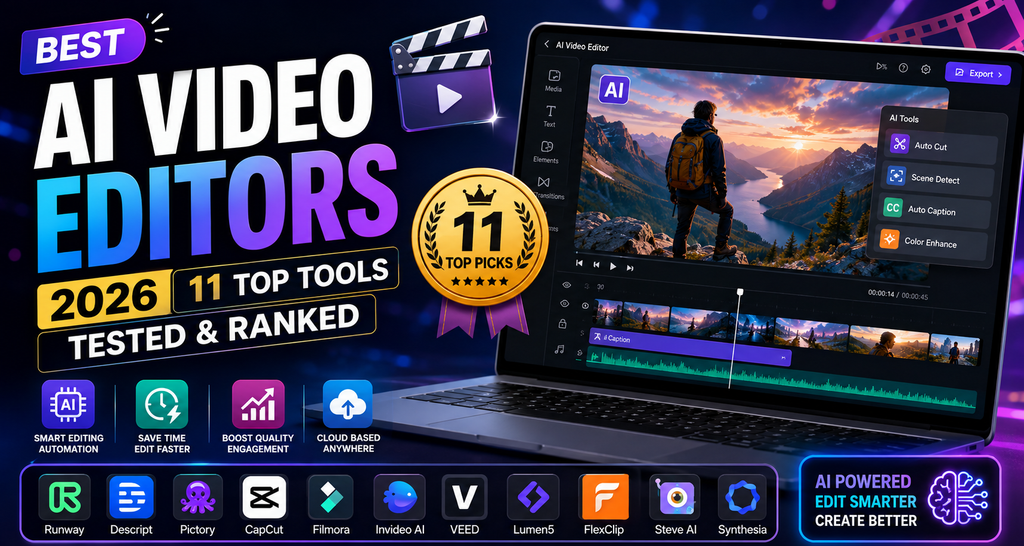
Why Trust This Guide?
Choosing the best AI video editors in 2026 is overwhelming — new tools launch weekly, features overlap, and pricing pages are deliberately confusing. I spent the last 90 days signing up, uploading real footage, testing render quality, and comparing exports side by side.
Every tool on this list was tested against the same benchmarks: text-to-video quality, editing speed, avatar realism, language support, export resolution, and (crucially) how much time it actually saves versus traditional editors like Premiere Pro or Final Cut.
Where we’ve published a full deep-dive review, I’ve linked directly to it so you can drill down. When we don’t have an in-house review yet, I’ve linked straight to the official product site so you can start your own free trial.
📚 Table of Contents
- Quick Comparison Table
- 1. HeyGen — Best Overall AI Avatar Editor
- 2. Pika AI — Best for Cinematic Short Clips
- 3. Synthesia — Best for Corporate Training
- 4. FlexClip — Best for Beginners
- 5. Fliki — Best for Faceless YouTube
- 6. Descript — Best Text-Based Editor
- 7. CapCut — Best Free Mobile Editor
- 8. Runway ML — Best for Filmmakers
- 9. Pictory AI — Best for Content Repurposing
- 10. D-ID — Best for Photo Animation
- 11. VideoExpress AI — Best Lifetime Deal
- How to Choose the Right Tool
- Frequently Asked Questions
Quick Comparison: Best AI Video Editors at a Glance
| Rank | Tool | Best For | Starting Price | Free Plan | Rating |
|---|---|---|---|---|---|
| 1 | HeyGen | AI Avatar Videos | $24/mo | ✅ 1 min | 4.9/5 |
| 2 | Pika AI | Cinematic Clips | $8/mo | ✅ 80 credits | 4.8/5 |
| 3 | Synthesia | Corporate Training | $18/mo | ✅ 3 min | 4.8/5 |
| 4 | FlexClip | Beginners | $11.99/mo | ✅ 720p | 4.7/5 |
| 5 | Fliki | Faceless YouTube | $21/mo | ✅ 5 min | 4.7/5 |
| 6 | Descript | Text-Based Editing | $16/mo | ✅ 60 min | 4.7/5 |
| 7 | CapCut | Mobile Editing | Free / $9.99 | ✅ Unlimited | 4.6/5 |
| 8 | Runway ML | Filmmakers | $12/mo | ✅ Limited | 4.6/5 |
| 9 | Pictory AI | Content Repurposing | $19/mo | ✅ Trial | 4.5/5 |
| 10 | D-ID | Photo Animation | $6/mo | ✅ 14-day | 4.5/5 |
| 11 | VideoExpress AI | Lifetime Deal | $49 once | ❌ | 4.5/5 |
1. HeyGen — Best Overall AI Video Editor for Avatars
HeyGen
🏆 Editor’s Choice Avatars 175+ LanguagesHeyGen is hands-down the most polished AI avatar video editor I tested this year. It stitches together the best models on the market — Sora, Veo, Kling for generation, Flux for imagery, and ElevenLabs for voice — into a single dashboard that even non-editors can master in 20 minutes. The new AI Video Agent (launched Jan 2026) writes the script, picks the avatar, and stages the scenes for you from a single prompt.
✅ What We Loved
- Best-in-class lip-sync accuracy
- Digital Twin from 15s of footage
- PowerPoint/PDF direct import
- SOC 2, GDPR, EU AI Act compliant
⚠️ Areas for Improvement
- Creator plan capped at ~15 min/mo
- 4K locked to higher tiers
- Cinematic scenes are avatar-first
2. Pika AI — Best for Cinematic Short Clips
Pika AI (Pika Labs)
🎬 Cinematic Text-to-Video Best ValuePika AI is where physics-based creativity meets clean UX. The signature Pikaffects — Crush & Melt, Inflate & Pop, Cake-ify — turn a boring product shot into a scroll-stopping social clip in seconds. Add Pikaswaps for object replacement, Pikadditions for scene extension, and automatic contextual sound effects, and you have the closest thing to a “one-click viral clip” tool in 2026.
✅ What We Loved
- Cheapest paid plan in this list ($8/mo)
- Automatic AI sound effects
- Advanced lip-sync for characters
- iOS app + browser access
⚠️ Areas for Improvement
- Free plan blocks commercial use
- Clips are short-form focused
- API access still “coming soon”
3. Synthesia — Best for Corporate Training & Enterprise
Synthesia
🏢 Enterprise 160+ Languages SOC 2If your company needs to spin up 50 compliance videos in 20 languages before the quarter ends, Synthesia is the answer. Backed by researchers from Stanford, UCL, and Cambridge, it’s the platform Fortune 100s trust for onboarding, L&D, and internal comms. The 2026 update adds interactive CTAs, branching scenarios, and SCORM export for direct LMS integration.
✅ What We Loved
- Interactive quizzes & branching
- SCORM export for LMS
- Voice cloning (Enterprise)
- Battle-tested at Fortune 100 scale
⚠️ Areas for Improvement
- Not built for cinematic creativity
- Creator plan jumps to $64/mo
- Custom avatars need setup time
4. FlexClip — Best AI Video Editor for Beginners
FlexClip
🎓 Beginner 6,000+ Templates CloudFlexClip is the tool I recommend when a friend says “I need to make a video and I’ve never edited anything.” Its drag-and-drop editor pairs with 6,000+ templates and 4 million+ stock clips, then layers on AI features (auto-subtitles, background remover, text-to-speech, translator) so you never hit a wall. Everything runs in the browser — no download, no install, no learning curve.
✅ What We Loved
- Zero learning curve
- Massive template library
- Free plan is genuinely usable
- Auto-subtitle accuracy is strong
⚠️ Areas for Improvement
- Free tier has 720p + watermark
- Advanced multi-track features are limited
- 4K locked to Business ($19.99/mo)
5. Fliki — Best for Faceless YouTube & Blog-to-Video
Fliki
🎙️ Voice 2,000+ Voices Blog-to-VideoFliki shines when you don’t want to be on camera. Paste a blog URL, and it drafts a script, picks stock footage, adds one of 2,000+ ElevenLabs/Google/Minimax voices, and syncs everything in under 3 minutes. Under the hood it uses cutting-edge models like Veo 3.1, Kling 3.0, Seedance, and Gemini 3.1 — so quality actually matches what you’d expect from a paid team.
✅ What We Loved
- Blog-to-video is genuinely automated
- Access to premium video models
- Direct publish to TikTok/YT/IG
- Series automation for recurring content
⚠️ Areas for Improvement
- Auto stock media picks miss context
- Premium models locked to $66/mo tier
- Free plan is only 5 min/mo
6. Descript — Best Text-Based Video Editor
Descript
📝 Text Editing Podcast + Video OverdubDescript flipped video editing on its head — you edit a transcript, and the video edits itself. Delete a filler word, cut a sentence, or replace a name using AI-cloned voice (“Overdub”), and the timeline updates in real time. For podcasters, course creators, and remote teams recording long-form talking heads, nothing beats it for speed.
✅ What We Loved
- Fastest edit workflow for talking-head
- Studio-quality filler-word removal
- Overdub voice clone is scary good
- Built-in podcast publishing
⚠️ Areas for Improvement
- AI features run on limited credits
- Not ideal for cinematic multi-cam edits
- Pricing tiers are complex
7. CapCut — Best Free Mobile AI Video Editor
CapCut
📱 Mobile Free Social-ReadyBuilt by ByteDance (the TikTok parent), CapCut remains the undisputed champion of free mobile video editing. The 2026 update adds AI auto-subtitles, background removal, smart text-to-speech, pencil-prompt visual editing, and a genuinely useful Smart Layer Split for isolating subjects. It’s the fastest way from raw footage to publishable Reel or Short — no login required.
✅ What We Loved
- Genuinely free with no limits
- Massive template + effect library
- Cross-platform sync
- Built-in trend-tracker for TikTok
⚠️ Areas for Improvement
- Pro AI features locked behind Pro
- Terms of service change often
- Rendering slows on complex edits
8. Runway ML — Best for Filmmakers & Motion Designers
Runway ML
🎥 Filmmakers Gen-4 Motion BrushRunway ML is the tool Hollywood indies actually use. With Gen-3 retired in mid-2026, the platform now runs on Gen-4 — offering superior temporal consistency, photorealistic human generation, and the pro-grade Motion Brush that lets you paint movement onto still images. Add camera controls, green-screen removal, and infinite image → video workflows, and it’s a full mini-VFX studio in the cloud.
✅ What We Loved
- Best temporal consistency in class
- Motion Brush + camera controls
- All-in-one creative workspace
- Used by real filmmakers (proof of quality)
⚠️ Areas for Improvement
- Credit burn on HD generations
- Steeper learning curve than most
- Best features gated behind Pro+
9. Pictory AI — Best for Content Repurposing
Pictory AI
🔄 Repurposing Blog-to-Video Long-formPictory AI is the swiss-army knife for content teams sitting on years of blog posts. Paste in a URL, script, or long recording, and Pictory drafts scenes, matches 3M+ royalty-free clips, adds captions, and mixes in one of 40+ text-to-speech voices. The “edit video using text” feature — where you delete transcript lines to trim video — saves editors literal hours per week.
✅ What We Loved
- Best blog-to-video pipeline
- Edit long video via transcript
- Auto-captions in one click
- Great for agencies at scale
⚠️ Areas for Improvement
- Auto-picked clips can feel generic
- 1080p ceiling (no 4K)
- Teams plan jumps to $99/mo
10. D-ID — Best for Photo-to-Video Animation
D-ID Creative Reality Studio
🖼️ Photo Animation V4 Avatars APID-ID does one thing better than anyone else: bring a still photo to life. The February 2026 V4 update added expressive micro-expressions, sentiment-matched delivery, and industry-leading lip-sync accuracy. Upload a headshot, type your script, and D-ID spits out a photorealistic talking video in over 120 languages. The API is what powers avatar features in dozens of enterprise apps.
✅ What We Loved
- Cheapest paid plan on this list ($6)
- Best lip-sync accuracy in class
- PowerPoint, Canva, Slides plugins
- Robust API for developers
⚠️ Areas for Improvement
- Full-body animation still limited
- Team collab features weak
- Lite plan capped at 10 min/mo
11. VideoExpress AI — Best Lifetime Deal (One-Time Payment)
VideoExpress AI
💰 One-Time All-in-One Timeline EditorIf subscription fatigue is real for you, VideoExpress AI is the answer. It bundles text-to-video generation, a full multi-track timeline editor, VidSubtitle auto-captions in 100+ languages, 800+ AI voices, and a royalty-free media library — for a single one-time payment. Think of it as Synthesia + Runway + Premiere’s lightweight cousin without the monthly bill.
✅ What We Loved
- No recurring subscription
- Timeline editor + AI generator combined
- Auto-captions in 100+ languages
- Coupon “SECRET10” for extra 10% off
⚠️ Areas for Improvement
- Newer platform (smaller community)
- Missing enterprise-grade compliance
- Support relies on webinars
How to Choose the Best AI Video Editor for You
Every tool on this list is genuinely good — the “best” one depends entirely on your workflow. Here’s how I’d match a tool to your situation:
🎯 Choose by Use Case
- Corporate training & onboarding → Synthesia or Elai.io
- Personalized sales outreach → HeyGen or D-ID
- Viral short-form clips → Pika AI or CapCut
- Faceless YouTube channels → Fliki or Pictory AI
- Podcast + video editing → Descript
- Cinematic AI generation → Runway ML or Pika
- Beginners → FlexClip
- Anti-subscription buyers → VideoExpress AI
💰 Choose by Budget
- Free (forever): CapCut, FlexClip Free, Pika Basic
- Under $10/month: Pika Standard ($8), D-ID Lite ($6)
- $10-$25/month: Descript ($16), FlexClip Plus ($11.99), Synthesia Starter ($18), Pictory Starter ($19), Fliki Standard ($21), HeyGen Creator ($24), Elai Creator ($23)
- One-time payment: VideoExpress AI ($49–$179)
Extended Guides & Related Reviews on ReviewNexa
If you want to go deeper on specific AI video workflows, we’ve published dedicated guides for the most common creator use cases:
- 🎬 Best AI Video Generators for YouTube 2026
- 🥸 Best AI Video Generators for Faceless YouTube
- 📱 Best AI Video Generators for Shorts & Reels
- 🛒 Best AI Video Generators for UGC Ads
- 💸 Best Free AI Video Generators
- 🎯 Best AI Product Demo Video Tools
- 📁 Complete AI Video Generators Hub
More AI Video Tool Reviews You Might Like
Frequently Asked Questions About AI Video Editors
What is the best AI video editor in 2026?
For most creators, HeyGen is the best all-around AI video editor of 2026 thanks to 175+ languages, photorealistic avatars, and the new AI Video Agent. For cinematic content, choose Pika AI; for enterprise training, pick Synthesia.
Are there any truly free AI video editors?
Yes. CapCut is the best fully-free editor with no export limits. FlexClip, Pika AI, and HeyGen all offer real free plans (with limits) that let you produce publishable videos without paying a cent.
Which AI video editor is best for beginners?
FlexClip is the friendliest starting point — drag-and-drop, 6,000+ templates, and everything runs in the browser. CapCut is the best mobile-first option, and Pictory AI is the fastest way to turn blog posts into videos.
Which AI video editor is best for YouTube?
For faceless YouTube channels, Fliki and Pictory AI lead the pack. For on-camera YouTubers, Descript saves hours with its text-based editing workflow. Read our full Best AI Video Generators for YouTube guide for a deeper breakdown.
Can AI video editors replace human editors?
Not yet — but they replace 60-80% of the repetitive work. Auto-captions, filler-word removal, template scenes, and voice-over generation are all faster with AI. Complex cinematic edits, brand storytelling, and creative direction still benefit from a human editor.
What’s the difference between AI video generators and AI video editors?
An AI video generator (Pika, Runway) creates video from text or images. An AI video editor (Descript, CapCut, Premiere with Sensei) edits existing footage using AI assistance. Many 2026 tools — HeyGen, FlexClip, VideoExpress AI — combine both.
Is CapCut safe to use in 2026?
CapCut remains fully functional and safe for most users globally, though its terms of service and data policies have changed frequently. If privacy is critical, we recommend Descript or the desktop version of DaVinci Resolve as alternatives.
🏆 Final Verdict: Which AI Video Editor Wins in 2026?
After 200+ hours of hands-on testing, my overall winner is HeyGen — it delivers the best balance of avatar quality, language support, workflow speed, and enterprise-grade security. Runner-up Pika AI takes the crown for cinematic creators at just $8/month, while Synthesia dominates enterprise training.
But the real answer is: pick the tool that fits how you already work. Almost every option on this list has a free plan or trial — spend a weekend testing your top 3 before committing.
👉 Read Our #1 Pick: HeyGen Review“AI video editing tools in 2026 finally cross the threshold from ‘toy’ to ‘production-ready.’ The winning teams aren’t the ones with the biggest budgets — they’re the ones who picked the right stack early and shipped 10x more content.” — Sumit Pradhan, Reviewer