

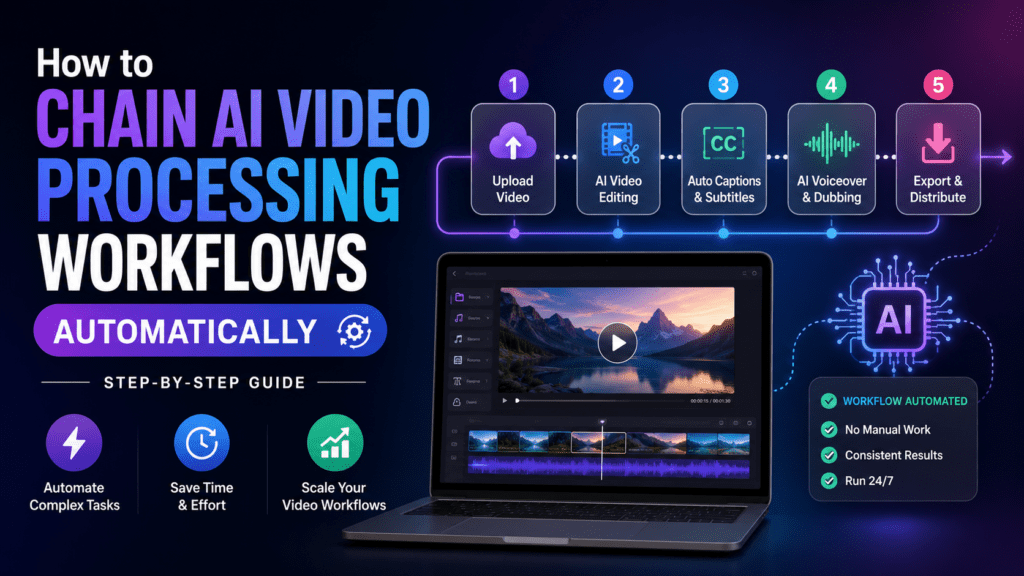
⚡ TL;DR — The Quick Answer
To chain multiple video processing steps into a single automated job, you connect a trigger (new file, webhook, schedule) to a sequence of processing nodes — usually n8n + FFmpeg + AI APIs for full control, Make.com + Rendi (FFmpeg API) for visual no-code, or Zapier + cloud video tools for the simplest setup. Each step passes its output to the next via webhooks, queues, or shared cloud storage. In 2026, the dominant pattern is: trigger → download → transcode → enhance with AI → caption → publish — all running unattended.
If you’ve ever spent three hours rendering, captioning, resizing, and uploading the same video to four different platforms, you already know why chaining AI video processing workflows automatically is the biggest productivity unlock of 2026. The good news: you don’t need to be a developer. The tools have finally caught up.
I’ve spent the last six months building, breaking, and rebuilding video automation pipelines for clients, my own faceless YouTube channel, and a few client agencies pumping out 200+ shorts per week. This guide is the playbook I wish I had on day one — every tool, every gotcha, every working pattern.
Why Chaining Video Processing Steps Matters in 2026
A typical short-form video isn’t one job — it’s eight to twelve sequential jobs:
- Download the source clip from cloud storage
- Transcode it to a working codec (H.264 / H.265)
- Trim silences with an AI silence detector
- Generate subtitles via Whisper or ElevenLabs
- Burn captions and overlays in with FFmpeg
- Resize to 9:16, 1:1, and 16:9 versions
- Auto-generate thumbnails and titles with GPT-4 / Gemini
- Upload to YouTube, TikTok, Instagram Reels, and X
- Log everything to Airtable or Notion
Doing those manually for one video is annoying. Doing them for 30 videos a week is impossible. Chaining means each step automatically hands off to the next without human intervention — which is exactly what modern n8n templates were built to do.

The Anatomy of a Chained AI Video Pipeline
Every workflow — whether you build it in n8n, Make, or Zapier — follows the same five-layer pattern. Once you internalize this, every tutorial on YouTube starts to look obvious.
Trigger Layer
Starts the pipeline. Could be a new file in Google Drive / Dropbox, a row added to Airtable, a webhook from a form, a schedule (cron), or a button in a mobile app.
Ingestion Layer
Pulls the raw asset into your environment. For large files (>100 MB), you stream into S3 / R2 / Wasabi instead of holding it in memory.
Processing Layer (FFmpeg + AI)
The heavy lifting: transcoding, cutting, captioning, watermarking, AI b-roll insertion, voice cloning, etc. This is where FFmpeg or a hosted FFmpeg API (Rendi, FFmpeg Micro, JSON2Video, Creatomate) lives.
Enrichment Layer
LLMs add titles, descriptions, hashtags, SEO tags, alt text. Tools like GPT-4o, Claude 4, or Gemini 2.5 plug in here via API.
Distribution Layer
Pushes the finished video to its homes — YouTube API, TikTok Business API, Blotato, Buffer, or direct CMS upload. Log success/failure to a database.
The Four Tools You’ll Actually Use (Honest Breakdown)
Let’s compare the players. I’ve tested all four in production and these are the brutally honest verdicts.
1. n8n — The Power User’s Choice
Open source Self-hostable Steepest learning curve
Website: n8n.io
n8n is the workhorse of 2026. The killer feature for video work is the Execute Command node — you can run raw FFmpeg commands inside your workflow if you self-host on a VPS with FFmpeg installed. That means zero per-render fees forever. For most AI video creators pushing more than 50 videos/month, n8n self-hosted is the cheapest serious option on the planet.
Best for: Developers, agencies, anyone hitting Zapier/Make pricing walls.
2. Make.com — The Visual No-Code Sweet Spot
Beautiful UI 3,000+ apps No native FFmpeg
Website: make.com
Make is what I recommend to non-technical creators who still want flexibility. For video, you pair it with Rendi (FFmpeg API) — there’s a native Make integration that exposes every FFmpeg command as visual modules. No server, no Docker, just drag and drop.
Best for: Solo creators, small agencies, anyone who values visual scenarios over code.
3. Zapier — The Easiest Onramp
Most integrations Beginner friendly Expensive at scale
Website: zapier.com
If you only need simple chains — “when a file lands in Drive, send it to Descript, then upload to YouTube” — Zapier is unbeatable for setup speed. For multi-step FFmpeg work it gets pricey fast. Use it for the trigger + distribution layers and let another tool handle processing.
Best for: Beginners, marketers, anyone whose pipeline is 3 steps or less.
4. FFmpeg — The Engine Behind Every Pipeline
Free forever Most powerful Command-line
Website: ffmpeg.org
Whether you realize it or not, every video API on Earth is just a wrapper around FFmpeg. Learn five FFmpeg commands and you’ll save thousands per year in SaaS fees.
Quick Comparison Table
| Feature | n8n | Make.com | Zapier | FFmpeg (raw) |
|---|---|---|---|---|
| Starting price | Free (self-hosted) | $9/mo | $19.99/mo | Free |
| Native FFmpeg | ✅ Yes (Execute node) | ⚠️ Via Rendi API | ❌ Webhook only | ✅ Native |
| Learning curve | Medium–High | Low–Medium | Very low | High |
| Best chain length | Unlimited | 20+ steps | 3–8 steps | N/A |
| Webhook support | ✅ Full | ✅ Full | ✅ Full | ❌ |
| AI node library | 40+ models | 30+ models | 20+ models | None |
| Best for | Power users | Visual builders | Beginners | Heavy lifting |
Step-by-Step: Build Your First Chained Video Pipeline in n8n
Here’s the exact recipe I use to chain six steps into one automated job. The scenario: a YouTuber drops a long-form video into a Google Drive folder, and we automatically produce three captioned shorts ready for TikTok.
Install n8n with FFmpeg baked in
On a $6/month Hetzner or DigitalOcean VPS, run the official Docker image with FFmpeg added to the container. Five-minute install. (See the Brilliant Workflows tutorial below for the exact Docker compose file.)
Set the trigger
Use the Google Drive Trigger node — “watch new files in folder /Inbox-Videos”. Poll every 5 minutes.
Download & transcribe
HTTP Request node pulls the file, then send the audio to OpenAI Whisper or Deepgram for a timestamped transcript. Cost: roughly $0.006/minute.
AI clip selection
Pass the transcript to a GPT-4o node with a prompt like: “Identify the three most engaging 45-second segments and return them as JSON with start_time, end_time, and a viral hook title.”
FFmpeg the clips
Use the Execute Command node three times (or use a Loop). The command does five things in one pass: cut to start/end, crop to 9:16, scale to 1080×1920, burn the SRT subtitle file, and export to MP4.
ffmpeg -i input.mp4 -ss 00:01:23 -to 00:02:08 \
  -vf "crop=ih*9/16:ih,scale=1080:1920,subtitles=cap.srt" \
  -c:v libx264 -preset fast -crf 22 -c:a aac \
clip_01.mp4Distribute everywhere
Use the YouTube, TikTok, and Instagram nodes (or a Blotato/Buffer node) to publish all three clips in parallel. Log results to Airtable.
Above: Skylar Girard’s deep-dive on the n8n + FFmpeg combo — one of the most-watched tutorials on this exact topic (29K+ views).
Building the Same Pipeline in Make.com (No-Code Path)
If running a server makes your eye twitch, here’s the Make.com equivalent. It costs slightly more per render but you’re up and running in 20 minutes.
| Step | Make.com Module | What It Does |
|---|---|---|
| 1 | Google Drive → Watch Files | Detects new uploads |
| 2 | HTTP → Make a Request | Sends file URL to AssemblyAI for transcript |
| 3 | OpenAI → Create Completion | GPT picks top 3 viral moments |
| 4 | Iterator | Loops over the 3 clip objects |
| 5 | Rendi (FFmpeg API) → Execute Job | Crops, resizes, burns subtitles |
| 6 | YouTube + TikTok + Instagram | Parallel publishing |
| 7 | Airtable → Create Record | Logs the run |
The Zapier Path: When Simple Beats Powerful
Zapier’s Image & Video Processing automation library has exploded in 2026 with native integrations for Runway, Pika, Veo, Synthesia, HeyGen, and dozens of AI video tools. You won’t get raw FFmpeg, but you can chain together best-in-class APIs in minutes.
My favorite “lazy” Zapier chain:
- Trigger: New row in Google Sheets (script idea)
- OpenAI: Expand idea into a 30-second script
- HeyGen / Synthesia: Generate an AI avatar video
- Descript / Submagic: Add animated captions
- Buffer: Schedule across 5 platforms
- Slack: Notify the team
Six steps, zero servers, runs while you sleep. For deeper reviews of the AI video tools that plug in at step 3 and 4, see our breakdowns of Synthesia, HeyGen, and Descript.
Webhook Automation: The Glue Between Workflows
The single biggest unlock once you’ve built 2–3 pipelines is realizing that workflows can call each other. This is how you scale without one giant 80-node spaghetti monster.
The pattern looks like this:
Workflow 1 — “Ingest”
Watches Drive → uploads to S3 → fires a webhook to Workflow 2.
Workflow 2 — “Process”
Triggered by webhook → does all FFmpeg/AI work → fires webhook to Workflow 3.
Workflow 3 — “Publish”
Triggered by webhook → pushes to social channels → logs to database.
Why bother? Retry safety. If publishing fails, you only retry Workflow 3 — not the 20-minute render. This is the architecture every serious automation agency uses in 2026.
API Chaining: When You Outgrow No-Code
Eventually you’ll want to chain video APIs directly — no n8n in the middle. The 2026 stack I’d recommend for a developer building a SaaS:
| Layer | Recommended API | Why |
|---|---|---|
| Transcription | Deepgram Nova-3 / AssemblyAI Universal-2 | Sub-second latency, word-level timestamps |
| LLM enrichment | GPT-5 / Claude 4.1 / Gemini 2.5 Pro | Best context windows for long transcripts |
| Voice / TTS | ElevenLabs v3 / Cartesia Sonic | Real-time cloning at <200ms |
| Video gen | Veo 3.1 / Runway Gen-4 / Sora 2 | Best fidelity for AI b-roll |
| Rendering | Rendi / Shotstack / Creatomate | Hosted FFmpeg with templates |
| Queue / Orchestration | Inngest / Trigger.dev / Temporal | Long-running job durability |
| Storage / CDN | Cloudflare R2 / Bunny CDN | Cheap egress, fast delivery |
Real-World Pipeline: Faceless YouTube Channel on Autopilot
Let me show you a real chain I built for a client running a finance education channel. One workflow produces a 60-second educational short every 4 hours, fully unattended.
The chain (n8n self-hosted, ~$8/month VPS):
- Schedule Trigger — fires every 4 hours
- RSS / News API — pulls top finance headline of the hour
- GPT-4o — writes a 150-word explainer script
- ElevenLabs — converts script to natural voiceover
- Pexels / Pixabay API — fetches 6 relevant stock clips
- FFmpeg Execute Command — stitches clips + voiceover + captions
- HTTP Request — sends to thumbnail API (Bannerbear)
- YouTube + TikTok + Instagram — publishes to all three
- Notion — logs the URL, headline, and analytics tracking link
Total cost per video: about $0.11. Total time per video: 4 minutes. Volume: 6 videos/day, 180/month.
“I went from spending 6 hours every Sunday batching content to literally not opening the channel for two weeks. The n8n chain just keeps shipping. It’s the closest thing to a content printing press I’ve ever seen.”
The Pros and Cons of Each Approach
✅ What Works Beautifully
- n8n + FFmpeg = near-zero marginal cost at scale
- Make.com scenarios are easy to hand off to a VA
- Zapier’s 7,000+ apps cover every distribution channel
- Webhook chaining gives clean retry semantics
- AI nodes have become genuinely reliable in 2026
- FFmpeg APIs (Rendi, Shotstack) eliminate dev-ops
- You can monitor everything from one dashboard
⚠️ Where Things Break
- Self-hosting n8n requires basic Linux skills
- Zapier pricing escalates brutally past 5,000 tasks/mo
- FFmpeg learning curve is real — expect 2–3 days
- Long-running renders need queue management
- Some social APIs throttle aggressively (TikTok especially)
- Rate limits on OpenAI/Anthropic can stall pipelines
- Debugging silent failures takes detective work
Common Pitfalls (and How to Avoid Them)
1. The “Everything in One Workflow” Trap
I see this every week. Someone builds a 47-node n8n workflow. One node fails, and they re-run the whole chain — including the 20-minute render. Solution: Split by responsibility. Ingest, Process, Publish. Three workflows, three webhooks.
2. Forgetting to Handle Webhook Timeouts
Make.com webhooks time out at 40 seconds. n8n’s at 300. If your FFmpeg job takes 4 minutes, you need to respond immediately with a job ID and let the processor call you back when done. Look up “async webhook pattern” — this single concept will save you weeks.
3. Not Logging Costs Per Run
Add a “cost tracker” node to every workflow that records OpenAI tokens, ElevenLabs characters, transcription minutes. Without it, you’ll wake up to a $400 surprise bill the day your trigger fires in a loop.
4. Skipping the Dead-Letter Queue
When a step fails, the data should go somewhere — not just vanish into a red “execution failed” badge. Pipe failures to a Slack channel or an Airtable “needs review” table.
Which Stack Should You Pick? (Honest Recommendation)
The Final Verdict
If you do anything with video on a recurring basis — content creation, course production, ad creative, client deliverables, social posting — you owe it to yourself to chain these steps in 2026. The tools have crossed the threshold where the setup cost is paid back inside the first week of operation.
The single best place to start is a tiny chain: one trigger, three steps, one output. Get that running. Then add one node a week. Within a month you’ll have something that genuinely runs your video operation on autopilot.
Related Reading on ReviewNexa
Keep exploring the AI automation stack:
- Best AI Video Editors That Automatically Edit Raw Footage
- Best AI Avatar Video Creators for UGC Content
- Best AI Video Makers for E-Learning & Training
- AI Video Tools That Support Multiple Languages
- Synthesia Review — AI Avatar Video Platform
- HeyGen Review — Realistic AI Spokesperson Videos
- Descript Review — Edit Video Like a Document
- Pictory AI Review — Long Video to Shorts Automation
- Fliki Review — Text-to-Video AI Tool
- Loom Review — Async Video Communication
- Colossyan Review — AI Video for Training
- Elai.io Review — AI Video Generation Platform
- D-ID Review — AI Talking Avatar Creator
- FlexClip Review — Online Video Editor
- ChatGPT vs Claude vs Gemini — Which LLM for Automation?
Frequently Asked Questions
Can I chain video processing without coding?
Yes. Make.com paired with Rendi (FFmpeg API) and OpenAI nodes lets you build full pipelines purely by drag-and-drop. Zapier handles even simpler chains with zero technical setup.
How much does a typical automated video pipeline cost to run?
For a chain producing one short-form video end-to-end, expect $0.08–$0.25 in API costs (transcription + LLM + rendering). The automation platform itself runs $0–$30/month depending on volume.
Is n8n really free?
Yes — when self-hosted. You pay only your VPS bill (typically $5–$10/month). The cloud version starts at $20/month if you don’t want to manage a server.
What’s the best automation tool for beginners?
Zapier. The learning curve is the gentlest, and most AI video apps have native integrations. Graduate to Make.com or n8n when you outgrow Zapier’s pricing.
Can I run FFmpeg inside Zapier?
Not natively. But you can call an FFmpeg API (Rendi, Shotstack, Creatomate, FFmpeg Micro) from a Zapier Webhook step. That gives you 90% of FFmpeg’s power without owning a server.
How do I handle videos that take 10+ minutes to render?
Use an async pattern: your workflow submits the render job, gets back a job ID, then waits for a callback webhook when rendering finishes. Both n8n and Make support this via “Wait for Webhook” nodes.
What’s the biggest mistake beginners make?
Building one giant workflow instead of three small ones connected by webhooks. Split your pipeline into Ingest → Process → Publish and your debugging time drops by 80%.
Thanks for sharing! I’m the founder of FFmpeg Micro (www.ffmpeg-micro.com), and we do have a native Make app and N8N community node. A Zapier native integration is on the roadmap as well.