

Quick Answer: Quick Answer: The best AI video maker for e-learning courses includes Synthesia, Descript, Fliki, and FlexClip. While avatar-based tools dominate corporate training, FlexClip is a strong alternative for creating slide-based, template-driven training videos quickly without needing on-camera presenters.
Key Takeaways
- AI video tools can reduce e-learning video production time by a significant margin compared to traditional screen recording and editing workflows.
- The best platforms for training videos combine AI avatars, text-to-speech voiceover, and slide or screen capture support.
- Choose tools with SCORM export or LMS integration if you’re publishing to platforms like Moodle, TalentLMS, or Cornerstone.
- Budget matters: free tiers exist but usually cap video length or add watermarks. Paid plans typically start at $20–$30/month per user.
- Ease of use is critical for L&D teams who aren’t video editors by trade.
- AI lip-sync and avatar quality vary widely — always test a free trial before committing.
- For screen-recording-heavy software training, specialized tools outperform general-purpose AI video makers.
- Localization features (multilingual voiceover, subtitle generation) are a major differentiator for global training programs.
What Makes an AI Video Maker Good for E-Learning Specifically?
A great AI video maker for e-learning does more than generate clips — it supports the full instructional design workflow. That means handling scripts, narration, visual structure, and output formats that work inside a learning management system (LMS).
Here’s what separates a general-purpose AI video tool from one built (or well-suited) for training content:
- Script-to-video workflow: You should be able to paste a script and get a structured video out, not just a montage.
- AI avatars or voiceovers: On-camera talent is expensive and slow. AI presenters solve this for most corporate training scenarios.
- Slide and screen integration: Most e-learning content involves slides or software demos. The tool needs to handle both cleanly.
- Subtitle and caption generation: Required for accessibility compliance in many organizations.
- LMS-compatible export: MP4 is the minimum. SCORM or xAPI support is a bonus for tracking completion.
- Multilingual support: Global teams need voiceover in multiple languages without re-recording.
Decision rule: If your training content is mostly slide-based or talking-head style, a general AI video tool works well. If it’s software simulation or process walkthroughs, look specifically at tools like Trupeer or Camtasia-style screen recorders with AI enhancement.
🎬 Can You Use FlexClip for E-Learning Videos?
FlexClip is a strong option for creating e-learning videos when you don’t need AI avatars and prefer a faster, template-based workflow.
👉 Read full review: Flexclip Review
Unlike tools like Synthesia or HeyGen that focus on avatar presenters, FlexClip focuses on visual storytelling using templates, text overlays, and stock media, making it ideal for:
- Slide-based training content
- Marketing-style educational videos
- Short learning modules (3–7 minutes)
- Social-first training content
Why FlexClip Works Well for Training
- 6,000+ templates → fast course creation
- Auto-subtitles (~95% accuracy) → accessibility ready
- Text-to-video AI → convert scripts into videos quickly
- 4M+ stock assets → no need to record footage
- Beginner-friendly interface → no editing skills required
Real Use Case
If you’re creating:
- onboarding videos
- product walkthroughs
- explainer lessons
FlexClip can handle 70–80% of production automatically, especially when combined with slides or script-based content.
Which AI Video Tools Are Best for E-Learning Courses and Training in 2026?
The best AI video maker for e-learning courses and training in 2026 falls into a few clear categories based on use case. Here’s a practical breakdown:
Top Tools by Use Case
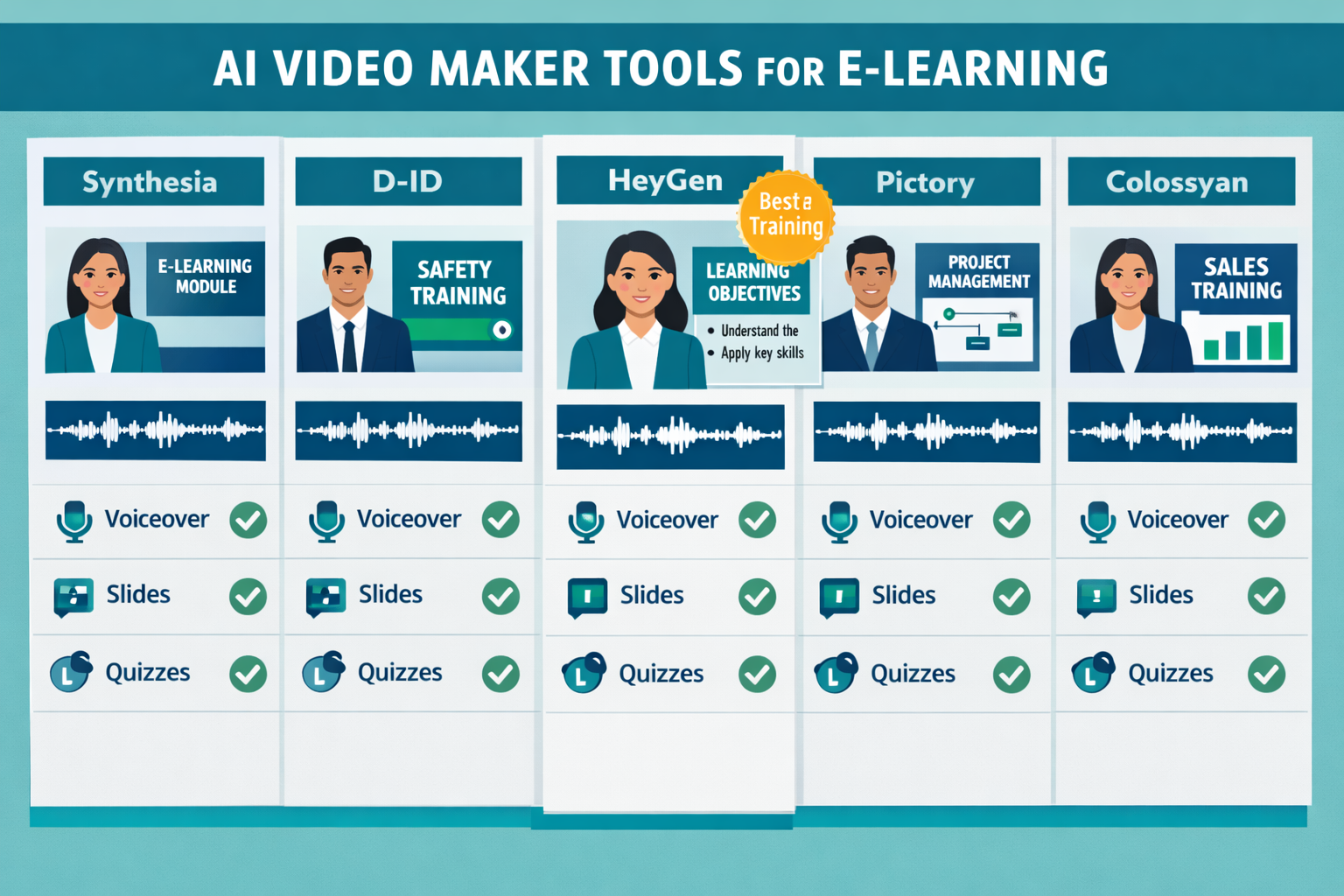
| Tool | Best For | Key Feature | Starting Price |
|---|---|---|---|
| Synthesia | Corporate training, HR onboarding | 140+ AI avatars, 120+ languages | ~$29/mo |
| Descript | Script-driven, podcast-style courses | AI voice cloning, overdub editing | ~$24/mo |
| Fliki | Quick slide-to-video conversion | Text-to-video with stock media | ~$21/mo |
| FlexClip | Beginner-friendly training videos, slide-based content | Templates, AI video generator, auto-subtitles | Free / ~$11.99/mo |
| HeyGen | Personalized video at scale | Avatar cloning, API access | ~$29/mo |
| Trupeer | Software training, screen recordings | AI-enhanced screen capture | Free tier available |
| Loom + AI | Async team training, quick updates | AI summaries, auto-chapters | Free tier available |
For teams building full courses (not just one-off videos), Synthesia and HeyGen are the most complete solutions. Both support branded templates, multiple scenes per video, and professional avatar presenters that hold up well in a corporate context.
For solo instructors or small L&D teams on a budget, Fliki and Descript offer strong value without requiring a large learning curve.
If your training involves software walkthroughs, check out the Trupeer Review 2026 — it’s specifically designed to turn raw screen recordings into polished product and process videos, which is exactly what software training requires.
How Do AI Avatars and Voiceovers Work in Training Videos?
AI avatars are digital presenters generated from either a stock library or a custom recording of a real person. The AI syncs lip movement to a typed or uploaded script, producing a video that looks like a person is speaking directly to the camera.
How the process typically works:
- You type or paste your script into the platform.
- You select an avatar (stock or custom) and a voice (text-to-speech or cloned).
- The AI renders the video, syncing mouth movement to the audio.
- You add slides, captions, or background elements as needed.
- You export as MP4 or embed directly in your LMS.
Common mistake: Choosing an avatar that looks too “uncanny valley” for your audience. Always preview with a short test clip before building a full course. Learners notice when the avatar feels robotic, and it reduces engagement.
For a deeper look at how AI lip-sync technology has improved, the Fluent Frame AI Review covers a tool that focuses specifically on professional video output quality — worth reading if avatar realism matters for your brand.
What Features Should You Prioritize When Choosing the Best AI Video Maker for E-Learning Courses and Training?
Prioritize features that match your actual production workflow, not the longest feature list. Here’s a practical checklist:
Must-have features:
- Script input or teleprompter-style text-to-video
- AI voiceover with natural-sounding speech (not robotic TTS)
- Caption/subtitle auto-generation
- MP4 export at 1080p minimum
- Basic branding (logo, colors, fonts)
Nice-to-have features:
- SCORM or xAPI export for LMS tracking
- Multilingual voiceover (10+ languages)
- Custom AI avatar creation
- Screen recording integration
- Quiz or interaction overlays
- Team collaboration and review tools
Skip if not needed:
- Generative B-roll AI (adds cost; stock footage usually works fine for training)
- Social media format presets (irrelevant for LMS delivery)
If you prefer visual-first content over avatar-based delivery, tools like FlexClip offer a faster way to create training videos using templates and stock media instead of AI presenters.
How Much Does an AI Video Maker for Training Cost?
Most AI video tools for e-learning use a subscription model, with pricing tied to video minutes rendered per month or seats per team.
Typical pricing tiers in 2026:
- Free: 1–5 minutes/month, watermarked, limited avatars (good for testing only)
- Starter ($20–$35/month): 10–30 minutes/month, no watermark, basic avatars
- Professional ($50–$100/month): 60–120 minutes/month, custom branding, more languages
- Enterprise (custom): Unlimited minutes, SSO, API access, dedicated support
Edge case to watch: Some tools charge per video render, not per minute. If you’re updating courses frequently (compliance training, for example), a per-render model gets expensive fast. Always check the pricing structure before signing up.
For teams producing high volumes of training content, annual plans typically save 20–30% compared to monthly billing.
Can AI Video Tools Replace a Professional Video Production Team for Training?
For most corporate training use cases, yes — with caveats. AI video tools handle the 80% of training content that is informational, procedural, or compliance-based. They struggle with highly emotional storytelling, complex live-action scenarios, or content where authentic human presence is critical (think leadership development or sensitive HR topics).
Where AI video tools work well for training:
- Software onboarding and product tutorials
- Compliance and regulatory training
- Process documentation and SOPs
- New hire orientation
- Product knowledge updates
Where human production still wins:
- Executive communications that need authentic presence
- Role-play scenarios requiring nuanced acting
- High-stakes emotional content (safety, mental health)
For faceless or narrator-style course content, tools like Keyvello are worth exploring — it’s built specifically for faceless video formats, which works well for knowledge-transfer courses where an on-screen presenter isn’t necessary.

How Do You Actually Build an E-Learning Video with an AI Tool?
Here’s a straightforward production workflow that works for most training content:
Step 1: Write your script first.
Don’t rely on AI to generate your instructional content. Write the script yourself or with a subject matter expert. Keep each video to 3–7 minutes for retention.
Step 2: Choose your tool based on content type.
Slide-heavy content → Fliki, Synthesia, or FlexClip
Screen recordings → Trupeer
Script-driven narration → Descript
Step 3: Input your script and select your presenter.
Paste the script, choose an avatar or voiceover style, and set the language.
Step 4: Add visuals.
Upload slides, screenshots, or use stock imagery. Most tools have drag-and-drop editors.
Step 5: Review captions and timing.
Auto-generated captions are usually 90%+ accurate but always need a human review pass.
Step 6: Export and upload.
Export as MP4 for direct LMS upload, or use SCORM packaging if your platform supports it.
For tools that handle the script-to-video pipeline particularly well, the Ngram AI Review 2026 covers a script-first platform that’s worth considering if your workflow starts with written content.
Also, if you need AI-generated video with strong automation capabilities, the Vid AI Review 2026 covers a platform focused on AI-powered video automation that can fit well into high-volume training production.
What Are the Biggest Mistakes Teams Make When Using AI Video for Training?
1. Skipping the script review.
AI voiceovers read exactly what you type, including errors. A typo becomes a mispronunciation. Always proofread before rendering.
2. Making videos too long.
AI makes it easy to dump all your content into one video. Learners disengage after 6–8 minutes. Break content into modules.
3. Ignoring accessibility.
Captions aren’t optional for most organizations. Make sure your tool generates them automatically and that you review them.
4. Choosing an avatar that doesn’t match your audience.
A tech-forward avatar for a manufacturing floor audience creates a disconnect. Match the visual style to the learner context.
5. Not testing LMS compatibility before full production.
Some tools export video that doesn’t play correctly in older LMS platforms. Test one video end-to-end before building a full course.
FAQ: Best AI Video Maker for E-Learning Courses and Training
Q: What is the best free AI video maker for e-learning?
A: Loom (with AI features) and Trupeer both offer free tiers that work for basic training videos. Synthesia and HeyGen offer free trials but aren’t fully free long-term.
Q: Can I use AI video tools for compliance training?
A: Yes. Compliance training is one of the strongest use cases — it’s repetitive, script-driven, and benefits from consistent delivery. Just ensure your tool supports caption generation for accessibility.
Q: Do AI video tools support SCORM export?
A: Most don’t natively. You typically export MP4 and then use an authoring tool like Articulate Rise or Adobe Captivate to wrap it in SCORM. Some enterprise plans include this.
Q: How realistic do AI avatars look in 2026?
A: Quality has improved significantly. Top-tier tools like Synthesia and HeyGen produce avatars that most learners accept without distraction. Custom avatar cloning (using your own likeness) produces the most natural results.
Q: Is AI-generated voiceover good enough for professional training?
A: For most training contexts, yes. Natural-sounding TTS has advanced considerably. For senior leadership communications or brand-critical content, human voiceover is still preferable.
Q: Can I translate my training videos into other languages with AI?
A: Yes. Most leading tools support 50–120+ languages with AI dubbing and lip-sync adjustment. This is one of the strongest ROI cases for AI video in global organizations.
Q: What’s the best AI video tool for software training specifically?
A: Trupeer is purpose-built for this. It converts screen recordings into polished tutorials with AI-generated narration and annotations.
Q: How long does it take to produce a 5-minute training video with AI?
A: With a finished script, most AI tools can render a 5-minute video in 10–30 minutes. Total production time including scripting, review, and editing is typically 1–3 hours versus a full day with traditional methods.
Q: Are there AI video tools designed for mobile-first learners?
A: Most tools export standard MP4 that plays on mobile. For vertical or short-form training content, tools like Keyvello support multiple aspect ratios including mobile formats.
Q: What’s the difference between an AI video maker and a screen recorder for training?
A: A screen recorder captures what’s on your screen. An AI video maker generates video from text, avatars, or uploaded assets. Many training workflows combine both — screen recordings for demos, AI video for narrated instruction.
Conclusion: Choosing the Right AI Video Tool for Your Training Program
For beginners or teams that don’t need AI avatars, FlexClip is one of the easiest ways to create professional training videos quickly using templates and AI-assisted editing. For most corporate L&D teams in 2026, Synthesia or HeyGen handle the majority of use cases well. For software training, Trupeer is the clearest choice. For budget-conscious solo creators, Fliki or Descript offer solid results without a steep learning curve.
Actionable next steps:
- Audit your content type — slides, screen recordings, or talking-head? This narrows your tool options immediately.
- Test before you buy — every major tool offers a free trial. Build one real training video before committing to a plan.
- Check LMS compatibility — upload a test video to your LMS before producing a full course.
- Start with a short module — a 3–5 minute video is enough to validate your workflow and get stakeholder feedback.
- Review the AI video tools landscape — the AI video and media tools category at ReviewNexa covers new and updated tools regularly, which matters in a space that moves fast.
The time savings are real, the quality bar is high enough for most training contexts, and the cost is a fraction of traditional production. The main risk is choosing the wrong tool for your specific workflow — so test early and decide based on your actual output, not feature lists.
References
- Synthesia. (2024). Synthesia platform documentation and pricing. https://www.synthesia.io
- HeyGen. (2024). HeyGen AI video platform overview. https://www.heygen.com
- Descript. (2023). Descript product features: Overdub and screen recording. https://www.descript.com
- Fliki. (2024). Fliki text-to-video for content creators. https://fliki.ai
- eLearning Industry. (2023). AI in corporate training: Trends and adoption rates. https://elearningindustry.com