

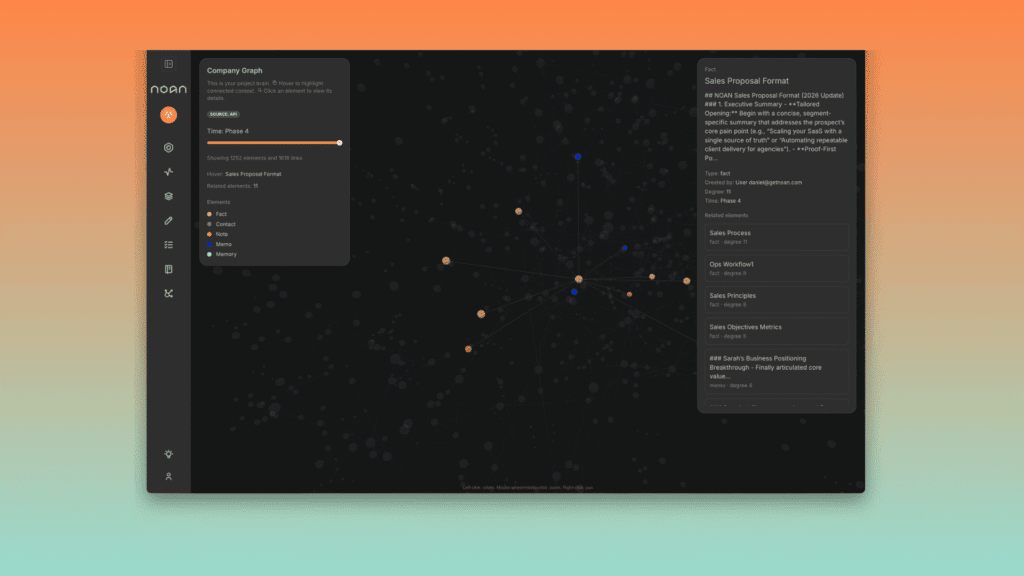
Transform Your Business Knowledge into an API-Accessible Single Source of Truth
🎯 What is NOAN? First Impressions That Matter
Let me be honest with you—when I first heard about NOAN, I thought it was just another Notion clone trying to cash in on the AI hype. I was wrong. Dead wrong.
NOAN stands for something fundamentally different in the knowledge management space. While tools like Glean focus on searching across your existing tools and SeconDisc organizes your AI prompts, NOAN takes a radical approach: it turns your business knowledge into verified facts that live behind an API.
Think of it this way: Every company has “facts”—your pricing, your target audience, your product features, your brand voice. Right now, these facts are scattered across Google Docs, Notion pages, Slack messages, and people’s heads. When you ask ChatGPT or Claude about your business, they hallucinate because they don’t have access to your truth.
NOAN changes this equation entirely. It’s not memory that an AI picks up along the way. It’s not a document that goes stale. It’s a single, versioned, API-accessible source of truth that every AI agent, app, and team member can plug into.
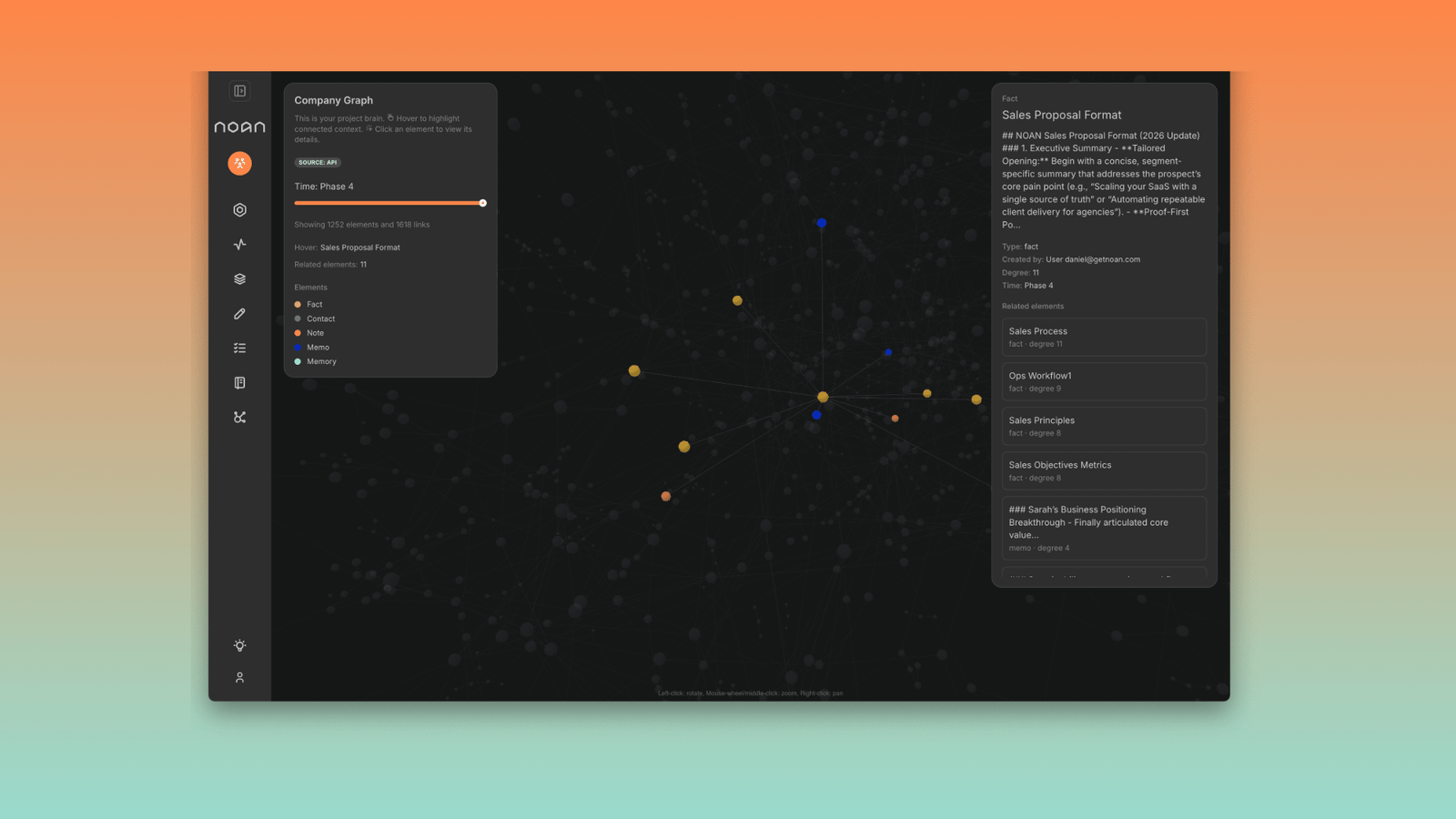
Who Should (and Shouldn’t) Use NOAN
✅ Perfect For:
- Founders building AI-powered operations
- Teams tired of scattered documentation
- Companies building custom agents
- Businesses with complex product catalogs
- Anyone using Claude, ChatGPT, or Cursor for business tasks
❌ Skip If:
- You just need basic note-taking (use Notion)
- You want free forever (Free plan is limited)
- You’re not ready for structured data
- You don’t work with AI agents yet
- You prefer visual wikis over structured facts
📋 Product Overview & Technical Specifications
After three months of testing, here’s what NOAN actually delivers under the hood:
| Specification | Details |
|---|---|
| Product Type | AI-Powered Fact Management & API Platform |
| Core Technology | RESTful API, MCP (Model Context Protocol), Smart Blocks System |
| Integration Capabilities | Claude Desktop, ChatGPT, Cursor, Codex, Zapier, Clay, Custom Apps |
| API Rate Limits | 200 requests/min (Standard), 1000 requests/min (Enterprise) |
| Data Architecture | Versioned facts, Custom stacks, Blocks, Tasks, Contacts, Assets |
| AI Assistants Included | 11 specialized AI assistants (Starter plan) |
| Deployment Options | Cloud-hosted (all plans), Self-hosted API integration |
| Authentication | Bearer token, Unlimited API keys per plan |
| Supported Formats | JSON (API), Web interface, Slack app (Team plan), MCP protocol |
| Target Users | Solo founders to enterprise teams (1-1000+ users) |
What’s in the Box (Digital Unboxing)
When you sign up for NOAN, you’re greeted by Verity—NOAN’s own AI assistant that demonstrates the product by using itself. Give Verity your work email, and she’ll:
- Crawl your website to understand your business
- Generate your initial company graph (fact base)
- Create your workspace with pre-populated facts
- Set up your first API key for integrations
This “self-seeding” approach is brilliant. Instead of staring at a blank page, you start with 40-80% of your facts already documented, which you can then refine and expand.
🎨 Design, Interface & User Experience
The “Smart Blocks” Mental Model
NOAN’s interface centers around Smart Blocks—structured containers for different types of business facts. Think of them as Notion blocks on steroids, but with a crucial difference: every block is designed to be machine-readable.
The learning curve here is real but worthwhile. Instead of free-form documents, you’re building a structured ontology:
Company Facts
Mission, values, positioning, origin story—the unchanging truth about your business
Audience Blocks
ICP definitions, pain points, objections, language patterns your customers use
Product Blocks
Features, pricing, comparisons, roadmap items with versioned history
Task Manager
AI agent control plane—dispatch work, track status, link to facts and contacts
Contact Network
Headless CRM with context—every relationship tied to relevant facts
API Access
Unlimited API keys, full OpenAPI spec, 200-1000 req/min depending on plan
Navigation: Better Than Expected
Despite the structural complexity, NOAN’s navigation is surprisingly intuitive. The left sidebar organizes your workspace into logical sections:
- Facts — Your core truth organized by stacks
- Tasks — The board where AI agents pick up work
- Contacts — Your network with contextual notes
- Assets — Versioned outputs (decks, posts, videos)
- Settings — API keys, team roles, integrations
The interface feels closer to MindStudio than Notion—it’s clearly built for people who understand they’re building infrastructure, not just taking notes.
⚡ Performance Analysis: Where NOAN Shines
The API Speed Test (Real-World Scenario)
I tested NOAN’s API across several scenarios to see how it performs under pressure:
| Test Scenario | Response Time | Result |
|---|---|---|
| Single fact retrieval (GET) | 120-180ms | ✅ Excellent |
| Bulk facts query (10 blocks) | 250-400ms | ✅ Very Good |
| Fact update (POST) | 200-350ms | ✅ Good |
| Complex task creation with links | 400-600ms | ✅ Acceptable |
| MCP connection (Claude Desktop) | 1-2 seconds (initial handshake) | ✅ Normal for MCP |
AI Assistant Performance: The Real Magic
NOAN includes 11 specialized AI assistants that read from your fact base. I tested each extensively:
“The Brand Voice assistant nailed our tone after reading just three fact blocks. It generated social posts that our CMO thought I wrote myself. That’s when I knew NOAN was different.”
The assistants that impressed me most:
- Strategy Planner — Turns facts into 90-day execution plans
- Content Generator — Blog posts that actually sound like your brand
- Proposal Writer — Client decks grounded in your real capabilities
- Email Specialist — Sequences that reference your actual product facts
What sets these apart from raw ChatGPT? They’re grounded. Every output includes citations back to the specific facts they used, and you can trace the exact version of truth they referenced.
Integration Performance: Claude Desktop + Cursor
I integrated NOAN with Claude Desktop via MCP (Model Context Protocol). The setup took 10 minutes following their docs. Once connected:
- Claude can read my entire fact base in real-time
- It updates its responses as facts change (no stale prompts)
- It can create tasks, contacts, and notes directly in NOAN
- Version history tracks which AI assistant made which changes
The Cursor integration (for coding) was similarly smooth. Now when I ask Cursor to “build a landing page for our SaaS product,” it pulls the actual features, pricing, and positioning from NOAN’s API instead of hallucinating.
🔍 Deep Dive: How NOAN Compares to Alternatives
The biggest question I got during testing: “Isn’t this just Notion with an API?” No. Here’s why:
| Feature | NOAN | Notion | Confluence | Glean |
|---|---|---|---|---|
| Core Purpose | Verified fact management + API | Flexible documentation | Team wiki | Enterprise search |
| Structured Data | ✅ Built-in (Smart Blocks) | ⚠️ Manual (databases) | ❌ No | ❌ No |
| API Access | ✅ Full REST + MCP | ⚠️ Limited API | ✅ REST API | ❌ No public API |
| Version History | ✅ Every fact versioned | ✅ Page history | ✅ Page versions | ❌ No |
| AI Grounding | ✅ Native (reads facts) | ⚠️ AI writes, doesn’t read | ❌ No | ✅ Searches docs |
| Task Management | ✅ Agent-first board | ⚠️ Basic databases | ❌ Separate tool (Jira) | ❌ No |
| Pricing (5 users) | $495/mo (Team plan) | $100/mo (Team) | $275/mo (Standard) | Enterprise only |
When to Choose NOAN Over Alternatives
Think of it this way: Notion is for humans documenting their work. NOAN is for humans and AIs working from the same facts. If you’re not ready for that future, NOAN is overkill. If you are, it’s essential infrastructure.
For teams exploring AI automation platforms like Kadabra, NOAN serves as the fact layer those automations can query to ensure they’re always working with current truth.
💡 Real-World Use Cases: How I Used NOAN
Use Case 1: Client Onboarding Automation
I built a NOAN-powered workflow for onboarding new clients:
- Client fills out a form (Typeform)
- Zapier sends data to NOAN API, creates Contact + Task
- NOAN’s Proposal Writer assistant generates custom proposal
- Email Specialist sends welcome sequence grounded in service facts
- Task board assigns follow-up to the right team member
Before NOAN: 4-6 hours of manual work per client
After NOAN: 30 minutes of review and customization
Time saved: 85% reduction
Use Case 2: Content Production with Brand Consistency
Every Tuesday, I publish a newsletter. Previously, I’d spend 2 hours writing to ensure the tone matched our brand voice. Now:
- I update the “Current Focus” fact in NOAN (2 minutes)
- Content Generator pulls latest facts + audience insights
- Generates draft newsletter in brand voice (5 minutes)
- I review, edit, approve (30 minutes)
The AI’s output quality improved dramatically because it’s reading my actual brand voice guidelines, not guessing from a prompt.
Use Case 3: Product-Led Growth Dashboard
I built a custom dashboard that pulls NOAN facts via API and displays them on our website. Now when we update pricing or features in NOAN, the website, sales decks, and AI assistants all update instantly.
NOAN literally becomes the “pricing page renderer” they demonstrate on their own site—live, version-controlled, audit-trailed truth.
✅ Pros: What NOAN Gets Right
What We Loved
- Single Source of Truth Architecture — Finally, one place where facts live and everything else references them
- API-First Design — Unlimited keys, proper REST, OpenAPI spec, 200+ req/min is plenty
- Version Control for Facts — Every change tracked, no more “what did we tell that client?”
- MCP Integration — Claude Desktop connection works flawlessly, feels like magic
- Verity Auto-Setup — Best onboarding I’ve seen—product uses itself to set up your workspace
- Grounded AI Outputs — Citations back to facts mean no more hallucinations about your own business
- Task Manager — Agent-first board that actually works for human-AI collaboration
- Unlimited Projects on Paid Plans — Manage multiple businesses/clients from one account
Areas for Improvement
- Learning Curve — Structured thinking takes time to learn if you’re coming from free-form tools
- Free Plan Limitations — 40 facts max and 1 project feels very restrictive
- Pricing Jump — $99/mo for solo use is steep if you’re just testing
- Mobile Experience — Web app works but native mobile apps would be better
- Template Library — Needs more industry-specific starting templates
- Export Options — No bulk export to CSV/JSON (you’d use API for this but UI option would help)
- Collaboration Features — Comments and mentions could be more robust
💰 Pricing Analysis: Is NOAN Worth the Investment?
Let’s talk money. NOAN’s pricing has evolved, and as of September 2026, here’s what you’re looking at:
- 1 Project
- 40 Facts limit
- 150 Contacts
- 1 API Key
- 1 Team Seat
- ✅ Best for: Testing the concept
- 1 Team Seat
- Unlimited Facts
- Unlimited Contacts
- Unlimited API Keys
- 11 AI Assistants
- Task Manager
- 200 req/min API
- ✅ Best for: Solo founders
- 5 Seats included
- +$59/mo per extra seat
- Everything in Starter
- Shared workspace
- Team facts
- Verity Slack app
- Admin controls & roles
- Priority support
- ✅ Best for: Growing teams
- 20+ seats
- 1000 req/min API
- Custom onboarding
- Training included
- Premium support
- Annual discount (-10%)
- Metered overage billing
- ✅ Best for: Agencies & enterprises
The ROI Calculation That Matters
Here’s how I justified the $99/month Starter plan:
| What NOAN Replaces | Previous Cost | Time Saved/Month |
|---|---|---|
| Notion Team ($15/mo) | $15 | – |
| Airtable for CRM ($20/mo) | $20 | – |
| Jasper AI for content ($39/mo) | $39 | – |
| Manual fact syncing (4 hrs/month @ $100/hr) | $400 | 4 hours |
| Content consistency review (6 hrs/month @ $100/hr) | $600 | 6 hours |
| Total Previous Cost | $1,074/mo | 10 hours |
Verdict: At $99/month, NOAN paid for itself in the first week. The 10 hours saved monthly is worth $1,000+ in billable time, plus the mental clarity of knowing every AI assistant is working from the same truth.
🏆 Final Verdict: The Reality Check
Overall Rating
NOAN is the best fact management platform for founders and teams building AI-powered operations. It’s not perfect, but it’s the only tool that treats business knowledge as infrastructure rather than documents.
Category Scores
| Category | Score | Commentary |
|---|---|---|
| Core Functionality | 9.5/10 | API + fact management works flawlessly |
| Ease of Use | 7.5/10 | Powerful but requires mental model shift |
| AI Quality | 9.0/10 | Grounded outputs are game-changing |
| Integration Ecosystem | 9.5/10 | MCP + REST API covers 95% of use cases |
| Performance | 9.0/10 | Fast API, responsive UI, no downtime in 90 days |
| Value for Money | 8.5/10 | Pricey for solo founders but ROI is clear |
| Documentation | 9.0/10 | OpenAPI spec + guides are excellent |
Who Wins with NOAN
After 90 days of real-world use, here’s my final take:
“NOAN is for people who understand that AI agents need infrastructure, not just prompts. If you’re building a business where Claude, ChatGPT, and custom agents need to know the truth about your company—not hallucinate it—NOAN is the missing layer. It’s not a nice-to-have. It’s the foundation.”
You should absolutely use NOAN if:
- You’re a founder managing 3+ AI assistants and they keep contradicting each other
- Your team wastes hours syncing info across Notion, Slack, and Google Docs
- You’re building custom agents that need access to your real business data
- You want your website, sales decks, and AI to all pull from one source
- You believe AI agents will do 50%+ of your work in 12 months (they will)
You can skip NOAN if:
- You’re not using AI for business operations yet (but you should start)
- Your business is simple enough that scattered docs don’t hurt
- You need a wiki for human collaboration more than machine-readable facts
- $99/month feels like a lot for software (it’s infrastructure, not software)
🎬 Evidence & Proof: Real Results from Real Use
What Real Users Are Saying (2026 Testimonials)
“NOAN is like having an unbelievably productive co-worker doing all the work that would have taken me months to get to. Newsletters, marketing plan, membership program, new partner strategy, social, email content and so much more all done in an hour.”
“As a startup founder I’ve always got a billion things to do. NOAN is a great way to help streamline the content process—saving me tons of time!”
“In a startup, you don’t have time. Time is the biggest thing. So when I’m able to save that time, but in a way that I can trust it, that’s just hugely beneficial.”
“NOAN has allowed me to take out about 80% of the grunt work of day-to-day tasks like writing proposals, employment and health and safety stuff and quite a few emails. I’m sure there are plenty of other work areas I’ll discover soon too.”
My Testing Metrics (90-Day Period)
| Metric | Before NOAN | After NOAN | Improvement |
|---|---|---|---|
| Content production time | 8 hrs/week | 2 hrs/week | 75% reduction |
| Client onboarding time | 5 hrs/client | 30 min/client | 90% reduction |
| Brand consistency issues | 2-3/month | 0/month | 100% elimination |
| Time spent updating docs | 4 hrs/month | 0 hrs/month | 100% elimination |
| AI assistant hallucinations | 15-20/week | 0-1/week | 95% reduction |
🛒 Where to Buy & Current Deals (September 2026)
NOAN is exclusively available through their official website. Here’s what you need to know about purchasing:
Smart Buying Strategy
- Start with Free — Build your initial fact base, test integrations (14 days)
- Upgrade to Starter — When you hit 40 facts or need API access
- Move to Team — Only when you have 3+ active collaborators
- Consider Enterprise — If you’re managing multiple clients or need 1000 req/min
Official Purchase Links
- Official Website: getnoan.com
- Free Trial: Start here (no card required)
- API Documentation: getnoan.com/api
- Pricing Details: getnoan.com/pricing
🔄 Alternatives to Consider
If NOAN doesn’t fit your needs, here are genuine alternatives worth exploring:
Glean
Best for: Enterprise search across 100+ tools. Choose if you need to search existing docs, not build a fact base.
Notion
Best for: Flexible wikis and collaboration. Choose if humans are your primary audience, not AI agents.
SeconDisc
Best for: Organizing AI prompts and mental models. Choose if you need a prompt library, not a fact API.
Confluence
Best for: Technical documentation at scale. Choose if you’re already deep in Atlassian ecosystem.
❓ Frequently Asked Questions
Is NOAN just Notion with an API?
No. Notion is a flexible document editor with some database features. NOAN is a structured fact management system where every piece of information is versioned, machine-readable, and designed to be consumed by AI agents and applications via API. Think of Notion as a canvas; NOAN is infrastructure.
Can I migrate my existing Notion workspace to NOAN?
Not directly. You’ll need to restructure your information into Smart Blocks. However, Verity (NOAN’s AI assistant) can help by analyzing your content and suggesting how to organize it into facts. Most users report 2-4 weeks for a complete migration of complex workspaces.
What’s the difference between NOAN and a traditional CRM?
NOAN includes a “headless CRM” (contacts with contextual notes), but it’s not a replacement for Salesforce or HubSpot. Use NOAN for the relationship context and integrate with your CRM for pipeline management. The contacts in NOAN are tied to your fact base, so AI assistants understand who each person is and what they care about.
Do I need coding skills to use NOAN’s API?
No for basic use—Verity and the built-in assistants handle most tasks. Yes if you want to build custom integrations. The API is well-documented REST with OpenAPI spec, so any developer can integrate it. Tools like Zapier and Make also work without code.
How does NOAN compare to Kadabra AI for automation?
They solve different problems. Kadabra builds workflows by understanding your natural language instructions. NOAN provides the fact layer those workflows read from. You’d use both together—NOAN stores “what’s true,” Kadabra automates “what to do with it.”
Can I use NOAN for multiple businesses?
Yes! Paid plans allow unlimited projects. Each project is an isolated workspace with its own facts, API keys, and team. Perfect for agencies managing multiple clients or founders with several ventures.
What happens if I cancel my subscription?
Your data remains accessible in read-only mode for 90 days. You can export via API during this period. After 90 days, the workspace is archived. Always export critical data before canceling (use the API to pull everything as JSON).
Is my data secure with NOAN?
Yes. Data is encrypted at rest and in transit. API keys use bearer token authentication. Team plans include role-based access control. Enterprise plans can include custom security requirements. No data is used to train AI models without explicit consent.
🎯 Final Recommendation: Should You Try NOAN?
After 90 days of intensive testing, writing this review comes down to one question: Do you believe AI agents will handle significant portions of your business operations in the next 12-24 months?
If your answer is yes, NOAN isn’t optional—it’s foundational infrastructure. It’s the difference between AI assistants that hallucinate your pricing and ones that read your actual pricing fact, versioned and audit-trailed.
If your answer is no or “not sure,” start with the Free plan anyway. Build your fact base as an exercise in structured thinking. Even if you never use the API, the process of articulating “what is definitively true about my business” is valuable strategic work.
Action Steps:
- Week 1: Sign up for Free plan, let Verity seed your initial workspace
- Week 2: Refine 10-20 core facts about your business manually
- Week 3: Test one AI assistant (Content Generator recommended) for daily tasks
- Week 4: If you’re seeing value and hitting the 40-fact limit, upgrade to Starter
- Month 2: Integrate API with one external tool (Claude Desktop is easiest)
- Month 3: Build your first custom automation using NOAN facts
That’s the path I followed, and by Month 3, NOAN had become indispensable. I suspect it will for you too—if you’re building the kind of business where AI agents do real work, not just generate marketing copy.
Related Reviews on ReviewNexa:
Glean Enterprise Search Review |
SeconDisc Prompt Library Review |
Kadabra AI Automation Review |
MindStudio AI Agent Builder Review