

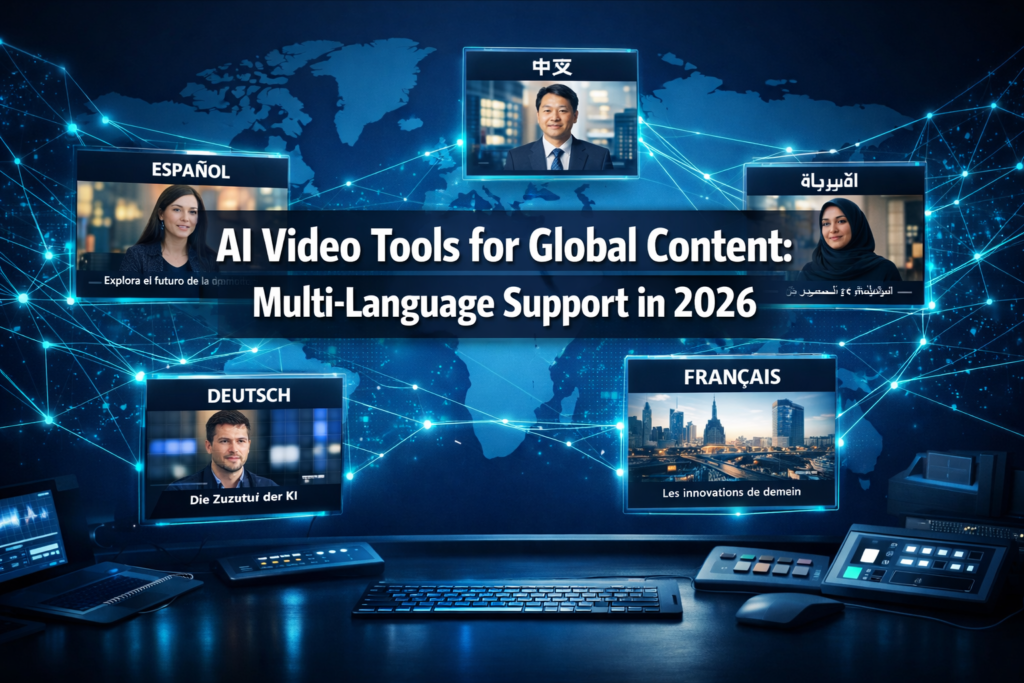
Quick Answer: Several AI video tools now support multiple languages for global content creation, including HeyGen, Synthesia, Pictory, Descript, and DeepBrain AI. These platforms let creators translate, dub, and subtitle videos in 30 to 130+ languages without manual recording. The best choice depends on your budget, the languages you need, and whether you want AI avatars, voiceovers, or auto-translated captions.
Key Takeaways
- 🌍 Top multi-language AI video tools include HeyGen, Synthesia, Pictory, Descript, and DeepBrain AI Float.
- 🗣️ AI dubbing and voice cloning now allow creators to produce localized video in dozens of languages from a single recording.
- 📝 Auto-subtitling and caption translation are available in most mid-tier plans, often covering 50+ languages.
- 💰 Pricing ranges from free tiers with limited language options to enterprise plans at $200+/month for full multilingual access.
- ✅ Accuracy varies by language family — European languages generally outperform less common ones in AI translation quality.
- 🎯 Choose AI avatar tools (HeyGen, Synthesia) for spokesperson-style content; choose caption/dubbing tools (Pictory, Descript) for repurposing existing footage.
- ⚠️ Common mistake: Skipping human review of AI-translated scripts leads to cultural errors that damage brand credibility.
- 📊 Global video consumption is growing fastest in Asia-Pacific and Latin America, making multilingual support a strategic priority in 2026.
What Are AI Video Tools That Support Multiple Languages for Global Content?
AI video tools that support multiple languages for global content are software platforms that use machine learning to translate, dub, subtitle, or generate video content in more than one language — often automatically, from a single source video or script.
These tools fall into three main categories:
- AI avatar and text-to-video platforms (e.g., HeyGen, Synthesia, DeepBrain AI Float) — Generate a speaking avatar that delivers your script in multiple languages using synthesized voices.
- AI dubbing and voice cloning tools (e.g., Descript, ElevenLabs) — Replace or add voiceovers in other languages while preserving the original speaker’s tone.
- Caption and subtitle translation tools (e.g., Pictory, Kapwing) — Automatically transcribe and translate captions across languages for existing video content.
Who this is for: Marketers, educators, course creators, and brands targeting audiences in more than one country. It’s especially relevant for YouTube channels, e-learning platforms, and corporate training teams.
Who it’s NOT for: Creators who need broadcast-quality dubbing with cultural adaptation — AI tools still require human review for high-stakes content.
Which AI Video Tools That Support Multiple Languages for Global Content Are Worth Using in 2026?
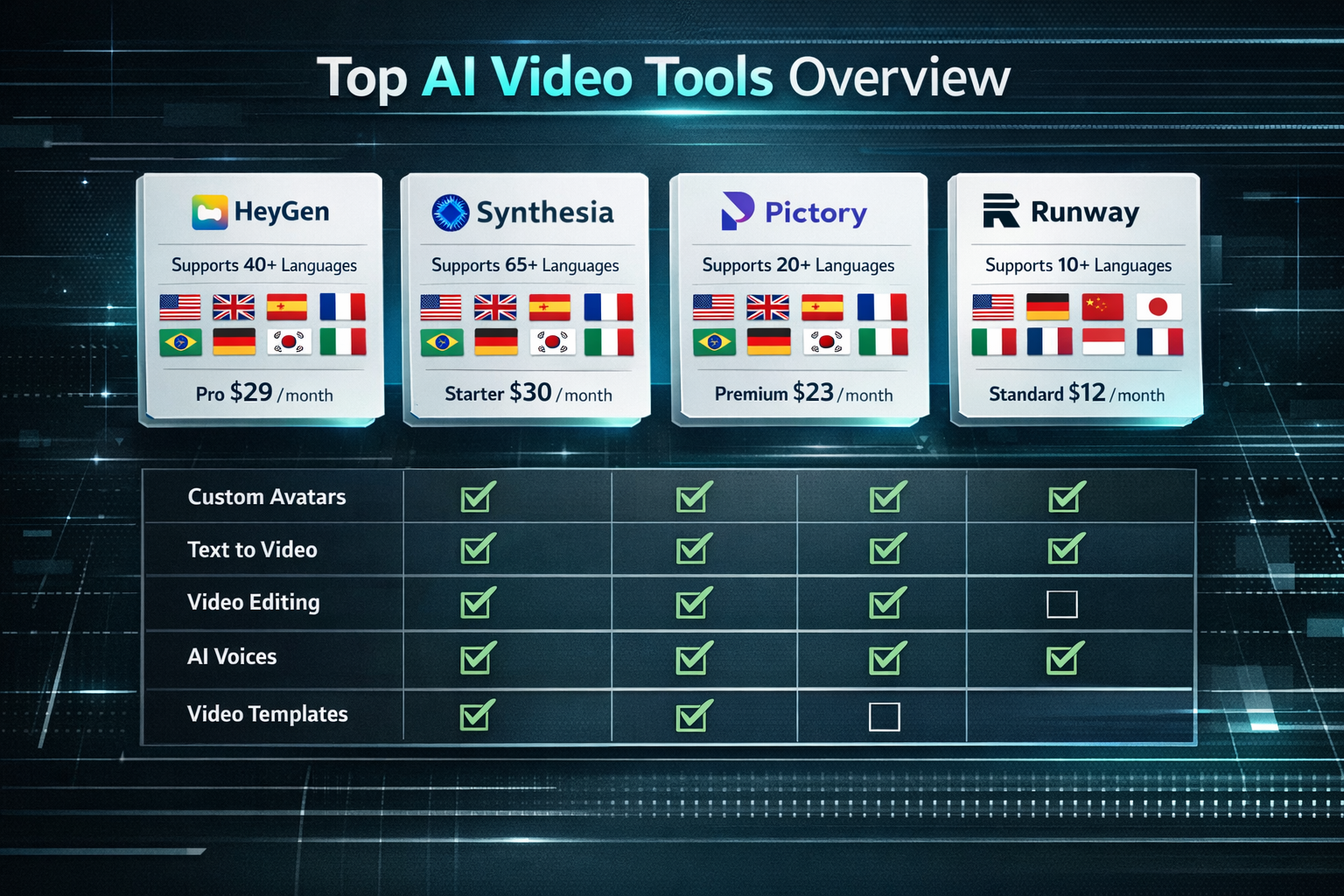
The best tools balance language breadth, voice quality, and ease of use. Here’s a direct comparison of the leading options:
| Tool | Languages Supported | Key Feature | Best For | Starting Price |
|---|---|---|---|---|
| HeyGen | 40+ | AI avatar + lip sync | Marketing videos | ~$29/mo |
| Synthesia | 130+ | 140+ AI avatars | Corporate training | ~$29/mo |
| Descript | 23+ | Voice cloning + dubbing | Podcasts, tutorials | Free tier available |
| Pictory | 29+ | Auto-caption translation | Repurposing content | ~$19/mo |
| DeepBrain AI (Float) | 80+ | Talking portrait AI | Spokesperson content | Custom pricing |
| ElevenLabs | 29+ | Hyper-realistic voice clone | Voiceover dubbing | Free tier available |
“The gap between a good multilingual video and a bad one is rarely the translation — it’s the voice quality and lip sync accuracy.”
Choose HeyGen if you need realistic lip-synced avatars for marketing content in Asian or European markets. Choose Synthesia if you need the widest language range for corporate or training use. Choose Pictory if you’re primarily repurposing existing video with translated captions.
For a deeper look at AI video creation tools more broadly, the AI video and media tools category covers dozens of options reviewed in 2026.
How Do AI Dubbing and Voice Translation Actually Work?
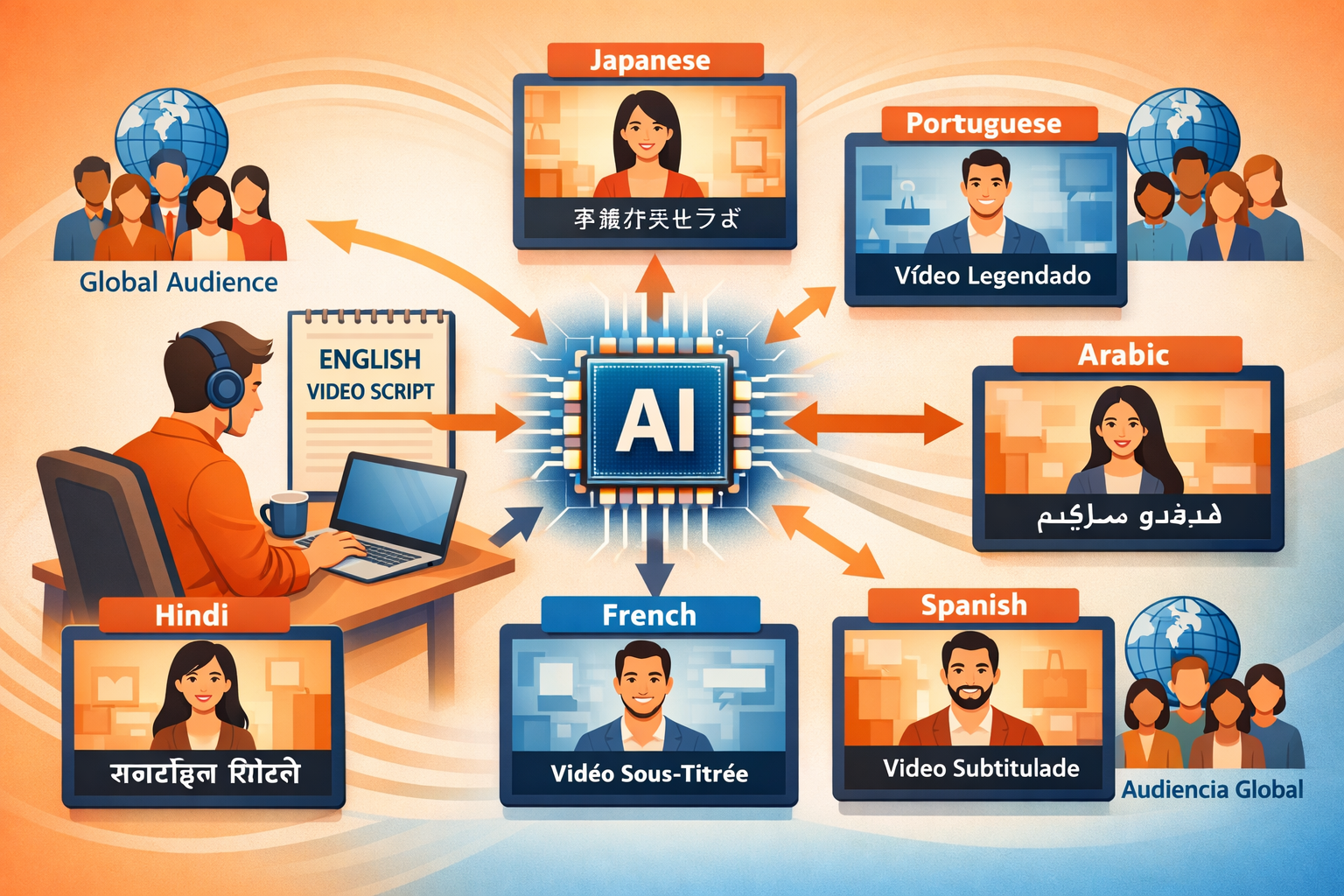
AI dubbing works by separating a video’s audio track, running it through a speech-to-text engine, translating the transcript, synthesizing new speech in the target language, and re-syncing it to the video. Advanced tools also adjust lip movements to match the new audio.
The core steps most tools follow:
- Transcription — AI converts the original audio to text.
- Translation — A language model translates the script (often GPT-4 class models).
- Voice synthesis — Text-to-speech generates audio in the target language, sometimes cloning the original speaker’s voice.
- Lip sync adjustment — Tools like HeyGen and LatentSync use AI to re-animate mouth movements to match the new audio.
- Export — The finished video is rendered with the dubbed audio track.
Common mistake: Assuming AI translation is production-ready without review. Technical or legal content in particular needs a native speaker check before publishing.
What Features Should You Look for in Multilingual AI Video Tools?
Not all language support is equal. When evaluating AI video tools that support multiple languages for global content, check these specific features:
- Language depth vs. breadth: Does the tool support 130 languages poorly, or 30 languages well? Test your target languages specifically.
- Voice cloning: Can the tool replicate the original speaker’s voice, or does it use a generic AI voice? Voice cloning produces more authentic results.
- Lip sync quality: For avatar or talking-head videos, poor lip sync immediately signals “fake” to viewers.
- Subtitle accuracy: Auto-generated captions should be editable and exportable in SRT or VTT format.
- Script-first workflow: Some tools like Ngram AI let you write scripts first and generate video from text, which makes multilingual adaptation much easier.
- Batch processing: Enterprise teams need to translate and render multiple videos at once.
- Cultural tone settings: A few advanced tools let you adjust formality levels per language (important for Japanese, Korean, and German markets).
How Much Do Multilingual AI Video Tools Cost?
Pricing varies widely based on render minutes, language access, and avatar quality.
- Free tiers: Descript and ElevenLabs offer limited free plans. These usually cap render minutes and restrict language options to the most common ones.
- Entry-level plans ($19–$29/month): Pictory, HeyGen, and Synthesia start here. Most support 30–50 languages at this tier.
- Mid-tier plans ($49–$99/month): Full language libraries, voice cloning, and higher video quality.
- Enterprise ($200+/month or custom): Unlimited rendering, dedicated support, custom avatar creation, and API access for automation.
Budget tip: If you only need translated captions (not full dubbing), tools like Pictory or Kapwing at the $19–$29/month tier will cover most global content needs. Full AI dubbing with lip sync costs more and is worth it only if video quality is a core brand requirement.
What Are the Best AI Video Tools That Support Multiple Languages for Global Content for Specific Use Cases?
Different workflows call for different tools. Here’s a quick decision guide:
For YouTube creators going global:
Use Pictory or Descript to auto-caption and translate existing videos. Add translated subtitles to reach Spanish, Portuguese, and Hindi audiences — three of YouTube’s fastest-growing language segments.
For e-learning and corporate training:
Synthesia is the category leader. Its 130+ language support and 140+ avatar options make it practical for global HR teams. For screen recording with AI narration, Trupeer AI adds smart voiceover capabilities to screen captures.
For marketing and ad content:
HeyGen’s lip-sync quality makes it the go-to for spokesperson-style ads. Tools like Fluent Frame AI also support multilingual video creation for marketing teams that need fast turnaround.
For faceless video channels:
Keyvello and FacelessReels support automated multilingual video generation without requiring a human presenter at all — useful for news summaries, product reviews, or educational channels.
For voiceover-only projects:
ElevenLabs remains the strongest option for realistic multilingual voice synthesis. Pair it with any video editor for full control.
What Are the Limitations of AI Video Tools for Multilingual Content?
AI video tools that support multiple languages for global content have real limitations that creators should plan around.
- Low-resource languages: Languages like Swahili, Tagalog, or Punjabi often have lower translation accuracy and fewer voice options than major European or East Asian languages.
- Cultural nuance: AI translation doesn’t adapt idioms, humor, or cultural references. A joke that works in English may be confusing or offensive in another language.
- Lip sync drift: In longer videos, AI lip sync can fall out of sync, especially with fast speech or unusual accents.
- Voice naturalness: AI voices in less common languages can sound robotic, which reduces viewer trust.
- Legal considerations: Some markets have regulations around AI-generated content disclosure. Always check local rules before publishing AI-dubbed content commercially.
FAQ: AI Video Tools for Multilingual Global Content
Q: Which AI video tool supports the most languages?
Synthesia currently supports 130+ languages, making it the broadest option for enterprise and global teams.
Q: Can AI video tools clone my voice in another language?
Yes. HeyGen and ElevenLabs both offer voice cloning that can synthesize your voice speaking a different language. Quality varies by target language.
Q: Are free AI video tools good enough for multilingual content?
Free tiers work for basic caption translation. For AI dubbing or avatar videos in multiple languages, a paid plan ($29+/month) is usually necessary for acceptable quality.
Q: How accurate is AI video translation?
For major languages (Spanish, French, German, Mandarin, Japanese), accuracy is generally high for straightforward scripts. Technical, legal, or culturally nuanced content still needs human review.
Q: Do AI-dubbed videos perform as well as native-language videos on YouTube?
According to creator reports in 2025–2026, AI-dubbed videos with accurate lip sync perform comparably to native content in engagement metrics, though comment quality and community interaction can differ.
Q: Can I use AI video tools to translate an existing video I already recorded?
Yes. Tools like Descript, HeyGen, and Pictory accept uploaded video files and can produce translated versions with dubbed audio or translated captions.
Q: What’s the fastest way to produce multilingual video content at scale?
Use a script-first tool like Synthesia or Ngram AI, write your script once, select multiple output languages, and render all versions simultaneously. This is far faster than recording separate versions.
Q: Is AI lip sync good enough for professional brand videos?
For most marketing and educational content, yes. For broadcast TV or high-profile campaigns, human review and possible manual correction is still recommended.
Q: Do these tools handle right-to-left languages like Arabic or Hebrew?
Several tools including Synthesia and HeyGen support Arabic. Subtitle rendering for RTL languages requires checking the specific tool’s export settings.
Q: What’s the biggest mistake creators make with multilingual AI video?
Publishing without a native speaker review. AI translation is accurate on average but can produce embarrassing or confusing errors in specific phrases.
Conclusion: Actionable Next Steps for Global Video Content in 2026
AI video tools that support multiple languages for global content have matured significantly. You no longer need a separate production team for each language market.
Here’s how to move forward:
- Identify your top 2–3 target language markets based on your existing audience analytics.
- Match the tool to your workflow: Use Synthesia or HeyGen for avatar-based content, Descript or ElevenLabs for dubbing existing footage, and Pictory for caption translation.
- Start with a pilot video in one additional language before scaling. Test engagement metrics before committing to a full multilingual strategy.
- Always have a native speaker review AI-translated scripts before publishing, especially for brand-critical content.
- Budget realistically: Plan for $29–$99/month per tool depending on your volume. Enterprise teams should request custom quotes.
The tools are ready. The question is whether your content strategy is built to take advantage of them.
References
- Synthesia. (2024). Synthesia platform language support documentation. https://www.synthesia.io
- HeyGen. (2024). HeyGen multilingual video AI features. https://www.heygen.com
- ElevenLabs. (2023). Voice cloning and multilingual TTS capabilities. https://elevenlabs.io
- Descript. (2024). Overdub and translation features overview. https://www.descript.com