


Quick Answer: The best AI avatar video creators for UGC content in 2026 are HeyGen, Synthesia, and D-ID — each offering photorealistic digital humans, natural lip-sync, and fast turnaround without a camera or actor. Your best pick depends on budget, content volume, and how much customization you need. HeyGen leads for UGC-style ads; Synthesia wins for enterprise scale; D-ID suits solo creators on a tighter budget.
Key Takeaways
- AI avatar video tools let brands and creators produce UGC-style content without filming real people, cutting production time from days to minutes.
- HeyGen is the top pick for UGC ad content in 2026 due to its realistic avatars, instant video generation, and strong API support.
- Synthesia is best for teams producing high volumes of training or marketing videos with consistent brand voice.
- D-ID offers the lowest entry cost and works well for solo creators experimenting with AI-generated spokesperson content.
- Lip-sync quality is the single biggest differentiator between tools — test it before committing to a paid plan.
- Most platforms now support multi-language voiceovers, making localized UGC content far easier to scale.
- Free tiers exist but are limited; expect to pay $30–$100/month for production-ready output.
- Always check a platform’s terms of service regarding commercial use of AI avatars before running paid ads.
What Is an AI Avatar Video Creator, and Why Does It Matter for UGC?
An AI avatar video creator is a platform that generates videos featuring a photorealistic digital human — built from real actor footage or synthetic models — that speaks your script with synchronized lip movement and natural expression. For UGC (user-generated content) specifically, these tools matter because authentic-looking spokesperson videos drive significantly higher engagement and conversion rates than polished brand ads, yet they’re expensive and slow to produce at scale using real talent.
Brands using AI avatar tools for UGC-style ads can produce dozens of video variations in a single afternoon. That’s the core value proposition: speed, scale, and cost reduction without sacrificing the human face that makes UGC perform.
Who this is for:
- E-commerce brands running performance ads on TikTok, Meta, or YouTube
- Content agencies managing UGC at scale for multiple clients
- Solo creators who want a consistent on-screen presence without being on camera
Who should wait:
- Creators who need hyper-authentic, raw-feeling UGC (AI avatars still look polished to a trained eye)
- Brands in regulated industries where avatar disclosure requirements may complicate ad approval
What Are the Best AI Avatar Video Creators for UGC Content in 2026?
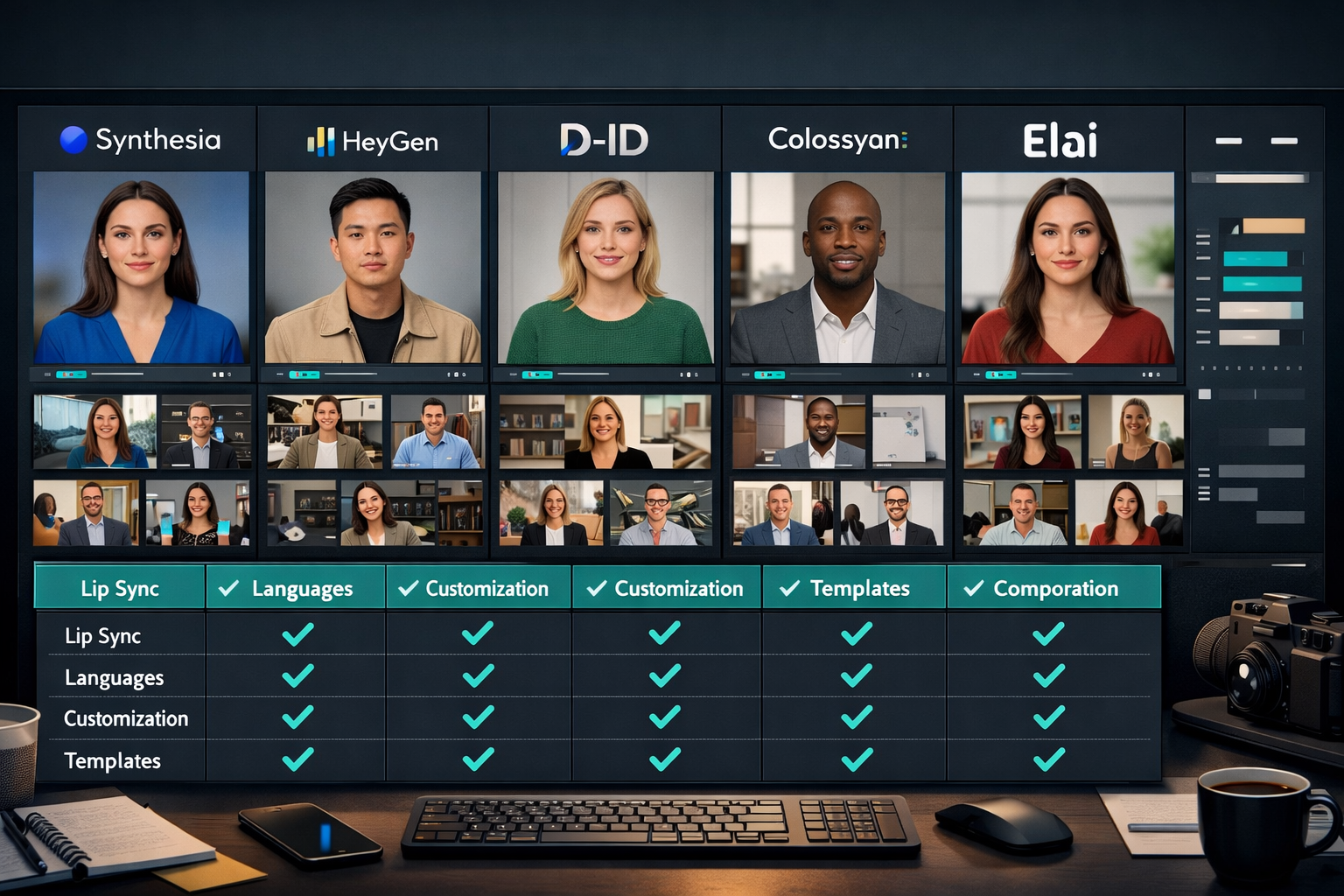
The best AI avatar video creators for UGC content right now are HeyGen, Synthesia, D-ID, Colossyan, and Elai. Each has a distinct strength, and choosing the wrong one wastes both time and money.
Here’s a direct comparison:
| Platform | Best For | Starting Price | Avatar Realism | UGC Ad Ready |
|---|---|---|---|---|
| HeyGen | UGC ads, social content | $29/mo | ⭐⭐⭐⭐⭐ | Yes |
| Synthesia | Enterprise, training videos | $22/mo | ⭐⭐⭐⭐ | Yes |
| D-ID | Solo creators, low volume | $5.90/mo | ⭐⭐⭐ | Limited |
| Colossyan | Multilingual UGC | $27/mo | ⭐⭐⭐⭐ | Yes |
| Elai | Faceless + avatar hybrid | $23/mo | ⭐⭐⭐⭐ | Yes |
“HeyGen’s instant avatar cloning and vertical video export make it the closest thing to a real UGC workflow — without the talent cost.”
Choose HeyGen if you’re running paid social ads and need high realism fast.
Choose Synthesia if your team produces 50+ videos per month and needs workflow integrations.
Choose D-ID if you’re testing AI avatar content for the first time and want minimal financial risk.
For a deeper look at AI-generated video tools across categories, the ReviewNexa AI video and media tools directory is a solid starting point.
How Do These Tools Actually Generate UGC-Style Avatar Videos?
Most platforms follow the same core workflow, but the quality of each step varies significantly between tools.
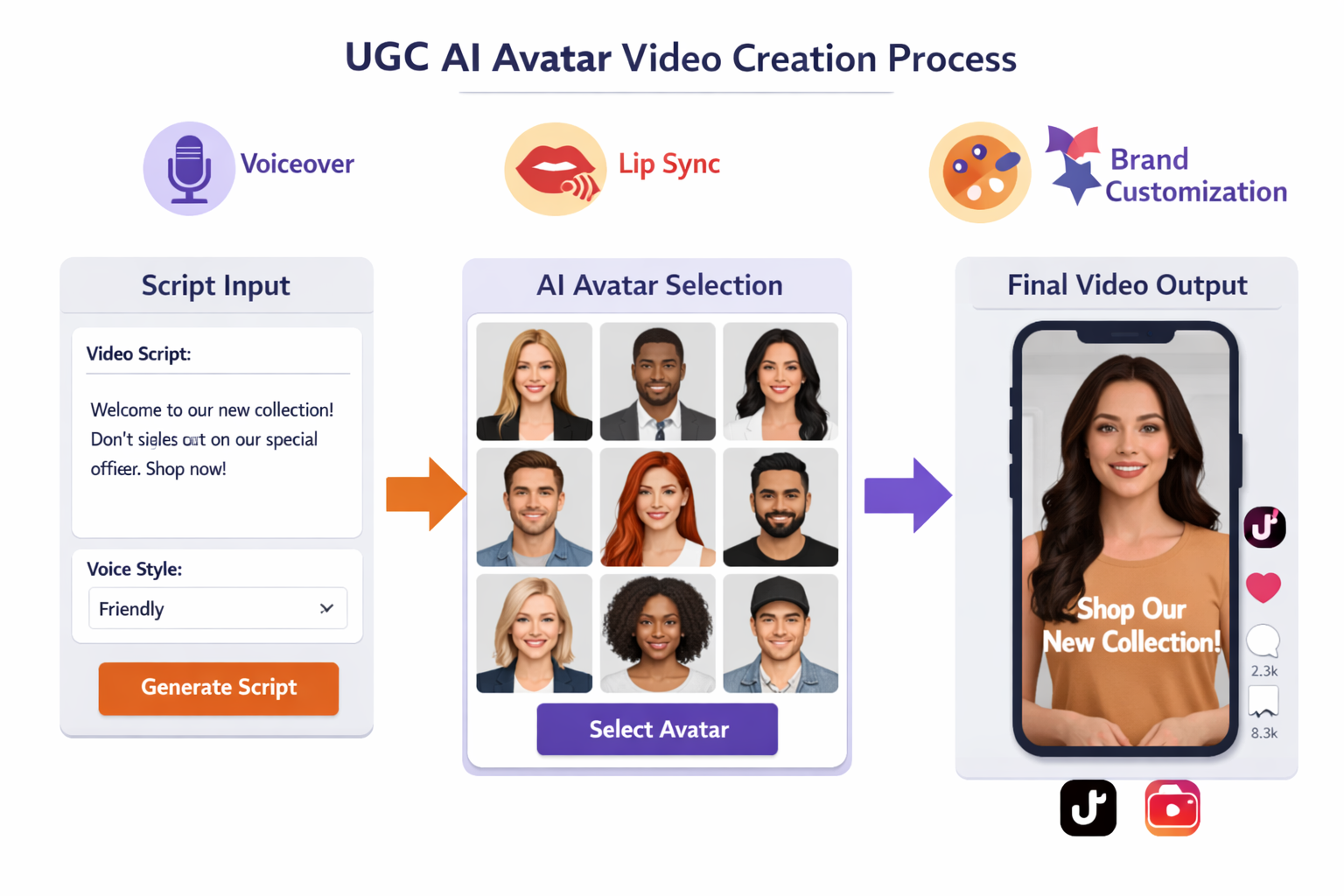
Standard AI avatar video workflow:
- Write or paste your script — most tools accept plain text; some support SSML for pacing control.
- Select an avatar — choose from a pre-built library or upload your own licensed likeness.
- Choose a voice — AI voiceover engines (often powered by ElevenLabs or similar) read your script.
- Generate and preview — the platform renders lip-synced video, usually in 1–5 minutes.
- Export — download in vertical (9:16) or horizontal format, ready for ad platforms.
Lip-sync accuracy is where tools diverge most. Platforms like HeyGen use proprietary models that handle plosive sounds and mouth shapes well. Others produce visible sync errors on fast speech. If you’re producing content for paid ads, poor lip-sync is an immediate credibility killer.
For creators interested in standalone lip-sync technology, tools like those covered in the Pixbim Lip Sync AI review and the LatentSync review show how dedicated lip-sync engines are evolving separately from full avatar platforms.
What Features Should You Prioritize When Choosing the Best AI Avatar Video Creator for UGC Content?
The right features depend entirely on your use case. A solo TikTok creator and a performance marketing agency have very different requirements.
Non-negotiable features for UGC ad content:
- Vertical video export (9:16) — TikTok and Reels demand it; not all platforms offer it natively.
- Custom avatar creation — using a stock avatar in paid ads can look generic; custom avatars built from your own footage perform better.
- Multi-language support — if you’re scaling globally, voiceover localization is essential.
- Commercial usage rights — confirm the platform explicitly grants rights for paid advertising.
- Fast render time — anything over 10 minutes per video breaks a rapid testing workflow.
Nice-to-have features:
- Scene transitions and B-roll overlay
- Brand kit integration (logos, colors, fonts)
- API access for automated video generation at scale
- A/B variant generation from a single script
Common mistake: Creators often choose a platform based on the demo reel, not their own test script. Always run your actual product script through a free trial before paying. Demo avatars are always the platform’s best performers.
For creators building faceless video channels alongside avatar content, the Keyvello review and FacelessReels review cover complementary tools worth considering.
How Much Does AI Avatar Video Creation Cost for UGC Workflows?
Costs range from free (with heavy limitations) to enterprise pricing above $500/month. For most UGC content creators and small agencies, the $25–$100/month range covers production needs adequately.
Realistic cost breakdown by use case:
- Testing phase — D-ID’s starter plan or Synthesia’s free tier; expect 5–10 videos/month max.
- Active creator (10–30 videos/month) — HeyGen Creator plan (
$29/month) or Colossyan Starter ($27/month). - Agency or brand (50+ videos/month) — Synthesia Pro or HeyGen Business; budget $80–$150/month.
- Enterprise (custom avatars + API) — custom pricing, typically $300–$1,000+/month.
One cost often overlooked: script writing time. AI avatar tools generate the video, but someone still needs to write compelling UGC-style scripts. Tools like those reviewed in the Ngram AI script-first video platform review can help bridge that gap.
What Are the Biggest Limitations of AI Avatar Video Creators for UGC?
AI avatar tools are genuinely useful, but they have real constraints that matter for UGC performance.
Key limitations to know:
- Authenticity ceiling: Even the best avatars read as AI-generated to experienced viewers. For top-of-funnel awareness ads, this is fine. For high-trust product categories (health, finance, legal), it can reduce credibility.
- Emotional range: Current avatars handle neutral and mildly expressive delivery well. Genuine excitement, humor, or frustration is still difficult to convey convincingly.
- Platform policy risk: Meta and TikTok have updated their AI content disclosure policies in 2026. Always label AI-generated content where required to avoid ad rejection.
- Custom avatar training time: Building a custom avatar from your own footage typically takes 24–72 hours and requires a minimum of 2–5 minutes of clean video input.
- Audio quality dependency: The voiceover engine matters as much as the visual avatar. Flat, robotic TTS ruins otherwise good video.
For portrait animation and talking-head alternatives that sit between full AI avatars and traditional video, the Float by DeepBrain AI review and Hallo2 review are worth reading.
FAQ: Best AI Avatar Video Creator for UGC Content
Q: Can I use AI avatar videos in paid ads on TikTok and Meta?
Yes, but you must disclose AI-generated content per platform policies updated in 2026. Both TikTok and Meta require labeling for realistic synthetic media in ads. Check each platform’s current policy before launching.
Q: Which AI avatar tool has the most realistic lip-sync?
HeyGen currently leads on lip-sync realism for English-language content. For multilingual lip-sync, Colossyan and Elai perform comparably well.
Q: Do I need to appear on camera to create a custom AI avatar?
Yes. Custom avatar creation requires you to record yourself speaking on camera (typically 2–5 minutes of footage). The platform then trains a model on your likeness. Stock avatars require no filming.
Q: How long does it take to generate a 60-second UGC video?
Most platforms render a 60-second video in 2–5 minutes after script submission. Render time increases with resolution and added scene complexity.
Q: Are free AI avatar video tools good enough for UGC ads?
Free tiers are useful for testing but rarely produce ad-ready output. Watermarks, limited avatar selection, and lower render quality make them unsuitable for live campaigns.
Q: What’s the difference between an AI avatar and a deepfake?
AI avatars use licensed actor footage or synthetic models with explicit consent and commercial rights. Deepfakes use someone’s likeness without consent. Reputable platforms like HeyGen and Synthesia operate exclusively with consented, licensed avatars.
Q: Can AI avatar videos go viral on TikTok?
Yes, but authenticity signals matter. Videos that pair a realistic avatar with a strong hook, genuine product demonstration, and natural pacing perform best. Pure talking-head avatar content without supporting footage tends to underperform raw UGC.
Q: Which platform is best for non-English UGC content?
Colossyan and Elai both support 60+ languages with strong voiceover quality. HeyGen also supports multilingual output but performs best in English.
Conclusion: Choosing the Right AI Avatar Tool for Your UGC Strategy
The best AI avatar video creator for UGC content in 2026 is the one that matches your volume, budget, and authenticity requirements — not necessarily the one with the most impressive demo. For most creators and brands running paid social ads, HeyGen is the practical first choice due to its avatar realism, vertical video support, and fast render pipeline. Synthesia makes more sense at enterprise scale. D-ID is a low-risk entry point for anyone just starting out.
Actionable next steps:
- Define your volume — how many videos per month do you actually need? This determines your tier.
- Run a free trial with your real script — don’t judge on demo content.
- Test lip-sync on fast-paced speech — this is where most tools fail under real conditions.
- Check commercial usage rights before running any paid ads.
- Combine avatar tools with strong scriptwriting — the avatar delivers the message, but the script determines performance.
AI avatar video creation is a genuine production shortcut for UGC at scale. Used strategically, it frees up budget for more testing, more variants, and faster iteration — which is exactly what performance marketing demands.
References
- Synthesia. (2024). Synthesia platform documentation and pricing. https://www.synthesia.io
- HeyGen. (2024). HeyGen product overview and avatar creation guide. https://www.heygen.com
- D-ID. (2023). D-ID Creative Reality Studio documentation. https://www.d-id.com
- Meta. (2025). Meta AI content labeling policy for advertisers. https://www.facebook.com/business/help
- TikTok for Business. (2025). TikTok synthetic media and AI content policy. https://ads.tiktok.com/help