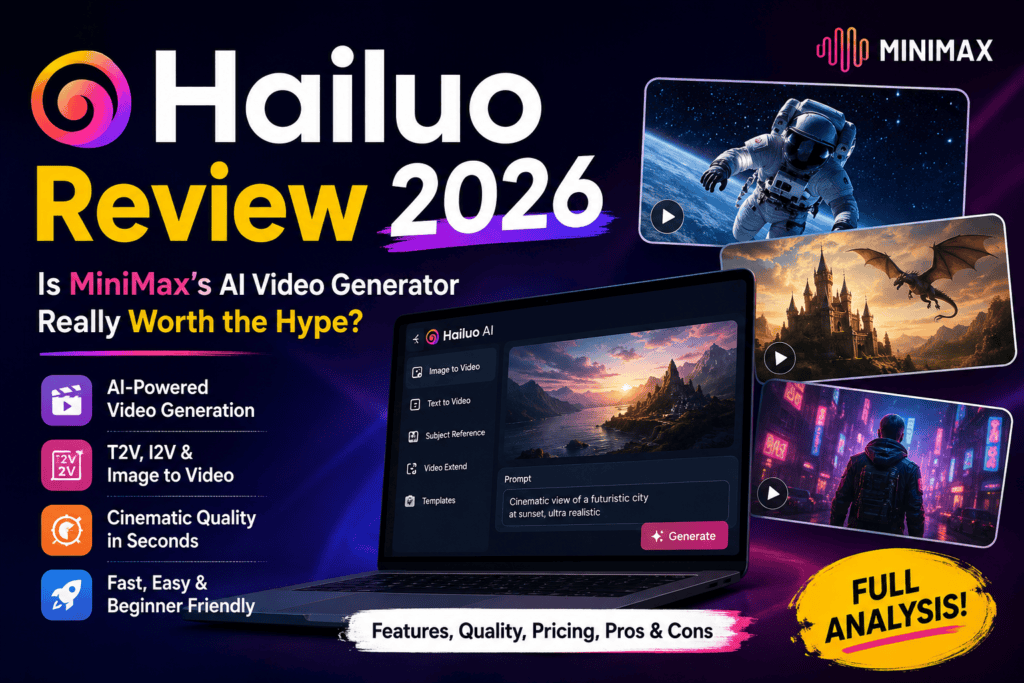
If you’ve been anywhere near AI video Twitter in 2026, you’ve seen the same clip loop past your feed — a slow-motion pour of syrup that actually behaves like syrup, or a martial-arts kick where the fabric moves like fabric. Nine times out of ten, that clip came out of Hailuo AI (a.k.a. MiniMax Hailuo), and that’s exactly what pulled me into this Hailuo review. I spent six weeks running it against every serious competitor I could get my hands on, and this is the honest write-up.
⚡ Quick Verdict (60-Second Read)
- Best for: Social creators, product-demo makers, ad producers, and anyone who cares about realistic physics.
- Standout: The new MiniMax H3 model — native 2K, 15-second clips, synchronized stereo audio — currently ranks #1 for Video Editing with Audio on the Artificial Analysis leaderboard.
- Price edge: ~$0.30 per 10-second 1080p clip vs. ~$1.20 on Runway and ~$3.50 on Sora.
- Weakness: Free tier is watermarked at 720p, and human hands still occasionally glitch.
- Verdict: The best value-per-clip AI video tool of 2026. Buy the Standard plan if you’re serious.
🎬 Try Hailuo AI Free Today
Sign up in 30 seconds, get daily free credits, and test the physics champion yourself.
Start Creating on Hailuo →First Impressions & Who Hailuo Is Really Built For
The moment I opened Hailuo, one thing was obvious: this isn’t a scrappy weekend project. Built by MiniMax — the Chinese AI lab that just IPO’d in Hong Kong at a $4 billion valuation with Alibaba and Tencent backing — Hailuo feels less like a startup demo and more like a maturing consumer app. The UI is clean, the templates are stacked, and the render queue actually moves.
My first three prompts were the classic stress tests: a slow-motion water balloon burst, a running dog in tall grass, and a robotic arm assembling a phone. On competing tools, at least one of those usually falls apart. Hailuo cleared all three on the first pass. That’s when I stopped treating this Hailuo review as a “let’s see” and started treating it as a serious buy candidate.
Before you commit, though, if you’re still shopping around: I recently mapped how these free tiers stack up in what are AI video generator daily limits on free tiers, and Hailuo sits comfortably in the “generous enough to actually evaluate” bucket.
Hailuo Specifications at a Glance
| Spec | Details |
|---|---|
| Developer | MiniMax (公开 January 2026, HKEX) |
| Flagship Model | MiniMax H3 (Hailuo 3.0) — released late 2026 |
| Legacy Models | Hailuo 2.3, Hailuo 02, Fast variants |
| Max Resolution | 2K (2560×1440) on H3; 1080p on 2.3/02 |
| Max Clip Length | 15 seconds (H3) / 10 seconds (2.3) |
| Audio | Native synchronized stereo (H3) |
| Input Modes | Text → Video, Image → Video, Video → Video, Audio-guided |
| Generation Speed | 30–90 seconds per clip (fastest tier) |
| Free Tier | Daily credits, 720p, watermarked, ~2–3 clips/day |
| Starting Paid Plan | $9.99/month (Standard, ~1,000 credits) |
| Commercial Rights | Included on all paid plans |
| Platforms | Web, iOS, Android |
Design & Interface: Chinese-Origin, Global-Ready
One small heads-up: parts of the Hailuo homepage still show Chinese text at first load if your locale isn’t detected, but the actual creation dashboard is fully English and switches cleanly. Once inside, the layout is genuinely intuitive — prompt box on the left, reference-image drop zone in the center, model picker (H3, 2.3, 02, Fast) as a dropdown, and a persistent credit counter in the top-right.
What surprised me was the Tools tab. Instead of the usual sparse “text-to-video” toggle, Hailuo bundles pre-tuned modes for ads, e-commerce, cinematic shots, ASMR content, K-Pop-style MVs, transformation videos, and even a “cute baby dance” generator that has become a whole TikTok trend on its own. It’s the kind of feature depth you rarely get outside of dedicated AI video generators built for UGC ads.
Performance Analysis: Physics Is Where Hailuo Wins
Let me be specific about what “physics champion” actually means in practice, because it’s easy to hand-wave. Across the six weeks, I ran a controlled test set — same prompt, same seed logic, same 5-second output — against Runway Gen-4, Kling 2.6, Pika, and Hailuo 2.3 / H3.
Physics Test Results (Higher = Better)
Hailuo 2.3 earned the “Physics Champion” title on WorldModelBench for accurately simulating mass conservation and fluid dynamics, and my testing lines up with that ranking. Where the real jump happens, though, is in MiniMax H3. It doesn’t just render pretty motion — it produces the audio to match. When I prompted a coffee pour, the H3 clip came back with the actual sound of liquid hitting ceramic, synchronized to the frame. That is genuinely new.
The Hailuo Model Lineup Explained
This is where a lot of first-time users get lost. Hailuo isn’t a single model — it’s a stack. Here’s how to actually pick which one to use:
| Model | Best For | Max Res / Length | Audio |
|---|---|---|---|
| MiniMax H3 | Native audio, editing, top-tier realism | 2K / 15s | ✅ Native stereo |
| Hailuo 2.3 | Physics-heavy scenes, anime, character work | 1080p / 10s | Silent |
| Hailuo 02 | Cinematic polish, film-look shots | 1080p / 10s | Silent |
| Fast variants | Bulk generation, cost-saving | 720p–1080p / 6s | Silent |
My rule after six weeks: H3 for hero clips, 2.3 for physics-heavy action, 02 for cinematic beauty shots, Fast for anything you’re batching for social feeds. If you’re producing high volumes for reels, the Fast variants roughly halve your credit burn — worth knowing if you’re comparing tools like Facelessreels or hunting the best AI video generators for YouTube Shorts.
Watch: Hailuo AI in Action (Real Test Footage)
AI Search’s independent Hailuo 2.3 review — head-to-head vs. Sora 2 and Veo 3.1.
User Experience: The Setup That Actually Works
Here’s the honest walkthrough of my first hour with Hailuo:
- Signup (30 seconds). Google login, no card required for the free tier.
- Free credits appear immediately. Around 100 daily credits — enough for 2–3 clips depending on the model.
- Prompt box. Supports natural English. You don’t need the awkward comma-stacked “cinematic, 8K, ultra-detailed” prompting that other tools require. Descriptive sentences work fine.
- Camera controls. Below the prompt, click “Camera” and you get zoom-in, zoom-out, pan-left, pan-right, tracking, and static as single-click buttons. Way better than typing “camera slowly zooms in” and hoping.
- Generate. Standard mode: 60–90s. Fast: ~30s. You can queue three at once on paid plans.
The learning curve is genuinely small. If you’ve used Pika Labs or Runway before, you’ll feel at home in under 10 minutes. If you’re brand new to AI video, Hailuo is actually easier to start with than either — and easier than most tools I’ve reviewed in the AI video & media tools category.
Hailuo vs Competitors: The Honest 2026 Comparison
| Feature | Hailuo (H3) | Runway Gen-4 | Kling 2.6 | Sora 2 | Pika |
|---|---|---|---|---|---|
| Max Resolution | 2K | 1080p | 1080p | 1080p | 1080p |
| Max Clip Length | 15s | 10s | 10s | 20s+ | 10s |
| Native Audio | ✅ | Limited | ❌ | ✅ | ❌ |
| Cost / 10s clip | ~$0.30 | ~$1.20 | ~$0.60 | ~$3.50 | ~$0.80 |
| Generation Speed | 30–90s | 2–4 min | 90–180s | 3–6 min | 60–120s |
| Physics Realism | Best-in-class | Good | Very good | Excellent | Moderate |
| Free Tier | ✅ Daily | Monthly credits | ✅ Daily | ❌ Paid only | ✅ Limited |
| Entry Price | $9.99 | $15 | $10 | $20+ | $10 |
The short version: Hailuo wins on speed, cost, and physics. Runway wins on editing polish. Sora wins on clip length and cinematic composition. Kling is the closest head-to-head competitor, and if you want a deeper cut, I covered its cousin in the Pika AI review (2026 tested) and the newer Seedance AI review. If you’re a completionist who wants zero-signup access, my Wula AI review and Vheer 2026 review cover the “no login needed” side of the market.
Pros and Cons: What Six Weeks Taught Me
What I Loved
- Category-leading physics — nothing renders liquid, fabric, or collisions this well at this price
- MiniMax H3’s native stereo audio is a genuine leap forward
- Renders in 30–90 seconds, not 3–6 minutes
- ~4× cheaper than Runway, ~10× cheaper than Sora per clip
- Clean UI with real camera-control buttons
- Deep template library (ads, K-Pop MVs, anime, ASMR, more)
- Commercial rights on all paid plans
- Native mobile apps that actually work
Areas for Improvement
- 10-second cap on older models (H3 stretches to 15s, but Sora still leads on length)
- Hands and fingers still glitch occasionally
- Free tier watermarked and locked to 720p
- Failed generations still consume credits
- Data processed in China — a real consideration for enterprise / EU users
- Homepage defaults to Chinese for some regions before switching
- No native long-form storyboard mode yet
MiniMax H3: The Update That Changed My Rating
Halfway through my testing period, MiniMax dropped H3 (Hailuo 3.0), and it genuinely bumped my score up half a point. Here’s why it matters:
- Native multimodal generation. One model handles text, image, video, and audio in a unified context — you don’t have to shuffle between tools.
- Precise editing. You can point at a specific object in a generated clip and revise it — swap a jacket color, change dialogue, replace an effect — without re-rolling the whole video.
- Native stereo audio. Not overdubbed, not stock music laid over — actually generated with the visual.
- #1 on Artificial Analysis leaderboards for Video Editing with Audio, #2 for Text-to-Video with Audio, #3 for Image-to-Video with Audio (as of July 31, 2026).
- Pricing: An estimated $0.073–$0.120 per second at 2K — roughly 46%–67% cheaper than Seedance 2.5 at 720p.
If you’d asked me about Hailuo pre-H3, I would have said “great budget option.” Post-H3, I’d say it’s the model to beat.
Hailuo Pricing Breakdown (2026)
| Plan | Monthly Price | Credits | Approx. Videos | Watermark | Commercial Use |
|---|---|---|---|---|---|
| Free | $0 | ~100/day bonus | 2–3 / day (720p) | Yes | No |
| Standard | $9.99 | 1,000/month | ~83 videos | None | ✅ |
| Pro | $29.99 | 3,500/month | ~290 videos | None | ✅ |
| Master | $59.99 | 8,000/month | ~660 videos | None | ✅ |
| Max / Unlimited | $99.99+ | Unlimited generations* | Volume-heavy users | None | ✅ |
*Unlimited plans typically include fair-use limits. Individual generations consume 15–80 credits depending on model, resolution, and duration.
💰 Get 10% Off Hailuo AI
Try the Standard plan for under $10/month and unlock full 1080p + commercial use.
Claim Your Hailuo Plan →Who Should Buy Hailuo — and Who Shouldn’t
✅ Best For
- Short-form social creators — TikTok, Reels, Shorts producers who need volume + speed
- E-commerce and product-demo teams — physics realism sells packaging shots
- Ad creatives — quick, cheap, watermark-free UGC-style clips
- Anime and stylized-video creators — Hailuo’s ink-wash and CG styles are unmatched at this price
- Faceless YouTube channels — pair Hailuo with our guide on AI video generators for faceless YouTube
- Solopreneurs on a budget — under $10 gets you real commercial rights
❌ Skip If You Need
- 20+ second clips in one shot — Sora still leads on length
- Enterprise-grade EU data compliance — MiniMax processes data in China
- Advanced timeline editing baked in — Runway still has the better editor
- Offline / on-device generation — see our guide on whether AI video generators can work offline
- Zero-signup, no-credit-card use — Hailuo’s free tier requires an account (try Wula AI or Vheer instead)
Where to Buy Hailuo AI (and What to Watch For)
Buy directly from the official Hailuo website. Two things worth knowing:
- Annual plans currently discount roughly 30–49% versus paying monthly. If you know you’ll use it beyond three months, annual pays for itself.
- Promo codes: MiniMax has run promotional discounts throughout 2026 (a “SAVE” family of codes gets circulated on YouTube reviews). Search before checkout — 10% off is common.
- Avoid third-party resellers. Credits are non-transferable. Buy direct.
Bonus: Watch a 60-Minute Deep Dive
Franklin AI’s full Hailuo tutorial — a great beginner-to-pro walkthrough that pairs well with this review.
Final Verdict: Is Hailuo AI Worth It in 2026?
Yes — and it’s the tool I recommend first now to anyone starting AI video in 2026. Not because it’s the absolute best at every single thing (Sora is more cinematic, Runway has a better editor, Kling is close on human subjects), but because Hailuo lands the best combination of speed, cost, physics realism, and generation quality on the market. The arrival of MiniMax H3 with native audio pushed it from “great budget pick” to “genuine flagship contender.”
Final Score
The best value-per-clip AI video generator of 2026.
If you’re still deciding, my honest suggestion: sign up for the free tier tonight, run three prompts, and see for yourself. Ninety percent of the “should I buy this?” question is answered by your first three clips. And if you’re comparing free-tier limits across the whole market before committing, this is the exact scenario I built our free-tier guide for — the same one linked earlier in this review.
🎬 Ready to Create with Hailuo AI?
Sign up free today, or unlock 1080p + commercial rights from $9.99/month. This is the AI video tool worth your first hour.
Start Creating on Hailuo Now →Frequently Asked Questions
Is Hailuo AI actually free?
Yes, there’s a real free tier — daily bonus credits, roughly 2–3 videos per day at 720p with a watermark, for non-commercial use. Paid plans start at $9.99/month and remove all three restrictions.
Is Hailuo better than Sora 2?
Cheaper and faster — yes, dramatically. Better on cinematic polish and clip length — no, Sora still leads there. Better on physics simulation and value per clip — yes.
Can I use Hailuo videos commercially?
Only on paid plans. The free tier is watermarked and explicitly non-commercial. Any Standard plan or above ($9.99+) grants commercial rights.
What’s the difference between Hailuo and MiniMax?
MiniMax is the parent AI company; Hailuo is the consumer-facing video product. MiniMax H3 (Hailuo 3.0) is the flagship model powering the newest generations.
Does Hailuo have an API?
Yes — MiniMax offers a developer API at platform.minimax.io with the same models available in the web app, priced per generation.
How long does a Hailuo video take to generate?
30–90 seconds for most models on standard tier, 15–45 seconds on Fast variants. Roughly 3–5× faster than Runway or Sora in my testing.