

Quick Answer: Most AI video generators on free tiers allow between 1 and 5 video generations per day, with clip lengths capped at 3–10 seconds and outputs often watermarked. Exact limits vary widely by platform — some use a credit system that resets daily, others give a fixed monthly allowance. Free tiers are designed to let you test the tool, not run a full production workflow.
Key Takeaways
- 🎬 Daily limits on free tiers typically range from 1–5 generations per day, depending on the platform.
- ⏱️ Clip length caps are common — most free plans limit videos to 3–10 seconds per generation.
- 💧 Watermarks appear on the majority of free-tier outputs, making them unsuitable for professional publishing.
- 🔄 Credit systems are the norm — credits reset daily, weekly, or monthly depending on the platform’s model.
- 📉 Resolution limits on free tiers are usually 720p or lower; 1080p and 4K are paid features.
- 🚫 Commercial use is often restricted or prohibited on free plans.
- 💡 Generous exceptions exist — a few platforms (like Wula AI and Vheer) offer no-login or more open free access in 2026.
- 🔁 Workarounds like rotating accounts or using multiple tools are against most terms of service.
- 📊 Comparing platforms before committing saves time — limits differ dramatically across tools.
- ✅ Paid tiers typically start at $10–$30/month and remove most daily restrictions.
What Are AI Video Generator Daily Limits on Free Tiers, Exactly?
Free-tier daily limits are the maximum number of video clips, credits, or generation requests an AI video tool allows you to use within a 24-hour period without paying. These limits exist because AI video generation is computationally expensive — each generation uses significant GPU resources, and platforms offset that cost through paid subscriptions.
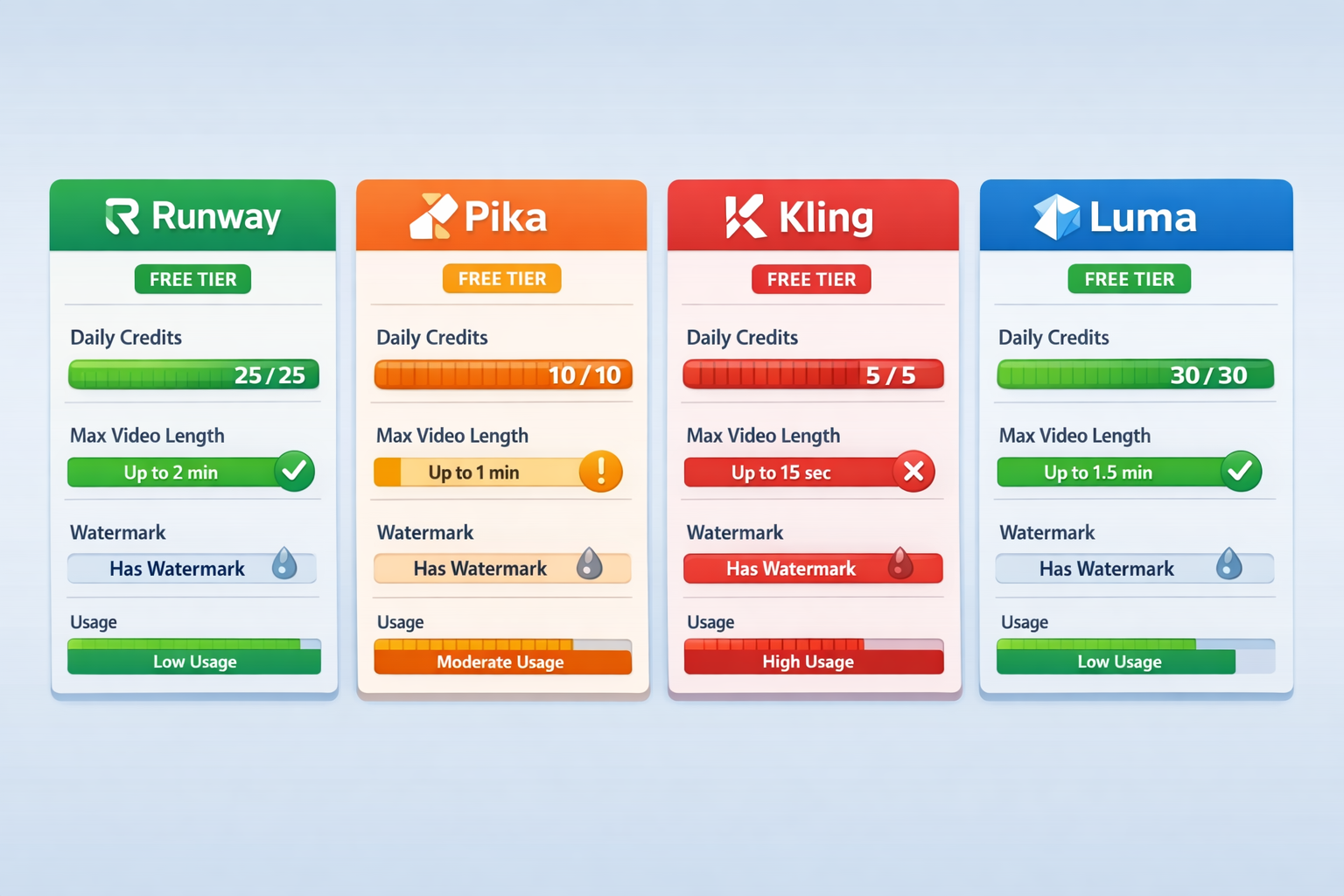
Here’s how limits typically break down across the most common platforms in 2026:
⚠️ Note: These figures are estimates based on publicly available platform information as of early 2026. Platforms update their pricing and limits frequently — always verify on the official site before committing.
Common mistake: Many users assume “free forever” means unlimited. In practice, free tiers are almost always usage-capped. The difference between a daily reset and a monthly credit pool matters a lot for workflow planning.
For a deeper look at specific tools, see our Pika AI review and our Wula AI review for two very different approaches to free access.
Why Do AI Video Platforms Set Daily Generation Limits?
Platforms cap free usage primarily because of infrastructure costs, not greed. AI video generation — especially diffusion-based models — requires heavy GPU compute. Running one 5-second clip can cost a platform anywhere from a few cents to over a dollar in compute, depending on the model.
Three main reasons platforms impose daily limits:
- Cost control — Unlimited free access would make most platforms financially unsustainable.
- Conversion incentive — Limits are designed to give you enough to evaluate the product, then nudge you toward a paid plan.
- Server load management — Spreading usage across time prevents traffic spikes that degrade quality for everyone.
Edge case: Some platforms offer more generous free limits during beta phases or promotional periods. Kling AI, for example, was notably more open during its early 2024 launch window before tightening limits as it scaled. If you catch a tool in beta, you may get significantly more free access than the standard free tier.
How Do Credit Systems Work on Free AI Video Tiers?
Most platforms use a credit system rather than a simple “X videos per day” rule. Credits are consumed per generation, with longer clips or higher resolutions costing more credits.
How it typically works:
- You receive a fixed number of credits per month (e.g., 125 credits on Runway’s free plan).
- Each generation costs a set number of credits (e.g., 5 credits for a 5-second clip at standard quality).
- Credits do not always reset daily — many platforms reset monthly.
- Unused credits often expire at the end of the billing cycle.
Choose a credit system if: You want flexibility — you can save credits for a burst of work rather than being locked to a daily cap.
Choose a daily-reset platform if: You produce content consistently and prefer a predictable daily allowance.
For tools that take a different approach entirely, our Vheer review covers a platform that blends free image and video generation with a more accessible entry point.
What Are the Most Common Restrictions Beyond Daily Limits?
Daily generation caps are just one layer of restriction on free tiers. Most platforms stack several limitations together:
- Watermarks: Almost universal on free tiers. Your video will have a visible platform logo or text overlay.
- Resolution caps: Free plans usually max out at 720p. Some cap at 480p.
- Clip length: Most free tiers cap individual clips at 3–10 seconds.
- Queue priority: Free users wait longer for their videos to render, sometimes 5–15 minutes vs. seconds for paid users.
- No commercial license: You typically cannot monetize or publish free-tier outputs for business use.
- Limited styles or models: Access to newer or higher-quality models (like Runway’s latest Gen-3 Alpha) is often paywalled.
Quick example: A social media manager who wants to create 10 short product clips per day for a brand would hit the wall almost immediately on any free tier. The watermark alone makes the output unpublishable for professional use.
For tools built specifically around content volume, check out our reviews of Keyvello and FacelessReels — both target creators who need consistent daily output.
What Are AI Video Generator Daily Limits on Free Tiers for Specific Use Cases?
The answer depends on what you’re making. Free tiers serve some use cases well and others poorly.
Free tiers work well for:
- Personal experimentation and learning the tool
- Concept testing before committing to a paid plan
- One-off creative projects with no commercial intent
- Students and hobbyists with low volume needs
Free tiers are a poor fit for:
- Social media managers publishing daily content
- Agencies producing client deliverables
- Marketers needing watermark-free, commercially licensed video
- Anyone needing 1080p or 4K output
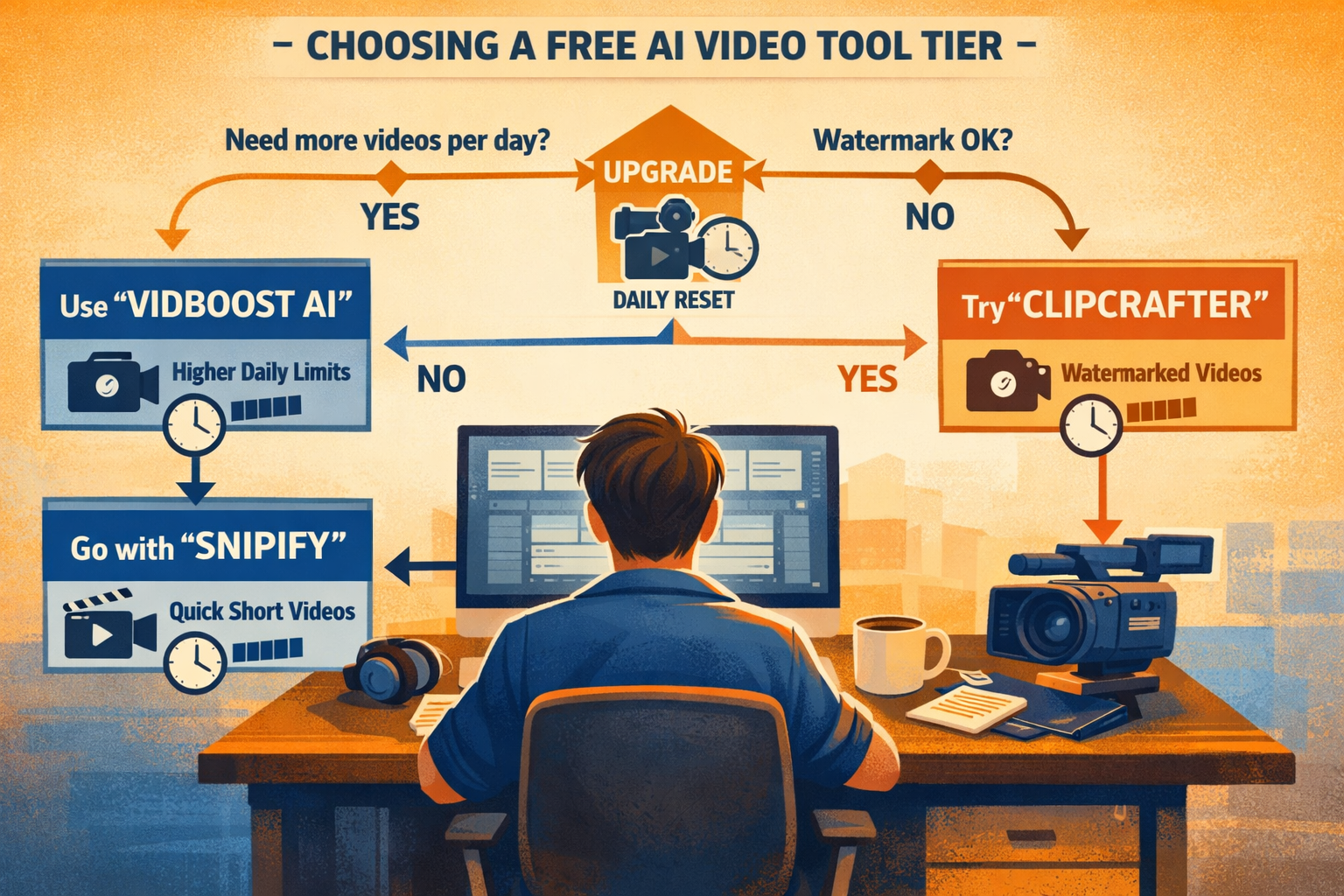
Decision rule: If you need more than 5 clean, watermark-free clips per week, a paid plan almost always makes more financial sense than trying to work around free-tier limits.
For marketing-focused video creation, our Tagshop AI review and Ozor AI review cover platforms built for ad and marketing content, where free limits are especially constraining.
Are There Any AI Video Generators With Truly Generous Free Tiers in 2026?
A small number of platforms offer meaningfully open free access, though “generous” is relative.
- Wula AI operates on a no-login, session-based model that removes the signup barrier entirely — though output quality and length are still limited. See our full Wula AI review for details.
- Kling AI has historically offered more free credits than competitors, especially for new accounts.
- Hailuo (MiniMax) provides a reasonable free allowance for short-form video.
- Some newer entrants run extended free betas — worth monitoring if you follow the space.
What “generous” actually means: Even the most open free tiers in 2026 cap you at roughly 10 short clips per day. For serious content production, that’s still a ceiling.
How Can You Maximize Your Free Tier Usage Without Violating Terms?
You can get more value from free limits without breaking platform rules. Here’s how:
- Plan your generations in advance — Don’t waste credits on test prompts. Draft and refine your prompt before generating.
- Use lower-resolution settings — Some platforms charge fewer credits for 720p vs. 1080p, stretching your daily allowance.
- Generate shorter clips — A 3-second clip often costs fewer credits than a 10-second one. Stitch clips together in a free editor afterward.
- Use multiple legitimate platforms — Spreading your workflow across two or three free tiers is allowed and practical.
- Time your usage — If credits reset at midnight UTC, knowing the reset time lets you plan back-to-back sessions.
What not to do: Creating multiple accounts to multiply free credits violates nearly every platform’s terms of service and can result in a permanent ban.
For tools that pair well with AI video in a broader content workflow, our Vid AI review covers an automation-focused option worth considering.
FAQ: AI Video Generator Free Tier Limits
Q: Do AI video generator free tiers reset daily or monthly?
A: It depends on the platform. Runway resets monthly (125 credits/month). Some platforms like Pika reset daily. Always check the platform’s pricing page for the exact reset schedule.
Q: Can I use free-tier AI video outputs commercially?
A: Almost never. Most free plans explicitly prohibit commercial use. You need a paid plan for commercial licensing on platforms like Runway, Pika, and Kling.
Q: What happens when I hit my daily limit?
A: The platform blocks further generation until your credits reset. Some platforms let you buy additional credits on demand without upgrading to a full paid plan.
Q: Are watermarks removable on free tiers?
A: No. Watermarks on free-tier outputs are embedded in the video file and cannot be removed without upgrading to a paid plan.
Q: Which AI video generator has the highest free daily limit in 2026?
A: Based on available information, Kling AI and Hailuo offer among the more generous free allowances. Exact numbers shift frequently, so check current pricing pages directly.
Q: Is it against the rules to use multiple free accounts?
A: Yes. Creating multiple accounts to circumvent free-tier limits violates the terms of service of virtually every major AI video platform.
Q: Do free tiers include access to the newest AI models?
A: Rarely. Newer, higher-quality models are typically gated behind paid plans. Free tiers usually run on older or lower-tier model versions.
Q: How long does rendering take on a free tier?
A: Significantly longer than paid tiers. Free users are typically placed in a lower-priority queue, with wait times ranging from 2 minutes to over 15 minutes depending on server load.
Q: Can I download free-tier videos?
A: Usually yes, but with watermarks. Some platforms also limit download resolution on free plans.
Q: What’s the shortest paid plan I can buy to remove limits?
A: Most platforms start paid plans at $10–$30/month. Runway’s basic paid tier starts around $15/month (as of early 2026); Pika and Kling have similar entry points. Verify current pricing on each platform’s site.
Conclusion: Making Free Tiers Work for You
Understanding what are AI video generator daily limits on free tiers comes down to one core reality: free plans are samplers, not production tools. They’re well-suited for testing, learning, and occasional personal use — but they’re deliberately limited to encourage upgrades.
Actionable next steps:
- Identify your actual volume need before choosing a platform. Count how many clips you need per week, not per day.
- Test two or three free tiers simultaneously to compare output quality before paying for anything.
- Read the commercial use clause on any free plan if you intend to publish the content publicly.
- Track your credit usage from day one — most platforms show a credit counter in your dashboard.
- Upgrade strategically — if you’re consistently hitting the daily cap, a $15/month paid plan will cost less than the time you waste working around limits.
The AI video space moves fast. Platforms adjust their free tiers regularly, and new entrants sometimes launch with unusually open access to build user bases. Staying current on AI video and media tools is the best way to catch those windows.
References
- Runway ML Pricing Page — runway.ml/pricing (accessed 2026)
- Pika Labs Pricing Page — pika.art/pricing (accessed 2026)
- Kling AI Official Site — klingai.com (accessed 2026)
- Luma Dream Machine Pricing — lumalabs.ai (accessed 2026)
- Hailuo AI (MiniMax) Official Site — hailuoai.com (accessed 2026)