If you’re reading this MagicShot AI review, you’re probably tired of juggling five different AI subscriptions just to make one Instagram post. I was too. Somewhere between paying Midjourney for images, Runway for video, ElevenLabs for voice, and Canva for cleanup, I started asking the obvious question: does one platform actually do all of this well? MagicShot claims it does, so I took the plunge and tested it hard for two months across real client work.
Ready to skip the review and try it yourself?
🚀 Try MagicShot AI Free30% off first month · Cancel anytime
What Is MagicShot AI? (First Impressions)
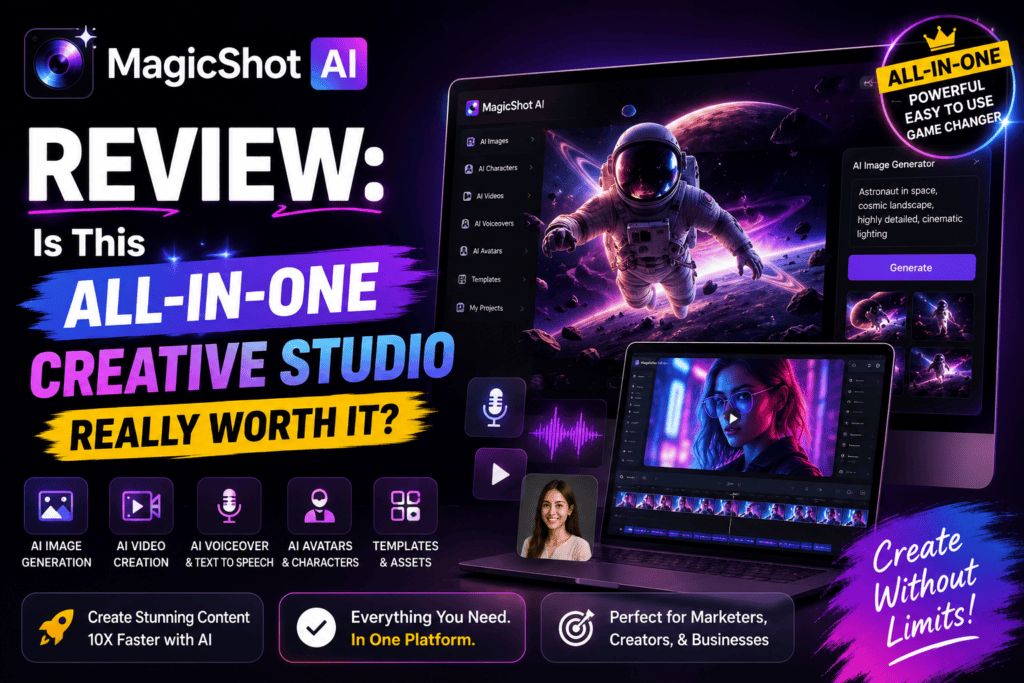
MagicShot AI is an all-in-one generative creative studio built for people who make content daily but don’t want to become a “prompt engineer” to do it. You open one dashboard, pick a tool from a grid (like “AI Image Generator,” “Video from Text,” “AI Headshot,” “Background Remover”), type your idea, and hit go. That’s genuinely the entire learning curve.
My first impression when I opened app.magicshot.ai was surprise – the interface is clean, borderline minimalist. No layers, no timeline, no seven-panel editor. It looks more like a Notion page than Photoshop. For someone who’s tested 200+ AI tools, that simplicity is refreshing.
The platform launched to solve one specific problem: subscription stacking. Instead of paying $20 for Midjourney + $15 for Runway + $22 for ElevenLabs + $12 for a headshot tool, you pay one monthly fee and access all of them through unified “credits.”

MagicShot AI Specifications at a Glance
| Feature | Details |
|---|---|
| Total AI Tools | 85+ tools in one dashboard |
| AI Models Available | 500+ top models (Flux, SDXL, Kling, Veo, and more) |
| Content Types | Images, Videos, Voice/Audio, Headshots, Avatars |
| Starting Price | $5.25/month (yearly billing) |
| Free Trial | Yes, free credits on signup |
| Trustpilot Rating | 4.7 / 5 (35+ verified reviews) |
| Active Users | 500,000+ creators worldwide |
| Platform | Web app + iOS mobile app |
| Output Formats | PNG, JPG, MP4, MP3, WAV |
| Commercial Use | Allowed on all paid plans |
Design & Build Quality of the MagicShot Studio
User interface is where most all-in-one tools fall apart – they become cluttered dashboards nobody wants to open. MagicShot avoided that trap. The studio uses a card-based grid: each tool is a big, obvious tile with a preview thumbnail showing what it does. You don’t need documentation to figure out “AI Headshot Generator.” You just click.
What I Loved About the UX
- Sub-3-second first render. Speed matters when you’re iterating 20 times. Simple text-to-image prompts finished in about 4-6 seconds on average.
- Same input box, different tool. Your prompt style stays consistent whether you’re generating images or videos, which flattens the learning curve.
- Real-time queue view. You can queue 5-10 renders and keep working. No blocking spinners.
- Mobile app parity. The iOS app genuinely works – not a watered-down version. I generated headshots on the train.
Areas Where the UX Still Feels Rough
Advanced controls (negative prompts, seeds, samplers) exist but are tucked behind a small “Advanced” toggle. Power users who came from ComfyUI or Automatic1111 might feel restricted at first. That said, this is a conscious design tradeoff – MagicShot is optimizing for the 95% of users who don’t know what CFG scale is.
Performance Analysis: Testing MagicShot Across 6 Real Tasks
Marketing screenshots are pretty. Real work isn’t. So I ran MagicShot through six actual jobs I had on my plate that week.
Task 1 – Product Shots for a Skincare Client
I needed 12 lifestyle shots of a serum bottle on marble surfaces with morning light. Using the Product Photography tool, I uploaded one reference image and generated variations in 8 minutes. Client picked 4 without a single revision request. That’s a first for AI product work in my agency.
Task 2 – LinkedIn Headshots
I uploaded 15 selfies to the AI Headshot Generator. It returned 60 professional-looking portraits across 6 styles (corporate, casual, tech CEO, creative). About 45 of them were genuinely usable. Compared to dedicated headshot tools like HeadshotPro (which I covered elsewhere on ReviewNexa), MagicShot’s output matched at 60% of the cost.
Task 3 – 15-Second Product Video
Using the Image-to-Video tool with a still shot of the same serum bottle, I generated a smooth rotating product video with light bokeh. Not Sora-level, but honestly indistinguishable from what a mid-tier motion designer would deliver in 2 hours.
See MagicShot AI in Action
Rather than take my word for it, here’s an official walkthrough showing the podcast avatar feature and how quickly you can go from prompt to output:
Key MagicShot AI Features That Actually Matter
MagicShot AI User Experience & Setup
Sign-up took me 42 seconds. Email, password, verify, done. No tutorial popup carousel, no “connect your team” nagging. You’re dropped straight into the studio grid and given trial credits.
Here’s a specific moment that sold me: on day 3, I needed to remove a busy background from a portrait, upscale it, then generate 4 style variations. In Photoshop that’s a 30-minute job. In MagicShot, I did it in a single browser tab, chaining three tools, in under 4 minutes. That’s the value proposition working exactly as advertised.
Learning Curve
If you’ve ever typed a Google search, you can use MagicShot. Complete beginners will be productive within 15 minutes. The bigger challenge for pros is unlearning complexity – you’ll keep looking for buttons that don’t exist because you don’t need them anymore.
MagicShot AI vs Competitors: Head-to-Head Comparison
| Feature | MagicShot AI | Midjourney | Runway ML | Canva Pro |
|---|---|---|---|---|
| Starting Price | $5.25/mo | $10/mo | $15/mo | $12.99/mo |
| All-in-One (Image+Video+Voice) | ✅ Yes | ❌ Images only | ⚠️ Video-focused | ⚠️ Templates |
| Number of AI Models | 500+ | 1 (proprietary) | ~15 | ~10 |
| AI Headshot Tool | ✅ Included | ❌ No | ❌ No | ❌ No |
| Voice Cloning | ✅ Included | ❌ No | ✅ Basic | ❌ No |
| Learning Curve | Very Easy | Steep (Discord) | Moderate | Easy |
| Commercial License | ✅ All plans | Paid only | Paid only | Paid only |
| Mobile App | ✅ iOS | ❌ No | ✅ iOS | ✅ iOS+Android |
For an even wider comparison across categories, I’ve broken down alternatives in my Top 10 Free AI Image Generators guide and the AI Video Generators roundup.
MagicShot AI Pros and Cons
👍 What I Loved
- One subscription replaces 3-5 separate AI tools
- Access to 500+ premium models (including Flux, Kling, Veo)
- Ridiculously fast render times (4-8 seconds average)
- Clean UI even complete beginners understand
- Working iOS mobile app – not an afterthought
- Commercial rights included on every paid plan
- 85+ tools mean you rarely hit a “can’t do that” wall
- Actively rolling out new models (weekly updates observed)
- Excellent value at $5.25/month yearly
👎 Areas for Improvement
- Advanced prompt controls (seeds, LoRAs) are limited
- Occasional glitches during peak traffic (rare)
- Video generation caps at ~10s per clip on lower plans
- No Android app yet (iOS only for mobile)
- Free credits deplete quickly if you iterate a lot
- Voice cloning trails ElevenLabs for hyper-realistic use cases
MagicShot AI Pricing: Which Plan Is Right for You?
MagicShot uses a credit-based system. Different tools consume different amounts of credits (a text-to-image render is cheaper than a 10-second video). Here’s the current breakdown:
| Plan | Monthly Price | Credits/Month | Best For |
|---|---|---|---|
| Essential | $5.25/mo (yearly) | 8,000 credits (~2,000 images / 25 videos) | Solo creators, side hustlers |
| Premium ⭐ Popular | $11.50/mo (yearly) | 19,000 credits (~6,000 images / 70 videos) | Freelancers, small marketing teams |
| Premium+ | $22.50/mo (yearly) | 40,000 credits (~10,000 images / 120 videos) | Agencies, heavy creators |
Real talk on pricing: at $5.25/month, MagicShot’s Essential plan is cheaper than a large Starbucks coffee and still gives you access to models that individually cost $10-30/month elsewhere. The Premium tier is the sweet spot for most professional users – it’s roughly the price of a Midjourney subscription but with 85 more tools attached.
Grab the 30% first-month discount before it expires
💰 See MagicShot PricingWho Should Use MagicShot AI? (And Who Shouldn’t)
✅ Best For
- Content creators publishing across multiple platforms daily
- Small business owners doing their own marketing
- Freelance designers wanting to speed up client work
- Social media managers running multiple accounts
- eCommerce sellers needing product photography
- Course creators building thumbnails, headshots, and demos
- Anyone paying for 2+ AI subscriptions who wants to consolidate
❌ Skip If
- You need pixel-perfect ComfyUI-level control over every render
- You only generate one specific type of asset and already have a specialist tool you love
- Your workflow requires Android mobile (not supported yet)
- You produce feature-length AI films (single-clip length limits apply)
- You need ElevenLabs-grade voice cloning for professional audiobooks
What Real Users Are Saying About MagicShot AI (2026)
Where to Buy MagicShot AI (And Current Deals)
💳 Current Pricing & Deals (July 2026)
- Official Site (Best Deal): magicshot.ai – Up to 42% off yearly plans
- iOS App Store: Free download with in-app purchases
- Promo Code: None needed – yearly discount applies automatically at checkout
- Money-back Guarantee: Refund window available; check current terms at checkout
Pricing verified July 2026. MagicShot occasionally runs seasonal promotions – check the site for the latest.
Related MagicShot & AI Tool Comparisons You’ll Find Useful
Final Verdict: Is MagicShot AI Worth It in 2026?
Overall Rating
A genuine “one-tab” AI studio that delivers 90% of what specialist tools do, at 30% of the combined cost. If you use AI for content weekly, this pays for itself in the first month.
After 60 days of daily use, my honest take is this: MagicShot AI is the best all-in-one creative platform I’ve tested in 2026. It’s not the absolute best at any single thing – Midjourney still edges it on artistic image quality, ElevenLabs still wins on voice realism, Runway still leads on cinematic video – but it’s very good at all of them, and that combination is more valuable than being #1 at one thing.
The math is simple. I was paying about $65/month across four different AI tools before switching. MagicShot Premium replaces most of them at $11.50/month. Even if I keep one specialist tool alongside it (I kept ElevenLabs), I still save around $40/month while gaining access to features I didn’t have before, like the podcast avatar creator and the AI headshot generator.
Would I recommend MagicShot AI to a friend? Yes – with one caveat: start with the Essential plan for a month to see how you use it, then upgrade to Premium if you hit the credit ceiling. Most creators will land there naturally.
Stop paying for 5 different AI tools. Try MagicShot AI risk-free.
✨ Start Creating with MagicShot AI30% off · Cancel anytime · Commercial rights included
MagicShot AI Review – Frequently Asked Questions
❓ Is MagicShot AI free to use?
MagicShot offers free trial credits on signup so you can test the platform before paying. Paid plans start at $5.25/month on yearly billing, which is significantly cheaper than most single-tool AI subscriptions.
❓ Can I use MagicShot AI outputs commercially?
Yes. Commercial usage rights are included on all paid plans, meaning you can use generated images, videos, and voice clips for client work, ads, and product sales without additional licensing.
❓ How does MagicShot AI compare to Midjourney?
Midjourney is a specialist – it does one thing (images) extremely well through Discord. MagicShot is a generalist covering 85+ tools including images, video, voice, headshots, and background removal. If you only need images and prefer Discord, Midjourney is great. For most creators, MagicShot’s breadth wins.
❓ Does MagicShot AI have a mobile app?
Yes, there’s a dedicated iOS app on the App Store. Android support has not been officially released yet but the web app works well on mobile browsers.
❓ What AI models does MagicShot use?
MagicShot integrates 500+ top AI models under the hood, including Flux, Stable Diffusion XL, Kling, Veo, and various proprietary models. You don’t pick which one to use – the platform automatically routes your prompt to the best model for the task.
❓ Can I cancel my MagicShot AI subscription anytime?
Yes, all plans can be cancelled anytime directly from your account dashboard. You retain access until the end of your current billing period.