

The best free AI image generators in 2026 are Microsoft Bing Image Creator, ChatGPT (free tier), Ideogram 3.0, Leonardo.ai, Playground AI, Freepik AI, Recraft, Lensgo.ai, Upsampler, and Adobe Firefly. Each offers a genuine free tier, though daily limits, watermarks, and output quality vary significantly by platform. Choose based on your use case: photorealism, text-in-image accuracy, volume, or no-signup convenience.
Key Takeaways
- 🆓 All 10 tools on this list offer a real free tier — no credit card required to start, though some require email signup
- 📸 Lensgo.ai leads on photorealism with Flux Pro access on its free plan (3 images/day) [1]
- 🔤 Ideogram 3.0 is the top pick for text-in-image accuracy — essential for posters, ads, and social graphics [2]
- 📦 Playground AI offers the highest free volume at up to 500 images per day, though quality is inconsistent on free tiers [4]
- 🚫 Upsampler requires no signup and adds no watermarks — the best option for quick, friction-free generation [4]
- 💼 Freepik aggregates ~30 AI models in one interface, making it the most versatile free starting point [2]
- 🎨 Recraft handles editable vector graphics, which sets it apart from every other tool on this list [2]
- 📐 Microsoft Bing Image Creator (MAI-Image-1) outputs up to 1,792 × 1,024 px resolution for free [2]
- 💬 ChatGPT’s free tier includes image generation via GPT-4o, with unlimited access at the Plus tier ($20/month) [5]
- ⚠️ Midjourney is NOT free — it starts at $10/month, so it’s excluded from this list despite its artistic quality [5]
What Makes a Free AI Image Generator Worth Using in 2026?
A free AI image generator earns its place when it delivers usable output quality, reasonable daily limits, and no hidden friction — meaning no forced watermarks on every download, no mandatory credit card at signup, and no bait-and-switch where the free tier produces noticeably degraded results.
Here’s what I evaluated for each tool:
| Criteria | Why It Matters |
|---|---|
| Free Tier Image Limit | Daily caps vary from 3 to 500 images |
| Output Resolution | Affects print and professional use |
| Watermarks | Determines commercial usability |
| Signup Required | Friction point for casual users |
| Model Quality | Older models = weaker free tiers |
| Specialized Features | Text rendering, vectors, video, etc. |
| Upgrade Path | Paid plans should be reasonably priced |
Choose a tool based on your primary need. A social media manager needs volume and text accuracy. A product photographer needs photorealism. A designer needs vector output or high resolution. No single tool wins on every dimension.
Free AI Image Generators: Top 10 Tools in 2026 — Full Breakdown
Here’s a detailed look at each tool, what it does well, where it falls short, and who it’s best suited for.
1. 🖼️ Microsoft Bing Image Creator (MAI-Image-1)
Best for: Everyday users who want high-resolution, realistic images for free without a subscription.
Microsoft released MAI-Image-1 in October 2025, and it’s now the engine behind Bing Image Creator — available completely free through a Microsoft account [2]. The output resolution reaches up to 1,792 × 1,024 pixels, which is competitive with many paid tools and suitable for marketing materials and blog headers.
- Free limit: Generous daily “boost” credits, then slower generation continues free
- Watermark: None
- Signup: Microsoft account required
- Standout feature: Realistic photos and marketing-ready visuals at no cost
- Limitation: Less creative flexibility than open-model platforms
Choose this if: You need reliable, high-resolution images quickly and don’t want to manage model settings or prompts.
2. 💬 ChatGPT (GPT-4o Image Generation)
Best for: Users already in the ChatGPT ecosystem who want conversational image creation.
ChatGPT’s free tier now includes image generation via GPT-4o, making it one of the most accessible entry points for AI photo generation in 2026 [5]. The conversational interface means you can refine images through dialogue rather than rewriting prompts from scratch — a genuine usability advantage.
- Free limit: Limited generations per day on the free plan; unlimited at Plus ($20/month)
- Watermark: None
- Signup: OpenAI account required
- Standout feature: Iterative refinement through conversation
- Limitation: Free tier caps can be hit quickly for heavy users
Common mistake: Expecting ChatGPT to match dedicated image tools on photorealism. It excels at illustration-style and concept images, not ultra-realistic photography.
3. 🔤 Ideogram 3.0
Best for: Anyone who needs readable, accurate text inside generated images.
Ideogram 3.0 is the clearest leader for text-in-image rendering in 2026 [2]. If you’ve tried generating a poster or ad graphic with other AI tools and ended up with garbled, misspelled, or illegible text, Ideogram solves that problem directly. It’s the go-to for social media graphics, event posters, and ad creatives where the copy has to be correct.
- Free limit: Moderate daily generations
- Watermark: None on standard downloads
- Signup: Required
- Standout feature: Accurate text rendering inside images
- Limitation: Less strong on photorealistic human portraits
Choose this if: Your images need to include product names, slogans, dates, or any copy that must be legible.
4. 📸 Lensgo.ai
Best for: Photorealism — portraits, landscapes, and product photography.
Lensgo.ai gives free users access to Flux Pro, Flux Schnell, and SDXL models, which produce exceptional detail and natural skin textures [1]. Three free images per day sounds limited, but the quality per generation is among the highest available without payment. For portrait photographers, product sellers, or anyone needing lifelike images, this is the strongest free option.
- Free limit: 3 images/day (Flux Pro quality)
- Watermark: None
- Signup: Required
- Standout feature: Flux Pro model access on free tier
- Limitation: Very low daily volume
For a deeper look at a similar free AI image and video platform, see our Vheer review covering free AI image and video generation.
5. 🎨 Recraft
Best for: Designers who need editable vector graphics, not just raster images.
Recraft is the only tool on this list that outputs editable vector graphics alongside standard raster images [2]. That’s a significant differentiator for logo designers, brand teams, and illustrators. The free tier provides access to core features with premium plans starting at $10/month and a maximum resolution of 2,048 × 2,048 pixels.
- Free limit: Daily generations available on free plan
- Watermark: None
- Signup: Required
- Standout feature: Vector graphic output capability
- Limitation: Less suited for photorealistic photography
Edge case: If you’re generating images for print materials or scalable brand assets, Recraft’s vector output saves significant post-processing time compared to upscaling raster images.
6. 🗂️ Freepik AI Image Generator
Best for: Users who want to experiment with multiple AI models in one place.
Freepik aggregates approximately 30 third-party AI models — including FLUX.2 by Black Forest Labs — in a single interface [2]. The free tier provides access to a selection of these models, with premium plans starting at $7.50/month. Beyond images, Freepik also supports video and audio generation, making it a practical hub for multi-format content creators.
- Free limit: Daily generations across multiple models
- Watermark: Depends on model and plan
- Signup: Required
- Standout feature: ~30 models in one interface
- Limitation: Quality varies significantly by model chosen
For creators also working with video, our guide on free AI video generators with no watermark covers complementary tools.
7. 🤖 Leonardo.ai
Best for: Users who want consistent free access without strict daily image caps.
Leonardo.ai uses a daily token refresh system that lets free users test multiple models without hitting a hard image-count wall [3]. This makes it more forgiving for experimentation than tools with strict per-image limits. The platform covers photorealism, illustration, and concept art styles.
- Free limit: Daily token refresh (tokens = generation credits)
- Watermark: None on standard downloads
- Signup: Required
- Standout feature: Token-based system allows flexible usage
- Limitation: Token limits still restrict heavy daily use
If you’re also exploring budget-friendly paid AI image tools, our BudgetPixel AI review covers a tool positioned specifically for cost-conscious creators.
8. 🚀 Upsampler
Best for: Users who want zero signup friction and no watermarks.
Upsampler is the cleanest no-barrier option in 2026 [4]. No email, no credit card, no account — just open the tool and generate. It provides free daily GPU minutes and access to multiple state-of-the-art models. Downloads are watermark-free, which is rare for a completely signup-free service.
- Free limit: Daily GPU minutes (time-based, not image-count-based)
- Watermark: None
- Signup: Not required
- Standout feature: No signup, no watermark
- Limitation: GPU minute limits can restrict longer generation tasks
Choose this if: You need a quick image for a one-off project and don’t want to create another account.
9. 🏋️ Playground AI
Best for: High-volume creators who need the most free images per day.
Playground AI offers up to 500 images per day on its free tier — by far the highest volume on this list [4]. That volume comes with a trade-off: the free tier uses older models, so quality is inconsistent compared to paid plans. For rapid prototyping, mood boarding, or generating large batches of concept images, the volume advantage is real.
- Free limit: Up to 500 images/day
- Watermark: None
- Signup: Required
- Standout feature: Highest free daily image volume
- Limitation: Older model quality on free tier
Common mistake: Expecting Playground AI’s free tier to match the photorealism of Lensgo.ai or Bing Image Creator. Use it for volume, not for final production-ready assets.
10. 🔥 Adobe Firefly
Best for: Adobe Creative Cloud users and anyone prioritizing commercial safety.
Adobe Firefly is trained on licensed content, which makes it one of the safest options for commercial use [5]. The free tier includes a monthly credit allowance, and the tool integrates directly with Photoshop and Illustrator for users already in the Adobe ecosystem. Output quality is strong, particularly for product and lifestyle imagery.
- Free limit: Monthly generative credits (resets monthly)
- Watermark: None on downloaded images
- Signup: Adobe account required
- Standout feature: Commercially safe training data
- Limitation: Credits deplete faster with high-resolution outputs
How Do Free AI Image Generators Compare Side by Side?
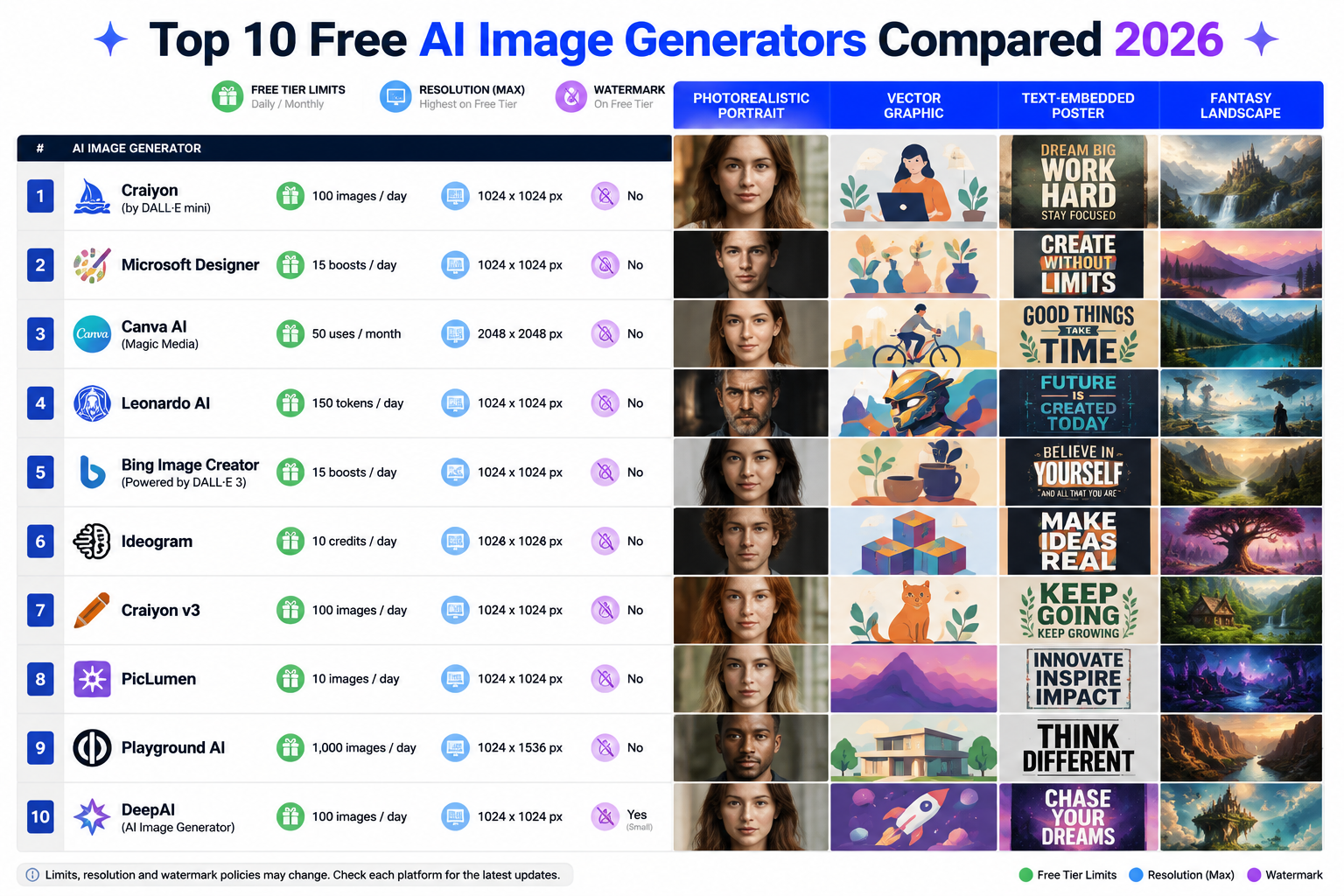
Here’s a consolidated comparison to help you choose quickly:
| Tool | Free Daily Limit | Resolution | Watermark | Signup | Best For |
|---|---|---|---|---|---|
| Bing Image Creator | Generous (boosted) | 1,792 × 1,024 px | None | Yes (Microsoft) | Realistic photos |
| ChatGPT | Limited (free tier) | Variable | None | Yes | Conversational creation |
| Ideogram 3.0 | Moderate | High | None | Yes | Text-in-image |
| Lensgo.ai | 3/day (Flux Pro) | High | None | Yes | Photorealism |
| Recraft | Moderate | 2,048 × 2,048 px | None | Yes | Vector graphics |
| Freepik AI | Moderate | Variable | Varies | Yes | Multi-model access |
| Leonardo.ai | Token-based | High | None | Yes | Flexible experimentation |
| Upsampler | GPU minutes | High | None | No | Zero-friction use |
| Playground AI | Up to 500/day | Moderate | None | Yes | High volume |
| Adobe Firefly | Monthly credits | High | None | Yes | Commercial safety |
Which Free AI Image Generator Should You Pick?
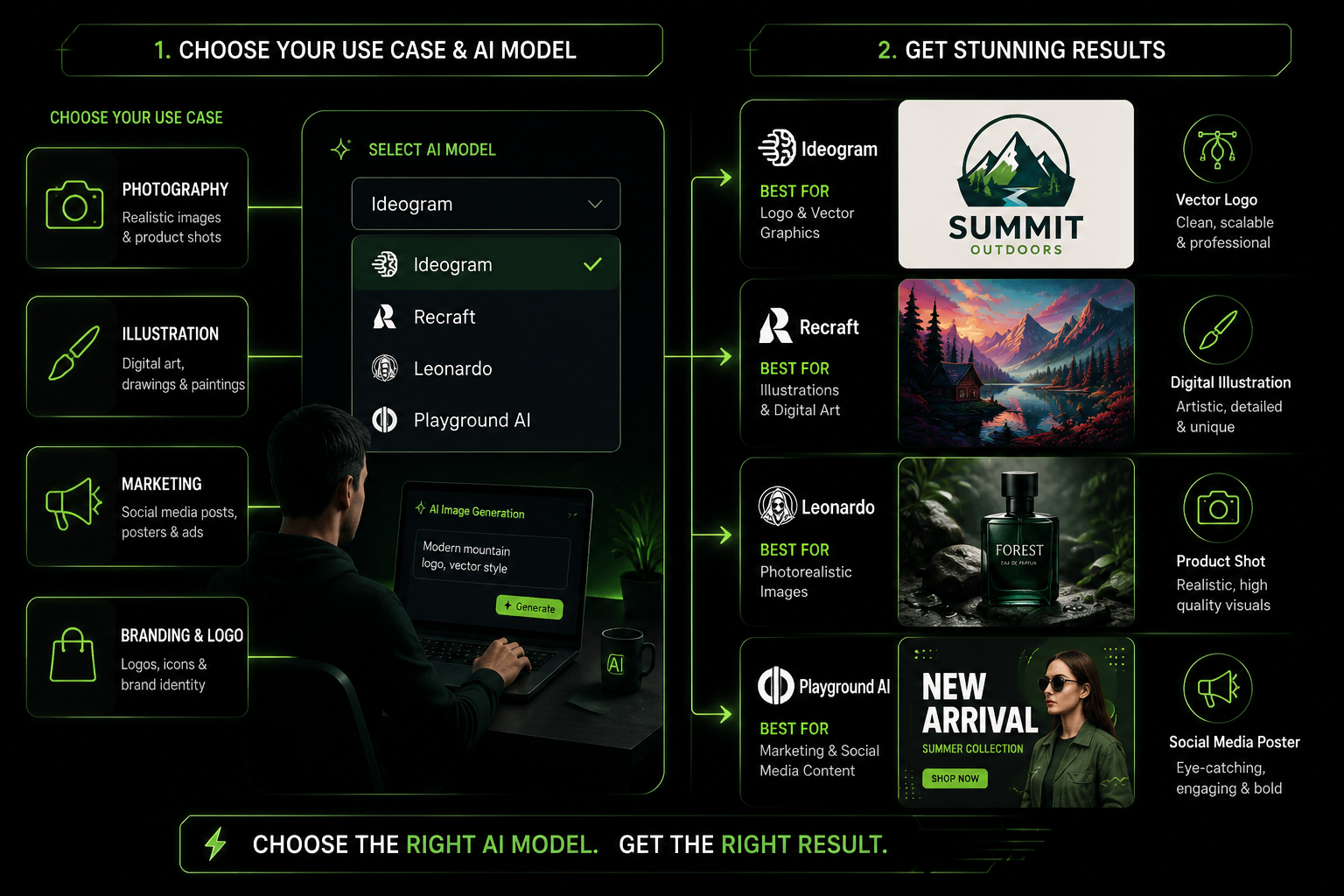
The right tool depends on what you’re making, not on which tool has the most features. Here’s a simple decision guide:
- Need photorealistic portraits or product shots? → Lensgo.ai (Flux Pro free) or Bing Image Creator
- Need text inside your images to be accurate? → Ideogram 3.0
- Need editable vector output for design work? → Recraft
- Need the most images per day for free? → Playground AI
- Don’t want to create an account? → Upsampler
- Already use Adobe tools? → Adobe Firefly
- Want to test 30+ models in one place? → Freepik AI
- Want conversational refinement? → ChatGPT (free tier)
- Need commercial safety guarantees? → Adobe Firefly
One thing to watch: Free tiers change frequently. Platforms adjust daily limits, model access, and watermark policies as they update their pricing. Check each tool’s current free tier terms before committing to a workflow.
For creators also producing video content alongside images, our guide on AI video generator daily limits on free tiers explains how similar constraints apply across video platforms.
Are Free AI Image Generators Good Enough for Professional Use?
For many professional use cases, yes — with caveats. Tools like Lensgo.ai (Flux Pro), Bing Image Creator (MAI-Image-1), and Adobe Firefly produce output quality that’s genuinely usable for blog headers, social media graphics, email campaigns, and concept presentations [1][2].
Where free tiers fall short for professional work:
- Volume: 3–50 images/day is insufficient for agencies or high-frequency publishers
- Commercial licensing: Not all free tiers grant explicit commercial rights — Adobe Firefly is the clearest exception
- Customization: Brand-specific styles, consistent characters, and fine-tuned outputs typically require paid plans or API access
- Resolution for print: Most free tiers cap resolution below what large-format print requires
Practical rule: Use free tiers for prototyping, client concept approval, and social content. Upgrade to paid plans when you need volume, commercial licensing clarity, or consistent brand output.
What Are the Limitations of Free AI Image Generators?
Every free tier comes with trade-offs. Knowing them upfront saves frustration.
Common limitations across free tiers:
- Daily generation caps — ranging from 3 (Lensgo.ai Flux Pro) to 500 (Playground AI)
- Older or lower-quality models — paid tiers often unlock newer, sharper models
- Slower generation queues — free users are deprioritized during peak hours
- Limited style controls — advanced parameters like LoRA weights, CFG scale, or negative prompts may be paywalled
- No API access — automation and bulk generation require paid plans
- Ambiguous commercial rights — always read the terms of service before using free-tier images commercially
What doesn’t change on free tiers (usually): Core prompt-to-image capability, basic style selection, and standard download formats.
FAQ: Free AI Image Generators in 2026
Q: Which free AI image generator requires no signup?
Upsampler is the clearest no-signup option in 2026, offering free daily GPU minutes and watermark-free downloads without requiring an email or account [4].
Q: Can I use free AI-generated images commercially?
It depends on the platform’s terms. Adobe Firefly explicitly trains on licensed content and grants commercial usage rights. Most other free tiers require you to check their terms — some allow commercial use, others restrict it to personal projects.
Q: Which tool generates the most realistic photos for free?
Lensgo.ai provides access to Flux Pro on its free tier, which produces the highest photorealism for portraits, landscapes, and product photography among free options [1].
Q: Is Midjourney free?
No. Midjourney requires a paid subscription starting at $10/month (~200 images/month) and offers no free tier as of 2026 [5].
Q: Which free AI image generator is best for social media graphics?
Ideogram 3.0 is the strongest choice for social media graphics because it renders text accurately inside images — critical for captions, slogans, and branded content [2].
Q: What’s the highest resolution available on a free AI image generator?
Recraft offers up to 2,048 × 2,048 pixels on its free tier, and Bing Image Creator reaches 1,792 × 1,024 pixels [2].
Q: Do free AI image generators add watermarks?
Most tools on this list do not watermark free downloads. Freepik’s watermark policy varies by model and plan. Always verify before downloading for professional use.
Q: How does ChatGPT’s image generation compare to dedicated tools?
ChatGPT excels at conversational refinement and illustration-style outputs but doesn’t match dedicated tools like Lensgo.ai on photorealism. It’s best for users who want to iterate through dialogue [5].
Q: Can I generate vectors with free AI image tools?
Recraft is currently the only tool on this list that outputs editable vector graphics alongside raster images [2].
Q: What happens when I hit a free tier daily limit?
Most tools either stop generation until the next day’s reset, slow down queue priority, or prompt you to upgrade. Upsampler uses GPU minutes rather than image counts, so longer or more complex generations consume credits faster [4].
Q: Are free AI image generators improving in 2026?
Yes. The gap between free and paid tiers narrowed significantly in 2025–2026, with tools like Bing Image Creator and Lensgo.ai offering model quality that would have required paid plans just 18 months ago [1][2].
Q: Which tool is best for designers who need both images and vectors?
Recraft handles both raster and editable vector output, making it the most practical single tool for designers who work across formats [2].
Conclusion: How to Get Started With Free AI Image Generation in 2026
The free AI image generator market in 2026 is genuinely strong. You don’t need to spend money to get professional-quality images for most standard use cases — you just need to match the right tool to your specific need.
Here’s a practical starting point:
- Identify your primary use case — photorealism, text-in-image, vectors, or volume
- Start with Bing Image Creator or ChatGPT if you want zero learning curve and high-quality results immediately
- Switch to Ideogram 3.0 the moment your images need to include readable text
- Try Lensgo.ai when you need the best possible photorealism on a free plan
- Use Upsampler for one-off projects where you don’t want to create an account
- Evaluate Recraft or Adobe Firefly if design work or commercial licensing is a priority
Free tiers are excellent for testing, prototyping, and regular social content. When your volume or commercial needs grow, the paid plans for most of these tools start at $7.50–$20/month — reasonable for professional use.
For creators expanding into video alongside images, our guide to the best free AI video generators with no watermark covers the equivalent landscape for video content. And if you’re looking for a budget-friendly paid image tool that punches above its price point, our BudgetPixel AI review is worth reading before you upgrade.
References
[1] Best Free AI Image Generators 2026 – https://lensgo.ai/blog/best-free-ai-image-generators-2026
[2] AI Image Generators – https://www.experte.com/ai-image-generators
[3] AI Image Generator – https://buffer.com/resources/ai-image-generator/
[4] Best Free AI Image Generator No Signup 2026 – https://upsampler.com/blog/best-free-ai-image-generator-no-signup-2026
[5] Best AI Image Generator – https://zapier.com/blog/best-ai-image-generator/