

Quick Answer: The cost per video with AI video generators ranges from $0 (free tiers with watermarks) to over $50 per video for high-end, enterprise-quality output. Most mid-range paid plans work out to roughly $0.50–$5 per video, depending on length, resolution, and how many videos you produce per month.
Key Takeaways
- Free plans exist on many platforms, but they typically add watermarks and cap resolution at 720p or lower.
- Starter plans ($10–$30/month) usually allow 10–50 videos per month, putting the per-video cost at roughly $0.60–$3.
- Pro plans ($40–$100/month) can drop the per-video cost below $1 if you use the full monthly quota.
- Enterprise plans are priced by negotiation and are best for teams producing 100+ videos per month.
- Per-credit pricing (common on text-to-video platforms) means one video can cost 1–10 credits, and credit packs range from $10–$50.
- Video length, resolution, and AI features (like voice cloning or avatar generation) all push costs up.
- The cheapest option isn’t always the best value — factor in render quality, export rights, and watermark policies.
- Choosing the right plan tier matters more than the headline price; underusing a plan wastes money fast.
How Much Does It Cost Per Video With AI Video Generators? (The Real Breakdown)
The honest answer depends on three things: the platform you choose, the plan tier you’re on, and how many videos you actually make each month. A creator producing 50 short clips per month on a $30/month plan pays $0.60 per video. Someone generating just five long-form videos on the same plan pays $6 each.
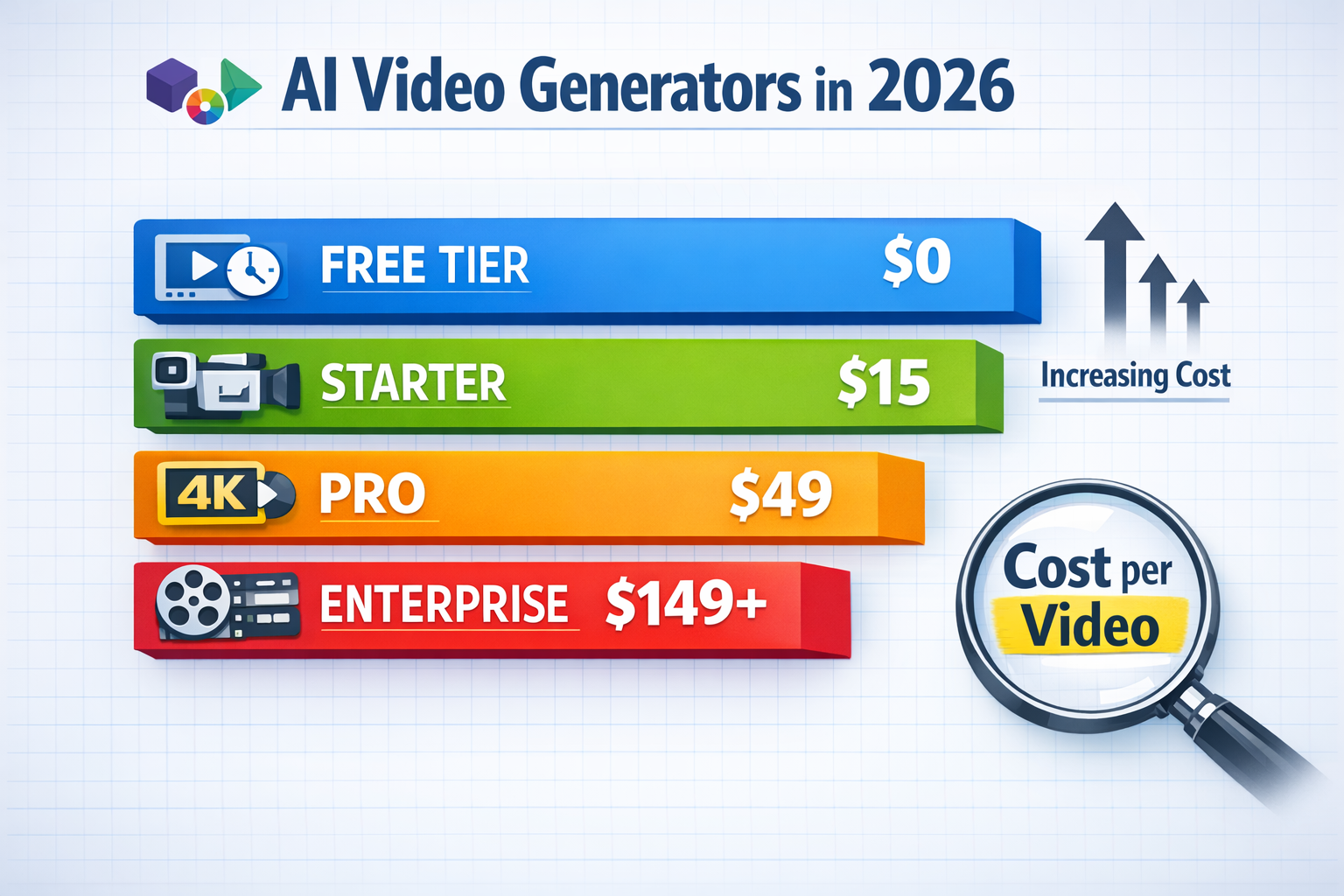
Here’s a general cost-per-video estimate by plan type in 2026:
| Plan Type | Typical Monthly Cost | Videos Included | Est. Cost Per Video |
|---|---|---|---|
| Free | $0 | 5–20 (watermarked) | $0 (but limited use) |
| Starter | $10–$30 | 15–50 | $0.60–$2.00 |
| Pro | $40–$100 | 50–200 | $0.50–$2.00 |
| Business | $100–$300 | 200–500 | $0.60–$1.50 |
| Enterprise | Custom | Unlimited or large quota | Negotiated |
| Pay-per-credit | Varies | Per video/clip | $1–$10+ per video |
Key insight: The per-video cost drops sharply when you use your full monthly quota. If you’re only making a handful of videos, a pay-per-credit model often works out cheaper than a subscription.
Common mistake: Paying for a Pro plan but only using 20% of the included videos. Always estimate your monthly output before committing to a tier.
What Factors Change the Cost Per Video?
Several variables affect how much you’ll pay per video, and they’re worth understanding before you pick a platform.
Video length is the biggest driver. Most platforms charge more credits or limit exports for videos over 60 seconds. A 15-second social clip might cost 1 credit; a 3-minute explainer could cost 5–10 credits on the same platform.
Resolution and quality settings also matter. Exporting in 4K or 1080p typically costs more credits than 720p. Some platforms lock HD export behind Pro plans entirely.
AI features used per video add cost too:
- AI avatar or talking head generation (see our Float DeepBrain AI review for an example of this pricing model)
- Voice cloning or custom voiceovers
- Lip-sync technology (platforms like those covered in our LatentSync review often charge premium credits for this)
- Background removal or scene generation
Rendering speed sometimes has a cost tier — faster rendering queues are often a paid add-on on busier platforms.
Choose a platform based on your primary use case. If you need short social clips, a template-based tool like those reviewed in our SwipeStory review will cost far less per video than a full text-to-video generator.
Free vs. Paid: Is the Free Tier Worth Using?
Free tiers are genuinely useful for testing a platform, but they’re rarely practical for professional or commercial use. Most free plans add a visible watermark, limit exports to 720p, and cap you at fewer than 20 videos per month.
Use the free tier if:
- You’re evaluating whether a platform fits your workflow
- You’re a student or hobbyist with no commercial intent
- You need a one-off video and don’t want a subscription
Avoid relying on free tiers if:
- You’re producing content for clients or a brand
- You need HD or 4K output
- You plan to monetize the videos
Some platforms, like Vheer, offer genuinely usable free plans with reasonable output quality — but these are exceptions, not the rule. Always check the watermark policy and export resolution before assuming a free plan will work for your needs.
How Much Does It Cost Per Video With AI Video Generators? Platform-by-Platform Examples
Rather than listing every platform (there are dozens), here’s a breakdown by category to give you realistic per-video cost expectations.
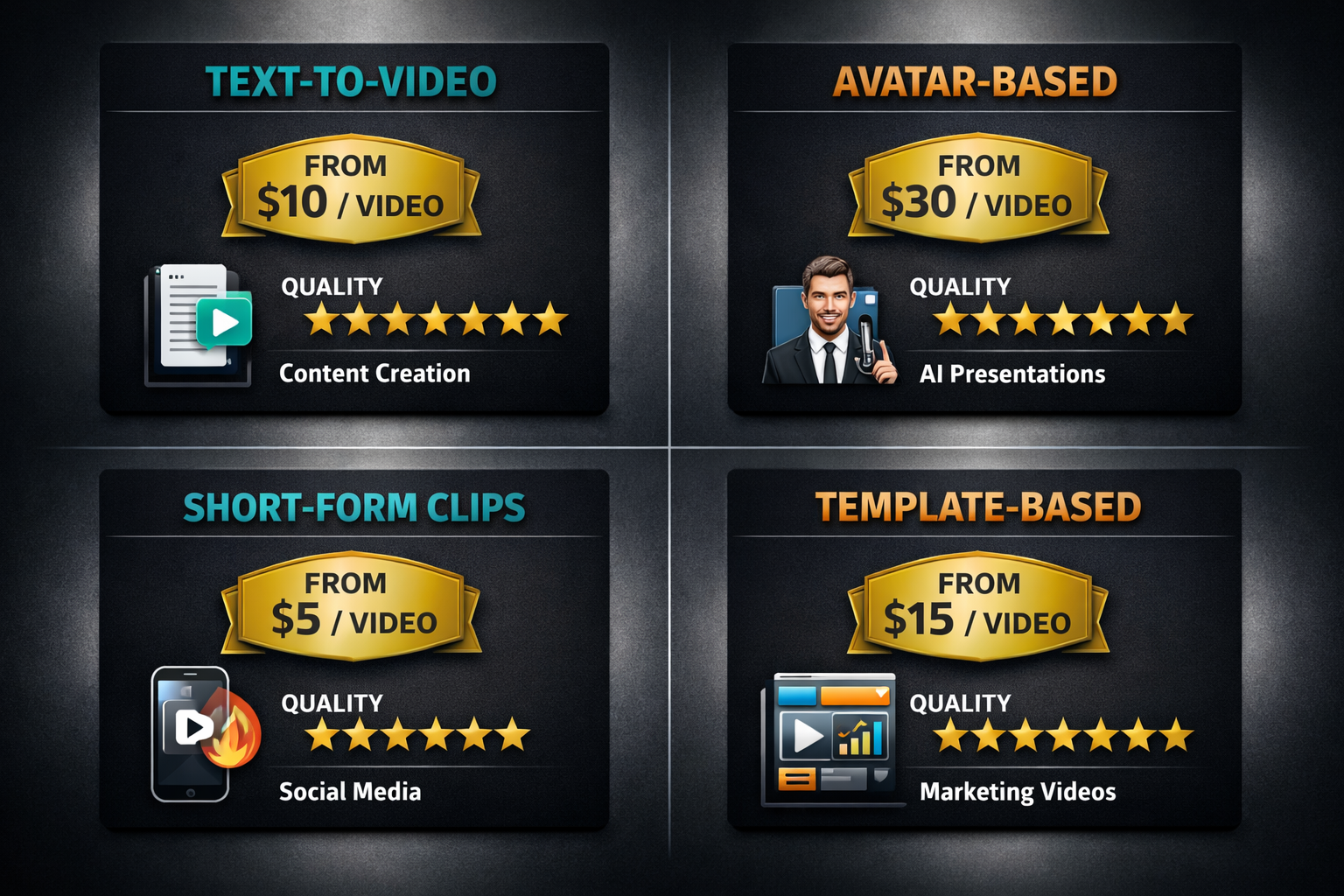
Text-to-Video Generators
These create video from a written prompt or script. They tend to be the most credit-heavy because the AI is doing the most work.
- Typical cost per video: $2–$10 for a 30–60 second clip
- Best for: Marketers, content creators, agencies
- Example: Platforms like Pika AI sit in this category, with credits consumed per generation
Avatar and Talking Head Generators
These turn a script into a video featuring a realistic AI presenter. They’re popular for training content and explainer videos.
- Typical cost per video: $3–$15 depending on avatar quality and video length
- Best for: Corporate training, YouTube channels, product demos
Short-Form Clip Generators
These are built for social media — TikTok, Instagram Reels, YouTube Shorts. They’re faster and cheaper per video because templates do most of the work.
- Typical cost per video: $0.30–$2
- Best for: Social media managers, faceless content creators (see our FacelessReels review for a real-world cost breakdown)
Template-Based Marketing Video Tools
These use pre-built templates with drag-and-drop customization. Lower AI intensity means lower cost per video.
- Typical cost per video: $0.20–$1.50
- Best for: Small businesses, ad creatives, e-commerce brands
How to Calculate Your Actual Cost Per Video
Knowing the subscription price isn’t enough. Here’s a simple way to work out your real cost per video:
- Find your plan’s monthly video or credit allowance. Check the platform’s pricing page carefully — some list “projects” not “exports.”
- Estimate your realistic monthly output. Be honest. If you think you’ll make 30 videos but historically make 10, use 10.
- Divide the monthly cost by your realistic output. Example: $49/month ÷ 20 videos = $2.45 per video.
- Add any overage costs. Some platforms charge per video once you exceed your plan limit. This can add $1–$5 per extra video.
- Factor in the value of included features. A $49 plan with built-in music licensing, voice generation, and HD export may cost less per video than a $20 plan where those features are add-ons.
For teams producing high volumes, tools like Vid AI or Frameloop AI offer bulk pricing that can bring per-video costs well below $1.
Is AI Video Generation Actually Cheaper Than Traditional Video Production?
For most use cases, yes — significantly cheaper. A professionally produced 60-second explainer video from a freelance videographer or agency typically costs $500–$5,000 depending on quality and location (this is a widely cited industry range, not a guaranteed figure). AI video generators can produce a comparable output for under $10 in most cases.
The trade-off is creative control and uniqueness. AI-generated videos can look similar across platforms, and highly customized or narrative-driven content still benefits from human production.
AI video generation is the better choice when:
- You need high volume (10+ videos per month)
- Speed matters more than bespoke creative work
- Budget is the primary constraint
- You’re producing educational, explainer, or social content
Traditional production still wins when:
- Brand differentiation and cinematic quality are critical
- You need on-location footage or real actors
- The video is a flagship brand asset (product launch, major campaign)
FAQ
Q: What is the cheapest AI video generator per video in 2026?
Template-based tools and short-form clip generators offer the lowest per-video cost, often under $0.50 per video on mid-tier plans. Free tiers exist but include watermarks.
Q: Do AI video generators charge per video or per month?
Most charge a flat monthly subscription that includes a set number of videos or credits. Some offer pay-per-credit pricing, which suits lower-volume users better.
Q: What happens if I exceed my monthly video limit?
Most platforms charge per-video overage fees ($1–$5 per video) or require you to upgrade your plan. Always check the overage policy before signing up.
Q: Are there AI video generators with no per-video limit?
Some enterprise plans offer unlimited video generation, but “unlimited” often has fair-use caps. A few tools like Wula AI offer generous free access with no login required for basic use.
Q: Does video length affect cost per video?
Yes. Longer videos consume more credits or processing time. A 15-second clip may cost 1 credit while a 3-minute video costs 5–10 credits on the same platform.
Q: Is it cheaper to pay annually vs. monthly?
Annual billing typically saves 20–40% compared to monthly billing on most platforms. If you’re committed to a tool, annual plans significantly reduce your per-video cost.
Q: Can I use AI-generated videos commercially on all plans?
Not always. Some free and starter plans restrict commercial use. Always read the license terms before using AI video content for client work or monetized channels.
Q: What’s the average cost per video for a small business?
A small business producing 20–30 social videos per month on a mid-tier plan ($30–$50/month) typically pays $1–$2.50 per video, including HD export and basic AI features.
Conclusion: How to Choose the Right Plan for Your Budget
Understanding how much it costs per video with AI video generators comes down to matching your output volume to the right pricing model. Here’s a simple decision framework:
- Under 10 videos/month: Use a free tier or pay-per-credit plan to avoid overpaying for unused quota.
- 10–50 videos/month: A starter or pro subscription ($20–$60/month) gives the best per-video value.
- 50+ videos/month: Look at business or enterprise plans, or platforms built for bulk production.
- One-off projects: Pay-per-credit or a free trial is almost always the smartest move.
Before committing to any platform, run the math: monthly cost ÷ realistic monthly videos = your true cost per video. Then compare that number across two or three platforms using their free trials. The cheapest headline price rarely tells the full story.
For deeper dives into specific tools, browse our full AI video and media tools category to find reviews with real pricing breakdowns and tested output quality.
References
- Pika Labs Pricing Page — pika.art/pricing (accessed 2026)
- Runway ML Pricing Documentation — runwayml.com/pricing (accessed 2026)
- Synthesia Pricing Overview — synthesia.io/pricing (accessed 2026)
- Wistia, “The State of Video Report” — wistia.com (2024)
- HubSpot, “Video Marketing Statistics” — hubspot.com (2024)