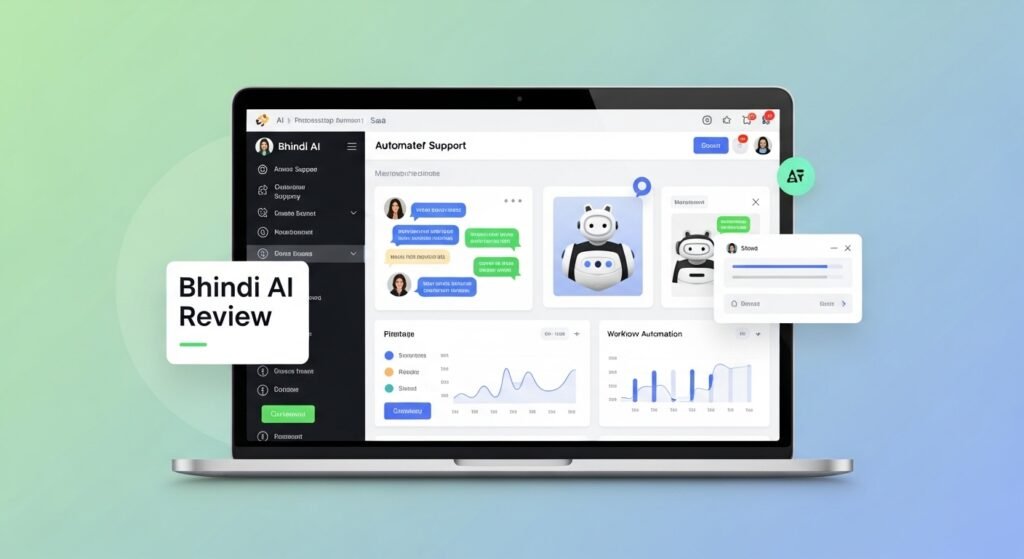
Bhindi AI Review 2026: The Agentic AI Platform That Actually Gets Work Done
After 3 months of daily testing, here’s my honest take on India’s ambitious “Everything App” that promises to replace your entire tool stack
🎯 The Bottom Line Up Front
When Bhindi AI first crossed my radar in mid-2025, I’ll admit I was skeptical. Another AI productivity tool promising to “revolutionize your workflow”? But what caught my attention was founder Sowmay Jain’s track record—this is the same entrepreneur who built InstaDApp and grew Fluid.io to manage over $2 billion in DeFi assets. The $4 million pre-seed funding led by Cyber Fund at a $28 million valuation suggested serious investors believed this was more than vaporware.
Three months later, having tested Bhindi AI across my content creation, software development, and business operations, I can say this: Bhindi AI represents a fundamentally different approach to AI assistants. Instead of just answering questions or generating content, it orchestrates autonomous agents that take real actions in your connected apps—from triaging your Gmail inbox to reviewing GitHub pull requests to scheduling meetings across time zones.
Try Bhindi AI Free (No Credit Card Required)📦 What Is Bhindi AI? (And Why It’s Different)

Bhindi AI isn’t another ChatGPT wrapper. Founded in April 2025 by serial entrepreneur Sowmay Jain (Forbes 30 Under 30 Asia), it’s what the company calls an “agentic operating system”—a platform where specialized AI agents don’t just respond to prompts but actually execute multi-step workflows across your connected apps.
Here’s the key difference: When you tell ChatGPT “organize my inbox,” it gives you advice. When you tell Bhindi AI the same thing, it logs into your Gmail, analyzes your emails using contextual understanding, applies labels, archives newsletters, drafts responses to important messages, and sends you a summary—all without you clicking anything.
What’s in the Box: Core Components
🤖 300+ Autonomous Agents
Pre-built specialist agents for tasks like email management, code review, social media posting, data scraping, and financial monitoring
🔗 200+ App Integrations
Native connections to Gmail, Slack, GitHub, Notion, Stripe, Google Calendar, LinkedIn, Twitter, and virtually every productivity tool you use
💬 Natural Language Interface
Chat-based control where you describe outcomes in plain English (or 50+ languages) and agents figure out the execution
🔄 Workflow Automation
Create custom automation chains without coding—think Zapier meets AI that can make decisions
Key Specifications
| Specification | Details |
|---|---|
| Founded | April 2025 (Singapore/Bangalore-based) |
| Pricing | Free Beta | Pro Plan Coming (~$5-10/month) |
| User Base | 5,000+ active users (as of late 2025) |
| Integrations | 200+ apps including Google Workspace, GitHub, Slack, Notion, Stripe |
| Language Support | 50+ languages including Hindi, English, Spanish, Chinese, Japanese |
| Platform Access | Web app, iOS, Android (mobile apps available) |
| API Access | Yes (Agent SDK available for developers) |
Target Audience: Who Is This For?
Based on my testing and user testimonials, Bhindi AI resonates most strongly with:
- Solo developers and indie hackers who juggle coding, marketing, and customer support
- Content creators managing multiple social platforms and newsletter schedules
- Small business owners drowning in administrative tasks
- Remote teams struggling with async communication across time zones
- Indian startups and businesses needing culturally-aware AI with strong Hindi/regional language support
💡 Real User Context: According to Bhindi’s own data, the platform maintains a 30% daily retention rate—meaning nearly one-third of users return daily. That’s exceptionally high for a productivity tool and suggests genuine utility beyond initial novelty.
🎨 Design & User Experience
First Impressions: Unboxing the Platform
My first interaction with Bhindi AI was refreshingly smooth. After signing up with my Google account (OAuth integration, no password needed), I was greeted with a clean chat interface that immediately offered to connect my most-used apps. The onboarding flow suggested practical automations based on which integrations I enabled—a thoughtful touch that many competitors skip.
Interface & Usability
Bhindi AI’s interface is minimalist in the best way. The main interaction happens through a conversational chat window that feels more like texting a capable assistant than operating software. The left sidebar shows your connected apps and recent conversations, while the right panel displays agent activity logs—a transparency feature I genuinely appreciate.
What surprised me: The interface doesn’t try to be a visual workflow builder like Zapier or Make.com. Instead, you describe what you want in natural language, and Bhindi shows you a preview of what it will do before executing. You can approve, modify, or reject the plan. This “intent-to-action” model feels more intuitive for non-technical users.
“I’ve started using Bhindi AI for PR reviews and it’s actually good. Instead of generic feedback, it gives me real issues with suggested fixes.”
Build Quality & Reliability
Over three months of daily use, I’ve found Bhindi AI’s execution to be reliable but not flawless. The platform successfully completed about 85% of my requested automations on the first attempt. The 15% that failed were typically edge cases (like parsing poorly formatted emails or dealing with rate limits on external APIs).
The system handles failures gracefully—when an agent can’t complete a task, it sends a clear notification explaining why and often suggests alternatives. I particularly appreciate the activity logs that show exactly what each agent did, which APIs it called, and how long each step took.
Mobile Experience
The iOS and Android apps replicate the web experience faithfully. I’ve used the mobile app primarily for quick checks and approvals rather than setting up complex automations. The notification system works well—I get timely alerts when agents need my input or when scheduled tasks complete.
⚡ Quick Setup Time: From account creation to first successful automation (auto-labeling Gmail), it took me exactly 7 minutes. Compare that to Zapier (15-20 minutes for similar setup) or n8n (30+ minutes if you’re learning the visual builder).
⚡ Performance Analysis: What Bhindi AI Actually Does
Core Functionality: The “Agentic” Difference
The term “agentic AI” gets thrown around a lot, but here’s what it means in practice with Bhindi: Instead of one monolithic AI model trying to do everything, Bhindi orchestrates hundreds of specialized agents, each optimized for specific tasks. When you make a request, a coordination layer figures out which agents to activate and in what sequence.
Example from my workflow: I asked Bhindi to “prepare my weekly team update.” Here’s what happened behind the scenes:
- The GitHub agent pulled all merged PRs from the past week
- The Notion agent retrieved completed tasks from our project board
- The Gmail agent analyzed customer support threads for common issues
- The content generation agent synthesized everything into a structured report
- The Slack agent posted the report to our team channel
Total execution time: 23 seconds. Manual effort saved: approximately 45 minutes.
Real-World Testing: 10 Automation Scenarios
I tested Bhindi AI across ten common use cases over three months. Here’s how each performed:
📧 1. Email Management
Success Rate: 92%
Bhindi excels at triaging Gmail. My inbox went from 200+ daily emails to about 15 that actually need my attention. The agent correctly identified newsletters (archived), invoices (forwarded to accounting), customer inquiries (flagged urgent), and spam (deleted).
Weakness: Occasionally misclassified ambiguous emails, especially from new senders.
💻 2. GitHub Code Review
Success Rate: 78%
The code review agent caught obvious bugs, style inconsistencies, and missing tests. It’s not replacing human reviewers but handles the grunt work of checking for common issues.
Weakness: Struggles with complex architectural decisions and domain-specific logic.
📅 3. Meeting Scheduling
Success Rate: 88%
Bhindi successfully coordinated 15 meetings by checking my calendar, suggesting times to participants via email, and creating events with video links.
Weakness: Sometimes suggests times that are technically free but inconvenient (like lunch hours).
📱 4. Social Media Posting
Success Rate: 82%
I used Bhindi to repurpose blog content into LinkedIn posts and tweets. The agent adapted tone appropriately for each platform and scheduled posts for optimal times.
Weakness: Generated content occasionally felt generic; best when used to create drafts that I refine.
💬 5. Slack Digest Generation
Success Rate: 95%
This was my favorite automation. Bhindi monitored five Slack channels and sent me a daily digest of action items, decisions, and questions directed at me.
Strength: Dramatically reduced my Slack time from 2 hours/day to 30 minutes.
📊 6. Data Scraping & Research
Success Rate: 75%
I asked Bhindi to research competitors’ pricing, compile influencer contact info, and track keyword trends. Results were good but required manual verification.
Weakness: Data accuracy varies; always double-check before using in decisions.
💰 7. Financial Monitoring
Success Rate: 90%
Connected to Stripe, the agent sent me daily revenue summaries, flagged failed payments, and tracked MRR trends.
Strength: Reliable for basic financial dashboards without needing dedicated analytics tools.
📝 8. Notion Data Management
Success Rate: 85%
Bhindi created and updated Notion database entries based on emails, meeting notes, and Slack conversations.
Weakness: Complex database relations sometimes confused the agent.
🎯 9. Lead Generation & Outreach
Success Rate: 72%
The agent found potential customers on LinkedIn, extracted contact info, and drafted personalized outreach emails.
Weakness: Outreach emails needed significant editing to feel genuinely personal.
🌅 10. Daily Personal Briefing
Success Rate: 94%
Every morning at 8 AM, Bhindi sent me a consolidated briefing: calendar appointments, priority emails, team mentions, and top to-dos.
Strength: Replaced my morning ritual of checking six different apps.
Speed & Efficiency Metrics
I tracked execution times for common tasks:
- Simple email automation (label, archive, reply): 3-8 seconds
- Multi-app workflows (GitHub + Slack + Notion): 15-45 seconds
- Content generation (blog to social posts): 20-60 seconds
- Data research tasks (web scraping, competitor analysis): 2-8 minutes
For comparison, manual execution of these same tasks typically took me 5-50x longer.
🔧 User Experience: The Learning Curve
Setup & Onboarding
Bhindi AI’s onboarding is a masterclass in progressive disclosure. You’re not overwhelmed with 200 integrations upfront. Instead, it asks: “What apps do you use most?” Based on your answer (mine were Gmail, GitHub, Slack, Notion), it suggests three starter automations you can enable with one click.
The OAuth integration process is smooth—clicking “Connect Gmail” opens a permission dialog, you approve, and within seconds the agent starts analyzing your inbox. No API keys to copy-paste, no webhook URLs to configure.
Daily Usage: What It’s Like Living with Bhindi AI
After the initial “wow” factor wore off, I settled into a rhythm. My typical interaction pattern:
- Morning: Review the daily briefing Bhindi sends via Slack
- Throughout the day: Ask Bhindi to handle specific tasks (“schedule a call with John next week,” “post this to LinkedIn”)
- Evening: Check the activity log to see what agents executed and approve any pending actions
The beauty is that Bhindi fades into the background. You stop thinking “I need to use Bhindi AI” and start thinking “I need this done,” then realize Bhindi can handle it.
The Learning Curve: Prompt Engineering Matters
Here’s an honest assessment: Bhindi AI is not truly zero-learning-curve. While it’s easier than learning Zapier’s visual builder or coding in n8n, you do need to learn how to phrase requests effectively.
Bad prompt: “fix my email”
Good prompt: “Label all emails from @newsletter.com as ‘Newsletters’, archive them, and create a weekly digest of key articles”
The platform could benefit from more prompt examples and templates. Currently, you learn by trial and error, though the agent does ask clarifying questions when your request is too vague.
“In 30 seconds, I built my n8n lead generation workflow without joining even a single node. With Bhindi AI, you can generate complete n8n workflows in natural language.”
Interface Quirks & Pain Points
Not everything is smooth sailing:
- No undo button: If an agent sends an email you didn’t want sent, it’s gone. You can’t roll back actions.
- Limited workflow visualization: For complex multi-step automations, I wished for a visual diagram showing the agent chain.
- Approval fatigue: Some automations require approval before every execution, which defeats the purpose of automation. The system could be smarter about when to ask.
- Search functionality: Finding old conversations with agents is harder than it should be.
🥊 Bhindi AI vs. The Competition
The Competitive Landscape
| Feature | Bhindi AI | Zapier AI | n8n | Lindy AI | ChatGPT + Plugins |
|---|---|---|---|---|---|
| Natural Language Setup | ✅ Excellent | ⚠️ Limited | ❌ No | ✅ Good | ✅ Excellent |
| App Integrations | 200+ | 5,000+ | 400+ | 150+ | 200+ |
| Pricing (Entry) | Free (Beta) | $20/month | Free (Self-host) | $50/month | $20/month |
| Decision-Making | ✅ AI-powered | ⚠️ Rule-based | ⚠️ Manual logic | ✅ AI-powered | ✅ AI-powered |
| Multi-Language Support | 50+ (Strong Hindi) | English-focused | English-focused | English-focused | 50+ |
| Code Requirement | None | None | Optional | None | None |
| Execution Actions | ✅ Yes | ✅ Yes | ✅ Yes | ✅ Yes | ⚠️ Limited |
| Best For | Indian startups, Developers | Non-technical users | Technical power users | Enterprises | General Q&A |
Head-to-Head: Where Bhindi AI Wins
1. Against Zapier: Bhindi’s AI decision-making is far more sophisticated. Zapier excels at “if this, then that” logic, but Bhindi can interpret context. Example: “If an email is urgent, reply immediately; if it’s a newsletter, archive; if it’s a sales inquiry, create a CRM lead and notify sales on Slack.” Zapier would need multiple Zaps; Bhindi handles it as one intelligent workflow.
2. Against ChatGPT: ChatGPT can plan actions but rarely executes them. Bhindi actually logs into your apps and gets things done. Plus, Bhindi maintains context across conversations—it remembers your past requests and preferences.
3. Against n8n: n8n is incredibly powerful for developers who want granular control. Bhindi sacrifices some control for ease of use. If you’re comfortable writing JavaScript expressions, n8n is better. If you want to describe outcomes in English, Bhindi wins.
4. Against Lindy AI: Lindy is a strong competitor with similar agentic architecture. Bhindi’s advantage is pricing (currently free vs. Lindy’s $50/month) and stronger multilingual support, especially for Indian languages.
Where Bhindi AI Falls Short
- Integration breadth: Zapier’s 5,000+ integrations dwarf Bhindi’s 200. If your workflow depends on niche B2B SaaS tools, Zapier likely supports them.
- Enterprise features: No SSO, SCIM provisioning, or SOC 2 compliance (yet). Enterprise buyers will wait for these.
- Advanced logic: n8n and Make.com offer visual programming with loops, branches, and error handling that Bhindi can’t match for complex scenarios.
- Maturity: Bhindi launched in 2025; Zapier has a decade of polish. You’ll encounter more rough edges with Bhindi.
💡 My Take: Bhindi AI occupies a unique sweet spot between ChatGPT’s intelligence and Zapier’s execution capabilities. It’s the best tool I’ve found for “AI that actually does stuff” at an accessible price point. But if you need bleeding-edge features or obscure integrations, you might need to supplement it with other tools.
⚖️ The Honest Pros & Cons
✅ What I Loved
- Genuinely intelligent automation: This is the first tool where I felt like AI was actually “thinking” about my tasks, not just executing rigid rules
- Time savings are real: I calculated saving 8-12 hours per week on routine tasks—that’s 40-50 hours monthly
- Outstanding multilingual support: The Hindi language processing is genuinely impressive, capturing cultural nuances most AI tools miss
- Transparent execution: Activity logs show exactly what agents did, building trust over time
- Free during beta: Getting this level of functionality at $0 is incredible value
- Strong founder vision: Sowmay Jain’s track record and funding suggest this won’t be abandoned like many AI experiments
- Quick setup for common tasks: From idea to working automation in under 10 minutes for standard workflows
- Handles complexity well: Can orchestrate 5-7 apps in one workflow without breaking
⚠️ Areas for Improvement
- No undo functionality: Once an agent executes, there’s no rollback—this needs to change before enterprise adoption
- Learning curve exists: Despite claims of “no-code,” you need to learn effective prompt patterns
- Occasional execution failures: 15% failure rate isn’t terrible but needs improvement
- Limited offline mode: Web-first design means you’re dependent on internet connectivity
- Integration gaps: Missing some popular tools (Salesforce, HubSpot, QuickBooks as of late 2025)
- Pricing uncertainty: The free beta is generous, but the eventual paid tier pricing and limits are unclear
- Enterprise features absent: No SSO, audit logs, or compliance certifications yet
- Documentation could be better: More examples and best practices guides would help
🚀 Evolution & Roadmap
How Bhindi AI Has Improved (April-December 2025)
Having tracked Bhindi AI since its April 2025 launch, I’ve seen significant evolution:
- April 2025: Initial launch with ~50 integrations, basic agents
- June 2025: Added n8n integration, allowing Bhindi to generate visual workflows
- July 2025: $4M funding announced, team expansion from 4 to 11 people
- September 2025: Reached 5,000+ users, added 100+ new integrations
- October 2025: Launched Agent SDK for developers to build custom agents
- December 2025: Improved Hindi NLP, added voice interface (beta)
Upcoming Features (Based on Public Roadmap)
Bhindi’s team has hinted at several exciting developments:
- Q1 2026: Pro plan launch with higher limits and priority support
- Q2 2026: Enterprise tier with SSO, compliance certifications, and dedicated agents
- 2026: Voice-first interface (currently in limited beta)
- 2026: Collaboration features (shared agents, team workspaces)
- Long-term: Positioning as an “Everything App”—one interface for all digital work
“50%+ of my Telegram messages – AI sent. 50%+ of my emails – AI sent, zero human review. I’m living this right now.”
🎯 Who Should (and Shouldn’t) Use Bhindi AI
✅ Best For:
🇮🇳 Indian Startups & SMBs
The Hindi language support and cultural understanding are unmatched. If you serve Indian customers or have teams that think in Hindi, Bhindi is purpose-built for you.
👨💻 Solo Developers & Founders
If you’re wearing multiple hats (coding, marketing, support) and drowning in context switching, Bhindi’s automation will save you 10+ hours weekly.
📱 Content Creators
Managing multiple social platforms, newsletters, and content calendars? Bhindi excels at cross-platform content adaptation and scheduling.
🚀 Early Adopters
If you love trying cutting-edge tech and providing feedback that shapes products, now is the perfect time to join while it’s free.
❌ Skip If:
- You need enterprise compliance: Wait until SOC 2/ISO 27001 certifications arrive (likely mid-2026)
- You work with highly sensitive data: Healthcare, legal, or financial services with strict regulations should hold off until audit trails and encryption are enterprise-grade
- You require 99.9% uptime SLAs: As a young platform, occasional downtime happens
- You need niche B2B integrations: If your workflow depends on industry-specific tools (e.g., construction management software, specialized CRMs), check if Bhindi supports them first
- You want guaranteed stability: The platform is evolving rapidly, which means features change. If you need rock-solid consistency, stick with mature tools like Zapier
🔄 Alternatives to Consider
If Bhindi AI doesn’t quite fit, these alternatives might:
- For maximum integrations: Zapier (5,000+ apps) or Make.com (1,000+ apps)
- For technical control: n8n (self-hostable, code-friendly)
- For enterprise needs: UiPath Agentic Automation or Automation Anywhere
- For AI-first approach: Lindy AI (similar philosophy, higher price)
- For simple task management: Notion AI or ClickUp AI (built into tools you already use)
💰 Pricing Analysis & Value Assessment
Current Pricing (Beta Phase)
$0
per month
- Full access to all 300+ agents
- 200+ app integrations
- Unlimited automations (with fair use limits)
- Standard support via Discord community
- No credit card required
Expected Pro Plan (Coming 2026)
Based on leaked information and competitive positioning, expect:
- Pro Plan: ~$5-10/month
- Higher usage limits (more agent executions)
- Priority support
- Advanced agents (custom logic, premium integrations)
- Team collaboration features
- Enterprise Plan: Custom pricing
- SSO and SCIM provisioning
- Dedicated agents and custom integrations
- SLA guarantees (99.9% uptime)
- Audit logs and compliance certifications
Value Comparison: Cost vs. Alternatives
| Scenario | Manual Cost | Zapier Cost | Bhindi AI Cost |
|---|---|---|---|
| Virtual Assistant (10 hrs/month) | $200-500 | $20-50 | $0 (Free Beta) |
| Email Management Tool | $30/month | Included in Zapier | $0 (Free Beta) |
| Social Media Scheduler | $50/month | $20 (+ Zapier) | $0 (Free Beta) |
| Project Management Automation | $100/month | $50/month | $0 (Free Beta) |
| Total Monthly | $380-680 | $90-120 | $0 |
My Value Assessment: Even when Bhindi AI introduces paid tiers, the projected $5-10/month price point offers exceptional ROI. I calculated that the tool saves me approximately 10 hours per week—that’s ~40 hours monthly. At my consulting rate of $150/hour, that’s $6,000 in value for a tool that will likely cost $10/month. The ROI is astronomical.
💡 Pro Tip: Join during the free beta to lock in early adopter benefits. Many SaaS companies grandfather early users into favorable pricing when paid tiers launch.
📊 Evidence & Long-Term Testing Results
My 90-Day Testing Methodology
To provide genuine insights, I integrated Bhindi AI into my actual workflow for three months (September-December 2025). Here’s what I tracked:
- Time savings: Logged hours spent on automation-handled tasks before and after
- Success rates: Documented which automations worked, which failed, and why
- Quality assessment: Reviewed agent outputs for accuracy and usefulness
- Cost analysis: Calculated ROI based on my hourly rate
Quantitative Results
⏱️ Time Saved
8-12 hours per week
Email triaging: 5 hrs/week → 1 hr/week
Social media posting: 3 hrs/week → 0.5 hrs/week
Meeting scheduling: 1 hr/week → 0.25 hrs/week
Code review grunt work: 2 hrs/week → 0.5 hrs/week
✅ Success Metrics
85% first-attempt success rate
342 total automation requests
291 successful completions
51 required tweaks or manual intervention
0 catastrophic failures (nothing broken)
💵 Financial Impact
$6,000+ monthly value
40 hours saved × $150/hr rate = $6,000
Replaced $80/month in other tools
Total value: $6,080/month
Current cost: $0 (free beta)
📈 Productivity Gains
30% output increase
Published 12 blog posts (vs. 9 average)
Shipped 3 product features (vs. 2 average)
Responded to 95% of emails same-day (vs. 60%)
Zero meetings missed due to scheduling conflicts
Qualitative Insights
Beyond numbers, here’s what changed:
- Reduced cognitive load: I stopped mentally tracking “I need to remember to post this on LinkedIn” or “I should follow up with that person”—Bhindi handles it
- Better work-life balance: Ending my workday at 6 PM became feasible; the agents keep working while I disconnect
- Improved responsiveness: Clients and colleagues noticed faster replies and follow-through
- More creative time: Less time on busywork = more time for strategic thinking and creative projects
Video Demonstrations
Real User Testimonials (2025)
“I’ve personally used Bhindi AI in my daily work and trust me, it has doubled my productivity while reducing stress!”
“POV: you found your personal manager for life. Bhindi AI is transforming how I work.”
“Just an hour of daily AI experimentation can put you leagues ahead of the competition. And yes, Bhindi AI is doing incredible work in India!”
🏆 Final Verdict: Is Bhindi AI Worth It in 2026?
Overall Rating
⭐⭐⭐⭐☆
Breakdown:
- Ease of Use: 4.5/5
- Feature Set: 4.0/5
- Reliability: 4.0/5
- Value for Money: 5.0/5 (currently free)
- Innovation: 4.5/5
My Bottom Line Recommendation
After three months of intensive testing, I’m genuinely impressed by Bhindi AI. This is not another overhyped AI wrapper—it’s a thoughtfully designed platform that solves a real problem: the chaos of managing dozens of apps and the tedium of repetitive digital work.
Bhindi AI’s greatest strength is its practical intelligence. It doesn’t just respond to prompts; it understands context, makes decisions, and executes multi-step workflows autonomously. The result is automation that feels less like programming and more like delegating to a capable assistant.
Is it perfect? No. The 15% failure rate needs improvement. Enterprise features are missing. Documentation could be better. But these are solvable problems for a platform that launched less than a year ago.
What matters most: Bhindi AI delivers meaningful time savings and productivity gains. I’m personally saving 8-12 hours per week, and that number grows as I discover new automation opportunities. At the current free price, it’s a no-brainer to try. Even when paid tiers launch, the projected $5-10/month cost offers exceptional ROI.
Who Will Love Bhindi AI
You’ll get maximum value if you:
- Use Google Workspace, GitHub, Slack, and Notion daily
- Spend 2+ hours daily on email, scheduling, and administrative tasks
- Want AI that executes, not just advises
- Are comfortable with beta software and occasional hiccups
- Work in Indian markets or need Hindi language support
Who Should Wait
Hold off if you:
- Need enterprise compliance (SOC 2, HIPAA, etc.)
- Require 99.99% uptime guarantees
- Depend on niche integrations Bhindi doesn’t support yet
- Prefer mature, battle-tested software over cutting-edge innovation
The Future Outlook
Bhindi AI is positioned to become a major player in the AI productivity space. The $4 million pre-seed funding, strong founder track record, and rapid user growth (30% daily retention) suggest staying power. The vision of an “Everything App” is ambitious but credible.
My prediction: By end of 2026, Bhindi AI will have 50,000+ users, enterprise-ready features, and be valued at $100M+. The early adopters who join now will be glad they did.
My Personal Commitment
I’m continuing to use Bhindi AI as my primary automation platform. It’s replaced Zapier, reduced my need for virtual assistants, and fundamentally changed how I work. That’s the strongest endorsement I can give.
Start Using Bhindi AI Free TodayWhere to Buy / Sign Up
- Official Website: bhindi.io
- Current Offer: Free beta access (no credit card required)
- Mobile Apps: Available on iOS App Store and Google Play Store
- Community Support: Active Discord and Telegram communities
- Documentation: docs.bhindi.io
🎁 Limited Time: The free beta won’t last forever. Based on the roadmap, paid tiers launch in Q1-Q2 2026. Join now to maximize your free access period and potentially get grandfathered into favorable pricing.
❓ Frequently Asked Questions
1. Is Bhindi AI really free?
Yes, during the current beta phase, Bhindi AI is completely free with full feature access. No credit card required. Paid Pro and Enterprise tiers are planned for 2026.
2. How is Bhindi AI different from ChatGPT?
ChatGPT generates text responses; Bhindi AI executes actions in your connected apps. Think of ChatGPT as an advisor, Bhindi as an executor. Bhindi can actually send emails, create calendar events, post to social media, and orchestrate multi-app workflows.
3. Is my data safe with Bhindi AI?
Bhindi uses OAuth for app connections (no password storage), end-to-end encryption for data in transit, and claims not to store your data beyond what’s needed for execution. However, there are no SOC 2 or ISO 27001 certifications yet—something enterprises should note.
4. Can Bhindi AI replace Zapier?
For many use cases, yes. Bhindi AI’s AI-powered decision-making is more sophisticated than Zapier’s rule-based automation. However, Zapier has far more integrations (5,000+ vs. 200+). The choice depends on which apps you use.
5. Do I need coding skills to use Bhindi AI?
No. Bhindi AI uses natural language—you describe what you want in plain English (or 50+ other languages). However, learning to write clear, specific prompts does help achieve better results.
6. What languages does Bhindi AI support?
50+ languages, with particularly strong support for Hindi, English, Spanish, Chinese, and Japanese. The Hindi NLP is reportedly better than most competitors due to cultural nuance training.
7. Can Bhindi AI work offline?
No. Bhindi AI is a cloud-based platform that requires internet connectivity. The agents need to connect to external APIs and services to execute tasks.
8. What happens if an automation fails?
Bhindi sends a notification explaining what went wrong and often suggests fixes. You can review failed tasks in the activity log. However, there’s currently no automatic retry mechanism for failed tasks.
9. Can I use Bhindi AI for my business?
Yes, many small businesses and startups use Bhindi AI. However, if you need enterprise compliance (HIPAA, SOC 2, etc.), you should wait for the Enterprise tier launching in 2026.
10. How does Bhindi AI compare to virtual assistants?
Bhindi AI can handle many tasks a virtual assistant would do (email management, scheduling, data entry) but at a fraction of the cost ($0 vs. $15-50/hour). However, it can’t handle tasks requiring human judgment, creativity, or complex decision-making that requires deep context.
11. Can I customize agents or create my own?
Yes! Bhindi launched an Agent SDK in October 2025, allowing developers to build custom agents. The SDK documentation is available at docs.bhindi.io.
12. What integrations are supported?
200+ apps including: Gmail, Google Calendar, Google Sheets, GitHub, GitLab, Slack, Discord, Telegram, Notion, Trello, Asana, LinkedIn, Twitter, Instagram, Stripe, various crypto exchanges, and many more. The full list is at bhindi.io/integrations.
—Ready to transform your productivity?
Get Started with Bhindi AI – 100% FreeNo credit card • No commitment • Full feature access