

Quick Answer
AI video generation can take anywhere from a few seconds to several hours, depending on video length, platform, resolution, and whether you’re using cloud-based or local hardware. A 5-second clip on a consumer tool typically renders in under 2 minutes. A 10-minute video with voiceover, transitions, and 1080p output can take 20–60 minutes or longer on the same platform.
Key Takeaways
- ⚡ Short AI clips (under 15 seconds) usually generate in 30 seconds to 3 minutes on cloud platforms
- 🎬 Medium-length videos (1–5 minutes) typically take 5–30 minutes, depending on complexity
- 🖥️ Local GPU rendering is faster for bulk jobs but requires significant hardware investment
- ☁️ Cloud-based tools are slower during peak hours due to shared server queues
- 📐 Higher resolution (4K vs. 1080p) can double or triple generation time
- 🔁 Adding lip-sync, avatar animation, or music layers adds meaningful processing time
- 💡 Prompt complexity matters: vague prompts often require multiple regenerations, adding total time
- 🧪 In 2026, top-tier tools have cut average generation times by roughly half compared to 2023 estimates, based on published platform benchmarks
- 📋 Batch processing and API access generally offer faster throughput than browser-based tools
What Factors Determine How Long AI Video Generation Actually Takes?
Several core variables control generation speed. Understanding them helps you set realistic timelines before you start a project.
The main factors are:
- Video length — The single biggest driver. More frames mean more compute.
- Resolution — 4K output takes significantly longer than 720p.
- Model complexity — Diffusion-based models (like those used in Sora or Runway) are more compute-intensive than template-based tools.
- Platform infrastructure — Cloud tools with dedicated GPU clusters are faster than shared-resource free tiers.
- Add-on features — Lip-sync, avatar generation, background music, and voiceover synthesis each add processing steps.
- Queue position — During peak hours, cloud platforms queue jobs, which adds wait time that has nothing to do with actual render speed.
Quick rule: If speed is your top priority, choose a template-based or avatar-driven tool over a full diffusion model generator. You’ll trade creative flexibility for faster output.
How Long Does AI Video Generation Actually Take by Video Type?
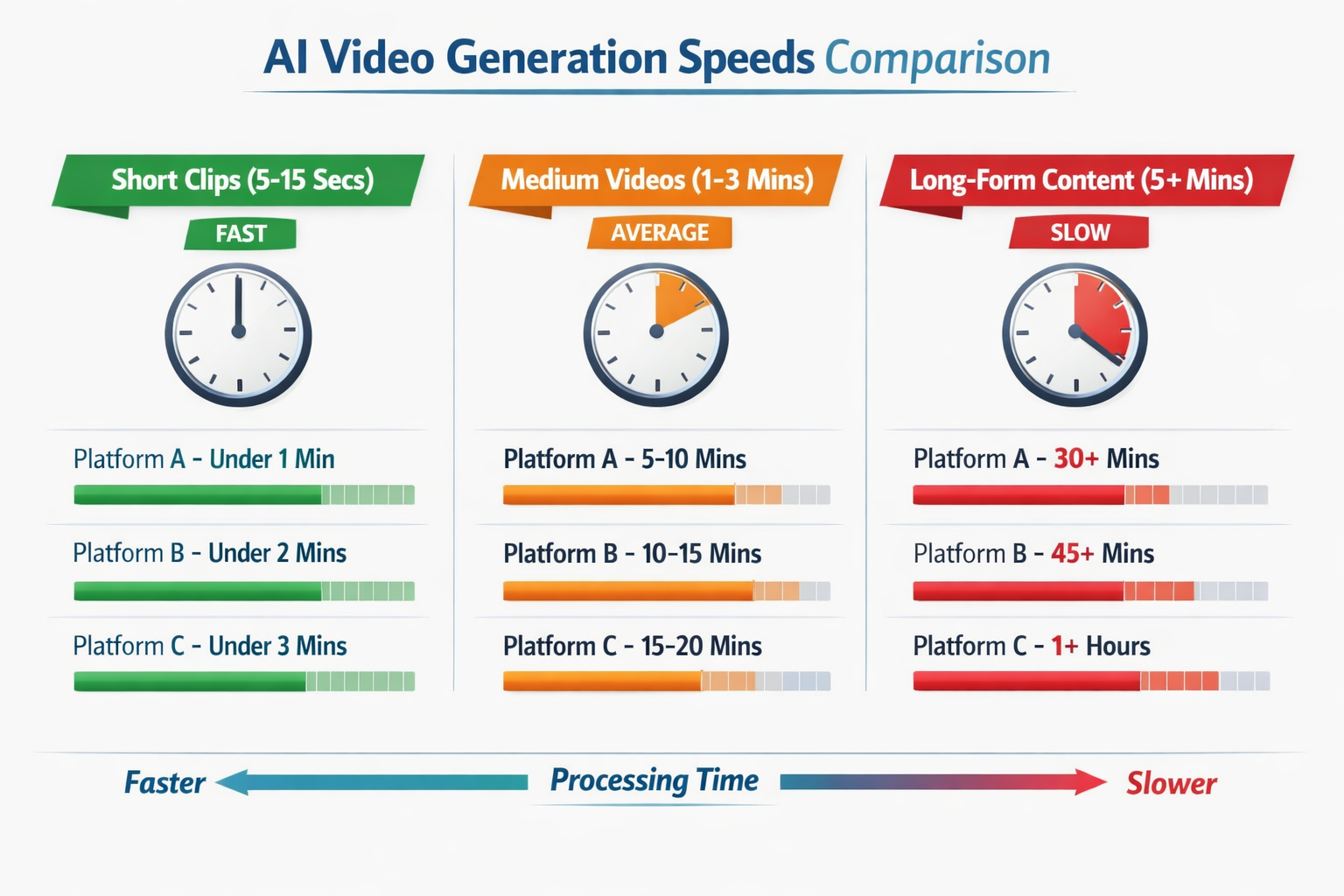
Here’s a practical breakdown based on publicly available platform documentation and user-reported benchmarks as of 2026:
| Video Type | Typical Length | Estimated Generation Time |
|---|---|---|
| Short social clip | 5–15 seconds | 30 sec – 3 min |
| Product promo video | 30–90 seconds | 3–10 min |
| Explainer / tutorial | 2–5 minutes | 10–30 min |
| Long-form content | 5–15 minutes | 30–90 min |
| Full AI avatar presentation | 3–10 minutes | 15–45 min |
| Batch (10+ videos) | Varies | 2–8 hours (API) |
Note: These are estimates based on cloud-tier tools at standard resolution (1080p). Local GPU setups and enterprise API tiers can be faster.
Common mistake: Many users assume generation time equals render time. It doesn’t. Total project time includes prompt writing, iteration, and any manual editing after export. Budget at least 2x the render time for your first project.
For a closer look at how specific tools perform, the Pika AI video tool review and the Vid AI review both include real-world timing data from hands-on testing.
Does the Type of AI Video Tool Affect Generation Speed?
Yes, significantly. Not all AI video tools work the same way under the hood, and the architecture directly affects how long you wait.
Three main tool categories and their speed profiles:
Template-based generators (e.g., slideshow-style tools with AI voiceover)
- Fastest option: typically 1–5 minutes for a 2-minute video
- Limited creative control but very predictable timing
- Good for: marketers, educators, quick content cycles
Avatar and talking-head tools (e.g., DeepBrain AI, D-ID-style platforms)
- Moderate speed: 5–20 minutes for a 3–5 minute video
- Processing time scales with lip-sync accuracy and avatar realism
- The Float by DeepBrain AI review covers how audio-driven portrait generation affects render times in detail
Generative diffusion models (text-to-video or image-to-video)
- Slowest but most creative: 2–60+ minutes depending on length and quality
- These models generate every frame from scratch, which is compute-heavy
- Tools like those covered in the Fluent Frame AI review show how modern platforms are optimizing this pipeline
How Does Resolution and Quality Setting Change Generation Time?
Higher quality settings multiply processing time in a near-linear way for most platforms.
Rough multipliers (relative to 720p baseline):
- 720p: 1x (baseline)
- 1080p: 1.5–2x longer
- 4K: 3–5x longer
- HDR or high frame rate (60fps): Add another 20–40% on top
Edge case: Some platforms pre-render at lower resolution and upscale using a separate AI model. This can actually be faster than native 4K rendering while delivering comparable visual quality. Check your tool’s documentation to see if this option exists.
Cloud vs. Local: Which Is Faster for AI Video Generation?
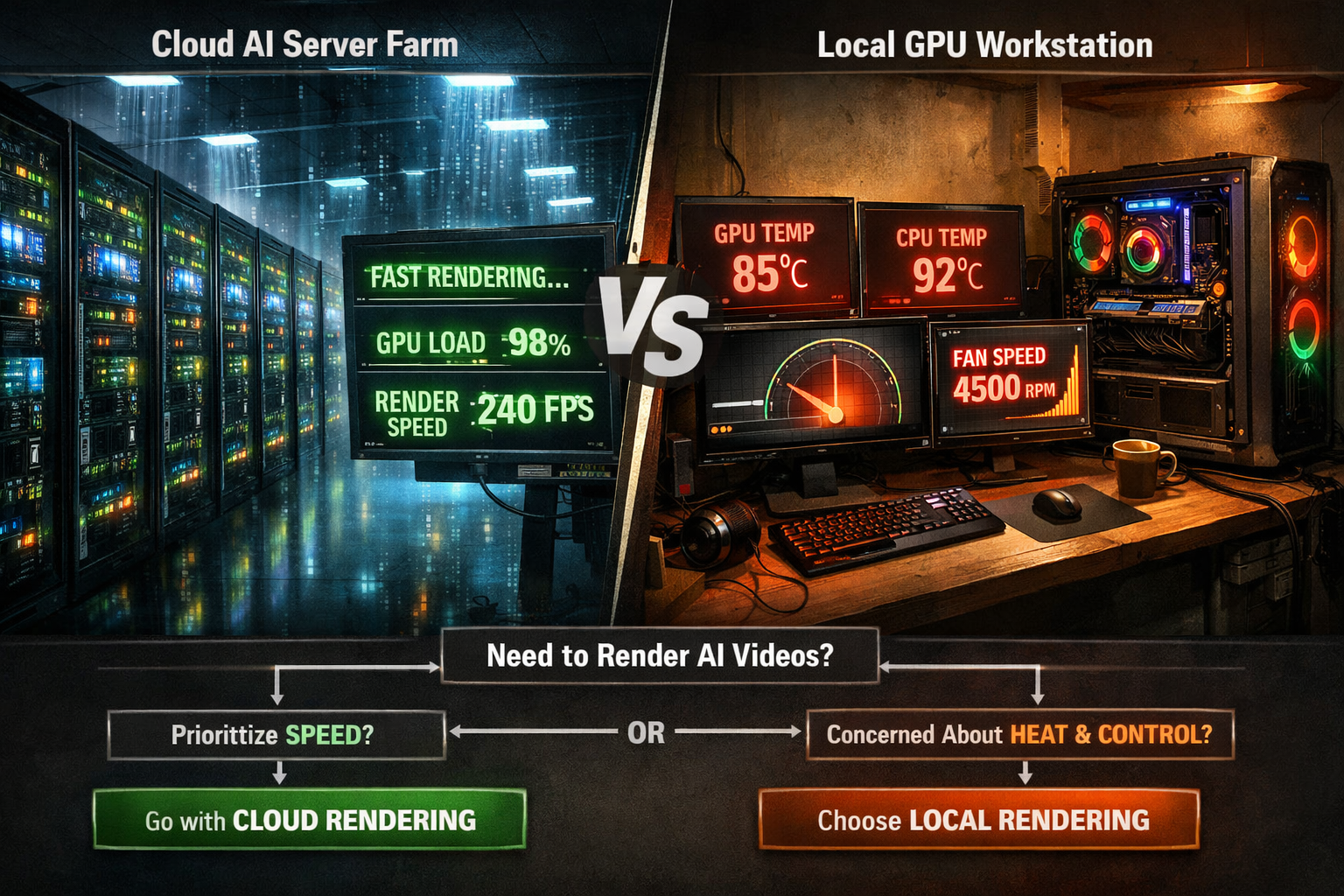
The answer depends on your use case. Neither option is universally faster.
Cloud-based platforms:
- No hardware investment required
- Speed varies with server load and your subscription tier
- Free tiers are often throttled or queued behind paid users
- Best for: occasional use, small teams, non-urgent projects
Local GPU setups:
- Consistent speed regardless of external demand
- Requires a high-end GPU (NVIDIA RTX 4090 or equivalent for serious workloads)
- Initial cost is high, but per-video cost drops to near zero over time
- Best for: studios, agencies, or creators producing 50+ videos per month
Choose cloud if you generate fewer than 20 videos per month and don’t need sub-5-minute turnaround on long-form content.
Choose local if you run batch jobs regularly, work with proprietary footage, or need full control over model parameters.
For creators exploring faceless video workflows where speed matters, the FacelessReels review and Keyvello AI video generator review both address how cloud queuing affects real-world production schedules.
How Long Does AI Video Generation Actually Take With Lip-Sync and Avatar Features?
Lip-sync and avatar animation add a separate processing layer on top of base video generation. This is worth planning for.
Typical additional time for lip-sync processing:
- Basic lip-sync on a pre-existing video: 2–8 minutes for a 2-minute clip
- Full avatar generation with custom voice: 10–25 minutes for a 3-minute video
- Multi-character scenes with synced dialogue: 30+ minutes
Tools like those reviewed in the Diff2Lip AI lip-sync review and LatentSync review provide detailed benchmarks on how lip-sync accuracy settings affect processing time. Higher accuracy settings can triple render time compared to “fast” mode.
How Can You Speed Up AI Video Generation?
You can reduce total generation time without sacrificing quality by adjusting your workflow.
Practical steps:
- Use lower resolution for drafts. Generate at 720p for review, then re-render at 1080p or 4K only for the final version.
- Write clear, specific prompts. Vague prompts lead to multiple regenerations. Each failed attempt costs time.
- Use API access instead of the browser UI. Most platforms process API requests faster than browser-based queues.
- Generate during off-peak hours. Early morning (UTC) tends to have shorter cloud queues.
- Break long videos into segments. Generate 2-minute chunks in parallel if your plan allows multiple concurrent jobs.
- Choose the right tool for the job. Don’t use a diffusion model when a template tool will do. The Frameloop AI review is a good example of a tool built specifically for fast marketing video output.
FAQ: How Long Does AI Video Generation Actually Take?
Q: How long does a 1-minute AI video take to generate? A: On most cloud platforms in 2026, a 1-minute video at 1080p takes roughly 5–15 minutes, depending on complexity and server load.
Q: Why is my AI video taking so long? A: The most common causes are high server queue times (especially on free tiers), high resolution settings, complex prompts, or add-on features like lip-sync or music generation running simultaneously.
Q: Is text-to-video faster than image-to-video? A: Generally, image-to-video is slightly faster because the model starts with a defined visual reference rather than generating the opening frame from scratch.
Q: Can I speed up generation by paying for a higher tier? A: Yes. Paid tiers on most platforms offer dedicated GPU access or priority queue placement, which can reduce wait times by 50–80% compared to free tiers.
Q: How long does batch AI video generation take? A: Batch jobs of 10–50 videos via API typically take 2–8 hours, depending on video length and platform. Some enterprise plans support parallel processing, which cuts this significantly.
Q: Does video style (animation vs. realistic) affect generation time? A: Yes. Photorealistic styles generally take longer because the model processes finer detail. Animated or stylized outputs are often 20–40% faster on the same platform.
Q: How long does AI avatar video generation take? A: A 3–5 minute talking-head avatar video typically takes 15–30 minutes on mid-tier cloud platforms, including voice synthesis and lip-sync processing.
Q: Are local models faster than cloud models? A: On high-end hardware (e.g., RTX 4090), local models can match or beat cloud speeds for short clips. For long-form content, enterprise cloud clusters still outperform most consumer GPUs.
Q: What’s the fastest AI video tool available in 2026? A: Template-based and avatar tools consistently outperform generative diffusion models on speed. For specific tool comparisons, see the AI video and media tools category for up-to-date reviews.
Conclusion: Setting Realistic Timelines for AI Video Projects
So, how long does AI video generation actually take? The honest answer is: it depends, but it’s rarely instant. Short social clips can be ready in under 3 minutes. A polished 5-minute explainer with avatar narration and lip-sync might take 45 minutes from prompt to export.
Actionable next steps:
- Match your tool to your timeline. If you need a video in 10 minutes, use a template tool, not a diffusion model.
- Test your platform’s speed during your typical working hours to understand real-world queue times before committing to a deadline.
- Build a draft-then-refine workflow. Generate fast, low-res drafts first, then commit compute to the final version.
- Track your actual generation times across a few projects. Most creators find that prompt quality, not render speed, is the biggest time variable.
- Explore the tools reviewed on this site to find platforms that fit your specific speed and quality needs.
The gap between “AI video is slow” and “AI video is fast” often comes down to knowing which tool to use and how to use it efficiently. With the right setup, AI video production in 2026 is genuinely fast enough to support professional content schedules.
References
- Runway ML. (2023). Gen-2 Technical Overview. runwayml.com
- OpenAI. (2024). Sora: Video generation models as world simulators. openai.com/research/video-generation-models-as-world-simulators
- NVIDIA. (2023). RTX GPU benchmark documentation for generative AI workloads. nvidia.com
- Stability AI. (2023). Stable Video Diffusion: Scaling Latent Video Diffusion Models to Large Datasets. stability.ai