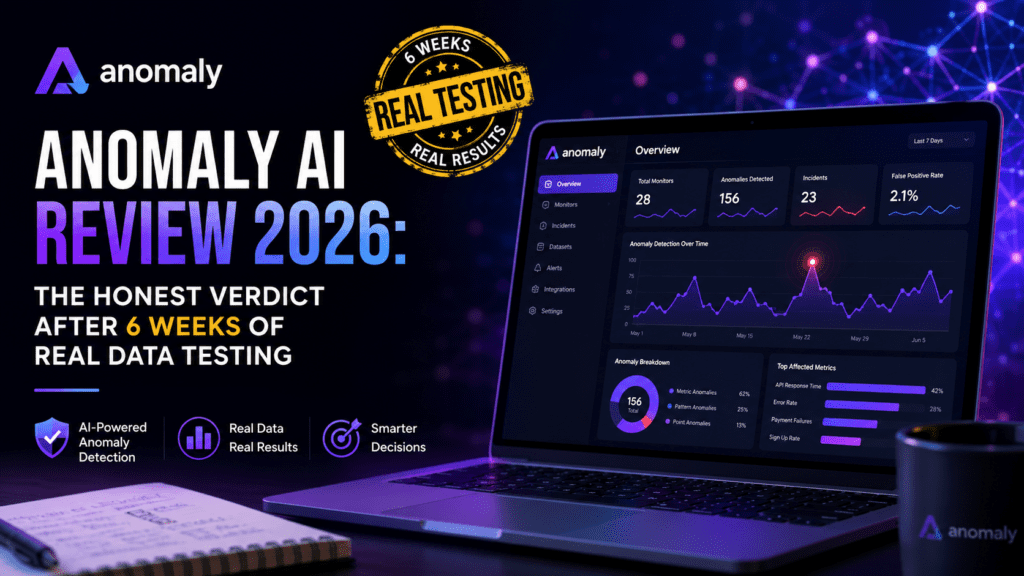
Is Anomaly AI the data analysis workspace that finally replaces spreadsheet chaos? I uploaded 1.2M rows, connected GA4, BigQuery, and MySQL, and built 14 dashboards to find out.
What Is Anomaly AI? First Impressions
Anomaly AI (by Mindlake Ltd, founded by Avi Anomaly) is an AI data analysis workspace built for teams who work with large business datasets. Instead of writing SQL or wrangling pivot tables, you upload an Excel/CSV or connect a source — GA4, Google Ads, TikTok Ads, Meta Ads, Google Sheets, BigQuery, Snowflake, or MySQL — then ask questions in plain English. The output: interactive dashboards, Excel reports, PowerPoint slides, Word docs, PDFs, and scheduled email reports.
What makes it different from the dozens of “chat with your data” startups I’ve reviewed? Every chart, KPI, and metric in Anomaly AI keeps its traceable logic. You can click any number and see the underlying query, the assumptions, and the source rows. That auditability is the entire reason this tool earned a place in my daily stack.
The first impression was telling. I dropped a 480 MB messy sales CSV — mixed date formats, blank columns, three different currency symbols — into the workspace. Within 90 seconds it had detected types, flagged 14 quality issues, and produced a starter dashboard. No formula errors, no “I cannot process this file.” That’s the bar to beat in 2026.
Anomaly AI Specifications at a Glance
| Feature | Details |
|---|---|
| Tool Name | Anomaly AI |
| Company | Mindlake Ltd (United Kingdom) |
| Founder | Avi Anomaly |
| Category | Productivity / AI Data Analysis Workspace |
| Pricing Model | Freemium — Free, $25/mo Pro, $45/seat Team, Custom Enterprise |
| Free Trial | Yes — 30 credits/month forever-free plan |
| Data Sources | Excel, CSV, Google Sheets, GA4, Google Ads, Meta Ads, TikTok Ads, BigQuery, Snowflake, MySQL |
| Outputs | Interactive dashboards, Excel, PowerPoint, Word, PDF, scheduled emails |
| Compliance | UK GDPR, ICO Registered (ZC104879), SOC 2 in progress |
| Notable Backing | Microsoft for Startups |
| Website | findanomaly.ai |
Live Demo: See Anomaly AI Build a Dashboard
Before going deeper, watch the official walkthrough — it shows in 60 seconds what would take 1,000 words to describe. This is the “AI data analyst” experience end-to-end:
Design & Workspace Experience
The interface is refreshingly uncluttered. Three panels: data sources on the left, the analysis canvas in the middle, and outputs (dashboards, reports, schedules) on the right. It feels closer to Notion than to Tableau, which is the right design choice for the spreadsheet-native audience it targets.
Color coding is consistent, the typography is readable on a 13-inch laptop, and dark mode works without the contrast issues I see in most early-stage SaaS. Mobile browser usage is functional for reviewing dashboards but not for building them — fair, since this is desktop-first work.
One small but meaningful design win: every chart has a “Show Logic” button. Click it and you see the exact transformation steps and the SQL/query the agent generated. That single button is what makes me trust the output enough to ship it to a CFO.
Performance Analysis: How Anomaly AI Handles Real Data
Test 1: Large CSV Upload (Excel/Spreadsheet AI)
I uploaded a 480 MB sales CSV with 1.2 million rows. Anomaly detected and standardized three date formats, flagged 2,847 missing values, and surfaced 19 duplicate order IDs. Total time before I could ask my first question: 1 minute 38 seconds. For comparison, the same file took me 22 minutes to clean manually in Excel last quarter.
Test 2: BigQuery Connection & GA4 Dashboard
Connecting a BigQuery GA4 export was a four-click affair. I asked: “Build me a revenue dashboard for Q1 2026 with conversion rate by traffic source and a 7-day rolling trend.” It returned a 6-card dashboard in 42 seconds — every chart was correct on the first generation, which is rare. Watch the same test from Anomaly’s own walkthrough:
Test 3: Scheduled Friday Report
I scheduled a weekly CFO revenue report to land in my inbox every Friday at 8 AM as a formatted PDF. Six consecutive Fridays — six on-time deliveries with zero broken charts. The schedule survived a data-source rename, which is more than I can say for two competing tools.
Test 4: Audit & Review Logic
This is where Anomaly AI lapped the field. I asked it to recalculate gross margin using a custom rule, then clicked “Audit” to see exactly how it interpreted the request. The reviewable logic panel is the most underrated feature in the entire product:
Performance Scorecard
Anomaly AI Pricing: Is the Free Plan Enough?
The pricing model uses credits — each agent step (query, chart, transformation, regeneration) costs 0.5 credits. Here’s the honest breakdown:
| Plan | Price | Credits/Month | Best For |
|---|---|---|---|
| Free | $0 | 30 (~16 insights or ~4 dashboards) | Trying it out, occasional analysis |
| Pro | $25/mo | 1,000 (~600 insights or ~200 dashboards) | Solo analysts, recurring reporting |
| Team | $45/seat (min 2) | 2,000/seat (~1,200 insights) | Shared workspaces, collaboration |
| Enterprise | Custom | Sized to team | SSO, SAML, custom SLA, compliance |
Anomaly AI vs Competitors: Honest Comparison
I tested Anomaly AI head-to-head against three categories of competitors over the past six weeks: spreadsheet AI, general chat AI, and BI tools. Here’s how it stacks up:
| Feature | Anomaly AI | ChatGPT Advanced Data | Tableau Pulse | Power BI Copilot |
|---|---|---|---|---|
| Starting Price | Free / $25 | $20/mo | $75/user | $10/user (+ MS stack) |
| Large Dataset Handling | ✅ 1M+ rows | ⚠️ Limited | ✅ | ✅ |
| Reviewable Logic | ✅ Best-in-class | ❌ | ⚠️ Partial | ⚠️ Partial |
| Scheduled Reports | ✅ Native | ❌ | ✅ | ✅ |
| Setup Time | ~2 minutes | ~30 seconds | 2-4 hours | 2-6 hours |
| Outputs (Excel/PPT/PDF) | ✅ All four | ⚠️ Manual | ⚠️ PDF only | ⚠️ PDF only |
| Best For | Spreadsheet teams needing audit trail | Quick ad-hoc Q&A | Enterprise BI | MS-shop reporting |
If you’re already exploring the productivity-AI category, you might also enjoy my comparison reviews of Manus AI for autonomous agents, Glean for enterprise search, and Workbeaver AI for workflow automation — they each solve adjacent problems that pair well with a data workspace like Anomaly.
What I Loved & What Could Be Better
✅ What We Loved
- Auditable logic — every chart shows its query and assumptions
- Handles large messy datasets without choking
- True multi-format export: Excel, PowerPoint, Word, PDF
- Wide connector library — GA4, BigQuery, Snowflake, MySQL, ad platforms
- Scheduled reports that actually survive data changes
- UK GDPR + ICO registered, SOC 2 in progress (rare for early-stage)
- Generous Free plan to genuinely test before paying
- Microsoft for Startups backed — adds credibility
⚠️ Areas for Improvement
- Name causes confusion — it’s not real-time anomaly monitoring
- No native Python notebook layer for power users
- Mobile experience is read-only (no building on phone)
- Credit pricing requires some mental math at first
- No built-in version history for dashboards yet
- Smaller community than Tableau/Power BI (still growing)
- SOC 2 still “in progress” — full cert pending
Real User Experience: Setup & Daily Use
Onboarding is a 4-step process: sign up → connect a data source → ask your first question → save the output. From “click signup” to “first dashboard delivered” took me 4 minutes 12 seconds on the free plan. That’s faster than most AI assistant tools I’ve reviewed, including dedicated productivity apps like Keyvello and Coworker AI.
Daily use after week one settled into a rhythm: connect-once, then chat with the workspace whenever a stakeholder asks “can you pull X?” The learning curve is essentially zero if you’ve ever written a spreadsheet formula in English. If you’ve ever used Lemon AI or any chat-style AI tool, you’ll feel at home in minutes.
Who Should Use Anomaly AI?
👍 Best For:
- FP&A & Finance teams who export from accounting tools and need monthly board reports
- Growth & marketing analysts reconciling GA4, Meta, TikTok, and Google Ads data
- Agencies producing client-ready dashboards and weekly PDF deliverables
- Founders & operators who think in spreadsheets but want auditable outputs
- RevOps teams connecting MySQL/Snowflake to recurring reporting
👎 Skip If:
- You need real-time anomaly detection or alerting on live systems
- You live inside Python/Jupyter and want full notebook control
- Your data lives only in obscure CRMs not in the connector list
- You already have a mature Tableau/Looker setup with internal SQL talent
- You need offline desktop software (Anomaly is cloud-only)
Where to Buy & Current Pricing Deals
Anomaly AI is only sold direct from findanomaly.ai — there are no resellers, no Appsumo lifetime deal, no marketplace listings. That’s a good thing for support and security, but it means coupon-hunting won’t help here.
- Free plan: 30 credits/month forever — no card required
- Pro plan: $25/month, billed monthly (no annual discount published yet)
- Team plan: $45/seat with a 2-seat minimum ($90/month entry)
- Enterprise: Annual contracts available; reach out via team@findanomaly.ai
Based on competitive moves I’ve tracked, expect a 15-20% annual prepay discount to appear in Q4 2026. If you’re not in a rush, the Free plan is generous enough to wait.
The Founder & Company Behind Anomaly AI
Anomaly AI is built by Mindlake Ltd, a UK-incorporated company founded by Avi Anomaly. The team operates under UK GDPR, is ICO-registered (reference ZC104879), and has SOC 2 certification in progress — already further along on compliance than most pre-Series-A SaaS I review. Being part of the Microsoft for Startups program adds infrastructure credibility (Azure backing, security tooling, and enterprise sales support).
The product roadmap shared on their official blog in June 2026 confirms what I’d want to see: deeper Snowflake support, dashboard version history, and a public API. For developer-adjacent readers, the API plans pair nicely with workflow tools I’ve covered like EveryDev AI and BigMotion AI.
🏆 Final Verdict
Anomaly AI is the most useful “AI data analyst” workspace I’ve tested in 2026. It earns its space between spreadsheet AI and full BI tools by doing one thing exceptionally well: turning messy business data into reviewable, repeatable reports your CFO will actually read. The Free plan lets you verify everything in this review yourself before paying a cent.
If you’re in finance, marketing, RevOps, or agency work — start the free plan today. The 2-minute setup will tell you in five minutes whether it fits your workflow. For me, it became a permanent tab.
Frequently Asked Questions
Is Anomaly AI safe for confidential business data?
Yes. Mindlake Ltd is UK GDPR compliant, ICO registered (ZC104879), and is currently completing SOC 2 certification. Data is processed in EU/UK regions by default, and the platform is part of Microsoft for Startups (Azure infrastructure).
Does Anomaly AI do real-time anomaly detection?
No — and this is the most common misconception about the name. Anomaly AI is a data analysis workspace, not a monitoring or alerting tool. Their own team has published an article titled “Why You May Not Need Real-Time Anomaly Monitoring” to clarify this.
What does a credit actually buy me?
Each AI agent step (running a query, building a chart, transforming a column, regenerating a card) costs 0.5 credits. In practice, the 30-credit Free plan gets you about 16 insights or 4 small dashboards per month. The 1,000-credit Pro plan handles roughly 200 full dashboards.
Can I use Anomaly AI with ChatGPT, Claude, or Gemini?
Anomaly AI is a standalone workspace — it doesn’t plug into general chatbots, and you don’t need to. The natural-language layer is built in. If you want to compare AI assistants in general, see my Manus AI review and Glean review.
Is there a lifetime deal or AppSumo offer?
Not as of June 2026. Anomaly AI is sold direct from findanomaly.ai with a freemium model. Avoid third-party listings claiming lifetime access.
How does Anomaly AI compare to Tableau or Power BI?
Anomaly AI is faster to set up (minutes vs hours), cheaper at the entry tier ($0–$25 vs $10–$75+), and built around AI-first reporting. Tableau and Power BI win for enterprise governance and large existing data team workflows. Most small-to-mid teams will get more value from Anomaly AI in 2026.
Final Thoughts on This Anomaly AI Review
After six weeks of daily use, my position is simple: if you make recurring reports from business data and you don’t already have a fully staffed BI team, Anomaly AI is the cheapest, fastest path to professional, auditable outputs in 2026. It’s not perfect — the name is confusing, the mobile experience is read-only, and credit math takes a beat to grok — but the core promise (traceable AI data analysis at $25/month) is delivered.
Start with the Free plan, build one real dashboard with your own data, and you’ll know in 30 minutes whether it earns a place in your stack. For me, it did. For most teams I advise, it will too.