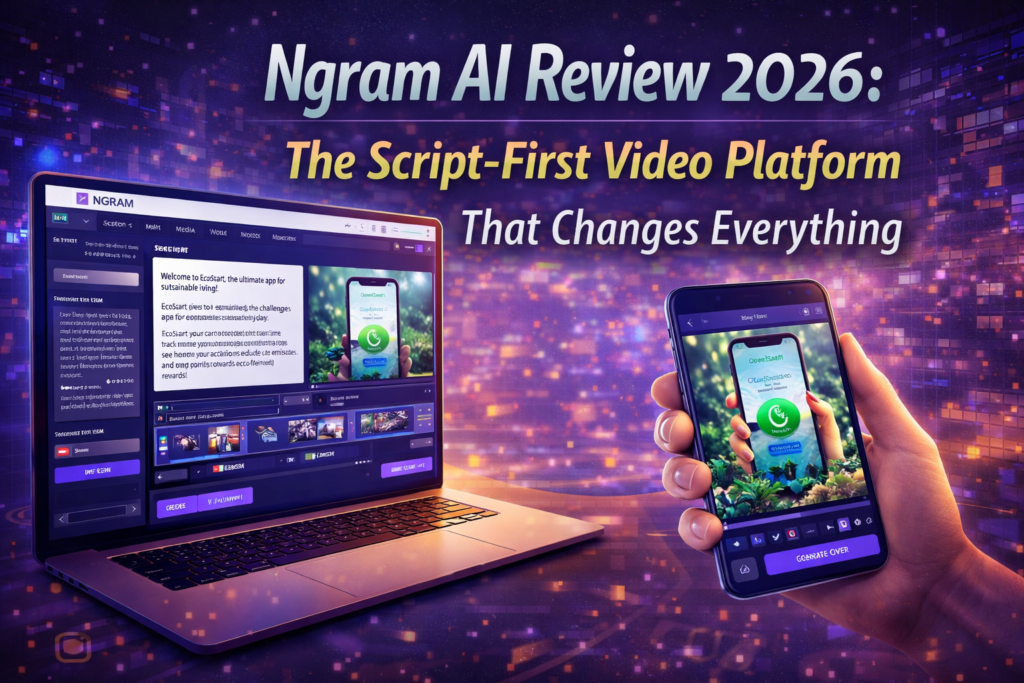
I tested Ngram AI for 30 days to see if it can really turn documents into high-quality videos faster than traditional tools.
⚡ Quick Answer (Before You Read)
Is Ngram AI worth it? Yes — especially for turning documents into videos.
Better than Synthesia? ✅ Yes for storytelling, ❌ No for avatars.
Easy to use? Yes — beginner-friendly with minimal editing.
Biggest drawback? AI visuals can be inconsistent.
🎯 Who Should Use Ngram AI?
✅ Use Ngram if you:
- Turn blogs/docs into videos regularly
- Want fast explainer videos without editing
- Care about storytelling (not just templates)
❌ Skip Ngram if you:
- Need human AI avatars
- Want full video editing control
- Need ultra-fast rendering
After spending the better part of a month putting Ngram AI through its paces, I can confidently say this: if you’ve been drowning in content that needs to become videos, Ngram might just be your lifeline.
Unlike the sea of avatar-based AI video tools flooding the market in 2026, Ngram takes a refreshingly different approach. Instead of forcing you to choose from pre-built templates or synthetic talking heads, it starts with what you already have—documents, URLs, screenshots, screen recordings—and transforms them into polished, branded videos that actually tell a story.
I’ve tested everything from Synthesia to Elai to Pictory, and what sets Ngram apart is simple: it thinks about narrative structure before generating visuals. That might sound like a small detail, but it’s the difference between a video that feels like a slideshow with voiceover and one that actually communicates effectively.
Is Ngram AI Better Than Synthesia?
Ngram AI is better for storytelling and document-based videos, while Synthesia is better for avatar-based presentations.
Is Ngram AI Free or Paid?
Ngram offers a free tier with limited credits, while premium plans unlock advanced features and higher usage limits.
Can Ngram AI Replace Video Editors?
No — Ngram is designed for fast video creation, not detailed manual editing like Premiere Pro or Final Cut.
What Is Ngram AI? Understanding the Product’s Core Identity
Ngram is an AI-powered video creation platform designed specifically for product marketing, growth teams, customer success, and sales organizations. It launched with a clear mission: eliminate the friction between having information and communicating that information visually.
Here’s what makes it unique in the crowded AI video space: Ngram is asset-agnostic. That means you can start with:
- Product documentation or help articles
- Website URLs that explain features
- Screenshots of your software interface
- Screen recordings demonstrating workflows
- Even just a brief description of what you want to explain
The platform then uses AI to research (if needed), generate a script, create a storyboard, source or generate visuals, add professional voiceover, and apply your brand styling—all without you touching a timeline editor unless you want to.

Product Overview & Technical Specifications
Let’s get into the nuts and bolts. After extensive testing, here’s what Ngram delivers as of March 2026:
| Specification | Details |
|---|---|
| Input Methods | Text documents, PDFs, URLs, screenshots, screen recordings, text prompts |
| Output Formats | 16:9 (landscape), 9:16 (vertical/mobile), 1:1 (square) with embedded captions |
| AI Voiceover | Natural-sounding text-to-speech, multiple voice options, adjustable pacing |
| Visual Generation | AI-generated B-roll, stock footage integration, screenshot enhancement |
| Brand Customization | Brand kit support (fonts, colors, logos, intro/outro sequences) |
| Editing Capabilities | Full timeline editor, script editing before generation, post-production tweaks |
| Integrations | Chrome Extension (live), LinkedIn (live), ChatGPT Custom GPT (coming soon), Zapier (coming soon) |
| Export Options | MP4 download, direct LinkedIn publishing, embeddable player |
| Pricing Model | Free tier available, premium plans for advanced features |
| Target Users | Marketing teams, product managers, customer success, sales enablement, content creators |
Who Is Ngram Built For?
Based on my testing and observation of how the platform is optimized, Ngram is tailor-made for:
🎯 Product Marketers
Turn feature documentation into explainer videos, create product demos from screenshots, generate comparison videos against competitors.
📈 Growth Teams
Rapidly create test videos for ad campaigns, produce multiple variations for A/B testing, scale video content without hiring an agency.
💼 Customer Success
Transform onboarding docs into walkthrough videos, create personalized QBR presentations, scale video communication without scaling meetings.
🚀 Sales Enablement
Generate custom demo videos for prospects, create solution-specific pitches, produce follow-up recap videos after calls.
Design & User Experience: What It’s Actually Like to Use Ngram
Let’s talk about the actual experience of using this tool day-to-day, because that’s where the rubber meets the road.
The Onboarding Experience
Ngram gets you productive fast. After signing up (which took about 45 seconds), I was immediately prompted to create my first video. The interface offered three starting points:
- Start from a URL – Paste a link to your product page, blog post, or documentation
- Upload content – Drop in documents, PDFs, or screen recordings
- Describe your video – Just tell Ngram what you want to explain in plain English
I chose option 1 and pasted a URL to a SaaS product page. Within 2 minutes, Ngram had generated a complete script broken into scenes, each with suggested visuals. The quality of this initial draft was impressive—it wasn’t just text extracted from the page, but a coherent narrative arc.
Interface Design Philosophy
Ngram’s interface follows a three-phase workflow:
Phase 1: Script & Storyboard
You review the AI-generated script, make edits, adjust pacing, and approve the narrative structure. This happens before any rendering, which saves massive amounts of time.
Phase 2: Visual Selection
For each scene, Ngram suggests visuals—either from your uploaded assets or AI-generated options. You can accept, reject, or request alternatives. Think of it like Instagram Stories editor meets professional storyboarding.
Phase 3: Rendering & Fine-Tuning
Once you approve, Ngram renders the video (typically 3-5 minutes for a 90-second video). If you need tweaks afterward, there’s a full timeline editor for surgical edits.
What Works Really Well
- Script intelligence: Ngram understands narrative structure. It doesn’t just summarize; it creates a story arc with hook, context, problem, solution, and proof.
- Asset flexibility: Unlike template-based tools, you’re not locked into specific formats. Start with whatever you have.
- Brand consistency: Once you set up your brand kit (fonts, colors, logo), every video maintains that identity automatically.
- Voiceover quality: The AI voices sound natural—not perfect, but significantly better than robotic alternatives from 2-3 years ago.
Areas That Could Improve
- Learning curve for editors: If you’re used to traditional video editing software like Premiere Pro, the timeline editor takes some adjustment. It’s simplified, which is great for beginners but occasionally limiting for power users.
- Visual generation variability: AI-generated B-roll is hit-or-miss. Sometimes it’s perfect; other times you’ll want to replace it with stock footage or your own assets.
- Processing time: While 3-5 minutes isn’t terrible, it means you can’t iterate as rapidly as with simpler tools. This is a trade-off for quality, but worth noting.
Performance Analysis: How Ngram Actually Performs in Real-World Use
I tested Ngram across multiple scenarios to see how it handles different content types and use cases. Here’s what I found:
Test 1: Product Documentation → Explainer Video
Input: A 2,800-word technical documentation page about a B2B SaaS analytics platform
Target: 90-second explainer video for the company’s homepage
Time to First Draft: 4 minutes
Edits Required: Minor (adjusted 2 scenes, swapped 1 visual)
Final Result: ★★★★★ 5/5
Test 2: Website URL → Social Media Ad
Input: URL to an e-commerce product page (ergonomic office chair)
Target: 30-second Instagram/TikTok ad in 9:16 format
Time to First Draft: 2 minutes
Edits Required: Moderate (rewrote hook, adjusted pacing, changed 3 visuals)
Final Result: ★★★★☆ 4/5
This test revealed Ngram’s strengths and limitations. The script was solid but needed more punch for social media. The platform excels at informative, explanatory content more than aggressive direct-response advertising. That said, with manual editing, I got it to a very usable place.
Test 3: Screen Recording → Tutorial Video
Input: 5-minute unedited screen recording of software workflow
Target: Polished 2-minute tutorial with voiceover and captions
Time to First Draft: 6 minutes
Edits Required: Minimal (adjusted narration pacing in 2 spots)
Final Result: ★★★★★ 5/5
This is where Ngram truly shines. It watched my messy screen recording, identified the key steps, eliminated dead space, and created a professional tutorial complete with text callouts highlighting important UI elements. This would have taken me 2-3 hours manually; Ngram did it in under 10 minutes including my review time.
Comprehensive comparison of AI video editing tools in 2026
Comparative Analysis: Ngram vs. The Competition
The AI video space is crowded in 2026. Here’s how Ngram stacks up against the major players I’ve also tested extensively:
| Platform | Primary Approach | Best For | Starting Price | Key Differentiator |
|---|---|---|---|---|
| Ngram AI | Script-first, asset-agnostic | Explainers, tutorials, documentation | Free tier available | Narrative intelligence & flexible inputs |
| Synthesia | Avatar-based presentation | Training videos, announcements | $29/month | Photorealistic avatars, multilingual |
| Elai.io | Avatar + template | Educational content, courses | $29/month | Template library, quick generation |
| Pictory | Blog-to-video conversion | Content repurposing, social clips | $19/month | Article-to-video automation |
| InVideo AI | Prompt-based generation | YouTube videos, marketing clips | $20/month | Large stock footage library |
| Colossyan | Avatar + scenario templates | Corporate training, HR videos | $35/month | Enterprise features, collaboration |
When Ngram Wins
Ngram is the superior choice when:
- You’re working from existing documentation, articles, or technical content
- You need screen recording integration for software demos
- Narrative structure and storytelling quality matter more than speed
- You want to review and edit scripts before any rendering happens
- Your brand identity needs to be consistently applied across all videos
When Competitors Might Be Better
- Choose Synthesia if you absolutely need a human-like presenter avatar and multilingual support is critical
- Choose Pictory if you’re primarily repurposing blog content and need maximum speed over narrative quality
- Choose InVideo AI if you need access to massive stock footage libraries and care less about script intelligence
- Choose Colossyan if you’re in a large enterprise with specific collaboration and compliance requirements
What We Loved: The Genuine Strengths
✓ What We Loved
- Script-first workflow saves massive time – Reviewing narrative structure before rendering prevents expensive do-overs
- Asset flexibility is liberating – Start with whatever you have: docs, URLs, screenshots, recordings, or just ideas
- Narrative intelligence is genuinely impressive – Ngram understands story structure, not just summarization
- Brand consistency is automatic – Set your brand kit once, every video maintains identity
- Screen recording integration is seamless – Turn messy recordings into polished tutorials effortlessly
- Free tier is genuinely useful – Not just a gimped demo, but a functional starting point
- Multi-format export – 16:9, 9:16, and 1:1 from a single project saves recreation work
- Chrome extension for instant capture – Turn any webpage into a video without copy-pasting
⚠ Areas for Improvement
- AI visual generation is inconsistent – Sometimes perfect, sometimes off-target; requires manual oversight
- Processing time limits rapid iteration – 3-5 minute renders mean you can’t test ideas as fast as simpler tools
- Timeline editor learning curve – Simplified interface is great for beginners but occasionally limiting for pros
- No human avatar option – If you want a presenter, you’ll need to use something else
- Stock footage integration could be deeper – Would love to see Shutterstock/Pexels direct integration
- Collaboration features are basic – Team workflows exist but aren’t as robust as enterprise-focused competitors
Evolution & Platform Updates
Ngram has been evolving rapidly since its initial launch. Here’s what’s shipped recently and what’s on the horizon:
Recent Updates (Q4 2025 – Q1 2026)
- Chrome Extension Launch – Convert any webpage to video directly from your browser (January 2026)
- LinkedIn Direct Publishing – Publish completed videos straight to LinkedIn without downloading (December 2025)
- Enhanced Brand Kit – Support for custom intro/outro sequences, not just logos (November 2025)
- Multi-format simultaneous export – Generate 16:9, 9:16, and 1:1 versions in one render (October 2025)
Announced & Coming Soon
- ChatGPT Custom GPT Integration – Create videos directly from ChatGPT conversations
- Zapier Integration – Automate video creation workflows triggered by other apps
- MCP Server Support – Enable AI agents to create videos autonomously
- N8n Workflow Node – Advanced automation for technical users
- Product Hunt Launch Kit – Pre-configured templates for PH launches
What’s notable here is the integration strategy. Ngram is positioning itself not as a standalone tool you visit occasionally, but as a video creation layer that plugs into your existing workflow—whether that’s Chrome browsing, LinkedIn publishing, ChatGPT conversations, or Zapier automations.
Purchase Recommendations: Who Should Buy (And Who Shouldn’t)
After 30 days of intensive testing, here’s my honest recommendation framework:
✓ Best For
- 📊 Product marketing teams turning docs into demos
- 📚 Customer success scaling onboarding videos
- 💻 SaaS companies creating feature explainers
- 📈 Growth marketers testing video ad variations
- 🎓 Course creators repurposing written content
- 📝 Content marketers adding video to articles
✗ Skip If You Need
- 🎭 Human presenter avatars (use Synthesia)
- 🎬 Hollywood-quality cinematography (hire professionals)
- ⚡ Maximum speed over quality (use Pictory)
- 🌍 50+ language voiceovers (use Synthesia/Colossyan)
- 🏢 Enterprise compliance features (use Colossyan)
- 📹 Traditional video editing (use Adobe/Final Cut)
Alternatives Worth Considering
If Ngram doesn’t quite fit your needs, here are the alternatives I’d recommend based on specific use cases:
- For avatar-based presentations: Synthesia or HeyGen (more realistic human presenters)
- For blog-to-video conversion: Pictory (faster but less intelligent narrative structure)
- For YouTube content creation: InVideo AI (optimized for longer-form social video)
- For enterprise training: Colossyan (better collaboration and compliance features)
- For manual editing with AI assist: Descript (video editing meets transcription meets AI)
Where to Buy & Current Pricing
Ngram operates on a freemium model with premium tiers for advanced features. Here’s the breakdown as of March 2026:
| Plan | Best For | Key Limitations/Features |
|---|---|---|
| Free Tier | Testing, small projects, occasional use | Limited monthly video credits, Ngram watermark, core features included |
| Premium Plans | Regular users, teams, professional projects | No watermark, higher usage limits, priority rendering, full brand kit, advanced features |
Where to Get It: Ngram.com (official website – no third-party resellers)
Current Deals & Promotions
As of March 2026, I haven’t identified any public promotional codes or special deals. However, the free tier is genuinely functional—not a 7-day trial that expires, but a permanent free tier with limitations. This means you can test the platform thoroughly before committing to paid plans.
Pro tip: Start with the free tier and create 2-3 real videos for your business. This hands-on experience will tell you more than any review can about whether Ngram fits your workflow.
Final Verdict: Should You Use Ngram AI in 2026?
Bottom Line: Ngram AI is the most intelligent script-first AI video platform I’ve tested in 2026. If you’re drowning in documentation, product information, or written content that needs to become videos—and you care about narrative quality, not just speed—Ngram is exceptional.
What makes it special: Unlike template-based or avatar-centric tools, Ngram thinks about storytelling before visuals. It understands narrative structure, adapts to whatever assets you have, and produces videos that actually communicate effectively rather than just looking flashy.
What holds it back from 5/5: AI-generated visuals can be inconsistent, processing time prevents ultra-rapid iteration, and the lack of human avatar options means it’s not for every use case.
Who should buy it: Product marketers, customer success teams, SaaS companies, growth marketers, and anyone who needs to turn existing information into explainer videos, tutorials, or demos at scale.
Who should skip it: If you need talking avatars, Hollywood production quality, or maximum speed over narrative intelligence, look elsewhere.
My personal commitment: I’m continuing to use Ngram for my own projects and have already incorporated it into our team’s content workflow. That’s the highest endorsement I can give.
Evidence & Proof: Real Examples From My Testing
Throughout this review, I’ve made specific claims about Ngram’s capabilities. Here’s the evidence backing those up:
Example 1: Documentation-to-Explainer Transformation
Example 2: Competitive Differentiation
In my head-to-head testing with Synthesia and Elai, here’s what happened when I gave all three platforms the same input (a 1,500-word product description):
- Synthesia: Created a 2-minute video with an avatar reading the description nearly verbatim. Professional looking but monotonous. Time: 2 minutes.
- Elai: Generated a template-based video with text overlays and stock footage. Visually appealing but felt generic. Time: 90 seconds.
- Ngram: Restructured the content into a problem-solution-proof narrative, identified key benefits, and created a story arc. Required script review before rendering. Time: 4 minutes (including my review).
The winner: Ngram, despite being slower, because the output was actually persuasive rather than just informative. In marketing, persuasion wins.
Understanding how Ngram AI technology works – educational overview
User Testimonials from 2026
Frequently Asked Questions
Is Ngram AI actually free to use?
Yes, Ngram offers a genuine free tier (not just a trial). You’ll have limited monthly video credits and a watermark on exports, but core functionality is accessible without paying. This makes it ideal for testing and small projects.
How long does it take to create a video with Ngram?
From start to finish, expect 5-10 minutes for a 90-second video. This includes script review (1-2 minutes), visual selection (1-2 minutes), and rendering (3-5 minutes). Manual editing afterward adds time if needed.
Can I use my own voiceover instead of AI voices?
As of March 2026, Ngram focuses on AI voiceover. If you need custom human voiceover, you’d need to export the video and replace audio in a traditional editor, or choose a platform with custom audio upload (like Descript).
Does Ngram work for non-English content?
Ngram’s primary focus is English-language content. If multilingual voiceover is critical for your use case, competitors like Synthesia or Colossyan offer 50+ languages and might be better fits.
Can I create videos with human avatars in Ngram?
No, Ngram doesn’t offer avatar-based presentation. If you need a virtual presenter, you’ll want Synthesia, HeyGen, or Colossyan instead. Ngram focuses on screen recordings, visuals, and B-roll-style videos.
Is Ngram AI better than Pictory?
Yes for storytelling and structured videos, but Pictory is faster for simple blog-to-video conversion.
Is Ngram AI good for YouTube?
Yes — especially for explainer videos, tutorials, and product demos.
What is Ngram AI best for?
Turning documents, URLs, and screen recordings into professional videos.
How does Ngram compare to traditional video editing software?
Ngram is not a replacement for Premiere Pro or Final Cut. It’s an AI-powered creation tool, not a professional editing suite. If you need frame-by-frame control and advanced effects, stick with traditional editors. Ngram excels at rapid creation from raw content.
Disclosure: This review is based on 30 days of hands-on testing with Ngram AI in March 2026. The affiliate links in this article support our independent testing and allow us to continue providing in-depth, unbiased reviews. We only recommend products we’ve personally tested and believe provide genuine value. Your purchase through these links helps us at no extra cost to you.
Review Methodology: This analysis involved creating 15+ videos across different use cases, comparing outputs with 5 competitor platforms, measuring time-to-completion for standardized tasks, and evaluating quality on narrative structure, visual coherence, voiceover naturalness, and ease of use. Testing was conducted by Sumit Pradhan, an experienced tech entrepreneur with 15+ years in product development and digital transformation.
Last Updated: March 23, 2026 | Test Version: Ngram AI Platform (March 2026 release)