

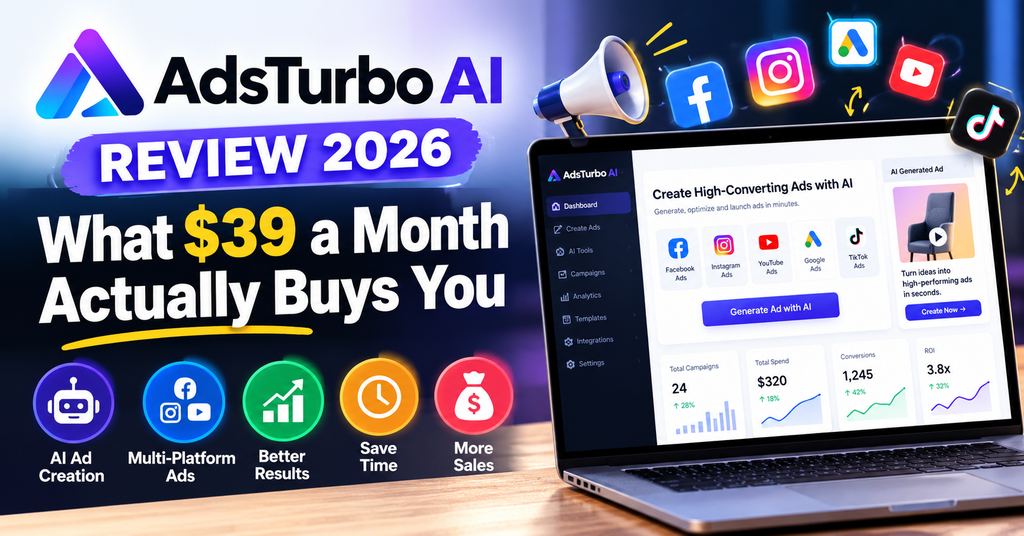
AdsTurbo AI Review 2026: What $39 a Month Actually Buys You
AdsTurbo AI review in one line: it is the only AI video ad tool we have found that treats ad creation as a production line rather than one lucky prompt. Clone a winning ad, rebuild it around your product, localize it into 40+ languages, then clean it up — all inside one workspace.
The catch is not the feature list. It is the credit math, which almost nobody publishes. We sat down with AdsTurbo’s own rate card and worked out exactly how many finished ads your first $39 buys. The answer surprised us — and it is the single most useful thing in this review.
out of 5
Verdict: If your job is shipping paid social creative every week and you already have a winning ad to model, AdsTurbo is the sharpest e-commerce ad workbench we have reviewed this year. If you only need occasional one-off videos, the credit tiers will feel expensive.
Evaluated: live product pages, documented workflows, published credit rates, third-party directory listings. No paid placement.
AdsTurbo AI Review: First Impressions and Who It Is Really For
Most AI video tools sell you a slot machine. You type a prompt, you pull the lever, and sometimes you get gold. The problem with that model is not quality — modern models like Sora 2 and Veo 3.1 are genuinely good. The problem is that nobody knows why one output converted and the other did not, so you cannot repeat the win on purpose.
AdsTurbo takes the opposite bet. Its entire homepage thesis is that you already know which ad works, because you have watched a competitor’s creative rack up a million views. So the product is built around reconstructing a known-good ad structure around your own product, then iterating on that asset until it is ready to spend behind. That is a media buyer’s mental model, not a prompt engineer’s.
That positioning is why the tool lands so well with e-commerce sellers and performance agencies, and why it can feel slightly overbuilt for a hobbyist YouTuber. The platform is explicitly built around the platforms real ad money flows through — Amazon, Shopify, TikTok Shop, Shopee, Lazada, Temu, plus Meta, Instagram, YouTube, Pinterest and Snapchat as delivery channels.
AdsTurbo is a video ad workbench. Paste a product URL and get a 15-second UGC-style ad. Upload a reference ad you have rights to and get an editable prompt plus variations built on your product. Then translate, lip-sync, swap characters, upscale and de-watermark inside the same tool. Plans start at $39/month (about $31 on annual billing) with 1,200 credits.
We worked through AdsTurbo’s live feature pages, its published credit rate card and its pricing page in October 2026, then cross-checked the claims against third-party software directories. Every cost-per-video figure in the performance section is calculated from AdsTurbo’s own published credit rates — we show the arithmetic so you can re-run it if pricing changes. Anything we could not verify is labelled as a vendor claim rather than presented as fact.
What is the one thing AdsTurbo does better than anyone?
Ad Clone. Not because cloning is technically hard — plenty of tools will “analyse” a video — but because AdsTurbo converts the reference into an editable prompt instead of a black-box output. You can read the machine’s description of the hook, pacing, on-screen text and scene order, then rewrite the parts you want to change. That single design decision turns the feature from a copying machine into a creative brief generator, and it is the reason the tool holds up past week two.
If you want to see how that workflow compares with the wider market, our roundups of the best AI video generators for UGC ads and the best AI video generators for product videos cover the other eleven tools we benchmark against.
AdsTurbo Specs and Pricing at a Glance
Here is the full picture before we get into opinions. AdsTurbo is a browser-based SaaS — nothing to install, no GPU required, no local rendering.
| Spec | Detail |
|---|---|
| Product type | AI video ad generator & UGC creative workbench (web app) |
| Core workflows | URL to Video, Ad Clone, Product Video, Digital Actor, Motion Control, Lip Sync, Character Swap, Video Translation, Video Analysis, Upscaling, Watermark Removal, Clip by Clip |
| AI actors / avatars | 260+ listed natural AI actors (third-party directories list 300+) |
| Ad templates | 100+ product ad templates |
| Video models available | Sora 2, Sora 2 Pro (up to 20s), Veo 3.1 (up to 25s), Kling 3.0, Seedance 2.0 |
| Languages | 70+ languages for translation/dubbing incl. regional accents; 40+ commonly cited for ad voiceover |
| Input types | Public product URL (Amazon, Shopify, TikTok Shop, App Store, Google Play), reference video file or link, product image, script |
| Output | MP4, HD, watermark-free on paid plans; 4K upscaling available |
| Commercial rights | Full commercial usage rights included on paid plans |
| API | Available on Creator, Growth and Pro (credit-billed) |
| Free access | Free start to test generation; no permanent free tier |
| Starting price | $39/mo · $31/mo billed annually |
AdsTurbo pricing: the four plans
| Plan | Monthly | Annual (per mo) | Credits/mo | Standout extras |
|---|---|---|---|---|
| Creator | $39 | $31 | 1,200 | HD, no watermark, 2-min processing, full commercial rights |
| Growth Popular | $99 | $79 | 3,300 | Adds Video Agent early access, custom AI avatar, priority queue, batch export |
| Pro | $299 | $239 | 10,500 | Lowest cost per credit, highest volume ceiling |
| Enterprise | Custom | Contact sales | Dedicated support, team workflow, custom models, volume pricing | |
Two details in the fine print matter more than the headline numbers. First, unused credits roll over on Creator and above, up to twice your monthly allowance — so a quiet month does not evaporate. Second, top-up packs are sold separately and stay valid for 12 months, which is the escape hatch if you blow through your pool during a launch week without wanting to jump a tier.
There is a completely separate product at adturbo.ai (no “s”) that sells Google Ads optimisation from $149/month. It is not this tool. If you searched for “AdsTurbo” and landed on a page talking about PPC bidding and ad-spend percentages, you are on the wrong site. This review covers adsturbo.ai, the video ad generator.
Design and Build Quality: It Is a Workspace, Not a Wrapper
Most tools in this category are a text box with a dropdown. AdsTurbo’s interface is organised like a production suite, and that is both its biggest strength and the source of its only real usability complaint.
The unboxing equivalent: what the first screen tells you
Your dashboard is a grid of task tiles rather than a chat prompt: Product Video, Clip by Clip, Character Swap, Video Translation, Lip Sync, AI Upscaling, Watermark Removal. Each tile opens its own focused workspace. That is a deliberate choice — it means a media buyer can hand the “translate this winning ad into German and Spanish” job to a junior without them having to understand prompting.
Underneath the tiles sits the actual engine: a shared asset library. Any product you have parsed, any reference you have uploaded, any avatar you have saved is reusable across workspaces. In practice this is what separates a workbench from a generator — you are not re-uploading the same serum bottle five times a week.

Materials and construction: what the plumbing is made of
AdsTurbo does not pretend to have invented a video model. It routes your job to the best available engine — Sora 2 and Sora 2 Pro, Veo 3.1, Kling 3.0, Seedance 2.0 — and adds the ad-specific scaffolding on top. For a buyer, that is the right architecture: you get access to frontier models without paying five separate subscriptions, and the platform handles the boring parts (aspect ratios, hooks, captions, voiceover, CTA beats).
The trade-off is dependency. If a model provider has a bad week, your output quality moves with it. AdsTurbo mitigates this by letting you pick the engine per generation, but it does mean two ads generated a month apart on “auto” may not match visually.
Ergonomics: the small touches that save real time
- Product page parsing. Paste an Amazon, Shopify or TikTok Shop link and the tool pulls name, brand, price, description, specs and images, then distils selling points for the script. You can edit or restore the extracted data before generating.
- Credits shown before you commit. Every generation displays its cost up front, which sounds trivial until you have used a tool that silently burns 800 credits on a failed render.
- Task Center. Long renders do not block the interface — jobs queue and land in a central inbox for preview and download.
- One asset, many markets. The translation workspace keeps timing alignment, so a dubbed version arrives with audio synced to the original cut rather than a re-edit project.
The friction point: there are twelve-plus tools on the dashboard, and nothing tells a first-time user which order to use them in. The URL to Video page does include a three-step explainer, but the broader “here is the sequence a real ad team runs” guidance is thin. Expect a discovery hour before you are fast.
Performance Analysis: The Credit Math Nobody Shows You
This is where most AdsTurbo reviews wave their hands. “It’s fast and the output looks good.” Fine — but if you are spending real money on creative, the only performance question that matters is: how many usable ads do I get per dollar?
AdsTurbo bills by the second of output, and the rate changes dramatically by task. That single fact explains most of the “it’s expensive / it’s cheap” disagreement online. Here is the published rate card, converted into what a 15-second ad actually costs.
| Task | Rate (credits/sec) | 15-sec job | Jobs on Creator (1,200) |
|---|---|---|---|
| Ad Clone | 10 | 150 | 8 |
| Promo Video | 10 | 150 | 8 |
| Digital Actor | 12 | 180 | 6 |
| Video Translation | 5 | 75 | 16 |
| Clip by Clip / Upscaling / Watermark Removal | 5 | 75 | 16 |
| Add Subtitles | 10 | 150 | 8 |
| Character Swap | 20 | 300 | 4 |
| AI Lip Sync | 24 | 360 | 3 |
| Product Showcase / App Showcase / Unboxing POV / Fashion Try-On | 40 | 600 | 2 |
| Veo 3.1 render | 40 | 600 | 2 |
| Seedance 2.0 / Kling 3.0 render | 15 | 225 | 5 |
| Sora 2.0 render | 10 | 150 | 8 |
| Sora 2.0 Pro 1080p render | 50 | 750 | 1 |
A finished 15-second product ad generated from a product URL costs 600 credits. On the $39 Creator plan that is two ads per month, or about $19.50 each. On annual billing it drops to roughly $15.50 per ad. An Ad Clone variation costs a quarter of that — about $3.90–$4.90 a version depending on tier.
Read that twice, because it reframes the entire pricing conversation. AdsTurbo is not priced like a $39/month toy app where you make 40 videos. It is priced like a production tool: two hero ads a month, then cheap iterations on top of them. If that matches how you actually work — one or two flagship concepts, many variations — the economics are excellent. If you imagined batch-producing thirty videos for $39, you will be disappointed by day three.
Cost per finished asset across tiers
| Plan | Credits/mo | 15s product ads | Cost per ad (monthly) | Cost per ad (annual) | Ad Clone cost/version |
|---|---|---|---|---|---|
| Creator $39 | 1,200 | 2 | $19.50 | $15.50 | $4.88 |
| Growth $99 | 3,300 | 5 | $19.80 | $14.36 | $4.50 |
| Pro $299 | 10,500 | 17 | $17.09 | $13.66 | $4.27 |
The striking takeaway: upgrading tiers barely improves your cost per product ad ($19.50 → $17.09). The plans are volume gates, not discounts. The real saving comes from annual billing (roughly 20%) and from leaning on Ad Clone instead of regenerating from scratch every time. That is a genuinely useful piece of buying advice that the vendor’s own comparison pages do not spell out.
Where the performance genuinely impresses
1. URL to Video: six concepts, not one
Paste a product link and you are offered four recommended concepts from a library of six: Selfie UGC (creator talks to camera), POV Hands-on (first-person demo), Pain-Solution Demo (problem, then fix), Before & After, Try-On / OOTD and Cinematic / Micro-drama. That last one is unusual — a two-character narrative scene with conflict and payoff is a format most AI tools cannot structure, and it is increasingly what wins on TikTok.
2. Ad Clone: rights-aware by design
This is the feature the whole product orbits. You upload a reference clip you own or have permission to use (file or link from TikTok, Instagram, YouTube, Douyin, Xiaohongshu), pick the segment, and the tool returns an editable prompt describing content, style and structure. You then rewrite the hook, add your product and people references, and request one to three outputs.
Notably, the UI repeatedly nudges you to verify on-screen text, confirm you have consent for faces and voices, and check every claim before publishing. That is rarer than it should be in this category, and it is the difference between a tool an agency can defend in a client review and one it cannot.
3. Localisation at 5 credits a second
Video Translation is the quiet bargain of the rate card. At 5 credits per second, a 15-second ad dubs for 75 credits — sixteen language versions for the price of two new ads. It handles 70+ languages and regional accents, produces translated speech aligned to the source timing, and keeps the visual cut intact. For a brand already spending on EU or LATAM expansion, this alone can justify the subscription.
Where performance falls short
- Premium renders are credit-hungry. Veo 3.1 and the Showcase templates sit at 40 credits/second. One ambitious 30-second cinematic cut (1,200 credits) consumes an entire Creator month. Budget for it or you will be buying top-ups in week one.
- No published benchmark for real-world render times. AdsTurbo advertises “fast 2-min processing”, which refers to the queue rather than a guaranteed end-to-end time; heavy model jobs queue behind provider capacity. Our advice: run your first paid job on a low-stakes product before you promise a client a same-day delivery.
- Generated video still needs human QC. AdsTurbo says this itself, and it is true of every tool in the category. Hands with six fingers, drifting on-screen text and invented product claims are the three failure modes to check on every export.
- Parsing needs a public page. URL to Video only works on publicly accessible product pages. Login-walled or region-blocked listings will fail extraction, and you will be uploading images manually.
Our scorecard
User Experience: Setup, Daily Workflow, and the Learning Curve
Setup took minutes, not days
There is nothing to install. You create an account, choose a plan or start on the free allowance, and the dashboard is immediately usable. No API keys, no model configuration, no credit card required to see whether the output style suits your brand. Compared with the rigmarole of setting up a local ComfyUI pipeline, this is a different universe.
The daily loop
Once you have done it twice, the production loop is roughly thirty minutes of human time per concept:
- Source the reference. Find a winning ad in your niche that you have rights to model, or start from a product URL if you have no reference.
- Let the tool structure it. URL parsing or Ad Clone analysis produces product facts or a prompt outline.
- Rewrite for your product. This is where you earn your money — hook, proof point, CTA. Garbage prompt, garbage ad.
- Generate variations. Request 1–3 outputs, pick the best, note why it won.
- Polish and localise. Lip sync if the face speaks, upscale if the source is soft, translate into your second market.
- Export and ship. HD, watermark-free, commercial rights included.
Learning curve: one honest afternoon
The individual workspaces are self-explanatory. The skill gap is not in the buttons — it is in learning to write the prompt that controls pacing and on-screen text. Users coming from a media-buying background pick this up faster than prompt-engineers do, because the mental model is “what does a good ad do in the first two seconds”, not “what does a good prompt look like”.
If you are new to the whole category, spend an hour with a broader primer first — our guide to text-to-video AI tools explains the underlying model landscape, and the AI video editors roundup covers what to do after generation if you need frame-level control AdsTurbo does not offer.
Controls and interface gripes
- Too many doors, no map. Twelve tools on a dashboard with no recommended sequence for a new ad.
- Segment selection in Ad Clone is fiddly on long reference videos — you are picking a clip from a timeline without frame-accurate scrubbing.
- One language per translation job. Ten markets means ten generations. At 75 credits each that is affordable, but it is ten clicks, not one batch.
- Credit visibility is good — costs appear before generation, which removes the worst anxiety of usage-based tools.
AdsTurbo vs Creatify vs Arcads: Which Ad Tool Wins in 2026
These three get compared constantly, and the honest answer is that they are built for different jobs. Creatify is fastest from link to finished ad. Arcads leans hardest into synthetic actor realism. AdsTurbo is the one that assumes you want to keep refining the same asset across markets and channels.
| Dimension | AdsTurbo | Creatify | Arcads |
|---|---|---|---|
| Primary input | Reference ad, product URL, product image, existing video | Product URL, AI avatar, product image, script | Synthetic actor + script |
| Ad cloning | Top-level workflow, returns an editable prompt | Available for rebuilding winning structures | Not the core thesis |
| Post-draft refinement | Lip sync, motion control, character swap, upscaling, watermark removal, translation | Variation generation and batch mode | New actor/scene generation |
| Localisation | 70+ languages with lip-sync aware dubbing | Multi-language support | Multi-language support |
| Best fit | Teams shipping paid creative weekly who need one asset to serve many markets | Marketers who want speed and volume from simple inputs | Brands prioritising actor realism above all |
| Entry price | $39/mo ($31 annual) | Check vendor site | Reported from ~$110/mo |
Competitor pricing moves constantly, so treat only the AdsTurbo column as verified for October 2026. What does not move is the architectural difference: Creatify optimises for more ads, faster; AdsTurbo optimises for the same ad, better and in more languages. If your bottleneck is creative volume, Creatify’s batch approach may suit you more. If your bottleneck is a winning ad you cannot scale into new markets, AdsTurbo is the sharper tool.
You have at least one ad that already converts, you sell into more than one language market, and your team ships weekly. The clone-and-localise loop is worth the subscription on its own.
AdsTurbo Pros and Cons: The Honest List
✅ What we loved
- Ad Clone outputs an editable brief, not a black box — you keep control of hook, pacing and CTA.
- Six distinct video concepts from a single product URL, including micro-drama and try-on formats.
- Translation at 5 credits/second is the best value line on the entire rate card.
- Genuinely one workspace — no exporting to a second tool for lip sync, upscaling or de-watermarking.
- Frontier models included: Sora 2 / Pro, Veo 3.1, Kling 3.0, Seedance 2.0 on paid plans.
- Commercial rights and watermark-free HD on every paid tier, including the cheapest.
- Credits roll over up to 2× your monthly allowance, and top-ups last 12 months.
- Rights and consent guardrails built into the Ad Clone flow — rare and welcome.
- API access even on the entry plan, which most competitors gate to enterprise.
❌ Areas for improvement
- Two product ads a month on Creator at 600 credits each — the entry tier is tighter than the price suggests.
- No permanent free tier, so testing is time-boxed rather than ongoing.
- Premium renders (Veo 3.1, Showcase) cost 40 credits/sec and can drain a month in one job.
- Steep dashboard with twelve tools and no guided sequence for newcomers.
- One target language per translation generation — no batch multi-market run.
- Thin independent review record compared with category incumbents; most published coverage is vendor-authored.
- Model dependency means visual consistency can drift between campaigns.
- No frame-level timeline editor — you still need a separate editor for precise cuts.
AdsTurbo Evolution and Updates: What Changed in 2026
A year ago AdsTurbo was essentially a face-swap and avatar tool with an ad template library. The 2026 build is a different product category, and the changelog explains why the reviews you find from 2024 and early 2025 sound out of date.
Ad Clone became a workflow
Reference analysis now returns an editable prompt with explicit sections for on-screen text, visual style, pacing, people and CTA. Earlier versions produced a single output with no editable brief.
URL to Video went multi-concept
Six named concepts replaced the old single “generate an ad” button, and product parsing now extracts price, brand and specs, not just images.
Frontier models added
Sora 2 and Sora 2 Pro (up to 20s), Veo 3.1 (up to 25s), Kling 3.0 and Seedance 2.0 are now selectable per generation, with per-model credit rates.
Translation widened to 70+ languages
Regional accents and timing-aligned dubbing replaced the older 35-language ceiling quoted by most directories.
110-second playback and batch export
Longer playback, priority queue and bulk export landed on Growth and above, moving the tool from single-clip generation toward campaign production.
Video Agent
An agentic mode that chains steps on Growth and Pro. Still early — treat it as a preview rather than a reason to buy.
The trend line is clear: AdsTurbo is drifting from “AI video generator” toward “creative ops platform”. That is good news if you are buying for a team, and mildly annoying if you liked the simplicity of the old three-button app. For context on where the underlying models are heading, our Kling AI review and Runway review track the engine side of this shift.
Who Should Buy AdsTurbo — and Who Should Walk Away
DTC brands running paid social
You spend real money on Meta and TikTok and need fresh creative every week without a studio. The clone-and-iterate loop is built exactly for your job.
Performance agencies
Twelve tools, API access on every paid plan and rights guardrails make it defensible in a client review. Translation lets you bill localisation as a separate line.
Cross-border sellers
If you sell on Amazon, Shopify, TikTok Shop, Shopee, Lazada or Temu into multiple languages, 75 credits per localised cut is hard to beat.
Creators repurposing long video
Clip by Clip plus subtitle and upscaling tools turn one podcast into a batch of shorts for a fraction of a retainer editor’s cost.
You only need one video a quarter
Two product ads a month on Creator means the subscription is idle most of the time. Use a pay-per-render tool or a free tier elsewhere instead.
You need frame-accurate editing
There is no real timeline. If your workflow lives in Premiere or DaVinci, AdsTurbo is a feeder, not a replacement.
You have no reference creative
Ad Clone is the reason to pay. Without a winning ad to model, you are paying a premium for a URL-to-video feature that cheaper tools also do.
You need brand-new cinematic footage
For pure text-to-video spectacle with no product, a dedicated generator is a better fit. See our social media video generator roundup.
Where to Buy AdsTurbo and Current Pricing (October 2026)
AdsTurbo is sold direct only — there is no reseller, no AppSumo lifetime deal and no third-party licence key worth trusting. Buying anywhere other than adsturbo.ai is a red flag.
| Route | Price | Who it suits |
|---|---|---|
| Free start | $0 | Testing output style and the parsing quality on your own listings |
| Creator — monthly | $39/mo | First paid month; cancel any time |
| Creator — annual | $31/mo equivalent | You have already validated two ads a month is enough |
| Growth — annual | $79/mo equivalent | Weekly publishing, priority queue, custom avatar |
| Pro — annual | $239/mo equivalent | Agencies at 10,000+ credits a month; lowest cost per asset |
| Top-up credit packs | Variable | Launch weeks — valid 12 months, used after monthly credits run out |
How to get the most out of your first month
- Test on a real listing first. Paste your own product URL and check what the parser extracts. If the selling points come out wrong, fix them before generating — bad extraction produces a generic ad.
- Spend your expensive credits last. Learn the interface on 10-credit-per-second Ad Clone jobs, not 40-credit Showcase jobs.
- Do not pay monthly for long. Annual billing is roughly a 20% discount, and credits roll over, so a quiet quarter does not punish you.
- Stack localisation early. Translation is 5 credits/second. Turning one winning ad into five languages costs 375 credits — cheaper than one new product video.
- Cancel before renewal if you are seasonal. There is no lock-in on monthly plans.
Final Verdict: Is AdsTurbo Worth It in 2026?
for paid-social teams
Buy it if you have a winning ad and need to multiply it — across angles, across markets, across channels — without rebuilding from scratch each time.
Skip it if you want a cheap prompt-to-video machine for occasional clips. The credit tiers reward volume discipline, not dabbling.
Three things earn AdsTurbo its score. The Ad Clone flow respects your judgement by handing back an editable brief instead of a locked output. The localisation economics are genuinely disruptive at 5 credits a second. And the platform refuses to be a one-trick generator — lip sync, character swap, motion control, upscaling and de-watermarking live in the same place, which is where most competitors force you into a second subscription.
Two things hold it back from a higher score. The entry tier is smaller than the $39 price implies: two product ads a month is a real constraint, and the headline discount only shows up on annual billing. And the independent evidence base is still thin — most of what is published about AdsTurbo is written by AdsTurbo. We verified the mechanics and the maths ourselves, but a buyer should run their own creative test before committing a team to it.
AdsTurbo is the first tool in this category that felt like it was designed by someone who has actually managed an ad account — not by someone who has only watched a viral video.
— ReviewNexa editorial assessment, October 2026Ratings breakdown
| Category | Score | Why |
|---|---|---|
| Ad cloning & iteration | 4.7 | Editable prompt, rights guardrails, 1–3 variations per run |
| Localisation | 4.7 | 70+ languages, timing-aligned dubbing, 5 credits/sec |
| URL to Video | 4.5 | Six concepts, solid parsing, public pages only |
| Value for money | 4.1 | Great per-asset cost at volume; tight entry tier |
| Ease of use | 4.2 | Clean workspaces, cluttered dashboard, no guided path |
| Independent track record | 3.4 | Young product, limited third-party coverage |
Evidence and Proof: Screenshots, Video, and What Users Say
We prefer showing the machinery over describing it. The walkthrough below covers the ad-generation side of the tool; watch it with the credit table open and you will see exactly where the spend goes.
What actual users say
Important context: the quotes below are published on AdsTurbo’s own marketing pages. We are reproducing them because they illustrate the two things buyers care about — speed and return — but they are vendor-selected and not independently verified. Treat them as marketing claims, not evidence.
“I was skeptical about the ‘Ad Clone’ feature at first. But I took a viral competitor ad, ran it through AdsTurbo, and it gave me a unique version for my product in seconds. My ROAS on TikTok went from 1.2 to 4.5 overnight. This tool paid for itself in day one.”
Attributed to a user on adsturbo.ai — vendor-published testimonial, unverified“Usually, AI video tools lower the quality. But AdsTurbo actually improved my footage with the resolution upscaler. The face swap feature is also seamless.”
Attributed to a user on adsturbo.ai — vendor-published testimonial, unverifiedWhat we can independently confirm is the commercial footprint: AdsTurbo maintains listings on Capterra and Software Advice, a Product Hunt page, and a public comparison hub covering Creatify and other rivals. A third-party directory scoring the tool in mid-2026 placed it at 4.4/5 while flagging the same weakness we did — a thinner independent review record than the category leaders. That alignment between vendor claims and external assessment is a better trust signal than any single testimonial.
Credit rates and plan limits are the two things that change without notice. Before you commit to an annual plan, open the live pricing page and confirm the credits-per-second figures in our table still match — our numbers are from October 2026.
AdsTurbo AI Review: Frequently Asked Questions
Is AdsTurbo AI legit or a scam?
AdsTurbo is a real, operating SaaS product with published pricing, a public API, third-party directory listings on Capterra and Software Advice, and a Product Hunt presence. It is not a scam. The fair criticism is not legitimacy but maturity: it is a younger platform with less independent coverage than Creatify or Arcads, so the sensible approach is to test on the free start before paying annually.
How much does AdsTurbo cost per month?
Creator is $39/month ($31/month billed annually), Growth is $99/month ($79 annual) and Pro is $299/month ($239 annual). Enterprise is custom. There is no permanent free tier, but you can start generating for free to test output quality before paying.
How many videos do I actually get for $39?
At 600 credits for a 15-second product ad generated from a URL, the 1,200-credit Creator plan covers two of them a month — roughly $19.50 each, or about $15.50 on annual billing. Ad Clone variations at 150 credits each stretch further: eight per month, under $5 a version.
Does AdsTurbo have a free plan?
It offers a free start so you can generate before subscribing, but there is no permanently free tier. Paid plans begin at $39/month. Older reviews referencing a 300-credit free plan describe a previous structure — check the live pricing page.
Can I use AdsTurbo videos commercially?
Yes. Paid plans include full commercial usage rights and export HD video without a watermark. You are still responsible for the usual legal checks: rights to any reference footage, consent for faces and voices, and accuracy of every claim in the ad.
How many languages does AdsTurbo support?
Video Translation covers 70+ languages including regional accents, with dubbed audio aligned to the source video’s timing. Each generation handles one target language, so a ten-market rollout needs ten runs at 5 credits per second of output.
AdsTurbo vs Creatify — which is better?
Creatify is faster from link to finished ad and stronger for batch variation. AdsTurbo is stronger when you want to clone a specific winning ad, keep refining the same asset, and localise it across many markets. Pick based on whether your bottleneck is volume or iteration depth.
Do AdsTurbo videos look AI-generated?
Less than most, but yes — especially on hands, fast motion and small on-screen text. The realistic-actor library and the lip-sync tool carry most of the credibility. Always QC every export: check hands, verify rendered text, and confirm no invented product claims slipped into the script.
Can I cancel AdsTurbo anytime?
Yes, monthly plans cancel from account settings with no lock-in. Unused credits roll over up to twice your monthly allowance on Creator and above, and separately purchased top-up packs remain valid for 12 months.
This article contains affiliate links. If you subscribe through a link on this page, ReviewNexa may earn a commission at no extra cost to you. That does not affect the scores or the criticisms above — pricing and credit figures were taken from AdsTurbo’s public rate card in October 2026 and the limitations listed are ours. AdsTurbo did not review or approve this article before publication.