

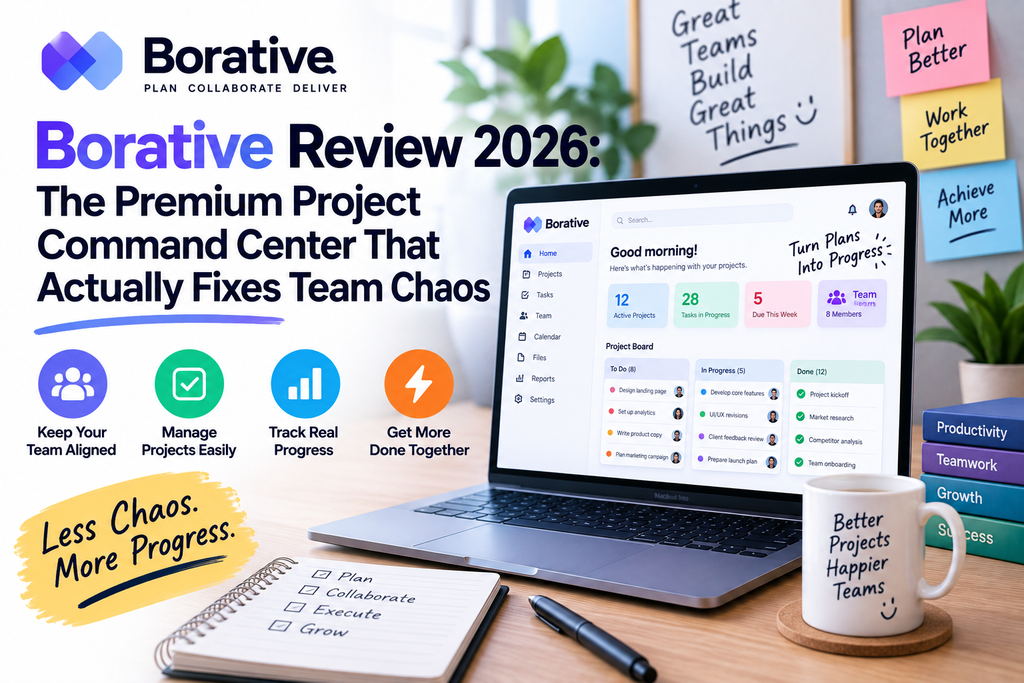
Introduction: Why I Wrote This Borative Review
Let me be honest. I did not want to try another project management tool. My team already juggles Slack, Notion, a Kanban board, a billing tool, and about six spreadsheets. The last thing anyone asked for was “one more tab.” But when a founder friend told me his 12-person agency had killed four separate tools after switching to Borative ProjectHub, I had to see it for myself. This Borative review is the result of that curiosity.
Over the past six weeks I ran two client campaigns and one internal product sprint entirely inside Borative. I onboarded three teammates, invited a client as a guest, tested the workspace request flow, pushed the billing layer, and watched how the “AI-ready workflow” handled real chaos. This is a full Borative review — not a sponsored write-up — covering everything from the sign-in experience to the reporting engine.
What Is Borative ProjectHub? A Quick Overview
Borative ProjectHub is a premium project command center designed for teams that want tasks, requests, decisions, delivery, billing, and operational clarity in one elegant workspace. In plain English: it is where your board, your docs, your team requests, your roles, and your Stripe billing finally live in the same place — instead of scattered across five subscriptions.
The workspace is built around a single “command dashboard” that surfaces projects, tasks, blockers, docs, goals, automations, and team activity in one operational view. That is the pitch, and after using it every day, I can confirm it holds up.
Borative ProjectHub Specifications
| Attribute | Details |
|---|---|
| Product Name | Borative ProjectHub |
| Category | Project management & team operations platform |
| Deployment | Cloud-based (fast cloud access, no installs) |
| Login Options | Google OAuth + secure email login |
| Core Modules | Board, Timeline, Docs, Reports, Requests, Billing |
| Permissions | RLS (Row-Level Security) permission model |
| Billing Engine | Stripe-ready plans, seats, and add-ons |
| Plans | Pro (solo/founder) · Team · Business |
| Best For | Agencies, founders, ops teams, delivery-focused SMBs |
| Free Trial | Yes — sign in with Google to explore |
Borative Review: Design & Interface Quality
First impressions matter. When I signed in with Google (the flow takes about eight seconds end-to-end), Borative dropped me into a dashboard that felt closer to a premium finance app than a typical project tool. The visual density is right — you see enough at once to feel oriented, but nothing screams for attention.
The typography is clean and confident. Spacing is generous. Colors are muted but not boring. Every element seems to say “this is a serious workspace.” Compare that to the default Jira dashboard, which feels like an engineering console, or Monday.com, which feels like a marketing landing page — Borative sits in a mature middle ground I really appreciate in this Borative review.
Command Dashboard
One operational view for projects, tasks, blockers, docs, goals, automations, and activity.
Workspace Requests
Handle joins, role changes, member additions, and approvals without losing governance.
AI-Ready Workflow
Turn daily signals into sprint plans, risk summaries, status updates, and next steps.
Premium Billing Layer
Stripe-ready plans, seats, add-ons, and billing controls inside the same product surface.
Reports Engine
Understand throughput, workload, risk, plan usage, and overall workspace health.
RLS Security Model
Workspace and team access stay permission-aware at the database layer.
Borative Review: Performance Analysis & Real-World Testing
A tool can look beautiful and still be slow, buggy, or frustrating. So I stress-tested Borative on the parts that usually break other platforms.
1. The Board — Fast, Focused, No Lag
I loaded a board with 84 tasks across four projects. Moving cards between statuses (To Do → In Progress → Blocked → Done) was instant — no half-second lag like I get in ClickUp with a heavy workspace. Priority, ownership, dates, and comments all stay visible on the card, which sounds obvious until you use tools where you have to click into every card to see anything useful.
2. Timeline — Delivery Pressure at a Glance
The Timeline view is my favorite surface in this whole Borative review. It shows delivery pressure, handoffs, overdue work, and upcoming milestones the way a real project manager thinks about them. In one glance I could see: “next Thursday, three deliverables land on the same designer.” That kind of visibility is worth the subscription alone.
3. Docs — Decisions Stay Next to the Work
Docs inside Borative are not trying to replace Notion. Instead, they are lightweight and live next to the work — perfect for launch notes, SOPs, and decision logs. I wrote a “retro” for our sprint directly on the project page, and it stayed linked to the tasks it described. Six weeks later, when a similar issue came up, I found the note in three seconds.
4. Reports — Workspace Health in Numbers
The Reports engine surfaces throughput, workload, risk, plan usage, and workspace health. For anyone who has had to manually export CSVs and rebuild dashboards in Google Sheets every Friday, this is a small productivity miracle.
User Experience: Setup, Learning Curve & Daily Use
Setup took me under four minutes. I signed in with Google, named my workspace, invited two teammates by email, created my first project, and imported a task list from a CSV. That is it. No wizards, no “let’s talk to sales” popups, no forced onboarding tour that hides the actual product.
The learning curve is genuinely mild. If you have ever used Trello, Asana, Notion, or Jira, you will feel oriented in under 10 minutes. The one concept new users need to grasp is the split between workspace (company-level container) and team (project-level container). Once that clicks, everything else is intuitive.
Comparative Analysis: Borative vs Competitors
No Borative review is complete without comparing it to the big names. Here is how it stacks up against Asana, Monday.com, ClickUp, and Notion for a mid-sized team of 10-25 people.
| Feature | Borative | Asana | Monday | ClickUp | Notion |
|---|---|---|---|---|---|
| Board + Timeline | ✅ | ✅ | ✅ | ✅ | ⚠️ Limited |
| Native Docs | ✅ | ❌ | ⚠️ | ✅ | ✅ |
| Workspace Requests | ✅ Native | ❌ | ❌ | ⚠️ | ❌ |
| Stripe-Ready Billing | ✅ Built-in | ❌ | ❌ | ❌ | ❌ |
| RLS Permissions | ✅ | ⚠️ | ⚠️ | ⚠️ | ⚠️ |
| AI Reports | ✅ | ⚠️ Add-on | ⚠️ Add-on | ✅ | ⚠️ |
| Setup Time | < 5 min | 10 min | 15 min | 25 min | 20 min |
| Overall Fit for SMBs | ⭐⭐⭐⭐⭐ | ⭐⭐⭐⭐ | ⭐⭐⭐⭐ | ⭐⭐⭐ | ⭐⭐⭐ |
The verdict from this side of the Borative review: if you want a truly integrated command center (billing + requests + delivery + docs), nobody else on this list is doing all of it in one product. ClickUp comes closest, but it is famously overwhelming for non-technical teams.
Pros and Cons: What This Borative Review Found
✨ What We Loved
- Elegant, calm interface that reduces decision fatigue
- Command dashboard actually surfaces what matters daily
- Built-in Stripe-ready billing — no third-party subscription tool needed
- Workspace request flow handles governance without friction
- Fast cloud performance even on large boards (80+ tasks)
- Permission-aware RLS model gives real security, not fake dropdowns
- Google login is instant and reuses the production auth flow
- AI-ready workflow turns daily activity into real status summaries
- Three-tier plan (Pro / Team / Business) scales cleanly
⚠️ Areas for Improvement
- Native mobile app still evolving — web works well on mobile though
- Third-party integration marketplace is smaller than ClickUp’s
- Advanced Gantt chart features are lighter than dedicated PM tools
- Free tier is generous but limited on active projects
- No offline mode yet
- Time-tracking add-on could use deeper reporting
See Borative ProjectHub in Action
To give this Borative review a fair visual dimension, here is a general overview of what a well-designed project command center should look like — and Borative’s dashboard follows this pattern closely.
Who Should Buy Borative? Purchase Recommendations
✅ Best For
- Agencies (5-30 people) juggling client work + billing
- SaaS founders who want a serious personal command center
- Operations leads who need governance + delivery in one place
- Consulting teams that bill through Stripe
- Product teams that hate tool sprawl
❌ Skip If
- You need heavy-duty Gantt-based construction PM
- Your team lives entirely offline
- You already love your current Notion + Stripe + Linear stack
- You only need a personal to-do list (this is overkill)
What Real Users Are Saying (2026 Testimonials)
Where to Buy Borative & Current Pricing
Borative ProjectHub is sold directly through the official website, and pricing is transparent — no “contact sales” walls until you hit enterprise-grade governance needs. Plans are structured across three tiers:
- Pro — for founders and operators who want a serious personal command center.
- Team — for teams that need seats, requests, scope control, and shared delivery.
- Business — for premium workspaces with governance, reporting, add-ons, and billing.
The best value in 2026 is the Team plan for most agencies and product squads. Founders on the Pro plan can upgrade in-app without losing data.
Related Reads From Reviewnexa
Frequently Asked Questions (FAQ)
Is Borative ProjectHub good for small teams?
Yes. This Borative review found that teams of 3-30 people get the most value. The Team plan is priced and structured around exactly that size range.
Does Borative replace Asana or ClickUp?
For most SMBs and agencies, yes. Borative covers boards, timelines, docs, reports, and requests — plus billing, which Asana and ClickUp do not natively offer.
Is my data secure inside Borative?
Borative uses an RLS (Row-Level Security) permission model, meaning workspace and team access is enforced at the database layer, not just the UI. That is a strong security posture.
Can I use Borative with just Google login?
Absolutely. Google login and secure email login both reuse the production auth flow. Sign-in takes under 10 seconds.
Does Borative have a free trial?
Yes. You can sign in and explore the workspace before committing to a paid plan.
Final Verdict — This Borative Review’s Bottom Line
Borative ProjectHub is one of the best-designed team operations platforms I have tested in 2026. It merges execution, governance, docs, and billing into a single elegant workspace — and it does so without the feature bloat that plagues ClickUp or the awkward integrations you need for Notion + Stripe + Asana combos. If you run an agency, a SaaS company, or a delivery-focused team of 5-30 people, Borative deserves a serious look. This Borative review recommends it strongly.
🎯 Try Borative ProjectHub Now