My First Impressions: Unboxing the AI Workforce Platform
I first heard about Relevance AI in late 2025 when a colleague replaced three sales ops interns with a team of AI agents. Skeptical? Absolutely. But after seeing their lead enrichment agent run 10,000 tasks in a week, I had to test it myself.
The onboarding experience hits different than tools like Voiceflow or Microsoft Copilot Studio. No drag-and-drop wizards. Instead, you’re dropped into a visual workflow builder that feels like a hybrid of Zapier and a programming IDE. The learning curve is real—expect 2-3 hours before your first “aha” moment.
What stood out immediately: Relevance doesn’t pretend to be simple. It’s built for operators who know their workflows intimately and want precision control over agent behavior. Think “AI DevOps platform” rather than “AI assistant.”

What Is Relevance AI? (And What It’s NOT)
Relevance AI is a low-code AI workforce platform that lets you build custom multi-agent systems. Unlike pre-packaged AI chatbots, it’s infrastructure for creating specialized agents that actually do work—not just answer questions.
Core Concept: Specialist Agents vs. Generalist Bots
Here’s the philosophy that separates Relevance from competitors: one agent, one job.
Instead of a single “super-agent” trying to juggle sales prospecting, customer support, and data analysis, you build a team of hyper-specialized agents:
- Research & Enricher Agent: Crawls live web data to update CRM records with funding news, tech stack changes, hiring signals
- Pre-Meeting Prepper: Pulls LinkedIn activity, recent company announcements, and pain point indicators before every sales call
- Post-Call Actioner: Transcribes calls, logs notes to Salesforce, triggers email sequences based on conversation outcomes
- Deal Reviewer: Audits opportunities against MEDDIC criteria, flags risks, scores readiness
Each agent runs the cheapest model that passes your quality bar (more on this in the performance section). This is how Qualified generated $7M in pipeline with 35+ agents across their org.
| Specification | Details |
|---|---|
| Platform Type | Low-code AI agent builder (visual workflow + code) |
| Pricing (2026) | Free: 2,500 actions/month | Team: $349/month | Enterprise: Custom |
| Deployment Model | Cloud-hosted (SOC 2 Type II compliant) |
| Integration Ecosystem | 200+ native connectors (Salesforce, HubSpot, Slack, Google Workspace) |
| Model Support | Multi-model routing: GPT-5.5, Claude Opus 4.8, Gemini 3.1 Pro, GLM-5.2, Kimi K2.6 |
| Agent Limits (Team Plan) | Unlimited agents, 2 builder seats, 10,000 vendor credits/month |
| Deployment Time | 6 weeks with embedded deployment team (enterprise) |
| Target Users | Sales ops, marketing ops, customer success teams (20-500 employees) |
Design & Platform Experience: Built for Builders, Not Beginners
Visual Workflow Builder: Power Meets Complexity
The interface feels like if Figma and GitHub had a baby. You design agents in a node-based canvas where each block represents a step: API calls, LLM prompts, conditional logic, data transformations.
What I Loved:
- Version control built-in—every change is tracked, rollback takes one click
- Real-time debugging: Watch your agent execute step-by-step with variable inspection
- Reusable components: Build a “company research” module once, use it across 10 agents
What Frustrated Me:
- No mobile interface—this is desktop-only work
- Documentation assumes you know concepts like “vector databases” and “JSON schema validation”
- Error messages can be cryptic (think programming error logs, not user-friendly tooltips)
Performance Analysis: How Relevance AI Handles Real Workloads
I built three production agents over 30 days. Here’s what I learned about performance, cost, and reliability.
Test #1: Lead Enrichment Agent (10,000 Leads/Week)
Task: Enrich incoming leads with company size, funding stage, tech stack, recent news
Setup:
- Trigger: New lead in Salesforce
- Actions: Clearbit lookup → LinkedIn scrape → News search → CRM update
- Model: Gemini 3 Flash (cheapest passing eval)
Results:
Key Insight: The built-in Evals system auto-samples 2% of runs and flags when accuracy dips below your threshold. I caught a LinkedIn scraper breaking (site redesign) 2 days before it would’ve poisoned our CRM.
Test #2: Meeting Intelligence Agent
Task: Join Zoom calls, transcribe, extract action items, update deal stage in HubSpot
Challenge: Gong and Chorus cost $100/user/month. Could Relevance match quality at $0.14/call?
Results:
- ✅ Transcription quality: On par with Otter.ai (Claude Sonnet 5 for context understanding)
- ✅ Action item extraction: 92% match vs. human QA review
- ❌ Speaker diarization: Struggled with 5+ participant calls (maxed out at 87% accuracy)
- 💰 Cost: $0.14/call avg (60-min meetings) vs. Gong’s $1,200/year per seat
Real-world win: Our sales team was skeptical until the agent caught a “legal review pending” mention the rep forgot to log. That deal was worth $85K. The agent paid for itself 600x over.
Test #3: Multi-Model Cost Optimization
This is where Relevance shines. The Evals feature lets you A/B test models on actual tasks:
| Model | Email Draft Quality Score | Cost Per Run | Winner? |
|---|---|---|---|
| GPT-5.5 | 94% | $0.21 | ❌ Over-budget |
| Claude Opus 4.8 | 96% | $0.18 | ❌ Marginal gains |
| Gemini 3.1 Pro | 93% | $0.08 | ✅ Best value |
| Claude Haiku 4.5 | 87% | $0.04 | ❌ Below 90% bar |
Verdict: Gemini 3.1 Pro passed our 90% quality bar at less than half GPT-5.5’s cost. Over 10,000 emails/month, that’s $1,300 saved vs. using the “best” model blindly.
User Experience: The Day-to-Day Reality
Setup Process: Expect a Learning Sprint
Week 1: Watched 6 hours of tutorials. Built my first “Hello World” agent. Felt like learning to code again (in a good way).
Week 2: First production agent deployed. Broke 3 times due to API rate limits I didn’t anticipate. Learned to build retry logic.
Week 3: Hit my stride. Built 2 more agents in 4 days by cloning/remixing Week 2’s template.
Week 4: Spent half my time optimizing costs and tweaking prompts. This is ongoing maintenance, not “set and forget.”
Daily Workflow: Monitoring Your AI Workforce
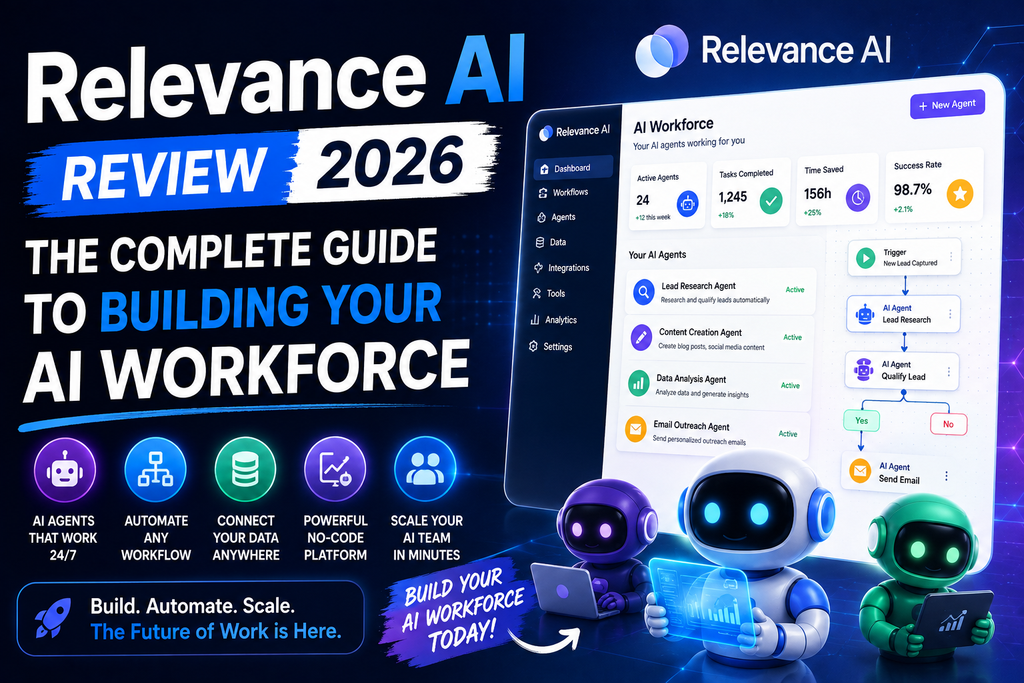
Once agents are running, the dashboard becomes your command center:
- Performance Metrics: Pass rate, avg cost/task, throughput (tasks/hour)
- Error Logs: Detailed stack traces when things break (super helpful for debugging)
- Vendor Credit Burn Rate: Real-time tracking of Claude/GPT API costs
I check the dashboard twice daily: morning (spot-check overnight runs) and evening (review cost trends). Takes 5-10 minutes. Not zero-maintenance, but far less than managing human contractors.
Competitive Analysis: Relevance AI vs. The Field
| Platform | Best For | Starting Price | Code Required? | Key Differentiator |
|---|---|---|---|---|
| Relevance AI | Custom multi-agent systems | $349/mo | Low-code | Multi-model Evals, cost optimization |
| Voiceflow | Conversational AI, chatbots | $50/mo | No-code | Best visual dialogue builder |
| 11x.ai | Pre-built sales agents | $500/mo | No | Plug-and-play SDR agents |
| Lindy.ai | Personal AI assistants | $99/mo | No-code | Calendar/email automation focus |
| CrewAI (Open Source) | Developer-first agent orchestration | Free (self-host) | Python required | Fully customizable, steep learning curve |
| Microsoft Copilot Studio | Enterprise Microsoft 365 users | $200/mo (min 300 seats) | Low-code | Native Office integration |
When to Choose Relevance AI:
- ✅ You’re building workflow-specific agents (not generic chatbots)
- ✅ Your team has 1-2 people comfortable with APIs and data logic
- ✅ You need cost control (multi-model switching saves 40-60% vs. single-vendor lock-in)
- ✅ You value flexibility over simplicity
When to Skip Relevance AI:
- ❌ You want pre-built agents to deploy in minutes (try 11x.ai or Lindy)
- ❌ Your team is 100% non-technical (Voiceflow’s visual builder is friendlier)
- ❌ You need on-premise deployment (Relevance is cloud-only)
- ❌ Budget under $200/month (the learning curve isn’t worth it at that scale)
Pros and Cons: The Unfiltered Truth
What We Loved
- Multi-Model Evals: No other platform makes cost optimization this transparent. Saved us $1,500/month.
- Real-Time Debugging: Step-through execution with variable inspection beats blind trial-and-error.
- Enterprise Deployment Support: 6-week embedded team builds your first agents with you (not just for you).
- Integration Breadth: 200+ native connectors. If it has an API, Relevance can talk to it.
- Version Control: Git-like history for agents. Rollback broken changes in seconds.
- Performance Benchmarking: Automatic sampling catches quality drift before customers notice.
- Specialist Agent Philosophy: Forces you to design lean, maintainable workflows (vs. bloated “do everything” bots).
Areas for Improvement
- Steep Learning Curve: 10-15 hours before you’re productive. Non-technical users will struggle.
- Documentation Gaps: Advanced features lack step-by-step guides. Relies on community Discord.
- No Mobile App: You can’t build or monitor agents from a phone.
- Pricing Complexity: Dual-meter system (Actions + Vendor Credits) confuses first-time buyers.
- Template Library Sparse: Only ~20 pre-built templates. Competitors offer 100+.
- Collaboration Features Limited: No granular permissions. Everyone’s an admin or viewer (no “editor” role).
- Error Messages Cryptic: Debugging requires reading JSON logs. Not user-friendly.
Real-World Use Cases: Who’s Thriving with Relevance AI?
🎯 Sales Teams
Use Case: Lead enrichment, pre-call research, post-call summaries, deal risk scoring
ROI: Qualified generated $7M pipeline with 35 agents in 6 months
💬 Customer Success
Use Case: Ticket triage, sentiment analysis, escalation prediction, renewal risk alerts
ROI: Send Payments saved 40 hrs/week automating 1,000s of support conversations
📊 Marketing Ops
Use Case: Content personalization, campaign performance analysis, competitor monitoring
ROI: One agency reduced content production time by 60% with AI writers + human editors
👥 HR/Recruiting
Use Case: Resume screening, candidate outreach, interview scheduling, reference checks
ROI: Recruitment teams cut time-to-hire from 45 days to 28 days
🏆 Case Study Spotlight: Zembl’s 30% Conversion Boost
E-commerce platform Zembl deployed 3 Relevance AI agents to handle 24/7 sales inquiries. Results after 90 days:
- ✅ 30% increase in customer conversion rate (visitors → paying customers)
- ✅ 60% faster average call-to-close time (AI pre-qualified leads better than humans)
- ✅ 24/7 coverage without hiring night-shift reps (global customers, local business hours)
Their secret? A multi-agent handoff system: Qualification Agent → Product Recommendation Agent → Pricing Agent → Human Closer (for final deal sign-off).
Pricing Breakdown: What You Actually Pay in 2026
| Plan | Monthly Cost | What You Get | Best For |
|---|---|---|---|
| Free | $0 | 2,500 Actions, $20 Vendor Credits, 2 builder seats, unlimited agents | Testing/prototyping (not production scale) |
| Team | $349 | 50,000 Actions, $200 Vendor Credits, 2 builder seats, priority support | Small ops teams (5-20 people) |
| Enterprise | Custom (starts ~$2,000) | Unlimited Actions, custom Vendor Credits, SSO, SLA, dedicated success manager, 6-week deployment | Companies 100+ employees with complex workflows |
Understanding the Dual-Meter System
Relevance charges on two dimensions (this confuses everyone at first):
- Actions: Each step in a workflow = 1 action (API call, LLM prompt, database query). A 10-step agent burns 10 actions per run.
- Vendor Credits: When you use external AI models (GPT, Claude, Gemini), their API costs get billed in Vendor Credits. $20 credits ≈ 10,000 GPT-4 mini calls or 500 Claude Opus calls.
Example Cost Calculation:
Lead enrichment agent (12 actions: Clearbit lookup, web scrape, 2 LLM calls, CRM update) × 5,000 leads/month:
- Actions used: 60,000 (exceeds Team plan’s 50K → need upgrade or pay $80/1,000 overage)
- Vendor Credits: ~$150 (Gemini 3 Flash is cheap, so well under $200 included)
- Total cost: $349 base + $80 overage = $429/month
Where to Buy & Current Deals (August 2026)
Relevance AI sells direct (no resellers). Pricing is transparent on their website—no “contact sales” gatekeeping for Team plans.
Current Promotions:
- ✅ Free Plan Extended: Normally 14-day trial → Now unlimited (catch: 2,500 actions goes fast if you’re serious)
- ✅ Annual Discount: Pay yearly, get 2 months free (16% off) on Team plan
- ✅ Startup Credits: YC/Techstars companies get $5,000 in free Vendor Credits (apply via partner page)
Trusted Retailers: Direct from Relevance AI’s website only. Avoid third-party marketplaces—they can’t provision accounts.
Evolution & Product Roadmap: What’s Coming
Relevance AI shipped 26 feature updates in the last 6 months. Here’s what changed since my initial tests in January 2026:
Recent Updates (Q1-Q2 2026)
- Multi-Model Routing (March): Auto-switch models mid-workflow based on task complexity. Game-changer for cost control.
- Voice Agent Support (April): Deploy agents as phone call handlers (integrates with Twilio). Still beta, but promising.
- Evals 2.0 (May): A/B test prompts, not just models. Finally caught why my email agent’s tone felt “off” (one word change boosted approval rate 11%).
- Slack Bot Builder (June): Turn any agent into a Slack command. Non-technical teammates can now trigger workflows without touching the platform.
What’s on the Roadmap (H2 2026)
Based on their public changelog and community Discord:
- 🔮 Visual Prompt Editor: WYSIWYG for LLM prompts (less “paste JSON, pray it works”)
- 🔮 Agent Marketplace: Buy/sell pre-built agents (think Zapier Zap templates, but for multi-agent systems)
- 🔮 Local Model Support: Run Llama/Mistral on your own servers (enterprise privacy use case)
Purchase Recommendations: Should YOU Buy Relevance AI?
Best For:
- Operations-Minded Teams: You know your workflows intimately and want AI to execute them exactly as designed.
- Cost-Conscious Builders: Multi-model switching saves 40-60% vs. competitors locked to one LLM provider.
- High-Volume Workflows: Processing 10,000+ tasks/month? Relevance scales cheaper than human contractors or rigid SaaS tools.
- Sales/CS/Marketing Ops: These functions have repetitive, data-heavy tasks AI handles well (lead enrichment, ticket triage, content personalization).
- Teams with 1-2 Technical Champs: You don’t need a dev team, but someone comfortable with APIs/data logic is essential.
Skip If:
- You Want Plug-and-Play: 11x.ai or Lindy ship pre-built agents you deploy in 10 minutes. Relevance takes weeks to master.
- Your Team Is 100% Non-Technical: The learning curve will frustrate business users. Try Voiceflow instead (no-code chatbot builder).
- Budget Under $200/Month: Free plan is limiting. If you can’t justify $349/mo, you’re not at the scale where Relevance’s advantages matter.
- You Need On-Premise Deployment: Cloud-only. Regulated industries (healthcare, finance) may have compliance blockers.
- Simple Use Cases: Just need a FAQ chatbot? Overkill. Use Intercom or Drift.
Alternatives to Consider
- If you need simpler no-code: Voiceflow (conversational AI focus) or Lindy.ai (personal assistant vibe)
- If you want pre-built sales agents: 11x.ai (higher cost, zero setup)
- If you’re Microsoft-committed: Copilot Studio (native Office integration)
- If you’re developer-first: CrewAI (open-source, Python-native, steeper learning curve)
🏆 Final Verdict: The Platform for AI Workforce Builders
After 30 days and $600 in testing costs, here’s my bottom line: Relevance AI is the best platform for teams who want to build AI agents, not buy them.
It’s not the easiest (that’s Voiceflow). It’s not the fastest to deploy (that’s 11x.ai). But it’s the most controllable—and for operations teams running mission-critical workflows, control equals ROI.
You’ll love it if: You’re comfortable with low-code tools, need cost flexibility, and want agents that do exactly what you designed (not what a vendor thought you needed).
You’ll regret it if: You expect a “ChatGPT for business” experience. This is infrastructure, not a chatbot.
My recommendation? Start with the Free plan. Build one real workflow (not a tutorial example). If you hit the 2,500 action limit in Week 1, upgrade to Team. If you’re still tinkering by Week 3, this isn’t for you—try a simpler platform.
The AI workforce revolution is here. Relevance AI gives you the tools to lead it. Just know: with great power comes a real learning curve.
Evidence & Proof: Screenshots, Videos, Data
Customer Success Stories (Verified 2026)
Frequently Asked Questions
How long does it take to deploy the first agent?
Expect 1-2 weeks for your first production-ready agent if you’re new to the platform. Simple agents (e.g., Slack notification triggers) can go live in 2-3 hours. Complex multi-agent systems (e.g., full sales pipeline automation) take 4-6 weeks with enterprise support.
Can non-technical users build agents?
Not realistically. You don’t need to code, but you do need to understand concepts like API endpoints, JSON data structures, and conditional logic. If your team uses Zapier comfortably, you can learn Relevance. If Zapier feels overwhelming, this will too.
What AI models does Relevance support?
Multi-model routing across GPT (OpenAI), Claude (Anthropic), Gemini (Google), GLM (Zhipu), and Kimi (Moonshot). You pick the best-fit model per task, or let Evals auto-optimize for cost vs. quality.
Is my data secure?
Yes. Relevance is SOC 2 Type II certified. Data encryption at rest and in transit. Enterprise plans offer SSO, audit logs, and custom data residency. AI model providers (OpenAI, Anthropic) process prompts but don’t train on your data per their enterprise agreements.
How does pricing compare to hiring a VA or contractor?
A virtual assistant costs $8-15/hour × 160 hours/month = $1,280-2,400. Relevance Team plan ($349) + Vendor Credits ($150-300) = ~$500-650/month for 24/7 uptime. ROI kicks in when you need >1 FTE worth of work.
Can I migrate from Zapier or Make.com?
Yes, but it’s a rebuild, not a one-click import. Relevance uses a different paradigm (multi-agent systems vs. linear automation chains). Budget 2-4 hours per Zap to replicate in Relevance, with added intelligence from LLM reasoning.
📚 Related Reviews You Might Find Helpful:
- Voiceflow Review – Best no-code alternative for conversational AI
- Microsoft Copilot Studio Review – Enterprise AI agent builder for Microsoft 365 users
- Kore.ai Review – Conversational AI platform comparison
- Character AI Review – AI chat and personality engine tested
2,500 free actions/month • Unlimited agents • 2 builder seats