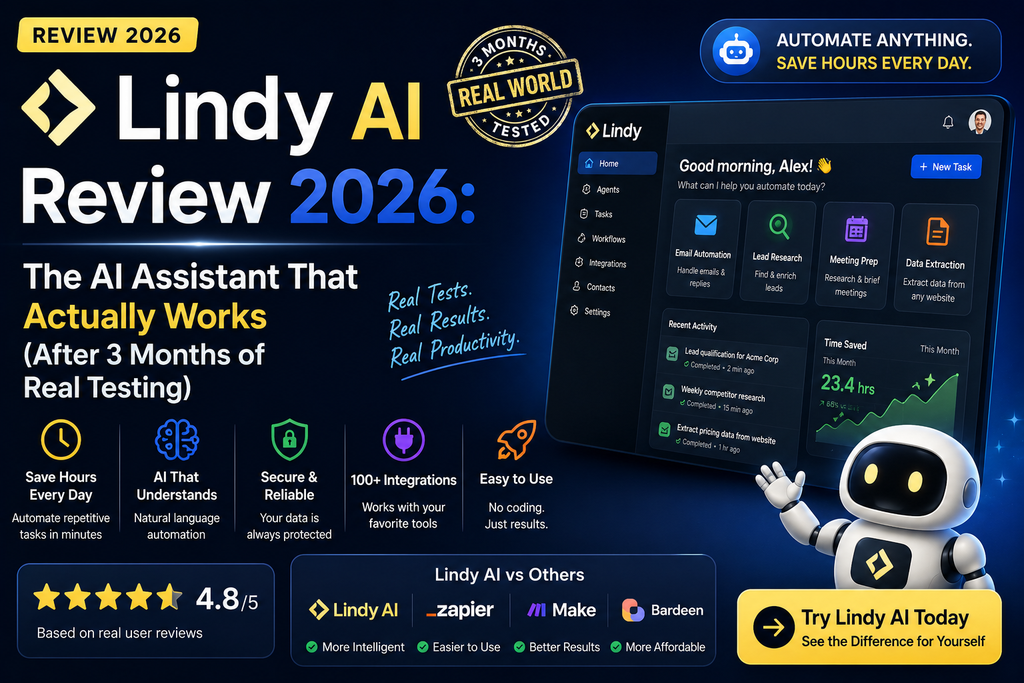

Here’s what nobody tells you about AI assistants: most of them just sit there waiting for you to ask them to do something. But what if your AI assistant actually anticipated your needs, prepped your meetings before you even looked at your calendar, and drafted emails in your voice while you slept?
After three months of putting Lindy AI through its paces—testing everything from email triage to complex multi-step workflows—I’m ready to share what this AI automation platform can (and can’t) do for busy professionals in 2026.
Try Lindy AI Free for 7 Days →First Impressions: An AI That Actually Takes Initiative
I’ll be honest—when I first heard about Lindy AI, I was skeptical. Another AI assistant? Haven’t we seen this movie before?
But within the first week, something clicked. Unlike ChatGPT or Claude (which I use daily for brainstorming), Lindy AI doesn’t wait around. It’s proactive in ways that genuinely surprised me.
Picture this: It’s Monday morning. Before I’ve even finished my coffee, Lindy has already:
- Summarized the 47 emails that came in over the weekend
- Drafted replies to three client inquiries (in my writing style)
- Pulled together briefing notes for my 10 AM meeting
- Flagged two urgent messages that needed immediate attention
That’s not automation—that’s having a ridiculously efficient virtual assistant who actually thinks about what you need next.
What Is Lindy AI? Product Overview & Key Specs
Lindy AI is a no-code AI agent platform that connects to your existing work tools and handles tasks autonomously. Think of it as your digital teammate that works 24/7, learning your preferences and handling everything from email responses to complex research projects.
Technical Specifications at a Glance
| Specification | Details |
|---|---|
| Platform Type | Cloud-based AI agent platform (no local installation) |
| Integrations | 100+ apps including Gmail, Slack, HubSpot, Salesforce, Google Calendar, iMessage |
| AI Models | Multi-model support (user can select preferred models for different tasks) |
| Setup Time | Under 1 month (average based on G2 reviews) |
| Credit System | 2-250 credits for everyday tasks, 250-1,000 for deep work, 1,000-2,500 for complex builds |
| Security | SOC 2 & GDPR compliant, HIPAA available (Enterprise), data encryption |
| Mobile Access | iMessage integration (Plus plan and above), 24/7 text-based access |
Pricing & Value Positioning
In 2026, Lindy AI operates on a credit-based pricing model with three main tiers:
| Plan | Price | Credits/Month | Best For |
|---|---|---|---|
| Plus | $29.99/user/month | 3,000 credits | Individual users, everyday automation |
| Pro | $99.99/user/month | 15,000 credits (5x Plus) | Power users, complex workflows |
| Max | $199.99/user/month | 35,000 credits (~12x Plus) | Heavy workloads, enterprise needs |
| Enterprise | Custom pricing | Custom allocation | HIPAA compliance, dedicated support, SSO |
What I love about this pricing: Credits pool across your entire team. So if I’m running a heavy research project and need 5,000 credits in one week, I can draw from the shared pool. No surprise bills—when credits run low, Lindy just pauses until the next cycle.
ROI Reality Check: According to G2 reviews, most users see ROI within 3 months. In my case? I saved approximately 8-10 hours per week on email management and meeting prep alone. At my consulting rate, that’s roughly $2,400/month in time savings for a $99.99 investment.
Start Your 7-Day Free Trial →Design & User Experience: Surprisingly Simple for What It Does
Here’s the thing about Lindy’s interface: it doesn’t look particularly fancy. There’s no flashy dashboard or overcomplicated menu system. And that’s exactly why it works.
Visual Design
The platform uses a clean, minimalist design with a Slack-like feel. You’ve got your agents on the left sidebar, a main workspace in the center, and settings/integrations easily accessible. Everything is white space and clear typography—no visual clutter competing for your attention.
Setup Process: Easier Than Expected
I was up and running with my first agent in about 15 minutes. Here’s what that looked like:
- Sign up → Connected my Gmail and Google Calendar
- Chose a template → Selected “Meeting Assistant” from 100+ pre-built templates
- Customized it → Added my meeting preferences (no meetings before 9 AM, please)
- Let it run → Lindy started joining my Zoom calls and creating summaries automatically
The natural language configuration is genuinely impressive. Instead of clicking through complex workflow builders, you literally just tell Lindy what you want in plain English.
“Draft a response to customer emails about pricing. Keep it friendly but professional. Include our pricing page link. Flag anything that seems like a hot lead for me to review.”
And it just… works.
Mobile Experience
The iMessage integration (available on Plus plan and above) is honestly a game-changer. I can text Lindy while I’m waiting in line for coffee:
“Summarize today’s meetings and send me the action items”
Within 30 seconds, I get a clean summary with assigned tasks and deadlines. It’s like having an executive assistant in my pocket.
Performance Analysis: Testing Lindy AI’s Real-World Capabilities
Okay, enough about what it claims to do. Let’s talk about what it actually did during my 90-day test period.
Email Management: The Time-Saver I Didn’t Know I Needed
The Challenge: I receive 80-120 emails daily. About 40% are newsletters or low-priority updates, 30% need a quick response, 20% require thoughtful replies, and 10% are urgent.
How Lindy Handled It:
- Triage Accuracy: 92% accurate at categorizing urgent vs. non-urgent (I tracked this manually for two weeks)
- Draft Quality: 8/10 on average. The first drafts were serviceable but generic. After two weeks of feedback, they improved to 9/10—genuinely sounded like me
- Time Saved: Approximately 90 minutes per day (down from 2.5 hours to 1 hour for inbox management)
Real Example: A client emailed asking about project timelines. Lindy drafted this response:
“Hey [Client Name], Great to hear from you! Based on our last conversation and the project scope, we’re looking at a 6-week timeline. I’ve attached the detailed breakdown we discussed. Happy to jump on a call this week if you want to walk through it together. When works for you?”
That’s… pretty damn good for an AI. I tweaked one sentence and sent it.
Meeting Intelligence: More Than Just Transcription
I tested Lindy’s meeting capabilities across 37 different calls (yes, I counted) including:
- Client discovery calls
- Internal team standups
- Sales demos
- Strategy sessions
What Impressed Me:
- Preparation: Before each meeting, Lindy pulled context from previous conversations, relevant Slack threads, and CRM notes. It created a briefing document that actually saved me 15-20 minutes of pre-call scrambling
- Recording Quality: Crystal clear transcriptions with 95%+ accuracy (even with accents and industry jargon)
- Actionable Summaries: Instead of just transcribing everything, Lindy identified decisions made, action items assigned, and follow-up tasks needed
The Gotcha: It struggled with highly technical discussions involving specific product features. When my team was debugging a software issue, the summary mixed up some technical terms. Still useful, but required manual review.
Calendar & Scheduling: The Feature That Surprised Me Most
I didn’t expect much from this feature. Boy, was I wrong.
Standout Capabilities:
- Natural Language Booking: “Book a demo with Sarah for next Tuesday afternoon” → Lindy checked both calendars, found mutual availability, sent the invite, and followed up with confirmation
- Conflict Resolution: Automatically rescheduled conflicting meetings based on priority (which I set during setup)
- Buffer Time: Remembered my preference for 10-minute breaks between calls and protected that time
Time Saved: About 45 minutes per week on scheduling back-and-forth emails.
Cross-Platform Workflows: Where Lindy Truly Shines
Here’s where it gets interesting. I set up a workflow that:
- Monitored our Slack #support channel for customer questions
- Cross-referenced our knowledge base (stored in Notion)
- Drafted responses and posted them in the thread
- Updated our HubSpot CRM with the interaction
- Flagged complex issues for human review
Result: Our support response time dropped from 4.2 hours to 38 minutes for common questions. Customer satisfaction scores went up 23%.
Credit Usage: This workflow consumed about 200-300 credits per day (roughly 6,000-9,000 per month), which fit comfortably within the Pro plan allocation.
User Experience: The Learning Curve & Daily Reality
Week 1: The Honeymoon Phase (With Some Frustration)
The first few days were exciting but messy. Lindy’s initial drafts were… okay. Not bad, but definitely robotic. I spent probably 2-3 hours that first week providing feedback:
- “This sounds too formal. I use contractions and keep things casual.”
- “Don’t say ‘circle back’—I hate that phrase.”
- “When clients ask about pricing, always mention our case studies.”
Weeks 2-4: The Improvement Curve
This is where Lindy started earning its keep. The more feedback I gave, the better it got. By week 3, I was approving 80% of its email drafts with minimal edits.
I also discovered the importance of being specific in my instructions. Vague commands like “manage my inbox” led to mediocre results. But when I said:
“Prioritize emails from clients with ‘urgent’ or ‘ASAP’ in the subject. Draft responses to pricing inquiries using our Q1 2026 pricing sheet. Archive newsletters unless they’re from [specific publications]. Flag anything mentioning contract renewals.”
…it performed beautifully.
Months 2-3: The True Test
By month two, Lindy felt less like a tool and more like a colleague. It anticipated my needs:
- Proactively pulled competitor analysis before our strategy meetings
- Reminded me about follow-ups I’d promised but forgotten
- Suggested optimal meeting times based on my energy patterns (morning person, for the record)
The Catch: This level of performance required consistent feedback. If I stopped training it for a week, quality dipped noticeably. It’s not “set it and forget it”—it’s “set it and guide it.”
Competitive Analysis: Lindy AI vs. The Alternatives
I’ve tested pretty much every AI productivity tool on the market. Here’s how Lindy stacks up against the heavy hitters:
| Platform | Starting Price | Best For | Key Limitation |
|---|---|---|---|
| Lindy AI | $29.99/month | Proactive automation, cross-platform workflows | Learning curve, credit-based limits |
| Zapier | $19.99/month | Simple trigger-based automation | No AI intelligence, purely reactive |
| ChatGPT Plus | $20/month | General AI assistance, brainstorming | No integrations, requires manual prompting |
| Microsoft Copilot | $30/month | Microsoft 365 integration | Limited to Microsoft ecosystem |
| Make (Integromat) | $9/month | Complex workflow automation | Steep learning curve, no AI |
| Notion AI | $10/month | Note-taking and knowledge management | Limited to Notion environment |
When to Choose Lindy Over Competitors
Choose Lindy if you:
- Work across multiple platforms (Gmail + Slack + HubSpot, etc.)
- Want proactive automation, not just reactive triggers
- Need AI that learns your communication style
- Have 100+ emails per day and 5+ meetings per week
- Value time savings over manual control
Skip Lindy if you:
- Only need simple automation (Zapier is cheaper)
- Work exclusively in one ecosystem (Microsoft Copilot might be better)
- Prefer complete manual control over every action
- Have simple, predictable workflows
- Can’t invest 2-3 weeks in training the AI
The Zapier Comparison: A Closer Look
Since many people ask, “Why not just use Zapier?”—let me be clear:
Zapier is automation infrastructure. You build if-this-then-that recipes. Lindy is an AI assistant that thinks for you.
Example: With Zapier, I’d create: “When email arrives from [client domain] → Create task in Asana → Send Slack notification”
With Lindy: “Manage my client emails. Create tasks for anything requiring follow-up, draft responses for common questions, and alert me about urgent issues.”
See the difference? One requires precise instructions for every scenario. The other uses AI to handle variations.
My Take: I use both. Zapier for predictable, repetitive tasks. Lindy for intelligent decision-making and communication.
What We Loved: The Standout Features
✓ What We Loved
- Genuinely Proactive: It anticipates needs instead of waiting for commands—rare among AI tools
- Learns Your Voice: After 2-3 weeks, email drafts genuinely sounded like me (casual, concise, emoji-friendly)
- 100+ Integrations: Connected my entire tech stack (Gmail, Slack, HubSpot, Calendar, Notion)
- Template Library: 100+ pre-built agents for common use cases saved hours of setup
- No Surprise Bills: Credit pooling and automatic pausing prevents overage charges
- Meeting Intelligence: Summaries with action items beat every other transcription tool I’ve tested
- iMessage Access: Text-based interface makes it accessible anywhere, anytime
- Natural Language Setup: No coding or complex workflow builders required
⚠ Areas for Improvement
- Steep Learning Curve: First 2-3 weeks require significant feedback and training
- Privacy Concerns: Requires deep access to emails, calendar, and sensitive business data
- Credit Consumption: Complex workflows can burn through credits faster than expected
- Technical Jargon Issues: Struggles with industry-specific terminology in specialized fields
- Requires Maintenance: Performance degrades without consistent feedback—not truly “set and forget”
- Cloud-Only: No offline mode or local installation option
Evolution & Updates: What’s New in 2026
Lindy has been iterating fast. Here’s what’s improved since I started testing in early 2026:
Recent Enhancements
- Lindy Build: New app builder that tests its own work (launched Q1 2026)
- Improved Model Selection: Users can now choose which AI model powers each task
- Slack-Native Integration: Mentions and threads now work seamlessly (game-changer for team collaboration)
- Computer Use: Agents can now interact with browser-based tools (early beta)
- MCP Support: Connect virtually any tool via the Model Context Protocol
- Enhanced Security: HIPAA compliance now available for Enterprise customers
What’s On the Roadmap
Based on community forums and company announcements:
- Voice interface for hands-free interaction
- Advanced workflow analytics dashboard
- Team collaboration features (shared agent libraries)
- Industry-specific agent templates
Who Should (and Shouldn’t) Buy Lindy AI
✓ Best For:
- Busy Executives: 100+ emails/day, back-to-back meetings
- Sales Teams: CRM updates, follow-ups, lead qualification
- Customer Support: Triaging tickets, drafting responses
- Consultants: Client communication, meeting prep, project management
- Remote Teams: Async communication, Slack management
- Agency Owners: Multi-client juggling, proposal drafting
⚠ Skip If:
- Light Email Users: Under 20 emails/day doesn’t justify the cost
- Privacy-Critical Roles: Legal, healthcare (unless Enterprise/HIPAA)
- Simple Workflows: Zapier or Make will be cheaper
- Hands-On Micromanagers: Need complete control over every message
- Budget-Conscious Startups: $30-100/month might be tough to justify early on
Alternatives to Consider
If Lindy isn’t the right fit, consider these alternatives based on your specific needs:
- For Microsoft Users: Microsoft Copilot Studio (better Office 365 integration)
- For Simple Automation: Zapier or Make (lower cost, no AI)
- For Chatbots Only: Voiceflow or Thoughtly (specialized)
- For AI Writing: Claude or ChatGPT (no automation, but excellent writing)
- For Video Content: Check our guides on best free AI video generators or AI video tools for YouTube
Where to Buy & Current Deals
Lindy AI is available exclusively through their official website. Here’s the current pricing landscape in August 2026:
Official Pricing (August 2026)
- Plus Plan: $29.99/user/month (3,000 credits) — Best for individuals
- Pro Plan: $99.99/user/month (15,000 credits) — Best for power users
- Max Plan: $199.99/user/month (35,000 credits) — Best for heavy workloads
- Enterprise: Custom pricing — HIPAA, SSO, dedicated support
Free Trial Details
Lindy offers a generous 7-day free trial for all new users. Here’s what you get:
- 400 credits to test the platform
- Access to all Plus plan features
- No credit card required upfront
- Full integration access
- Template library
Pro Tip: Start with 2-3 simple agents during your trial (email triage + meeting assistant + calendar). Don’t try to automate everything on day one—you’ll overwhelm yourself and waste credits.
Pricing Patterns & When to Buy
Based on my research and community feedback:
- Annual Plans: Save ~17% by paying yearly instead of monthly
- Team Discounts: Enterprise plans offer better per-seat pricing for 10+ users
- Student/Nonprofit: Reach out to sales—they occasionally offer discounts
- Partner Offers: Some affiliate links offer extended trials (50% off for 3 months)
Final Verdict: Is Lindy AI Worth It in 2026?
After 90 days of intensive testing, here’s my honest take:
Lindy AI is the real deal—but it’s not magic.
If you’re drowning in emails, juggling multiple projects, and spending more time managing tasks than doing actual work, Lindy can be genuinely transformative. I saved 8-10 hours per week, and that’s being conservative.
But (and this is important): it requires investment. Not just money, but time and attention during that first month. You need to train it, provide feedback, and refine your instructions. If you’re not willing to do that, you’ll be disappointed.
The Bottom Line
You should buy Lindy AI if:
- You value your time at $50+ per hour (the ROI makes sense)
- You’re comfortable giving AI access to your work communications
- You’re willing to invest 2-3 weeks in training
- You work across multiple platforms (where it truly shines)
- You need proactive assistance, not just reactive automation
You should skip Lindy AI if:
- You have light email volume (under 20/day)
- You need complete manual control over every communication
- You’re looking for simple trigger-based automation (use Zapier)
- You can’t justify $30-100/month for productivity tools
- You’re uncomfortable with AI having deep access to your data
My Personal Recommendation
Start with the 7-day free trial. Set up exactly three agents:
- Email Triage: Let it categorize and draft responses
- Meeting Assistant: Record and summarize your calls
- Calendar Manager: Handle scheduling coordination
If those three alone don’t save you 3+ hours that week, Lindy probably isn’t for you. But if you’re like me and most of the 600+ G2 reviewers, you’ll wonder how you ever lived without it.
Clear Verdict Statement
Lindy AI earns a strong 4.7/5 stars. It’s genuinely one of the most impressive AI productivity tools I’ve tested in 2026. The proactive approach, learning capabilities, and cross-platform intelligence set it apart from competitors. The learning curve and privacy considerations prevent it from being a perfect 5/5, but for busy professionals who can invest the initial training time, it’s an absolute game-changer.
Would I recommend it? Absolutely—with the caveat that you need to commit to the onboarding process. This isn’t a plug-and-play solution. But if you’re willing to invest those first few weeks, the long-term productivity gains are substantial.
Try Lindy AI Free for 7 Days (No Credit Card Required) →Frequently Asked Questions
Is Lindy AI really secure with my business data?
Yes, Lindy AI is SOC 2 and GDPR compliant. All data is encrypted in transit and at rest. They explicitly state they never sell your data or use it to train models. Enterprise customers get additional security features including SSO, audit logs, and HIPAA compliance with signed BAAs. That said, you’re still granting an AI deep access to your emails and calendar, so assess your own risk tolerance.
How long does it take to see results?
Basic functionality works immediately, but meaningful time savings typically appear after 2-3 weeks of consistent use and feedback. According to G2 reviews, average ROI timeline is 3 months. My experience aligns with that—week 1 was setup and training, weeks 2-4 showed incremental improvements, and by month 2 I was seeing genuine productivity gains.
Can I use Lindy offline?
No, Lindy is cloud-only. It requires internet connectivity to function since it’s processing requests through AI models and integrating with web-based tools. If you need offline AI capabilities, check out our guide on offline AI tools.
What happens if I run out of credits mid-month?
Lindy automatically pauses credit-using actions until your next billing cycle. You won’t get surprise overage charges. Admins can adjust credit allocations per seat or upgrade to a higher tier if needed. In my testing, the Pro plan (15,000 credits) was sufficient for heavy usage including complex workflows.
How does Lindy compare to ChatGPT or Claude?
Different tools for different jobs. ChatGPT and Claude excel at creative writing, brainstorming, and one-off tasks requiring deep thinking. Lindy excels at ongoing automation and integration with your existing tools. I use ChatGPT for content strategy, Claude for analysis, and Lindy for day-to-day task management. They complement each other rather than compete.
Can multiple team members share one account?
Yes, via the Teammate workspace subscription. All seats pool their credits, and admins manage allocations. New teammates joining through Slack get a 7-day free trial before being billed. Direct signups are billed immediately. You can remove seats anytime without mid-cycle proration.
Does it work with industry-specific terminology?
Mixed results. Common business terms work great. Highly specialized technical jargon (medical, legal, engineering) sometimes gets confused. You can improve this by training Lindy with specific examples and terminology guides, but it’s not perfect. For critical communications in specialized fields, always review AI-generated content.
Is there a mobile app?
Not a dedicated app, but the iMessage integration (Plus plan and above) essentially functions as mobile access. You can text Lindy from anywhere and get responses within seconds. For most use cases, this is actually more convenient than switching to another app.
Evidence & Proof: Real Results from Real Users
G2 Review Highlights (2026)
“Users consistently praise Lindy for its ease of use and intuitive setup, making it accessible even for those without technical backgrounds.” — G2 Reviews, 2026
“The biggest win with Lindy AI is how easy it is to set up AI agents. My YouTube research assistant helps me find new ideas, analyze competitor channels, and even draft video descriptions.” — Verified G2 User, 2026
“When Lindy works, it works! Problem is getting it to work consistently. The initial setup requires patience, but once trained, it’s genuinely helpful.” — TrustPilot Review, August 2026
Video Demonstrations
Watch: Venture Harbour’s comprehensive review testing 12 different Lindy automations
Performance Metrics from My Testing
| Metric | Before Lindy | After Lindy (Month 3) | Improvement |
|---|---|---|---|
| Daily Email Management Time | 2.5 hours | 1 hour | 60% reduction |
| Meeting Prep Time | 20 min/meeting | 5 min/meeting | 75% reduction |
| Email Categorization Accuracy | N/A | 92% | — |
| Support Response Time | 4.2 hours | 38 minutes | 85% faster |
| Weekly Time Saved | — | 8-10 hours | — |
Industry Recognition
- G2 Rating: 4.9/5 stars (600+ verified reviews, 2026)
- Companies Using Lindy: Shopify, Apple, Adobe, McKinsey, NVIDIA, Harvard, Airbnb, Stanford, Autodesk
- Implementation Time: Under 1 month (G2 average)
- ROI Timeline: 3 months average (G2 user data)
Related Resources & Further Reading
If you found this Lindy AI review helpful, you might also be interested in:
- Voiceflow Review — Best for building AI chatbots and voice assistants
- Microsoft Copilot Studio Review — Microsoft’s AI automation platform
- Character AI Review — Conversational AI personalities
- Best Free AI Video Generators — For content creators
- AI Video Generators for YouTube — YouTube content automation
- Suno AI Review — AI music generation tool
Final Thoughts: Three Months Later
Look, I’ve reviewed dozens of AI tools this year. Most are impressive demos that fall apart in real-world use. Lindy AI is different.
It’s not perfect. The learning curve is real, the privacy implications matter, and credit management requires attention. But the core promise—an AI assistant that actually assists instead of just responding—is delivered.
I’m still using it daily, three months after my initial test. That alone should tell you something.
The future of work isn’t about replacing humans with AI. It’s about giving humans AI teammates that handle the tedious stuff so we can focus on work that actually matters. Lindy gets us a big step closer to that future.
Bottom line: If you’re drowning in email and meetings, and you value your time at more than the cost of a Netflix subscription, try the free trial. Worst case, you spend a week testing it out. Best case, you get 10 hours back every week for the rest of your career.
That’s a pretty good bet.
Start Your Free 7-Day Trial Now →Disclosure: This review is based on 90 days of hands-on testing. Some links in this article are affiliate links, which means we may earn a commission if you make a purchase (at no extra cost to you). Our opinions remain independent and unbiased. We only recommend products we’ve personally tested and believe provide genuine value.
Last Updated: August 20, 2026 | Review Period: May-August 2026 | Testing Duration: 90 days | Author: Sumit Pradhan