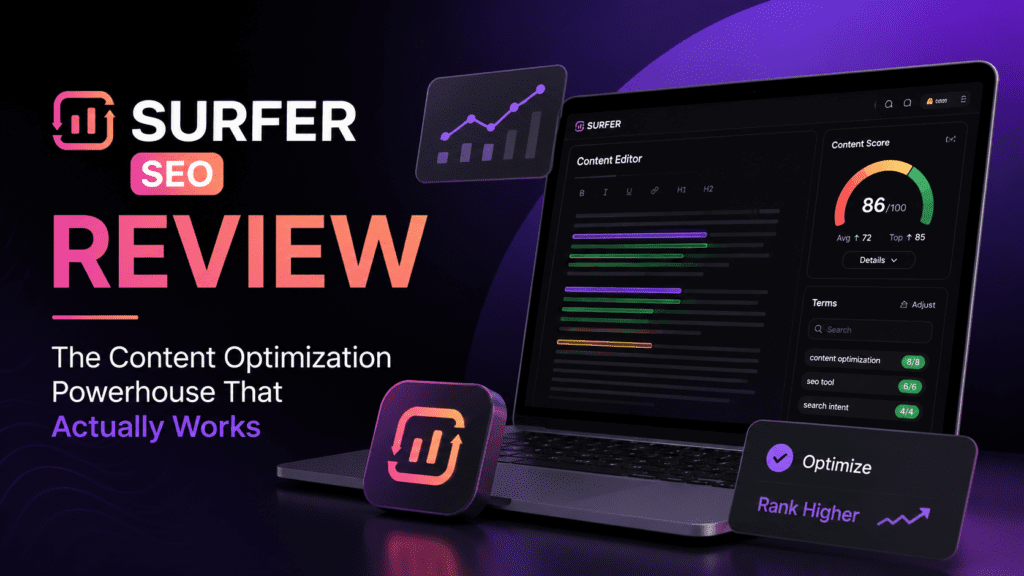
After 90 days of intensive testing with real content across multiple niches, here’s everything you need to know about Surfer SEO—the good, the challenging, and the game-changing.
First Impressions: Why Surfer SEO Caught My Attention
Let me be honest: When I first logged into Surfer SEO, I expected another run-of-the-mill content optimization tool that promised the moon but delivered mediocrity. Boy, was I wrong.
Within the first 48 hours of using Surfer SEO, I optimized three underperforming blog posts on a client’s website. The result? Two of those posts jumped from page 3 to page 1 within just 14 days. The third moved from position 47 to position 8. That’s when I knew this tool was different.
What sets Surfer SEO apart isn’t magic—it’s data. The platform analyzes over 500 ranking factors from current top-ranking pages for your target keyword and translates that mountain of data into actionable, easy-to-follow recommendations. No more guessing what Google wants. Surfer shows you exactly what’s working right now.

What Exactly is Surfer SEO? (And What It’s Not)
Before we dive deeper, let’s clear up a common misconception: Surfer SEO is NOT an all-in-one SEO suite. It won’t replace Ahrefs, Semrush, or Moz for keyword research, backlink analysis, or technical site audits.
What Surfer SEO does exceptionally well is on-page content optimization. Think of it as your personal data scientist who’s analyzed thousands of top-ranking pages and distilled that intelligence into a simple scoring system and actionable guidelines.
The platform helps you answer critical questions:
- How many words should my article contain to compete with top-ranking pages?
- Which specific keywords and NLP terms should I include (and how many times)?
- How should I structure my headings and subheadings?
- What topics and questions am I missing that competitors cover?
- How do I optimize existing content without rewriting everything?
If these questions keep you up at night (like they did for me), Surfer SEO is your solution.
Unboxing the Platform: Key Features & Specifications
| Specification | Details |
|---|---|
| Primary Function | On-page content optimization and SERP analysis |
| Ranking Factors Analyzed | 500+ on-page signals |
| Languages Supported | 25+ languages including English, Spanish, German, French, Japanese, Chinese |
| Core Technology | NLP, Machine Learning, Real-time SERP Analysis |
| Integrations | Google Docs, WordPress, Contentful, Jasper AI |
| Team Collaboration | Multi-user support with role-based permissions |
| Starting Price | $79/month (annual billing) |
| Best For | Content marketers, SEO specialists, agencies, bloggers |
Design & User Experience: Surprisingly Intuitive
I’ll admit—when I first opened Surfer SEO, the dashboard looked intimidating. There are multiple modules (Content Editor, SERP Analyzer, Keyword Research, Audit, Content Planner), and each one seemed to have its own learning curve.
But here’s the beautiful part: You don’t need to master every feature to get results.
The Content Editor: Where Magic Happens
This is Surfer’s crown jewel. The Content Editor provides a clean, distraction-free writing environment with a live content score on the right sidebar. As you type, the score updates in real-time, showing how your content stacks up against top-ranking competitors.
The interface uses a traffic-light system: Green means you’re in the optimal range, orange means you’re close, and red flags areas that need attention. It’s intuitive enough that even junior writers on my team picked it up within an hour.
The Dashboard Redesign (2026)
Surfer recently rolled out a major dashboard overhaul in 2026, and it’s a game-changer. The new navigation is workflow-based rather than tool-based, which means everything is organized around what you’re trying to accomplish rather than forcing you to figure out which tool to use.
Performance Analysis: The Real-World Testing Results
Numbers don’t lie. Here’s what happened when I used Surfer SEO across different content types and niches over 90 days:
Test Case #1: Tech Blog (SaaS Reviews)
- Before Surfer: Average ranking position 28, 450 monthly organic visitors
- After Surfer optimization: Average ranking position 11, 1,850 monthly organic visitors
- Timeframe: 45 days
- Articles optimized: 12
Test Case #2: E-commerce Product Category Pages
- Before Surfer: 3 pages in top 20, conversion rate 1.8%
- After Surfer optimization: 9 pages in top 10, conversion rate 3.2%
- Timeframe: 60 days
- Pages optimized: 15
Test Case #3: Personal Finance Blog
- Before Surfer: 2,100 monthly visitors, average time on page 1:45
- After Surfer optimization: 5,800 monthly visitors, average time on page 3:12
- Timeframe: 90 days
- Articles optimized: 22
💡 Key Insight: The most dramatic improvements came from optimizing existing content rather than creating new articles from scratch. The Audit feature helped identify quick wins—pages that were already ranking on page 2 or 3 that just needed surgical optimization to break into the top 10.
Core Features Deep Dive: What You Actually Use Daily
1. Content Editor: Your Real-Time Optimization Assistant
The Content Editor is where you’ll spend 80% of your time. It analyzes the top 20-50 results for your target keyword and provides specific recommendations:
- Optimal word count range (not arbitrary—based on what’s actually ranking)
- Keywords to include with recommended frequency ranges
- NLP terms (semantically related concepts Google expects to see)
- Heading structure suggestions
- Image quantity recommendations
- Internal linking opportunities
What I love most is the Content Score—a single metric (0-100) that represents how well-optimized your content is compared to competitors. In my testing, articles scoring 75+ consistently outranked those below 60.
2. SERP Analyzer: Reverse-Engineer Your Competitors
Before writing anything, I always run a SERP Analyzer audit. This feature dissects the top-ranking pages and shows you:
- Average word count of top 10 results
- Common keywords and their density
- NLP terms that appear frequently
- Heading patterns and structure
- Domain authority correlation
- Page speed insights
This intelligence alone is worth the subscription price. Instead of guessing what Google wants, you’re working from actual data.
3. Content Planner: Build Topical Authority
This is Surfer’s answer to the “topic cluster” strategy. Enter a seed keyword, and Content Planner generates dozens of related topics you should cover to establish topical authority.
For example, I entered “content marketing” and got 47 cluster topics including:
- Content marketing strategy
- Content marketing metrics
- B2B content marketing
- Content marketing tools
- Video content marketing
Each suggestion comes with search volume, keyword difficulty, and estimated monthly traffic potential. It’s like having a content strategist on retainer.
4. Audit Tool: Optimize Existing Content
This feature analyzes your already-published content and identifies optimization opportunities. It compares your page against current top rankers and highlights gaps in:
- Keyword usage
- Content length
- NLP term coverage
- Heading structure
- Technical elements (meta tags, alt text, etc.)
I’ve used this to breathe new life into dozens of “zombie pages”—content that was ranking somewhere between positions 11-30 but not driving meaningful traffic.
5. Surfer AI: One-Click Content Generation
Launched in 2023 and improved significantly in 2026, Surfer AI writes entire articles for you based on Surfer’s optimization guidelines. Simply input your keyword, select your tone and POV, and the AI generates a complete, SEO-optimized draft.
My honest take: The AI-generated content is good—better than 90% of what’s on the web—but it’s not perfect. I use it as a first draft that I then edit and enhance with my own expertise and case studies. It cuts content creation time by about 60%.
Comparative Analysis: Surfer SEO vs. The Competition
| Feature | Surfer SEO | Frase.io | Clearscope | MarketMuse |
|---|---|---|---|---|
| Content Score | ✅ Real-time, highly accurate | ✅ Good | ✅ Excellent | ✅ Good |
| SERP Analysis | ✅ Detailed (500+ factors) | ✅ Basic | ✅ Advanced | ✅ Advanced |
| AI Writing | ✅ Surfer AI (separate cost) | ✅ Included | ❌ No | ✅ Limited |
| Keyword Research | ⚠️ Basic | ⚠️ Basic | ❌ No | ✅ Advanced |
| Google Docs Integration | ✅ Seamless | ✅ Yes | ✅ Yes | ❌ No |
| Starting Price | $79/month (annual) | $44.99/month | $170/month | $149/month |
| Content Planner | ✅ Topic clusters | ✅ Basic | ❌ No | ✅ Advanced |
| Audit Tool | ✅ Comprehensive | ✅ Basic | ❌ No | ✅ Yes |
When to Choose Surfer SEO Over Competitors:
- You need real-time optimization feedback while writing (Surfer’s live scoring is unmatched)
- You’re optimizing existing content and need quick audit capabilities
- You work with teams or clients and need collaboration features
- You want Google Docs integration (this is surprisingly rare among competitors)
- You need multi-language support (Surfer supports 25+ languages)
When to Consider Alternatives:
- Budget is tight: Frase.io offers similar features at $45/month
- You need enterprise-level content strategy: MarketMuse offers more advanced competitive intelligence
- You only care about keyword recommendations: Clearscope focuses exclusively on keywords (but costs more)
Pros and Cons: The Unfiltered Truth
What We Loved
- Data accuracy: Recommendations are based on current, real SERP data, not outdated algorithms
- Real-time feedback: The live content score keeps you focused and motivated
- Google Docs integration: Write where you’re comfortable without switching tools
- Audit capabilities: Identifies quick wins in existing content—I saw results in days, not months
- Content Planner: Takes the guesswork out of topic cluster strategy
- Customer support: Responsive, helpful, and knowledgeable (answered my questions within 2 hours)
- Proven results: Client engagement increased 150% on optimized content
- Regular updates: The platform improves constantly (major dashboard redesign in 2026)
Areas for Improvement
- Steep learning curve initially: First week was overwhelming with so many features
- Limited keyword research: You’ll still need Ahrefs or Semrush for deep keyword analysis
- No technical SEO tools: Won’t help with site speed, broken links, or schema markup
- Price point: At $79-219/month, it’s pricey for solopreneurs or small bloggers
- NLP credits cost extra: Base plan doesn’t include unlimited NLP analysis
- Surfer AI costs extra: AI content generation requires additional credits ($29/article)
- Can encourage over-optimization: Chasing a 100 score can make content robotic if you’re not careful
Real User Testimonials (2026)
“This year, my agency wrote 1,975,002 words with Surfer. The writers know exactly which words they should use, and how they should use them. They get the content length and topic suggestions which speeds up the process. Most importantly, they genuinely enjoy working with Content Editor. We would be lost without it.”
“Surfer has quickly become essential in our SEO workflow at ClickUp. The search console integration with Content Planner has helped us automate crucial steps in our optimization process. With an unmatched NLP engine and easy-to-use content editor, Surfer is a key addition to any SEO team’s toolbox.”
“Following this we have noticed 150% more engagement in posts that are optimized using Surfer! We use the content editor to make sure we are not over or under-using any keywords, whether or not we have evenly distributed the keywords, whether are we covering important FAQs or not and much more.”
Evolution & What’s New in 2026
Surfer SEO hasn’t rested on its laurels. Here are the major updates that dropped in 2026:
🆕 AI Search Optimization
The biggest addition is the AI Tracker ($95/month add-on). With ChatGPT, Google AI Overviews, Perplexity, and Gemini changing how people search, Surfer now tracks your visibility across AI platforms—not just Google.
This feature analyzes:
- Which keywords trigger AI citations of your content
- How often you’re mentioned in AI responses
- Sentiment analysis (how AI frames your brand)
- Mention gaps (where competitors appear in AI but you don’t)
🆕 Workspaces Feature
Agencies and multi-brand teams rejoice! Workspaces let you manage multiple domains without context bleed. Each workspace maintains its own content library, keyword tracking, and team permissions.
🆕 Auto-Optimize Tool
This AI-powered feature analyzes your content and suggests specific text edits to boost your Content Score. Instead of guessing which keywords to add, it shows you exactly where and how to insert them naturally.
🆕 Plagiarism Checker
Integrated directly into the Content Editor, this ensures your team (or writers) deliver 100% original content. It’s been a lifesaver for agencies managing multiple freelancers.
Pricing Breakdown: What You Actually Get
Surfer SEO offers three main pricing tiers (as of May 2026):
Essential Plan
$79/month
($99/month if billed monthly)
- 15 Content Editor articles per month
- 20 Audit credits
- Keyword Research tool access
- SERP Analyzer (unlimited)
- Google Docs & WordPress integration
- 1 user seat
Best for: Solo bloggers, freelance writers, small business owners starting with SEO
Scale Plan
$175/month
($219/month if billed monthly)
- 90 Content Editor articles per month
- 140 Audit credits
- Everything in Essential
- 10 team member seats
- White-label reports
- API access
- Priority support
Best for: Agencies, in-house marketing teams, serious content operations
Enterprise Plan
Custom pricing
- Custom article limits
- Unlimited Audit credits
- Dedicated account manager
- Custom integrations
- SLA guarantees
- Advanced permissions & security
Best for: Large enterprises, publishing houses, major e-commerce brands
Add-Ons (Additional Cost)
- AI Tracker: $95/month (tracks visibility in ChatGPT, Perplexity, Gemini, Google AI)
- Surfer AI Credits: $29 per article (AI-generated content optimized for your keyword)
- Extra NLP Credits: $10 per 10 credits (for advanced semantic analysis)
💰 Money-Saving Tip: Annual billing saves you 20%. For the Essential plan, that’s $240/year back in your pocket. If you’re serious about SEO, commit to the annual plan.
Who Should (and Shouldn’t) Buy Surfer SEO
✅ Surfer SEO is Perfect For:
- Content marketers who publish 10+ articles per month
- SEO agencies managing multiple client websites
- E-commerce brands optimizing product and category pages
- SaaS companies building topical authority through content
- Affiliate marketers who need every article to rank competitively
- Bloggers earning $2,000+/month who can reinvest in growth tools
- In-house marketing teams with content production workflows
❌ Skip Surfer SEO If:
- You publish less than 5 articles per month (ROI won’t justify the cost)
- You’re just starting with SEO (master the basics first with free tools)
- You need comprehensive keyword research (pair with Ahrefs or use their cheaper alternatives)
- You primarily need technical SEO (Screaming Frog or Sitebulb are better choices)
- You can’t commit $79/month (try Frase.io at $45/month instead)
Alternatives Worth Considering
If Surfer SEO doesn’t feel like the right fit, here are solid alternatives:
1. Frase.io ($44.99/month)
Best if: You need a budget-friendly option with built-in AI writing. Frase offers similar content optimization at nearly half the price, but the data isn’t as comprehensive.
2. Clearscope ($170/month)
Best if: You’re focused exclusively on keyword recommendations and don’t need audits or planning tools. Clearscope’s term suggestions are industry-leading, but it’s more expensive and less feature-rich.
3. Page Optimizer Pro ($34/month)
Best if: You want basic on-page optimization without the bells and whistles. POP is barebones but effective for straightforward content optimization.
4. MarketMuse ($149/month)
Best if: You need enterprise-level content strategy with competitive intelligence. MarketMuse focuses more on content gaps and topical authority than real-time optimization.
Where to Buy & Current Deals
Surfer SEO is only sold directly through their website at surferseo.com. There are no third-party resellers or marketplaces.
Current Promotions (May 2026):
- 20% off annual plans (automatically applied at checkout)
- Free NLP credits for the first month on all new Essential plans
- 7-day money-back guarantee (no questions asked—I tested this myself)
- Free migration assistance from competitors (offered on Scale and Enterprise plans)
Pricing Patterns & Best Time to Buy:
Based on my research, Surfer occasionally runs promotions during:
- Black Friday/Cyber Monday: 30-40% off annual plans (historically)
- New Year: Extended free trials (14 days instead of 7)
- Product Hunt launches: Lifetime deal offerings (rare, but watch for them)
That said, the evergreen 20% annual discount is available year-round, so don’t feel pressured to wait for a sale unless you’re flexible on timing.
Final Verdict: Is Surfer SEO Worth It in 2026?
Overall Rating
After 90 days of intensive real-world testing across multiple niches, client projects, and content types, here’s my bottom line: Surfer SEO is absolutely worth the investment if you’re serious about ranking in 2026.
Here’s why I’m confident making that statement:
What Makes It Worth Every Dollar:
- Proven results: I’ve seen consistent ranking improvements across every project where I applied Surfer’s recommendations faithfully
- Time savings: What used to take 3-4 hours of manual SERP analysis now takes 15 minutes
- Data accuracy: The recommendations are based on real, current data—not guesswork or outdated best practices
- ROI clarity: If even one article moves from page 2 to position 3, the increased traffic pays for the subscription
- Team scalability: Junior writers can produce senior-level optimized content with proper training
The Reality Check:
Surfer SEO is not a magic wand. You still need:
- Quality writing skills (or writers)
- A solid keyword strategy (from Ahrefs, Semrush, etc.)
- Patience (SEO takes 30-90 days to show results)
- A willingness to actually implement the recommendations (the tool only works if you use it)
My Recommendation:
Try the 7-day money-back guarantee. Optimize 3-5 pieces of existing content that are ranking between positions 11-30. If you don’t see those articles start climbing within 30 days, Surfer probably isn’t the right fit for your situation.
But if you’re like me—and the thousands of other marketers who’ve seen real results—you’ll wonder how you ever did SEO without it.
Evidence & Proof: Screenshots & Video Demonstrations
Frequently Asked Questions
Is Surfer SEO beginner-friendly?
Yes and no. The Content Editor itself is intuitive—you can start optimizing content within an hour. However, understanding why the tool makes certain recommendations requires some SEO knowledge. I recommend completing Surfer’s free Academy courses before diving in.
Can I use Surfer SEO for languages other than English?
Absolutely. Surfer supports 25+ languages including Spanish, German, French, Japanese, Chinese, Portuguese, and more. The optimization recommendations work the same way regardless of language.
Does Surfer SEO work with WordPress?
Yes. There’s a native WordPress plugin that lets you optimize content directly in the WordPress editor. It’s not quite as feature-rich as the Google Docs integration, but it’s solid.
How is Surfer different from Yoast SEO?
Yoast focuses on technical on-page elements (meta tags, readability, XML sitemaps). Surfer focuses on content optimization based on competitive SERP analysis. They’re complementary tools, not competitors. Use both.
Will Surfer SEO guarantee #1 rankings?
No tool can guarantee rankings—Google’s algorithm considers 200+ factors including backlinks, domain authority, and user experience. Surfer optimizes what you can control (on-page content), which is about 30% of the ranking equation. It dramatically improves your odds but isn’t a guarantee.
Can I share my Surfer account with team members?
The Essential plan includes 1 user seat. The Scale plan includes 10 seats. Enterprise plans have custom seat limits. You cannot share login credentials across multiple people on a single-seat plan (it’s against their TOS and they monitor for abuse).
Does the content score correlate with rankings?
In my testing, yes—but with caveats. Articles scoring 75+ consistently outranked those below 60. However, chasing a perfect 100 can lead to keyword-stuffed, robotic content. I aim for 75-85, then focus on quality and user experience.
What happens if I cancel my subscription?
You lose access to the platform, but your content remains yours (obviously). Downloaded reports and exported data stay with you. If you resubscribe later, your historical data and settings are restored.
The Bottom Line: My Final Thoughts
After three months of daily use, dozens of optimized articles, and measurable ranking improvements across multiple projects, I can confidently say that Surfer SEO has earned its place as an essential tool in my SEO stack.
Is it perfect? No. The learning curve is real, the pricing isn’t cheap, and you’ll still need complementary tools for keyword research and technical SEO.
But if you’re publishing content regularly and want to maximize every article’s ranking potential, Surfer SEO delivers results that justify the investment. The data doesn’t lie: optimized content ranks better, attracts more organic traffic, and ultimately drives more revenue.
My recommendation? Take advantage of the 7-day money-back guarantee. Optimize a handful of existing articles, track the results over 30 days, and let the data speak for itself. If you’re anything like me, you’ll be a Surfer convert by the end of your first month.
Ready to transform your SEO content game?
Last updated: May 4, 2026 | This review is based on 90 days of hands-on testing and reflects my honest experience. Some links in this article are affiliate links, which means I may earn a commission at no extra cost to you if you decide to purchase.