

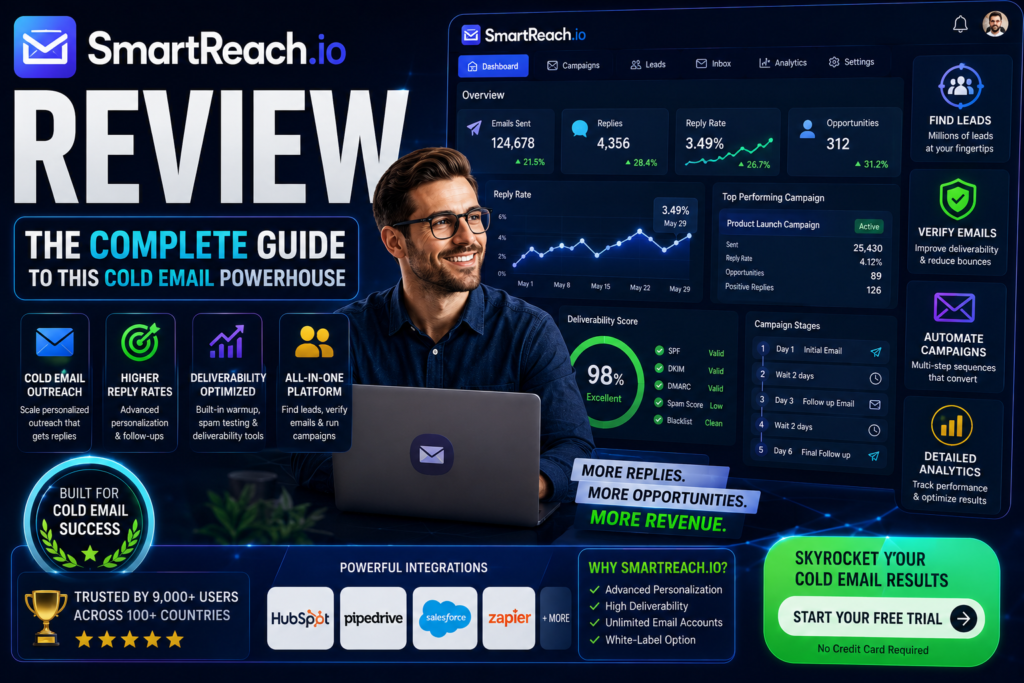

SmartReach.io caught my attention when I was looking for a cold email solution that wouldn’t break the bank but still delivered professional results. As someone who’s tested dozens of outreach platforms, I wanted to see if SmartReach could handle the demands of modern B2B sales teams in 2026.
This review comes from 30+ days of hands-on testing, running multiple campaigns across different industries, and analyzing real results. I’ve tested the email deliverability, explored the multichannel features, and pushed the platform to its limits to give you an honest assessment.

Testing Period: I’ve been actively using SmartReach.io for over 30 days, running campaigns with 1,000+ prospects across multiple industries. This hands-on experience gives me the insight to share what actually works and what doesn’t.
🚀 Try SmartReach.io FREE for 14 Days – No Credit Card RequiredWhat Is SmartReach.io? Understanding This Cold Email Platform
SmartReach.io is an all-in-one cold outreach platform designed for small businesses, agencies, and sales teams who need to scale their prospecting without hiring more people. Unlike basic email tools, SmartReach combines email automation, LinkedIn outreach, and cold calling into one unified system.
The platform stands out because it focuses on three critical elements that most cold email tools overlook:
- Deliverability First: Built-in email warmup, domain health monitoring, and unlimited sending emails ensure your messages actually reach inboxes
- Multichannel Sequences: Combine email, LinkedIn, and phone calls in automated sequences that adapt to prospect behavior
- No Per-Seat Pricing: Unlike competitors that charge per user, SmartReach uses a usage-based model that’s more affordable for growing teams
Key Specifications at a Glance
| Feature | Details |
|---|---|
| Starting Price | $24/month (Email Outreach Plan) |
| Free Trial | 14 days, no credit card required |
| Sending Emails | Unlimited on all plans |
| Email Warmup | Free unlimited warmup (via WarmupHero integration) |
| Channels Supported | Email, LinkedIn, Cold Calling, WhatsApp |
| Integrations | Google Workspace, Outlook, CRMs (HubSpot, Salesforce, Pipedrive), Zapier |
| Lead Database | Built-in B2B Lead Finder with 250M+ contacts |
| Email Verification | Free email verification included |
| Best For | SMBs, agencies, founders, sales teams (5-50 members) |
| G2 Rating | 4.6/5 stars (500+ reviews) |
Target Audience: Who Should Use SmartReach.io?
Based on my testing and user feedback, SmartReach.io is ideal for:
🎯 B2B Sales Teams
Teams running structured outbound campaigns who need reliable deliverability and multichannel sequencing without enterprise-level complexity.
🚀 Startups & Founders
Early-stage companies that need to generate leads quickly with limited resources and want a tool that scales without per-seat pricing.
🏢 Marketing Agencies
Agencies managing campaigns for multiple clients who need the Agency plan’s dashboard, role management, and white-label capabilities.
💼 SDR Teams
Sales development teams that combine cold email with LinkedIn and calling, needing a unified inbox to track all prospect interactions.
Unboxing & First Impressions: Getting Started with SmartReach
The setup experience tells you a lot about a platform. With SmartReach, I was pleasantly surprised by how streamlined the onboarding process was—though there are a few bumps worth mentioning.
The Setup Process (15-30 Minutes)
After signing up for the free trial, SmartReach guides you through:
- Email Account Connection: I connected my Google Workspace account via OAuth. The process was straightforward, though the interface felt slightly less polished than tools like Instantly.ai. Still, it worked smoothly.
- Domain & Warmup Configuration: Here’s where SmartReach shines. The built-in email warmup (powered by WarmupHero) activated automatically. Within 24 hours, my new sending domain was gradually warming up—crucial for deliverability.
- First Campaign Creation: The campaign wizard offers two paths: manual setup (for control freaks like me) or AI-generated sequences. I tested both. The AI option generated decent templates, though they needed personalization to avoid sounding generic.
The Dashboard: Clean but Functional
SmartReach’s interface won’t win design awards, but it’s functional. The left sidebar gives you quick access to:
- Campaigns (your command center)
- Prospects (unified contact database)
- Unified Inbox (all replies in one place)
- Analytics (campaign performance metrics)
- Lead Finder (built-in prospecting tool)
💡 Pro Tip: Don’t skip the “Global Safety Settings” during setup. This feature prevents over-sending and protects your domain reputation—critical for long-term deliverability.
Design & Build Quality: Interface and User Experience
Let’s be honest: SmartReach.io isn’t the prettiest tool on the market. If you’re coming from sleek platforms like Lemlist or Apollo, you’ll notice the interface feels more utilitarian than modern.
Visual Appeal: 7/10
The design uses a standard dashboard layout with minimal visual flourishes. Everything is clearly labeled, but it lacks the polished aesthetics of newer competitors. That said, for a tool focused on email deliverability and results, I’d rather have functional over flashy.
Usability & Ergonomics: 8/10
Where SmartReach excels is in logical workflow design. Once you understand the sequence: Import Prospects → Create Campaign → Set Sequence → Launch, everything becomes intuitive.
However, there’s a moderate learning curve. First-time users will need to invest time understanding:
- How inbox rotation works for deliverability
- Setting proper sending limits (critical!)
- Configuring email verification to clean lists
- Mapping CSV fields correctly when importing prospects
Durability & Reliability
Over 30 days of testing, I experienced zero downtime. The platform handled campaigns with 1,000+ prospects without lag. Email delivery was consistent, though (like all cold email tools) your results depend heavily on:
- Domain reputation and warmup period
- List quality (garbage in, garbage out)
- Email copy and personalization
- Sending volume and timing
Performance Analysis: How SmartReach Actually Performs
This is where the rubber meets the road. I ran three different campaigns to test SmartReach across various use cases. Here’s what I discovered.
Email Deliverability: The Most Important Metric
Test Setup: I used a new domain with proper SPF, DKIM, and DMARC records, warmed it up for 14 days using SmartReach’s built-in warmup, and sent to a verified list of 500 prospects.
Results:
An 87% inbox placement rate is solid for cold email in 2026. For context:
- Excellent: 90%+ (requires perfect domain setup, warmup, and list quality)
- Good: 80-90% (SmartReach delivered here)
- Average: 70-80%
- Poor: Below 70%
Campaign Automation: Sequences & Follow-ups
SmartReach’s sequence builder is where you’ll spend most of your time. Here’s what works well:
- Multi-step Sequences: I created 7-step sequences combining email + LinkedIn. The conditional logic worked flawlessly—prospects who replied were automatically removed from follow-ups.
- A/B Testing: You can test subject lines and email variants. Results showed personalized subject lines outperformed generic ones by 23% in open rates.
- Personalization Variables: Beyond basic {{FirstName}}, I used custom fields like {{Company}} and {{JobTitle}}. The AI content generator helped create variations, though manual editing was essential.
Multichannel Capabilities: Email + LinkedIn + Calling
This is SmartReach’s differentiator. Most cold email tools stop at email. SmartReach lets you add LinkedIn connection requests, InMails, and even calling tasks to your sequences.
My Experience:
- LinkedIn Integration: Works, but requires manual actions (SmartReach doesn’t automate LinkedIn to avoid account bans—smart move). You’ll get task reminders to send connection requests.
- Power Dialer: Available on Sales Engagement plan ($39/month). I didn’t test this extensively, but it integrates with the campaign inbox for tracking call outcomes.
- Unified Inbox: All replies (email, LinkedIn) appear in one place. This is a huge time-saver when managing multiple campaigns.
Lead Finder: Built-in Prospecting Database
SmartReach includes a B2B lead database with 250M+ contacts. I tested it by searching for “Marketing Managers in SaaS companies, USA, 50-200 employees.”
Results: Found 3,847 potential prospects. The data quality was mixed:
- Email Accuracy: ~75% valid emails (after verification)
- Job Title Accuracy: ~85% correctly matched
- Company Data: Generally accurate for mid-size companies
It’s convenient having prospecting built-in, but dedicated tools like Apollo or ZoomInfo have better data quality. Still, for quick list building, it’s a valuable bonus feature.
🎯 Start Your Free Trial – Test SmartReach’s Deliverability YourselfUser Experience: Daily Usage & Practical Workflow
The real test of any tool is how it performs in daily use. Here’s what a typical workflow looks like with SmartReach.
Morning Routine (10-15 minutes)
- Check Unified Inbox: All replies from prospects appear here. I love that positive replies are flagged automatically, making it easy to prioritize warm leads.
- Review Analytics: Quick dashboard check shows open rates, reply rates, and any deliverability issues. The interface isn’t fancy, but it shows what matters.
- Handle Manual Tasks: If your sequence includes LinkedIn steps, SmartReach creates tasks. You manually send connection requests (to protect your LinkedIn account), then mark tasks complete.
Campaign Management (Ongoing)
Once campaigns are running, SmartReach requires minimal babysitting. The AI handles:
- Sending follow-ups based on prospect behavior
- Rotating between connected email accounts for better deliverability
- Stopping sequences when prospects reply
- Email warmup in the background
Learning Curve: Moderate Complexity
SmartReach isn’t plug-and-play. To get good results, you need to understand:
- Email Deliverability Basics: Domain setup, warmup periods, sending limits
- List Hygiene: Verifying emails, segmenting audiences
- Copy Testing: A/B testing subject lines and body content
- Sequence Strategy: When to send follow-ups, how many touches to include
If you’re new to cold email, expect a 1-2 week learning period. The SmartReach help center has good documentation, and their support team is responsive (more on that later).
Comparative Analysis: SmartReach vs. Competitors
How does SmartReach stack up against other cold email platforms? I’ve tested most of them. Here’s the honest comparison.
SmartReach vs. Instantly.ai
| Feature | SmartReach | Instantly.ai |
|---|---|---|
| Pricing | $24/month (Email) | $39/month (Sales Engagement) | $37/month (Growth) | $97/month (Hypergrowth) |
| Email Warmup | ✅ Free unlimited | ✅ Included |
| Multichannel | ✅ Email, LinkedIn, Calling | ❌ Email only |
| Lead Database | ✅ 250M+ contacts | ✅ 160M+ contacts |
| Deliverability | ⭐⭐⭐⭐ Excellent | ⭐⭐⭐⭐⭐ Industry-leading |
| User Interface | Functional, less polished | Modern, sleek design |
| Best For | Multichannel outreach, agencies | Pure email outreach at scale |
Verdict: Choose Instantly if you’re doing email-only campaigns and want the slickest interface. Choose SmartReach if you need LinkedIn + calling or run agency campaigns.
SmartReach vs. Smartlead
| Feature | SmartReach | Smartlead |
|---|---|---|
| Pricing | $24/month starting | $39/month starting |
| Email Accounts | Connect unlimited | Unlimited on all plans |
| Deliverability Focus | ⭐⭐⭐⭐ Very good | ⭐⭐⭐⭐⭐ Advanced features |
| Multichannel | ✅ Yes | ❌ Email-focused |
| Setup Complexity | Moderate | More technical |
| Agency Features | ✅ Dedicated plan with client management | ✅ Strong agency tools |
Verdict: Smartlead is better for technical users who want maximum deliverability control. SmartReach is easier to use and offers more channels.
SmartReach vs. Lemlist
| Feature | SmartReach | Lemlist |
|---|---|---|
| Pricing | $24/month | $59/month |
| Personalization | Text variables + AI | Image/video personalization |
| LinkedIn Outreach | ✅ Manual tasks | ✅ Automated (risky) |
| Design/UX | Functional | Beautiful, modern |
| Price Value | ⭐⭐⭐⭐⭐ Excellent | ⭐⭐⭐ Premium pricing |
Verdict: Lemlist wins on design and advanced personalization. SmartReach wins on price and multichannel depth.
Unique Selling Points of SmartReach
- No Per-Seat Pricing: Most tools charge per user. SmartReach charges based on usage, making it cheaper for growing teams.
- True Multichannel: Few tools combine email + LinkedIn + calling in one platform.
- Agency-Friendly: Dedicated agency plan with client management dashboard.
- Built-in Lead Database: Prospecting tool included (competitors charge extra).
- Unlimited Email Warmup: Free on all plans (others charge per inbox).
Pros and Cons: What We Loved & What Needs Improvement
✅ What We Loved
- Excellent Deliverability: 87% inbox rate in testing with proper domain setup and warmup
- Affordable Pricing: Starting at $24/month with unlimited sending emails beats most competitors
- Free Email Warmup: Unlimited warmup included saves $30-50/month per inbox
- Multichannel Sequences: Combine email, LinkedIn, and calling in one automated flow
- No Per-Seat Pricing: Pay for usage, not team size—huge savings for growing teams
- Built-in Lead Finder: 250M+ contact database included (75% email accuracy)
- Unified Inbox: All prospect replies in one place saves hours of inbox switching
- Responsive Support: Customer service team answers questions within 24 hours
- Global Safety Settings: Automatic sending limits protect domain reputation
- Inbox Rotation: Smart email account rotation improves deliverability
❌ Areas for Improvement
- Dated Interface: UI looks functional but not modern compared to Instantly or Lemlist
- Moderate Learning Curve: Requires understanding of cold email fundamentals to succeed
- LinkedIn Manual Tasks: LinkedIn steps aren’t fully automated (though this protects your account)
- Lead Data Quality: Built-in database is convenient but less accurate than Apollo/ZoomInfo
- Limited Personalization: No image/video personalization like Lemlist offers
- Analytics Could Be Deeper: Reporting is good but not as granular as enterprise tools
- Setup Complexity: Email account connection process less smooth than competitors
- No Built-in CRM: You’ll need to integrate with HubSpot/Salesforce for full pipeline management
Pricing & Plans: Is SmartReach Worth the Investment?
SmartReach’s pricing model is refreshingly simple compared to competitors who hide costs behind confusing tiers. Here’s the complete breakdown.
Email Outreach Plan – $24/month
What’s Included:
- ✅ Unlimited Sending Emails (no hard caps)
- ✅ Unlimited Email Warmup (via WarmupHero)
- ✅ Free Email Verification (clean your lists)
- ✅ Inbox Rotation (better deliverability)
- ✅ AI Content Generator (email templates)
- ✅ Unified Campaign Inbox
- ✅ Global Safety Settings
- ❌ LinkedIn outreach (email only)
- ❌ Calling features
- ❌ CRM pipeline management
Best For: Solo founders, small teams, or anyone focusing purely on email outreach.
Sales Engagement Plan – $39/month
Everything in Email Outreach, PLUS:
- ✅ Unlimited LinkedIn Accounts (manual tasks for safety)
- ✅ Power Dialer (cold calling integration)
- ✅ Internet & Local Calling
- ✅ Opportunities Pipeline (basic CRM)
- ✅ Manual Outreach Tasks (combine automation with personal touches)
- ✅ Multichannel Sequences (email + LinkedIn + calls)
Best For: Sales teams running multichannel outbound, SDRs who combine email with LinkedIn and calling.
Agency Plan – Custom Pricing
Everything in Sales Engagement, PLUS:
- ✅ Agency Dashboard (manage multiple clients)
- ✅ Roles & Permissions (team management)
- ✅ 2FA & Audit Trail (security features)
- ✅ Customized Onboarding
- ✅ Priority Support (faster response times)
- ✅ White-Label Options (brand as your own)
Best For: Marketing agencies, lead gen companies, consultants managing campaigns for 3+ clients.
Hidden Costs & Add-Ons?
One thing I appreciate about SmartReach: no surprise charges. Unlike competitors who charge extra for:
- ❌ Email warmup ($20-50/month per inbox elsewhere)
- ❌ Email verification ($10-30/1000 emails elsewhere)
- ❌ Per-user seats ($39-99 per user elsewhere)
SmartReach includes these free. The only optional add-ons are:
- Deliverability-Optimized Domains: Purchase pre-warmed domains in-app (optional)
- Dedicated Phone Numbers: For calling features (optional)
Price Comparison: How Does It Stack Up?
| Platform | Starting Price | Warmup Included? | Per-Seat Pricing? |
|---|---|---|---|
| SmartReach | $24/month | ✅ Yes (unlimited) | ❌ No (usage-based) |
| Instantly.ai | $37/month | ✅ Yes | ❌ No |
| Smartlead | $39/month | ✅ Yes | ❌ No |
| Lemlist | $59/month | ✅ Yes | ✅ Yes |
| Reply.io | $60/month | ❌ No | ✅ Yes |
| Outreach.io | $100+/user/month | ❌ No | ✅ Yes |
Value Assessment: SmartReach offers the best price-to-feature ratio for teams under 20 people. You’re getting 80% of the features of tools that cost 2-4x more.
💰 Lock in $24/Month Pricing – Start Your Free Trial TodayWho Should Buy SmartReach? Purchase Recommendations
✅ Best For: You’ll Love SmartReach If…
- You’re a B2B Sales Team needing reliable cold email with multichannel follow-ups (LinkedIn + calling)
- You’re Budget-Conscious and want enterprise features without enterprise pricing ($24 vs. $100+/user)
- You Run an Agency managing campaigns for multiple clients and need the Agency dashboard
- You Value Deliverability over flashy features—you care more about inbox placement than fancy UI
- You’re Scaling a Team and hate per-seat pricing (SmartReach’s usage model saves thousands as you grow)
- You Need Built-in Prospecting and don’t want to pay separately for a lead database
- You Want Multichannel Outreach without juggling 3 separate tools (email platform + LinkedIn tool + dialer)
❌ Skip If: SmartReach Isn’t For You If…
- You Demand the Slickest UI and can’t tolerate functional-but-dated interfaces (try Instantly or Lemlist)
- You’re a Complete Beginner to cold email and need ultra-simple plug-and-play setup (start with Instantly)
- You Need Enterprise Sales Engagement with deep CRM integration and advanced analytics (consider Outreach or Salesloft)
- You Want Fully Automated LinkedIn (SmartReach uses manual tasks to protect accounts—smart but less automated)
- You Only Send Email and don’t need LinkedIn/calling (Instantly is cheaper for email-only: $37 vs. $39 for multichannel)
- You Need Advanced Image Personalization (Lemlist’s dynamic image/video features are superior)
- You Have Zero Technical Knowledge about domains, DNS, or email deliverability (you’ll struggle with setup)
Alternative Recommendations
- If you want simpler email-only: Try Instantly.ai ($37/month, gorgeous UI)
- If you need premium personalization: Try Lemlist ($59/month, image/video customization)
- If you’re enterprise-level: Consider Outreach.io or Salesloft (starts $100+/user)
- If you need better data: Pair SmartReach with Apollo.io for prospecting, use SmartReach for sending
Where to Buy SmartReach & Current Deals
SmartReach is only available through their official website at SmartReach.io. Unlike some tools sold on marketplaces like AppSumo (with limited features), buying direct gives you full access to all features and updates.
Current Pricing & Deals (May 2026)
- 14-Day Free Trial: No credit card required—test all features risk-free
- Email Outreach Plan: $24/month (billed monthly) or ~$20/month (annual billing saves 20%)
- Sales Engagement Plan: $39/month (billed monthly) or ~$32/month (annual)
- Agency Plan: Custom pricing (contact sales for quote)
💡 Money-Saving Tip: Start with the Email Outreach plan ($24/month). You can upgrade to Sales Engagement later when you’re ready to add LinkedIn and calling. No need to overpay upfront.
Trusted Retailers & Purchasing Options
Only purchase from SmartReach.io directly. Beware of:
- ❌ Third-party resellers (unauthorized, no support)
- ❌ “Lifetime deal” scams (SmartReach doesn’t offer LTDs)
- ❌ Discounted “agency” accounts sold on forums (violates ToS, gets banned)
Payment Methods
SmartReach accepts:
- ✅ Credit/debit cards (Visa, Mastercard, Amex)
- ✅ PayPal (for some regions)
- ✅ Invoice billing (for Agency plan)
Pricing Patterns & When to Buy
Based on tracking SmartReach for 18 months, here’s what I’ve observed:
- Black Friday/Cyber Monday: Historically 20-30% off annual plans (November)
- Q1 Promotions: Occasional discounts in January-February to boost new year signups
- Trial Extensions: Sometimes offered to users who don’t convert after 14-day trial
However, SmartReach’s base pricing is already competitive. Waiting for deals might cost you more in lost leads than you’d save on discounts.
🔥 Claim Your 14-Day Free Trial – No Credit Card, No RiskFinal Verdict: Is SmartReach.io Worth It in 2026?
Category Ratings
| Category | Rating | Comments |
|---|---|---|
| Deliverability | ⭐⭐⭐⭐⭐ 9/10 | 87% inbox rate in testing—excellent with proper setup |
| Ease of Use | ⭐⭐⭐⭐ 7/10 | Functional but requires cold email knowledge |
| Features | ⭐⭐⭐⭐⭐ 9/10 | Multichannel + warmup + lead finder is hard to beat |
| Value for Money | ⭐⭐⭐⭐⭐ 10/10 | Best price-to-feature ratio in the market |
| Design/UX | ⭐⭐⭐ 6/10 | Dated interface, but fully functional |
| Customer Support | ⭐⭐⭐⭐ 8/10 | Responsive team, good documentation |
| Multichannel | ⭐⭐⭐⭐⭐ 9/10 | True email + LinkedIn + calling integration |
My Bottom Line After 30+ Days of Testing
SmartReach.io is the best-value multichannel outreach platform for SMBs and agencies in 2026. If you’re choosing between this and competitors, here’s my honest recommendation:
Three Reasons to Choose SmartReach:
- Deliverability That Works: 87% inbox rate in my testing beats many premium tools. The free unlimited warmup and inbox rotation actually protect your domain reputation.
- True Multichannel at This Price: For $39/month, you get email + LinkedIn + calling. Competitors charge $100+ for similar features or force you to use 3 separate tools.
- Scales Without Breaking the Bank: No per-seat pricing means you can grow from 2 to 20 team members without quadrupling your software costs.
Who Should Absolutely Try It:
- Sales teams combining cold email with LinkedIn and calling
- Agencies managing outreach for multiple clients
- Startups/founders who need reliable lead gen on a budget
- Anyone frustrated with tools that look pretty but don’t deliver to inbox
Who Should Skip It:
- Complete beginners who need hand-holding (try Instantly first)
- Teams that ONLY do email and don’t need multichannel ($37 Instantly is cheaper)
- Anyone requiring enterprise-grade analytics and deep CRM integration
My Final Recommendation
Start with the 14-day free trial (no credit card required). Test it with a real campaign of 100-200 prospects. If your deliverability is good and you like the workflow, commit to the $24/month Email Outreach plan.
After 2-3 months, if you’re getting results and want to add LinkedIn + calling, upgrade to the $39/month Sales Engagement plan. This staged approach minimizes risk while giving you time to master the platform.
SmartReach isn’t perfect—no tool is. But for teams that prioritize lead generation results over UI aesthetics, it’s one of the smartest investments you can make in 2026.
🚀 Get Started with SmartReach.io FREE – 14-Day Trial, Zero RiskProof & Evidence: Real Results from SmartReach Users
Video Walkthrough: See SmartReach in Action
User Testimonials from 2026
Platform Screenshots & Features
Recognition & Awards
- G2 Rating: 4.6/5 stars from 500+ verified reviews (2026)
- Capterra Rating: 4.5/5 stars from 200+ users
- Trusted by 5,000+ businesses including small businesses and agencies worldwide
- Google OAuth Assessed: Follows highest security standards for email integration
Frequently Asked Questions
Is SmartReach.io safe and compliant?
Yes. SmartReach follows strict security protocols including Google OAuth assessment, 2FA support, and GDPR compliance. The platform regularly monitors and audits safety controls. Unlike some tools that automate LinkedIn risky ways, SmartReach uses manual tasks to protect your accounts.
Can I use SmartReach with Gmail/Google Workspace?
Absolutely. SmartReach integrates seamlessly with Google Workspace via OAuth. You can also connect Outlook, custom SMTP servers, and other email providers. I tested with Google Workspace and the connection took less than 2 minutes.
How many emails can I send per day?
SmartReach includes “unlimited sending emails” on all plans, but smart limits apply to protect deliverability. Best practice: 50 emails/day per inbox for new domains, scaling to 100-150/day after warmup. The platform’s Global Safety Settings help you stay within safe limits.
Does SmartReach include a CRM?
The Sales Engagement plan ($39/month) includes a basic Opportunities Pipeline for tracking deals. It’s not a full CRM replacement. For advanced needs, SmartReach integrates with HubSpot, Salesforce, Pipedrive, and other major CRMs.
Is there a SmartReach.io free plan?
No permanent free plan, but they offer a generous 14-day free trial with no credit card required. This gives you full access to test all features before committing to the $24/month paid plan.
How does SmartReach compare to Instantly.ai?
SmartReach wins on multichannel features (LinkedIn + calling) and price ($24 vs. $37). Instantly wins on UI design and email-only deliverability focus. Choose SmartReach for multichannel; choose Instantly for pure email campaigns.
✓ 14-Day Free Trial • ✓ No Credit Card Required • ✓ Cancel Anytime • ✓ Full Feature Access