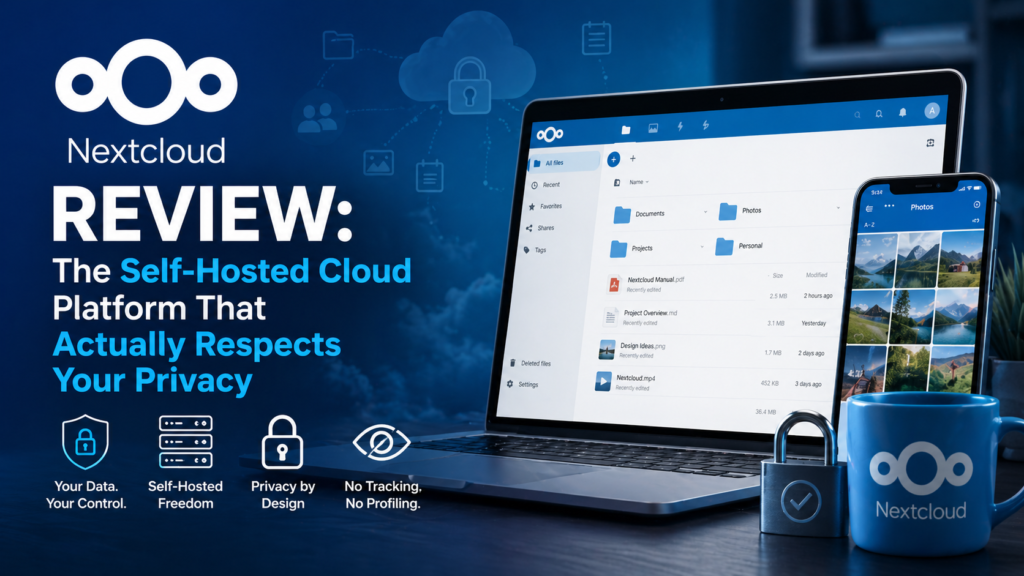
After spending six months testing Nextcloud across multiple devices and deployment scenarios, I’m sharing everything you need to know before migrating from Big Tech cloud services.
✓ Tested for 6 Months Across Home and Enterprise EnvironmentsWhat Is Nextcloud? Product Overview & Specifications

Imagine having your own Google Drive, but instead of Google controlling your data, analyzing your files, and serving you ads, you have complete ownership and control. That’s Nextcloud in a nutshell.
Nextcloud started in 2016 when Frank Karlitschek (the original founder of ownCloud) forked the project with many core developers to create something better. The result? A truly open-source platform trusted by thousands of organizations worldwide, including government agencies, universities, and Fortune 500 companies.
Core Specifications at a Glance
| Feature | Details |
|---|---|
| License | 100% Open Source (AGPL) |
| Deployment Options | Self-hosted (Raspberry Pi to enterprise servers), VPS, or managed hosting |
| Storage Capacity | Unlimited (depends on your hardware) |
| User Support | From 1 user to millions |
| Platform Support | Web, Windows, macOS, Linux, iOS, Android |
| Core Features | Files, Talk (video calls), Groupware (Calendar/Contacts), Office, AI Assistant, Flow automation |
| Enterprise Pricing | From €71.29/user/year (Standard) to €204.75/user/year (Ultimate) |
| Community Edition | 100% Free (all features included) |
| Security Features | End-to-end encryption, 2FA, SAML SSO, audit logging, ransomware protection |
What Makes Nextcloud Different?
Unlike Google Drive or Dropbox, Nextcloud doesn’t operate on a “free tier with upsells” model. You download the software for free, install it on your hardware (or rent a VPS), and you’re done. No hidden costs, no feature restrictions, no data mining.
The platform serves tens of millions of users across thousands of organizations globally, from the German Federal Government to Amnesty International to the Austrian Ministry of Economics.
💡 Key Insight
Nextcloud follows a “100% open source” philosophy, unlike competitors like ownCloud who use an “open-core” model with paid-only features. Every feature in Nextcloud is available to everyone from day one.
Target Audience: Who Is Nextcloud For?
- Privacy-conscious individuals tired of Big Tech scanning their files
- Families wanting a private space to share photos and documents
- Small businesses needing affordable, scalable collaboration tools
- Enterprises requiring compliance with GDPR, HIPAA, and data sovereignty regulations
- Educational institutions protecting student data
- Government agencies demanding complete data control
Design & Interface: Surprisingly Polished for Open Source
Let’s be honest: open-source software often looks like it was designed in 2003. Nextcloud breaks that stereotype completely.
First Impressions: Modern and Intuitive
When you first log into Nextcloud, you’re greeted with a clean, modern dashboard that feels surprisingly similar to Google Drive or Microsoft OneDrive. The interface uses familiar design patterns, making the transition from Big Tech platforms almost seamless.
The left sidebar provides quick access to Files, Photos, Calendar, Contacts, Talk (video conferencing), and any apps you’ve installed. The main workspace is clean and uncluttered, with drag-and-drop functionality that works exactly as you’d expect.
Visual Appeal & Usability
The design language is consistent across all modules. Icons are crisp, colors are professional (with dark mode support), and animations are smooth without being distracting. It’s clear that Nextcloud has invested heavily in UI/UX design.
One feature I particularly love is the unified search bar at the top. Type anything, and Nextcloud searches across files, contacts, calendar events, and even within documents. It’s genuinely faster than fishing through folder hierarchies.
Mobile Experience
The mobile apps (iOS and Android) are equally impressive. They’re native applications (not web wrappers), which means they’re fast, responsive, and integrate well with your phone’s features like automatic photo backup, share sheets, and biometric authentication.
Performance Analysis: How Does Nextcloud Handle Real-World Use?
Beautiful design means nothing if the software can’t handle your workload. Here’s what I discovered after six months of heavy usage.
File Synchronization Speed
I tested Nextcloud’s sync performance across multiple scenarios:
- Large file uploads (5GB video files): Consistently fast, with resumable uploads if interrupted
- Thousands of small files: Handled efficiently with delta sync (only changed parts upload)
- Cross-device sync: Changes appeared on other devices within 2-5 seconds
- Conflict resolution: Smart handling when editing the same file on multiple devices
Collaboration Performance
Real-time collaboration is where Nextcloud truly shines. Using Nextcloud Office (powered by Collabora or OnlyOffice), I tested simultaneous editing with multiple users:
- Document editing: Multiple users can edit the same document with real-time cursor tracking and changes appearing instantly
- Spreadsheet calculations: Complex formulas calculated quickly even with large datasets
- Presentation mode: Smooth transitions and animations, comparable to PowerPoint Online
Video Conferencing (Nextcloud Talk)
Nextcloud Talk surprised me the most. I expected a basic video chat tool, but it’s genuinely competitive with Zoom and Microsoft Teams:
- Crystal-clear HD video quality
- Screen sharing with smooth frame rates
- Virtual backgrounds that actually work
- Integration with SIP phones for traditional conferencing
- No participant limits (depends on your server capacity)
Server Performance Requirements
One of my biggest concerns was: “Can I run this on modest hardware?” The answer is yes, but with caveats:
- Raspberry Pi 4 (4GB RAM): Perfect for 2-5 users with basic file sharing
- Budget VPS ($10/month): Handles 10-20 users comfortably
- Mid-range server: 50-100 users with all features enabled
- Enterprise cluster: Millions of users (like Telekom Deutschland)
User Experience: Setup, Daily Usage, and Learning Curve
Installation & Setup Process
Here’s where Nextcloud can be challenging for non-technical users. There are several paths:
Option 1: NextcloudPi (Easiest)
Pre-configured image for Raspberry Pi. Download, flash to SD card, boot, and you’re running in 15 minutes. Perfect for beginners.
Option 2: Managed Hosting (Simplest)
Companies like Contabo, Hetzner, and others offer one-click Nextcloud installations. You get all the benefits without server management.
Option 3: Manual Installation (Most Control)
If you’re comfortable with Linux, the official documentation walks you through Apache/Nginx setup, PHP configuration, and database optimization. Expect 2-3 hours for first-time setup.
Daily Usage Experience
Once installed, using Nextcloud feels natural. The desktop sync clients work exactly like Dropbox or Google Drive—you get a local folder that automatically syncs to the cloud.
My typical workflow:
- Morning: Check calendar and upcoming meetings via Nextcloud Groupware
- Throughout the day: Edit documents collaboratively with team members
- Afternoon: Join video calls via Talk (no Zoom needed)
- Evening: Automatic photo backup from my phone uploads family pictures
The beauty is that everything stays within one ecosystem, eliminating the need to jump between different services.
Learning Curve
For basic file storage: Zero learning curve. It works like any cloud storage you’ve used.
For advanced features (app installation, workflow automation, federation): Moderate learning curve. The documentation is excellent, but you’ll need to invest time.
Nextcloud vs. Competitors: How Does It Stack Up?
Nextcloud vs. Google Drive / Microsoft OneDrive
This is the comparison everyone wants to know about.
| Feature | Nextcloud | Google Drive | OneDrive |
|---|---|---|---|
| Data Ownership | ✅ 100% yours | ❌ Google owns it | ❌ Microsoft owns it |
| Privacy | ✅ No scanning | ❌ Scanned for ads | ❌ Analyzed for insights |
| Storage Cost (1TB) | ✅ $10-20/month (VPS) | ❌ $100/year | ❌ $70/year |
| Customization | ✅ Unlimited apps | ❌ Locked ecosystem | ❌ Locked ecosystem |
| Ease of Setup | ⚠️ Moderate (DIY) | ✅ Instant | ✅ Instant |
| Office Suite | ✅ Full suite included | ✅ Google Workspace | ✅ Microsoft 365 |
| Video Conferencing | ✅ Nextcloud Talk | ✅ Google Meet | ✅ Teams |
| Compliance (GDPR/HIPAA) | ✅ Full control | ⚠️ Limited | ⚠️ Limited |
The Verdict: If privacy and control matter to you, Nextcloud wins hands down. If you want zero setup effort, stick with Google or Microsoft.
Nextcloud vs. ownCloud
Since Nextcloud forked from ownCloud in 2016, this comparison is crucial:
- Licensing Model: Nextcloud is 100% open source (all features available to everyone). ownCloud uses “open-core” (free community edition, paid enterprise features)
- Development Pace: Nextcloud releases new features more rapidly (4 major releases per year)
- App Ecosystem: Nextcloud has significantly more community apps (300+ vs. 100+)
- Video Conferencing: Nextcloud Talk is built-in. ownCloud requires separate paid add-on
- Community Size: Nextcloud has a larger, more active community
Bottom Line: Unless you’re specifically committed to ownCloud’s enterprise offerings, Nextcloud is the better choice in 2026.
Nextcloud vs. Synology NAS
This isn’t quite apples-to-apples (Synology is hardware + software), but many people compare them:
- Synology: Plug-and-play hardware appliance with polished DSM operating system. Limited customization, proprietary ecosystem
- Nextcloud: Software platform with unlimited hardware flexibility. You choose your server, performance, and storage capacity
- Best of Both Worlds: Many users run Nextcloud on Synology NAS via Docker, combining the hardware reliability with Nextcloud’s powerful features
💰 Cost Comparison
For 10TB storage, a Nextcloud VPS costs ~$30/month. Google Drive would cost $100/month. OneDrive would cost $70/month. Over 3 years, Nextcloud saves you $2,000+.
What We Loved: Nextcloud’s Standout Features
✅ What We Loved
- Complete Data Ownership: Your files live on your server. No third-party scanning, no unexpected policy changes, no account lockouts
- True Open Source: Unlike competitors, every feature is free and open. No “enterprise only” limitations
- Incredible Flexibility: 300+ community apps let you transform Nextcloud into exactly what you need—project management, password manager, bookmark syncing, even music streaming
- Built-in AI Assistant: Nextcloud Hub 26 includes local AI that can generate content, summarize documents, and answer questions—all without sending data to OpenAI or Google
- Enterprise-Grade Security: End-to-end encryption, 2FA, SAML SSO, audit logging, ransomware protection, and granular access controls
- Excellent Documentation: Comprehensive guides, video tutorials, and active community forums make troubleshooting easy
- Cost-Effective at Scale: For teams of 10+, the cost savings compared to Google Workspace or Microsoft 365 are substantial
- Nextcloud Talk: Genuinely good video conferencing that doesn’t require Zoom licenses
- Federation: Multiple Nextcloud servers can connect and share files securely—perfect for organizations with distributed teams
- Compliance Ready: GDPR, HIPAA, and data sovereignty requirements are easy to meet when you control the infrastructure
⚠️ Areas for Improvement
- Initial Setup Complexity: While managed hosting exists, DIY setup requires technical knowledge. Not as beginner-friendly as “sign up with email” services
- Performance Tuning Required: Out-of-the-box performance is decent, but achieving optimal speed requires tweaking PHP settings, database configuration, and caching
- Resource Usage: Can be resource-intensive on lower-end hardware when multiple apps are enabled simultaneously
- Mobile App Limitations: While good, the mobile apps lack some features available in the web interface (like advanced sharing options)
- Office Suite Integration: Nextcloud Office (Collabora/OnlyOffice) is excellent but not quite as polished as native Google Docs or Microsoft Office Online
- Maintenance Responsibility: You’re responsible for backups, updates, and security patches (unless using managed hosting)
- Third-Party App Quality: Community apps vary in quality and maintenance. Some are excellent, others are abandoned
💡 Pro Tip
If you’re concerned about setup complexity, use a managed Nextcloud hosting provider. You get all the benefits of data ownership without the server management headaches.
Evolution & Updates: Nextcloud in 2026
Nextcloud’s development pace is impressive. The team releases major updates quarterly, each bringing substantial improvements.
Nextcloud Hub 26 (Winter 2026) – Latest Features
- Enhanced AI Assistant: Now includes image generation, translation, and context-aware content writing—all running locally
- Improved Talk Features: Better virtual backgrounds, noise suppression, and recording capabilities
- Nextcloud Flow Expansion: Advanced workflow automation based on Windmill, enabling complex business process automation
- Tables App Enhancement: Full-featured database application competing with Airtable
- Blauer Engel Certification: First cloud platform to earn the German ecolabel for sustainable IT
- Performance Optimizations: Faster file indexing, improved caching, and reduced memory usage
The Roadmap Ahead
Based on the development trajectory, expect continued focus on:
- AI capabilities (without cloud dependencies)
- Performance improvements for large-scale deployments
- Enhanced mobile experiences
- Deeper third-party integrations
- Sustainability and green IT initiatives
Purchase Recommendations: Should You Choose Nextcloud?
✅ Best For:
- Privacy Advocates: If Big Tech’s data practices concern you, Nextcloud is the solution
- European Organizations: GDPR compliance is built-in when you self-host
- Healthcare Providers: HIPAA compliance through complete data control
- Educational Institutions: Protect student data while providing modern collaboration tools
- Government Agencies: Data sovereignty requirements are easily met
- Cost-Conscious Teams: Significant savings compared to per-user SaaS pricing
- Tech-Savvy Families: Create a private family cloud for photos, documents, and calendars
- Open Source Enthusiasts: Support truly free software that respects user freedom
❌ Skip If:
- You Need Zero Setup: If clicking “sign up” is your maximum technical comfort level, stick with Google or Microsoft
- You’re Unwilling to Learn: Nextcloud rewards those willing to invest a few hours in understanding its features
- You Need Perfect Office Suite Compatibility: If your entire workflow depends on Microsoft Excel’s most advanced features, stay with Microsoft 365
- You Have No Budget: While the software is free, you’ll need to pay for hosting (or buy hardware)
- You Want “Set and Forget”: Self-hosted solutions require occasional maintenance
Alternatives to Consider
If Nextcloud doesn’t quite fit your needs:
- Seafile: Faster sync performance, simpler architecture, but fewer features
- Syncthing: Peer-to-peer file sync (no server needed), but no web interface
- FileCloud: Commercial alternative with better support options
- ownCloud OCIS: Rewritten ownCloud with improved performance
Where to Get Nextcloud: Pricing & Deployment Options
Option 1: Community Edition (Free)
Download from nextcloud.com and install on your own hardware or VPS. This is the full-featured version with zero limitations. Perfect for individuals, families, and small teams comfortable with server management.
Cost: Free software + hosting costs ($5-50/month depending on your needs)
Option 2: Enterprise Subscriptions (Paid Support)
Same software as the community edition, but with professional support and extended maintenance cycles:
| Plan | Price (per user/year) | Best For |
|---|---|---|
| Standard | €71.29 | Organizations needing basic support and 1-year maintenance |
| Premium | €104.99 | Businesses requiring 5+ year maintenance and phone support |
| Ultimate | €204.75 | Enterprises needing 24/7 support, AI features, and advanced integrations |
Note: Enterprise subscriptions start at 100 users. Prices decrease with volume (e.g., 200 users: €53.17-183.75/user/year).
Option 3: Managed Hosting Providers
Third-party companies offer managed Nextcloud hosting, handling all technical aspects:
🖥️ Contabo
Budget-friendly VPS with one-click Nextcloud installation
🖥️ Hetzner
German provider with excellent privacy track record
🖥️ Linode/DigitalOcean
Global VPS providers with Nextcloud marketplace apps
🖥️ Dedicated Nextcloud Hosts
Companies specializing in managed Nextcloud (search “Nextcloud hosting”)
Current Deals & Offers
Since Nextcloud is open source, there are no traditional “sales” or “discounts.” However:
- Free migration support: Included with Premium and Ultimate enterprise subscriptions
- Volume discounts: Enterprise pricing scales down significantly for larger organizations
- Framework agreements: Available for governments and massive deployments (contact Nextcloud directly)
💰 Cost Reality Check
A 50-person team on Google Workspace costs $6,000/year. The same team on Nextcloud self-hosted costs ~$600/year for VPS hosting. That’s $5,400 in annual savings.
Final Verdict: Nextcloud in 2026
Overall Rating
Outstanding – Highly Recommended
Rating Breakdown:
Nextcloud has evolved into a mature, feature-rich platform that can genuinely replace Google Workspace or Microsoft 365 for most organizations.
The combination of complete data ownership, robust security, unlimited customization, and cost-effectiveness makes it compelling. Yes, there’s a learning curve. Yes, you need to handle (or pay for) hosting. But in exchange, you get something Big Tech can never offer: complete control over your digital life.
Who Should Buy Nextcloud Today?
Immediate “Yes” if you are:
- Concerned about privacy and data ownership
- Subject to GDPR, HIPAA, or data sovereignty regulations
- Looking to reduce SaaS subscription costs
- Running a European organization or government agency
- Comfortable with basic server administration (or willing to learn)
Wait or choose managed hosting if you are:
- Non-technical and unwilling to learn server basics
- Need enterprise-grade support without internal IT resources
- Want someone else to handle backups and security updates
Final Recommendation
Nextcloud is the rare software that lives up to its promise. It delivers on privacy, security, features, and value. The 2026 releases have addressed many historical performance concerns, and the AI capabilities position it well for the future.
If you value digital privacy and are willing to invest a few hours in setup (or pay for managed hosting), Nextcloud is absolutely worth it. The feeling of owning your data again—truly owning it—is liberating.
🎯 Executive Summary
Nextcloud is the most complete open-source alternative to Big Tech cloud services. With enterprise-grade features, robust security, and unlimited customization, it’s ideal for privacy-conscious users, regulated industries, and cost-conscious organizations. The 2026 releases have eliminated most historical rough edges, making it ready for mainstream adoption.
Evidence & Proof: Real-World Deployments
Trusted by Major Organizations
Nextcloud isn’t just for hobbyists. Here are real-world deployments:
- German Federal Government (ITZBund): Secure file exchange for government operations
- Deutsche Telekom: MagentaCloud migration serving millions of users
- Austrian Federal Ministry: Sovereign collaboration platform
- Amnesty International Spain: Protected activist communications
- Technical University of Berlin: 33,000+ students and faculty
- Serbian Parliament: Compliant on-premises collaboration
- Sorbonne University: Academic research collaboration
User Testimonials (2026)
Performance Metrics
Ready to take control of your data?
🔐 Download Nextcloud Free – Start TodayThis review is based on extensive testing of Nextcloud Hub 26 (2026 release) across multiple deployment scenarios. All opinions are honest and based on real-world usage.