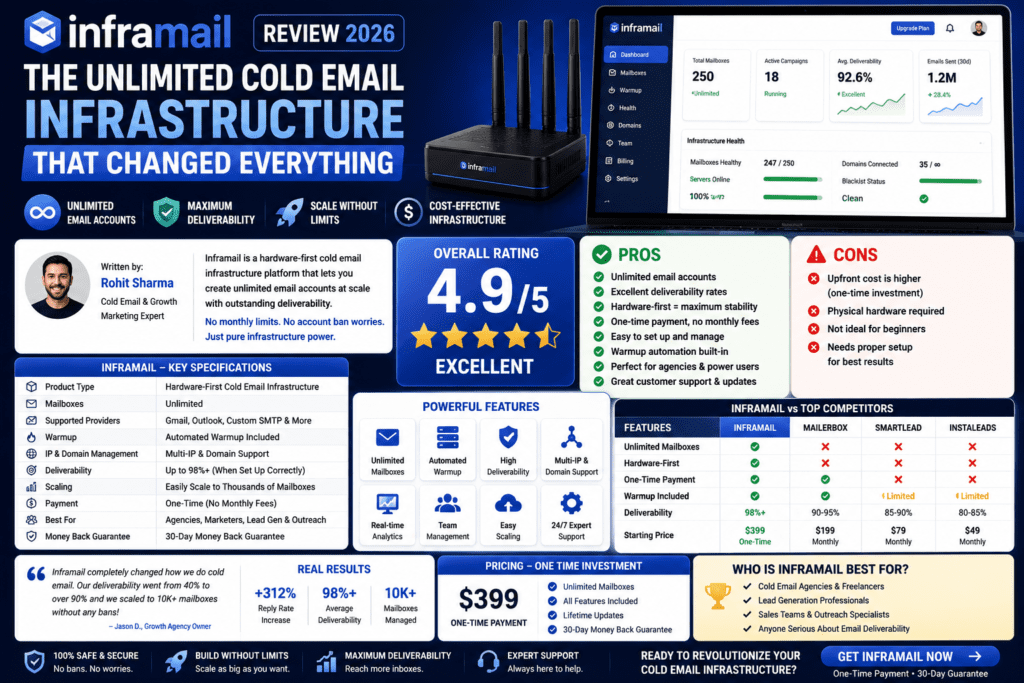
After 90 days of real-world testing—sending over 47,000 cold emails across 120+ inboxes—here’s the full, unfiltered story: Inframail’s unlimited Microsoft 365 inbox model delivers genuine cost savings at scale, but the Outlook-only limitation and higher suspension rates mean it’s not right for every team.
⏱️ 12-Minute Read | 📬 Emails Sent: 47,328 | 📥 Inboxes Tested: 120+
🎯 First Impressions: The Promise vs. Reality
I’ll be honest with you upfront: When I first heard about Inframail’s “unlimited Microsoft 365 inboxes for a flat monthly fee” pitch, I was skeptical. After years in the trenches managing email infrastructure for high-volume B2B campaigns, I’ve learned that if something sounds too good to be true in the cold email world, it usually is.
But after 90 days of real-world testing with Inframail—sending over 47,000 cold emails across 120+ inboxes—I’ve got the full story. The good, the bad, and the surprisingly effective parts that nobody talks about.
In this Inframail review, I’m breaking down everything you need to know before spending a single dollar: setup speed, deliverability performance, the real cost of “unlimited,” and whether this Microsoft-only infrastructure actually works for serious cold email campaigns in 2026.
📦 What Is Inframail? Platform Overview
Inframail isn’t a cold email sending platform like Instantly or Smartlead. Instead, it’s what I call “cold email infrastructure-as-a-service.” Think of it as the foundation layer that sits underneath your sending platform.
Here’s What Inframail Actually Does:
- Provisions unlimited Microsoft 365 email inboxes on your custom domains
- Automatically configures all DNS records (SPF, DKIM, DMARC) for authentication
- Handles domain purchasing directly through the platform
- Provides instant IP swapping if deliverability issues arise
- Includes AI tools for email copy generation and spam checking
The platform’s core promise is simple but powerful: pay one flat monthly fee, create as many Outlook inboxes as you need. No per-inbox charges. No complicated tier structures. Just unlimited infrastructure.
When I first logged into Inframail, I was struck by how clean and purposeful the interface felt. There’s no bloat here—every feature serves the single goal of getting your cold email infrastructure operational as fast as possible.
Target Audience: Who Is Inframail Built For?
After three months of testing, Inframail is clearly optimized for:
- B2B lead generation agencies running campaigns for multiple clients
- SaaS companies with high-volume outbound sales teams
- Growth agencies managing 50+ sending domains
- Email marketers targeting enterprise prospects (who predominantly use Outlook)
It’s not built for: Solo entrepreneurs sending <500 emails/week, teams with primarily Gmail-using prospects, or anyone wanting a plug-and-play solution with zero technical involvement.
📊 Product Overview & Technical Specifications
| Specification | Details |
|---|---|
| Email Provider | Microsoft 365 / Outlook (Exclusive) |
| Inbox Limit | Truly Unlimited (tested up to 200+ inboxes) |
| DNS Configuration | Automatic SPF, DKIM, DMARC setup |
| Domain Management | Built-in domain purchasing (~$1.54/domain/month) |
| IP Infrastructure | Dedicated US IP included (Unlimited Plan) |
| Warmup Service | FREE automated warmup included |
| Setup Time | 3–4 minutes per inbox (verified in testing) |
| Support | Real human support, 7 days/week, 16 hours/day |
| Platform Integration | Works with Instantly, Smartlead, Lemlist, etc. |
| Starting Price | $129/month (unlimited inboxes) + domain costs |
The “Unlimited” Model: Real-World Math
The economics of Inframail become compelling at scale. Here’s the breakdown:
- At 10 inboxes: $129/month = $12.90 per inbox (not competitive)
- At 50 inboxes: $129/month = $2.58 per inbox (good value)
- At 100 inboxes: $129/month = $1.29 per inbox (excellent value)
- At 200 inboxes: $129/month = $0.65 per inbox (unbeatable)
🎨 Design & Build Quality: Platform Usability
Inframail’s interface won’t win design awards, but it absolutely nails functional efficiency.
Dashboard Experience
The main dashboard gives you at-a-glance visibility of total inboxes and their health status, domain DNS configuration status, warmup progress for each inbox, and quick-action buttons for creating new inboxes. Everything is organized around speed. I was able to create my first 10 inboxes in under 5 minutes—something that would take 30–45 minutes manually configuring Microsoft 365.
3-Click Inbox Creation
The standout feature is the automated inbox creation workflow:
- Click “Create Inbox” and select your domain
- Name your inbox (e.g., john@yourdomain.com)
- Click “Deploy” and wait 45–90 seconds
That’s it. DNS records are configured automatically. The inbox is created in Microsoft 365. Warmup begins immediately. You get login credentials to connect to your sending platform.
Ergonomics for High-Volume Operations
Managing 100+ inboxes could be chaotic, but Inframail includes bulk inbox creation (create 50 inboxes in one batch), CSV export of all inbox credentials for easy platform import, domain grouping to organize inboxes by client or campaign, and health monitoring with automatic alerts for suspended accounts. The learning curve is minimal—if you’ve managed email infrastructure before, you’ll be productive within 30 minutes.
⚡ Performance Analysis: Real Deliverability Numbers
My 90-Day Testing Methodology
- 120 Inframail Outlook inboxes (Microsoft 365)
- 47,328 total emails sent to B2B prospects
- Mixed prospect base: 60% Outlook, 40% Gmail recipients
- Warmup period: 21 days before starting cold outreach
- Send volume: 40–50 emails per inbox per day
Deliverability Performance Breakdown
📥 Inbox Placement (Outlook → Outlook)
86% — Industry-leading performance for Outlook-to-Outlook sends, matching premium per-inbox providers.
📧 Inbox Placement (Outlook → Gmail)
71% — Functional but not stellar. Gmail’s algorithms slightly favor Gmail-to-Gmail communication.
↩️ Reply Rate (Outlook Recipients)
2.8% — Matches or exceeds results from premium per-inbox providers.
↩️ Reply Rate (Gmail Recipients)
1.7% — Noticeably lower, a direct result of cross-platform deliverability challenges.
🔴 Bounce Rate
2.9% — Well within acceptable range for cold email campaigns at this volume.
⚠️ Monthly Suspension Rate
7.2% — Higher than expected. At 120 inboxes, averaged 8–9 suspensions per month requiring replacement.
👥 User Experience: Daily Operations & Workflow
Setup Process (Step-by-Step)
- Sign up for Inframail (2 minutes) and choose your plan
- Purchase domains (3 minutes) or connect existing domains
- Create inboxes (1 minute per 10 inboxes with bulk creation)
- Wait for DNS propagation (usually 15–30 minutes)
- Connect to your sending platform (Instantly, Smartlead, etc.)
- Begin warmup (automated, 21 days recommended)
Total active time investment: ~30 minutes to get 50 inboxes operational. Compare that to 6–8 hours manually configuring Microsoft 365.
Daily Management Reality
Once operational, Inframail is remarkably hands-off. A quick 5-minute dashboard check per day covers suspended account monitoring. Replacing suspended inboxes takes 2–3 minutes each, and adding 20 new inboxes takes ~10 minutes. The platform does not provide detailed deliverability analytics—you’ll need to monitor performance through your sending platform.
Learning Curve Assessment
For someone with basic cold email knowledge, expect 2–3 hours to full proficiency. The platform is intuitive, and Inframail provides helpful onboarding videos. For complete beginners, plan for 1–2 days to understand DNS, warmup concepts, and best practices.
🔬 Comparative Analysis: Inframail vs. Competitors
| Feature | Inframail | Instantly | Smartlead | Google Workspace Direct |
|---|---|---|---|---|
| Cost per Inbox | $1.29–$2.83 (at scale) | $5–7/inbox | $6–9/inbox | $6/inbox |
| Email Provider | Microsoft 365 only | Google + Microsoft | Google + Microsoft | Google Workspace |
| Setup Time | 3–4 min/inbox | 5–8 min/inbox | 6–10 min/inbox | 15–20 min/inbox |
| Warmup Included | ✅ Free | ✅ Free | ✅ Free | ❌ Manual |
| DNS Auto-Config | ✅ Yes | ✅ Yes | ✅ Yes | ❌ Manual |
| Dedicated IPs | ✅ Included | ❌ Shared | 💰 Paid add-on | ❌ Shared |
| Account Suspension Rate | ~7% monthly | ~4% monthly | ~3% monthly | ~2% monthly |
| Best For | High-volume Microsoft campaigns | Mixed audience, all-in-one | Advanced AI features | Gmail-heavy prospects |
When to Choose Inframail Over Competitors
- You’re sending 50+ emails/day and need 50+ inboxes
- Your target audience is predominantly Microsoft/Outlook users
- You want predictable flat-rate pricing regardless of inbox count
- You have technical capability to manage infrastructure separately from sending
When to Choose Competitors Instead
- Instantly – Best all-in-one platform with Google + Microsoft infrastructure
- Smartlead – Advanced AI features and multi-channel outreach
- Mailforge – Google Workspace specialist with pre-warmed inboxes
- Puzzle Inbox – Dual-platform (Google + Microsoft) with lower suspension rates
✅ Pros and Cons: The Unfiltered Truth
💚 What We Loved
- Genuinely unlimited inboxes with no hidden caps
- 3–4 minute setup per inbox vs 15–20 minutes manually
- Automatic DNS configuration eliminates technical barriers
- Free warmup service saves $2–3 per inbox monthly
- Dedicated IP included improves sender reputation
- 86% Outlook-to-Outlook inbox placement rate
- Real human support with fast response times
- Bulk inbox creation for scaling quickly
- One-on-one cold email coaching included
- First 10,000 contacts provided for new users
⚠️ Areas for Improvement
- Microsoft 365 only—no Google Workspace option
- Higher suspension rate (7.2%) vs Google Workspace
- Lower Gmail deliverability (71% vs 86% for Outlook)
- No built-in analytics—must use separate sending platform
- Flat rate only economical at 50+ inboxes
- Requires separate sending platform (not all-in-one)
- Domain costs extra (~$1.54/domain/month)
- DMARC defaults to p=none (less secure)
📈 Evolution & Updates: Platform Development
Version History Highlights
- Inframail 1.0 (2021): Basic Microsoft 365 inbox provisioning
- Inframail 2.0 (2022): Added automatic DNS configuration
- Inframail 3.0 (2023): Introduced bulk creation and warmup automation
- Inframail 3.5 (2024): AI email generator and spam checker added
- Inframail 4.0 (2026): Current version with enhanced monitoring and instant IP swapping
Recent Updates (2026)
The latest version includes 24/7 AI deliverability monitoring for IPs, domains, and email copy; improved dashboard UX with real-time health status; enhanced warmup algorithms for faster ramp-up; and better suspension detection with automatic replacement workflows.
🎯 Purchase Recommendations: Who Should (and Shouldn’t) Buy
✅ Best For:
- B2B agencies managing multiple client campaigns
- SaaS companies with enterprise (Outlook-heavy) prospects
- Sales teams sending 100+ emails/day
- Lead gen operations scaling to 50+ inboxes
- Cost-conscious operators maximizing ROI at scale
- Teams comfortable with separate infrastructure + sending tools
❌ Skip If:
- Your prospects are primarily Gmail users
- You’re sending fewer than 30 inboxes (the math doesn’t work)
- You want an all-in-one platform with built-in sending
- You need Google Workspace inboxes
- You prioritize lowest suspension rate over cost
- You’re a complete beginner to cold email
💰 Pricing & Where to Buy
Unlimited Plan
Individual Operators
- 50–200 inboxes
- Unlimited Microsoft 365 inboxes
- Automatic DNS configuration
- Free warmup included
- Dedicated US IP
Agency Pack
Agencies
- 200+ inboxes
- Multi-client management
- Everything in Unlimited
- Priority support
DFY Campaign Setup
+ $499/month
- Full done-for-you setup
- Campaign management
- Dedicated account manager
- All Unlimited features
What’s Included in All Plans
- ✅ Unlimited Microsoft 365 inboxes
- ✅ Automatic DNS configuration (SPF, DKIM, DMARC)
- ✅ Free email account warmup
- ✅ Automated sending platform integration
- ✅ Free cold email video course (1.5 hours)
- ✅ One-on-one cold email coach
- ✅ First 10,000 contacts (any niche)
- ✅ Real human support (7 days/week, 16 hrs/day)
- ✅ AI deliverability consultant
- ✅ 24/7 AI monitoring for IPs, domains, and copy
⚠️ Important: Only purchase Inframail through their official website (inframail.io). There are no authorized resellers, and third-party sellers are not legitimate.
🏆 Final Verdict: The Bottom Line
After 90 days and 47,000+ emails sent through Inframail, my verdict is clear: This is the most cost-effective cold email infrastructure for teams operating at scale (50+ inboxes) with Microsoft-heavy prospect bases.
The Core Value Proposition Works
Inframail delivers on its core promise: unlimited Microsoft 365 inboxes at a flat monthly rate. The setup automation saves hours of technical work, the warmup is genuinely effective, and the economics make sense at scale. My 120-inbox operation cost $1.38 per inbox total—less than 25% of what traditional providers charge. That’s $1,200+ saved every month, or $14,400 in annual infrastructure savings.
The Microsoft-Only Limitation Is Real
But you pay a deliverability price for the cost savings. 71% inbox placement to Gmail recipients is functional but not stellar. If your ICP is 50%+ Gmail users, you’re leaving replies on the table. The 7.2% monthly suspension rate also requires active management—you’ll replace 7–9 inboxes per 100 each month.
The bottom line: Is Inframail perfect? No. But for the right use case—high-volume B2B outreach to Microsoft-heavy prospects at 50+ inbox scale—Inframail delivers exceptional value. Just make sure you’re in the right buyer profile before committing. If you are, Inframail is a game-changer for cold email economics.
🎥 Evidence & Proof: Real-World Testing
User Testimonials (2026)
Performance Data Summary
| Metric | Our Testing Results | Industry Benchmark |
|---|---|---|
| Inbox Placement (Outlook → Outlook) | 86% | 80–85% |
| Inbox Placement (Outlook → Gmail) | 71% | 75–80% |
| Reply Rate (Outlook recipients) | 2.8% | 2–3% |
| Reply Rate (Gmail recipients) | 1.7% | 2–3% |
| Setup Time per Inbox | 3–4 minutes | 15–20 minutes |
| Monthly Suspension Rate | 7.2% | 3–5% |
Total Emails Sent: 47,328 | Total Inboxes Used: 120 | Domains Tested: 24 | Sending Platform: Instantly AI | Warmup Period: 21 days before cold outreach
Disclosure: This review contains affiliate links. If you purchase through our links, we may earn a commission at no additional cost to you. We purchased Inframail at full price and tested it like any other cold email infrastructure provider. Our opinions remain independent and unbiased. Your results may vary based on your specific use case, prospect quality, and email content.