

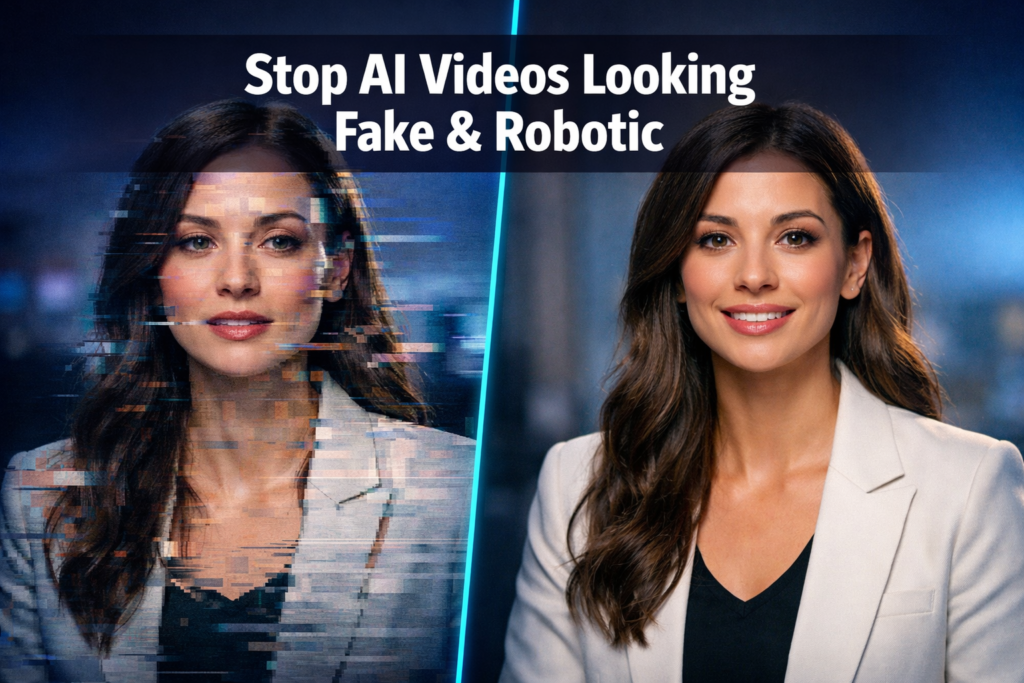
Quick Answer: AI videos look fake or robotic primarily because of unnatural motion, poor lip sync, flat lighting, and generic voiceovers. To fix this, choose tools with realistic avatar models, fine-tune voice pacing, add natural environmental details, and always do a human review pass before publishing. Most issues are fixable without advanced technical skills.
Key Takeaways
- Lip sync accuracy is the single biggest giveaway that a video is AI-generated — prioritize tools that handle it well
- Voice naturalness matters more than voice quality; a smooth, robotic-sounding voice still reads as fake even at high audio fidelity
- Unnatural eye movement and blinking immediately triggers the “uncanny valley” effect in viewers
- Lighting consistency across frames separates amateur AI video from professional output
- Writing conversational scripts (not formal text) dramatically improves how AI avatars come across on screen
- Post-processing tweaks — color grading, subtle background noise, ambient sound — add realism fast
- The right tool for your use case matters; not all AI video platforms handle motion, voice, and avatars equally well
- A quick human review checklist before publishing catches 80% of the most obvious tells
Why Do AI Videos Look Fake in the First Place?
AI videos look fake because the models generating them optimize for average plausibility, not human authenticity. They produce motion, speech, and visual elements that are statistically likely but not organically natural.
The most common culprits:
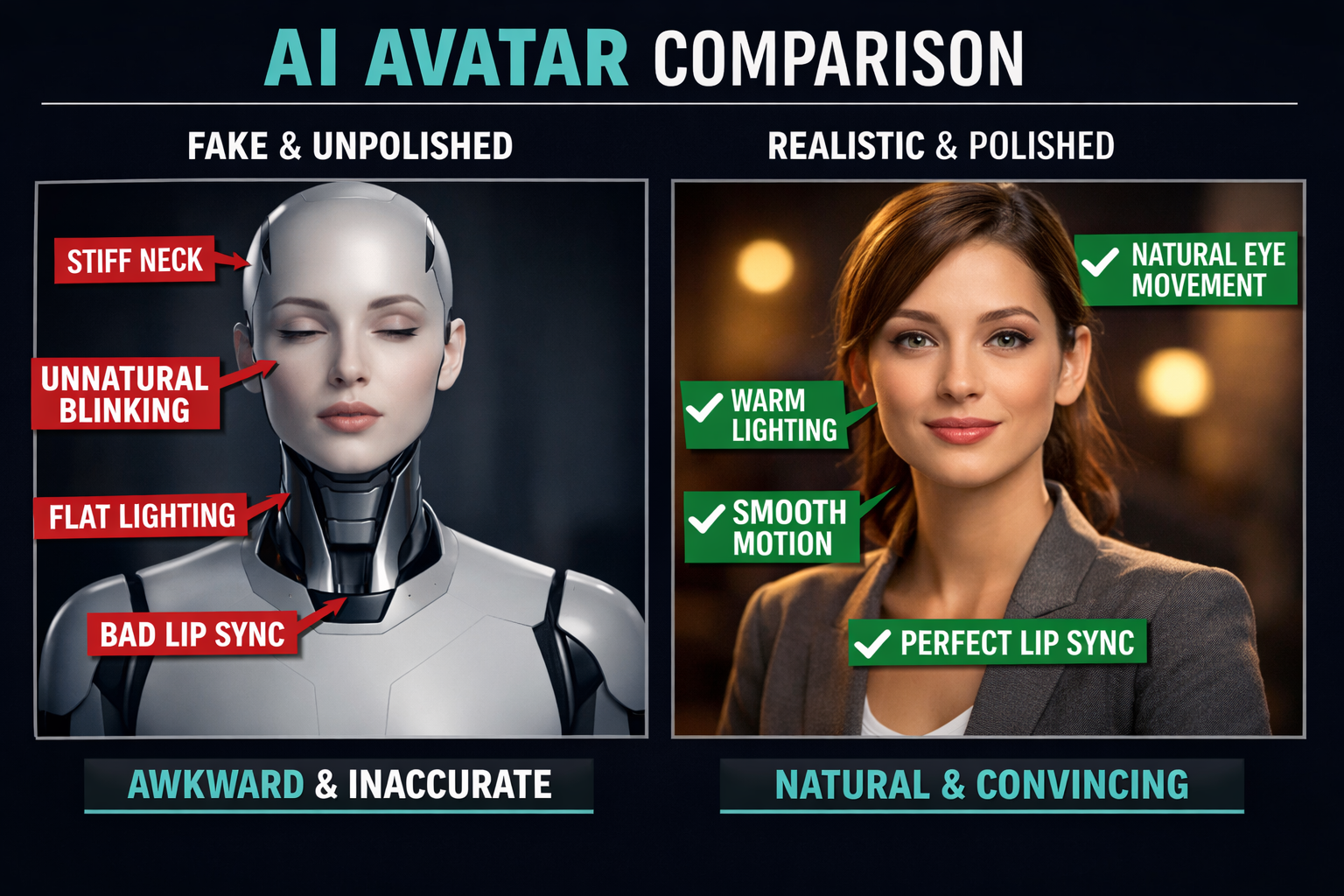
- Stiff or looping micro-movements in avatars (shoulders that never shift, heads that barely move)
- Lip sync drift where mouth movements are slightly ahead or behind the audio
- Flat, even lighting with no shadows or depth variation
- Monotone voice pacing with no natural hesitations or breath
- Generic backgrounds that look like stock photo composites
Understanding these root causes is the first step toward fixing them. The good news: each one has a practical solution.
How to Avoid AI Videos Looking Fake or Robotic: The Core Fixes
The fastest way to make AI videos look more natural is to address three things at once: voice pacing, avatar motion, and environmental realism. Fix these three and you eliminate the majority of “uncanny valley” complaints.
1. Write Scripts That Sound Spoken, Not Written
This is the most underrated fix. AI avatars perform better when the script sounds like natural speech.
Do this:
- Use contractions (“you’re” not “you are”)
- Add occasional filler phrases (“so,” “now,” “here’s the thing”)
- Break long sentences into short ones
- Include natural pauses with commas or ellipses
Avoid:
- Bullet-point-style sentences read aloud
- Overly formal vocabulary
- Back-to-back complex clauses
A script written for reading will always sound robotic when spoken by an AI voice. Write for the ear, not the eye.
2. Choose the Right AI Voice and Tune It
Not all AI voices are equal, and even good voices sound fake if the default settings are used without adjustment. Tools like Kokoro TTS offer fine-grained control over pacing, pitch variation, and emphasis — which makes a significant difference in perceived naturalness.
Key voice settings to adjust:
- Speaking rate: Slightly slower than default usually sounds more human
- Pitch variation: Increase it slightly; flat pitch = robotic
- Pause length: Add longer pauses after questions or key points
- Emphasis markers: Manually stress important words in the script
3. Fix Lip Sync Before You Publish
Poor lip sync is the fastest way to lose viewer trust. Even a 100ms offset between audio and mouth movement registers as “off” to most people.
If your AI video platform has weak lip sync, consider running the output through a dedicated lip sync tool. Our LatentSync review covers one of the more accurate options available in 2026, and the Diff2Lip review covers another strong contender worth comparing.
Quick lip sync checklist:
- Play the video at 0.5x speed and watch the mouth closely
- Check consonant sounds (B, P, M) — these are the easiest to spot when misaligned
- Re-render if the offset is more than one or two frames
4. Add Natural Motion and Micro-Expressions
Static avatars look like talking mannequins. Look for platforms that support:
- Head sway (subtle side-to-side movement)
- Natural blinking (irregular intervals, not every 3 seconds)
- Shoulder and upper body movement
- Gaze variation (eyes that occasionally look slightly off-camera)
Tools like Float by DeepBrain AI and Pika AI handle motion with more nuance than basic avatar generators. If your current tool doesn’t support these features, it may be worth switching.
What Settings and Tools Actually Make a Difference?
The right platform removes half the work. Here’s a quick comparison of what to look for:
| Feature | Why It Matters | What to Look For |
|---|---|---|
| Lip sync engine | Misaligned audio = instant fake tell | Frame-accurate sync, adjustable offset |
| Avatar motion | Stiff avatars = uncanny valley | Head sway, natural blink rate |
| Voice engine | Monotone = robotic | Pitch variation, pause control |
| Lighting model | Flat lighting = CGI look | Dynamic shadows, depth |
| Background options | Generic BG = low production value | Custom uploads, blur control |
For faceless video content where no avatar is needed, tools like Keyvello and SwipeStory sidestep the avatar problem entirely by focusing on motion graphics and B-roll style video — which is worth considering if avatar realism is proving too difficult to nail.
How to Avoid AI Videos Looking Fake or Robotic: Post-Production Tips
Even a well-generated AI video benefits from post-production polish. These steps take 10–20 minutes and dramatically improve perceived quality.
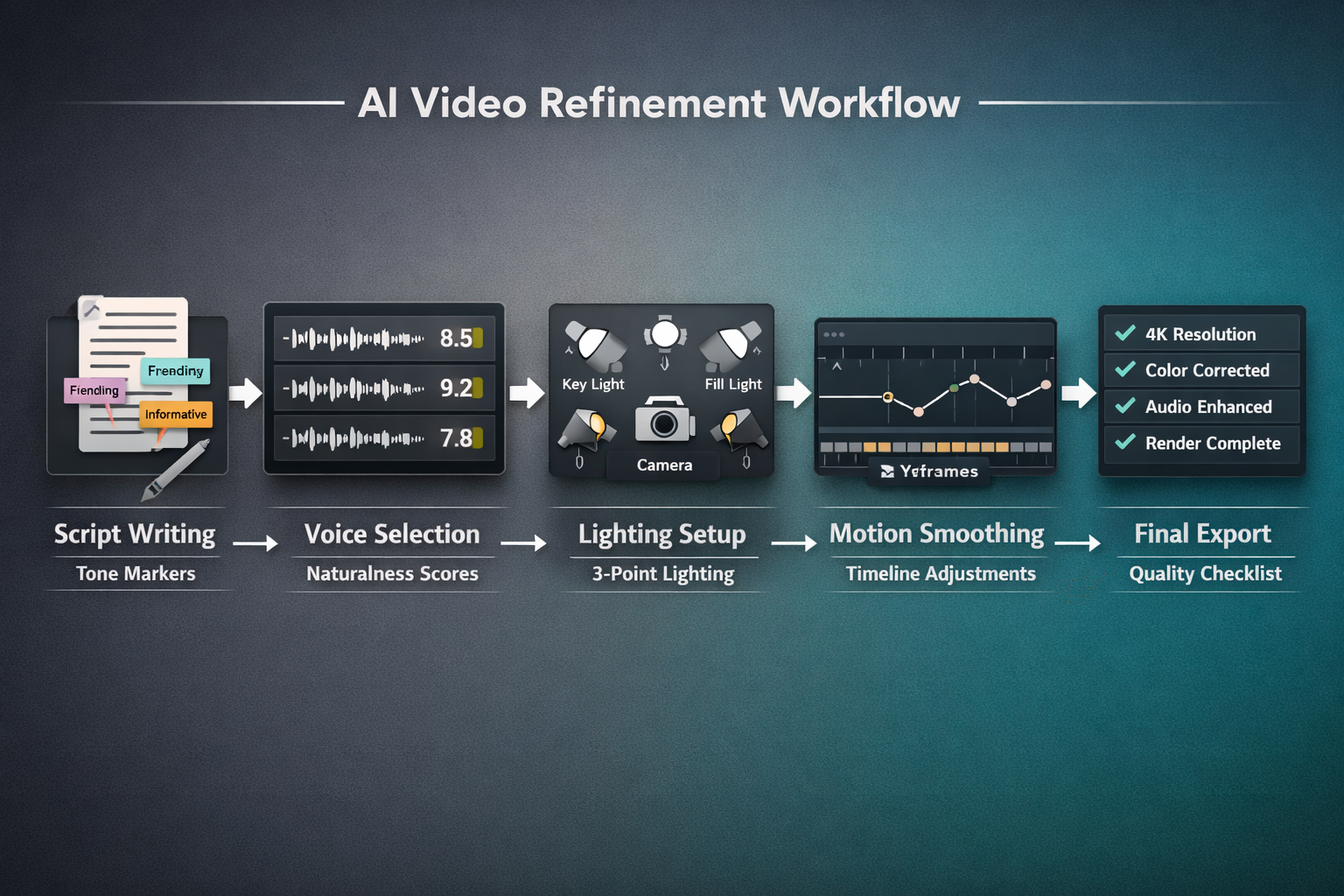
Step-by-step post-production checklist:
- Color grade the footage — Add slight warmth to skin tones; cool, flat colors read as synthetic
- Add ambient background audio — Office hum, light room tone, or subtle music reduces the “dead air” that makes AI audio feel sterile
- Apply subtle film grain — A 5–10% grain overlay makes footage feel less digitally perfect
- Check frame transitions — Abrupt cuts between AI-generated segments are a common tell; add 2–3 frame dissolves
- Review at full volume — Tinny or over-compressed audio is a giveaway; normalize to around -14 LUFS for web video
- Get a second set of eyes — Show the video to someone unfamiliar with AI tools and ask what feels “off”
For platforms that include built-in post-processing, Fluent Frame AI is worth checking out — it handles several of these steps automatically.
Common Mistakes That Make AI Videos Look Worse
Even experienced creators make these errors:
- Using default everything: Default voice, default avatar pose, default background. It signals “I didn’t customize this.”
- Skipping the script review: Reading the script aloud yourself before feeding it to the AI catches awkward phrasing that will sound worse when generated
- Over-generating and under-editing: More AI output doesn’t mean better output. Generate less, edit more.
- Ignoring audio quality: Viewers forgive mediocre visuals far more readily than bad audio. Always prioritize voice clarity.
- Using the same avatar for every video: Audiences notice. Rotate avatars or use B-roll-style formats occasionally.
FAQ
Q: Can viewers always tell when a video is AI-generated? A: Not always, but most people notice something feels “off” even if they can’t name it. The goal isn’t to deceive — it’s to reduce friction and keep viewers engaged.
Q: What’s the single fastest fix for a robotic-looking AI video? A: Improve the voice pacing. Add natural pauses, vary pitch slightly, and slow the speaking rate by 5–10%. This alone makes a noticeable difference in under five minutes.
Q: Does higher-resolution output make AI videos look more realistic? A: Resolution helps, but it’s not the main factor. A 4K video with stiff motion and bad lip sync still looks fake. Focus on motion and voice first.
Q: Are there AI video tools that produce realistic results out of the box? A: Some come closer than others. Tools with dedicated avatar motion engines and high-quality voice models require less manual correction. Testing a few platforms before committing is worth the time.
Q: How do I fix the “dead eyes” problem in AI avatars? A: Look for platforms that support gaze variation and irregular blinking. If your current tool doesn’t offer this, post-processing overlays or switching tools are the main options.
Q: Is it better to use a real human presenter instead of an AI avatar? A: For high-stakes content (sales videos, brand introductions), yes. AI avatars work well for explainers, tutorials, and informational content where the message matters more than personal connection.
Q: How long does it take to make an AI video look natural? A: With the right tool and a well-written script, a 2–3 minute video can be polished to a natural standard in 30–60 minutes of editing time.
Q: Does background complexity affect how realistic the avatar looks? A: Yes. A busy, realistic background with natural depth of field makes the avatar feel more grounded in a real space. Plain or overly clean backgrounds amplify the artificial feel.
Conclusion: Actionable Next Steps
Knowing how to avoid AI videos looking fake or robotic comes down to consistent attention across four areas: script quality, voice naturalness, avatar motion, and post-production polish. No single fix solves everything, but combining them produces results that hold up to viewer scrutiny.
Start here:
- Rewrite your next AI video script specifically for spoken delivery
- Adjust voice pacing and pitch variation in your tool’s settings
- Run a lip sync check at 0.5x playback speed before publishing
- Add ambient audio and a subtle color grade in post
- Ask someone unfamiliar with AI video to watch it and give honest feedback
The tools are getting better every month. But the creators who produce the most convincing AI video right now aren’t just using better tools — they’re applying more human judgment at every step of the process. That’s still the real edge in 2026.
References
- Shumailov, I., et al. “The Curse of Recursion: Training on Generated Data Makes Models Forget.” arXiv, 2023. https://arxiv.org/abs/2305.17493
- Mori, M. “The Uncanny Valley.” Energy, 1970 (translated and republished in IEEE Robotics & Automation Magazine, 2012).
- Chesney, R., & Citron, D. “Deep Fakes: A Looming Challenge for Privacy, Democracy, and National Security.” California Law Review, 2019.