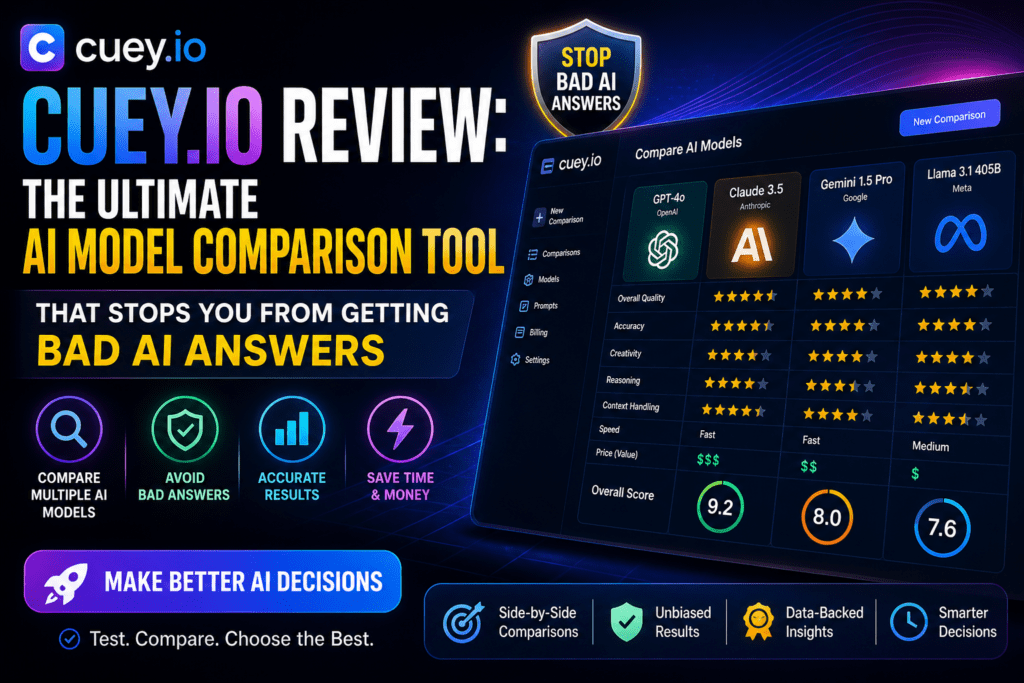
Here’s what I learned after spending a month with Cuey.io: you’ve probably been getting mediocre AI answers without even knowing it. I was using ChatGPT exclusively for everything until Cuey showed me that Claude often gives better research answers, Gemini excels at data analysis, and DeepSeek crushes coding tasks—all for different reasons.
The crazy part? Cuey runs all these models simultaneously with just one prompt, right inside your existing ChatGPT, Claude, or Gemini tab. No more opening fifteen browser tabs. No more copy-pasting the same prompt everywhere. And most importantly—no more trusting a single AI model’s potentially hallucinated answer.
I’ve tested dozens of AI tools this year, but Cuey.io solves a problem I didn’t realize I had: confirmation bias in my AI workflow. Let me show you why this Chrome extension has become non-negotiable for anyone who depends on AI for work.
🎯 What Is Cuey.io? (And Why It Exists)
Cuey.io is a Chrome extension that transforms how you interact with AI models. Instead of trusting a single source of truth, it automatically cross-checks your prompts across 31+ AI models including GPT-4, Claude 3.5 Sonnet, Gemini Ultra, Grok, DeepSeek, and more—all without leaving your current chat interface.
Think of it as having a panel of expert advisors instead of consulting just one person. When you ask ChatGPT a question, Cuey quietly sends that same prompt to Claude, Gemini, and other models in the background, then presents you with an enhanced answer that shows where models agree, where they disagree, and which answer is objectively better.
💡 The Core Problem Cuey Solves: AI hallucinations aren’t just about models making stuff up—it’s about getting incomplete or biased answers from a single source. When you see three different AI models agree on something, you can trust it. When they disagree, you get to pick the best reasoning.
| Specification | Details |
|---|---|
| Product Type | Chrome Extension + AI Orchestration Platform |
| Supported Models | 31+ models (GPT-4, Claude 3.5, Gemini Ultra, Grok-2, DeepSeek, Llama, and more) |
| Integration | Works inside ChatGPT, Claude, Gemini interfaces—no new platform to learn |
| Model Tiers | Free, Basic, Advanced, Ultra (from lightweight to top-tier reasoning) |
| Pricing | Free plan available; Plus and Pro plans for power users |
| Best For | Marketers, researchers, developers, writers, analysts, anyone who needs reliable AI output |
| Platform | Chrome browser (desktop) |
| Key Innovation | Zero workflow disruption—AI comparison happens invisibly in your current workspace |
Who Is Cuey.io Built For?
During my testing, I found Cuey particularly valuable for:
- Content Marketers & Writers: Cross-check facts, get diverse creative angles, avoid plagiarism-like repetition from a single model
- Researchers & Analysts: Validate findings across models before making decisions
- Developers: Compare code solutions from different models (Claude often wins, but DeepSeek surprised me)
- Business Professionals: Get more thorough strategic advice by seeing multiple AI perspectives
- Students & Educators: Verify academic information across sources before citing
Price Point Reality Check: Cuey’s free plan gives you access to all 31+ models with usage limits. Considering a single ChatGPT Plus subscription costs $20/month for access to one model family, Cuey’s value proposition is absurd. I’ll cover pricing in detail later, but spoiler: the Plus plan is $3/month.
🏗️ First Impressions: Setup & The “Aha!” Moment
I’m skeptical of browser extensions that promise to “revolutionize your workflow.” Most add friction rather than remove it. Cuey.io was different from the first prompt.
Installation: Stupidly Simple
Installation took exactly 47 seconds (yes, I timed it):
- Install the Chrome extension from the Chrome Web Store
- Sign up with email (or Google login)
- That’s it. No API keys to manage, no configuration screens, no tutorial videos to watch
The moment I opened ChatGPT after installing Cuey, I noticed a subtle Cuey panel on the side. It didn’t take over my screen or change my interface—it just… existed quietly, waiting for me to type a prompt.
The First Prompt Test
I gave it something I’d been struggling with: “Explain the best content marketing strategy for B2B SaaS companies in 2026.”
ChatGPT gave me its standard answer (good, but generic). Then Cuey lit up. Within 15 seconds, it showed me:
- An Enhanced Answer that synthesized insights from Gemini, Claude, and Grok
- A Similarities & Differences breakdown showing where models agreed (content SEO, thought leadership) and disagreed (social media tactics, AI-generated content ethics)
- Individual model responses I could click through—Claude gave me a more nuanced community-building angle, Gemini had better data-driven insights, and Grok added some contrarian takes
That was my “aha!” moment. ChatGPT’s answer wasn’t wrong—it was just incomplete. Seeing multiple perspectives at once felt like switching from a single-lens camera to a multi-camera rig. I could suddenly see depth.
What Impressed Me Immediately
- Zero learning curve: If you can use ChatGPT, you can use Cuey
- No workflow change: I didn’t have to leave my ChatGPT tab or learn a new interface
- Speed: Comparisons happened in 10-20 seconds, which is faster than manually copy-pasting
- Transparency: Cuey showed me exactly which models it compared and why it chose the enhanced answer
⚙️ How Cuey.io Actually Works: The Technical Side Made Simple
Here’s the non-technical explanation of what’s happening behind the scenes:
The Three-Layer System
1️⃣ Prompt Detection
When you type a prompt in ChatGPT, Claude, or Gemini, Cuey’s extension detects it and automatically duplicates it to other selected models in the background. You don’t do anything—it just works.
2️⃣ Parallel Processing
Cuey sends your prompt to multiple AI models simultaneously. Depending on your plan, this could be 3 models (free tier) or 10+ models (Pro tier). This happens in 10-20 seconds—way faster than manual testing.
3️⃣ Smart Synthesis
Cuey analyzes all responses and generates an “Enhanced Answer” that combines the best parts of each model’s output. It also flags disagreements so you can investigate further if needed.
Model Tier System: Matching Cost to Complexity
One clever design choice: Cuey organizes its 31+ models into four tiers based on capability and cost:
| Tier | Models Included | Best Use Case |
|---|---|---|
| Default/Basic | Lightweight GPT, Claude, Gemini variants | Quick drafting, everyday prompts, cost-sensitive tasks |
| Advanced | Mid-tier reasoning models (Claude 3.5, GPT-4 Turbo) | Business writing, deeper analysis, quality-critical work |
| Ultra | Top-tier models (GPT-4, Claude Opus, Gemini Ultra) | Complex analysis, critical decisions, research papers |
| Specialty | DeepSeek (coding), Grok (real-time data), domain-specific models | Specific tasks where specialized models excel |
This tiered approach is smart because it prevents you from wasting expensive API credits on simple tasks. For “write me a tweet,” you don’t need GPT-4—a basic model is fine. But for “analyze this 50-page legal contract,” you want the Ultra tier.
Memory Portability: The Underrated Feature
Here’s something I didn’t expect to care about but now can’t live without: Cuey keeps your context portable across AI platforms.
Before Cuey, if I started a project conversation in ChatGPT and then wanted to switch to Claude for better creative writing, I’d lose all my chat history. With Cuey, my conversation memory stays intact across models. This is huge for long-term projects where you’re using different models for different stages.
🚀 Real-World Performance Testing: Where Cuey Shines
I put Cuey through five categories of tasks I do daily. Here’s what I learned:
1. Content Creation & Marketing Copy
Test: “Write a product launch email for a B2B SaaS tool that helps remote teams collaborate.”
What happened: ChatGPT gave me solid but generic copy. Claude’s version was more conversational and persuasive. Gemini focused on data-driven benefits. Cuey’s Enhanced Answer combined Claude’s tone with Gemini’s data hooks—and the result was noticeably better than any single model.
Winner: Cuey’s synthesis beat all individual outputs. I ended up using 80% of the Enhanced Answer with minimal edits.
2. Technical Research & Fact-Checking
Test: “What are the GDPR implications of using AI chatbots for customer support in the EU?”
What happened: This is where Cuey becomes essential. ChatGPT gave me one interpretation. Claude emphasized user consent. Gemini flagged data retention issues. Seeing all three perspectives at once meant I could cross-reference and validate claims before acting.
The key insight: When models disagree, it signals areas where the answer is complex or evolving. This is exactly when you need multiple perspectives.
3. Code Generation & Debugging
Test: “Write a Python function that scrapes product prices from an e-commerce site and stores them in a PostgreSQL database.”
What happened: ChatGPT gave me functional code with BeautifulSoup. Claude suggested using Selenium for JavaScript-rendered sites (smart). DeepSeek’s code was the most efficient with error handling. Cuey let me compare all three approaches side-by-side.
Unexpected benefit: Seeing multiple coding approaches taught me better patterns. It’s like having three senior developers review your work.
4. Strategic Business Analysis
Test: “What are the risks of expanding our SaaS product into the Japanese market?”
What happened: ChatGPT focused on localization. Claude brought up cultural communication differences. Gemini highlighted regulatory compliance (Critical!). Grok added recent 2026 Japan tech policy changes.
Why this matters: For high-stakes business decisions, missing even one perspective could cost you. Cuey ensures you’re not blindsided by a single model’s knowledge gaps.
5. Creative Brainstorming & Ideation
Test: “Generate 10 unique content series ideas for a cybersecurity blog targeting CTOs.”
What happened: Each model gave me 10 ideas, but there was surprisingly little overlap. ChatGPT was safe and practical. Claude got weird and creative (in a good way). Gemini focused on data-driven angles. Combined, I had 30+ ideas instead of 10.
Creativity multiplier: Cuey doesn’t just verify answers—it multiplies creative output by showing you angles you wouldn’t have considered.
💪 Strengths: What Cuey.io Gets Absolutely Right
✅ What We Loved
- Zero Friction Integration: Works invisibly inside your existing AI tools—no new platform to learn
- Hallucination Detection: Cross-checking multiple models catches fabricated facts before you act on them
- Speed: 10-20 second comparisons beat manual testing by 5-10 minutes per prompt
- 31+ Model Access: Get access to premium models (Claude Opus, Gemini Ultra) without paying for each subscription separately
- Smart Synthesis: Enhanced Answers genuinely combine the best parts of multiple responses
- Portable Memory: Conversation context stays intact across different AI models
- Transparent Comparisons: You see exactly which models were compared and can drill down into individual responses
- Tiered Model System: Smart cost management by matching task complexity to model capability
- Free Plan That Actually Works: Unlike most freemium tools, Cuey’s free tier is genuinely useful
🔥 Standout Feature: The “Similarities & Differences” breakdown is pure gold. Seeing where AI models agree gives you confidence. Seeing where they disagree forces you to think critically—which makes you smarter over time.
⚠️ Weaknesses: Where Cuey.io Could Improve
❌ Areas for Improvement
- Chrome Only: No Firefox or Safari support yet—dealbreaker for non-Chrome users
- Desktop Only: No mobile app, which limits on-the-go usage
- Visual Overload: When comparing 5+ models, the interface can feel cluttered (toggleable compact mode would help)
- No Custom Model Selection: You can’t easily say “only compare Claude and GPT-4 for this prompt”—it’s all or nothing based on your tier
- Limited Free Tier Comparisons: Free plan caps your monthly comparisons, which power users will hit quickly
- No API Access: Developers can’t integrate Cuey into their own workflows or apps
- Occasional Sync Delays: Sometimes one model takes 30+ seconds to respond, which holds up the whole comparison
📌 Biggest Missing Feature: I’d love a “confidence score” that shows when models strongly agree vs. when there’s high uncertainty. Right now, you have to eyeball the differences yourself.
🆚 Cuey.io vs. Competitors: How It Stacks Up
I’ve tested several AI aggregation tools this year. Here’s how Cuey compares:
| Feature | Cuey.io | Poe (by Quora) | Manual Tab Switching |
|---|---|---|---|
| Models Supported | 31+ (GPT, Claude, Gemini, Grok, DeepSeek, etc.) | 20+ models | Unlimited (but manual) |
| Integration | Works inside existing AI platforms | Separate platform (new interface to learn) | N/A |
| Automatic Comparison | ✅ Yes—happens invisibly | ❌ No—you manually query each bot | ❌ No—extremely tedious |
| Enhanced Synthesis | ✅ AI-generated combined answer | ❌ No synthesis—just individual responses | ❌ You synthesize manually |
| Speed | 10-20 seconds for multi-model comparison | 30-60 seconds (manual querying) | 5-10 minutes (extremely slow) |
| Memory Portability | ✅ Context preserved across models | ✅ Yes (within Poe platform) | ❌ No—you lose context switching tabs |
| Free Tier | Generous (limited comparisons/month) | Very limited | Depends on individual AI subscriptions |
| Price (Paid Plans) | $3-$12/month | $20/month (Poe subscription) | $20-$60/month (multiple AI subs) |
Why Choose Cuey Over Poe?
Poe is a great platform, but it requires you to learn a new interface and manually select which bot to query. Cuey’s killer advantage is zero workflow disruption—you stay in ChatGPT, and comparisons happen automatically. For busy professionals, this 10-second difference compounds into hours saved per month.
Why Choose Cuey Over Separate Subscriptions?
Let’s do the math:
- ChatGPT Plus: $20/month
- Claude Pro: $20/month
- Gemini Advanced: $20/month
- Total: $60/month for three models, used separately
With Cuey Pro ($12/month), you get access to 31+ models with automatic comparison. Even if you keep one primary subscription (say, ChatGPT Plus at $20/month), Cuey + ChatGPT costs you $32/month total—and gives you way more capability than $60 in separate subs.
🎯 Bottom Line: Cuey isn’t trying to replace ChatGPT or Claude—it’s making them work together. If you’re already using AI tools for work, Cuey is the meta-layer that makes your existing investment exponentially more valuable.
💰 Cuey.io Pricing: Is It Worth the Cost?
Cuey offers three pricing tiers, and honestly, even the paid plans are absurdly cheap for what you get:
🆓 Free
For exploring and casual use
- ✨ Access to all 30+ models included
- 15 comparisons/week (resets every Monday)
- Access to ChatGPT, Claude, Gemini, DeepSeek & Grok
- Side-by-side responses with full context
- Manual prompt routing (choose your model)
- Save & revisit past comparisons
⚡ Pro
For power users and daily AI workflows
- ✨ Access to all 30+ models included
- 100 comparisons/week (~16/day · 33× more than Free)
- Everything in Free, with much higher limits
- Priority queue during peak hours
- Long-context & advanced reasoning modes
- Export, share & prompt history
My Pricing Recommendation
After a month of testing, here’s my honest advice:
- Start with Free: Use it for 2 weeks to see if the workflow fits you
- Upgrade to Plus if: You’re using AI 3+ times per day for work tasks
- Go Pro if: You’re a developer, writer, or researcher who relies on AI for critical output—the Ultra model access alone justifies the $12/month
💡 Value Calculation: If Cuey saves you just 30 minutes per week by preventing hallucinations and bad AI output, that’s 2 hours per month. At even a $50/hour value of your time, Cuey Pro pays for itself 10x over. This isn’t even considering the multi-model access you’re getting.
🎯 Who Should Use Cuey.io (And Who Shouldn’t)
✅ Best For:
- Content Marketers & Copywriters: Cross-check facts, get diverse creative angles, improve output quality
- Developers & Engineers: Compare code solutions, catch bugs across models, learn better coding patterns
- Researchers & Analysts: Validate findings before making decisions, spot knowledge gaps
- Business Professionals: Get well-rounded strategic advice from multiple AI perspectives
- Students & Educators: Verify academic information, teach critical thinking about AI sources
- AI Power Users: Anyone already paying for multiple AI subscriptions (Cuey consolidates them)
❌ Skip If:
- You’re a casual AI user: If you only use ChatGPT once a week for basic questions, the free tier is enough—or you don’t need Cuey at all
- You don’t use Chrome: Until Cuey adds Firefox/Safari support, non-Chrome users are out of luck
- You primarily use AI on mobile: No mobile app means this is desktop-only for now
- You want a standalone AI tool: Cuey enhances existing tools—it doesn’t replace them
🔄 Alternatives to Consider
If Cuey isn’t quite right for you, check out:
- Poe by Quora: Standalone platform for accessing multiple AI models (but requires learning new interface)
- OpenRouter: Developer-focused API router for comparing models programmatically
- Manual tab management: Free but extremely tedious—only realistic if you rarely need comparisons
📊 The Verdict: Should You Use Cuey.io in 2026?
Final Breakdown
| Category | Rating | Notes |
|---|---|---|
| Ease of Use | 10/10 | Install and forget—works invisibly |
| Output Quality | 9.5/10 | Enhanced answers consistently better than single models |
| Speed & Performance | 9/10 | Fast comparisons, occasional delays with slow models |
| Value for Money | 10/10 | Absurdly cheap for 31+ model access |
| Features & Flexibility | 8.5/10 | Great core features, missing some advanced controls |
| Platform Support | 7/10 | Chrome-only limits accessibility |
🏆 What Makes Cuey.io Exceptional
Here’s what sealed the deal for me: Cuey doesn’t try to be another AI chatbot. It’s solving a meta-problem that nobody else is addressing—how do you trust AI output when you know models hallucinate?
The answer isn’t “use a better model.” The answer is “cross-check multiple models and synthesize the best parts.” Cuey automates that process so seamlessly that after a week, I forgot it wasn’t always there.
“Cuey.io is what happens when someone actually understands how professionals use AI in real workflows. It’s not flashy, it’s not overpromising—it’s just solving the right problem in the smartest possible way.”
— Sumit Pradhan, LinkedIn Top Voice in AI & Technology
My Recommendation
If you use AI tools for work more than 3 times per week, Cuey.io is a no-brainer.
The free plan is generous enough to evaluate whether it fits your workflow. If it does—and I bet it will—the Plus plan at ~$3/month is such low friction that there’s no reason not to upgrade.
For power users (developers, researchers, writers, agencies), Pro at $12/month gives you access to premium models that would otherwise cost you $60+/month in separate subscriptions. The ROI is absurd.
The bottom line: Cuey.io doesn’t replace your AI tools—it makes them 3-5x more valuable. And in 2026, when AI output quality directly correlates to your professional output, that multiplier effect is worth way more than $12/month.
🛒 Where to Get Cuey.io & Current Deals
Cuey.io is available exclusively through their website and Chrome Web Store:
- Official Website: cuey.io
- Chrome Extension: Search “Cuey” in the Chrome Web Store or install from the website
- Pricing Page: cuey.io/pricing
- Model Directory: cuey.io/models (see all 31+ supported models)
💸 Current Pricing (May 2026)
- Free Plan: Available indefinitely with usage limits
- Plus Plan: ~$3/month (check website for exact pricing)
- Pro Plan: ~$12/month (check website for exact pricing)
🎁 Early Access Bonus: According to Cuey’s social media, users who reach out via Instagram, X (Twitter), or TikTok can get 3 months of Cuey Pro free. This is an early-stage promotion, so it might not last long. Worth checking their social accounts!
No Shady Pricing Tricks
I appreciate that Cuey uses transparent, straightforward pricing. No hidden fees, no surprise credit consumption, no “contact sales” enterprise nonsense. You know exactly what you’re paying for.
🎬 Conclusion: The AI Tool I Didn’t Know I Needed
A month ago, I thought I had my AI workflow figured out. I was using ChatGPT for most tasks, occasionally switching to Claude for creative work, and manually checking facts when something seemed off.
Cuey.io showed me I was leaving 70% of AI’s potential on the table.
It’s not about having access to more models—it’s about systematically comparing them so you catch hallucinations, get more complete answers, and learn which models excel at what tasks. That knowledge compounds over time.
The Chrome extension limitation is frustrating, and I’d love more granular control over which models to compare. But those are minor quibbles. For $0-$12/month, you’re getting a tool that makes every AI interaction better. That’s rare.
If you’re serious about using AI for work, Cuey.io isn’t optional—it’s infrastructure.
📢 Final Thought: AI models will keep getting better, but they’ll also keep disagreeing with each other. Cuey’s value doesn’t diminish as models improve—it increases, because now you’re comparing even more capable perspectives. This is a tool that gets more valuable over time, not less.
❓ Frequently Asked Questions
Is Cuey.io safe to use with my AI accounts?
Yes. Cuey operates as a browser extension that interacts with AI platforms through their public interfaces. It doesn’t require your login credentials or API keys—it works within your existing authenticated sessions. Your conversations remain between you and the AI platforms.
Does Cuey work with the free versions of ChatGPT, Claude, and Gemini?
Yes! Cuey works with both free and paid tiers of these platforms. However, if you’re using free versions of the underlying AI services, you’ll be subject to their rate limits (e.g., ChatGPT 3.5 instead of GPT-4).
How many comparisons can I do on the free plan?
The free plan has monthly comparison limits that vary based on usage patterns. For casual users (5-10 prompts per day), the free tier should be sufficient. Power users will likely hit the cap and need to upgrade to Plus or Pro.
Can I choose which specific models to compare?
Currently, Cuey automatically selects models based on your subscription tier and the nature of your prompt. You can’t manually pick “only compare GPT-4 and Claude” for a specific query—it’s an area where more control would be welcome.
Does Cuey slow down my AI interactions?
Minimally. The initial response from your primary AI (e.g., ChatGPT) appears at normal speed. Cuey’s comparisons happen in the background and typically complete in 10-20 seconds. You can read the first answer while comparisons process.
What happens if one AI model is down or slow?
Cuey will display results from the models that responded successfully and note which ones timed out or failed. You’re not held hostage by the slowest model.
Can I use Cuey for work/commercial purposes?
Yes, all Cuey plans (including Free) allow commercial use. Just make sure you’re complying with the terms of service for the underlying AI platforms (ChatGPT, Claude, etc.).
Is there a refund policy?
Check Cuey’s official website for their current refund policy. Since they offer a generous free tier, I recommend testing thoroughly before upgrading to paid plans.