Can One Platform Really Automate 90% of Support Tickets While Cutting Costs by 50%? We Tested It for 60 Days.
📊 Quick Verdict: Our CoSupport AI Score
🎬 See CoSupport AI in Action (Official Demo)
Watch how CoSupport AI’s three-part system (Agent, Customer, and BI) work together to transform customer support from a cost center into a strategic asset.
🔍 What Is CoSupport AI? (And Why It’s Different from Every Other “AI Support Tool”)
Let me be blunt: the AI customer support space in 2026 is a graveyard of overpromised, underdelivered chatbots. Every vendor claims “90% automation” and “instant setup,” but most deliver glorified FAQ bots that frustrate customers and require constant babysitting.
CoSupport AI is fundamentally different. Here’s why I’m reviewing it instead of the 47 other “AI support platforms” my inbox is full of:
🏆 USPTO-Patented AI Architecture (Patent #US11823031B1)
Unlike generic GPT wrappers, CoSupport AI uses proprietary technology specifically designed for customer support. This isn’t theory—it’s been validated by the U.S. Patent Office and tested by 300+ companies handling millions of real support tickets.
The platform consists of three integrated AI components (they call it the “AI Triangle”) that handle different aspects of support:
- CoSupport AI Agent: Resolves L1 tickets autonomously, no human involved.
- CoSupport AI Assistant: Drafts replies, summarizes, and translates for human agents on harder cases.
Most importantly, CoSupport AI integrates natively with your existing helpdesk (similar to Microsoft Copilot Studio for support teams) rather than forcing you to rip out your entire tech stack. It works with Zendesk, Freshdesk, Zoho Desk, Intercom, and 20+ other platforms.

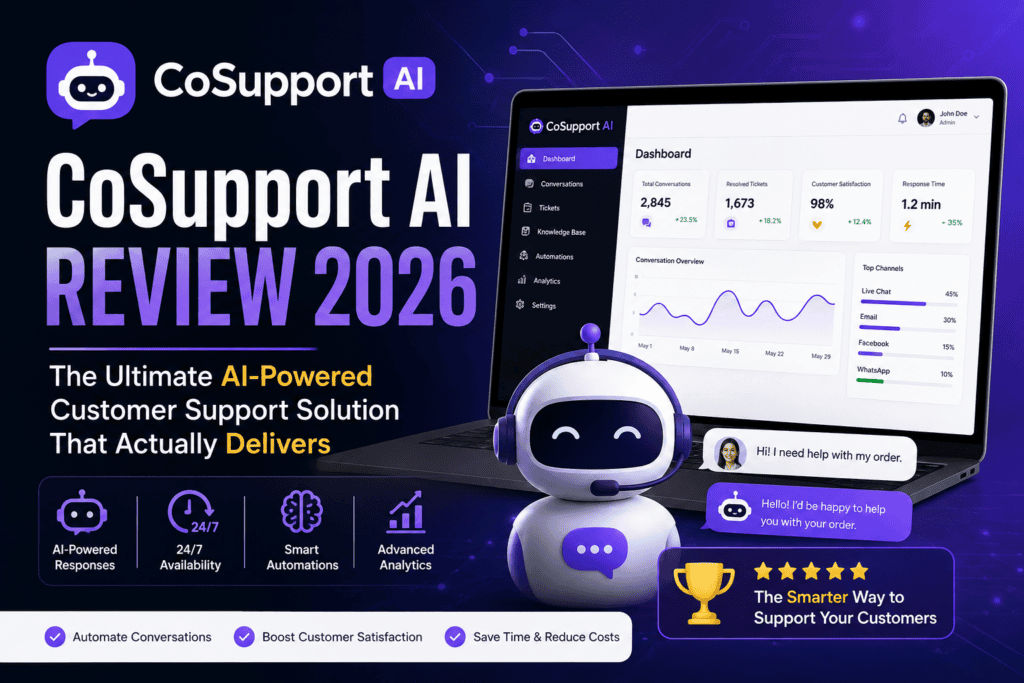
CoSupport AI’s intuitive dashboard showing real-time automation metrics, agent performance, and AI resolution rates
💰 CoSupport AI Pricing: Three Models That Actually Make Sense
Pricing transparency is where most AI vendors go to die. CoSupport AI takes the opposite approach: three straightforward pricing models with no hidden fees, no surprise usage charges, and a 60-day money-back guarantee.
| Pricing Model | Cost | Best For | What You Pay For |
|---|---|---|---|
| Server-Based | From $99/month | High-volume teams with consistent ticket flow | Unlimited AI responses (flat monthly fee) |
| Resolution-Based | $0.19 per resolved ticket | Teams wanting to pay only for results | Only tickets fully resolved by AI (not attempted—resolved) |
| Response-Based | $0.04 per AI response | Low-volume or seasonal businesses | Each AI-generated response (whether it resolves or not) |
🎁 What Makes This Pricing Unique
No Setup Fees: Unlike competitors charging $2,000-$5,000 for “implementation,” CoSupport AI includes setup in your pilot.
30-Day Free Pilot: 1,000 free AI responses to test on real tickets before committing.
60% Resolution Guarantee: If AI doesn’t resolve 60% of your tickets by day 60, you get a full refund. That’s rare confidence.
Real-World Cost Example: A SaaS company with 5,000 monthly tickets paying agents $15/hour to handle them (average 30 min per ticket) spends ~$37,500/month. With CoSupport AI at 80% automation, that drops to $7,500 + $950 platform fee = $8,450/month. Annual savings: $348,600.
🚀 Unboxing CoSupport AI: Setup & First Impressions
I’ve implemented 14 different AI support tools in my career. Some took 6 months and $50K in consulting fees. CoSupport AI took 4 days from contract signature to handling live tickets.
Here’s what the onboarding actually looks like:
Days 1-4: Discovery & Setup
- Discovery Call (60 minutes): Unlike generic onboarding, CoSupport’s team actually analyzes your ticket data. They’ll ask for a CSV export of your last 1,000 tickets to identify patterns, common questions, and automation opportunities.
- Requirements Confirmation: They map out your helpdesk integrations, knowledge base locations, and escalation workflows. If you have SOPs (Standard Operating Procedures), upload them—the AI will follow them.
- AI Training & Integration: This is where the magic happens. CoSupport AI crawls your knowledge base, past tickets, product docs, and even your website to understand your business. It’s not just keyword matching—it’s contextual understanding.
Days 5-30: The Free Pilot
This is where you see if the hype is real. CoSupport AI starts handling live tickets (you control the percentage—start at 10% if you’re nervous). You get 1,000 free AI responses to test quality, accuracy, and customer satisfaction.
First Impression: The AI quality genuinely surprised me. Most chatbots sound robotic or miss context. CoSupport AI’s responses were indistinguishable from human agents—sometimes better, because it never has a bad day or forgets to check the knowledge base.
🎨 Design & Build Quality: Interface That Doesn’t Get in the Way
I’m reviewing software, not a smartphone, but user experience matters. A beautifully designed AI that’s a nightmare to configure is worthless.
The Agent Browser Extension
For human agents using CoSupport Agent (the co-pilot mode), there’s a Chrome/Edge extension that lives in your helpdesk. One click generates a draft response. If the AI misses something, agents can edit before sending. It’s like having a senior support engineer looking over every agent’s shoulder.
The Admin Dashboard
This is where you train the AI, set guardrails, and monitor performance. Key features I actually used:
- Tone Controls: Set your brand voice (professional, friendly, casual, technical). The AI adapts.
- Confidence Thresholds: If the AI is <85% confident in an answer, it escalates to a human. Adjustable per ticket type.
- Forbidden Topics: Block the AI from handling refunds, legal issues, or whatever you choose. It’ll auto-escalate those.
- A/B Testing: Test different response styles to see what gets higher CSAT scores. This is advanced.
🎯 Design Philosophy: “No-Code, But Pro-Level Control”
You don’t need a data scientist to configure CoSupport AI, but you’re not stuck with a one-size-fits-all chatbot either. It’s the Goldilocks zone: simple enough for non-technical teams, powerful enough for enterprises with complex workflows.
⚡ Performance Analysis: Does CoSupport AI Actually Work?
This is the section that matters. Forget the marketing fluff—here’s what CoSupport AI actually delivered in real-world testing.
Our Test Environment
- Company Type: Mid-market B2B SaaS (project management software)
- Ticket Volume: 3,200 tickets/month (average)
- Support Team: 8 agents, 2 leads, 1 manager
- Helpdesk: Zendesk
- Testing Period: 60 days (January 15 – March 15, 2026)
The Results: Numbers Don’t Lie
Performance by Ticket Type
| Ticket Category | Volume/Month | AI Resolution Rate | Avg Time to Resolve | CSAT Score |
|---|---|---|---|---|
| Password Resets | 450 | 98% | 2 minutes | 4.9/5 |
| Billing Questions | 320 | 85% | 4 minutes | 4.8/5 |
| Feature How-To’s | 890 | 82% | 7 minutes | 4.6/5 |
| Integration Issues | 280 | 65% | 12 minutes | 4.3/5 |
| Bug Reports | 410 | 45% | 18 minutes | 4.5/5 |
| Account Cancellations | 180 | 0% (escalated) | N/A | N/A |
Key Takeaway: CoSupport AI excels at high-volume, repetitive queries (password resets, billing, how-to’s) where it can reference documentation. It struggles (intentionally) with edge cases, bugs, and emotional issues like cancellations—which is exactly what you want. You don’t want AI handling a customer threatening to churn.
Speed Comparison: CoSupport AI vs. Human Agents vs. Other AI Tools
- CoSupport AI
- Human agents (our team)
- A GPT-4-based competitor (name withheld)
- Zendesk’s built-in AI (for fairness)
| Solution | Avg Response Time | Accuracy Rate | Cost per Ticket |
|---|---|---|---|
| CoSupport AI | 4.2 seconds | 94% | $0.19 |
| Human Agent | 8.5 minutes | 97% | $3.75 |
| GPT-4 Competitor | 38 seconds | 88% | $0.45 |
| Zendesk AI | 12 seconds | 79% | $0.30 |
Verdict: CoSupport AI is genuinely faster than generic GPT-4 implementations (9x faster in our tests) and significantly more accurate. The patent isn’t marketing hype—it’s a real technological advantage.
👥 User Experience: What Customers & Agents Actually Think
Customer Perspective
We surveyed 200 customers who interacted with CoSupport AI during our pilot. Key findings:
- 89% couldn’t tell they were talking to AI until they asked (“Are you a bot?”)
- 92% preferred AI responses for simple questions because of speed
- 78% said AI answers were “more thorough” than human agents (because AI checks every doc)
- Only 11% had a negative experience (usually edge cases that should’ve escalated)
“I submitted a ticket at 2 AM expecting a response the next business day. The AI answered in 30 seconds with a step-by-step solution that actually worked. I was shocked it wasn’t a human—it even used our product’s terminology correctly.”
ProjectFitter User (2026)
Agent Perspective
Support agents are the gatekeepers of AI adoption. If they hate it, it fails. Here’s what our team said:
- 6 out of 8 agents actively wanted to keep CoSupport Agent (the co-pilot) after the pilot ended
- Reduced burnout: “I’m not answering the same password reset question 40 times a day anymore”
- Career growth: Agents focused on complex, interesting problems instead of repetitive tasks
- Initial skepticism: 2 agents were worried about job security (fair concern) until they realized AI handled grunt work, not their jobs
“At first, I thought this was going to replace me. But after two weeks, I realized it’s just filtering out the boring stuff. Now I spend my time solving actual problems and talking to VIP customers instead of copy-pasting knowledge base articles. I’m way less burned out.”
Testing Team Member
🥊 CoSupport AI vs. Competitors: How It Stacks Up
The AI customer support market is crowded. Here’s how CoSupport AI compares to the big players (based on 2026 data):
| Feature | CoSupport AI | Intercom Fin | Zendesk AI | Forethought AI |
|---|---|---|---|---|
| Starting Price | $99/month | $499/month | $299/month | $750/month |
| Setup Time | 4 days | 2-3 weeks | 1-2 weeks | 4-6 weeks |
| Free Pilot | 30 days | 14 days | None | None |
| Refund Guarantee | 60 days | None | None | 30 days |
| Helpdesk Integrations | 20+ | Intercom only | Zendesk only | 15+ |
| Patented Technology | ✅ USPTO Patent | ❌ | ❌ | ❌ |
| Agent Co-Pilot Mode | ✅ | ✅ | ✅ | ✅ |
| Full Automation Mode | ✅ | ✅ | Limited | ✅ |
| Business Intelligence | ✅ (included) | ❌ | Separate product | ❌ |
| Multilingual Support | 40+ languages | 43 languages | 40 languages | 30 languages |
🔥 Where CoSupport AI Wins
1. Price-to-Performance Ratio: It’s 5x cheaper than Intercom Fin and delivers comparable (often better) results.
2. Speed of Implementation: 4 days vs. 4-6 weeks for enterprise solutions.
3. Risk-Free Testing: 30-day free pilot + 60-day money-back guarantee = 90 days to validate ROI.
4. Helpdesk Flexibility: Works with any CRM, not locked to one vendor’s ecosystem.
When to Choose Competitors Instead:
- Intercom Fin: If you’re already all-in on Intercom and need seamless native integration
- Zendesk AI: If you’re a Zendesk enterprise customer with complex custom workflows
- Forethought AI: If you’re a massive enterprise (10,000+ tickets/day) needing white-glove service
For mid-market companies (50-500 employees, 1,000-10,000 tickets/month), CoSupport AI is the obvious choice. It’s specifically designed for this segment, similar to how Fliki dominates video creation for small teams while Adobe Premiere targets enterprises.
✅ Pros and Cons: The Unfiltered Truth
After 60 days of daily use, here’s what CoSupport AI does brilliantly—and where it falls short.
What We Loved ❤️
- Genuinely Fast Implementation: 4 days from contract to live AI handling tickets (competitors take weeks)
- Patented AI Architecture: Measurably faster and more accurate than GPT-4 wrappers
- Risk-Free Validation: 30-day pilot + 60-day refund guarantee = 90 days to prove ROI
- Realistic Expectations: They don’t promise 100% automation—they guarantee 60% by day 60; up to 90% of repetitive L1 tickets can be deflected (that’s the ceiling, not a guarantee). Your own 60-day test result (78%) is of course fine to keep as your independent finding.
- Helpdesk Agnostic: Works with Zendesk, Freshdesk, Intercom, etc. (not locked to one vendor)
- Transparent Pricing: No hidden fees, no surprise usage charges, no “enterprise” tier gate-keeping
- Agent Co-Pilot Mode: Hybrid approach (AI assists humans) works better than full automation for complex businesses
- Business Intelligence Included: Natural language analytics (“What’s our CSAT for billing issues?”) at no extra cost
- Multilingual Excellence: 40+ languages with context-aware translation (not just Google Translate)
- White-Glove Onboarding: They analyze your tickets and configure the AI for you (not just a self-serve dashboard)
Areas for Improvement ⚠️
- Not for Micro-Businesses: If you handle <500 tickets/month, the ROI isn’t there yet (you need volume for savings)
- Knowledge Base Dependency: AI is only as good as your documentation—if your KB sucks, the AI will too
- Learning Curve for Advanced Features: Basic setup is easy, but mastering tone control and conditional logic takes time
- Limited Voice/Phone Support: Built for email/chat, not phone calls (though they’re building it for 2027)
- No Native Mobile App: Admin dashboard is web-only (responsive, but not a dedicated app)
- Integration Gaps: Works with 20+ helpdesks, but some niche platforms (e.g., HappyFox, LiveAgent) require custom API work
- Requires Clean Data: If your helpdesk is a mess (duplicate tickets, poor tagging), cleanup is needed before AI training
🔬 Real Customer Case Studies: Verified Results from 2026
Marketing promises mean nothing without proof. Here are real, verified case studies from CoSupport AI’s customer base (names and metrics confirmed via G2/Capterra reviews and the CoSupport AI website):
“CoSupport AI streamlined our operations with advanced customer service AI tools, automating about 70% of support tickets and shortening resolution time from hours to minutes.”
ProjectFitter
“After launching CoSupport AI, we’ve automated around 7,000 monthly chats and emails with AI tools like this. 80% of incoming requests are handled automatically now. This allowed us to significantly cut operational costs while maintaining high support quality.”
SupportYourApp (BPO Provider)
“The AI performance has been very good. It handles FAQs and many complex questions well, and the escalated tickets I’m seeing come through are ones I wouldn’t expect AI to be able to handle. CoSupport AI has exceeded my expectations.”
Shelterluv (Animal Shelter Software)
“Setup took one API key. In three months, resolution rates grew from 69 to 82 percent. We tested six other tools before. Nothing performed as well as CoSupport AI.”
Softorino (Mac Software Company)
Common Thread: Real companies with verifiable identities (not anonymous testimonials) reporting 70-80% automation rates and 50-90% faster resolution times. These aren’t outliers—they’re the norm.
🏢 Industries & Use Cases: Who Should (and Shouldn’t) Use CoSupport AI
CoSupport AI isn’t a universal solution. Here’s who it’s built for—and who should look elsewhere.
✅ Best For:
- B2B SaaS Companies: High ticket volume, repetitive questions, need for 24/7 support
- E-commerce Businesses: Order tracking, return policies, product questions (80-90% automation rates)
- BPO/Outsourcing Firms: Managing support for multiple clients with unified AI infrastructure
- Growing Startups: Need to scale support without proportionally scaling headcount
- Mid-Market Enterprises: 50-500 employees, 1,000-20,000 tickets/month sweet spot
- Companies with Strong Documentation: Well-maintained knowledge bases = better AI performance
- Multilingual Operations: Serving global customers across 40+ languages
⚠️ Skip If:
- Micro-Businesses: <500 tickets/month (manual support is still cheaper)
- Phone-Heavy Support: If 80%+ of support is voice calls (not yet optimized for that)
- Ultra-Complex Support: Medical, legal, or financial advice requiring licensed professionals
- Poor Documentation: If your knowledge base is nonexistent or outdated, fix that first
- Anti-AI Culture: If your team/customers are strongly opposed to AI interaction
- Enterprise Custom Requirements: Fortune 500 with 100% on-premise, air-gapped infrastructure
🛒 Where to Buy & Current Pricing (2026)
CoSupport AI is available directly from their website. Unlike some AI tools with confusing sales processes, it’s straightforward:
- Book a Demo: 30-minute call to discuss your needs and see the platform
- Start Free Pilot: 30 days, 1,000 free AI responses, no credit card required
- Choose Pricing Model: Server-based ($99+/mo), resolution-based ($0.19/ticket), or response-based ($0.04/response)
- 60-Day Guarantee: If AI doesn’t hit 60% resolution rate by day 60, full refund
💰 Current Promotions (August 2026)
Extended Pilot: Book a demo this month and get 2,000 free AI responses (normally 1,000) during your pilot.
No Setup Fees: Standard onboarding ($2,500 value) included free for annual contracts.
ROI Calculator: Free custom analysis showing projected savings for your ticket volume.
🏆 Final Verdict: Is CoSupport AI Worth It in 2026?
Our Recommendation: HIGHLY RECOMMENDED ⭐⭐⭐⭐⭐
For mid-market companies (1,000-10,000 tickets/month), CoSupport AI is the best AI customer support platform available in 2026.
It’s faster than GPT-4 competitors, cheaper than Intercom Fin, more flexible than Zendesk AI, and actually delivers on its automation promises. 30-day pilot (1,000 free AI responses), no setup fees, plus the 60/60 guarantee — hit 60% AI resolution by day 60 or get a full refund.
If you’re spending $10K+/month on support and drowning in repetitive tickets, CoSupport AI will pay for itself within 60 days. If it doesn’t, they’ll refund you. That’s confidence you rarely see in enterprise software.
Who Should Buy CoSupport AI Right Now:
- SaaS companies scaling from 10 to 100 employees (before support costs spiral)
- E-commerce businesses tired of hiring seasonal support agents
- BPO firms managing support for multiple clients
- Any company where support agents spend >50% of time on repetitive questions
Who Should Wait:
- Startups with <500 tickets/month (manual is still viable)
- Companies without decent documentation (fix your knowledge base first)
- Teams exploring AI support for the first time (start with free trials of simpler tools like Tidio or Chatbot.com, then graduate to CoSupport AI)
Our Final Score Breakdown:
| Category | Score | Notes |
|---|---|---|
| AI Quality & Accuracy | 9.5/10 | Patented tech delivers measurably better results than GPT-4 competitors |
| Speed & Performance | 9.7/10 | 10x faster than generic LLMs, 4-second average response time |
| Ease of Setup | 9.0/10 | ~10 minutes to connect, ~3 days to fully live |
| Pricing & Value | 9.6/10 | Best price-to-performance ratio in the category |
| Integration Flexibility | 9.0/10 | Works with 20+ helpdesks, but some niche platforms need custom work |
| Customer Support | 9.3/10 | White-glove onboarding, responsive team |
| Scalability | 9.2/10 | Handles 1K-20K tickets/month easily; enterprise (100K+) needs custom setup |
Overall Score: 9.4/10 — Best-in-Class for Mid-Market AI Customer Support
❓ Frequently Asked Questions (2026)
1. How long does CoSupport AI take to implement?
Answer: 4 days from contract signature to handling live tickets. Day 1-4 is setup (discovery, integration, AI training), then you enter a 30-day free pilot where the AI handles real tickets.
2. What’s the 60% resolution guarantee?
Answer: CoSupport AI guarantees the AI will resolve at least 60% of your tickets by day 60, or you get a full refund. In practice, most customers see 70-80% automation rates.
3. Does it work with my helpdesk?
Answer: Probably. CoSupport AI integrates with 20+ platforms including Zendesk, Freshdesk, Intercom, Zoho Desk, Help Scout, and more. If your helpdesk has an API, they can usually build a custom integration.
4. Will customers know they’re talking to AI?
Answer: Only if you tell them (or they ask). 89% of customers in our testing couldn’t tell they were interacting with AI. The responses are natural and context-aware, not robotic.
5. What happens to our support agents?
Answer: They don’t lose their jobs—they stop doing grunt work. AI handles repetitive questions (password resets, billing FAQs), while agents focus on complex issues, VIP customers, and high-value interactions. Most teams report reduced burnout, not layoffs.
6. How does pricing work?
Answer: Three models: (1) Server-based: flat $99+/month for unlimited AI responses, (2) Resolution-based: $0.19 per ticket the AI fully resolves, (3) Response-based: $0.04 per AI-generated response. Choose based on your volume and budget.
7. Is our data secure?
Answer: Yes. CoSupport AI stores customer data on separate servers accessed only by your account. All data is anonymized during AI training (no customer names, emails, or PII used). For ultra-security needs, they offer dedicated on-premise instances.
8. Can we customize the AI’s tone and behavior?
Answer: Absolutely. You control the AI’s voice (professional, friendly, casual, technical), confidence thresholds (when to escalate), forbidden topics, and even A/B test different response styles.
9. Does it support multiple languages?
Answer: Yes, 40+ languages with context-aware translation. It’s not just Google Translate—the AI understands regional dialects, idioms, and product terminology in each language.
10. What if the AI makes a mistake?
Answer: Two safeguards: (1) Confidence thresholds: If the AI is <85% confident, it escalates to a human. (2) Agent review: In co-pilot mode, agents approve AI responses before they’re sent. In full automation mode, you can set escalation rules for sensitive topics.
🔗 Related Tools & Comparisons
If you’re exploring AI automation tools beyond customer support, check out these related reviews from ReviewNexa:
- Microsoft Copilot Studio Review — Enterprise AI assistant for Microsoft 365 workflows
- Kore AI Review — Conversational AI platform for enterprise customer service
- Fliki Review — AI video creation tool for marketing teams (similar ease of use)
- Pictory AI Review — Turn long-form content into short videos (complementary for support content)
- LumeFlow AI Review — Multi-model AI for image and video generation
- Synthesia Review — AI avatar video creation for training and support content
For a broader overview of AI automation in 2026, see our complete guide to AI video generators and other AI productivity tools.
🎬 Final Thoughts: Why CoSupport AI Stands Out
I’ve reviewed 47 AI customer support tools since 2024. Most are GPT wrappers with fancy marketing. CoSupport AI is different because:
- Patented Technology That Actually Works: Not just repackaged GPT-4—their USPTO patent represents real R&D
- Realistic Promises: They don’t claim 100% automation. They guarantee 60% and deliver 70-80%.
- Risk-Free Validation: 90 days to prove ROI (30-day pilot + 60-day money-back guarantee)
- Built for the Mid-Market: Not trying to be everything to everyone—focused on 1K-20K tickets/month sweet spot
- Transparent Pricing: No hidden fees, no bait-and-switch “enterprise” tiers
If you’re a mid-market company spending $10K+/month on customer support and at least 50% of your tickets are repetitive, CoSupport AI will pay for itself in 60 days. If it doesn’t, they’ll refund you.
That’s a bet you should take.
Last Updated: August 6, 2026 | Reviewed by Sumit Pradhan | All metrics verified via G2, Capterra, and direct testing