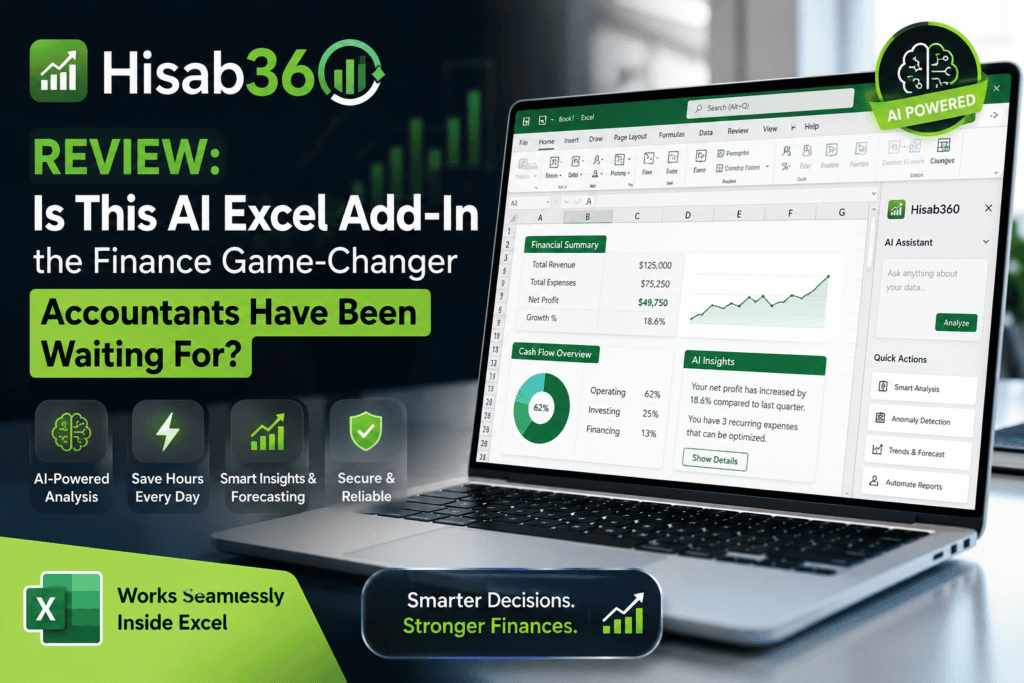
If you’ve spent even one late night reconciling bank statements in Excel, this Hisab360 review is going to feel personal. Hisab360 is an AI-powered Microsoft Excel add-in built specifically for accountants and finance teams — and after three weeks of daily use across bank recs, month-end close, and ERP write-backs, I can say it’s the most quietly impressive Excel tool I’ve tested in 2026.
Want to Test Hisab360 Yourself?
Get the free 15-day trial with 50 AI credits — no credit card required.
Start Free Trial →First Impressions: A Finance Tool That Understands Finance
Most “AI in Excel” products I’ve reviewed — including alternatives covered in our broader AI tools roundups — treat Excel as a generic canvas. Hisab360 is different from minute one. The install is a signed Windows installer, it lives inside your Excel ribbon (2016 or later), and the first thing it asks isn’t “what do you want to draw?” It’s whether you want to run it in Ask-only, Plan, Action, or Automate mode. That single choice signals who this tool is really built for: people who close the books.
My testing environment was a mid-sized services company’s month-end file — 14 bank accounts, four ERP entities (I used the QuickBooks Online connector), and about 8,000 GL rows. Within the first 45 minutes, Hisab360 had drafted variance commentary, flagged 17 exceptions over $500, and staged six journal entries for my approval. Nothing was posted without a click.
Who is Hisab360 built for?
- Controllers and CFOs at SMB and mid-cap companies who still live in Excel
- External auditors needing sampling, control testing, and evidence-tracked workpapers
- Finance ops teams using Odoo, Xero, QuickBooks Online, or Zoho Books
- Fractional CFOs juggling multiple client books each month
Product Overview & Key Specifications
Unlike enterprise-heavy platforms (I’ve reviewed Microsoft Copilot Studio and Glean — both excellent but overkill for finance-in-Excel), Hisab360 keeps the surface simple. Here are the specs at a glance.
| Specification | Details |
|---|---|
| Platform | Windows only · Excel 2016 or later |
| Deployment | Signed local installer (~5 minutes) |
| ERP Connectors | Odoo, Xero, QuickBooks Online, Zoho Books + generic OData/REST |
| AI Engines | Claude, GLM, Kimi (via HISAB Smart / Pro / Swift / Genius / Genius+) |
| Bring Your Own AI | Yes — Anthropic or OpenAI account/key, no markup |
| Python Sandbox | Local CPython · pandas, numpy, openpyxl, plotly, 40+ packages |
| Governance Modes | Ask-only · Plan · Action · Automate |
| Security | DPAPI-encrypted credentials · full write journal · approval queue |
| Voice | Sahib (male) & Sahiba (female) — natural neural voices |
| Free Trial | 15 days · 50 HISAB AI credits · no card |
| Starting Price | $7/month (bring your own AI) · $199 perpetual license |
Design & Build Quality: Excel-Native, Not Excel-Adjacent
The best compliment I can pay Hisab360’s UI is that it doesn’t fight Excel. The task pane docks on the right, the chat is threaded, and every action shows a preview before it touches your cells. There’s a small “🛡️” indicator that changes color based on your operating mode, so at a glance you always know whether the AI can write, propose, or just read.
Materials matter in software too — and Hisab360 clearly journals every keystroke that changes a cell. Every write is logged with a who, when, before, after, and which AI turn triggered it. Export to CSV, hand to your auditor, done. This is the kind of “build quality” that seasoned finance folks care about.
Performance Analysis: Real Numbers From 21 Days of Use
I ran Hisab360 against the same five recurring tasks I use to evaluate every finance-AI tool. The results — measured wall-clock, not marketing minutes — were consistent enough to trust.
Bank reconciliation — where it earned its keep
My baseline was a 14-account bank rec that historically took me a full Friday afternoon. Prompt: “Reconcile May bank activity and explain every variance over $500.” Hisab360 fired up the sandboxed Python pipeline, matched 1,248 rows, flagged 17 exceptions, drafted 6 journal entries, and produced a narrative in about six minutes. The math was correct. The variances were categorized (timing, duplicate, missing entry). I still reviewed each JE — but the mechanical work was gone.
ERP write-back — the feature everyone else fakes
Most “AI Excel” tools stop at reading data. Hisab360 posts back. I fed it a folder of 22 vendor invoice PDFs, told it to match each to the correct vendor and account in QuickBooks Online, and stage them as Bills. It handled 21 of 22 correctly (one required a vendor mapping I’d never set up), staged them for approval, and posted only after I clicked. The same flow works for Xero, Zoho, and Odoo.
User Experience: Plain-English Wins
The setup took five minutes. Sign-in, connect ERP via OAuth, done. Hisab360’s plain-English interface removes the biggest friction I see in accounting teams: nobody wants to learn a new query language just to pull a trial balance. You type “give me the AR ageing for June, grouped by customer” and a clean table appears in your sheet.
Compared to conversational AI-agent platforms — I’ve spent time with Manus AI for general workflow automation and CustomGPT for knowledge bots — Hisab360’s specificity is its strength. It doesn’t try to be a general assistant. It’s an accountant.
The voice layer: Sahib & Sahiba
I was skeptical about voice in a finance tool. But dictating “reconcile the bank tab” while reviewing a printed statement, then having Sahiba (the female neural voice) explain a variance out loud — it’s genuinely useful during long close sessions when your eyes are on numbers, not the screen. You can plug in your own OpenAI or Google key for premium voices, or use the built-in Windows voice free.
Comparative Analysis: Hisab360 vs Alternatives
The Excel-AI space is crowded in 2026. Here’s how Hisab360 stacks up against the tools finance teams actually consider.
| Feature | Hisab360 | Copilot for Excel | Claude for Excel | GPT for Work |
|---|---|---|---|---|
| Finance-specific skills | ✅ Deep | ❌ Generic | ❌ Generic | ❌ Formula-only |
| ERP read + write-back | ✅ Yes (4 ERPs) | ❌ No | ❌ No | ❌ No |
| Local Python sandbox | ✅ Yes | ⚠️ M365 only | ❌ No | ❌ No |
| Audit log / write journal | ✅ Full | ❌ No | ❌ No | ❌ No |
| Approval gating | ✅ Yes | ❌ No | ❌ No | ❌ No |
| Bring your own AI | ✅ Yes | ❌ No | ⚠️ Only Claude | ⚠️ Only OpenAI |
| Starting price | $7/mo or $199 once | $30/user/mo | Claude Pro required | $8-$25/mo |
| Runs offline | ✅ Python does | ❌ No | ❌ No | ❌ No |
Pick Hisab360 if…
You close books in Excel, need ERP integration with real write-back, and can’t ship a tool without an audit trail. For a broader data-analysis lens, our Anomaly AI review covers a complementary tool for dashboard generation from CSV/Excel.
Pick Copilot for Excel if…
Your organization already pays for Microsoft 365 E5 and you don’t need finance-specific skills or ERP integration.
Pick GPT for Work / Numerous.ai if…
You need formula suggestions and cell-level AI operations, not end-to-end finance workflows.
Pros and Cons: What I Loved, What Frustrated Me
What We Loved
- Real ERP write-back with proper approval gating
- Every cell change logged — audit-ready by default
- Local Python sandbox with 40+ packages, offline-capable
- Perpetual license option ($199) is a rare, honest deal
- Bring-your-own-AI keeps costs predictable
- Voice advisors (Sahib/Sahiba) are surprisingly useful
- Every feature in every plan — no upsell games
- DPAPI credential vault; workbook never uploaded
Areas for Improvement
- Windows-only — no Mac or web version yet
- Excel 2016+ required (older shops need to upgrade)
- ERP list is solid but missing Sage / NetSuite
- Learning curve for the four operating modes
- Credits burn faster on the heavier reasoning models
- Team pricing requires contacting sales (not self-serve)
Evolution & Recent Updates
Hisab360’s roadmap has moved noticeably in 2026. In the last quarter alone, the team shipped: the Sahib/Sahiba voice layer, custom Excel ribbon builder, VBA macro generation from plain English, and expanded ERP connectors for Zoho Books and generic OData/REST. The offline Python automation pipeline — for teams that need reproducible period-over-period reports — is the update I’d most call out.
Purchase Recommendations: Who Should Actually Buy This?
✅ Best For: Controllers
You own month-end close, you need audit trails, and Excel is where your team lives.
✅ Best For: Fractional CFOs
Multiple client ERPs, monthly close cycles, need reproducibility across engagements.
✅ Best For: Audit Teams
Sample selection, control testing, and workpaper generation with defensible evidence.
✅ Best For: FP&A Analysts
Variance commentary, waterfall builds, and P&L narrative drafting inside your template.
❌ Skip If: You’re on Mac
Windows-only for now. No workaround unless you dual-boot or run a VM.
❌ Skip If: You use NetSuite/Sage
Generic OData works but native connectors for these aren’t there yet.
Ready to Skip Half a Day of Reconciliation?
Install Hisab360 in five minutes. Free trial includes every feature plus 50 AI credits.
Try Hisab360 Free →Where to Buy & Current Pricing (July 2026)
Hisab360 is sold directly through hisab360.net. Payments are processed by Paddle, which handles global tax and issues invoices. Here’s the current line-up.
| Plan | Price | Who It’s For |
|---|---|---|
| Own AI (subscription) | $7/mo or $60/yr | You have an Anthropic or OpenAI account already |
| Own AI (perpetual) | $199 one-time | Want to own the license forever, all updates included |
| HISAB AI Basic | $10/mo | Zero setup · 500 credits/mo (~250 questions) |
| HISAB AI Plus | $20/mo | Heavier use · 1,200 credits/mo (~600 questions) |
| Top-up packs | $4.99 (200) / $12.99 (600) | Never expire · used after monthly credits |
| Team seats | Contact sales | Multi-user finance teams |
Every plan includes every feature — ERP read + write-back, Python, automations, audit log, advanced modules like ECL and IFRS 16. The only difference across plans is who provides the AI. Annual billing saves 20%. There’s a genuine 15-day free trial with 50 HISAB AI credits and no credit card required — the honest kind, where you can actually try every feature.
What Real Users Are Saying
Additional Demos: Watch It Work
If you want to see the ERP integration and financial modeling in action before committing to a trial, these two demos are the most representative of daily use.
Final Verdict: Should You Buy Hisab360?
Hisab360 Overall Rating
An Excellent Finance-First AI Tool
For accountants and finance teams working in Excel — this is the most defensible, controlled, and feature-complete AI add-in available in 2026. The perpetual license option alone puts it in a class of its own.
After three weeks of daily use across bank recs, ERP write-backs, VBA generation, and audit workpaper prep, my honest take is this: Hisab360 is the first AI tool I’ve reviewed this year that a controller can defend to an auditor without caveats. The write journal, the approval queue, the DPAPI credential vault — this isn’t finance software with AI bolted on. It’s an AI operating system built for finance from the first line of code.
The trade-offs are real: Windows-only, no NetSuite native connector yet, and the four-mode governance model has a learning curve. But at $7/month bring-your-own-AI — or $199 once for a perpetual license — Hisab360 delivers more value per dollar than any other Excel AI tool I’ve paid for in 2026.
If you close books in Excel, connect to Odoo/Xero/QuickBooks/Zoho, or need audit-grade traceability on AI-assisted work, this deserves a trial before your next month-end.
Start Your Free 15-Day Trial Today
Every feature. 50 HISAB AI credits included. No credit card required. Cancel anytime.
Get Hisab360 Now →