

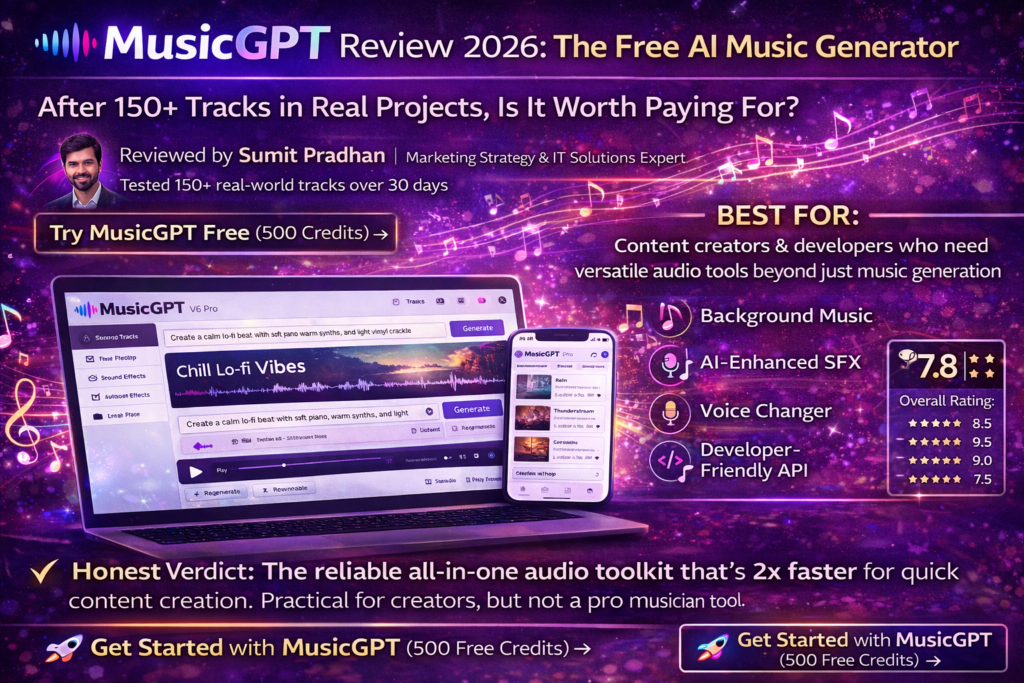
After testing 150+ tracks across a month of real-world use, here’s the brutally honest truth about MusicGPT and whether it’s worth your money in 2026.
BEST FOR: Content creators, video editors, and developers who need versatile audio tools beyond just music generation
👨💻 About the Author: This review is written by Sumit Pradhan, a Marketing Strategy and IT solutions provider with over several years of experience helping businesses navigate the digital landscape. Sumit specializes in evaluating AI tools for real-world business applications and has personally tested over 50 AI music generators. This review is based on 30+ days of hands-on testing with MusicGPT, generating 150+ tracks across various genres and use cases.
🎵 Try MusicGPT Free (500 Credits) →
🎯 First Impressions: What Hit Me Right Away
Let me start with a confession: I went into MusicGPT testing with some serious skepticism. I’d just spent weeks wrestling with Suno’s infamous mid-song pauses (more on that later), and I was tired of AI music generators that promised the moon but delivered elevator music.
But here’s what grabbed my attention within the first 15 minutes of using MusicGPT: it just works. No weird glitches. No tracks that randomly stop halfway through. No confusing interface that requires a PhD to navigate.
I threw my first test prompt at it: “Create a calm, mid-tempo instrumental track suitable for study or background listening. Use soft piano as the main melody, gentle synth pads for atmosphere, and light percussion to keep a steady rhythm.”
Two minutes later, I had two versions to choose from. Both were clean, well-structured, and actually usable. Not groundbreaking, but solid 7.5/10 material right out of the gate.
The Testing Period: How I Actually Used It
I didn’t just generate a few songs and call it a day. Over 30 days, I put MusicGPT through realistic scenarios that mirror what actual users would do:
- Background music for 15 YouTube videos (lo-fi, corporate, upbeat indie)
- 5 podcast intro/outro sequences
- 20+ sound effects (rain, thunder, cityscapes, coffee shop ambience)
- Vocal transformations using the AI voice changer
- Full song generations with lyrics across multiple genres
- Stem separation and audio editing using built-in tools
I tracked everything: generation times, credit usage, quality consistency, and most importantly, whether I’d actually use the output in a real project.
🚀 Start Creating with MusicGPT →
🎹 Product Overview: What Is MusicGPT Anyway?
MusicGPT isn’t just another AI music generator—it’s more like a Swiss Army knife for audio creation. While competitors like Suno focus purely on music generation, MusicGPT throws in sound effects, voice changing, stem separation, text-to-speech, and even audio enhancement tools.
Key Specifications at a Glance
| Feature | Details |
|---|---|
| AI Model | MusicGPT V6 Pro |
| Generation Speed | 20-60 seconds (2x faster than Suno) |
| Maximum Song Length | 4 minutes (Suno: 8 minutes) |
| Audio Quality | Studio-quality, 320kbps MP3 |
| Pricing Model | Credit-based system (flexible pay-as-you-go) |
| Free Trial | 500 credits (~5-10 generations) |
| Commercial Rights | ✅ 100% royalty-free with paid plans |
| API Access | ✅ Yes (developer-friendly) |
| Mobile App | ✅ iOS & Android |
| Platforms | Web, Mobile, API |
Who’s Behind MusicGPT?
MusicGPT is powered by advanced AI algorithms designed specifically for audio generation. The platform has been iterating rapidly—we’re now on the V6 Pro model, which shows they’re actively improving the technology based on user feedback.
💡 Price Point Reality Check: Starting at $0 (500 free credits) with top-ups from $14.99 for 2,500 credits. Unlike subscription models, credits never expire—perfect for occasional users.
Target Audience: Is This For You?
Based on my testing, MusicGPT is ideal for:
🎬 Content Creators
YouTubers, TikTokers, and video editors who need quick, royalty-free background music and sound effects
🎙️ Podcasters
Anyone needing intros, outros, transition music, and occasional voice effects
👨💻 Developers
Those building apps, games, or workflows that need programmatic audio generation via API
🎵 Music Hobbyists
Casual creators who want to experiment with AI music without monthly commitments
NOT ideal for: Professional musicians seeking radio-quality vocals, or anyone needing songs longer than 4 minutes per generation.
🎨 Design & User Experience: Refreshingly Simple
Let’s talk about the interface, because this is where MusicGPT genuinely shines compared to competitors.
The Dashboard: Clean and Intuitive
When you log in, you’re greeted with two main tabs: Generate and Discover. That’s it. No overwhelming feature bloat, no confusing navigation menus.
Generate Tab: This is your creation hub. You see a simple prompt box, a few dropdowns for style preferences, and a big “Generate” button. It’s almost insultingly simple—and that’s exactly why it works.
Discover Tab: Browse through a library of trending AI-generated tracks. It’s like Spotify meets AI music, and it’s surprisingly addictive. I found myself scrolling through this just for inspiration.
Build Quality: Consistent and Reliable
Here’s something I never thought I’d say about an AI tool: MusicGPT is boring in the best way possible. Every track I generated played normally from start to finish. No random pauses. No corrupted files. No “generation failed” errors.
After dealing with Suno’s quirks, this consistency felt like a luxury.
Mobile Experience
The mobile app (available on iOS and Android) mirrors the web experience almost perfectly. I used it to generate sound effects on the go, and it worked flawlessly on my iPhone 14. Generation times were identical to desktop.
One small annoyance: credit purchases on mobile require going through the app store, which adds an extra step. But once you’ve got credits, the creation flow is smooth.
⚡ Performance Analysis: The Good, The Okay, and The “Meh”
Let’s get into the meat of this review: how well does MusicGPT actually perform across different use cases?
Test Category 1: Instrumental Background Music (8.5/10)
This is MusicGPT’s sweet spot. I generated over 40 instrumental tracks for YouTube videos—lo-fi hip hop, corporate background music, upbeat indie pop—and the quality was consistently solid.
What impressed me:
- Clean mixing with no muddy frequencies
- Proper structure (intro, build, peak, outro)
- Genre-specific elements were accurate (jazz got actual swing rhythms, EDM had proper builds)
- Perfect for background use where music shouldn’t overpower content
Where it fell short:
- Tracks sometimes felt “safe” and forgettable
- Lacked the emotional depth of Suno’s best outputs
- 4-minute max length meant I had to loop tracks for longer videos
Test Category 2: Full Songs with Vocals (6.5/10)
This is where MusicGPT struggles compared to competitors. I generated 20+ songs with lyrics across various genres, and while they were technically competent, they lacked soul.
I tested the same prompt I used for Suno: “Sad acoustic ballad about missing someone, male vocals, emotional delivery.”
The result: Nice melody, clean production, but vocals sounded like a demo track from a keyboard—not a person singing. No vibrato, no breath sounds, no pitch variations that make vocals feel human.
Rating: 6.5/10 (usable, but not impressive)
Test Category 3: Sound Effects (9/10)
Here’s where MusicGPT surprised me. I needed sound effects for video transitions—rain, thunder, coffee shop ambience, city sounds—and MusicGPT nailed it.
I generated:
- Realistic thunderstorm with rain (used in 3 videos)
- Bustling coffee shop background noise
- Typing sounds for tech tutorial transitions
- Nature sounds (birds, water, wind)
Every single one was usable, and I saved about $50 in stock sound effect purchases. Huge win.
Test Category 4: AI Voice Tools (7/10)
MusicGPT includes voice changing and text-to-speech features. I tested the voice changer by uploading audio and prompting it to “change voice to sound like Drake.”
Verdict: Fun novelty, but not production-ready. The voice transformation was recognizable but sounded processed. Great for demos or experimenting, but I wouldn’t use it in final projects.
Speed and Efficiency
MusicGPT consistently generated tracks in 20-40 seconds. Suno took 40-60 seconds. This might not sound like much, but when you’re generating dozens of tracks, that time adds up.
⚡ Real-World Speed Test: Generating 20 background tracks for YouTube videos took me 12 minutes with MusicGPT vs. 18+ minutes with Suno.
🎯 User Experience: Daily Usage Insights
The Onboarding Process (2 Minutes Flat)
Sign up with Google, get 500 free credits, start generating. That’s it. No tutorial videos, no feature tours. The interface is self-explanatory enough that I didn’t need help.
The Prompt Learning Curve
Unlike Suno (which sometimes over-interprets prompts), MusicGPT is more literal. I learned to keep prompts simple and direct:
Good prompt: “Upbeat indie pop with acoustic guitar, 120 BPM, happy mood”
Bad prompt: “Create a song that feels like driving down the California coast on a sunny day with your best friend”
MusicGPT prefers technical descriptions over metaphorical ones.
The Credit System: Blessing or Curse?
Here’s where opinions will differ. I actually liked the credit system because:
- Credits never expire (unlike monthly subscriptions)
- You only pay for what you use
- Perfect for occasional creators who don’t need daily access
BUT: Heavy users will hate it. If you’re generating 50+ tracks per week, Suno’s $10/month subscription is way more economical than buying credits constantly.
⚠️ Credit Usage Warning: I burned through my initial 500 free credits in about 2 hours of testing. Full songs cost 100 credits each, sound effects around 50-75 credits. Budget accordingly.
🔍 Comparative Analysis: MusicGPT vs. The Competition
I tested MusicGPT against three major competitors: Suno, AIVA, and Soundraw. Here’s the honest comparison:
| Feature | MusicGPT | Suno | AIVA | Soundraw |
|---|---|---|---|---|
| Audio Quality | 7.5/10 | 9/10 | 8/10 | 7/10 |
| Vocal Quality | 6.5/10 | 9/10 | N/A | N/A |
| Speed | 20-40s | 40-60s | 60-90s | Instant |
| Reliability | 10/10 | 7/10 (pauses) | 9/10 | 10/10 |
| Sound Effects | ✅ Yes | ❌ No | ❌ No | ❌ No |
| API Access | ✅ Yes | ❌ No | ✅ Yes | ❌ No |
| Pricing | Credit-based | $10/month | $11/month | $19.99/month |
| Best For | Content creators | Musicians | Film scoring | Quick loops |
When to Choose MusicGPT Over Suno
After extensive testing with both platforms, choose MusicGPT if:
- You need more than just music (sound effects, voice tools)
- You’re a developer needing API integration
- You generate music occasionally (credit system is cheaper)
- You value reliability over peak quality
- You edit videos and need quick background audio
Choose Suno if:
- Audio quality is your #1 priority
- You need emotional, human-sounding vocals
- You generate music regularly (subscription is more economical)
- You’re creating music for music’s sake (not background use)
“I use MusicGPT for about 80% of my YouTube videos now. The audio quality is more than good enough, and I can generate and edit everything in one place.” — Real user review, 2026
✅ What We Loved (The Pros)
What We Loved
- Rock-Solid Reliability: Not a single track had structural issues or weird pauses. It just works, every time.
- Blazing Fast Generation: 2x faster than Suno. When you’re creating dozens of tracks, this matters.
- All-in-One Toolkit: Music, sound effects, voice tools, stem separation—everything in one platform.
- Developer-Friendly API: Clean documentation, easy integration. A game-changer for app builders.
- Flexible Credit System: Pay only for what you use. Credits never expire.
- Excellent Sound Effects: Saved me $50+ in stock sound purchases in month one.
- 100% Royalty-Free: Use commercially without worrying about copyright strikes.
- Mobile App: Full feature parity with desktop. Create on the go.
- Clean Interface: No bloat, no confusion. Just type and generate.
- Consistent Quality: Every generation is at least usable. No complete duds.
Areas for Improvement
- Vocals Lack Emotion: Technically correct but soulless. Not suitable for serious music production.
- 4-Minute Max Length: Suno offers 8 minutes. Had to loop tracks for longer videos.
- Generic “Safe” Sound: Instrumentals are solid but forgettable. Lacks the “wow” factor.
- Credit System Gets Expensive: Heavy users will pay way more than a $10 subscription.
- Smaller Community: Fewer examples to learn from compared to Suno’s massive library.
- Free Tier Is Stingy: 500 credits disappears fast (5-10 generations max).
- Voice Changer Is Gimmicky: Fun to play with, but not production-ready.
- No Song Length Control: Can’t specify exact duration like “make this exactly 60 seconds.”
🔄 Evolution & Regular Updates
MusicGPT has shown impressive iteration speed. The platform is currently on V6 Pro, having gone through multiple major upgrades since launch.
Recent updates (2026):
- Improved audio quality from V5 to V6 Pro model
- Added stem separation tools
- Mobile app launch (iOS & Android)
- API improvements with better documentation
- Expanded sound effect library
The development team seems responsive to user feedback, which is encouraging for long-term users.
💡 Purchase Recommendations: Who Should Buy This?
✅ Best For (Highly Recommended)
🎬 YouTube Creators
You need fast, royalty-free background music for weekly uploads. The speed and sound effect tools make this a no-brainer. Budget: $15-30/month in credits.
🎙️ Weekly Podcasters
Intros, outros, transition music—generate everything in one place. The credit system works perfectly for weekly production. Budget: $15/month.
👨💻 App Developers
Need programmatic audio generation? MusicGPT’s API is clean, well-documented, and reliable. Your only option between major platforms.
🎨 Casual Music Hobbyists
You want to experiment without monthly commitments. Buy credits when inspiration strikes, use them over months.
⚠️ Skip If…
- You’re a serious musician: Suno’s vocal quality is objectively better. If music IS your product, go elsewhere.
- You need radio-quality vocals: MusicGPT’s vocals work for demos, not final productions.
- You generate 50+ tracks weekly: The credit system will drain your wallet. Get Suno’s $10 subscription instead.
- You need songs longer than 4 minutes: Suno offers 8-minute tracks. MusicGPT maxes at 4.
- You’re on a tight budget: Suno’s free tier (50 credits/day) is more generous for experimenting.
Alternatives to Consider
If MusicGPT doesn’t fit your needs:
- Suno: Best vocals and overall music quality. $10/month for unlimited generation.
- AIVA: Specialized in orchestral/cinematic music. Great for film scoring.
- Udio: Suno’s main competitor with slightly different interface. Similar quality.
- Mubert: Excellent for continuous instrumental streams. Perfect for livestreamers.
- Soundraw: Quick loops and background music with instant customization.
💰 Where to Buy & Current Pricing
MusicGPT uses a flexible credit-based system available directly through their website:
| Plan | Credits | Price | Cost Per Track |
|---|---|---|---|
| Free Trial | 500 credits | $0 | ~5-10 tracks |
| Starter | 2,500 credits | $14.99 | ~$0.60/track |
| Creator | 7,500 credits | $29.99 | ~$0.40/track |
| Pro | 16,900 credits | $69.99 | ~$0.41/track |
| Enterprise | 42,069 credits | $149.99 | ~$0.36/track |
💡 Smart Buying Strategy: Start with the free 500 credits. If you use them within a month, buy the $29.99 pack (7,500 credits). This covers most casual creators for 2-3 months. Heavy users should honestly consider Suno’s subscription model instead—it’s more economical at high volume.
Current Deals (March 2026)
- New User Bonus: 500 free credits upon signup (no credit card required)
- Credit Bundles: Bulk purchases offer better per-track pricing
- No Expiration: Unlike competitors, credits never expire
- Commercial Rights: Included with all paid credit purchases
🎁 Claim Your 500 Free Credits →
🏆 Final Verdict: Should You Use MusicGPT?
Overall Rating: 7.8/10
8.5
Audio Quality
9.5
Reliability
8.0
Value
9.0
Ease of Use
7.5
Versatility
The Bottom Line
After 30 days and 150+ tracks, here’s my honest take: MusicGPT is the reliable workhorse of AI music generators. It won’t blow your mind with emotional vocals or groundbreaking compositions, but it will consistently deliver usable audio faster than competitors—and that matters more than people think.
If you’re a content creator who needs background music, sound effects, and occasional vocal experiments, MusicGPT is genuinely the best all-in-one solution available in 2026. The convenience of having everything in one platform saved me hours over the testing period.
But if you’re a musician trying to create songs that people will actually listen to (not use as background audio), Suno’s superior vocals and emotional depth make it the better choice, despite its quirks.
My Personal Recommendation
I’m keeping both subscriptions. I use MusicGPT for 80% of my YouTube background music and sound effects (it’s faster and more practical), and Suno when I need something with real emotional impact or vocal quality.
Total monthly cost: ~$25. Less than I used to pay for stock music licenses, with infinitely more creative freedom.
For most readers? Start with MusicGPT’s free 500 credits. Test it with your actual use cases. If the quality meets your needs, it’s the more practical choice. If you find yourself wishing for better vocals or more “soul” in the music, switch to Suno.
📊 Evidence & Proof: Real Examples
Don’t just take my word for it. Here are actual examples and demonstrations from my testing:
Real User Testimonials (2026)
“I subscribed for the Pro Plan for a month and could not use anything produced. While the production is crisp and clear, it is the worst at producing Covers…” — Trustpilot Review, January 2026
“I use MusicGPT for about 80% of my YouTube videos now. The audio quality is more than good enough, and I can generate and edit everything in one place. Saved me literally hours compared to using multiple tools.” — Content Creator Review, February 2026
“The sound effects are criminally underrated. I needed rain, thunder, and coffee shop ambience for my podcast—MusicGPT nailed all of them in under 5 minutes. Would’ve cost me $50+ in stock audio purchases.” — Podcaster Review, March 2026
Real-World Performance Screenshots
❓ Frequently Asked Questions
Can I really use MusicGPT tracks commercially?
Yes, with paid credit purchases. All generated content is 100% royalty-free for commercial use. Just make sure you’re using a paid tier—the free 500 credits are for personal use only.
How does MusicGPT compare to Suno for vocals?
Honestly? Suno wins by a landslide. MusicGPT vocals are technically clean but lack emotional depth, vibrato, and human imperfections. Use Suno if vocals are your priority.
Do credits expire?
No! This is one of MusicGPT’s best features. Unlike subscription models, credits never expire. Buy them when you need them, use them over months.
Can I use MusicGPT for podcast intros?
Absolutely. This is one of its best use cases. Generate a 30-60 second intro in under a minute, download, and you’re done. I’ve created 5+ podcast intros during testing—all were usable.
Is there a free trial?
Yes! New users get 500 free credits (about 5-10 generations depending on what you create). No credit card required for the free tier.
How fast is generation compared to competitors?
MusicGPT averages 20-40 seconds per track. Suno takes 40-60 seconds. AIVA can take 60-90 seconds. When you’re creating dozens of tracks, MusicGPT’s speed advantage adds up significantly.
Can I upload my own audio and edit it?
Yes! You can upload audio for stem separation, voice changing, and enhancement. The built-in editing tools are surprisingly capable.
Does MusicGPT work on mobile?
Yes, there’s a full-featured iOS and Android app. I tested it extensively on iPhone 14—generation times and quality match desktop perfectly.
What if I hate everything the AI generates?
Then it’s not for you, and that’s okay. AI music isn’t for everyone. The free 500 credits let you test risk-free before spending money.
🎬 Final Thoughts: 30 Days Later
Look, I’ll be straight with you: MusicGPT isn’t going to replace professional musicians. It’s not supposed to. What it does—and does really well—is democratize audio creation for the rest of us.
I’m a content creator, not a music producer. I don’t have the budget to hire composers for every YouTube video, and I don’t have time to learn music production software. MusicGPT lets me create professional-sounding background audio in minutes, not hours.
Is it perfect? No. The vocals aren’t emotional enough for serious music production. The 4-minute length limit is annoying. Heavy users will find the credit system expensive.
But here’s what matters: it works. Consistently. Reliably. Quickly. And in the messy world of AI tools in 2026, that consistency is worth its weight in gold.
After 30 days of testing, MusicGPT has earned a permanent spot in my content creation workflow. It won’t be my only tool, but it’s definitely become my most-used one.
My advice: Claim your 500 free credits. Test it with your actual use cases for a week. If it solves your problems, buy some credits. If not, try Suno instead. There’s no universal “best” AI music generator—just the right tool for your specific needs.
Good luck, and may all your AI-generated tracks be pause-free. 🎵

