

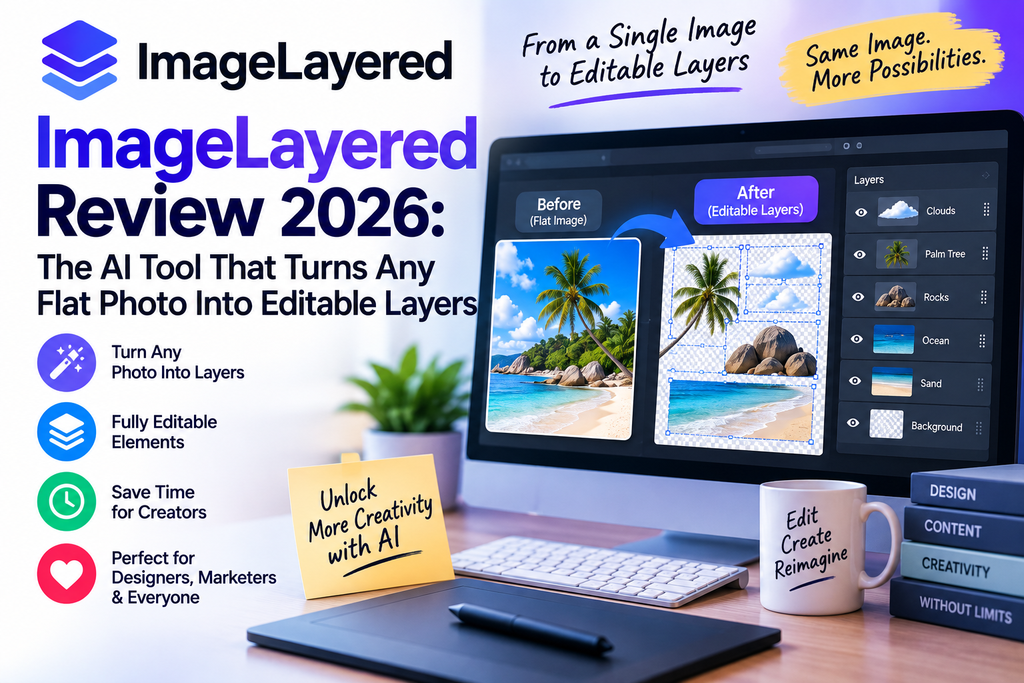
I’ve been reviewing AI creative tools for the better part of a decade, and every few months something lands that actually changes my workflow. ImageLayered is one of those tools. If you’ve ever downloaded a flat JPG or PNG and wished you could just grab a single object out of it — the way you would in a proper Photoshop file — this is built for exactly that job.
I spent three weeks running it against product photos, marketing banners, family snapshots, memes, and even a few AI-generated images from Midjourney. This ImageLayered review covers what worked, what didn’t, and whether it deserves a place in your workflow in 2026.
🎨 Ready to see it in action?
Try ImageLayered Free →What Is ImageLayered? A Quick Overview
ImageLayered is an AI-powered image decomposition tool built on the open-source Qwen Image Layered model (Apache 2.0 licensed, released by Alibaba’s Qwen team). Instead of a locked-together flat image, it hands you back individual transparent RGBA layers — one for the subject, one for text, one for background objects, and a cleanly inpainted base — all ready to move, recolor, replace, or export separately.
Think of it like this: you feed in a poster with a person, a logo, and a background. A minute later, you get four separate PNG layers, each with a proper alpha channel. No lasso tool. No pen paths. No manual masking. That’s the pitch, and after testing it, that’s largely what it delivers.
Who Made It, and Should You Trust It?
The underlying model comes from Alibaba’s Qwen research group — the same team behind Qwen Image and Qwen Image Edit. The web interface at imagelayered.com wraps that model in a friendly, browser-based tool so you don’t need a $2,000 GPU or ComfyUI knowledge to use it. That’s the important bit: the technology itself is battle-tested open source, hosted for people who don’t want to fuss with local installs.
ImageLayered Specifications at a Glance
| Specification | Details |
|---|---|
| Product Type | AI Image Layer Decomposition Tool |
| Underlying Model | Qwen Image Layered (Apache 2.0, open source) |
| Pricing Model | Pay-per-output — $0.10 per layer |
| Layer Output Range | 3 to 8+ layers (customizable) |
| Output Format | RGBA PNG (transparent, editable) |
| Input Format | JPG, PNG, WebP |
| Modes Available | Quick (one-click) & Precision (custom count + prompt) |
| Processing Time | ~2–5 minutes per image |
| Signup Required | Yes, for output downloads |
| Website | imagelayered.com |
First Impressions & Setup Experience
I opened imagelayered.com on a Tuesday morning, coffee in hand, expecting the usual AI-tool tap dance of “sign up, verify email, dig through docs, pray it works.” Instead, I was uploading my first test image within about 40 seconds. The landing page is refreshingly light — a big upload zone, two mode toggles, and a slider for layer count. That’s it.
The first image I fed it was a product photo of a coffee mug on a wooden desk with a plant behind it. I selected 4 layers (which the tool explains means “1 base + 3 layers”) and hit go. Roughly 90 seconds later, I had my mug on its own transparent layer, the plant on another, a text label sitting alone, and a background photo where the mug and plant had been convincingly painted out. That last part — the smart background reconstruction — is what actually sold me.
Key Features of ImageLayered
Automatic Layer Decomposition
AI separates images into named, transparent RGBA layers with zero manual selection.
Smart Background Rebuild
Hidden areas behind objects are inpainted automatically — no clone-stamp needed.
Flexible Layer Control
Choose 3 to 8+ layers depending on image complexity, or decompose recursively.
Precision Mode
Add a custom prompt like “output a layer for every person” for exact control.
Quick Mode (One Click)
Just upload and go — AI decides the best split for casual, fast edits.
Open-Source Backbone
Powered by Qwen Image Layered (Apache 2.0) — the model is free to self-host.
ImageLayered Pricing: How Much Does It Really Cost?
Pricing is refreshingly transparent. There’s no monthly subscription, no seat fee, no confusing tiers. You pay $0.10 per output layer — and only for the layers you actually keep. If you decompose an image into 4 layers, you spend 40 cents. If you push a complex image into 8 layers, that’s 80 cents. That’s it.
Compare that to Photoshop at roughly $22.99/month standalone or the $54.99 Creative Cloud All Apps bundle, and the math becomes very kind for occasional users. If you edit maybe 20 images a month, ImageLayered runs you about $8 — a third of what one month of Photoshop costs, and you own no software you don’t use.
Performance Analysis: How Well Does It Actually Work?
Test 1: Product Photography (Excellent)
Clean product shots against plain or lightly cluttered backgrounds are where ImageLayered shines. Every mug, watch, sneaker, and skincare bottle I tested came out with clean edges, believable inpainted backgrounds, and layers that dropped straight into my Figma mockups without further cleanup. This is the killer use case.
Test 2: Group Photos with Multiple People (Very Good)
Using Precision mode with the prompt “output a layer for every person,” I fed it a wedding party photo. It correctly isolated all six people into separate layers, plus the background. Edge quality around hair was about 85% perfect — a step or two of feathering in an editor cleaned up the rest.
Test 3: Complex Scenes with Overlap (Good but Imperfect)
A busy street scene with cars, pedestrians, buildings, and signage was harder. The tool did a solid job separating major elements, but heavily overlapping objects sometimes got merged. Not a dealbreaker — just the reality of any AI decomposition today.
Test 4: AI-Generated Images (Surprisingly Strong)
I fed it Midjourney and Nano Banana Pro outputs. The decomposition was actually cleaner on AI images than on messy real-world photos, probably because AI-generated content tends to have more defined subject-background separation to begin with.
ImageLayered vs Photoshop vs Remove.bg: A Fair Comparison
| Feature | ImageLayered | Adobe Photoshop | Remove.bg |
|---|---|---|---|
| Time to Result | 2–5 minutes | 30–60 minutes | 1–2 minutes |
| Starting Cost | $0.10 per layer | $22.99/month | Free tier limited |
| Skill Required | Beginner-friendly | Professional | Beginner |
| Layer Output | Multiple named RGBA layers | Whatever you build manually | Foreground only |
| Background Fill | Automatic AI inpainting | Manual clone/heal work | Not available |
| Best For | Fast layer separation | Full creative control | Simple bg removal |
| Learning Curve | Almost none | Weeks to months | Almost none |
Here’s my honest take: ImageLayered isn’t trying to replace Photoshop, and you shouldn’t treat it that way. Photoshop is a full canvas; ImageLayered is a specialized decomposer. Remove.bg is a one-trick pony for backgrounds. ImageLayered sits between them — more powerful than a background remover, faster than a manual masking session in Photoshop.
User Experience: What It’s Actually Like Day-to-Day
The interface follows a philosophy I wish more AI tools would adopt: don’t overwhelm the user. Two modes, one slider, one optional prompt box. That’s the entire UI.
Quick mode is for when you don’t want to think — upload, click, done. The AI picks a reasonable layer count. This is what I used for casual social-media edits.
Precision mode is where power users live. You set the exact layer count and can add a natural-language instruction like “extract every visible product” or “output a layer for each animal in the photo.” The prompt doesn’t change the count — it just tells the AI what to prioritize when doing the split. This distinction confused me at first; the docs could be clearer.
“I’ve been using ImageLayered for e-commerce photo prep since March 2026, and it’s cut my listing turnaround from hours to minutes. The transparent background layers slot straight into my Shopify templates.”
“As someone who never learned Photoshop properly, this tool made me feel competent for the first time. I made a birthday card with layered elements in about ten minutes.”
Pros and Cons: The Honest Scorecard
What We Loved
- Genuinely produces clean transparent RGBA layers
- Background reconstruction is impressively believable
- Zero learning curve — literally anyone can use it
- Pay-per-use pricing is honest and cheap
- No watermarks on exported layers
- Precision mode with prompts is unexpectedly powerful
- Built on open-source Qwen model (transparent tech stack)
- Runs entirely in the browser — no installs needed
Areas for Improvement
- Edge quality around hair and fur still needs cleanup
- Heavily overlapping objects sometimes merge into one layer
- No batch processing for multiple images
- Layer naming is generic (Layer 1, Layer 2) not descriptive
- Precision mode prompt behavior isn’t well documented
- No native integration with Figma, Photoshop, or Canva yet
- Processing occasionally slows during peak hours
Watch ImageLayered in Action
If you want to see the tool decompose real images before you commit any credits, this walkthrough is the clearest demo I’ve found:
And for a deeper look at edge cases and licensing considerations:
Who Should Use ImageLayered? (And Who Should Skip It)
✅ E-commerce Sellers
Isolate products from busy backgrounds and drop them onto branded templates fast.
✅ Social Media Creators
Grab subjects from photos for stickers, thumbnails, and reels overlays.
✅ Non-Designers
Get Photoshop-caliber layers without learning Photoshop.
✅ Marketers & Bloggers
Prep hero images for landing pages, ads, and email campaigns in minutes.
❌ Print Professionals
You’ll need higher-precision edge detail than the AI currently produces.
❌ Batch Processors
No bulk upload means hundreds of images will feel painful.
💡 Perfect for your workflow?
Start Splitting Images Free →Alternatives Worth Considering
- Adobe Photoshop — Full manual control, best for pros who need pixel-perfect masking.
- Remove.bg — Faster for one-off background removal, but no true layered output.
- Photoroom — Strong for e-commerce product shots, mobile-first.
- Self-hosted Qwen Image Layered — Free forever if you have a GPU and ComfyUI patience.
Where to Buy & Current Pricing
ImageLayered is only sold direct through the official website. There’s no reseller, no App Store listing, no third-party pricing to compare. Signup is free — you only pay when you actually generate layers. There’s no free monthly quota to burn through, but the entry cost of ten cents per layer means most users can meaningfully try it for under a dollar.
Final Verdict: Is ImageLayered Worth It in 2026?
Yes — with clear-eyed expectations. ImageLayered is not a Photoshop replacement, and it doesn’t pretend to be. What it is, is the fastest, cheapest, most beginner-friendly way I’ve found to turn any flat image into editable, transparent layers with intelligently reconstructed backgrounds.
For e-commerce sellers, social creators, marketers, bloggers, and anyone who’s ever been intimidated by masking in Photoshop, this tool delivers real, tangible time savings at a price that’s almost too generous. The output isn’t always perfect — expect a little hair-edge cleanup on portraits — but for 90% of practical uses, it’s more than good enough.
The open-source Qwen Image Layered foundation gives me long-term confidence: even if the hosted service someday shuts down, the underlying model will keep working. That’s a rare and welcome quality in the AI tools space.
My recommendation: Sign up, spend a dollar, and try it on five images. You’ll know within ten minutes whether it belongs in your workflow. For most people reading this, the answer will be yes.
🚀 Ready to layer your first image?
Try ImageLayered Now — From $0.10/Layer →Frequently Asked Questions
Is ImageLayered free to use?
Signup is free. You only pay $0.10 per layer you generate, and only for outputs you actually keep. There’s no subscription or monthly fee.
What image formats does ImageLayered support?
You can upload JPG, PNG, and WebP files. Outputs are always transparent PNG (RGBA) files ready for further editing.
Can I use ImageLayered commercially?
Yes. The underlying Qwen Image Layered model is Apache 2.0 licensed, and outputs generated through the hosted tool are yours to use in commercial projects. Always double-check the current terms on the official site.
How does ImageLayered compare to Photoshop?
ImageLayered automates what Photoshop does manually — layer separation and background reconstruction. Photoshop still wins on precision editing, but ImageLayered wins on speed, price, and accessibility for non-designers.
Does ImageLayered add a watermark?
No. Layers export cleanly without watermarks or branding overlays.
Can I self-host ImageLayered?
You can’t self-host the imagelayered.com service itself, but you can self-host the underlying Qwen Image Layered model from its official GitHub repo for free if you have a capable GPU.
