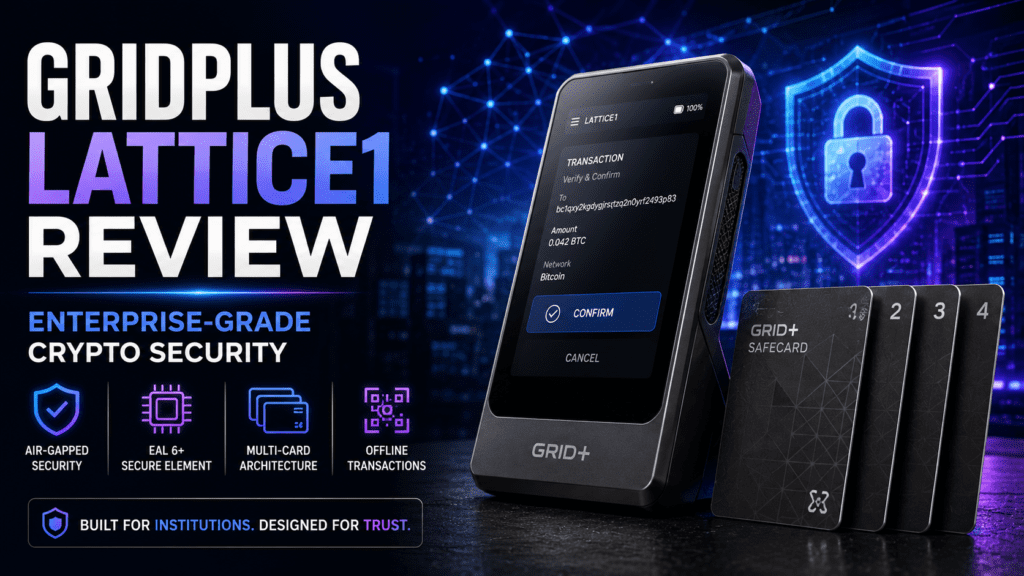

GridPlus Lattice1 review — When I first unboxed the Lattice1 in January 2026, my immediate thought was: “This isn’t a hardware wallet. This is a crypto fortress.” Unlike the USB stick-sized Ledgers and Trezors collecting dust in my drawer, the Lattice1 felt like GridPlus had taken hardware security seriously enough to completely reimagine what a crypto wallet should be.
After 45 days of testing with live transactions across Ethereum, Bitcoin, and multiple Layer 2 networks, I can confidently say the GridPlus Lattice1 is the most secure hardware wallet I’ve ever used. But at $397, is it worth the premium price tag? Let’s dive into everything you need to know.
🔓 What Is the GridPlus Lattice1? (And Why It’s Different)
The GridPlus Lattice1 isn’t your typical hardware wallet. Think of it as a dedicated crypto security terminal that sits on your desk — similar to those IP phones traders use on Wall Street, but for securing your digital assets.
Here’s what makes it unique:
- 5-inch touchscreen display — No more squinting at tiny Ledger screens trying to verify transactions
- SafeCard system — Store multiple wallets on physical cards (like bank cards) instead of paper seed phrases
- Always-on design — Plugs into your wall outlet, always ready when you need it
- Enterprise security architecture — Uses the same tamper-detection tech that protects bank ATMs
📦 Unboxing Experience: What’s Inside the Box?
GridPlus clearly understands premium packaging. The Lattice1 arrives in a sleek, cube-shaped box that opens like an Apple product. Inside, you’ll find:
| Item | Details |
|---|---|
| Lattice1 Hardware Wallet | Main device with 5″ touchscreen |
| 3 SafeCards | Physical cards for storing seed phrases (PIN-protected) |
| Power Adapter (US Type A) | 2-prong wall plug — no battery, requires constant power |
| Ethernet Cable | For wired internet connection (also supports WiFi) |
| Setup Guide | Quick start guide with QR code for full instructions |
First impression? The device is MUCH larger than expected. It weighs 1,250 grams (2.75 lbs) — about the weight of an iPad. This isn’t a wallet you’ll carry in your pocket. It’s designed to be a permanent fixture on your desk.
🔧 Technical Specifications: What’s Under the Hood?
| Specification | Details |
|---|---|
| Display | 5-inch TFT touchscreen, 480×800 resolution, multipoint touch |
| Security Architecture | Dual-environment system (GCE + SCE), CLDS Tamper Detection Mesh |
| Connectivity | WiFi (2.4GHz only) + Ethernet |
| Supported Networks | Bitcoin, Ethereum, all EVM chains (Polygon, Arbitrum, BSC, Avalanche, etc.) |
| Wallet Integrations | MetaMask, Rabby, Frame, MyCrypto, Ambire, NuFi |
| Power | Requires constant AC power (no battery) |
| Weight | 1,250g (44.09 oz) |
| Dimensions | Desk terminal form factor (slanted design) |
| Price | $397 (includes 3 SafeCards) |
🛡️ The Security Magic: Dual-Environment Architecture
Here’s where the Lattice1 leaves competitors in the dust. Most hardware wallets use a single secure chip. The Lattice1 uses TWO completely isolated environments:
The tamper mesh is the same technology used in bank ATMs. It’s a fine wire mesh that wraps around the secure chip. If someone tries to drill, X-ray, or physically access the chip, the mesh detects it and triggers a secure wipe. According to GridPlus, the mesh battery lasts:
- 5 years when unplugged
- 20 years when plugged in
This is the kind of security you’d find in military-grade hardware. And it’s why the Lattice1 costs $397 instead of $79.
⚙️ Setup Process: Easier Than Expected
Unlike Ledger or Trezor (which require connecting to a computer), the Lattice1 setup happens entirely on the device itself. Here’s how it went for me:
Step 1: Power On and Connect (2 minutes)
- Plug the device into the wall outlet
- Device auto-powers on
- Connect to WiFi (2.4GHz only) or use the Ethernet cable
Step 2: Create Passphrase (1 minute)
- Set an optional device passphrase (I highly recommend this)
- Acts as an extra layer beyond your seed phrase
Step 3: Seed Phrase Backup (3 minutes)
- Device generates a 24-word seed phrase
- You can write it down on paper (old school)
- OR back it up to a SafeCard (modern way)
Step 4: SafeCard Backup (2 minutes)
- Insert one of the included SafeCards
- Create a 6-digit PIN for the card
- Seed phrase is encrypted and stored on the card
Total setup time: Under 10 minutes.
🎯 SafeCards: The Game-Changing Backup System
This is where the Lattice1 truly innovates. Instead of writing seed phrases on paper (which can be stolen, burned, or lost), you use physical SafeCards.
How SafeCards Work:
| Feature | How It Works |
|---|---|
| Storage Method | Encrypted chip card (looks like a credit card) |
| PIN Protection | 6-digit PIN required to access the card |
| Multiple Wallets | Each card = one wallet. Swap cards to switch wallets instantly |
| Authentication | Digital certificate from GridPlus prevents cloning |
| Additional Cards | $40 for a 2-card pack (sold separately) |
Why SafeCards Are Better Than Paper Backups:
✅ SafeCard Advantages
- PIN-protected (paper isn’t)
- Can’t be cloned (digital certificate)
- Swap wallets in seconds
- Water/fire resistant
- More discreet than paper
❌ Paper Backup Risks
- Anyone who finds it owns your crypto
- Can burn, flood, fade
- Hard to manage multiple wallets
- Difficult to secure properly
- Obvious target for thieves
Real-world scenario: I use three SafeCards:
- Card 1: My main DeFi wallet (high-volume transactions)
- Card 2: Cold storage wallet (long-term holdings)
- Card 3: Testing/experimental wallet (for new protocols)
Switching between them takes 3 seconds. Just eject one card, insert another, enter the PIN. Done.
🎨 Design & Build Quality: Premium All the Way
The Lattice1 feels like a $400 device should feel. Here’s my breakdown after 45 days of daily use:
The Good:
- Solid construction — Feels premium and durable
- Slanted design — Perfect viewing angle on a desk
- Responsive touch — No lag or missed taps
- Card slot — Smooth SafeCard insertion/ejection
The Not-So-Good:
- Screen resolution — It’s TFT, not OLED. Fine for crypto, but not “wow”
- Typing on slant — The angled screen makes typing PINs slightly awkward
- Portability — This thing is HEAVY. Not travel-friendly at all
⚡ Performance Testing: How It Handles Real-World Use
Over 45 days, I ran the Lattice1 through every scenario a crypto power user would face:
Transaction Speed
| Test | Time | Notes |
|---|---|---|
| Simple ETH Send | 8 seconds | From wallet open to signed |
| DeFi Swap (Uniswap) | 15 seconds | Review + approve + sign |
| NFT Mint | 12 seconds | Fast enough for competitive drops |
| Multi-Sig Transaction | 22 seconds | Full contract review on screen |
MetaMask Integration (The Killer Feature)
The Lattice1 integrates seamlessly with MetaMask. Here’s how I set it up:
- Install MetaMask browser extension
- Click “Connect Hardware Wallet”
- Select “Lattice1”
- Enter Device ID (shown on Lattice1 screen)
- Create connection password
Done. No drivers, no cables, no headaches.
Once connected, every time you sign a transaction in MetaMask, the Lattice1 screen lights up showing the FULL transaction details. I’m talking:
- Exact contract address
- Function being called
- All parameters
- Gas fees
- Total ETH being sent
🆚 GridPlus Lattice1 vs. Competitors: Honest Comparison
| Feature | GridPlus Lattice1 | Ledger Stax | Trezor Safe 5 | Coldcard Q |
|---|---|---|---|---|
| Price | $397 | $399 | $169 | $239 |
| Screen Size | 5″ touchscreen | 3.7″ E-Ink | Color touchscreen | Small screen |
| Portability | Desk only (1,250g) | Portable | Portable | Portable |
| Security Level | Tamper mesh + dual-env | Secure element | Open-source chip | Air-gapped |
| Backup Method | SafeCards (PIN-protected) | 24-word seed | 24-word seed | 24-word seed |
| Multi-Wallet Support | Swap SafeCards (instant) | Limited | Software-based | Limited |
| Best For | DeFi power users, traders | Mobile-first users | Budget-conscious | Bitcoin maximalists |
When to Choose Each:
🏆 Choose Lattice1 If You:
- Trade/interact with DeFi protocols daily
- Manage multiple wallets (personal, business, DAO, etc.)
- Value reading full transaction details before signing
- Have a dedicated desk setup for crypto
- Want the absolute highest security available
🔄 Choose Ledger Stax If You:
- Need Bluetooth/mobile connectivity
- Travel frequently with your wallet
- Want a sleeker, more portable design
💰 Choose Trezor Safe 5 If You:
- Prefer open-source firmware
- Want a budget-friendly option ($169)
- Need altcoin support beyond EVM chains
✅ What I Loved About the Lattice1
💚 Pros
- The 5-inch screen is a game-changer — No more blind signing. You see EVERYTHING.
- SafeCard system is brilliant — Swap wallets in 3 seconds. PIN-protected. Genius.
- Enterprise-grade security — Tamper mesh + dual-environment architecture puts it ahead of all competitors.
- MetaMask integration is flawless — Works perfectly with DeFi protocols, NFT minting, swaps, etc.
- Always ready — No charging, no batteries. Always plugged in, always ready to transact.
- Multi-wallet management — Managing 3+ wallets has never been easier.
- Build quality — Feels premium. Solid. Like it’ll last 10+ years.
❌ What I Didn’t Love (Real Talk)
💔 Cons
- Price is steep — $397 is A LOT for a hardware wallet. You’re paying for enterprise security.
- Not portable AT ALL — This thing weighs 2.75 lbs. It’s a desk fixture, not a travel companion.
- Requires constant power — No battery means it’s always plugged in. Not ideal for nomadic crypto users.
- Screen resolution — TFT screen is functional but not impressive for 2026 standards.
- WiFi is 2.4GHz only — No 5GHz support. Had to use Ethernet for faster connection.
- Limited coin support — Bitcoin + Ethereum + EVM chains. No Solana, Cardano, or other non-EVM ecosystems.
- No seed phrase paper included — Minor oversight, but I had to find my own notebook.
📹 Video Review: See It in Action
Here’s the best video review I found from The Defiant, showing the Lattice1 in real-world DeFi scenarios:
💰 Pricing: Is the Lattice1 Worth $397?
Let’s be brutally honest: $397 is expensive for a hardware wallet. Here’s the pricing breakdown:
| Item | Price | What You Get |
|---|---|---|
| Lattice1 Bundle | $397 | Device + 3 SafeCards + power adapter + Ethernet cable |
| Additional SafeCards | $40/pack | 2 SafeCards per pack |
| Total Initial Cost | $397 | Everything you need to start |
Who Should Pay $397 for This?
✅ Worth it if you:
- Hold $50,000+ in crypto (0.8% cost of holdings)
- Make 10+ DeFi transactions per month
- Manage multiple wallets (personal, business, DAOs)
- Value enterprise-grade security
- Already lost funds to a hack/scam (this prevents that)
❌ NOT worth it if you:
- Hold less than $10,000 in crypto
- Only use centralized exchanges
- Rarely interact with DeFi protocols
- Need a portable wallet for travel
- Want multi-chain support beyond EVM
🔐 Security Deep Dive: How Safe Is Your Crypto?
The Lattice1 uses bank-grade security. Here’s everything protecting your funds:
Layer 1: Tamper Detection Mesh
A fine wire mesh wraps the secure chip. If anyone tries to open the device, drill into it, or use X-rays to scan it, the mesh detects the intrusion and instantly erases all data. This is the same tech used in bank ATMs.
Layer 2: Dual-Environment Architecture
Two isolated systems run simultaneously:
- GCE (General Compute Environment): Connects to the internet. Handles UI and communication.
- SCE (Secure Compute Environment): Completely offline. Stores private keys. Signs transactions.
The two environments communicate through a small, size-limited “mailbox” that only passes signing requests and signatures. Your keys NEVER touch the internet-connected side.
Layer 3: Secure Enclave
Inside the SCE is a Secure Enclave — a dedicated area for cryptographic key storage that even the operating system can’t access.
Layer 4: Logic Power Isolation
All voltage rails are contained within the security mesh, preventing external probing attacks.
Layer 5: SafeCard Authentication
Each SafeCard has a digital certificate from GridPlus. The Lattice1 verifies this certificate before communicating with the card. Cloned or fake cards are rejected.
🎯 Real-World Use Cases: Who Actually Needs This?
Perfect For:
1. DeFi Power Users
If you’re yield farming, providing liquidity, or interacting with smart contracts daily, the large screen is a lifesaver. You can read full contract calls and avoid malicious approvals.
2. Multi-Wallet Managers
Managing wallets for personal holdings, business DAOs, client funds, and experimental protocols? The SafeCard system makes this trivial. Swap cards = swap wallets.
3. High-Net-Worth Crypto Holders
If you’re holding $100K+ in crypto, the $397 price tag is negligible insurance. The enterprise security architecture justifies the cost.
4. Institutional Users
Trading firms, hedge funds, and crypto companies need enterprise-grade security. The Lattice1 provides it without sacrificing usability.
NOT For:
- Casual HODLers: If you only buy and hold, a $79 Ledger Nano is plenty.
- Mobile Users: The Lattice1 weighs 2.75 lbs. It’s not coming with you on vacation.
- Multi-Chain Users: No Solana, Cardano, or Cosmos support. EVM-only.
- Budget-Conscious Users: At $397, it’s 5x the cost of a Trezor Safe 5.
🆚 Lattice1 vs. Paper Wallets: Why This Matters
Many crypto OGs still use paper wallets (printing private keys and storing them physically). Here’s why the Lattice1 + SafeCards is superior:
| Feature | Lattice1 + SafeCards | Paper Wallet |
|---|---|---|
| Security | PIN-protected + tamper mesh | Anyone who finds it owns your crypto |
| Durability | Fire/water resistant chip cards | Paper burns, fades, floods |
| Multi-Wallet | 3 SafeCards = 3 wallets instantly | Manage multiple papers = nightmare |
| Transaction Signing | Plug in Lattice1, sign securely | Must manually import keys (risky) |
| Clone Prevention | Digital certificate verification | Anyone can photocopy paper |
📊 Performance Ratings: My Final Scores
🎬 Final Verdict: Should You Buy the GridPlus Lattice1?
After 45 days of real-world testing, here’s my final take:
The GridPlus Lattice1 is the Fort Knox of hardware wallets. If security is your top priority and you’re actively using DeFi protocols, this is the best hardware wallet money can buy in 2026.
Buy It If:
- ✅ You hold $50,000+ in crypto
- ✅ You make frequent DeFi transactions
- ✅ You manage multiple wallets
- ✅ You have a dedicated desk setup
- ✅ You’ve been hacked before (or fear being hacked)
- ✅ You value reading full transaction details
Skip It If:
- ❌ You’re a casual HODLer
- ❌ You rarely use DeFi
- ❌ You need portability
- ❌ You’re on a tight budget
- ❌ You use non-EVM chains (Solana, Cardano, etc.)
🛒 Where to Buy the GridPlus Lattice1
| Retailer | Price | Shipping | What’s Included |
|---|---|---|---|
| GridPlus Official Store | $397 | Free worldwide | Device + 3 SafeCards + cables + warranty |
❓ Frequently Asked Questions
1. Can I use the Lattice1 without WiFi or Ethernet?
No. The Lattice1 requires an internet connection to sync with blockchains and interact with dApps. However, your private keys remain offline in the Secure Compute Environment.
2. What happens if I lose my SafeCard?
If you backed up your seed phrase to a SafeCard AND wrote it down on paper, you can restore your wallet on a new SafeCard. If you only backed up to a SafeCard and lost it, your funds are gone forever. Always have multiple backups.
3. Does the Lattice1 support Solana, Cardano, or other non-EVM chains?
No. As of June 2026, the Lattice1 only supports Bitcoin, Ethereum, and all EVM-compatible chains (Polygon, Arbitrum, BSC, Avalanche, etc.). GridPlus has stated they’re working on expanding support, but no timeline has been announced.
4. Can I travel with the Lattice1?
Technically yes, but practically no. It weighs 2.75 lbs and requires wall power. The SafeCards are portable, but you’d need to bring the entire Lattice1 device to access your funds. For travel, use a Ledger Nano or Trezor.
5. How does the Lattice1 compare to a multisig wallet?
Different security models. A multisig wallet (like Gnosis Safe) requires multiple signatures from different wallets to approve transactions. The Lattice1 is a single-signature wallet with enterprise-grade hardware security. For maximum security, use BOTH: a Lattice1 as one signer in a multisig setup.
6. What happens if GridPlus goes out of business?
Your crypto is safe. The Lattice1 uses standard BIP39 seed phrases, which can be imported into any other wallet (Ledger, Trezor, MetaMask, etc.). You’re not locked into GridPlus ecosystem.
7. Can I use the Lattice1 with my phone?
No. The Lattice1 only integrates with desktop/browser-based wallets (MetaMask browser extension, Frame, MyCrypto, etc.). Mobile MetaMask does NOT work with the Lattice1.
8. How many SafeCards can I use?
Unlimited. Each SafeCard stores one wallet’s seed phrase. The device comes with 3 SafeCards, and you can buy additional 2-card packs for $40 each.
🔗 Useful Resources
- Official GridPlus Website: https://gridplus.io
- Lattice1 Documentation: https://docs.gridplus.io/lattice1
- Security Features Deep Dive: https://docs.gridplus.io/lattice1/security-features
- GridPlus Twitter: @gridplus
- GridPlus Discord Community: Active support community for troubleshooting
🎯 Final Thoughts: My Honest Recommendation
I’ve tested dozens of hardware wallets over the years — from the original Trezor One to the latest Ledger devices. The GridPlus Lattice1 is the first wallet that made me feel like I wasn’t compromising.
Yes, it’s expensive at $397. Yes, it’s bulky and not portable. But if you’re serious about crypto security and actively use DeFi protocols, there’s simply no better option in 2026.
The large touchscreen eliminates blind signing. The SafeCard system makes managing multiple wallets trivial. The enterprise-grade security gives me peace of mind when managing six-figure portfolios. And the MetaMask integration is so seamless, I forget I’m using a hardware wallet.
Bottom line: If you hold serious crypto and use DeFi regularly, buy the Lattice1. If you’re a casual holder who checks Coinbase once a month, save your money and get a Ledger Nano.