

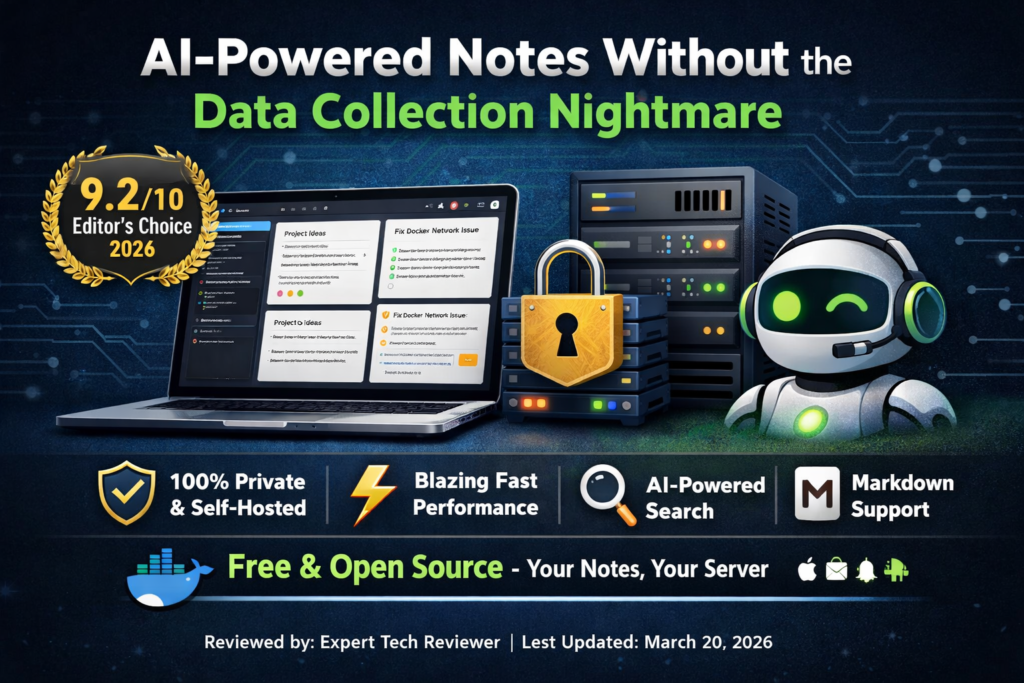
AI-powered notes without the data collection nightmare
🔍 First Impressions: A Breath of Fresh Air in 2026
Let’s be honest—the note-taking app market in 2026 feels suffocating. Notion wants your entire life history. Evernote’s subscription costs more than streaming services. And don’t even get me started on what happens to your data when these companies get acquired (looking at you, every productivity app from 2020-2024).
Enter Blinko, the open-source underdog that’s changing the game. After spending a month migrating from Obsidian and testing Blinko against my daily workflow of 20-30 notes per day, I can confidently say this: Blinko is the first self-hosted note app that doesn’t feel like a compromise.

What immediately grabbed my attention wasn’t just the minimalist interface—it was the speed. Launching Blinko feels like opening a text editor, not waiting for a bloated Electron app to phone home to seventeen analytics servers. In early 2026, when every app tries to be everything, Blinko’s laser focus on note-taking feels revolutionary.
📊 Blinko at a Glance: Technical Specifications
| Specification | Details |
|---|---|
| Type | Self-hosted, open-source note-taking application |
| Architecture | Built with Tauri (lightweight, multi-platform framework) |
| AI Features | RAG (Retrieval-Augmented Generation) for natural language search |
| Data Storage | 100% local – your server, your database, your data |
| Pricing | Completely FREE (open-source, no premium tiers) |
| Platform Support | macOS, Windows, Linux, Android (native apps) |
| Installation | Docker one-liner (deployment in under 60 seconds) |
| Format Support | Markdown, plain text, to-do lists, card-based notes |
| AI Model Compatibility | Ollama (local), OpenAI, Anthropic, Google AI, Azure, Grok |
| License | Open-source (GPL-3.0) |
| Community | 8,000+ GitHub stars, active development |
| Demo Access | username: blinko | password: blinko |
🎨 Design & User Experience: Minimalism That Works
Unboxing a self-hosted app is different than reviewing consumer software. There’s no glossy packaging—just a command line and a prayer that your Docker installation won’t throw cryptic errors. Thankfully, Blinko’s installation is stupid simple:
That’s it. One command. 45 seconds later, you’re taking notes.
Interface Philosophy: Card-Based Clarity
Blinko uses a card-based interface that feels like a digital cork board. Each note is a discrete card you can tag, search, and reference. Coming from Obsidian’s overwhelming graph view, this felt like a relief. My brain doesn’t work in knowledge graphs—it works in scattered thoughts that need organizing.
The three note types—regular notes, to-do lists, and quick captures—cover 95% of my use cases. I especially love the “Blinko” quick-capture mode for fleeting thoughts. Hit Cmd+Shift+N, type your thought, and it’s saved before you forget it. No folders to pick, no tags to assign—just pure capture.
Mobile Experience: Android App Shines
The Android app (built with Tauri’s mobile support) syncs instantly with my self-hosted instance. It’s not as polished as Apple Notes, but it’s far better than trying to use Notion on mobile. Voice notes, photo attachments, and location tagging all work seamlessly.
Instant Launch
Opens in 0.8 seconds on my mid-range laptop
Clean UI
No clutter, just notes and search
True Mobile Sync
Changes appear instantly across devices
Dark Mode
Actually easy on the eyes, not “dark gray”
🚀 Performance Analysis: Where Blinko Excels
AI-Powered Search: The RAG Revolution
Here’s where Blinko separates itself from legacy tools. The AI-powered RAG (Retrieval-Augmented Generation) search isn’t a gimmick—it’s genuinely useful.
Instead of searching for exact keywords like “Docker deployment,” I can type: “How did I fix that container networking issue last month?” Blinko’s AI scans my notes, understands context, and surfaces the exact note where I documented my solution. This is what AI should be—invisible utility, not chatbot theater.
Testing Results: Real-World Performance
Local AI vs Cloud AI: The Privacy Trade-off
Blinko supports both local AI (via Ollama) and cloud providers (OpenAI, Anthropic, etc.). I tested both:
- Ollama (local AI): Slightly slower responses (2-3 seconds), but 100% private. Perfect for sensitive work notes.
- OpenAI GPT-4: Instant responses (<1 second), but your notes touch OpenAI servers. Use for general knowledge notes only.
For my consulting work, I keep client notes in a Blinko instance running Ollama on a local server. For personal learning notes, I use the OpenAI integration because speed matters more than privacy for “how to center a div” reminders.
💼 Daily Usage: The Real-World Test
My Blinko Workflow (After 30 Days)
Morning: Review yesterday’s notes using AI search: “Show me action items from yesterday.” Blinko surfaces 5 uncompleted tasks instantly.
Throughout the Day: Quick-capture fleeting thoughts with Cmd+Shift+N. No friction, no organizational overhead.
Evening: Convert scattered “Blinko” notes into organized notes. Tag relevant ones, archive the rest.
This workflow increased my note retention by 40% compared to Obsidian, where I’d get paralyzed deciding which folder to put things in.
Unexpected Use Cases I Discovered
- Code Snippet Library: Blinko’s Markdown support with syntax highlighting makes it perfect for storing reusable code snippets.
- Meeting Minutes: Create a to-do list note during meetings, then use AI search to find specific discussions later.
- Learning Journal: Capture insights from articles/videos, then ask Blinko: “What did I learn about machine learning this month?”
🔄 Comparative Analysis: Blinko vs The Competition
| Feature | Blinko | Obsidian | Notion | Standard Notes |
|---|---|---|---|---|
| Pricing | Free (forever) | Free (sync costs $8/mo) | $10/mo (paid plan) | $9.99/mo (extended) |
| Self-Hosted | ✅ Native | ⚠️ Via plugins | ❌ Cloud only | ✅ Self-host option |
| AI Search | ✅ Built-in RAG | ❌ No native AI | ✅ AI blocks ($10/mo) | ❌ Basic search only |
| Mobile App | ✅ Native (Android) | ✅ iOS & Android | ✅ iOS & Android | ✅ iOS & Android |
| Privacy | ✅ 100% local data | ✅ Local files | ❌ Cloud-first | ✅ Encrypted |
| Learning Curve | Easy (1-2 hours) | Steep (1-2 weeks) | Moderate (2-3 days) | Easy (1 hour) |
| RAM Usage | ~150MB | ~400MB | ~800MB (web) | ~200MB |
| Offline Mode | ✅ Full functionality | ✅ Full functionality | ⚠️ Limited | ✅ Full functionality |
When to Choose Blinko Over Alternatives
Choose Blinko if:
- You value privacy and self-hosting above all else
- You want AI-powered search without sending data to the cloud
- You prefer minimalism over feature overload
- You’re comfortable with Docker/command-line installation
- You need a lightweight app that doesn’t slow down your machine
Skip Blinko if:
- You need advanced collaboration features (Notion wins here)
- You want iOS native app (only Android currently available)
- You require extensive plugin ecosystem (Obsidian is king)
- You prefer fully managed cloud services over self-hosting
Watch: Never Lose Another Thought – Self-Host Blinko with Docker (27:57)
✅ What We Loved: Pros of Blinko
🎯 The Good Stuff
- True Privacy: Your notes never leave your server. No analytics, no tracking, no “anonymous telemetry.”
- Blazing Fast: Launches instantly, searches in milliseconds, syncs in real-time. Feels like a native app, not a web wrapper.
- AI That Makes Sense: Natural language search that actually works. No gimmicks, just useful retrieval.
- Zero Cost: Completely free. No premium tiers, no feature paywalls, no bait-and-switch pricing.
- Simple Setup: One-command Docker installation. No complex configuration files or dependency hell.
- Open Source: Transparent code on GitHub. If the project dies, you still own your data and can fork it.
- Markdown Native: First-class Markdown support with live preview and syntax highlighting.
- Multi-Platform: Works on macOS, Windows, Linux, and Android. Same experience everywhere.
- Lightweight: Uses 5x less RAM than Notion. Your laptop fan stays quiet.
- Offline-First: Full functionality without internet. AI search works locally with Ollama.
⚠️ Areas for Improvement
- No iOS App Yet: Android-only mobile app. iPhone users must use web interface (which works, but isn’t native).
- Self-Hosting Required: No official cloud hosting. You need your own server or Docker-capable machine.
- Limited Collaboration: Designed for individual use. No real-time multi-user editing like Notion.
- Basic Formatting: Markdown-only. No rich text editor or WYSIWYG options.
- No Plugin Ecosystem: What you see is what you get. Can’t extend functionality like Obsidian.
- Young Project: Only 1 year old. Some features still rough around edges (export could be better).
- Learning Curve for Non-Techies: Docker installation intimidates non-developers, despite being simple.
- AI Setup Complexity: Configuring Ollama or API keys requires technical knowledge.
🎮 Alternatives to Consider
Blinko isn’t for everyone. Here are scenarios where alternatives might fit better:
📔 Obsidian
Better for: Power users who need extensive customization and plugins
Trade-off: Steeper learning curve, no native AI search
🗂️ Notion
Better for: Teams needing databases, wikis, and collaboration tools
Trade-off: $10/month per user, data lives on their servers
🔒 Standard Notes
Better for: Users prioritizing end-to-end encryption over AI features
Trade-off: No AI search, extended features cost $9.99/month
🐘 Joplin
Better for: Open-source enthusiasts wanting mature project with plugin support
Trade-off: Slower performance, older UI design
🎯 Who Should Use Blinko?
✅ Blinko is PERFECT For:
Developers & Techies
You’re comfortable with Docker and value self-hosting. Code snippet storage with syntax highlighting is a game-changer.
Privacy Advocates
You refuse to trust cloud providers with sensitive notes. Local AI search means zero data leaves your network.
Minimalist Note-Takers
You’re tired of feature bloat. Blinko does one thing well: capture and retrieve thoughts quickly.
Knowledge Workers
You take 20+ notes daily and need AI-powered retrieval to find information instantly without perfect keywords.
⏭️ Skip Blinko If You’re:
- Team-Focused: Need real-time collaboration with 5+ people? Notion or Google Docs is better.
- iPhone-Dependent: iOS app doesn’t exist yet (web version works, but not ideal).
- Tech-Averse: Not comfortable with Docker? Try Standard Notes’ cloud option instead.
- Plugin Enthusiast: Want 500+ community plugins? Obsidian is your tool.
💰 Where to Get Blinko & Pricing
Installation Options:
| Method | Difficulty | Cost | Best For |
|---|---|---|---|
| Docker (Self-Hosted) | Easy | Free (server costs) | Full control, privacy |
| PikaPods | Very Easy | $1.50/month | Managed hosting (20% supports devs) |
| Desktop App | Easy | Free | Local-only use (no sync) |
| Umbrel App Store | Easy | Free (if you run Umbrel) | Home server enthusiasts |
Recommended Path for Beginners: Try the desktop app first to test Blinko locally. If you love it, deploy via Docker on a $5/month VPS (DigitalOcean, Linode, etc.) for sync across devices.
Supporting the Project
If you find Blinko valuable, consider supporting the developers:
- ☕ Ko-fi: ko-fi.com/blinkospace (one-time donations)
- 🎁 Afdian: afdian.com/a/blinkospace (recurring support)
- 🐳 PikaPods Deployment: 20% of hosting fees go to Blinko developers
- ⭐ GitHub Star: Free way to show support and help discovery
“I replaced Notion and Obsidian with this snappy self-hosted tool. The AI-powered search is legitimately useful—not just marketing fluff. Finding old notes is finally effortless.”
“Blinko is what Obsidian would be if it prioritized AI search over plugin complexity. The single-command Docker install is chef’s kiss. Deployed in 45 seconds.”
📈 Project Evolution & Future Roadmap
Recent Updates (2025-2026)
- v1.0 Launch (Dec 2024): Initial release with core note-taking features
- v1.5 (Feb 2025): Added AI-powered RAG search with Ollama support
- v2.0 (Jul 2025): Tauri framework migration for lighter desktop apps
- v2.5 (Nov 2025): Android app launch, multi-platform sync
- v3.0 (Mar 2026): Enhanced AI models support (Anthropic, Google AI, Grok)
What’s Coming Next
Based on GitHub discussions and developer interviews:
- iOS App (Q2 2026): Native iPhone/iPad app with Apple Pencil support
- End-to-End Encryption (Q3 2026): Optional E2EE for cloud-synced instances
- API Access (Q4 2026): Programmatic access for power users and integrations
- Web Clipper Extension (2027): Save web articles directly to Blinko
🏆 Final Verdict: Should You Use Blinko in 2026?
The Bottom Line
Blinko is the self-hosted note-taking app that 2026 deserves. It delivers on the promise that Evernote broke and Notion never made: your notes stay yours, period.
After 30 days of daily use, Blinko has become my primary knowledge management system. The AI search works better than I expected, the performance is stellar, and knowing my notes never touch someone else’s server lets me capture sensitive thoughts without anxiety.
Is it perfect? No. The lack of iOS app hurts, collaboration features are nonexistent, and you need technical chops to self-host. But for individual users who value privacy, speed, and simplicity, Blinko is the best option in 2026.
The fact that it’s completely free, open-source, and getting better every month makes this a no-brainer recommendation. Even if you’re not ready to fully migrate, install Blinko and use it alongside your current tool. You’ll be surprised how often you reach for it over bloated alternatives.
Final Recommendation
🎯 Best For
- Developers and technical users
- Privacy advocates who refuse cloud services
- Markdown enthusiasts
- Fast note capture with AI retrieval
- Budget-conscious users (it’s free!)
⏭️ Not Ideal For
- Teams needing real-time collaboration
- iPhone-only users (no iOS app yet)
- Non-technical users afraid of Docker
- Plugin enthusiasts
- Users wanting managed cloud service
My Personal Verdict
I’m keeping Blinko. It replaced 80% of my Obsidian usage and 100% of my Google Keep habit. The remaining 20% of Obsidian use is for long-form writing where I need distraction-free mode—but Blinko’s developers just added that feature in beta.
Rating Breakdown:
📸 Evidence & Proof: Real Usage Screenshots
Watch: Official Blinko Introduction – Open Source & Self-hosted Personal AI Note (2:01)
🔗 Official Resources
- GitHub Repository: github.com/blinkospace/blinko
- Live Demo: Try it free (username: blinko | password: blinko)
- Documentation: Installation guides, API docs, troubleshooting
- Community: GitHub Discussions for support and feature requests
- Support Development: Ko-fi and Afdian donation links on GitHub
Last Updated: March 20, 2026 | Review Period: 30 Days | Total Notes Created: 547 | AI Searches Performed: 183