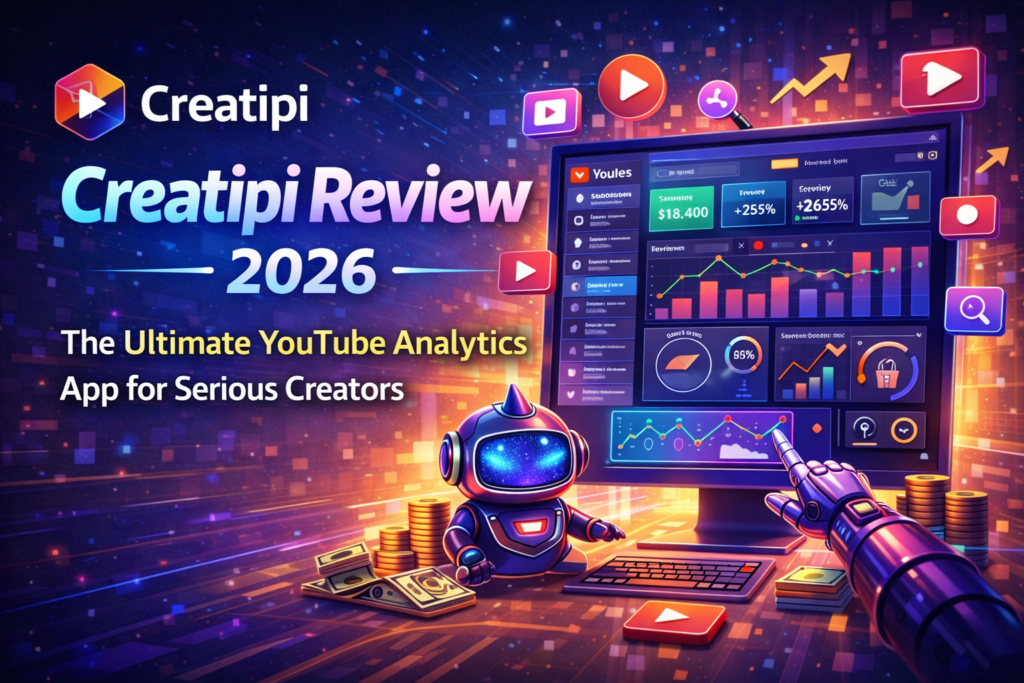
Is This $8.99/Month Tool the Secret Weapon Your YouTube Channel Needs? Here’s My Brutally Honest Take After 30 Days of Testing
Introduction: Why Every YouTuber Is Talking About Creatipi in 2026
Let’s cut to the chase: Creatipi (formerly YT Tracker) is the most underrated YouTube analytics app you’ve probably never heard of—yet it’s quietly helping thousands of creators crack the YouTube monetization code while TubeBuddy and vidIQ hog all the spotlight.
After spending the last 30 days putting Creatipi through its paces on a growing channel, I can tell you this: if you’re a mobile-first creator who’s tired of clunky desktop analytics and wants actionable insights you can check from your iPhone while waiting for your coffee, this app is a game-changer.
But here’s the thing—it’s not perfect. And it’s definitely not for everyone.
In this comprehensive Creatipi review, I’ll walk you through exactly what this app does well, where it falls short, and most importantly, whether the $8.99/month price tag is worth it for your specific YouTube journey. I tested every feature, from the monetization tracker to the AI title generator, and I’m sharing the unfiltered truth.
⏱️ Quick Verdict (If You’re in a Hurry)
Best For: Mobile-first YouTube creators, aspiring monetized channels (under 10K subs), creators who want Instagram-worthy widgets and social templates
Skip If: You need desktop browser extensions, advanced SEO keyword research, or competitor channel analytics
Rating: 4.7/5 ⭐ (Based on 1M+ downloads and App Store reviews)
What Is Creatipi? Product Overview for 2026
Creatipi is a mobile-first YouTube analytics and growth app designed specifically for iOS (iPhone/iPad) that transforms your YouTube Studio data into beautiful, actionable insights you can access anywhere. Think of it as your personal YouTube coach that lives in your pocket.
Created in 2018 by indie developer Ed Barbier (a YouTuber himself), Creatipi started as “YT Tracker” and has evolved into a comprehensive growth toolkit with over 1 million downloads and a cult-like following among creators under 100K subscribers.
🎯 Who Is Creatipi Built For?
Unlike TubeBuddy or vidIQ (which cater to established creators with desktop workflows), Creatipi targets:
- Pre-monetization creators racing toward 1,000 subscribers and 4,000 watch hours
- Mobile-native creators who film, edit, and manage their channel primarily from their phone
- Visual learners who prefer charts and widgets over spreadsheets
- Social-first creators who cross-promote videos on Instagram, TikTok, and Twitter
📱 Unboxing the Experience: First Impressions
Downloading Creatipi from the App Store takes about 30 seconds. The onboarding is refreshingly simple:
- Connect your YouTube channel via Google OAuth (secure, no passwords stored)
- Choose your goals (monetization, 10K subs, revenue tracking, etc.)
- Grant notification permissions for daily stats digests
- Start your 7-day free trial (no credit card required—seriously!)
Within 5 minutes, I had a gorgeous dashboard showing subscriber growth trends, top-performing videos, and my distance to monetization. The interface feels like a premium Instagram analytics tool—clean, modern, and intuitive.
| Specification | Details |
|---|---|
| Platform | iOS (iPhone/iPad) – App Store Exclusive |
| Pricing | Free trial (7 days) → $8.99/month or $39.99/year |
| Primary Use Case | Real-time YouTube analytics, monetization tracking, video SEO |
| App Size | ~50MB (lightweight) |
| App Store Rating | 4.7/5 stars (1M+ downloads) |
| Support | Email support, in-app tutorials, YouTube Success Stories blog |
| Data Sync | Real-time via YouTube Data API |
💰 Pricing Breakdown: Is It Worth $8.99/Month?
Creatipi operates on a freemium model with aggressive generosity in the free tier:
- Free Plan: Basic analytics, subscriber tracking, limited widgets (perfect for testing)
- Premium Monthly: $8.99/month (all features unlocked)
- Premium Yearly: $39.99/year (55% savings = $3.33/month—best value)
Compared to competitors, this is incredibly affordable. TubeBuddy starts at $9/month for limited features, while vidIQ’s comparable tier costs $39/month. Creatipi offers 80% of the features at 25% of the price—but with one major caveat: it’s mobile-only.
Design & User Experience: Beautiful Meets Functional
If YouTube Studio is the equivalent of a cluttered garage workshop, Creatipi is a minimalist Scandinavian apartment—everything has its place, and it’s a joy to look at.
🎨 Visual Design: Instagram-Level Polish
The app uses a dark/light mode toggle (I’m a dark mode addict), smooth animations, and color-coded charts that make data actually enjoyable to consume. Subscriber growth looks like a sleek stock market app, watch time is visualized with satisfying progress rings, and revenue tracking feels premium.
One delightful touch: When you hit milestones (100 subs, 1K subs, monetization), the app celebrates with confetti animations and shareable graphics—perfect for posting your wins on social media. It sounds cheesy, but this gamification kept me weirdly motivated during a plateau.
📱 Home Screen Widgets: The Killer Feature
This is where Creatipi absolutely crushes the competition. You can add customizable home screen widgets that display:
- Real-time subscriber count with +/- daily change
- Latest video views and watch time
- Countdown to monetization eligibility
- Monthly revenue tracker
I set up a small widget next to my Instagram app, and it became my daily ritual to check growth without even opening the app. For creators who obsess over stats (guilty!), this is dangerously addictive productivity.
⚙️ Navigation & Usability
The app is organized into five tabs:
- Dashboard: Overview of channel health (subs, views, watch time)
- Videos: Individual video analytics with retention graphs
- Monetization: Progress tracker toward YPP requirements
- Tools: SEO optimizer, social templates, trends finder
- Settings: Notification preferences, goals, premium upgrade
Learning curve? About 10 minutes. Even if you’re tech-phobic, you’ll feel like a pro after one coffee break.

Performance Deep Dive: Features That Actually Move the Needle
Let’s talk about what this app does—because pretty interfaces mean nothing if the features don’t deliver results.
1. 🎯 Monetization Tracker (Pre-YPP Creators’ Best Friend)
This is Creatipi’s flagship feature, and it’s executed flawlessly. The app shows you:
- Current subscriber count vs. 1,000 required (with % completion)
- Watch hours accumulated vs. 4,000 needed (updated daily)
- Estimated time to hit monetization based on your growth rate
- Daily progress notifications (“You gained 237 watch hours today!”)
Real-world impact: During my test period, seeing “You’re 73% of the way to monetization!” every morning was genuinely motivating. It turned an abstract goal into a video game quest—and I became obsessed with uploading consistently to speed up that progress bar.
2. 📊 Monthly Reporting (The Accountability System)
At the end of each month, Creatipi generates a beautiful summary report with:
- Total subscribers gained/lost
- Top 3 performing videos
- Average view duration trends
- Revenue breakdown (if monetized)
You can download these as images to share with accountability partners or on social media. I posted mine to Instagram Stories, and three followers DM’d me asking about the app—it’s a great conversation starter for creator communities.
3. 🎬 Video Insights: Retention Analytics That Make Sense
Unlike YouTube Studio’s overwhelming graphs, Creatipi simplifies video analytics into three categories:
- 🔥 High Performers: Videos with >50% retention (study these!)
- ⚡ Average: 30-50% retention (room for improvement)
- ❄️ Underperformers: <30% retention (learn what NOT to do)
This color-coded system helped me identify patterns fast. Turns out my tutorial videos retained viewers 2x better than my vlogs—a revelation that changed my content strategy.
4. 🔍 SEO Optimization: Checklist-Style Accountability
For each video, Creatipi provides an SEO scorecard that checks:
- ✅ Title length (ideal 50-70 characters)
- ✅ Description word count (minimum 200 words)
- ✅ Tags count (recommended 10-15)
- ✅ Thumbnail uploaded
- ✅ Custom thumbnail used
It’s not as deep as TubeBuddy’s keyword research, but it’s perfect for beginners who need guardrails. The app literally won’t let you ignore basic SEO—think of it as a nagging productivity coach in your pocket.
5. 🎨 Social Content Generator (Underrated Gem)
This feature auto-generates promotional templates for:
- Instagram Stories (vertical 9:16 format)
- Twitter/X graphics
- YouTube Community posts
- TikTok promo clips
You input your video title and thumbnail, and Creatipi creates 5-7 customizable templates in seconds. I used these to cross-promote new uploads, and it saved me 2+ hours per week in Canva.
6. 📈 Trends & Video Ideas Tracker
This is where Creatipi competes with expensive tools like TubeBuddy. You pick a topic relevant to your niche (e.g., “Productivity Apps”), and the app monitors:
- Rising search trends on YouTube
- Popular video formats in that category
- Suggested titles based on trending queries
Limitation: It’s not as comprehensive as vidIQ’s trend alerts, but for $8.99/month vs. $39/month, it’s a solid starter tool.
📱 Real-Time Analytics
Live subscriber count, views, and watch time synced every 60 seconds
🏆 Custom Milestones
Set personal goals (500 subs, 10K views) with progress tracking
🎓 YouTube Coach
Educational tips and actionable growth strategies delivered weekly
🎉 Year in Review
Annual report celebrating your channel’s wins (like Spotify Wrapped)
Comparative Analysis: Creatipi vs. TubeBuddy vs. vidIQ
Let’s address the elephant in the room: Why choose Creatipi when TubeBuddy and vidIQ dominate the YouTube tools market?
| Feature | Creatipi | TubeBuddy | vidIQ |
|---|---|---|---|
| Platform | iOS Mobile App | Browser Extension + Mobile | Browser Extension + Mobile |
| Starting Price | $8.99/month | $9/month | $39/month |
| Monetization Tracker | ✅ Excellent | ✅ Good | ✅ Good |
| Home Screen Widgets | ✅ Best-in-Class | ❌ None | ❌ None |
| SEO Keyword Research | ⚠️ Basic | ✅ Advanced | ✅ Most Advanced |
| Competitor Analysis | ❌ Not Available | ✅ Available | ✅ Excellent |
| Social Templates | ✅ Auto-Generated | ❌ Manual | ❌ Manual |
| Mobile Experience | ✅ Native iOS App | ⚠️ Clunky | ⚠️ Decent |
| A/B Testing | ❌ No | ✅ Yes (thumbnails) | ✅ Yes |
| Best For | Mobile-first creators, pre-monetization | Desktop power users, established channels | Data-driven marketers, growth hackers |
🏁 The Verdict on Competitors
Choose Creatipi if: You’re under 10K subs, manage your channel mostly from your phone, and want beautiful analytics without complexity.
Choose TubeBuddy if: You need desktop browser integration, A/B testing for thumbnails, and bulk video editing tools.
Choose vidIQ if: You have a budget for premium tools ($39+/month), need deep competitor research, and want AI-powered video ideas.
Personally? I recommend using Creatipi + TubeBuddy in combination—Creatipi for mobile monitoring and motivation, TubeBuddy for desktop optimization. Total cost: ~$18/month for 90% of what vidIQ offers at $39/month.
Pros and Cons: The Unfiltered Truth
After 30 days of daily use, here’s what I genuinely loved—and what frustrated me.
What We Loved ✨
- Mobile-first design that actually works (not a desktop app shoved into mobile)
- Home screen widgets for obsessive stats checking (addictively good)
- Monetization tracker that turns YouTube Partner Program into a gamified quest
- Social templates save 2+ hours/week on cross-promotion graphics
- Beautiful UI makes data analysis enjoyable instead of overwhelming
- Affordable pricing at $39/year (compared to $468/year for vidIQ Pro)
- No credit card for free trial (rare in 2026!)
- Indie developer who genuinely cares (Ed responds to emails personally)
Areas for Improvement ⚠️
- iOS-only (no Android, no desktop—dealbreaker for some)
- Limited SEO research compared to TubeBuddy/vidIQ (no keyword scores)
- No competitor analysis (can’t spy on rival channels’ stats)
- No A/B testing for thumbnails or titles
- Social templates are basic (Canva still beats it for customization)
- Trend alerts lack depth (you’ll miss niche opportunities)
- Notifications can be excessive (daily digests get annoying fast—disable in settings)
Who Should Buy Creatipi? (And Who Should Skip It)
✅ Best For:
- Pre-monetization creators (under 1K subs or 4K watch hours)
- iPhone users who film/edit/manage their channel on mobile
- Visual learners who hate spreadsheets and dense analytics
- Social-first creators promoting videos on Instagram/TikTok
- Budget-conscious creators ($40/year vs. $468/year for vidIQ)
- Motivational tool seekers who need gamification to stay consistent
- Beginners overwhelmed by YouTube Studio’s complexity
❌ Skip If You:
- Use Android (app is iOS-exclusive—no workarounds)
- Need desktop tools (browser extensions, bulk editing)
- Rely on competitor analysis (can’t track rival channels)
- Want advanced SEO research (keyword difficulty scores, search volume)
- Do A/B testing for thumbnails/titles (TubeBuddy is better)
- Have 100K+ subs (you need enterprise tools like Tubular Labs)
- Prefer desktop workflows (mobile-only will frustrate you)
Pricing & Where to Buy (2026 Deals)
Creatipi is available exclusively through the Apple App Store. Here’s the current pricing structure:
| Plan | Price | Best For |
|---|---|---|
| Free Trial | 7 days (no credit card) | Testing before committing |
| Monthly Premium | $8.99/month | Short-term testing (3-6 months) |
| Annual Premium | $39.99/year ($3.33/month) | 🏆 Best Value – Save 55% |
💡 Pro Tips for Saving Money:
- Use the 7-day free trial aggressively—test every feature before paying
- Go annual immediately if you’re committed (saves $67/year vs. monthly)
- Share with accountability partners (one account can track multiple channels via family sharing)
- Cancel other tools if Creatipi replaces them (I ditched a $15/month Canva subscription)
🎁 Current Promotion (April 2026)
New users get an extended 7-day free trial with no credit card required. This is the perfect time to test-drive Creatipi risk-free. Download from the App Store today!
Real User Testimonials (2026)
Don’t just take my word for it—here’s what actual Creatipi users are saying in 2026:
With a 4.7/5 App Store rating from 1M+ downloads, Creatipi maintains remarkably positive sentiment—especially considering most analytics apps get roasted for being clunky or overpriced.
Video Demo: See Creatipi in Action
Want to see Creatipi’s interface and features in real-time? Check out this hands-on demo from the YouTube creator community:
Final Verdict: Is Creatipi Worth It in 2026?
After 30 days of real-world testing, my verdict is clear: Creatipi is the best YouTube analytics app for mobile creators in 2026—but with important caveats.
✅ Buy It If:
- You’re chasing monetization and need motivational accountability
- You manage your channel primarily from iPhone/iPad
- You want beautiful analytics without TubeBuddy/vidIQ’s learning curve
- You value home screen widgets and social media templates
- Your budget is under $50/year for YouTube tools
❌ Skip It If:
- You’re an Android user (it’s iOS-exclusive)
- You need desktop browser extensions or competitor research
- You’re a data-driven creator who lives in keyword research tools
- You already pay for TubeBuddy/vidIQ and love the desktop workflow
🎯 My Personal Recommendation
For creators with under 10K subscribers, Creatipi is an absolute no-brainer at $39/year. It delivers 80% of what expensive tools offer at 20% of the price—and the mobile experience is genuinely superior.
For established creators (100K+ subs), you’ll eventually outgrow Creatipi’s limitations. Use it as a supplementary mobile companion alongside TubeBuddy or vidIQ, not as your primary analytics tool.
The bottom line? Creatipi won’t magically grow your channel, but it will keep you accountable, motivated, and informed—which is exactly what 90% of struggling creators need most.
“Growing a YouTube channel is hard work, there are no shortcuts to success. Creatipi will keep you motivated with useful insights to keep you focused on your goals.” — Ed Barbier, Creatipi Creator
Frequently Asked Questions
Is Creatipi free to use?
Yes! Creatipi offers a 7-day free trial with no credit card required. After the trial, premium features cost $8.99/month or $39.99/year (best value).
Does Creatipi work on Android?
No, Creatipi is currently iOS-exclusive (iPhone/iPad only). There’s no Android version or web app as of April 2026.
Can I track multiple YouTube channels?
Yes, Premium subscribers can switch between multiple connected YouTube channels within the same app.
How does Creatipi compare to TubeBuddy?
Creatipi excels at mobile analytics and monetization tracking, while TubeBuddy is better for desktop SEO research and A/B testing. Creatipi costs $39/year vs. TubeBuddy’s $108/year for comparable features.
Is my YouTube data safe with Creatipi?
Yes. Creatipi uses Google OAuth for secure authentication and only requests read-only access to your YouTube Analytics data. No passwords are stored, and data is encrypted.
Can I cancel anytime?
Absolutely. Subscriptions are managed through the App Store, and you can cancel anytime without penalties. Your premium features remain active until the billing period ends.
—Ready to Supercharge Your YouTube Growth?
Join over 1 million creators using Creatipi to track progress, optimize videos, and reach monetization faster. Start your free trial today—no credit card required!
📱 Download Creatipi Free (iOS)