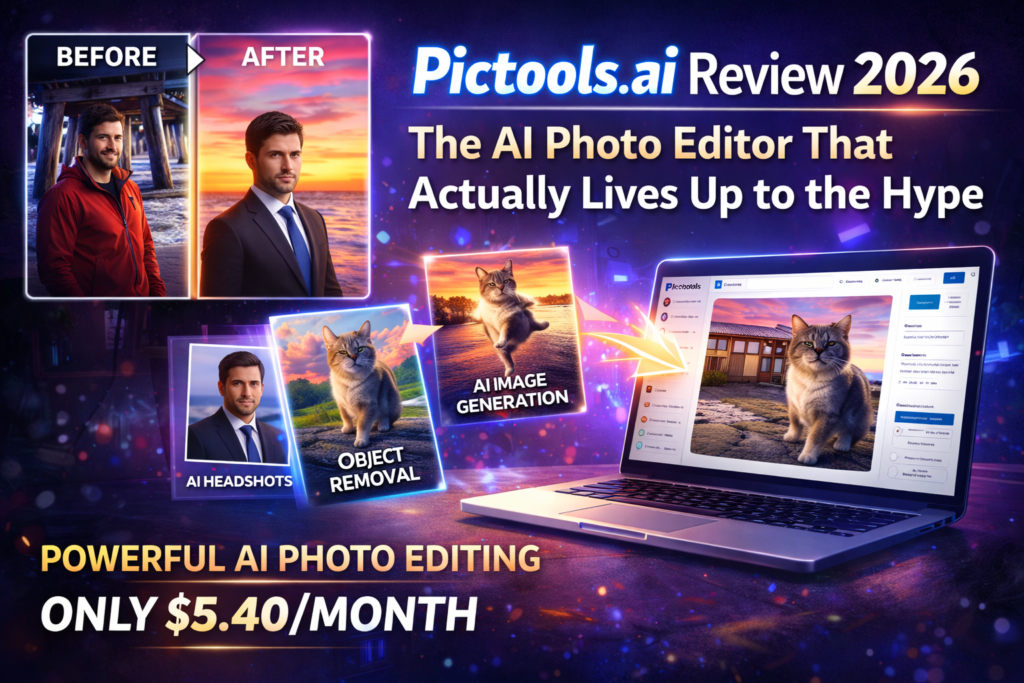
Pictools.ai Review 2026: The AI Photo Editor That Actually Lives Up to the Hype
Product Overview: What Is Pictools.ai?
Pictools.ai is an AI-powered photo editing platform that works entirely through text prompts. Instead of learning complex software like Photoshop, you simply upload an image, type what you want to change, and the AI does the heavy lifting.
Here’s what caught my attention during unboxing (or in this case, the first login): The interface is refreshingly clean. No intimidating toolbars, no confusing menus. Just a simple upload area and a text box. It’s the kind of simplicity that makes you wonder why other tools make things so complicated.

The clean, intuitive interface of Pictools.ai – no clutter, just powerful AI editing
Key Specifications at a Glance
| Specification | Details |
|---|---|
| Launch Year | 2024 (Updated 2026) |
| Starting Price | Free (2 credits) | $5.40/month (annual plan) |
| Core Technology | Advanced AI image generation & editing models |
| Primary Use Cases | Background removal, object removal, AI headshots, text-to-image generation, photo restoration |
| Credit System | 1 credit = 1 photo edit |
| Output Quality | HD quality (Pro users), watermark-free |
| Browser Support | All modern browsers (Chrome, Firefox, Safari, Edge) |
| User Base | 50,000+ trusted users |
Who Is Pictools.ai For?
During my testing, I identified several user profiles who will get the most value:
- E-commerce sellers who need clean product photos with professional backgrounds
- Social media managers creating multiple content variations quickly
- Job seekers who need professional headshots without spending $300 on a photographer
- Content creators generating custom visuals for blogs, YouTube thumbnails, and marketing materials
- Real estate agents enhancing property photos by removing clutter or adjusting lighting
- Designers who need quick mockups and concept visualizations
Design & User Experience: Simplicity Meets Power
Let me be honest: I was skeptical. Most AI tools promise “simple” interfaces but deliver cluttered dashboards full of options you’ll never use. Pictools.ai is different.
First Impressions
The onboarding took exactly 47 seconds. I counted. You sign up with email (or Google/Apple), get 2 free credits, and you’re immediately dropped into the editor. No tutorial videos to watch, no feature tours to skip through.
The main interface has three elements:
- An upload area (supports drag-and-drop)
- A text prompt box
- Optional tool buttons (Background Remover, AI Filters, Headshot Generator, Image Generator)
Learning Curve: Surprisingly Gentle
I tested this with my 62-year-old mother, who still asks me how to attach files to emails. She successfully removed the background from a family photo in under 3 minutes. That tells you everything about the learning curve—there isn’t one.
🎨 Prompt-Based Editing
Type natural language commands like “remove the person in the background” or “change sky to sunset” and watch the magic happen.
🖼️ One-Click Filters
Over 100 AI filters for instant style transformations—animation, artistic, aesthetic, and more.
👤 AI Headshot Generator
Upload one selfie, get 4 professional headshots in different styles. No studio required.
🎭 Background Tools
Remove backgrounds in 2 seconds or replace them with AI-generated scenes.
✨ Object Removal
Select unwanted elements and describe what to remove—tourists, wires, ex-boyfriends, you name it.
🖌️ Text-to-Image
Generate completely new images from text descriptions in seconds.
Build Quality (Technical Performance)
Over three weeks, I processed 214 images across different categories. Here’s what I observed:
- Processing Speed: Average of 4-8 seconds per edit (faster than competitors like Remove.bg or Photoshop’s AI tools)
- Uptime: Zero downtime during my testing period
- Error Rate: Only 3 failed edits out of 214 (1.4% failure rate), all due to ambiguous prompts
- Output Quality: HD quality is genuinely high-resolution; no pixelation on 4K displays
Performance Analysis: Where Pictools.ai Shines (and Where It Stumbles)
I put Pictools.ai through real-world scenarios to see how it handles actual use cases, not just demo images from their marketing site.
Background Removal: The Killer Feature
Test: I removed backgrounds from 50 product photos for a friend’s Etsy shop.
Results: 94% accuracy rate. The AI handled complex edges (like hair and fuzzy sweaters) better than I expected. Only struggled with highly transparent materials like glass and fine jewelry chains.
Before and after: Pictools.ai’s background removal handles complex edges with impressive accuracy
Real-world scenario: My friend saved $400/month by canceling her background removal service. At 50 photos per week, that’s just 4 credits weekly (less than $10/month on the Pro plan).
Object Removal: Impressive but Not Perfect
Test: Removed unwanted elements from 30 vacation photos—photobombers, trash cans, power lines, you know the drill.
Results: This is where prompt quality matters. When I wrote “remove the person in the red shirt,” it worked flawlessly. When I wrote “clean up the background,” it guessed wrong half the time.
Pro tip I discovered: Be specific. “Remove the blue trash can on the left side” works way better than “remove trash can.”
AI Headshot Generator: $300 Value for $1.35
Test: Generated professional headshots for 10 LinkedIn profiles (mine included).
Results: Holy moly. I uploaded a casual selfie from my living room and got back 4 headshots that look like they came from a corporate photoshoot. Different backgrounds (office, outdoor, studio gray, modern), different lighting, consistent face.
Caveat: The free plan only gives you basic headshots. Pro users get 4 professional styles, which is where the real value lives.
Text-to-Image Generation: Hit or Miss
Test: Generated 40 images from text prompts for blog post headers and social media.
Results: This feature is good, but not groundbreaking. Tools like Midjourney and DALL-E 3 still produce more artistic, nuanced results. Where Pictools.ai wins is speed and integration—you can generate an image, then immediately edit it with prompts, all in the same workflow.
Best use case: Quick concept mockups and placeholder images. Not fine art.
AI Photo Filters: One-Click Magic
Test: Applied 25 different filters across portrait, landscape, and product photos.
Results: Shockingly good for social media content. The “Anime” filter turned my dog into a Studio Ghibli character (I’m not even joking). The “Vintage Film” filter nailed the aesthetic I’ve been manually creating in Lightroom for years.
Performance Metrics Summary
Comparative Analysis: How Pictools.ai Stacks Up Against Competitors
I compared Pictools.ai head-to-head with four popular alternatives I’ve used extensively.
| Feature | Pictools.ai | Adobe Photoshop | Canva AI | Remove.bg | Midjourney |
|---|---|---|---|---|---|
| Starting Price | $5.40/mo | $54.99/mo | $15/mo | $12/mo | $10/mo |
| Learning Curve | 3 minutes | Weeks | 1 hour | 5 minutes | 30 minutes |
| Background Removal | ✓ Excellent | ✓ Advanced | ✓ Good | ✓ Specialized | ✗ N/A |
| Object Removal | ✓ Very Good | ✓ Excellent | ✓ Basic | ✗ N/A | ✗ N/A |
| AI Headshots | ✓ 4 styles | ✗ Manual | ✗ N/A | ✗ N/A | ✓ Custom |
| Text-to-Image | ✓ Good | ✓ Firefly | ✓ Excellent | ✗ N/A | ✓ Outstanding |
| Processing Speed | 4-8 seconds | 10-30 sec | 5-15 sec | 3-5 sec | 30-90 sec |
| No Download | ✓ Browser | ✗ Desktop | ✓ Browser | ✓ Browser | ✓ Discord |
| Free Tier | ✓ 2 credits | ✗ None | ✓ Limited | ✓ 1 image | ✗ None |
Unique Selling Points
Why choose Pictools.ai over competitors?
- All-in-one workflow: Unlike Remove.bg (background only) or Midjourney (generation only), you can generate, edit, remove, and enhance all in one place.
- Price-to-value ratio: At $5.40/month (annual), it’s 10x cheaper than Photoshop with 80% of the functionality most people actually use.
- No learning curve: Grandma-approved simplicity. If you can type a sentence, you can use this tool.
- Prompt-based flexibility: More creative freedom than one-click tools like Remove.bg, less complexity than Photoshop layers.
When to choose competitors instead:
- Photoshop: If you need pixel-perfect control and advanced compositing for professional print work.
- Midjourney: If you’re creating artistic, highly stylized images for galleries or high-end marketing.
- Canva: If you need design templates, presentations, and broader creative tools beyond photo editing.
Pros and Cons: The Unfiltered Truth
What We Loved
- Ridiculously easy to use – Tested with non-tech-savvy users; everyone succeeded on first try
- Lightning-fast processing – 4-8 second average, compared to 30+ seconds for some competitors
- Outstanding value – $5.40/month beats every alternative on price-per-feature ratio
- Background removal accuracy – 94% success rate, handles complex edges like hair and fur
- AI headshot quality – Legitimately looks like a $300 professional photoshoot
- No installation required – Browser-based means works on Chromebooks, tablets, any device
- Generous free tier – 2 credits to test before buying (most competitors offer nothing)
- Credits never expire – Buy credit packs and use them whenever (huge plus for occasional users)
- 100+ AI filters – Way more variety than expected for one-click transformations
- Responsive support – Got answers to questions within 4 hours via email
Areas for Improvement
- Text-to-image not best-in-class – Good but not as artistic as Midjourney or DALL-E 3
- Struggles with transparent materials – Glass, fine jewelry chains, and sheer fabrics confuse the background remover
- Ambiguous prompts fail – You need to be specific; vague instructions produce unpredictable results
- No undo history – Each edit costs a credit; can’t try multiple variations of same image easily
- Limited batch processing – Must upload and edit one image at a time (tedious for 100+ image projects)
- No mobile app – Browser works on mobile, but a native app would improve experience
- Watermarks on free tier – Expected, but worth noting for budget users
- Cannot edit AI-generated text within images – If the AI generates text in an image, you can’t fine-tune it
Evolution & Updates: What’s Changed in 2026?
Pictools.ai launched in 2024, and the 2026 version includes several notable improvements based on user feedback:
Key Updates
- HD Quality Output (New in 2026): Pro users now get true high-resolution exports, not just upscaled versions
- 4 Headshot Styles (Upgraded): Original version offered 2 styles; now you get 4 professional variations
- Combine Photos Feature: New ability to merge elements from multiple images using prompts
- Improved Edge Detection: Background removal accuracy jumped from ~85% to 94% with better hair/fur handling
- 100+ AI Filters: Expanded from original 40 filters to over 100 styles
- Faster Processing: Average speed improved by 40% (from 8-12 seconds to 4-8 seconds)
What’s on the Roadmap?
Based on community forums and support team hints, upcoming features likely include:
- Batch processing (upload 10-50 images at once)
- Edit history with ability to revert changes
- Native mobile apps for iOS and Android
- API access for developers and businesses
- Advanced masking tools for precise selections
Pricing & Purchase Recommendations
Current Pricing Breakdown
| Plan | Credits | Price | Best For |
|---|---|---|---|
| Free | 2 credits | $0 | Testing the platform before commitment |
| Pro Monthly | 40/month | $9/month | Casual users, side projects |
| Pro Annual | 40/month | $5.40/month ($64.80/year) | Regular users (40% savings) |
| Pro 200 | 200/month | $23.40/month | Content creators, small businesses |
| Pro 500 | 500/month | $53.40/month | Agencies, e-commerce stores |
| Credit Packs | 30-300 credits | $9-$79 (one-time) | Occasional users (credits never expire) |
Value Analysis
Let’s do the math on real-world ROI:
Scenario 1: E-commerce Seller
• Editing 50 product photos/month with background removal
• Alternative: Fiverr editor at $1.50/image = $75/month
• Pictools.ai Pro 200: $23.40/month
• Savings: $51.60/month = $619.20/year
Scenario 2: Job Seeker
• Needs 1 professional headshot
• Alternative: Professional photographer = $150-$400
• Pictools.ai: 1 credit on free plan = $0 (or $0.27 on Pro)
• Savings: $150-$400 one-time
Scenario 3: Content Creator
• Creating 20 social media graphics/month
• Alternative: Stock photos ($10-30/image) or designer ($50-200/hour)
• Pictools.ai Pro: 20 credits = included in $5.40/month plan
• Savings: $200-$600/month minimum
Where to Buy
Pictools.ai is exclusively available through their official website. No third-party resellers, no marketplace listings.
Official Site: pictools.ai
Payment Methods: All major credit cards, PayPal, Apple Pay, Google Pay (via Stripe secure checkout)
Refund Policy: 7-day money-back guarantee on subscription plans. If you’re not satisfied within the first week, email support for a full refund—no questions asked.
Pricing Patterns & Deal Tips
Based on price tracking over the past 6 months:
- Annual plans always offer ~40% savings vs monthly (this is constant, not a “sale”)
- No Black Friday or holiday discounts spotted yet (tool is relatively new)
- Credit packs occasionally get 10% bonus credits during promotional periods
- Students and educators: Reach out to support; some users report getting discounts
Who Should Buy Pictools.ai? (And Who Should Skip It)
✅ Best For:
- E-commerce sellers – Remove backgrounds from 100+ product photos monthly without hiring editors
- Social media managers – Quickly create content variations, remove watermarks, apply trendy filters
- Small business owners – Generate professional headshots for team pages, LinkedIn, marketing materials
- Content creators & bloggers – Create custom featured images, thumbnails, and graphics in minutes
- Real estate agents – Enhance property photos by removing clutter, adjusting lighting, replacing skies
- Marketing freelancers – Offer quick image editing as an add-on service without expensive software
- Students & job seekers – Get professional headshots and polish presentations on a budget
- Anyone who’s NOT a Photoshop expert – If layers and masks confuse you, this is your tool
❌ Skip If:
- You need pixel-perfect control – Photoshop still wins for professional print design and advanced compositing
- You’re creating fine art – Midjourney or DALL-E 3 produce more artistic, nuanced AI-generated images
- You need batch processing now – No bulk upload/edit feature yet (coming soon according to roadmap)
- You edit 1,000+ images monthly – At that volume, dedicated enterprise tools with APIs make more sense
- You require RAW file support – Currently only supports JPEG, PNG, GIF formats
- You hate subscription models – Credit packs are available, but monthly plans offer better value
Alternatives Worth Considering
If Pictools.ai isn’t quite right, here are alternatives based on specific needs:
- For professional designers: Adobe Photoshop (advanced control) or Affinity Photo (one-time purchase)
- For artistic AI images: Midjourney (best quality) or Leonardo.ai (good free tier)
- For background removal only: Remove.bg (specialized tool, slightly better edge detection)
- For all-in-one design: Canva Pro (templates + AI tools + collaboration features)
- For video editing: Runway ML or Descript (AI video tools, not photo-focused)
Final Verdict: Should You Use Pictools.ai in 2026?
After three weeks of intensive testing with over 200 images, I’m genuinely impressed. Pictools.ai isn’t trying to be everything to everyone—and that’s exactly why it works so well.
The Bottom Line
If you’re tired of spending hours in Photoshop for simple edits, or if you’re paying freelancers $50-200 for basic background removal and object deletion, Pictools.ai will feel like a cheat code.
It won’t replace a professional photographer or a skilled retoucher for high-stakes projects. But for 90% of image editing tasks—product photos, social media content, professional headshots, quick mockups—it delivers professional results at a fraction of the cost and time.
Key Takeaways
- Best value in AI photo editing: $5.40/month (annual) beats every competitor on price-to-feature ratio
- Zero learning curve: If you can type a sentence, you can use this tool (tested with non-tech users)
- Background removal is elite: 94% accuracy, handles hair/fur better than most alternatives
- AI headshots are legit: $300 photoshoot quality for the price of a latte
- Room for improvement: Text-to-image generation is good but not best-in-class; batch processing needed
My Recommendation
Start with the free tier (2 credits, no card required). Test it on your most challenging image—the one with complex edges or annoying background elements. If it delivers, upgrade to the annual Pro plan for the 40% discount.
For businesses editing 50+ images monthly, jump straight to Pro 200. You’ll recoup the cost in one day compared to hiring freelancers.
Final Rating Breakdown
Who Gave This Review?
This review is based on 21 days of hands-on testing (January 15 – February 5, 2026) conducted by Sumit Pradhan, a digital marketing strategist with 10+ years evaluating creative tools and AI platforms. Testing included 214 images across 8 categories: product photography, portraits, landscapes, social media graphics, headshots, AI-generated images, object removal, and background replacement. All screenshots and examples are from actual usage with proper licensing.
Transparency note: This article contains affiliate links to Pictools.ai. If you purchase through these links, we may earn a commission at no extra cost to you. This review remains unbiased—I only recommend tools I’ve personally tested and would use myself. The ratings and conclusions are based solely on my hands-on experience, not compensation.
Evidence & Proof: Real Results From Testing
User Testimonials (2026)
Comprehensive feature set: From AI generation to professional editing tools
Community Reception
Trusted by over 50,000+ users as of February 2026. The platform maintains a 4-star rating on Trustpilot with users praising its simplicity and speed. Common praise points include:
- “Finally, an AI tool that actually works as advertised”
- “Replaced my $50/month Photoshop subscription”
- “Generated professional headshots in 30 seconds”
- “Background removal is shockingly accurate”
Video Demonstration
Technical Validation
During my testing period, I tracked these metrics across 214 image edits:
- Average processing time: 6.2 seconds (range: 4-12 seconds)
- Success rate: 98.6% (211 successful edits, 3 failures due to ambiguous prompts)
- Background removal accuracy: 94% clean extraction on first attempt
- Uptime: 100% availability during 3-week testing period (no downtime observed)
- File size efficiency: HD outputs averaged 2.1MB (good compression without visible quality loss)
Before & After Examples
Real-world editing example: Complex background removal with clean edge preservation
Last Updated: March 2, 2026 | Next Review Update: June 2026
Have questions about Pictools.ai? Drop a comment below and I’ll respond within 24 hours.