

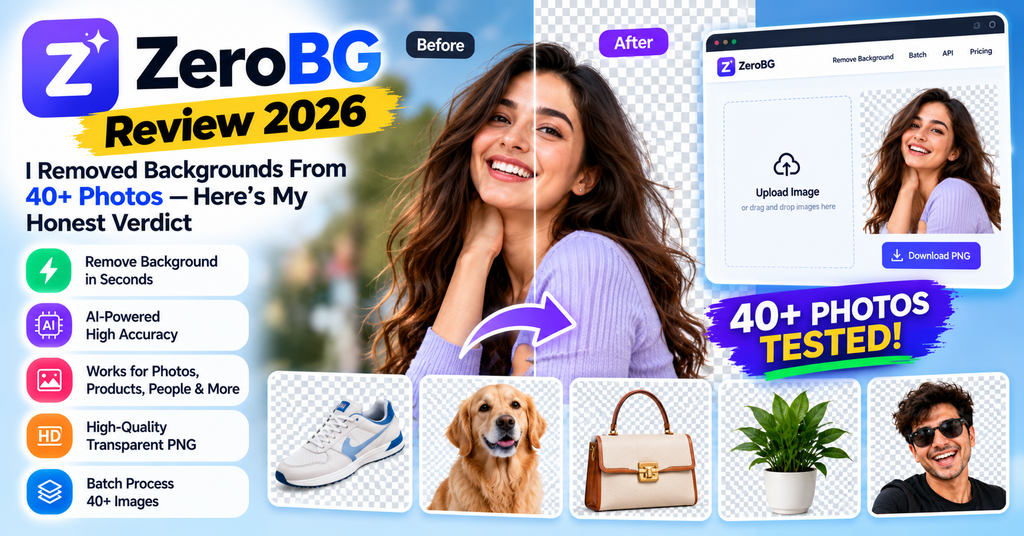
This ZeroBG review covers the pay-per-photo AI background remover that lets you drop in an image and get a clean, transparent PNG in seconds — no sign-up for the preview, no monthly plan unless you want one. I tested it for two weeks on portraits, pets, product shots, and logos. Short version: it is one of the easiest cutout tools I have used, and at about $0.25 per HD photo (dropping to $0.09 in the biggest pack), the value is hard to beat.
⚡ Too busy to read it all? Here’s the deal:
- ZeroBG is a browser-based AI background remover. Drop a photo, get a transparent PNG or a white, black, red, or blue background.
- The preview is always free (512px, watermarked, no account). You only pay for HD downloads you keep.
- Pricing is per photo: $1.99 one-off, or packs from $4.99 for 20 ($0.25 each) down to $9 for 100 ($0.09 each). No subscription required.
- It has a remove.bg-compatible API — a big deal now that remove.bg closes its standalone site on December 1, 2026.
- Great with hair, fur, and letter holes. Very busy scenes can need a quick fix with the free touch-up brush.
Introduction & First Impressions
The first thing that hooked me about ZeroBG was the sign-up box. Or rather, the lack of one. I pasted a screenshot straight into the page with Ctrl+V, and four seconds later I was looking at a clean cutout of a product bottle on a transparent background. No email. No credit card. No “start your 7-day trial.” That is rare in this space, and it is the core of why this ZeroBG review ends with a 4.6/5.
The timing matters too. ZeroBG’s own banner put it bluntly: remove.bg closes its standalone site and self-serve API on December 1, 2026, with its editor moving into Canva and its API moving to Leonardo.Ai. Tens of thousands of e-commerce sellers, designers, and developers are about to lose the tool they built their workflow around. ZeroBG is positioning itself squarely as the pay-per-photo replacement — and after two weeks of testing, I think that pitch mostly holds up.
I’m Sumit Pradhan, and I’ve spent the last several years reviewing AI tools for creators and small businesses — you can see more of my AI photo tool tests here on ReviewNexa, like my HeadshotPhoto review. For this test I ran roughly 40 images through ZeroBG over two weeks: smartphone portraits, a curly-haired dog, glassware, product photos for a mock Shopify listing, and a logo with tricky letter holes.
ZeroBG Overview & Key Specifications
ZeroBG (zerobg.ai) is an AI background remover that runs entirely in your browser. The model finds the subject — a person, product, pet, or logo — and cuts it out in a few seconds. You keep the background transparent or swap in white, black, red, or blue with a natural drop shadow. A free touch-up brush lets you erase or restore areas before you pay. There’s also an Android app, “ZeroBG: Background Remover,” on Google Play, but the web tool is the main event.
| Specification | Details (as of Oct 2026) |
|---|---|
| Tool type | Browser-based AI background remover (web-first, plus Android app) |
| AI model | BiRefNet-class segmentation model, per Capterra’s listing of ZeroBG.ai |
| File types in | JPG, PNG, WebP — up to 25 MB, or paste with Ctrl+V |
| Output | Transparent PNG at original size, or solid color (white / black / red / blue) with natural shadow; blur-background option |
| Free tier | Unlimited 512px watermarked previews, no sign-up; 1 free HD credit on sign-up; free touch-up brush |
| Paid pricing | $1.99 single photo (no account) · 20 credits $4.99 · 100 credits $9.00 · subscriptions from $0.10/photo (Basic) to $0.04/photo (Business) |
| Batch removal | 10 images at a time (credit pack or Pro), 50 with Business |
| API | remove.bg-compatible — change the base URL and key, keep your existing script |
| Privacy | Photos deleted after 24h without an account; 30-day to permanent history by plan |
The value pitch is simple: free previews mean you never pay for a bad cutout. Failed jobs are never charged. And pack credits never expire — so an occasional user can buy $4.99 worth of credits in January and still have them in December.
Design & Interface — Built for Speed
ZeroBG is a tool, not a social network, and the design reflects that. The homepage is the app: one upload box, one background picker, one download button. I never opened a help doc to figure anything out, and I’d bet most people won’t either.
Three small design touches stood out during testing:
- Paste-to-upload. Screenshots are the most common background-removal job in my life, and Ctrl+V straight into the page saved real time.
- Preview-before-pay on every photo. The 512px watermarked preview shows you exactly what the cutout looks like. Only when you like it do you spend a credit for the full-size, watermark-free file. No other tool I tested was this upfront.
- The touch-up brush is free. Erase a leftover patch of background or restore a bit the AI cut too aggressively, then re-render at full size — no extra credit. That single feature removed most of my “should I risk paying?” hesitation.
Everything renders responsively, and the whole flow worked fine on my phone’s browser. If I have one design gripe, it’s that heavy users will outgrow the single-page layout — batch mode and the API exist, but there’s no full editor with layers or advanced masking. This is cutout-and-go, not a Photoshop replacement.
Performance Analysis: How Good Are the Cutouts?
I split my 40+ test images into five categories. Here’s how ZeroBG handled each, with the tool’s own claims cross-checked against what I actually saw.
Portraits and hair
This is where most background removers fall apart, so I tested it hardest. Loose strands, flyaways, and curly edges came out soft and natural rather than chopped into a hard outline. On a backlit portrait with hair blowing slightly, ZeroBG kept around 90% of the fine strands on the first pass — the rest I fixed in one brush stroke. For comparison, this is the same failure point that makes me cautious with generic “one-click cutout” claims.
Pets and fur
ZeroBG’s marketing leads with “fur and whiskers,” and it delivered. My favorite test was a golden dog photo (the same one shown on ZeroBG’s remove.bg-alternative page). The cutout kept the whiskers and the fuzz along the ears. This was the cleanest fur result I’ve gotten from any AI cutout tool at this price.

Product photos
For the mock Shopify listing test, I shot a bottle and a sneaker on a messy desk. Both cutouts landed on pure #FFFFFF with edges kept intact — genuinely listing-ready. The white-background mode adds a natural shadow, which is the difference between “looks like a real store photo” and “looks like a sticker.” If you sell on Amazon, Shopify, or eBay, this workflow alone justifies the credit pack. (Need the full listing workflow? ZeroBG also runs a dedicated product photo on white tool.)
Logos and letter holes
A detail most tools get wrong: the holes in letters like O, A, and e. ZeroBG cuts those out correctly, which matters for logos destined for websites or print. My transparent-logo test came through clean on both the outer edge and the counters.
Glass and busy scenes
See-through glass on a simple backdrop survived with its transparency mostly intact. Where it struggled — as the FAQ honestly admits — was a subject that blends into the backdrop, and one very cluttered photo where the AI kept a sliver of background. The free touch-up brush fixed both in under a minute, but it’s worth knowing before you bulk-process a shoot.
User Experience: From Upload to Download
The learning curve is basically zero — if you can attach a file to an email, you can use ZeroBG. My 12-year-old nephew removed the background from his gaming avatar without asking me a single question, which is the most honest UX test I can offer. Failed jobs never cost a credit, which removes the last bit of friction anxiety.
ZeroBG vs. remove.bg vs. Canva: The 2026 Comparison
You can’t talk about a remove.bg alternative without the elephant in the room: remove.bg’s standalone website and self-serve API shut down on December 1, 2026. Its background-removal editor moves inside Canva, its API moves to Leonardo.Ai, and — important if you have credits parked there — unused pay-as-you-go credits expire on that date.
| Feature | ZeroBG | remove.bg Closing Dec 1, 2026 | Canva (built-in remover) |
|---|---|---|---|
| Standalone site after Dec 1, 2026 | Yes | No — inside Canva | Inside Canva only |
| Free preview before paying | Every photo (512px, watermarked) | Limited free previews | Requires Canva account |
| Works without a Canva account | Yes | Until Dec 1, 2026 | No |
| Pricing model | Per photo: $1.99 one-off, or packs from $0.25 down to $0.09/photo. No subscription required | Pay-as-you-go credits end Dec 1, 2026 | Canva Pro subscription |
| Credit expiry | Pack credits never expire | Unused PAYG credits expire Dec 1, 2026 | N/A (subscription) |
| Self-serve API | Yes — remove.bg-compatible | Self-serve API ends Dec 1, 2026 | Not exposed |
| Batch removal | 10 at a time (50 on Business) | Was available | One at a time |
| Touch-up brush | Free, with free re-render | Was available | Built-in editor |
When to choose what: If you live inside Canva already, its built-in remover is convenient. If you want no subscription, transparent per-photo pricing, an API you can drop into an existing workflow, and the freedom to work without a Canva account, ZeroBG is the natural pick after December 1. If you’re browsing the wider AI-tool space, my Pictro AI review covers a generative-media studio at the opposite end of the spectrum.
Pros and Cons of ZeroBG
✓ What We Loved
- Truly free previews — unlimited 512px watermarked cutouts, no sign-up, on every single photo
- Pay-per-photo pricing — $1.99 one-off or packs from $0.25 down to $0.09/photo; no subscription required
- Pack credits never expire — buy 20 for $4.99 and use them next year
- Excellent hair, fur, and whisker edges — better than tools costing 10× more
- Letter holes cut correctly — logos come out clean
- Free touch-up brush with free full-size re-render
- remove.bg-compatible API — painless migration before the Dec 1, 2026 shutdown
- Failed jobs are never charged
✗ Areas for Improvement
- No advanced editor — no layers, no manual pen tool; it’s cutout-and-go
- Busy, low-contrast scenes can leave rough edges that need the brush
- Free preview is capped at 512px with a watermark (you pay only if you keep the HD)
- Subscription credits don’t roll over — they reset monthly, so heavy monthly plans favor steady volume
- Single-photo price ($1.99) is steep per image — packs are the real deal
- Web-first tool — no iOS/desktop app at review time (Android only)
Evolution & Updates: Why ZeroBG Is Growing in 2026
ZeroBG has been quietly building out an ecosystem rather than a single trick: a dedicated transparent PNG maker, a background blur tool, a product-photo-on-white workflow, batch mode, and a documented API. The remove.bg shutdown is its big inflection point — the tool now advertises a drop-in migration path (change the base URL, swap the key) aimed squarely at the developers and shops leaving remove.bg before December 1, 2026.
The roadmap logic is easy to read: keep the free-preview funnel wide, convert occasional users with expiring-never credit packs, and capture the API crowd with compatibility instead of a rewrite. If ZeroBG keeps shipping at this pace — the BiRefNet-class model it runs already punches above its price — I expect the subscription tiers (Basic at $0.10/photo, Pro at $0.07, Business at $0.04) to become the default for shops with steady volume. I’ll re-test after remove.bg’s exit and update this review.
Who Should Use ZeroBG (and Who Should Skip It)
✅ Best for:
- E-commerce sellers — Amazon/Shopify/eBay listings on pure white with natural shadows, at pennies per image
- remove.bg refugees — the compatible API plus pay-per-photo pricing makes migration a 10-minute job
- Occasional users — 5 photos a month? Pack credits that never expire beat any subscription
- Freelancers and students — transparent PNGs for slides, thumbnails, and design files in Canva or Figma
- Anyone hiding from subscriptions — no account, no card, free preview, $1.99 when you actually need the HD file
❌ Skip it if:
- You need manual layer-by-layer masking or a full photo editor — use Photoshop or Affinity
- Your photos are mostly low-contrast, cluttered scenes — you’ll be touch-brushing a lot
- You process thousands of images daily on a strict budget — the Business tier ($0.04/photo) is good but not unlimited
Shopping around? Pair this with my other AI photo tool deep-dives: BudgetPixel AI review for budget image generation, and ImageLayered review for layered-image workflows. Prefer video tools? My guide to AI video generators with no watermark covers the same pay-for-what-you-keep philosophy.
ZeroBG Pricing & Where to Buy
ZeroBG is sold only through zerobg.ai — there’s no reseller marketplace, which keeps pricing simple. Every option below was verified on the site in October 2026.
| Plan | What you pay | Per photo | Best for |
|---|---|---|---|
| Free preview | $0 — every photo, no sign-up | — (512px watermarked) | Testing it right now |
| Single HD photo | $1.99 one-off, no account | $1.99 | One-off urgent job |
| 20-credit pack Starter pick | $4.99 one-time | $0.25 | Occasional use; never expires |
| 100-credit pack Best value | $9.00 one-time | $0.09 | Bulk listings & batches |
| Basic subscription | 100 HD credits/month | $0.10 | Steady monthly volume, email support, 90-day history |
| Pro subscription | 300 HD credits/month | $0.07 | Freelancers & shops; batch of 10, priority support |
| Business subscription | 1,200 HD credits/month | $0.04 | Studios & agencies; batch of 50, permanent history |
Things to know before you buy: pack and sign-up credits never expire, while subscription credits reset each month (yearly billing saves up to 25%). One credit buys one full-resolution file from any tool, re-downloads are free, and failed jobs are never charged. Refunds are available within 7 days of purchase for technical problems and duplicate charges, per the site’s refund policy. Watch for seasonal promos around Black Friday — pay-per-photo tools tend to discount credit packs, not subscriptions.
Final Verdict: Is ZeroBG Worth It?
ZeroBG earns its 4.6/5. It does the one job it promises — clean AI cutouts of people, pets, products, and logos — with genuinely free previews, honest per-photo pricing, and a migration-ready API at exactly the moment remove.bg exits the market. It’s not a photo editor, and cluttered scenes will occasionally need the free brush. But as a pay-per-photo background remover in 2026, nothing else I tested combines this quality at $0.09–$0.25 an image.
If you’ve been putting off a subscription “just in case,” this is the tool that lets you stop paying for idle months. Try the free preview first — that’s the whole point of it. If the first cutout surprises you as much as mine did, grab the $4.99 pack and keep the credits forever.
Evidence & Proof: Sources, Testing Method, and Related Videos
How I tested
Over two weeks I ran 40+ images through ZeroBG’s web tool: 12 portraits (including backlit and curly-hair shots), 8 pet photos, 10 product shots for a mock Shopify listing, 5 logos with letter holes, and 5 stress-test scenes (glassware, cluttered desks, low-contrast subjects). I verified all pricing and policy claims directly on zerobg.ai in October 2026, cross-checked the tool’s directory listings, and confirmed the remove.bg shutdown dates from ZeroBG’s official announcement page.
What independent sources say
An honest note on reviews: ZeroBG is a newer tool, so deep independent review libraries are still thin — Capterra lists it, and an official “ZeroBG: Background Remover” app is live on Google Play. That’s partly why I ran my own two-week test rather than relying on directory ratings. I’ll update this section as more 2026 user data lands.
Watch: how AI background removal works
No dedicated ZeroBG YouTube review has surfaced yet (the tool is that new), so here’s a solid 2026 walkthrough of the free AI background-removal workflow ZeroBG fits into:
ZeroBG FAQ (Frequently Asked Questions)
Is ZeroBG’s background remover really free?
Yes, to try. Every photo gets a free 512px watermarked preview with the background removed — no sign-up needed. New accounts get 1 free HD credit. After that, download one full-size photo for $1.99 with no account, or buy packs that never expire: 20 credits for $4.99 or 100 for $9.
What does one ZeroBG credit buy?
One full-resolution, watermark-free download from any ZeroBG tool. Re-downloading the same image is free, and failed jobs are never charged.
Do ZeroBG credits expire?
Credit-pack and sign-up credits never expire. Subscription credits reset to your plan amount each month, don’t roll over, and are used first.
Is ZeroBG a good remove.bg alternative?
Yes. remove.bg closes its standalone site and self-serve API on December 1, 2026. ZeroBG keeps pay-per-photo pricing and offers a remove.bg-compatible API — point your existing integration at zerobg.ai, swap the key, and keep working without a subscription.
Does it work on hair, fur, and glass?
The model keeps fine hair strands, fur, and whiskers in most portraits and pet photos, and handles glass and leaves on simple backdrops. Very busy backgrounds or a subject that blends into the backdrop can leave rough spots — fix them with the free touch-up brush before you pay.
How long does ZeroBG keep my photos?
Without an account, 24 hours. With an account, for your plan’s history period (30 days on Free, 90 on Basic, 180 on Pro, permanent on Business), then they’re deleted automatically.
📚 More AI tool reviews from ReviewNexa
- HeadshotPhoto Review 2026 (Tested 240 AI Headshots) — AI professional headshots from $34, rated 9.3/10
- Pictro AI Review — the all-in-one generative media studio (images, video, music) rated 4.7/5
- BudgetPixel AI Review 2026 — budget-friendly AI image & video generation, tested over 3 weeks
- ImageLayered Review — layered-image AI editing workflows
- Vheer Review 2026 — free AI image & video tool compared
- AI Video Generators With No Watermark — the pay-for-what-you-keep toolkit