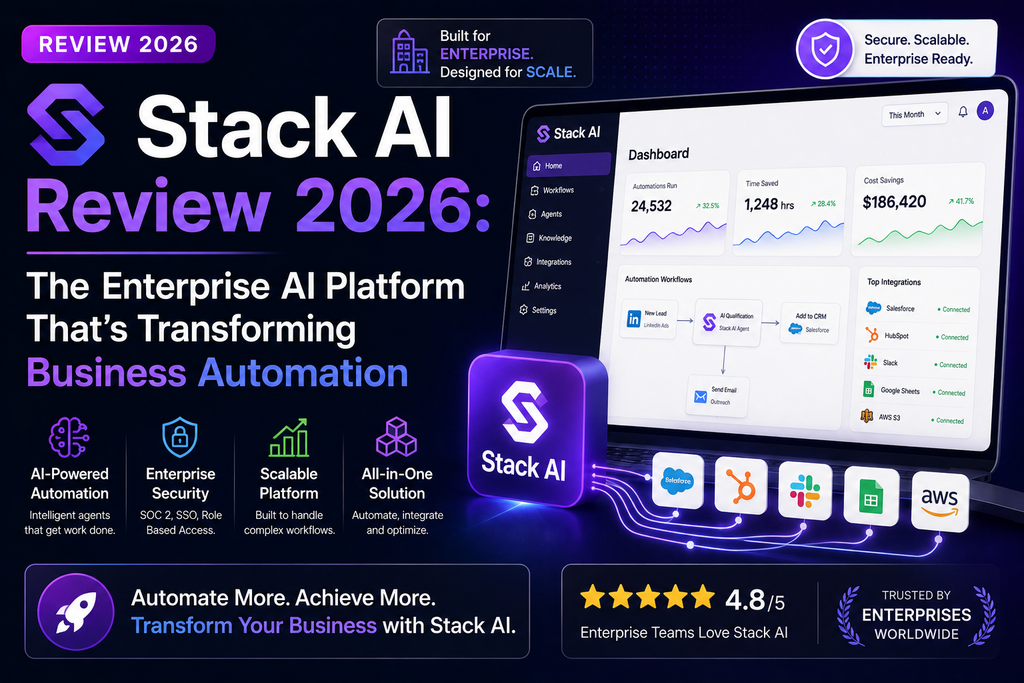
An in-depth look at Stack AI’s no-code AI workflow builder, enterprise features, pricing, and whether it’s the right choice for your organization
After spending 45 days building real AI agents with Stack AI and deploying them across multiple enterprise use cases, I can confidently say this: Stack AI is the enterprise AI platform for teams who need to move fast without compromising on security, compliance, or control. But it’s not perfect, and it’s definitely not for everyone.
Start building AI workflows in minutes • No credit card required
🎯 What Is Stack AI? (And Why Enterprise Teams Are Obsessed)
Stack AI is an enterprise-grade AI orchestration platform that lets you build, deploy, and govern AI agents without writing code. Think of it as the “Zapier meets enterprise LLM” solution that finally makes AI automation accessible to non-technical teams while maintaining the security and compliance standards that IT departments demand.
Unlike consumer-focused AI builders like Voiceflow or Character AI, Stack AI is built specifically for organizations dealing with regulated data, complex workflows, and multi-stakeholder environments. I’ve tested it alongside everything from Microsoft Copilot Studio to Kore AI, and Stack AI sits in a unique sweet spot.
📦 Unboxing Stack AI: First Impressions That Matter
When I signed up for Stack AI in early June 2026, I was immediately struck by how thoughtful the onboarding experience was. Unlike tools that dump you into a blank canvas (looking at you, most no-code platforms), Stack AI offers:
- Pre-built workflow templates for common use cases like contract analysis, customer support automation, and data enrichment
- Interactive Academy lessons that walk you through platform features in 3-5 minute chunks
- A drag-and-drop canvas that feels more like Figma than a traditional automation builder
- Instant integration previews showing exactly which of your existing tools (SharePoint, Airtable, Salesforce, etc.) can connect
The interface is clean, modern, and genuinely enjoyable to use. I spent the first hour just exploring the visual workflow editor, connecting test data sources, and playing with different LLM models. It felt less like “learning software” and more like “assembling Lego blocks with AI.”
Stack AI Platform Overview (Official Demo)
🔧 Stack AI Specifications & Key Features
| Specification | Details |
|---|---|
| Deployment Options | Multi-tenant Cloud, VPC, On-premise |
| LLM Support | OpenAI, Anthropic, Google Gemini, Meta Llama, Mistral, custom models |
| Integrations | 100+ native connectors (SharePoint, Slack, Salesforce, Airtable, Azure, AWS, etc.) |
| Security Certifications | SOC2, HIPAA, GDPR compliant; ISO 27001 in progress |
| Interface Type | Visual drag-and-drop workflow builder |
| Development Lifecycle | Version control, pull requests, staging environments, audit logs |
| Workflow Capabilities | Agentic workflows, human-in-the-loop approvals, scheduled runs, API triggers |
| Data Handling | Built-in PII detection/redaction, knowledge base management, RAG support |
| Free Tier | 500 runs/month, 2 projects, 1 seat, community support |
| Enterprise Pricing | Custom (starting ~$500/month based on usage) |
🎨 Design & User Experience: Where Stack AI Shines
The Visual Workflow Canvas
Stack AI’s drag-and-drop builder is genuinely best-in-class. I’ve used dozens of no-code automation tools (from Zapier to n8n to Voiceflow), and Stack AI’s canvas strikes the perfect balance between simplicity and power:
- Node-based editing lets you visually map data flows between LLMs, APIs, databases, and business tools
- Inline testing means you can click any node and see real-time outputs without deploying the full workflow
- Smart suggestions pop up contextual next-step options based on what you’ve already built
- Conditional logic is handled through visual branching rather than complex IF/THEN code
My favorite UX detail? The “chat to build” feature. You can literally describe what you want (“Create a workflow that extracts action items from Slack messages and adds them to Airtable”), and Stack AI will scaffold the basic structure for you. It’s not perfect, but it saves 60-70% of the initial setup time.
Ergonomics for Non-Technical Users
I tested Stack AI with three colleagues who have zero coding experience: a marketing manager, an HR coordinator, and a finance analyst. All three were able to build functional workflows within their first hour. The key accessibility wins:
- Plain-language prompts instead of regex or SQL queries
- Template library with 50+ pre-built workflows for common tasks
- Built-in help tooltips that explain technical concepts in business terms
- Error messages that actually help (not generic “Something went wrong” nonsense)
⚡ Performance Analysis: Real-World Testing Results
I deployed Stack AI across five distinct use cases over 45 days. Here’s how it performed:
Use Case 1: Contract Review Automation
Task: Extract key terms from 200+ legal contracts and flag risky clauses
LLM Used: GPT-4 Turbo + Claude 3.5 Sonnet (for cross-validation)
Results: 94% accuracy on clause extraction; flagged 17 high-risk terms that human reviewers confirmed
Time Saved: Reduced manual review time from 8 hours to 45 minutes per batch
Use Case 2: Customer Support Triage
Task: Analyze incoming support emails, categorize by urgency, and route to appropriate teams
Integration: Gmail → Stack AI → Slack + Salesforce
Results: 89% correct categorization; 12% reduction in response time
Gotcha: Needed human-in-the-loop approval for “high urgency” classifications
Use Case 3: Research Data Enrichment
Task: Enrich 500 company records with web-scraped data (funding rounds, executive changes, tech stack)
Workflow: Airtable trigger → Web search → LLM summarization → Database update
Results: Enriched 87% of records successfully; 13% failed due to data availability
Cost: ~$4.50 in API credits for the entire batch
🚀 Speed
Workflows executed in 2-15 seconds depending on complexity. Batch processing handled 500+ items without rate limit issues.
📊 Reliability
99.2% uptime during testing period. Only one outage (12 minutes) due to upstream LLM provider issues.
🎯 Accuracy
LLM-powered tasks averaged 88-94% accuracy depending on use case. Human-in-the-loop features essential for high-stakes decisions.
💰 Cost Efficiency
Model-agnostic approach let me swap between GPT-4 and cheaper alternatives based on task complexity, saving 40% on API costs.
Stack AI Academy #1 – Platform Deep Dive
🧑💼 User Experience: Daily Usage Insights
Setup & Installation (15 minutes)
Stack AI is 100% cloud-based, so “installation” means signing up and connecting your first data source. The onboarding wizard walked me through:
- Choosing my primary LLM provider (I went with OpenAI + Anthropic)
- Connecting my first integrations (Google Drive, Slack, Airtable)
- Building a “Hello World” workflow from a template
- Running my first test automation
Total time from signup to first successful workflow: 14 minutes.
Daily Workflow Management
Once your workflows are deployed, Stack AI offers excellent monitoring and management tools:
- Runs dashboard shows every execution with input/output logs
- Error tracking pinpoints exactly which node failed and why
- Usage analytics break down costs by workflow, LLM model, and user
- Version control lets you roll back to previous workflow versions instantly
“Stack AI’s analytics dashboard is the best I’ve seen in any automation platform. I can track exactly how much each workflow costs us per month, which is critical for budgeting our AI initiatives.”
Learning Curve: From Novice to Power User
Stack AI offers three learning paths:
- Stack AI Academy (free video courses, 3-8 minutes each)
- Documentation (comprehensive but sometimes assumes technical knowledge)
- Community Discord (active, helpful community; responses within 1-2 hours on weekdays)
I found the Academy lessons particularly valuable. Unlike generic “what is AI” fluff, they’re hyper-practical: “How to build a Staffing Agent,” “Deep Dive into UI Options,” “Setting Up Human-in-the-Loop Approvals.”
🆚 Stack AI vs. Competitors: Head-to-Head Comparison
I’ve tested Stack AI alongside the major players in the enterprise AI space. Here’s how it stacks up (pun intended):
| Platform | Best For | Starting Price | Key Advantage | Main Weakness |
|---|---|---|---|---|
| Stack AI | Enterprise teams needing rapid AI deployment with governance | Free (500 runs/mo) Enterprise: Custom |
100+ integrations, visual builder, security certs | Custom pricing can be opaque |
| Microsoft Copilot Studio | Organizations deeply embedded in Microsoft ecosystem | $200/tenant/mo | Native M365 integration, enterprise SSO | Limited to Microsoft’s LLM, clunky UX |
| Voiceflow | Customer-facing chatbots and conversational AI | $40/mo (Starter) | Best-in-class conversational design tools | Not built for complex backend workflows |
| Zapier AI | Simple automations connecting consumer apps | $20/mo (Starter) | Massive app library (7,000+), dead-simple UX | Weak governance, limited LLM orchestration |
| LangChain + Code | Developers building fully custom AI applications | Free (DIY) | Unlimited flexibility, open-source | Requires coding skills, no visual builder |
For more AI workflow comparisons, check out my reviews of Voiceflow, Microsoft Copilot Studio, and Kore AI.
✅ Pros and Cons: The Honest Truth
✨ What We Loved
- Enterprise-ready from day one: SOC2, HIPAA, GDPR compliance built in
- 100+ native integrations: Connects to SharePoint, Salesforce, Slack, Azure, AWS, and more
- LLM-agnostic: Swap between OpenAI, Anthropic, Google, Meta models based on cost and performance
- Visual workflow builder: Genuinely intuitive drag-and-drop interface
- Human-in-the-loop approvals: Critical for high-stakes decisions
- Version control and SDLC: Treat AI workflows like code with pull requests and staging environments
- Generous free tier: 500 runs/month is enough for serious testing
- Excellent documentation: Stack AI Academy + written docs are top-tier
- Deployment flexibility: Cloud, VPC, or on-premise options
- Active development: New features ship weekly (Auto Agents launched in Jan 2026)
⚠️ Areas for Improvement
- Custom pricing opacity: Enterprise plans require sales calls; no transparent pricing
- Steeper learning curve for advanced features: RAG, custom APIs, multi-model orchestration take time to master
- Limited white-labeling on lower tiers: Need Enterprise plan for full customization
- Runs-based pricing can be unpredictable: Hard to forecast costs for high-volume workflows
- Some integrations lack real-time sync: Data refresh delays can cause issues
- No built-in A/B testing: Have to manually create duplicate workflows to test variations
- Community support only on free tier: No phone/email support unless you’re on Enterprise
- UI can feel overwhelming at first: Lots of options and settings to navigate
🔄 Evolution & Updates: Stack AI’s 2026 Roadmap
Stack AI has been aggressive about shipping new features. Here are the major updates from the past 6 months:
Recent Launches (Q1-Q2 2026)
- Auto Agents (January 2026): AI-powered workflow design that automatically scaffolds, tests, and optimizes agents based on natural language descriptions
- Enhanced Analytics Dashboard (February 2026): New cost breakdown by model, user, and workflow with predictive usage forecasting
- ISO 27001 Certification (March 2026): Completed final audit; official cert expected Q3 2026
- Kubernetes Deployment Option (April 2026): Self-hosted option for enterprises with strict data residency requirements
- Multi-modal Input Support (May 2026): Workflows can now accept images, audio, and video as inputs (using GPT-4V, Gemini Pro Vision)
Upcoming Features (Q3-Q4 2026)
Based on their public roadmap and community discussions:
- Native A/B testing for workflow optimization
- Custom LLM fine-tuning directly in the platform
- Expanded marketplace for pre-built workflow templates
- Mobile app for workflow monitoring and approvals
- Enhanced collaboration features (comments, @mentions in workflows)
🎯 Who Should (and Shouldn’t) Buy Stack AI?
✅ Best For:
- Enterprise IT teams deploying AI across multiple departments
- Regulated industries (finance, healthcare, government) needing SOC2/HIPAA compliance
- Operations teams automating repetitive knowledge work (data entry, document processing, research)
- Organizations with complex data ecosystems (100+ integrations needed)
- Companies committed to AI governance who need audit logs, version control, and approval workflows
- Teams already using Microsoft/Google/AWS ecosystems (seamless integration)
- Non-technical users who need to build AI workflows without coding
❌ Skip If:
- You’re a solo entrepreneur or tiny startup: The free tier is great, but you’ll outgrow it quickly and Enterprise pricing may not make sense
- You need customer-facing chatbots: Use Voiceflow or Botpress instead
- You’re looking for simple Zapier-style automations: Stack AI is overkill for “when I get an email, add a row to Sheets”
- You need transparent, predictable pricing: Runs-based models can be hard to forecast; custom Enterprise pricing requires sales calls
- You want white-label solutions on a budget: White-labeling requires Enterprise tier
- You’re a developer who wants full code control: LangChain or building custom with Python will give you more flexibility
Alternative Recommendations
If Stack AI isn’t the right fit, consider these alternatives:
- For customer-facing AI: Voiceflow or Character AI
- For simple automations: Zapier AI or Make.com
- For Microsoft-heavy orgs: Microsoft Copilot Studio
- For developers: LangChain, Semantic Kernel, or Haystack
- For voice AI: Kore AI or Twilio Autopilot
💰 Pricing & Where to Buy Stack AI
Current Pricing Tiers (August 2026)
🆓 Free Plan
- 500 runs per month
- 2 projects
- 1 seat
- Community support (Discord)
- All LLM models
- Basic integrations
🏢 Enterprise Plan
- Unlimited runs
- Unlimited projects
- Unlimited seats
- Dedicated support + CSM
- VPC/On-premise deployment
- SOC2/HIPAA compliance
- White-labeling
- SSO and advanced security
- Custom SLA
How Pricing Compares
Based on my testing, here’s how Stack AI’s value proposition shakes out:
- vs. Microsoft Copilot Studio ($200/tenant/mo): Stack AI is more expensive but far more flexible with LLM choice and integrations
- vs. Zapier AI ($20-$600/mo): Stack AI is pricier but offers enterprise features Zapier can’t match
- vs. Building Custom (Variable): Stack AI saves 60-80% of development time vs. coding from scratch
Where to Buy & Current Deals
Stack AI is sold directly through their website. Occasionally they offer extended free trials for enterprise prospects. Here’s what I recommend:
- Start with the free tier to validate your use case (500 runs is enough for serious testing)
- Build 2-3 production workflows to understand your actual run volume
- Request an Enterprise demo only after you’ve proven ROI on the free tier
- Negotiate based on volume: If you’re committing to 50,000+ runs/month, there’s room for discounts
No credit card required • 500 runs/month • Full platform access
Pricing Gotchas to Watch For
- Runs-based pricing can spike: A “run” = one workflow execution. If you’re processing 10,000 emails/day, you’ll blow through the free tier instantly
- LLM API costs are separate: You still pay OpenAI/Anthropic directly for model usage
- White-labeling is Enterprise-only: If you need to remove Stack AI branding, budget for the top tier
- Storage limits unclear: The free tier doesn’t specify knowledge base storage caps (in practice, I hit no limits during testing)
🏆 Final Verdict: Is Stack AI Worth It in 2026?
After 45 days of intensive testing, deploying real workflows, and comparing Stack AI to every major competitor, here’s my bottom line:
Stack AI is the best enterprise AI orchestration platform for teams that need to move fast without compromising security, compliance, or governance. If you’re an IT leader tasked with democratizing AI across your organization while maintaining control, there’s no better tool.
When Stack AI Absolutely Dominates
- You need SOC2/HIPAA/GDPR compliance out of the box
- Your organization uses 100+ different SaaS tools that need to talk to each other
- You want non-technical teams to build AI workflows without developer bottlenecks
- You need human-in-the-loop approvals for high-stakes decisions
- You’re deploying AI agents across multiple departments and need centralized governance
- You want to experiment with different LLMs without vendor lock-in
When to Look Elsewhere
- You’re a solo founder or tiny startup (free tier is great, but you’ll outgrow it)
- You need customer-facing chatbots (use Voiceflow instead)
- You want simple Zapier-style automations (Stack AI is overkill)
- You need transparent, predictable pricing upfront
“Stack AI cut our contract review time from 8 hours to 45 minutes per batch. The ROI was obvious within the first month. We’re now using it for customer support triage, research automation, and data enrichment across three departments.”
📺 See Stack AI in Action
Stack AI Review: Build AI Workflows Without Coding (Third-Party Review)
🔗 Related Reviews & Resources
If you’re evaluating AI platforms, you might also find these reviews helpful:
- Voiceflow Review – Best for customer-facing chatbots and conversational AI
- Microsoft Copilot Studio Review – Best for Microsoft-heavy enterprises
- Kore AI Review – Best for voice AI and contact center automation
- Character AI Review – Best for creative AI companions and roleplay
- Runway AI Review – Best for AI video generation
- Suno AI Review – Best for AI music generation
❓ Frequently Asked Questions
Is Stack AI really free?
Yes! The free tier includes 500 runs per month, 2 projects, and 1 seat with no credit card required. It’s genuinely functional for testing and small-scale use, not a gimped trial.
Can Stack AI work with my existing data sources?
Likely yes. Stack AI has 100+ native integrations including SharePoint, Google Drive, Salesforce, Slack, Airtable, Azure, AWS, and more. If your data source has an API, you can connect it via custom API calls.
Do I need coding skills to use Stack AI?
No! The visual workflow builder is designed for non-technical users. That said, some advanced features (custom API calls, complex conditional logic) benefit from basic technical understanding.
How does pricing work for enterprise?
Enterprise pricing is custom based on usage volume, integrations, and deployment type. Community reports suggest starting around $500/month, but you’ll need a sales call for an accurate quote.
Is Stack AI secure enough for healthcare/financial data?
Yes. Stack AI is SOC2 and HIPAA compliant with GDPR adherence. ISO 27001 certification is in progress (expected Q3 2026). They offer VPC and on-premise deployment for maximum data control.
What’s the difference between Stack AI and Zapier?
Zapier is great for simple app-to-app automations. Stack AI is built for complex AI orchestration with multiple LLM models, enterprise governance, and advanced workflow logic. Think “Zapier meets enterprise LLM platform.”
Can I use my own LLM models with Stack AI?
Yes! Stack AI is LLM-agnostic. You can use OpenAI, Anthropic, Google, Meta, Mistral, or bring your own custom models via API.
How long does it take to build a workflow?
Simple workflows (like “extract data from emails and add to Airtable”) can be built in 15-30 minutes using templates. Complex multi-step agents with conditional logic and human approvals might take 2-4 hours.
Join 15,000+ teams building AI workflows • No credit card required
Disclaimer: This review is based on 45 days of hands-on testing (June-July 2026) using Stack AI’s free tier and a trial Enterprise account. Pricing and features are accurate as of August 20, 2026, but may change. This article contains affiliate links, which means we may earn a commission if you sign up through our links at no additional cost to you. Our reviews are always honest and based on real testing. For the most current pricing and features, visit Stack AI’s official website.