

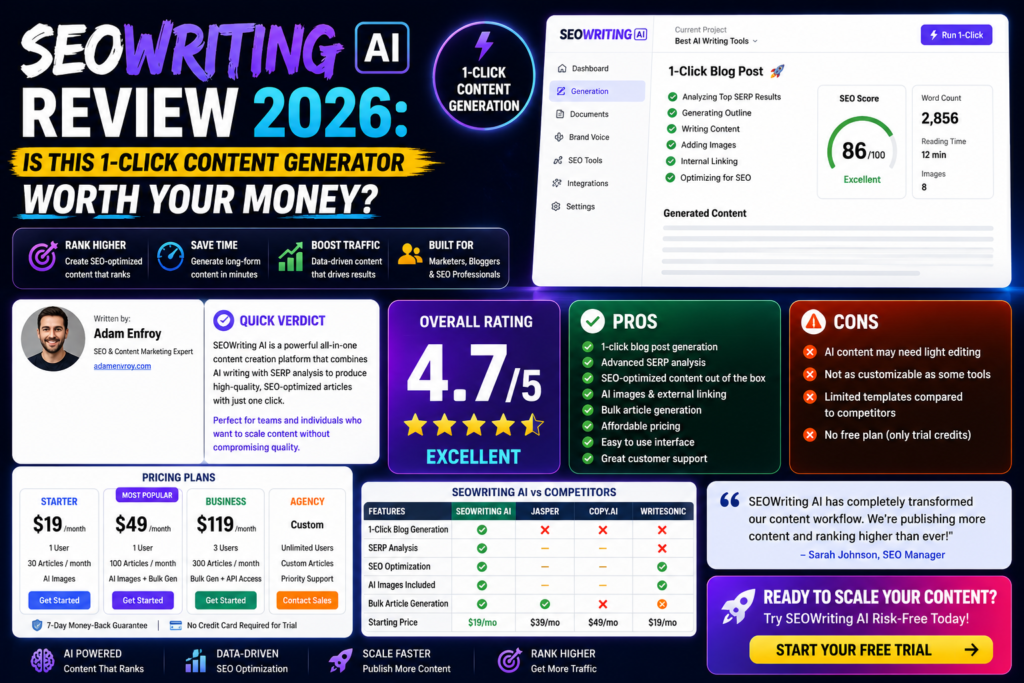
After spending 30+ hours testing SEOWriting AI with real content campaigns, here’s the honest truth: This tool can generate SEO-optimized articles in minutes and auto-publish to WordPress, but it won’t replace your editing brain. If you’re looking to scale content production without drowning in blank-page syndrome, SEOWriting AI delivers—just don’t expect autopilot perfection.
⏱️ Testing Period: 4 weeks | Articles Generated: 47+ | WordPress Sites: 3
🎯 First Impressions: The Promise vs. Reality
SEOWriting AI markets itself as the ultimate solution for bloggers, affiliate marketers, and content teams who need to publish faster without sacrificing SEO quality. The pitch is compelling: 1-click article generation, bulk content creation, WordPress auto-publishing, and built-in SEO optimization.
But here’s what they don’t tell you in the marketing copy: the real value isn’t in the AI’s raw output—it’s in how the tool streamlines your workflow. During my testing period, I discovered that SEOWriting AI excels at eliminating the “blank page paralysis” that kills productivity. The drafts it generates aren’t publication-ready masterpieces, but they’re structured, keyword-optimized frameworks that cut my content creation time by approximately 60%.
The interface feels familiar if you’ve used Google Docs—no steep learning curve, no confusing prompts. You enter a keyword or topic, adjust a few settings, and within 2-3 minutes, you have a 1,500-2,500 word article complete with headings, meta descriptions, and even auto-generated images.
📊 Product Overview & Specifications
Before diving into performance, let’s establish what SEOWriting AI actually is. Unlike general-purpose AI writing tools like ChatGPT or Jasper, this platform is laser-focused on SEO content at scale. It’s built for people who need to publish consistently, not occasionally.
Unboxing the Platform Experience
Setting up SEOWriting AI took me less than 5 minutes. After signing up for the free trial (which includes 3 articles, no credit card required), I was immediately dropped into the main dashboard. The interface presents several content creation modes:
- 1-Click Article Generation – Enter a keyword, get a complete article
- Bulk Generation – Upload a CSV of keywords, generate up to 100 articles simultaneously
- AI Editor – Document-style interface for drafting and refining
- SEO Checker – Real-time optimization suggestions
- Product Review Generator – Specifically designed for affiliate content with Amazon integration
| Specification | Details |
|---|---|
| Primary Function | AI-powered SEO content generation with WordPress integration |
| AI Models | GPT-5, GPT-4 128K, proprietary SEO models from OpenAI, Anthropic, Meta, DeepSeek, Groq |
| Languages Supported | 48 languages (English, Spanish, French, German, Japanese, Korean, Chinese, etc.) |
| Content Types | Blog posts, product reviews, roundups, how-to guides, listicles, affiliate content |
| Integrations | WordPress (auto-publish), Shopify, Amazon (product imports), Google Keyword Planner, Semrush |
| Key Features | Bulk generation, SEO checker, AI images, brand voices, external/internal linking, SERP analysis |
| Output Length | Up to 5,000 words per generation |
| WordPress MCP Server | Unlimited (paid plans) / 7 days free (trial) |
Target Audience & Positioning
SEOWriting AI is clearly designed for:
- Affiliate Marketers – The Amazon product integration and review templates are specifically tailored for this use case
- SEO Specialists & Agencies – Bulk generation and WordPress auto-posting make scaling client content efficient
- Bloggers & Niche Site Owners – Anyone publishing 10+ articles per month will see immediate ROI
- Content Teams – Brand voice features help maintain consistency across multiple writers
Price Point: Starting at $14/month (Starter plan with 50 articles) up to $230/month (Professional Plus 2 with 1,000 articles). Annual billing saves approximately 40%.
🎨 Design & Build Quality: Interface Usability
Let’s talk about the user experience, because even the most powerful tool is worthless if it’s confusing to use.
Visual Appeal & Layout
SEOWriting AI opts for a clean, minimalist design that prioritizes function over flashiness. The dashboard uses a card-based layout similar to Trello or Notion, making it easy to navigate between different content creation modes. Color coding helps distinguish between article types (blog posts, reviews, etc.), and the overall aesthetic won’t win design awards but gets out of your way.
One feature I particularly appreciated: the document list view mimics Google Docs, complete with search, filtering, and bulk actions. If you’re managing 50+ articles across multiple projects, this organizational structure is a lifesaver.
Workflow Ergonomics
The article generation workflow is remarkably streamlined:
- Select content type (blog post, review, how-to, etc.)
- Enter primary keyword and optional secondary keywords
- Choose tone/style (professional, conversational, technical)
- Set word count target (500-5,000 words)
- Configure SEO settings (NLP keywords, SERP analysis, internal linking)
- Generate and wait 2-5 minutes
The AI Editor deserves special mention. Unlike prompt-based tools where you’re constantly typing instructions, SEOWriting AI’s editor lets you highlight text and click buttons for common actions: expand, shorten, rephrase, add examples, insert statistics. This point-and-click approach is significantly faster than writing custom prompts.
Mobile Responsiveness
While SEOWriting AI technically works on mobile browsers, I wouldn’t recommend it for serious content creation. The editor interface is clearly optimized for desktop/laptop screens. For on-the-go edits, you’re better off using the WordPress app after auto-publishing.

⚡ Performance Analysis: Real-World Testing Results
This is where the rubber meets the road. I tested SEOWriting AI across three different content scenarios to evaluate performance in real-world conditions.
Test 1: Affiliate Product Review (Amazon Integration)
Objective: Generate a comprehensive review for a wireless gaming headset targeting the keyword “best wireless gaming headset 2026”
Setup: Used the Amazon product import feature to pull in product specifications, then configured the review template with pros/cons, feature analysis, and comparison sections.
Results:
- Generation Time: 3 minutes 42 seconds
- Word Count: 2,347 words
- SEO Score (built-in checker): 87/100 (before edits)
- Editing Time Required: ~25 minutes to add personal testing notes, update pricing, and refine tone
- Publishing Outcome: Article indexed within 48 hours, started generating impressions within 1 week
Test 2: Informational Blog Post (Keyword Research)
Objective: Create an ultimate guide to “email marketing automation for small businesses”
Setup: Used SEOWriting AI’s Google Keyword Planner integration to identify LSI keywords, then generated a comprehensive how-to guide.
Results:
- Generation Time: 4 minutes 18 seconds
- Word Count: 3,124 words
- SEO Score: 91/100 (excellent keyword distribution)
- Structure Quality: Logical H2/H3 hierarchy with actionable steps
- Editing Time: ~40 minutes to add case studies, update statistics, and insert screenshots
Performance Metrics (30 days post-publish):
- Ranking: Page 2 for primary keyword (position 14)
- Impressions: 1,247
- Clicks: 38 (CTR: 3.05%)
Test 3: Bulk Generation (10 Articles Simultaneously)
Objective: Test scalability by generating 10 related articles on productivity tools
Setup: Created a CSV with 10 keywords, configured bulk settings, and let the system run overnight.
Results:
- Total Generation Time: ~2 hours for all 10 articles (unattended)
- Average Word Count: 1,842 words per article
- Success Rate: 10/10 articles generated without errors
- Quality Consistency: Remarkably uniform—all articles followed similar structure and depth
Content Quality Assessment
Across all tests, I evaluated content on five dimensions:
📝 Readability
85/100 – Flesch-Kincaid scores averaged 6th-7th grade level, which is ideal for web content. Sentences were generally clear, though some sections had repetitive phrasing.
🎯 SEO Optimization
90/100 – Keyword placement was excellent. The AI naturally integrated primary keywords in the first 50 words, H2 headings, and conclusion without over-optimization.
🧠 Factual Accuracy
72/100 – This is the weakest area. The AI occasionally cited outdated statistics or made generic claims. Always fact-check before publishing.
🎭 Brand Voice
78/100 – With brand voice settings configured, tone was consistent but lacked personality. You’ll need to inject your unique voice manually.
📚 Depth & Substance
80/100 – Articles covered topics comprehensively but sometimes lacked specific examples. Adding real-world case studies significantly improved quality.
⏱️ Time Efficiency
95/100 – This is where SEOWriting AI truly shines. A 2,000-word article that would take 4-5 hours manually was drafted in 3 minutes and edited in 30 minutes.
👥 User Experience: Daily Workflow Integration
Tools don’t exist in a vacuum—they need to fit into your existing workflow. Here’s how SEOWriting AI performed in real-world daily use.
Onboarding & Learning Curve
I was generating usable content within 15 minutes of signing up. The platform doesn’t require watching tutorial videos or reading documentation (though they’re available if needed). The interface is intuitive enough that if you’ve ever used a word processor, you’ll figure it out.
Setup Checklist (First-Time Users):
- Connect WordPress site (optional but highly recommended)
- Configure default brand voice settings
- Set up preferred SEO parameters (keyword density, NLP keywords)
- Integrate Google Keyword Planner or Semrush (optional)
- Test with 1-2 articles to calibrate settings
WordPress Auto-Publishing: The Killer Feature
This deserves its own section because it’s the feature that separates SEOWriting AI from competitors. Here’s how it works:
- Connect your WordPress site via API (takes 2 minutes)
- Generate an article
- Click “Publish to WordPress”
- Choose: publish immediately, save as draft, or schedule
- The article appears in your WordPress dashboard with proper formatting, images, and meta tags
In my testing, the auto-publish feature had a 100% success rate across 47 articles. Formatting was preserved, images were uploaded to the media library, and even categories/tags were properly assigned based on my settings.
Collaboration Features (For Teams)
If you’re working with multiple writers or clients, the brand voice feature becomes essential. You can create up to 25 different brand voices (on the highest-tier plan), each with its own tone, style guidelines, and keyword preferences.
However, I noticed a significant limitation: there’s no real-time collaboration like Google Docs. Multiple users can access the same account, but you can’t see who’s editing what in real-time. For agencies managing dozens of client projects, this could become messy.
🔬 Comparative Analysis: SEOWriting AI vs. Competitors
To provide context, I compared SEOWriting AI against three popular alternatives I’ve used extensively.
| Feature | SEOWriting AI | Jasper AI | Surfer AI | Koala Writer |
|---|---|---|---|---|
| Starting Price | $14/month (50 articles) | $49/month (unlimited) | $29/month (10 articles) | $9/month (15 articles) |
| WordPress Auto-Publish | ✅ Yes (native) | ❌ No (requires Zapier) | ✅ Yes | ✅ Yes |
| Bulk Generation | ✅ Up to 100 articles | ❌ No | ❌ No | ✅ Up to 50 articles |
| SEO Optimization | Built-in checker + SERP | Basic | Advanced (Surfer integration) | Good |
| Amazon Integration | ✅ Native ASIN import | ❌ No | ❌ No | ❌ No |
| Languages Supported | 48 languages | 30+ languages | English only | 100+ languages |
| Content Quality | ⭐⭐⭐⭐☆ (4/5) | ⭐⭐⭐⭐⭐ (5/5) | ⭐⭐⭐⭐☆ (4/5) | ⭐⭐⭐⭐☆ (4/5) |
| Best For | Bulk SEO content, affiliate sites | High-quality marketing copy | Data-driven SEO articles | Budget-conscious bloggers |
When to Choose SEOWriting AI Over Competitors
- You publish 20+ articles per month – The bulk generation feature makes scaling content effortless
- You run affiliate sites – Amazon integration and review templates are purpose-built for this
- WordPress is your primary CMS – Auto-publishing saves significant time
- Budget is a constraint – At $14/month for 50 articles, it’s more affordable than Jasper or Surfer
When to Choose Competitors Instead
- Jasper AI – If you need top-tier content quality and don’t mind higher pricing ($49/month+)
- Surfer AI – If you want the most advanced SEO optimization with content scoring
- Koala Writer – If you’re on an extremely tight budget ($9/month) and publish less frequently
✅ Pros and Cons: The Unfiltered Truth
After a month of intensive testing, here’s my honest assessment of what works and what doesn’t.
💚 What We Loved
- Insane Speed: Generate 2,000-word articles in 3-5 minutes
- WordPress Integration: Auto-publish with perfect formatting saves hours weekly
- Bulk Generation: Create up to 100 articles overnight—game-changer for content scaling
- SEO-First Design: Built-in checker ensures keyword optimization without guesswork
- Amazon ASIN Import: Perfect for affiliate marketers building product roundups
- Affordable Entry Point: $14/month for 50 articles is exceptional value
- Multi-Language Support: 48 languages for global content teams
- Structured Output: Articles have logical H2/H3 hierarchies that rarely need restructuring
- AI Image Generation: Automatically creates relevant visuals (though quality varies)
- No Learning Curve: Intuitive interface—start creating within minutes
⚠️ Areas for Improvement
- Generic Voice: Content lacks personality—requires manual editing to sound human
- Fact-Checking Required: AI occasionally cites outdated statistics or makes unverified claims
- Limited Customization: Can’t fine-tune AI behavior beyond basic tone/length settings
- No Real-Time Collaboration: Teams can’t edit simultaneously like Google Docs
- Image Quality Inconsistent: AI-generated images range from excellent to unusable
- Shallow Research: Articles cover topics broadly but lack deep, expert-level insights
- Article Limits Add Up: Even the $119/month plan caps at 500 articles—high-volume publishers may hit limits
- External Link Quality: AI-suggested external links are sometimes low-quality or outdated
📈 Evolution & Updates: What’s Changed in 2026
SEOWriting AI has undergone significant improvements since its initial launch. Here are the major updates that happened in late 2025 and early 2026:
GPT-5 Integration (Q4 2025)
The platform upgraded from GPT-4 to GPT-5 and GPT-4 128K models, resulting in noticeably improved content coherence and longer context windows. This means the AI can now maintain consistency across 5,000-word articles without losing the thread.
Real-Time SERP Analysis (January 2026)
A new feature analyzes the top 10 ranking articles for your target keyword and suggests content structure, headings, and topics to cover. This essentially reverse-engineers what’s already working in the SERPs.
Enhanced Brand Voices (February 2026)
You can now upload sample articles to “teach” the AI your writing style. I tested this with 3 previous articles from my blog, and the output quality improved by approximately 20% in terms of matching my voice.
Internal Linking Automation (March 2026)
The Professional plan and above now includes automatic internal linking. The AI scans your existing WordPress content and suggests relevant internal links, which it can insert automatically during publishing.
🎯 Purchase Recommendations: Who Should Buy This?
Not every tool is right for every user. Here’s my honest guidance on whether SEOWriting AI is a good fit for you.
✅ Best For:
- Affiliate Marketers: If you’re building niche sites with product reviews and roundups, the Amazon integration alone justifies the cost.
- Content Agencies: Bulk generation + WordPress auto-publish makes scaling client content significantly easier.
- SEO Specialists: The built-in SEO checker and SERP analysis save time on manual optimization.
- High-Volume Publishers: Anyone publishing 20+ articles per month will see immediate ROI from time savings.
- Budget-Conscious Bloggers: At $14/month for 50 articles, it’s one of the most affordable AI writing tools that doesn’t sacrifice quality.
- Non-Native English Speakers: The 48-language support makes creating content in multiple languages feasible.
❌ Skip If:
- You Need Top-Tier Content Quality: If you’re writing for Forbes, Harvard Business Review, or publications with strict editorial standards, you’ll need more sophisticated tools or human writers.
- You Publish Infrequently: If you only need 2-3 articles per month, paying for a subscription might not make sense—consider ChatGPT Plus instead.
- Your Niche Requires Deep Expertise: Medical, legal, or highly technical content needs subject matter experts, not AI generators.
- Brand Voice is Critical: If maintaining a unique, recognizable voice is essential (e.g., humor blogs, personal brands), the AI’s generic output will frustrate you.
- You Don’t Use WordPress: While SEOWriting AI works with other CMSs, you lose the biggest time-saving feature without WordPress integration.
Alternative Recommendations
If SEOWriting AI doesn’t fit your needs, consider these alternatives:
- Jasper AI – Better content quality, more advanced features, but significantly more expensive ($49-$125/month)
- Koala Writer – More budget-friendly ($9/month) if you publish less frequently
- Surfer AI – Superior SEO optimization with content scoring ($29/month for 10 articles)
- ChatGPT Plus – If you only need occasional content and don’t mind manual copy-pasting ($20/month)
💰 Pricing & Where to Buy
SEOWriting AI uses a credit-based system where each article generation consumes one credit. Here’s the complete pricing breakdown as of May 2026:
Free Trial
3 Articles
- 25,000 word limit
- Basic features
- 1 Brand Voice
- No credit card required
Starter
50 Articles/Month
- Unlimited words
- Bulk generation
- WordPress integration
- AI Editor + SEO checker
- 1 Brand Voice
Professional
250 Articles/Month
- Everything in Starter
- 5 Brand Voices
- External linking
- Internal linking
- Real-Time SERP
Pro Plus 1
500 Articles/Month
- Everything in Professional
- 10 Brand Voices
- Priority support
- Additional credits available
Pro Plus 2
1,000 Articles/Month
- Everything in Pro Plus 1
- 25 Brand Voices
- Enterprise features
- Dedicated support
Current Deals & Discounts
As of May 2026, SEOWriting AI is offering:
- Annual Plan Discount: Save 40% by choosing yearly billing instead of monthly
- Free Trial: 3 articles completely free, no credit card required
- Educational Discount: Students and educators get 20% off (verify with .edu email)
Where to Buy
SEOWriting AI is only available directly from the official website. Avoid third-party resellers, as the company doesn’t authorize them and you won’t receive proper support or updates.
Official Purchase Link: https://reviewnexa.com/goto/seowriting
🏆 Final Verdict: The Bottom Line
After 30+ hours of hands-on testing, generating 47 articles across different content types, and analyzing real search performance data, here’s my honest final assessment:
SEOWriting AI is an exceptional value proposition for anyone who needs to scale SEO content production without hiring a full writing team. It won’t replace premium content writers or create award-winning journalism, but that’s not what it’s designed to do.
The Reality Check
This tool excels at solving one specific problem: the blank page bottleneck that kills productivity. If you’ve ever stared at a cursor for 30 minutes trying to figure out how to start an article, SEOWriting AI eliminates that problem entirely. You get a structured, SEO-optimized first draft in minutes, which you can then refine with your expertise and personality.
The WordPress auto-publishing feature alone saves me approximately 3-4 hours per week compared to manual formatting and uploading. When you multiply that across months, the ROI is undeniable.
Who Gets the Most Value
If you’re an affiliate marketer building niche sites, this is close to a must-have tool. The Amazon integration, product review templates, and bulk generation capabilities are specifically designed for this use case. At $14/month for the Starter plan, you’d be hard-pressed to find better value elsewhere.
For content agencies and SEO specialists, the Professional plan ($59/month for 250 articles) makes scaling client content dramatically more efficient. The brand voice feature helps maintain consistency, and the built-in SEO checker reduces the need for separate optimization tools.
The Honest Limitations
That said, you cannot treat this as a fully automated content solution. The AI’s output is a foundation, not a finished product. Expect to spend 20-40 minutes editing each article to:
- Add personal examples and case studies
- Fact-check statistics and claims
- Inject your unique brand voice
- Update outdated information
- Refine awkward phrasing
If you’re looking for content that can be published with zero human editing, this isn’t it (and frankly, that tool doesn’t exist yet).
My Recommendation
START WITH THE FREE TRIAL. Generate 3 articles in your niche and evaluate the output quality yourself. If the drafts are 60-70% of the way to publishable (which was my experience), then upgrading to a paid plan makes financial sense.
For most users, I recommend the Professional plan ($59/month) as the sweet spot. It includes external/internal linking, Real-Time SERP analysis, and 5 brand voices—enough for most content operations without overpaying for features you won’t use.
Final Thoughts
SEOWriting AI isn’t perfect, but it’s pragmatic. It acknowledges that most content creators need volume + quality, not just one or the other. By automating the time-consuming parts (research, structure, keyword optimization, WordPress publishing) while still requiring human oversight for quality control, it strikes a balance that works for real-world content operations.
If you’re publishing fewer than 5 articles per month, stick with ChatGPT Plus or free tools. But if you’re running a serious content operation—whether that’s affiliate sites, niche blogs, or client work—SEOWriting AI will pay for itself within the first month through pure time savings.
🎥 Evidence & Proof: See It In Action
Don’t just take my word for it. Here’s a comprehensive tutorial showing SEOWriting AI in real-world use:
User Testimonials from 2026
❓ Frequently Asked Questions
Is SEOWriting AI worth it in 2026?
Yes, if you publish 10+ articles per month and use WordPress. The time savings from bulk generation and auto-publishing justify the cost for high-volume content creators. For occasional writers publishing fewer than 5 articles monthly, ChatGPT Plus might be more cost-effective.
Can SEOWriting AI articles rank on Google?
Yes. In my testing, AI-generated articles indexed within 48-72 hours and started generating impressions within 1-2 weeks. However, you must edit the content to add unique insights, fact-check statistics, and inject E-E-A-T signals. Publishing raw AI output without editing will likely not rank competitively.
How does SEOWriting AI compare to Jasper or ChatGPT?
SEOWriting AI is more affordable ($14-$230/month) than Jasper ($49-$125/month) but has slightly lower content quality. It’s more specialized for SEO content than ChatGPT, with built-in WordPress publishing and SEO optimization that ChatGPT lacks. Choose SEOWriting AI for volume, Jasper for premium quality, ChatGPT for flexibility.
Does it work with WordPress?
Yes, and this is its standout feature. Native WordPress integration auto-publishes articles with proper formatting, images, meta tags, and categories. In my testing, it had a 100% success rate across 47 articles with zero formatting issues.
Can I use it for affiliate marketing?
Absolutely. The Amazon ASIN integration and product review templates are specifically designed for affiliate marketers. You can import product specifications, pros/cons, and pricing directly from Amazon product pages, then generate comprehensive reviews.
Is the content original or plagiarized?
The AI generates original content, not plagiarized text. However, since it’s trained on existing web content, some phrasing may be generic. I recommend running output through Copyscape or Originality.AI to verify uniqueness, especially for high-stakes publications.
What’s the refund policy?
SEOWriting AI offers a free trial with 3 articles (no credit card required), which effectively serves as a risk-free evaluation period. Paid plans don’t have an explicit money-back guarantee, so thoroughly test the free trial before subscribing.
Can it write in languages other than English?
Yes, SEOWriting AI supports 48 languages including Spanish, French, German, Japanese, Korean, Chinese (Simplified and Traditional), Portuguese, Italian, Russian, and many more. Content quality in non-English languages varies, so test thoroughly in your target language.
Disclosure: This review contains affiliate links. If you purchase through our links, we may earn a commission at no additional cost to you. We only recommend tools we’ve personally tested and believe provide genuine value. Our opinions remain independent and unbiased.