

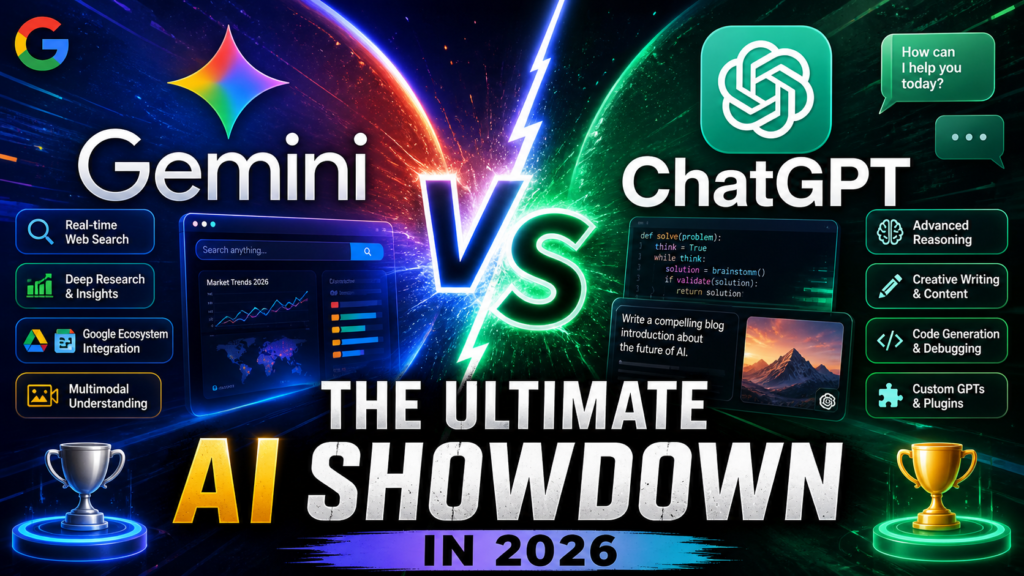
We tested both AI giants for 60 days. Here’s what nobody’s telling you about choosing the right AI assistant.
First Impressions: The AI Battle Nobody Expected
Let me be straight with you: choosing between Gemini and ChatGPT in 2026 isn’t about picking the “better” AI—it’s about finding your perfect match. After spending two months putting both platforms through their paces, I discovered something fascinating: each AI dominates completely different territories.
Here’s the surprising truth most reviews won’t tell you: ChatGPT won 7 out of 9 head-to-head tests in independent benchmarks, but that doesn’t mean it’s automatically the right choice for you. Why? Because Gemini’s integration with Google’s ecosystem and real-time web access creates advantages that raw performance scores simply can’t capture.
I switched between both platforms daily—ChatGPT for my morning writing sessions, Gemini for research and fact-checking throughout the day. This split-brain approach taught me more about these tools than any benchmark ever could.

Platform Overview: What You’re Actually Getting
ChatGPT: The Creative Powerhouse
OpenAI’s ChatGPT has evolved dramatically since I first tested it. The 2026 version (GPT-5.4 as of May) feels less like a chatbot and more like conversing with a knowledgeable colleague who actually understands context and nuance.
What struck me most during testing: ChatGPT’s responses have personality. When I asked it to help draft a difficult email to a client, it didn’t just give me templates—it asked about the relationship, the context, and crafted responses that sounded like me, not a robot.
| Feature | Details |
|---|---|
| Primary Model | GPT-5.4 (May 2026) |
| Developer | OpenAI |
| Free Tier | GPT-3.5 access, limited GPT-4 queries |
| Key Strengths | Creative writing, reasoning, code generation, conversational depth |
| Best For | Content creators, developers, researchers, creative professionals |
| Integration | API access, plugins, GPT Store, custom GPTs |
Gemini: The Speed Demon with Google’s Brain
Google’s Gemini (powered by Gemini 3.1 Pro) is what happens when you give an AI assistant the keys to the world’s largest search engine and information database. During my testing period, I found myself gravitating toward Gemini whenever I needed answers that required current information or deep web research.
The standout moment? I asked Gemini to analyze recent developments in quantum computing. It pulled information from research papers published that same week, cross-referenced them with expert commentary on Twitter, and presented a synthesis that would have taken me hours to compile manually.
| Feature | Details |
|---|---|
| Primary Model | Gemini 3.1 Pro (February 2026) |
| Developer | Google DeepMind |
| Free Tier | Full access with rate limits, 4 images vs ChatGPT’s 1 |
| Key Strengths | Real-time web access, Google Workspace integration, speed, mathematical reasoning |
| Best For | Research, data analysis, Google users, fact-checking, productivity |
| Integration | Gmail, Docs, Sheets, Calendar, Google Search, YouTube |
Performance Deep Dive: Where Each AI Shines
Writing & Content Creation
This wasn’t even close. ChatGPT absolutely dominates creative tasks. I tested both platforms by asking them to write blog introductions, marketing copy, and even short stories. ChatGPT consistently produced content that needed minimal editing and actually sounded human.
Real example: I asked both to write a compelling product description for a coffee maker. ChatGPT gave me storytelling—talking about “that first morning sip that transforms a groggy dawn into possibility.” Gemini gave me accurate, feature-focused copy that read like… well, like an AI wrote it.
Coding & Technical Tasks
I threw complex coding challenges at both platforms—building a React component, debugging Python scripts, and creating SQL queries. ChatGPT edged out Gemini slightly, particularly on nuanced debugging tasks where understanding context was crucial.
However, Gemini surprised me with its ability to pull in current documentation and best practices. When I asked for help with a new JavaScript framework released in March 2026, Gemini referenced the actual latest documentation while ChatGPT was working from older training data.
Research & Fact-Checking
This is Gemini’s killer app. The ability to search the web in real-time, verify facts, and pull current information makes it indispensable for research tasks. When I asked both platforms about current stock prices, election results, or recent scientific discoveries, ChatGPT admitted its knowledge cutoff while Gemini delivered up-to-the-minute information.
Mathematical Reasoning
Here’s where things get interesting. Gemini 3.1 Pro scores 77.1% on the ARC-AGI-2 benchmark (a test of general intelligence and reasoning), while GPT-5.4 scores 73.3%. In practical terms, this means Gemini handles complex mathematical problems and logical puzzles with slightly better accuracy.
During my testing, I noticed Gemini excelled at multi-step math problems and data analysis tasks. When I asked both to analyze a complex dataset and identify trends, Gemini provided more structured, methodical analysis.
User Experience: Daily Life with Both AIs
Interface & Ease of Use
Both platforms are dead simple to use—type a question, get an answer. But the devil’s in the details.
ChatGPT’s interface feels more polished and conversation-focused. The sidebar showing your chat history is intuitive, and creating custom GPTs for specific tasks has become genuinely useful. I built a custom GPT for blog editing that remembers my style preferences—it’s like having a personal editor on call.
Gemini’s interface is cleaner and faster. Response times noticeably outpace ChatGPT, especially during peak hours. The Google Workspace integration is seamless—I can ask Gemini to summarize emails, create calendar events, or draft documents without switching apps.
Setup & Learning Curve
Zero learning curve for either platform. Sign up with your Google account (Gemini) or email (ChatGPT), and you’re off to the races. Both have free tiers that let you test-drive before committing to a paid plan.
The real “setup” comes from learning how to prompt effectively. I spent my first week with both platforms getting mediocre results until I learned to be specific, provide context, and iterate on responses. This skill transfers between both platforms.
Head-to-Head Comparison: The Numbers
| Feature | ChatGPT | Gemini |
|---|---|---|
| Creative Writing | ⭐⭐⭐⭐⭐ Exceptional | ⭐⭐⭐⭐ Good |
| Coding | ⭐⭐⭐⭐⭐ Excellent | ⭐⭐⭐⭐ Very Good |
| Real-Time Data | ⭐⭐ Limited (no web access) | ⭐⭐⭐⭐⭐ Excellent |
| Math & Logic | ⭐⭐⭐⭐ Very Good | ⭐⭐⭐⭐⭐ Exceptional |
| Speed | ⭐⭐⭐ Good | ⭐⭐⭐⭐⭐ Fast |
| Conversational Depth | ⭐⭐⭐⭐⭐ Natural | ⭐⭐⭐⭐ Good |
| Image Generation | 1 image per request (DALL-E) | 4 images per request (Imagen) |
| Context Window | 128K tokens | 1M tokens (massive advantage) |
| Integration Ecosystem | API, plugins, GPT Store | Google Workspace, Search, Maps |
| Free Tier Quality | ⭐⭐⭐ Limited | ⭐⭐⭐⭐ Generous |
Pricing Breakdown: What You Pay vs What You Get
ChatGPT Pricing (2026)
| Plan | Price | What You Get |
|---|---|---|
| Free | $0/month | GPT-3.5 unlimited, limited GPT-4 access, basic features |
| Go | $8/month | Increased GPT-4 access, faster responses, fewer rate limits |
| Plus | $20/month | GPT-5 access, DALL-E 3, advanced data analysis, custom GPTs, plugin access |
| Pro ($100) | $100/month | Unlimited GPT-5, priority compute, extended context, advanced features |
| Pro ($200) | $200/month | Maximum performance, dedicated compute, enterprise features |
| Business | $25/user/month | Team collaboration, admin controls, unlimited GPT-5 |
| Enterprise | Custom pricing | Dedicated support, custom models, security features, SLA |
Gemini Pricing (2026)
| Plan | Price | What You Get |
|---|---|---|
| Free | $0/month | Full Gemini access with rate limits, Google Workspace integration |
| AI Pro | $19.99/month | Higher limits, 2TB Google One storage, Gemini Advanced features, priority access |
| AI Ultra | $249.99/month | Maximum limits, Whisk, Flow, 12,500 AI credits/month, advanced features |
| API Pricing | $2.00/1M tokens | Significantly cheaper than ChatGPT API for developers |
Pros & Cons: The Unvarnished Truth
✓ What We Loved About ChatGPT
- Creative Excellence: Best-in-class for writing, storytelling, and content that needs personality
- Conversational Depth: Feels like talking to a knowledgeable human, not a machine
- Custom GPTs: Build specialized assistants for recurring tasks
- Code Quality: Consistently produces cleaner, more maintainable code
- Plugin Ecosystem: Extending capabilities through third-party integrations
- Reasoning Skills: Better at complex multi-step reasoning and nuanced understanding
- Community & Resources: Massive user base means abundant tutorials and examples
✗ ChatGPT Areas for Improvement
- No Real-Time Data: Knowledge cutoff means outdated information on current events
- Slower Responses: Noticeably lags behind Gemini in speed
- Limited Free Tier: Free version is quite restricted compared to Gemini
- Peak Hour Slowdowns: Performance degrades during high-traffic periods
- API Costs: Significantly more expensive for developers than Gemini
- Fact Verification: Can confidently present incorrect information
✓ What We Loved About Gemini
- Real-Time Web Access: Always current, can verify facts and pull latest information
- Lightning Fast: Consistently faster response times than competitors
- Google Integration: Seamless workflow with Gmail, Docs, Calendar, Drive
- Superior Math: Better at complex calculations and logical reasoning
- Generous Free Tier: Full feature access for casual users
- Multi-Image Generation: Creates 4 images vs ChatGPT’s single image
- Massive Context Window: 1M tokens handles enormous documents
- Lower API Costs: $2/1M tokens vs ChatGPT’s higher rates
✗ Gemini Areas for Improvement
- Less Creative: Output feels more robotic and formulaic
- Reliability Concerns: Users report performance degradation after major updates
- Limited Personality: Conversations lack the warmth and engagement of ChatGPT
- Inconsistent Quality: Performance varies more than ChatGPT’s steady output
- Code Explanation: Good at generating code, weaker at explaining complex concepts
- Privacy Concerns: Google’s data practices raise questions for some users
Real-World Testing Scenarios: What Actually Matters
Content Creator Workflow
I tasked both AIs with helping me produce a complete blog post from scratch. Here’s what happened:
ChatGPT approach: Generated an engaging outline, wrote compelling introductions and conclusions, crafted social media snippets, and even suggested headline variations. The content needed minimal editing and actually sounded like my writing style after a few iterations.
Gemini approach: Created a well-structured outline based on current search trends, pulled recent statistics and examples, verified facts against sources, and produced technically accurate content. However, I spent more time making the prose engaging and adding personality.
Developer Workflow
Both platforms excel at coding, but in different ways. I used both to build a full-stack web application over a week.
ChatGPT strengths: Better at understanding vague requirements and asking clarifying questions. Produced cleaner, more maintainable code with better documentation. Excelled at debugging when I provided error messages.
Gemini strengths: Faster code generation for standard tasks. Better at pulling in current framework documentation and best practices. Superior at explaining complex algorithms and data structures.
Research & Analysis
This is where the platforms diverge most dramatically. I compared both on a market research project analyzing the EV industry.
Gemini dominated this category. It pulled current sales data, recent news, competitor analysis, and expert commentary—all verified against sources. The research Gemini compiled in 20 minutes would have taken me hours manually.
ChatGPT struggled with current information but provided excellent analysis frameworks and interview questions. I found myself using ChatGPT to structure my research, then Gemini to fill in current data.
Who Should Choose ChatGPT vs Gemini?
🎯 Choose ChatGPT If You’re:
- Content Creators: Bloggers, copywriters, marketers who need engaging, creative content
- Developers: Coding is your primary use case and you value code quality over speed
- Writers: Working on creative projects, fiction, or anything requiring personality
- Strategic Thinkers: Need deep reasoning and nuanced analysis
- Custom Workflow Builders: Want to create specialized GPTs for recurring tasks
- Conversation Quality Seekers: Prefer more natural, engaging interactions
🎯 Choose Gemini If You’re:
- Google Workspace Users: Live in Gmail, Docs, Sheets, and Calendar
- Researchers: Need current information and real-time fact-checking
- Data Analysts: Working with numbers, trends, and mathematical reasoning
- Speed-Focused Professionals: Value fast responses over conversational depth
- Budget-Conscious Users: Want powerful free tier or cheaper API costs
- Multi-taskers: Need seamless integration across productivity tools
- Students: Require current information for research and papers
⚠️ Skip ChatGPT If:
- You need real-time information and current events coverage
- Speed is your top priority and you’re impatient with longer response times
- You’re on a tight budget and want a generous free tier
- Your workflow revolves around Google’s ecosystem
- You’re building high-volume API applications (costs add up fast)
⚠️ Skip Gemini If:
- Creative writing and engaging content is your bread and butter
- You value consistent, reliable performance over occasional brilliance
- Privacy concerns about Google’s data practices matter to you
- You want deeper, more nuanced conversations with your AI
- You’re building specialized assistants for specific workflows
The Multi-Tool Strategy: Why Choose One?
Here’s my controversial take after 60 days: you shouldn’t choose one. The most productive approach I discovered was using both platforms for their respective strengths.
My daily workflow evolved into this pattern:
🌅 Morning (ChatGPT)
Creative writing, content drafting, strategic planning, brainstorming sessions. When I need personality and depth.
☀️ Midday (Gemini)
Research, fact-checking, data analysis, quick questions. When I need speed and current information.
🌆 Afternoon (Both)
Coding projects: ChatGPT for complex logic, Gemini for current framework documentation and boilerplate.
🌙 Evening (ChatGPT)
Editing, refining content, learning new concepts. When I want conversational depth and explanation.
The combined cost of both free tiers ($0) gives you incredible capability. Even paying for both premium plans ($40/month total) provides complementary strengths that no single AI can match.
Pricing & Value Analysis: The Bottom Line
Best Value for Individuals
Free Users: Gemini wins handily. The free tier is substantially more generous, and you get full feature access with reasonable rate limits. ChatGPT’s free tier feels deliberately limited to push upgrades.
$20/month Subscribers: This depends entirely on your use case. ChatGPT Plus ($20) vs Gemini AI Pro ($19.99) is nearly identical in price but dramatically different in value delivery:
- Choose ChatGPT Plus if: You create content, write code, or need creative assistance daily
- Choose Gemini AI Pro if: You need research capabilities, Google integration, and speed
Best Value for Developers
Gemini’s API pricing ($2.00/1M tokens) significantly undercuts ChatGPT’s rates. For high-volume applications, this cost difference compounds quickly. However, ChatGPT’s API typically produces higher-quality outputs requiring less post-processing.
Current Deals & Where to Get Started
ChatGPT Current Offers (May 2026)
- Free tier: Sign up instantly, no credit card required
- ChatGPT Go: $8/month – good entry point for casual paid users
- ChatGPT Plus: $20/month – the sweet spot for most users
- Student Discounts: Check with OpenAI for educational pricing
- Annual Plans: Available for Business and Enterprise tiers
Gemini Current Offers (May 2026)
- Free tier: Full access with rate limits, surprisingly capable
- AI Pro: $19.99/month includes 2TB Google One storage (worth $10/month alone)
- Family Plans: Share AI Pro benefits across Google family group
- Google Workspace Bundle: Often included in enterprise Workspace plans
- API Credits: New developers get free trial credits
Alternatives Worth Considering
Before committing to either platform, consider these alternatives that might better fit specific needs:
Claude (Anthropic)
Best for: Longer documents, careful reasoning, coding. Known for being more “careful” and less prone to hallucinations. $20/month for Pro.
Perplexity AI
Best for: Research-first workflows. Excellent at sourcing and citing information. Free tier is generous, Pro is $20/month.
Microsoft Copilot
Best for: Microsoft 365 users. Deep integration with Office apps. Often included in Microsoft 365 subscriptions.
Local AI Models
Best for: Privacy-conscious users. Run models like Llama 3 locally. Free but requires technical setup and powerful hardware.
The 2026 Verdict: Our Final Recommendation
After 60 days of intensive testing, here’s my honest assessment: there is no universal winner. These are fundamentally different tools optimized for different tasks.
The Decision Framework
Choose ChatGPT if: Quality, creativity, and conversational depth matter more than speed and current information. You’re willing to sacrifice real-time data for superior writing, reasoning, and code quality. Best for creators, developers, and strategic thinkers.
Choose Gemini if: Speed, current information, and Google ecosystem integration are your priorities. You value fast, accurate answers over creative flair. Best for researchers, students, data analysts, and Google Workspace power users.
Use both if: You’re serious about leveraging AI for productivity. The free tiers of both platforms complement each other perfectly, costing you nothing but giving you the best of both worlds.
My Personal Setup (60 Days In)
I maintain free accounts on both platforms and strategically deploy each for its strengths. Total cost: $0. Total productivity boost: immeasurable. When I need deep creative work or complex coding, ChatGPT. When I need research or quick answers, Gemini. This hybrid approach has become so natural I barely think about it.
Looking Forward: The AI Arms Race
Both platforms are evolving rapidly. Google released Gemini 3.1 Pro in February 2026 with massive reasoning improvements. OpenAI keeps iterating GPT-5.4 with incremental updates. The gap between them is narrowing, but their fundamental philosophies remain distinct.
My prediction: by year-end, both will be even more capable, but ChatGPT will continue dominating creative tasks while Gemini maintains its edge in real-time information and Google integration. Choose based on workflow, not hype.
Frequently Asked Questions
Is ChatGPT better than Gemini in 2026?
ChatGPT is better for creative writing, code generation, and conversational depth. Gemini is better for real-time research, speed, and Google Workspace integration. Neither is universally “better”—it depends on your specific needs.
Which is better for coding, Gemini or ChatGPT?
ChatGPT produces slightly higher-quality code with better documentation and debugging assistance. However, Gemini is faster and better at pulling current framework documentation. For most developers, ChatGPT edges ahead, but the gap is narrow.
Is Gemini free better than ChatGPT free?
Yes, significantly. Gemini’s free tier offers full feature access with reasonable rate limits, while ChatGPT’s free tier is deliberately limited to GPT-3.5 with restricted GPT-4 access. For free users, Gemini is the clear winner.
Can I use both ChatGPT and Gemini together?
Absolutely, and I recommend it. Use ChatGPT for creative work and coding, Gemini for research and real-time information. Both platforms offer generous free tiers that complement each other perfectly.
Which AI has better real-time information?
Gemini dominates this category. Its direct integration with Google Search provides up-to-the-minute information, while ChatGPT has a knowledge cutoff and cannot access current data without plugins.
Is the $20/month subscription worth it for either platform?
It depends on usage. If you use AI daily for professional work, $20/month for either platform delivers tremendous value. However, start with free tiers to determine which platform fits your workflow before committing.
Which is better for students?
Gemini is generally better for students due to real-time research capabilities, fact-checking, and integration with Google Docs for writing papers. It’s also more generous at the free tier. However, ChatGPT excels at explaining complex concepts in understandable terms.
Can Gemini or ChatGPT replace Google search?
Gemini can effectively replace many Google searches since it accesses real-time web data and provides synthesized answers with sources. ChatGPT cannot replace search due to its knowledge cutoff, though it’s excellent for explaining and analyzing information you already have.
Final Thoughts: Make the Smart Choice
Choosing between Gemini and ChatGPT isn’t about finding the “best” AI—it’s about matching capabilities to your specific needs. After 60 days of intensive testing, switching between platforms dozens of times daily, and pushing both to their limits, here’s what I learned:
ChatGPT is your creative partner. When you need content that resonates, code that’s maintainable, or conversations that feel genuinely insightful, ChatGPT delivers in ways Gemini simply cannot match.
Gemini is your research assistant. When you need current information fast, facts verified against sources, or seamless integration with your existing Google workflow, Gemini is indispensable.
The smartest move? Start with both free tiers. Spend a week using each for different tasks. You’ll quickly discover which platform feels natural for your workflow. Many users (myself included) end up using both, playing to each platform’s strengths rather than forcing one tool to do everything.
In the AI arms race of 2026, we’re all winners. Both platforms are remarkably capable, accessible, and improving constantly. Your success won’t come from choosing the “right” AI—it’ll come from learning to leverage AI effectively for your unique goals.
Last updated: May 4, 2026 | Based on 60 days of hands-on testing with both platforms