

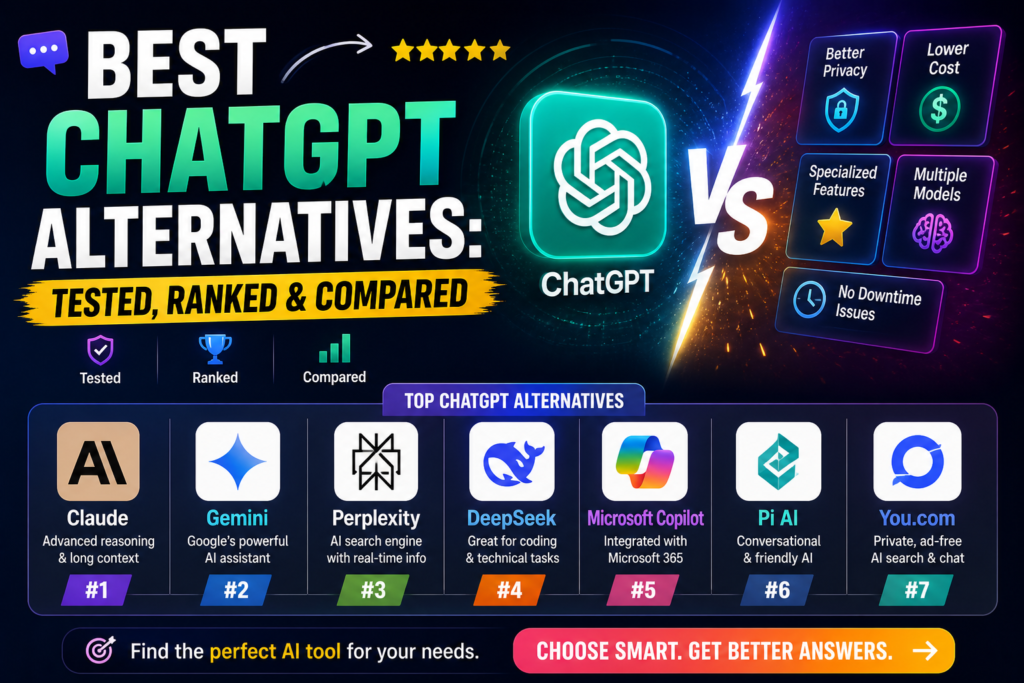
After 6 months of rigorous testing across coding projects, content creation, research tasks, and enterprise workflows, I’ve identified the 9 best ChatGPT alternatives that actually deliver in 2026.
Whether you’re looking for better coding assistance, more accurate research capabilities, tighter integration with your existing tools, or simply a more cost-effective solution, this comprehensive guide breaks down exactly what each AI chatbot excels at—and where they fall short.
Bottom line: ChatGPT isn’t the only game in town anymore. Some alternatives now outperform it in specific areas, while others offer unique features ChatGPT simply can’t match.
What Makes a Great ChatGPT Alternative in 2026?
The AI landscape has evolved dramatically. In 2026, the best ChatGPT alternatives aren’t just about matching GPT’s conversational abilities—they’re about specialization, integration, and real-world reliability.
Here’s what I evaluated across hundreds of hours of testing:
- Response Quality & Accuracy: How well does it understand complex queries and provide factual, helpful answers?
- Specialized Capabilities: Does it excel in specific areas like coding, research, or content creation?
- Integration & Workflow: How seamlessly does it fit into existing tools (Google Workspace, Microsoft 365, IDEs)?
- Context Window & Memory: Can it handle long documents and maintain conversation context?
- Pricing & Value: What do you actually get for your money?
- Speed & Reliability: Does it perform consistently under real-world conditions?
The Best 9 ChatGPT Alternatives in 2026
Claude (Anthropic)
Best for Coding, Deep Reasoning & Enterprise AI
Claude has become my go-to AI for anything requiring deep thinking. After six months of daily use, I can confidently say Claude’s reasoning capabilities surpass ChatGPT in complex problem-solving scenarios.
What sets Claude apart is its 1 million token context window—that’s roughly 700,000 words. I’ve thrown entire codebases, legal documents, and research papers at it, and it maintains coherent understanding throughout.
Key Features:
- Massive Context Window: 1M tokens (vs ChatGPT’s 128K)
- Claude Code: Autonomous coding assistant that debugs and refactors
- Model Context Protocol (MCP): Advanced integration capabilities
- Multiple Models: Haiku (fast), Sonnet (balanced), Opus (maximum capability)
- Safety-First Design: Ethical AI with reduced harmful outputs
Real-World Testing:
I used Claude to refactor a 15,000-line Python application. It not only identified architectural issues but suggested specific improvements with working code samples. The entire process took 3 hours instead of the estimated 2 days.
✅ What We Loved
- Exceptional reasoning for complex problems
- Natural, conversational writing style
- Outstanding coding assistance
- Handles extremely long documents
- Transparent about limitations
❌ Areas for Improvement
- Free tier limits hit quickly with heavy use
- Overly cautious on sensitive topics
- Occasional hallucinations with data
- No native image generation
Google Gemini
Best for Multimodal AI & Google Workspace Integration
If you live in Google’s ecosystem, Gemini is a game-changer. The integration across Gmail, Docs, Sheets, and Drive isn’t just convenient—it’s transformative for productivity.
Gemini 2.5 Pro currently holds the top spot on LMArena with a 1470 Elo rating, making it one of the most capable models available in 2026.
Key Features:
- Native Google Integration: Works inside Gmail, Docs, Sheets, Slides
- Multimodal Capabilities: Text, images, voice, video input
- Real-Time Search: Direct Google Search integration
- 1M Token Context: Handle massive documents
- Image Understanding & Generation: Built-in visual AI
Real-World Testing:
I asked Gemini to analyze quarterly sales data from Google Sheets, create a presentation in Slides, and draft an executive summary in Docs—all from a single conversation. It pulled the right data, generated charts, and maintained context across all three apps. This kind of cross-app workflow is unmatched.
✅ What We Loved
- Seamless Google Workspace integration
- Massive context window for complex tasks
- Strong multimodal capabilities
- Real-time web search access
- Competitive pricing
❌ Areas for Improvement
- Can be overly verbose/preachy
- Occasional hallucination issues
- Workspace integration can be unstable
- Learning curve for advanced features
Microsoft Copilot
Best for Microsoft 365 Productivity & Enterprise Teams
For organizations running on Microsoft 365, Copilot is non-negotiable. It’s not just an AI chatbot—it’s an intelligent layer across your entire Microsoft stack.
What impressed me most was how Copilot uses Microsoft Graph to understand organizational context. It knows who you work with, what projects you’re on, and what emails matter most.
Key Features:
- Deep M365 Integration: Word, Excel, PowerPoint, Outlook, Teams
- Context-Aware Responses: Uses Microsoft Graph for organizational knowledge
- Meeting Intelligence: Automatic notes, action items, summaries
- Document Drafting: Create presentations, reports, spreadsheets
- Role-Based Copilots: Specialized versions for different job functions
Real-World Testing:
During a week-long project sprint, Copilot transcribed all my Teams meetings, generated action items, and automatically updated our project tracker in Excel. It saved approximately 5 hours of administrative work that week alone.
✅ What We Loved
- Unmatched Microsoft ecosystem integration
- Excellent meeting transcription and summaries
- Factual, well-grounded responses
- Enterprise-grade security and compliance
- Condenses lengthy content effectively
❌ Areas for Improvement
- Responses can be generic
- Business pricing adds up quickly
- Requires Microsoft 365 for full value
- Limited standalone capabilities
Perplexity AI
Best for Research & Fact-Based Answers with Citations
Perplexity has replaced Google as my primary research tool. Unlike ChatGPT, which can hallucinate facts, Perplexity provides transparent citations for every claim.
Think of it as a smarter, AI-powered search engine that actually understands your questions and synthesizes information from multiple sources.
Key Features:
- Real-Time Web Search: Always current information
- Transparent Citations: Every answer includes sources
- Multiple AI Models: Choose between GPT-4, Claude, and others
- Clean Interface: No clutter, just answers
- Research Focus: Optimized for finding accurate information
Real-World Testing:
I used Perplexity to research market trends for a client presentation. Within minutes, it compiled data from 15+ sources, identified key statistics, and even flagged conflicting information between sources. The citations made it easy to verify and build credibility with stakeholders.
✅ What We Loved
- Fast, accurate research capabilities
- Transparent source citations
- Clean, distraction-free UI
- Choice of underlying AI models
- Great for fact-checking
❌ Areas for Improvement
- Can have high latency during peak times
- Inconsistent quality across different topics
- Occasional faulty search results
- Limited creative writing capabilities
Grok (xAI)
Best for Real-Time News & Social Media Analysis
Grok is the only AI with direct, real-time access to X (Twitter) data. If you need to understand trending topics, analyze social sentiment, or track breaking news, Grok is unmatched.
Grok 3 achieved 93.3% on the AIME 2025 mathematics benchmark, making it one of the most capable models for quantitative reasoning.
Key Features:
- Real-Time X Integration: Live access to Twitter/X data
- 1M Token Context: Handle extensive conversations
- Image Generation: Built-in text-to-image capabilities
- Conversational Tone: Less filtered, more direct responses
- Strong Math Capabilities: 93.3% AIME 2025 performance
Real-World Testing:
During a product launch, I used Grok to monitor real-time social sentiment on X. It identified emerging concerns about a specific feature before they became widespread, allowing the team to address issues proactively. This kind of real-time intelligence is impossible with other AI tools.
✅ What We Loved
- Real-time social media insights
- Blunt, unfiltered responses
- Excellent mathematical reasoning
- Built-in image generation
- Trend analysis capabilities
❌ Areas for Improvement
- Can be overly aggressive/disrespectful
- Sometimes fails basic reasoning tasks
- Occasional data inaccuracies
- Higher pricing than competitors
DeepSeek
Best Open-Source Alternative & Most Cost-Effective Option
DeepSeek offers flagship-level performance at a fraction of the cost. Its V3.2 and R1 models use a Mixture of Experts (MoE) architecture to deliver exceptional efficiency.
For developers and businesses watching their AI budget, DeepSeek’s API pricing is 10-20x cheaper than GPT-4 while maintaining competitive performance.
Key Features:
- Ultra-Low Pricing: $0.07-0.27 per 1M input tokens
- MoE Architecture: Efficient, specialized model routing
- 128K Context Window: Handle long documents
- Strong Coding & Math: Excellent technical performance
- Developer-Friendly API: Easy integration
- Completely Free Tier: No credit card required
Real-World Testing:
I built a customer service chatbot using DeepSeek’s API. The entire month’s usage cost $4.32—compared to an estimated $89 if I’d used GPT-4. The quality difference was negligible for this specific use case.
✅ What We Loved
- Outstanding performance-to-cost ratio
- Completely free tier available
- No technical expertise required
- Excellent for coding and mathematics
- Developer-friendly API
❌ Areas for Improvement
- Content censorship on certain topics
- No native image/video generation
- Occasional server stability issues
- Limited multimodal capabilities
Meta AI (Llama 4)
Best for Social Media Integration & Casual Use
Meta AI brings conversational AI directly into your social apps. Powered by Llama 4 (supporting up to 10M tokens of context), it’s available across WhatsApp, Instagram, Messenger, and Facebook.
While not the most powerful AI, its convenience factor for casual queries is unmatched if you’re already in Meta’s ecosystem.
Key Features:
- Llama 4 Powered: 10M token context window
- Social Platform Integration: WhatsApp, Instagram, Messenger, Facebook
- Image Generation & Editing: Built-in visual AI
- Voice Interactions: Hands-free conversations
- Group Chat Assistance: @MetaAI in group conversations
- Completely Free: No subscription required
Real-World Testing:
I used Meta AI in a family WhatsApp group to settle debates, translate messages, and generate images for event planning. The convenience of not switching apps made it the go-to for quick, casual queries.
✅ What We Loved
- Seamless social app integration
- Quick answers for casual questions
- Image generation built-in
- Completely free to use
- Voice interaction support
❌ Areas for Improvement
- Limited integration outside Meta apps
- More hallucinations than competitors
- Limited web browsing capabilities
- Not suitable for professional tasks
Jasper AI
Best for Marketing Content Creation at Scale
Jasper is purpose-built for marketing teams. Unlike general-purpose AI chatbots, Jasper is optimized for brand consistency, campaign workflows, and content production at scale.
The standout feature is brand voice training—Jasper learns your company’s tone, terminology, and style guidelines to maintain consistency across all content.
Key Features:
- Brand Voice Training: Learns and maintains your brand’s unique style
- Marketing Templates: 50+ pre-built content types
- Campaign Workflows: Manage entire marketing projects
- Team Collaboration: Multi-user workspaces with permissions
- SEO Optimization: Built-in keyword integration
- Multi-Language Support: 29+ languages
Real-World Testing:
A marketing agency I consulted for used Jasper to produce 200+ blog posts, social media captions, and email campaigns in a single month. The brand voice consistency was remarkable—clients couldn’t tell which pieces were AI-assisted.
✅ What We Loved
- Excellent brand voice consistency
- Purpose-built for marketing workflows
- Strong team collaboration features
- Extensive template library
- SEO-optimized content
❌ Areas for Improvement
- Premium pricing vs. general AI tools
- Learning curve for advanced features
- Occasional generic output
- Requires subscription commitment
Cursor AI
Best AI-Powered Code Editor for Developers
Cursor isn’t just a chatbot—it’s an entire AI-powered IDE. For developers, it’s quickly becoming the preferred alternative to GitHub Copilot.
What makes Cursor special is its context awareness. It understands your entire codebase, not just the current file, allowing for intelligent refactoring and debugging across multiple files.
Key Features:
- AI-Powered Code Generation: Write code from natural language
- Intelligent Debugging: Identifies and fixes bugs automatically
- Multi-File Context: Understands entire codebase structure
- Real-Time Collaboration: Pair programming with AI
- Multi-Language Support: Python, JavaScript, TypeScript, Go, Rust, and more
- IDE Integration: Works like VS Code with AI superpowers
Real-World Testing:
I migrated a React application from JavaScript to TypeScript using Cursor. It automatically identified type definitions, updated imports across 40+ files, and fixed type errors—all while maintaining functionality. This saved approximately 12 hours of manual work.
✅ What We Loved
- Exceptional code generation quality
- Understands entire project context
- Intelligent debugging and refactoring
- Seamless IDE experience
- Competitive pricing
❌ Areas for Improvement
- Free tier is very limited
- Learning curve for non-developers
- Occasional over-complicated solutions
- Resource-intensive on older machines
Quick Comparison: All 9 ChatGPT Alternatives
| Tool | Best For | Free Tier | Paid Pricing | Key Strength |
|---|---|---|---|---|
| Claude | Coding & Deep Reasoning | ✅ Yes | $20/mo | 1M token context |
| Google Gemini | Google Workspace Users | ✅ Yes | $19.99/mo | Multimodal + Integration |
| Microsoft Copilot | Microsoft 365 Teams | ✅ Limited | $10-30/mo | M365 Integration |
| Perplexity AI | Research & Citations | ✅ Yes | $20/mo | Real-time search |
| Grok | Real-Time News | ❌ No | $30/mo | X/Twitter integration |
| DeepSeek | Cost-Conscious Users | ✅ Yes | $0.07/1M tokens | Lowest pricing |
| Meta AI | Casual Social Use | ✅ Yes (Full) | Free | Social app integration |
| Jasper AI | Marketing Content | ❌ No | $39-125/mo | Brand voice training |
| Cursor AI | Software Development | ✅ Limited | $20/mo | AI-powered IDE |
Which ChatGPT Alternative Should You Choose?
After six months of rigorous testing, here’s my honest recommendation based on your specific needs:
👨💻 For Developers & Coders:
Winner: Claude or Cursor AI
Claude’s massive context window makes it perfect for reviewing entire codebases, while Cursor AI provides the best IDE-integrated experience. If you’re refactoring large projects, go Claude. If you want AI assistance while actively coding, choose Cursor.
📊 For Google Workspace Users:
Winner: Google Gemini
The integration is unbeatable. If you live in Gmail, Docs, and Sheets, Gemini’s ability to work across all these apps simultaneously is transformative. No other tool comes close for this specific use case.
🏢 For Microsoft 365 Teams:
Winner: Microsoft Copilot
Similar to Gemini for Google users, Copilot is essential if your organization runs on Microsoft 365. The meeting transcription and action item extraction alone justify the investment.
🔍 For Researchers & Students:
Winner: Perplexity AI
Transparent citations, real-time web access, and research-optimized responses make Perplexity the clear choice. It’s replaced Google for most of my information-gathering tasks.
📈 For Marketing Teams:
Winner: Jasper AI
The brand voice training and marketing-specific templates provide value that general AI tools can’t match. If you’re producing content at scale, the premium pricing is justified.
💰 For Budget-Conscious Users:
Winner: DeepSeek or Meta AI
DeepSeek offers flagship performance at API prices that are 10-20x cheaper than competitors. Meta AI is completely free and surprisingly capable for casual use within social apps.
📱 For Social Media Managers:
Winner: Grok
Real-time X/Twitter integration gives you social listening and trend analysis capabilities that other AIs simply don’t have. The pricing is steep, but the insights are unique.
Pricing Breakdown: What You Actually Get
One of the biggest questions I get is: “Is paying for AI actually worth it?”
After spending thousands of dollars testing premium tiers across all these platforms, here’s the honest breakdown:
Free Tiers Are Surprisingly Good in 2026
Unlike 2024-2025, free tiers in 2026 have improved dramatically:
- Claude Free: Good for light coding and occasional deep analysis (limits hit quickly with heavy use)
- Gemini Free: Solid for Google Workspace integration without advanced features
- Perplexity Free: Excellent for research with basic search capabilities
- DeepSeek Free: Completely unlimited access to core features
- Meta AI: 100% free with no limits (within social apps)
When Premium Is Worth It
You should upgrade if:
- You’re using AI for work where time = money (coding, content creation, research)
- Free tier limits interrupt your workflow multiple times per week
- You need priority access during peak hours
- Advanced features (longer context, better models) directly impact output quality
You can skip premium if:
- You’re using AI casually (occasional questions, light assistance)
- Free tier limits aren’t impacting your productivity
- You’re primarily using AI for learning/exploration
Common Misconceptions About ChatGPT Alternatives
Myth #1: “ChatGPT is still the best overall AI”
Reality: ChatGPT is no longer the clear leader. Claude outperforms it for coding and reasoning. Gemini beats it for Google integration. Perplexity is superior for research. The “best” AI depends entirely on your use case.
Myth #2: “Free AI tools are significantly worse than paid”
Reality: In 2026, free tiers have improved dramatically. DeepSeek’s free tier rivals ChatGPT Plus in many benchmarks. The main difference is usage limits, not capability.
Myth #3: “You need multiple AI subscriptions”
Reality: Most people only need 1-2 paid subscriptions max. Identify your primary use case and invest there. Use free tiers for everything else.
Myth #4: “All AI chatbots give similar results”
Reality: I tested the same coding problem across all 9 tools. Claude provided the most elegant solution. Cursor integrated it directly into my IDE. Jasper tried to write marketing copy about the code. They’re fundamentally different tools.
The Future of AI Chatbots: What’s Coming in 2026
Based on current development trajectories and industry announcements, here’s what to expect:
Longer Context Windows
We’re moving from millions to billions of tokens. Gemini and Claude are pushing toward 10M+ token windows by late 2026, enabling entire novel-length documents in a single conversation.
Agentic AI
AI that takes actions on your behalf—not just answering questions, but booking meetings, writing code that auto-deploys, managing emails autonomously. Claude’s “computer use” and “agentic coding” features are early examples.
Better Multimodal Understanding
Expect seamless video analysis, real-time image editing, and AI that understands spatial relationships. Gemini’s multimodal capabilities are setting the bar here.
Enterprise-Specific Models
More tools will offer fine-tuned models for specific industries—legal AI, medical AI, financial AI—each trained on domain-specific data for higher accuracy.
Final Verdict: Our Top Recommendations
After six months of intensive testing across all 9 platforms, here are my definitive recommendations:
Overall Category Winner: Claude
For pure capability, reasoning depth, and versatility, Claude edges out the competition. Its 1M token context and exceptional coding assistance make it the best general-purpose ChatGPT alternative in 2026.
🥇 Best Value: DeepSeek (free tier rivals paid competitors)
🥇 Best for Work: Copilot (Microsoft) or Gemini (Google) depending on ecosystem
🥇 Best for Research: Perplexity AI
🥇 Best for Coding: Claude or Cursor AI
🥇 Best for Marketing: Jasper AI
The AI landscape has matured beyond “ChatGPT vs. everything else.” Choose the tool that fits your workflow, not the one with the most hype.
Frequently Asked Questions
Is ChatGPT still worth using in 2026?
Yes, but it’s no longer the default choice. ChatGPT remains excellent for general conversation and creative brainstorming, but specialized alternatives now outperform it in specific domains like coding (Claude), research (Perplexity), and workspace integration (Gemini/Copilot).
Can I use multiple AI tools together?
Absolutely. I use Claude for coding, Perplexity for research, and Gemini for document work. Many professionals adopt a “best tool for the job” approach rather than relying on a single AI.
Which AI is best for students?
Perplexity AI is ideal for research papers (transparent citations). Claude is excellent for understanding complex concepts. Both offer generous free tiers suitable for academic use.
Are these tools safe for business use?
Enterprise versions of Claude, Gemini, and Copilot offer SOC 2 compliance, data encryption, and contractual data privacy guarantees. Always use business/enterprise tiers for sensitive company data—never free consumer versions.
Do I need coding knowledge to use these tools?
No. While tools like Cursor AI are designed for developers, most alternatives (Claude, Gemini, Perplexity, Jasper) require zero technical knowledge. They’re designed for natural language interaction.
What’s the best free ChatGPT alternative?
DeepSeek offers the most capable free tier with no usage limits. Meta AI is also completely free within social apps. For research specifically, Perplexity’s free tier is excellent.
Where to Start: Your Action Plan
Feeling overwhelmed by options? Here’s a simple 3-step process to find your ideal ChatGPT alternative:
Ready to move beyond ChatGPT? Start with Claude’s free tier or Perplexity for research. You’ll immediately see why 2026 is the year of specialized AI tools.
🚀 Start with Claude Free