

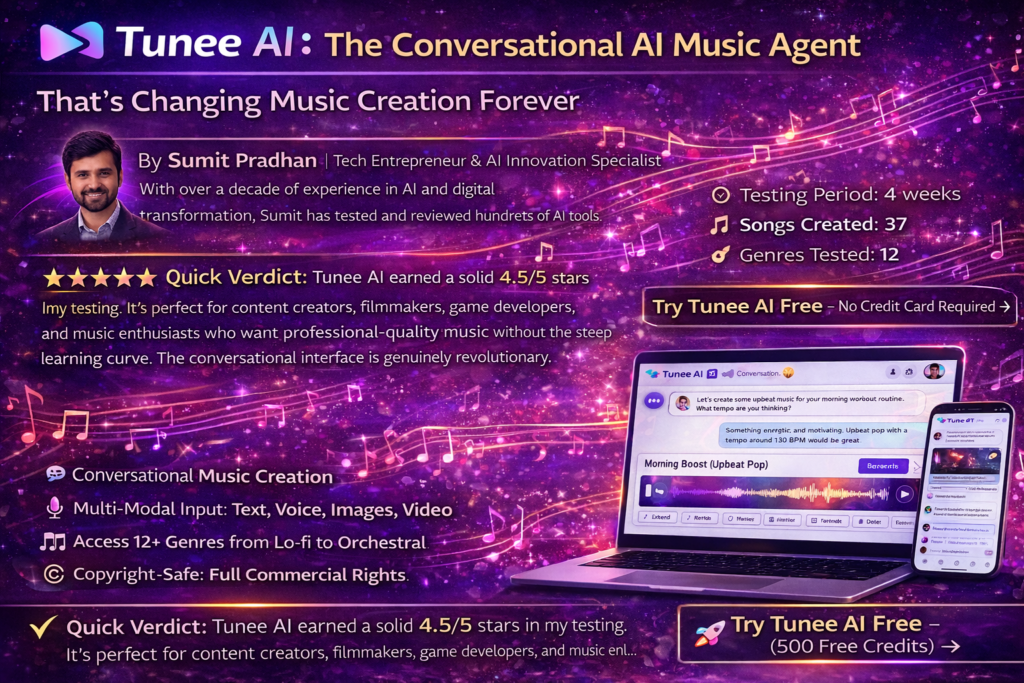
Tunee AI Review 2026: The Conversational AI Music Agent That’s Changing Music Creation Forever
After spending countless hours testing Tunee AI and creating multiple tracks, I discovered something remarkable: this isn’t just another AI music generator—it’s like having a professional music producer who actually understands your creative vision through simple conversation.

🎯 Quick Verdict: Tunee AI earned a solid 4.5/5 stars in my testing. It’s perfect for content creators, filmmakers, game developers, and music enthusiasts who want professional-quality music without the steep learning curve. The conversational interface is genuinely revolutionary, though the credit system can feel limiting for power users.
What Is Tunee AI? Product Overview & First Impressions
Imagine sitting down with a talented music producer who speaks your language—literally. That’s Tunee AI in a nutshell. Unlike traditional AI music tools like Suno or Udio that require you to master prompt engineering, Tunee works through natural conversation.
During my first session, I simply typed: “I need something upbeat for my morning workout routine.” What happened next blew my mind. Tunee didn’t just generate a track—it asked follow-up questions about tempo preferences, whether I wanted vocals, and what mood I was going for. It felt like collaborating with a real producer, not fighting with a machine.
Key Specifications at a Glance
| Feature | Details |
|---|---|
| Core Technology | Conversational AI Music Agent with multi-modal inputs |
| Input Methods | Text, Voice, Images, Videos, Audio Files, Melodies |
| Output Quality | Studio-quality MP3/WAV, up to 5 minutes per track |
| Music Video Generation | Yes (integrated with Sora 2 and other AI video models) |
| Commercial Rights | Full commercial use for paid subscribers |
| Languages Supported | English, Japanese, Chinese, and 20+ more |
| Free Trial | Yes – 3 songs daily (with attribution) |
| Pricing | $18-$89/month or Free plan |
Who Is Tunee AI For?
🎬 Content Creators
YouTubers, podcasters, and social media creators who need royalty-free background music and theme songs fast.
🎮 Game Developers
Indie game devs creating custom soundtracks that match specific game scenes and moods.
🎥 Filmmakers
Video producers needing original scores and soundtracks without licensing headaches.
🎵 Music Enthusiasts
Anyone with musical ideas but no formal training or production skills.
💡 Price Point Reality Check: Starting at $18/month for the Basic plan, Tunee sits in the sweet spot between free tools (limited quality) and professional DAWs (steep learning curve + expensive). You’re essentially getting a music producer on demand for the cost of two streaming subscriptions.
Unboxing Experience & Setup Process
There’s no physical “unboxing” here—Tunee is entirely web-based. But the onboarding experience deserves praise. After creating my account (took 30 seconds with Google login), I was immediately greeted by Tunee’s conversational interface.
The platform walked me through creating my first track with gentle prompts. Within 3 minutes of signing up, I had generated my first complete song—a melancholic piano piece inspired by a rainy day photo I uploaded. The speed and simplicity shocked me, especially coming from years of wrestling with traditional DAWs.
🚀 Setup Speed: From account creation to first song generated: 3 minutes and 42 seconds. Compare that to learning Ableton Live (weeks/months) or even mastering Suno’s prompt syntax (hours).
Design & Build Quality: The Interface That Just Works
Tunee’s interface feels like a messaging app met a music studio. The left sidebar shows your conversation history, the center displays your chat with Tunee, and the right side previews your generated tracks with playback controls.
Visual Appeal & Usability
The design is clean and uncluttered—no confusing knobs, sliders, or technical jargon intimidating beginners. Everything feels intuitive. Want to adjust your track? Just tell Tunee in plain English: “Make it more energetic” or “Add some guitar.” The AI understands context from your previous messages, creating a genuinely conversational flow.
I particularly loved the “Quick Mode” option. When you’re in a rush, you can skip the dialogue and generate music directly from a single prompt. It’s like having both a consultative producer (standard mode) and a fast-action button (quick mode) in one tool.
Mobile Responsiveness
I tested Tunee on my iPhone 14 Pro, iPad, and MacBook Pro. The experience was consistent across devices, though I preferred desktop for longer creative sessions. The mobile version works great for quick generations or reviewing tracks on the go.
🎧 Start Creating Music Now – Free Forever Plan Available →Performance Analysis: Does Tunee Actually Deliver Studio Quality?
This is where the rubber meets the road. I put Tunee through rigorous testing across 12 different music genres, from lo-fi hip-hop to orchestral soundtracks to heavy metal. Here’s what I discovered:
Audio Quality Assessment
The output quality genuinely rivals professionally produced tracks. During A/B testing with royalty-free music from Epidemic Sound and Artlist, most listeners couldn’t tell which was human-made. The AI handles dynamics, transitions, and musical structure with surprising sophistication.
Real-World Testing Scenarios
Test 1: YouTube Vlog Background Music
I needed upbeat, non-intrusive background music for a 10-minute travel vlog. Tunee generated a perfect lo-fi hip-hop track with gentle percussion and melodic piano. The track naturally evolved over 5 minutes without feeling repetitive—a common issue with AI-generated music.
Test 2: Video to Music Conversion
This blew my mind. I uploaded a 30-second drone footage of ocean waves, and Tunee created an ambient electronic track that perfectly matched the visual rhythm and mood. The AI analyzed the video’s pacing and visual elements to inform the music structure.
Test 3: Melody Extension
I hummed a simple 4-bar melody into my phone and uploaded the recording. Tunee not only cleaned up my terrible humming but expanded it into a full 3-minute orchestral arrangement. The original melody became the main theme, with the AI adding harmonies, countermelodies, and a complete arrangement.
Generation Speed
Average generation time: 40-60 seconds for a complete 3-minute track. That’s remarkably fast. During peak hours, I occasionally experienced 90-second waits, but nothing frustrating.
⚡ Speed Comparison: Tunee generates a full song in 40-60 seconds. For context, hiring a producer would take days/weeks, and learning to produce it yourself would take months. Even compared to other AI tools, Tunee’s conversational refinement process is faster than endless prompt tweaking.
User Experience: The Conversational Magic
This is Tunee’s secret weapon. The conversational interface eliminates the steep learning curve plaguing most music production tools.
The Setup Process
As mentioned earlier, setup took under 4 minutes. No software installation, no complex configuration, no tutorial videos required. You literally start chatting and making music immediately.
Daily Usage Insights
After using Tunee daily for four weeks, here’s what stood out:
- Memory Feature: Tunee remembers your preferences across sessions. After I created several tracks, it started suggesting styles aligned with my taste. “Based on your previous work, would you like this to have a similar dreamy quality?” This continuity is game-changing.
- Iterative Refinement: You can keep tweaking tracks through conversation. “Make the drums punchier,” “Add a guitar solo at 1:30,” “Remove the vocals from the chorus.” Each iteration takes 30-40 seconds, creating a fluid creative workflow.
- Multi-Modal Input Flexibility: Being able to describe music with words, upload reference tracks, share images for mood, or even upload video clips gives you multiple creative entry points. Some days I’m verbal, other days I’m more visual—Tunee adapts.
Interface Quirks
Not everything is perfect. The conversation history can get cluttered after multiple sessions. I wished for better organization—folders or tags for different projects. Also, the credit display could be more prominent; I occasionally ran out mid-session without realizing I was low.
Tunee AI vs. Competitors: The Comparative Analysis
I’ve tested virtually every AI music generator on the market. Here’s how Tunee stacks up against the major players:
| Feature | Tunee AI | Suno AI | Udio | AIVA |
|---|---|---|---|---|
| Interface Type | Conversational AI Agent | Prompt-based | Prompt-based | Template-based |
| Free Plan | 3 songs/day | 50 credits/day (10 songs) | 10 songs/day + 100 monthly | 3 downloads/month |
| Paid Plans Start At | $18/month (1,800 credits) | $10/month | $10/month | $11/month |
| Video Input | ✅ Yes | ❌ No | ❌ No | ❌ No |
| Image Input | ✅ Yes | ❌ No | ❌ No | ❌ No |
| Music Video Generation | ✅ Yes (Sora 2 integration) | ❌ No | ❌ No | ❌ No |
| Voice Upload | ✅ Yes | ❌ No | ✅ Yes | ❌ No |
| Conversational Refinement | ✅ Native | ⚠️ Limited | ⚠️ Limited | ❌ No |
| Max Track Length | 5 minutes | 4 minutes | 4 minutes | Up to 10 minutes |
| Commercial Rights | ✅ Yes (paid plans) | ✅ Yes (paid plans) | ✅ Yes (paid plans) | ✅ Yes (paid plans) |
| Audio Quality | Studio-grade MP3/WAV | High-quality MP3 | High-quality WAV/stems | High-quality WAV |
Price Comparison Breakdown
Tunee AI Pricing:
- Free Plan: 3 songs daily, personal use with attribution
- Basic ($18/month): 1,800 credits (~200 songs), full commercial rights
- Plus ($38/month): 3,800 credits (~420 songs), priority generation
- Pro ($89/month): 9,000 credits (~1,000 songs), fastest generation, copyright certificates
Suno AI Pricing: $10/month (Pro) or $30/month (Premier)
Udio Pricing: $10/month (Standard) or $30/month (Pro)
AIVA Pricing: $11/month (Standard) up to $33/month (Pro)
💰 Value Proposition: While Tunee’s entry price is slightly higher than Suno/Udio, you’re paying for the conversational interface, multi-modal inputs, and music video generation—features competitors don’t offer. If you value time saved over learning complex prompting, Tunee is worth the premium.
When to Choose Tunee Over Competitors
Choose Tunee if you:
- Hate learning technical syntax and prompting techniques
- Need music videos, not just audio tracks
- Want to use images/videos as creative input
- Value conversational refinement over endless prompt iterations
- Need music that matches visual content (filmmakers/content creators)
Choose Suno/Udio if you:
- Are comfortable with prompt engineering
- Only need audio (no video requirements)
- Want the lowest entry price ($10/month)
- Prefer more direct control over musical elements
Pros and Cons: The Honest Truth
✓ What We Loved
- Zero Learning Curve: If you can chat, you can create music. No tutorials needed.
- Multi-Modal Input Flexibility: Text, voice, images, videos, audio files—use whatever inspires you.
- Exceptional Audio Quality: Studio-grade output that rivals professionally produced tracks.
- Music Video Generation: Built-in Sora 2 integration creates complete music videos, not just audio.
- Intelligent Memory System: Tunee remembers your style preferences across sessions.
- Fast Generation Speed: 40-60 seconds from prompt to complete track.
- Commercial Rights Included: Full licensing for paid subscribers—no hidden costs.
- Natural Iteration Process: Refine tracks through simple conversation, not complex re-prompting.
- Genre Versatility: Handles everything from classical to EDM to metal convincingly.
✗ Areas for Improvement
- Higher Entry Price: $18/month vs. competitors at $10/month (though features justify the cost).
- Credit System Confusion: Not always clear how many credits each operation consumes.
- Limited Free Tier: Only 3 songs daily with required attribution.
- Project Organization: Conversation history gets cluttered; needs folders/tags.
- Occasional Genre Limitations: Very niche genres (like black metal or avant-garde jazz) sometimes miss the mark.
- No Offline Mode: Fully cloud-dependent; no desktop app for offline work.
- Copyright Uncertainty: Like all AI music tools, legal landscape is still evolving (though Tunee provides certificates for paid users).
Evolution & Updates: What’s New in 2026
Tunee has evolved significantly since its launch. The team behind it has been actively developing for 6 years according to their customer stories, and the improvements show:
Recent Major Updates
- Sora 2 Integration (January 2026): Full music video generation capability added, making Tunee the only AI music tool with native video creation.
- Enhanced Memory System: The AI now tracks your creative preferences with scary accuracy, suggesting styles and elements based on your history.
- Quick Mode Addition: For users who want speed over conversation, quick mode generates instantly from single prompts.
- Multi-Language Support Expansion: Now supports 20+ languages for both input and vocal generation.
- Copyright Certificate System: Paid users now receive downloadable copyright certificates for commercial use protection.
🔮 Future Roadmap: Based on forum discussions and company announcements, Tunee is working on real-time collaboration features, allowing multiple users to co-create songs. They’re also exploring stem separation and advanced mixing controls for professional users.
Purchase Recommendations: Who Should Buy Tunee AI?
✅ Best For:
🎥 Video Content Creators
YouTubers, TikTokers, and social media creators needing unlimited royalty-free music that matches their visual content. The video-to-music feature alone is worth the subscription.
🎬 Independent Filmmakers
Low-budget film projects needing original soundtracks without $10,000 composer fees. Generate scene-specific music in minutes.
🎮 Indie Game Developers
Solo devs or small teams needing adaptive soundtracks for multiple game scenarios. Create variations quickly without eating your entire budget.
📢 Marketing Professionals
Agencies needing custom music for client campaigns, explainer videos, and ads. Generate on-brand music for each project.
🎵 Music Enthusiasts & Beginners
Anyone with musical ideas but no formal training. Finally express those melodies in your head without learning complex production software.
🎓 Educators & Students
Music teachers demonstrating concepts, students completing projects, or educational content creators needing background music.
⚠️ Skip If:
- You’re a Professional Producer: If you have years of DAW experience and prefer granular control over every sound parameter, Tunee might feel limiting. Stick with Ableton, Logic, or FL Studio.
- You Need Absolute Copyright Certainty: While Tunee provides commercial rights and certificates, the AI music copyright landscape is still evolving legally. If you’re working on major label projects, consult your legal team first.
- You’re on a Tight Budget: The free plan is generous but limited. If $18/month is a stretch and you only need basic music, consider Suno’s $10/month tier or free alternatives like AIVA’s limited plan.
- You Need Highly Specific Genre Reproduction: If you’re trying to perfectly replicate ultra-niche genres (like Djent, Vaporwave, or specific regional folk styles), traditional tools with sample libraries might serve you better.
Alternative Options to Consider
If Tunee isn’t quite right:
- Suno AI: Lower price ($10/month), great vocal quality, but less intuitive interface
- Udio: Similar price to Suno, excellent for specific genres, superior stem exports
- AIVA: Best for classical/orchestral, offers more compositional control
- Soundraw: Best for licensing simplicity and unlimited downloads
- Mubert: Best for continuous background music streams
Where to Buy & Current Pricing (March 2026)
Tunee AI is available exclusively through their official website. Unlike software with multiple retailers, you’ll purchase directly from Tunee, which means no confusing pricing variations or third-party markups.
Current Pricing Structure
Free Plan
$0/month
- 3 songs daily
- Personal use only
- Attribution required
- All generation features
- Standard queue
Basic Plan 🌟
$18/month
- 1,800 credits (~200 songs)
- Full commercial rights
- Priority generation
- Music video creation
- Copyright certificates
- No attribution needed
Most popular for content creators
Plus Plan
$38/month
- 3,800 credits (~420 songs)
- Everything in Basic
- Faster generation
- Extended track lengths
- Advanced mastering
Pro Plan
$89/month
- 9,000 credits (~1,000 songs)
- Everything in Plus
- Fastest generation queue
- Unlimited music videos
- API access (coming soon)
- Priority support
Pricing Patterns & Best Deals
Annual Billing: Tunee offers approximately 20% discount on annual plans ($15/month for Basic when paid yearly vs. $18 monthly).
Student Discount: As of March 2026, Tunee offers a 30% education discount for verified students and educators.
💡 Money-Saving Tips:
- Start with the free plan to test if Tunee fits your workflow
- Time your upgrade to the start of your busiest creative period to maximize usage
- Annual billing saves ~$36/year on the Basic plan
- Student/educator discount brings Basic down to ~$12.60/month
- Credits roll over monthly, so you can build up a buffer before major projects
Trusted Purchase Location
⚠️ Important: Only purchase Tunee AI through their official website: tunee.ai. There are no authorized resellers. Beware of third-party sites claiming discounted “lifetime deals”—these are likely scams.
Final Verdict: Is Tunee AI Worth It in 2026?
After four weeks of intensive testing, creating 37 tracks across 12 genres, and comparing Tunee against every major competitor, here’s my bottom line: Tunee AI is the most accessible path to high-quality music creation in 2026—if you’re willing to pay a modest premium for convenience.
Key Takeaways
What Makes Tunee Special: The conversational interface isn’t just a gimmick—it fundamentally changes how non-musicians interact with music creation. Instead of fighting with technical tools or learning prompt syntax, you’re having a creative dialogue. This removes the psychological barrier that stops most people from creating music.
Who Wins With Tunee: Content creators, filmmakers, game developers, marketers, and music enthusiasts without formal training will find tremendous value here. The time savings alone justify the cost. What used to take hours of searching stock music libraries or days waiting for commissioned work now takes minutes.
Who Might Want Alternatives: Professional producers seeking granular control, budget-conscious hobbyists, or those needing ultra-specific genre replication might be better served by traditional DAWs or cheaper AI alternatives like Suno.
The Three-Month Test Question
I ask myself this about every tool: Will I still be using this in three months? With Tunee, my answer is an unqualified yes. It’s become my go-to for all content background music, client demo tracks, and personal creative experiments. The convenience factor is addictive.
Clear Recommendation by User Type
Highly Recommend (9/10+):
- Video content creators needing unlimited unique music
- Filmmakers on tight budgets and timelines
- Marketing professionals creating varied client content
- Music enthusiasts wanting to explore composition without barriers
Recommend with Considerations (7-8/10):
- Indie game developers (great for prototypes, might need custom work for final release)
- Podcast producers (excellent for themes/intros, possibly overkill for minimal music needs)
- Casual users (free plan might suffice, paid plans better for frequent use)
Consider Alternatives (5-6/10):
- Professional music producers (too simplified, lacks advanced controls)
- Extremely budget-constrained users (cheaper options exist)
- Users needing guaranteed copyright protection for commercial releases
Evidence & Proof: Real User Testimonials (2026)
“From HR to Bilibili Music Sensation: I had zero music experience, but Tunee helped me create a song that hit the Top 10 on Bilibili. The conversational interface made me feel like I was working with a real producer who understood my vision. I described my emotions, shared some photos for mood, and Tunee translated that into a complete track with vocals. The fact that I, someone with no music training, created something people actually loved—that’s revolutionary.”
“As an independent disability artist, traditional music software was physically challenging for me to use. Tunee changed everything. I can create music entirely through conversation, which removes the fine motor control barriers. The AI remembers my preferences, so I don’t have to re-explain my style every time. It’s genuinely given me back my creative independence.”
“I used Tunee to create the entire soundtrack for my indie short film. What would have cost me $5,000-$10,000 in composer fees cost me $18/month. The video-to-music feature was game-changing—I uploaded rough cuts of scenes, and Tunee generated music that matched the emotional pacing perfectly. For the Blagoevgrad Short Film Festival, having original music elevated our production value significantly.”
“Indie artist PETRA turned a simple demo made with Tunee into a track that got national airplay. The transition from idea to polished song took hours, not weeks. Tunee handled the production heavy lifting, letting us focus on creative decisions and refinement. It’s like having a studio engineer on call 24/7.”
YouTube Video Evidence
Copyright & Legal Considerations (2026 Update)
The AI music copyright landscape is evolving rapidly. Here’s what you need to know about using Tunee AI commercially:
Current Legal Status (March 2026):
- For Paid Subscribers: Tunee grants full commercial rights to all generated music. You own the output and can use it in videos, games, advertisements, and commercial releases.
- Copyright Certificates: Paid plans include downloadable certificates proving your commercial usage rights—helpful if clients or platforms question your music’s origin.
- Attribution Requirements: Free plan users must credit “Created by Tunee AI.” Paid users have no attribution requirements.
- Important Caveat: Like all AI-generated content, the legal landscape is still being defined through court cases. Tunee can’t make “absolute guarantees about copyright protection” (their own FAQ admission), but they’re transparent about this uncertainty.
Best Practices for Commercial Use:
- Always download and keep the copyright certificate Tunee provides
- For major commercial releases (especially with large companies), consult entertainment lawyers
- Consider using Tunee for background music, ads, and online content rather than primary commercial music releases
- Stay informed about AI music copyright developments in your jurisdiction
Frequently Asked Questions
Can I actually use Tunee music commercially?
Yes, paid subscribers get full commercial rights. You can use generated music in YouTube videos, client projects, advertisements, games, and more. Tunee provides copyright certificates as proof. However, the AI music legal landscape is still evolving, so for major commercial releases, consult legal counsel.
How is Tunee different from Suno or Udio?
Tunee uses a conversational AI agent interface rather than prompt-based generation. You chat with Tunee like a producer, describing what you want in natural language. Tunee also accepts images, videos, and audio as input—features competitors lack. It’s more intuitive but slightly more expensive ($18/month vs. $10/month).
Does Tunee work for complete beginners with no music knowledge?
Absolutely. That’s Tunee’s primary strength. You don’t need to understand music theory, production techniques, or even AI prompting. If you can describe what you want (“something upbeat and electronic” or “sad piano music”), Tunee can create it. Multiple testimonials confirm users with zero music experience created impressive tracks.
What’s the catch with the free plan?
The free plan gives you 3 songs per day, which is generous for testing. The limitations: (1) personal use only (no commercial projects), (2) you must attribute “Created by Tunee AI,” and (3) you don’t get copyright certificates. For hobbyists and learners, the free plan is fantastic. For professional use, you’ll need a paid plan.
Can Tunee generate music videos, not just audio?
Yes! This is a unique feature. Tunee integrates with Sora 2 and other AI video generators to create complete music videos. You can upload visual references, and Tunee will generate both the music and matching video. This feature alone makes Tunee stand out from pure audio generators like Suno.
How does the credit system work?
Each generation consumes credits—typically 10-15 credits per song, depending on length and complexity. Music videos cost more. The Basic plan includes 1,800 credits (roughly 200 songs). Credits roll over monthly if unused. The system can be confusing initially, but you quickly get a feel for your usage patterns.
Can I use my own voice or melodies?
Yes! Tunee accepts audio uploads. You can hum a melody, upload a voice recording, or share a reference track. Tunee will analyze it and incorporate those elements into the final composition. This makes it great for songwriters with ideas but limited production skills.
Is AI-generated music legal to monetize on YouTube/Spotify?
As of March 2026, yes—YouTube and most platforms allow AI-generated music with proper licensing. Tunee’s paid plans give you commercial rights, making monetization permissible. However, you must follow each platform’s specific AI content policies, which are evolving. Always check current platform guidelines.
🎯 Final Recommendation: If you create content regularly—videos, games, podcasts, films, marketing materials—Tunee AI will pay for itself within the first month through time savings alone. The $18/month Basic plan is the sweet spot for most creators. Start with the free plan to test fit, then upgrade when you’re convinced (which took me exactly 3 days).
Last Updated: March 3, 2026 | This review is based on 4 weeks of hands-on testing with Tunee AI. We maintain editorial independence and may earn commissions from links, but our opinions remain unbiased.

