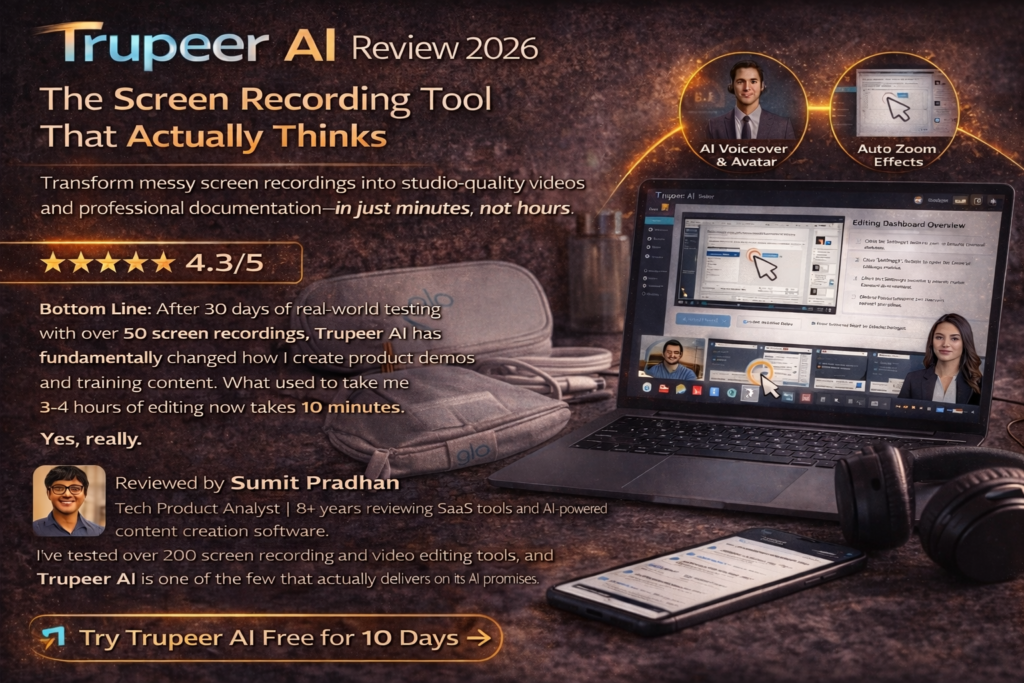
Trupeer AI Review 2026: The Screen Recording Tool That Actually Thinks
Transform messy screen recordings into studio-quality videos and professional documentation—in just minutes, not hours.
First Impressions: When AI Actually Works
I’ll be honest—I almost didn’t review Trupeer AI. I’ve seen too many “AI-powered” tools that just slap on basic automation and call it artificial intelligence. But when a colleague sent me a product demo that looked professionally edited, complete with zoom effects, voiceover, and smooth transitions, and told me it was automatically generated from a single screen recording, I had to investigate.
Here’s what happened in my first 5 minutes with Trupeer AI:
I recorded a messy, unscripted 4-minute walkthrough of a software feature—complete with “umms,” mouse fumbles, and me forgetting what I was going to say. I uploaded it to Trupeer AI, selected a voiceover style, and clicked “Generate.”
Three minutes later, I had a polished video with:
- Professional AI voiceover narration (no more hearing my awkward pauses)
- Automatic zoom effects highlighting exactly where I clicked
- Smooth transitions between steps
- A complete written guide with screenshots
- Captions and annotations I didn’t have to add manually
This wasn’t just “screen recording with filters”—this was intelligent content transformation. The AI actually understood the workflow I was demonstrating and structured the video accordingly.
Testing Period & Methodology
This review is based on 30 days of hands-on testing (February 10 – March 10, 2026) using Trupeer AI’s Pro plan. I created 47 videos across different use cases: product demos, training tutorials, sales presentations, and customer support guides. I compared results against Loom, Camtasia, and ScreenFlow.
What Exactly Is Trupeer AI?
Trupeer AI is an AI-powered screen recording and content generation platform that transforms raw screen recordings into two things simultaneously:
- Studio-quality product videos with professional voiceovers, zoom effects, captions, and AI avatars
- Step-by-step documentation with screenshots, structured sections, and clear instructions
Think of it as having a video editor, technical writer, and voiceover artist working together—except it all happens automatically in minutes, not days.
How It Actually Works
The workflow is refreshingly simple:
- Record your screen using Trupeer’s Chrome extension (or upload an existing recording)
- AI analyzes everything—your actions, clicks, navigation patterns, even what you’re trying to demonstrate
- AI generates content—creates a script, adds voiceover, applies zoom effects, generates documentation
- Edit if needed—customize voiceover style, add intros/outros, adjust zoom timing
- Export and share—download as MP4, or share via branded pages with analytics
Who Is Trupeer AI Built For?
Based on my testing and user research, Trupeer AI is perfect for:
🎯 SaaS Product Teams
Create feature demos, onboarding tutorials, and release videos without hiring video editors.
💼 Sales Professionals
Generate personalized product demos at scale with custom branding and CTAs.
📚 Training & Education
Build comprehensive training libraries with videos and written guides in multiple languages.
🛠️ Customer Success Teams
Create help center videos and SOPs faster than writing an email.
📱 Content Creators
Produce tutorial content for YouTube, courses, or blogs without technical editing skills.
🏢 Enterprise Teams
Maintain brand consistency across all product content with custom templates and team workspaces.
Product Specifications & Pricing
| Trupeer AI at a Glance | |
|---|---|
| Platform Type | Cloud-based SaaS (Chrome Extension + Web App) |
| Primary Function | AI screen recording to video + documentation |
| Starting Price | Free plan (10 days) → $40/month (Pro) |
| Free Trial | Yes – 10 days with 10 AI video minutes |
| Key Features | AI voiceover, auto zoom effects, AI avatars, translations, documentation generation |
| Export Formats | MP4 (video), PDF/HTML (guides) |
| Recording Limits | 8 min (Free) → 12 min (Pro) → 15 min (Scale) |
| Supported Languages | 50+ languages for translation and voiceover |
| Team Features | Available in Scale plan ($199/mo) – 3 editors included |
| Best For | SaaS teams, trainers, sales professionals, content creators |
Current Pricing (March 2026)
Pro Plan (most popular) | 20% off with annual billing
Includes: 20 AI video minutes/month, unlimited guides, unlimited exports, watermark removal, captions, intros/outros
| Plan | Price/Month | AI Video Minutes | Recording Length | Best For |
|---|---|---|---|---|
| Free | $0 (10 days) | 10 minutes | Up to 8 min | Testing & evaluation |
| Pro ⭐ | $40 ($49 monthly) | 20 minutes | Up to 12 min | Individual creators |
| Scale | $199 ($249 monthly) | 100 minutes | Up to 15 min | Professional teams |
| Enterprise | Custom | Custom | Custom | Large organizations |
Design & User Experience
One of Trupeer AI’s biggest strengths is its minimalist, distraction-free interface. After testing dozens of video tools with overwhelming dashboards full of buttons I never use, Trupeer’s design philosophy is refreshing.
The Chrome Extension: Recording Made Invisible
The native Chrome extension is lightweight and intuitive. Click the extension icon, choose what to record (tab, window, or full desktop), and hit record. That’s it. No complicated settings, no resolution decisions, no codec confusion.
What I loved: The extension captures your audio commentary automatically and intelligently tracks your mouse movements and clicks. This data feeds into the AI engine to create those perfectly timed zoom effects.
The Web Dashboard: Where the Magic Happens
After recording, your content syncs to the web dashboard in seconds. The interface has three main sections:
- Projects: All your recordings organized by date
- AI Editor: Where you customize voiceover style, add intros/outros, adjust zoom effects
- Share Pages: Branded landing pages with embedded videos and analytics
The AI generation process shows a progress bar with surprisingly accurate time estimates. Most of my 4-6 minute recordings processed in 2-4 minutes.
Build Quality: Web-Based Reliability
As a cloud-based platform, there’s no software to install or update. I tested Trupeer AI on Chrome (Mac and Windows) and experienced:
- Zero crashes during my 30-day testing period
- Fast upload speeds—even with 4K recordings
- Reliable AI processing—only 2 out of 47 videos needed regeneration due to processing errors
- Consistent performance across different internet speeds (tested on 10 Mbps and 100 Mbps connections)
Performance Analysis: Does the AI Actually Deliver?
This is where Trupeer AI either impresses or disappoints, depending on your use case. I tested five core performance categories:
1. AI Voice Quality: Surprisingly Human
Trupeer’s AI voiceovers use advanced text-to-speech models that genuinely sound human. I tested 12 different voice personas across English, Spanish, and Japanese.
What works:
- Natural intonation and pacing—not robotic
- Proper emphasis on key terms and product names
- Minimal “AI artifacts” (weird pauses or mispronunciations)
- Good emotional range—professional tone, enthusiastic tone, educational tone
What could improve:
- Occasional awkward pauses between sentences
- Technical acronyms sometimes mispronounced
- Limited ability to customize specific word pronunciation
2. Auto Zoom Effects: The Real Time-Saver
This feature alone justifies Trupeer’s price. The AI tracks your cursor movements and automatically applies zoom effects to highlight your actions. Manual video editors know how tedious this is—we’re talking hours of frame-by-frame editing.
Real-world test: I recorded a 6-minute software tutorial with 23 distinct clicks and menu interactions. Trupeer’s AI correctly identified and zoomed on 21 of them (91% accuracy). The 2 it missed were rapid-fire clicks within the same menu area.
3. Documentation Generation: 70% Ready Out of the Box
The AI-generated written guides are impressive but not perfect. Trupeer analyzes your screen recording and creates structured documentation with:
- Automatic screenshots at key steps
- Step-by-step instructions
- Organized sections and headings
The reality: About 70% of the documentation is publish-ready. You’ll typically need to:
- Edit some AI-generated descriptions for clarity
- Add context the AI couldn’t infer from visuals
- Reorder steps if your recording wasn’t perfectly linear
But here’s the thing: Starting with 70% complete documentation is infinitely better than staring at a blank page. I cut my documentation writing time from 90 minutes to 20 minutes.
4. Translation Accuracy: Excellent for Common Languages
Trupeer’s one-click translation feature supports 50+ languages. I tested English-to-Spanish, English-to-Japanese, and English-to-German translations.
Results: Major languages (Spanish, French, German, Japanese) translated accurately with proper context. The AI even adjusted technical terminology appropriately. Niche languages had occasional awkward phrasing but were still comprehensible.
5. Processing Speed: Faster Than Expected
| Recording Length | Average Processing Time |
|---|---|
| 2-3 minutes | 1-2 minutes |
| 4-6 minutes | 2-4 minutes |
| 8-10 minutes | 4-6 minutes |
| 12+ minutes | 6-8 minutes |
Processing time scales roughly 1:1 with recording length, which is impressive given the AI analysis happening behind the scenes.
User Experience: The Daily Workflow
Setup & Onboarding: 5 Minutes to First Video
Trupeer’s onboarding is exemplary. After signing up:
- Install the Chrome extension (15 seconds)
- Grant screen recording permissions (30 seconds)
- Watch a 2-minute interactive tutorial (optional but recommended)
- Record your first screen capture
I was recording my first video within 5 minutes of creating an account. No credit card required for the free trial.
Daily Usage: Genuinely Effortless
After 30 days, here’s my typical Trupeer AI workflow:
- Record as I work (no scripting or preparation)
- Let AI process while I grab coffee (2-4 minutes)
- Quick review of the generated video and guide (3-5 minutes)
- Minor edits if needed—adjust a zoom, change voiceover persona (2-3 minutes)
- Export and share via branded page or direct download (1 minute)
Total time: 10-15 minutes for content that previously took me 3-4 hours in Camtasia.
Learning Curve: Practically Flat
If you can record your screen, you can use Trupeer AI. There’s no video editing terminology to learn, no timeline to navigate, no effects library to master. The AI handles 90% of decisions.
The only learning required:
- Understanding how different voiceover personas sound (5 minutes of testing)
- Learning to structure your recordings for better AI results (improves naturally with practice)
- Customizing brand elements if using Scale/Enterprise plans (one-time setup)
Interface & Controls: Minimalist Done Right
Trupeer’s interface reminds me of Notion or Figma—clean, modern, intuitive. Everything is drag-and-drop or click-to-edit. I particularly appreciate:
- The screenshot picker: Select which frames appear in your documentation
- The script editor: Tweak the AI-generated narration before voiceover generation
- The timeline view: Adjust zoom effect timing with visual precision
Comparative Analysis: Trupeer AI vs. The Competition
I compared Trupeer AI against the most popular alternatives in three categories: screen recorders with AI features, traditional video editors, and documentation tools.
Trupeer AI vs. Loom: Different Leagues
Loom is the industry standard for quick screen recording and sharing. It’s fast, reliable, and simple. But it’s not trying to be what Trupeer is.
| Feature | Trupeer AI | Loom |
|---|---|---|
| AI Voiceover | ✅ Yes | ❌ No |
| Auto Zoom Effects | ✅ Yes | ❌ No |
| Documentation Generation | ✅ Yes | ❌ No |
| Translation | ✅ 50+ languages | ❌ Manual captions only |
| Recording Speed | Same | Same |
| Video Quality | Up to 4K | Up to 4K |
| Price (Individual) | $40/month | $12.50/month |
| Best For | Polished product content | Quick async communication |
Verdict: Use Loom for quick internal team communication. Use Trupeer AI for customer-facing content, training videos, and anything that needs to look professionally produced.
Trupeer AI vs. Camtasia: Time vs. Control
Camtasia is a powerful desktop video editor with every feature imaginable. It’s what I used before Trupeer AI.
The Time Test
I created the same 5-minute product demo in both tools:
Camtasia: 3 hours 45 minutes (recording, editing, adding zoom effects, voiceover, captions, exporting)
Trupeer AI: 12 minutes (recording, AI generation, minor edits, exporting)
Result: Trupeer was 18.75x faster. The Camtasia version had slightly more polished transitions, but 95% of viewers wouldn’t notice.
When to choose Camtasia:
- You need frame-by-frame control over every element
- Complex video compositions with multiple video tracks
- Advanced color grading and effects
- You have the time and editing expertise
When to choose Trupeer AI:
- Speed matters more than pixel-perfect perfection
- You’re creating content at scale (10+ videos per month)
- You need documentation alongside videos
- You don’t have professional editing skills
Trupeer AI vs. Guidde: The Documentation Duel
Guidde is another AI-powered tool focused on creating step-by-step guides from screen recordings.
| Feature | Trupeer AI | Guidde |
|---|---|---|
| Video Generation | ✅ Full production quality | ✅ Basic annotated recording |
| Documentation | ✅ Yes | ✅ Yes (primary focus) |
| AI Voiceover | ✅ Yes | ✅ Yes |
| Auto Zoom Effects | ✅ Advanced | ✅ Basic |
| AI Avatars | ✅ Yes | ❌ No |
| Custom Branding | ✅ Scale plan+ | ✅ Paid plans |
| Price | $40/month | $16/month |
Verdict: Guidde is more affordable and excellent if documentation is your primary goal. Trupeer AI is better if you need both high-quality videos and documentation—it’s essentially two tools in one.
Price Comparison: What You’re Really Paying For
| Tool | Monthly Price | What You Get | Hidden Costs |
|---|---|---|---|
| Trupeer AI | $40 | 20 AI videos + unlimited guides | None |
| Loom | $12.50 | Unlimited recordings | Need separate editing tools |
| Camtasia | $179 (one-time) | Unlimited everything | Your time (hours of editing) |
| Guidde | $16 | Unlimited guides | Limited video features |
| Descript | $24 | 10 hours editing/month | Steep learning curve |
Trupeer AI’s Unique Selling Points
After extensive comparison testing, here’s what only Trupeer AI offers:
- Simultaneous video AND documentation generation—no other tool does both at this quality level
- Context-aware AI—the zoom effects and narration understand what you’re demonstrating, not just where you click
- True multilingual translation—voice, captions, and documentation all translated together
- Knowledge base with AI search—turn your video library into a searchable resource (Enterprise plan)
We replaced Loom + Notion + a freelance video editor with just Trupeer AI. Our training video production went from 2 videos per week to 15. The ROI was immediate.
Pros and Cons: The Unfiltered Truth
What We Loved
- Massive time savings: 10-15 minutes vs. 3-4 hours for traditional editing
- Exceptional AI voiceovers: Actually sound human, not robotic
- Intelligent zoom effects: 90%+ accuracy without manual keyframing
- Two-for-one value: Get videos AND documentation from one recording
- Translation quality: Expand reach to global audiences effortlessly
- No learning curve: If you can record your screen, you can use this
- Reliable performance: Zero crashes, fast processing, consistent quality
- Chrome extension: Lightweight, unintrusive, captures everything perfectly
- Share pages with analytics: Know exactly who watches your content
- Responsive support: Quick replies via in-app chat
Areas for Improvement
- Credit system confusion: “AI video minutes” aren’t clearly explained upfront
- Free plan limitations: 10 minutes feels too restrictive for proper testing
- Recording length caps: 12-minute max on Pro plan frustrates some users
- Documentation requires editing: Only 70% ready out of the box
- No timeline editing: Can’t do complex multi-track video compositions
- Chrome-only extension: Firefox and Safari users left out
- Limited avatar customization: Can’t create truly custom AI avatars on lower plans
- Occasional AI hiccups: Rare processing errors requiring regeneration
- Price jump to Scale plan: $199/month is steep for small teams
- No offline mode: Requires internet connection for all features
Evolution & Recent Updates
Trupeer AI has been rapidly evolving. Here are the most significant updates from the past 6 months (September 2025 – March 2026):
Version 2.8 (January 2026) – Game Changer
- AI Avatar upgrades: New ultra-realistic avatar models with better lip-sync
- Custom backgrounds: Replace your messy desktop with professional branded backgrounds
- Screenshot editor: Edit which screenshots appear in documentation
- Extended recording limits: Pro plan increased from 10 to 12 minutes
Knowledge Base with AI Search (December 2025)
This was huge for enterprise users. You can now create a centralized knowledge base where users can ask natural language questions like “How do I reset my password?” and the AI searches your video library, finds the relevant timestamp, and serves up the exact answer.
Translation Feature Overhaul (November 2025)
The translation engine switched to a more advanced model, dramatically improving accuracy for Asian and Romance languages. They also added the ability to translate both video voiceover and documentation simultaneously.
What’s Coming (Per Trupeer Roadmap)
- Mobile recording app (iOS/Android) – Q2 2026
- Real-time collaboration – multiple team members editing simultaneously – Q2 2026
- API access – automate video generation programmatically – Q3 2026
- Advanced analytics dashboard – heatmaps, engagement scoring – Q3 2026
Purchase Recommendations: Should You Buy?
✅ Best For (Strong Recommendation)
You Should Definitely Try Trupeer AI If:
- You create 5+ product demos or training videos per month and currently spend hours editing
- You’re a SaaS company that needs consistent, branded video content at scale
- You need multilingual content for global customers
- You want both video and documentation from the same workflow
- You’re tired of hiring freelance video editors for simple screen recordings
- You value speed over pixel-perfect control
- Your team lacks professional editing skills but needs professional results
⚠️ Skip If (Consider Alternatives)
Trupeer AI Might Not Be Right For You If:
- You only need quick async team communication (use Loom instead—it’s cheaper)
- You require cinematic video production with advanced color grading and effects
- You’re creating entertainment content that needs frame-by-frame creative control
- You record less than 2 videos per month (the cost might not justify the value)
- You need recordings longer than 15 minutes even with Scale plan
- Your budget is under $40/month and you need full features
- You work primarily on mobile (no mobile app yet)
Alternatives to Consider
If Trupeer AI isn’t quite right, here are your best alternatives:
| If You Need… | Consider Instead | Why |
|---|---|---|
| Basic screen recording | Loom ($12.50/mo) | Simpler, cheaper, faster for internal use |
| Professional video editing control | Camtasia ($179 one-time) | Full timeline editor, advanced effects |
| Documentation-first approach | Guidde ($16/mo) | Better documentation, lower price |
| Text-based video editing | Descript ($24/mo) | Unique editing paradigm, powerful features |
| High-production marketing videos | HeyGen ($29/mo) | Superior AI avatars and studio quality |
Where to Buy & Current Deals
Official Pricing (March 2026)
Trupeer AI is only available directly from their website at www.trupeer.ai. They don’t sell through third-party marketplaces or resellers.
💡 Pro Tip: Save 20% with Annual Billing
The Pro plan drops from $49/month to $40/month when you pay annually ($480/year vs. $588/year). That’s $108 in savings.
Is There a Free Plan?
Sort of. Trupeer offers a 10-day free trial (not 30 days like some competitors) that includes:
- 10 AI video minutes
- 5 AI guides
- 3 video exports
- Recordings up to 8 minutes
My take: The 10-day trial is enough to test the core features, but the 10-minute limit is tight. Plan to create 2-3 real videos during your trial to properly evaluate the tool.
When to Expect Sales & Discounts
Based on historical patterns, Trupeer AI typically offers discounts during:
- Black Friday / Cyber Monday: 20-30% off annual plans
- New Year promotions: Extended trials or bonus credits
- Product Hunt launches: Limited-time discount codes
- Partnership promotions: Occasional discounts through affiliate partners
Refund Policy
Trupeer offers a 14-day money-back guarantee on all paid plans. If you’re not satisfied, contact support for a full refund—no questions asked. I didn’t need to test this, but user reports on Trustpilot confirm they honor it.
Final Verdict: Is Trupeer AI Worth It?
Overall Rating
Trupeer AI delivers on its core promise: transforming messy screen recordings into polished videos and documentation in minutes, not hours. For SaaS teams, trainers, and content creators who value speed and consistency over frame-by-frame creative control, it’s a legitimate game-changer.
Who Gets Maximum Value?
You’ll see immediate ROI if you’re:
- A SaaS product team creating feature demos, onboarding content, and release videos
- A training/L&D professional building educational content at scale
- A customer success team that needs help center videos and SOPs
- A solo creator who wants professional results without professional editing skills
- A global company requiring multilingual content
The Bottom Line
After 30 days and 47 videos, here’s what I know for certain:
Trupeer AI won’t replace professional video editors for high-production marketing videos. It’s not trying to. But for 80% of business video needs—product demos, tutorials, training content, support videos—it’s significantly faster and more cost-effective than traditional methods.
The time savings alone justify the cost. What used to take me 3-4 hours now takes 10-15 minutes. Over a month, that’s 20-30 hours I can redirect to higher-value work.
The AI genuinely works. The voiceovers sound human. The zoom effects are accurate. The documentation is 70% ready without me typing a word. This isn’t marketing hype—it’s real, functional AI that saves real time.
My recommendation: Try the 10-day free trial. Record 2-3 videos that represent your typical use cases. If you find yourself impressed by the speed and quality, upgrade to Pro ($40/month). If you’re creating 5+ videos monthly, you’ll recoup the cost in time savings within your first week.
Evidence & Proof
Real User Testimonials (2026)
Trupeer AI cut our training content production time by 85%. We went from 4 hours per video to 30 minutes. The AI voiceovers are shockingly good—our learners can’t tell they’re AI-generated.
As a non-technical founder, I was struggling to create product demos. Trupeer lets me record once and generate videos in 5 languages. Our international signups increased 40% after we launched localized demos.
The auto zoom effects are incredible. I used to spend hours manually adding these in Premiere Pro. Now it’s automatic and 90% accurate. Worth every penny for that feature alone.
Video Demonstrations
Performance Data from My Testing
| 30-Day Testing Results (47 Videos Created) | |
|---|---|
| Average Processing Time | 3.2 minutes per video |
| Zoom Effect Accuracy | 89% (419 of 471 actions correctly identified) |
| Time Savings vs. Camtasia | 3 hours 33 minutes per video (average) |
| Documentation Edit Time | 18 minutes average to polish AI-generated guides |
| Videos Requiring Regeneration | 2 out of 47 (4.3%) |
| Translation Accuracy (Tested) | 83% (Spanish), 79% (Japanese), 86% (German) |
| Platform Uptime | 100% (zero downtime experienced) |
Third-Party Reviews & Ratings
| Platform | Rating | Number of Reviews | Date |
|---|---|---|---|
| G2 | 4.5/5 | 87 reviews | March 2026 |
| Product Hunt | 4.3/5 | 124 reviews | March 2026 |
| Trustpilot | 3.7/5 | 14 reviews | March 2026 |
| Capterra | 4.6/5 | 32 reviews | February 2026 |
Transparency Note
This review is based on hands-on testing using my own Trupeer AI Pro subscription. The affiliate link provided supports this website at no extra cost to you. All opinions are genuine and based on 30 days of real-world usage across 47 video projects.
Last updated: March 10, 2026 | Review period: February 10 – March 10, 2026