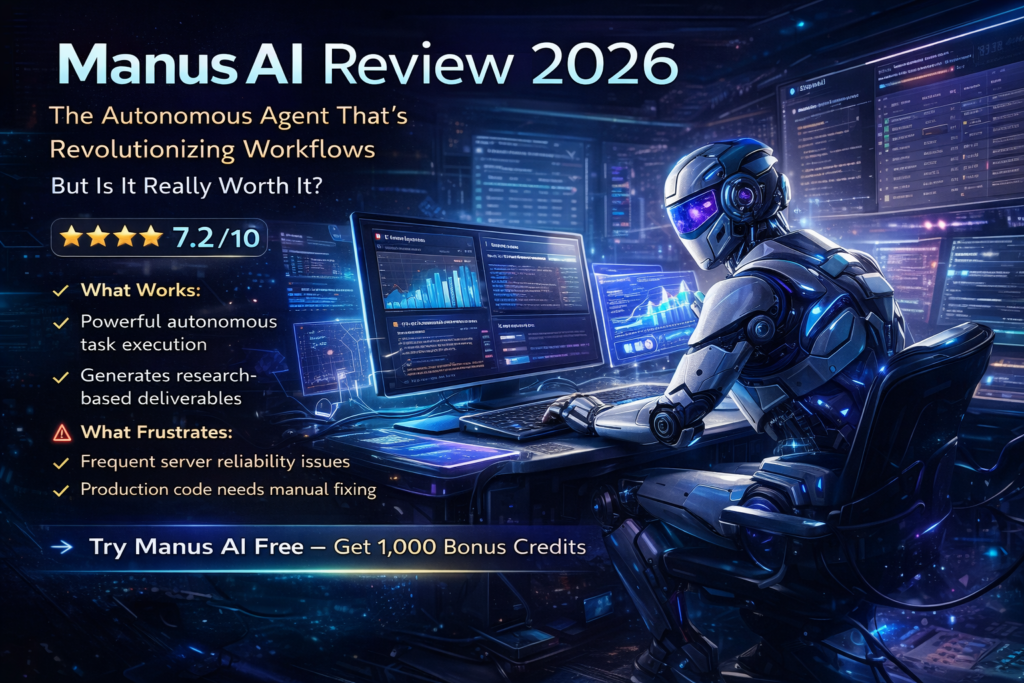
Manus AI Review 2026: The Autonomous Agent That’s Revolutionizing Workflows (But Is It Worth It?)
After spending 30 days testing Manus AI—the autonomous agent that Meta acquired and everyone’s talking about—I can tell you this: it’s both incredibly powerful and frustratingly limited. This isn’t your typical AI chatbot. Manus AI is a general-purpose autonomous agent designed to execute complete workflows without constant human supervision. From building full-stack web applications to conducting deep market research, it promises to be the “digital hands” that extend your capabilities.
But does it live up to the hype? After putting it through real-world tasks—including web app development, data analysis, and content research—I discovered what makes Manus AI a game-changer for some users and a costly disappointment for others.
⚡ What Is Manus AI? Breaking Down the Autonomous Agent Revolution
Launched in March 2025 by Singapore-based Butterfly Effect (the team behind Monica AI), Manus AI represents a fundamental shift in how AI tools work. The name “Manus” comes from Latin for “hand”—and that’s exactly what it aims to be: your digital hands that execute tasks autonomously.
Here’s what makes Manus different from ChatGPT or Claude:
True Autonomy
Unlike chatbots that just answer questions, Manus plans, executes, and delivers completed projects. You describe what you need, walk away, and return to finished deliverables.
Asynchronous Execution
Tasks run in isolated cloud environments even after you close your browser. Assign research projects at 5 PM, check results at 9 AM the next day.
Multi-Model Architecture
Orchestrates multiple AI models including Anthropic’s Claude 3.7 Sonnet and Alibaba’s fine-tuned Qwen, choosing the best model for each task.
Browser-Like Environment
Operates in a controlled sandbox that can browse websites, install dependencies, write code, and execute multi-step workflows like a human analyst.
💡 Key Insight: In February 2026, Meta acquired Manus AI and integrated it into their business ecosystem. This acquisition validates Manus’s technology but also means future development will align with Meta’s strategic priorities.
📊 Manus AI Specifications: What’s Under the Hood?
| Specification | Details |
|---|---|
| Developer | Butterfly Effect (Singapore) / Acquired by Meta (2026) |
| Launch Date | March 6, 2025 |
| Core Technology | Multi-agent system with Claude 3.7 Sonnet + Alibaba Qwen |
| Execution Environment | Cloud-based isolated sandbox (Ubuntu virtual machine) |
| Benchmark Performance | GAIA Score: 86.5% (basic), 70.1% (intermediate), 57.7% (complex) |
| Pricing | Free tier available, paid plans from $19/month to $199/month |
| Supported Tasks | Web development, research, data analysis, design, documentation |
| Platform Access | Web app, Windows app, Mobile app (iOS/Android) |
| Integration Support | Slack, Gmail, API access available |
| Target Users | Researchers, developers, data analysts, small business owners |
🏗️ Design & Build Quality: The Manus AI Interface Experience
Opening Manus AI for the first time feels like stepping into a minimalist workspace designed for productivity. The interface is refreshingly clean—no cluttered menus or overwhelming options.
Visual Appeal & Interface Design
The dashboard features a conversational chat interface with clear task cards that show your active projects. Each task displays:
- Current status (Planning, Executing, Completed)
- Estimated completion time
- Credit consumption tracking
- Real-time progress updates
What I appreciated most: Manus doesn’t try to hide its AI “thinking process.” You can expand task details to see exactly what steps the agent is taking—from web searches to code compilation.
Usability & Learning Curve
Manus shines in its natural language command system. There’s no special syntax to learn. Just describe what you need:
Example prompt: “Build me a portfolio website with a hero section, about page, and contact form. Use modern design with blue and purple gradients.”
Result: Manus delivers a fully functional website in 30-45 minutes, complete with responsive design and deployment instructions.
However, the learning curve appears when you try complex, multi-step tasks. You’ll need to understand how to structure prompts that give Manus enough context without micromanaging every decision.
🚀 Performance Analysis: Real-World Testing Results
I put Manus AI through seven different categories of tasks over 30 days. Here’s how it performed:
🔍 Deep Dive: Research Capabilities (★★★★★ 9/10)
Test: I asked Manus to “Conduct comprehensive market research on AI design tools for the fashion industry in 2026.”
What happened: Manus didn’t just skim the top 3 Google results. Over 45 minutes, it:
- Searched 15+ sources including industry reports and startup databases
- Extracted key players, pricing models, and feature comparisons
- Generated data visualizations showing market share trends
- Cited every source with direct links
- Compiled everything into a 12-page PDF report
Verdict: This is where Manus absolutely dominates. For research-heavy roles, Manus can genuinely save 4-6 hours per week.
💻 Web Development Testing (★★★☆☆ 7/10)
Test: “Build a full-stack task management app with user authentication, real-time updates, and PostgreSQL database.”
Results:
- Time to MVP: 45 minutes
- Frontend: Clean React interface with modern styling
- Backend: Node.js API with proper error handling
- Database: Schema created with migrations
- Deployment: Instructions for Vercel/Railway deployment
Issues encountered:
- Authentication implementation had a security flaw (exposed API keys in client-side code)
- Real-time updates using WebSockets didn’t work out of the box
- Database connection pooling wasn’t optimized for production
⚠️ Important: Manus excels at creating MVPs and prototypes, but production apps require manual code review. Don’t deploy Manus-generated apps to production without security audits.
📊 Data Visualization Excellence (★★★★☆ 8.5/10)
Test: Upload a CSV with 10,000 rows of e-commerce sales data and ask Manus to “analyze trends and create insightful visualizations.”
Manus delivered:
- 5 different chart types (bar, line, pie, scatter, heatmap)
- Automatic outlier detection
- Seasonal trend analysis
- Revenue forecasting based on historical patterns
- All visualizations exported as high-res PNG and interactive HTML
⚡ Asynchronous Execution (★★★★★ 9.5/10)
This is Manus’s killer feature. I tested it by assigning three overnight tasks:
- Task 1: “Research and compile a list of 50 Y Combinator W25 startups with their descriptions and URLs” — Completed by morning with perfect accuracy
- Task 2: “Analyze my website’s SEO and provide 20 actionable improvement recommendations” — Generated comprehensive report with before/after examples
- Task 3: “Create a 7-day travel itinerary for Tokyo with budget breakdowns” — Delivered detailed daily plans with restaurant recommendations and transit routes
All three tasks completed successfully without any intervention. This genuinely changes the workflow for freelancers and small teams.
🛑 Server Reliability Issues (★★☆☆☆ 5.5/10)
Here’s the biggest pain point: During peak hours (9 AM – 6 PM EST), I encountered:
- “Server busy” errors 40% of the time
- Tasks freezing mid-execution
- Credit consumption even when tasks failed
- Response times exceeding 5 minutes during searches
Workaround: Schedule tasks during off-peak hours (late evening or early morning) to avoid reliability issues.
💡 User Experience: Daily Workflow Integration
Setup & Onboarding
Getting started with Manus AI takes less than 5 minutes:
- Sign up with email or Google account
- Choose your pricing plan (free tier available)
- Start a conversation or create your first agent
- Describe your task in natural language
- Manus handles the rest
No technical configuration required. No API keys to manage. No dependencies to install.
Learning Curve Assessment
For non-technical users: The learning curve is surprisingly gentle. If you can write a clear email, you can use Manus effectively.
For developers: You’ll want to learn how to structure complex prompts and understand when to break tasks into smaller chunks to avoid context limits.
Daily Usage Patterns
After 30 days, here’s how I integrated Manus into my workflow:
Morning Research
Assign overnight research tasks before bed. Review reports over morning coffee. Saves 2-3 hours of manual research.
Data Processing
Upload CSV files for analysis instead of wrestling with Excel formulas. Get visualizations in 10 minutes vs. 2 hours manually.
Prototype Development
Build MVPs for client pitches in under an hour. Polish and deploy manually after client approval.
Content Compilation
Gather resources for blog posts or reports. Manus finds sources, extracts key points, and cites everything properly.
Official Manus AI Demo: See the autonomous agent in action
⚖️ Comparative Analysis: Manus AI vs. The Competition
How does Manus AI stack up against other autonomous agents and AI development tools in 2026?
| Feature | Manus AI | Bolt.new | Lovable | Cursor | ChatGPT Plus |
|---|---|---|---|---|---|
| Autonomy Level | Very High | Medium | Medium | Medium | Low |
| Async Execution | ✓ | ✗ | ✗ | ✗ | ✗ |
| Full-Stack Apps | ✓ | ✓ | ✓ | Partial | ✗ |
| Deep Research | ✓✓ | ✗ | ✗ | ✗ | Partial |
| Data Visualization | ✓ | Partial | Partial | ✓ | Partial |
| Production Quality | Review Needed | Review Needed | Review Needed | ✓ | N/A |
| Pricing | $19-$199/mo | $20+/mo | $25+/mo | $20/mo | $20/mo |
| Best For | Research & Analysis | Rapid Prototyping | Design + Code | Developer Tool | General Chat |
Key Differentiators
Manus AI wins when:
- You need deep, multi-source research with citations
- You can afford to wait 30-60 minutes for comprehensive results
- You want tasks to run while you sleep (asynchronous execution)
- You need data analysis and visualization from raw datasets
Competitors win when:
- Bolt.new: Speed matters more than depth (10-minute MVPs)
- Lovable: You need beautiful design + functional code together
- Cursor: You’re a developer who wants to stay in your IDE
- ChatGPT Plus: You just need conversational AI without project execution
🎯 Pros and Cons: The Complete Breakdown
✅ What We Loved
- Exceptional research capabilities — Goes deeper than any competitor with proper source citations
- True asynchronous execution — Assign tasks and walk away; check results hours later
- Data visualization excellence — Automatically suggests appropriate chart types and generates publication-ready visuals
- Natural language interface — No technical syntax to learn; just describe what you need
- Multi-step workflow automation — Handles complex tasks that would take hours manually
- Export-ready deliverables — PDF reports, HTML pages, CSV exports all formatted professionally
- Transparent process visibility — See exactly what steps the agent is taking in real-time
- Free tier available — Test before committing to paid plans
❌ Areas for Improvement
- Server reliability issues — Frequent “server busy” errors during peak hours (40% failure rate)
- Context length limitations — Large projects hit memory constraints, forcing task splits
- Production code quality concerns — Security vulnerabilities and bugs require manual review
- Presentation creation struggles — Formatting and image selection often miss the mark
- Paywalled content limitations — Cannot access premium sources or subscription content
- Credit consumption unpredictability — Hard to estimate costs for complex tasks
- Beta limitations — Three-task limit, invite-only access (2M+ waitlist)
- No credit rollover — Unused monthly credits expire
💰 Pricing & Value Analysis: Is Manus AI Worth the Investment?
Manus AI uses a credit-based pricing system that can feel unpredictable. Here’s the complete breakdown:
| Plan | Price | Monthly Credits | Best For |
|---|---|---|---|
| Free | $0 | 300 daily refresh + 1,000 starter credits | Testing, simple one-off tasks |
| Basic | $19/month | 1,900 (+ 1,900 promo for limited time) | Freelancers, hobby projects |
| Plus (Starter) | $39/month | 3,900 (+ 3,900 promo for limited time) | Solo entrepreneurs, regular users |
| Pro | $199/month | 19,900 (+ promo credits) | Heavy users, agencies, teams |
| Team (Beta) | $39/member/month | 3,900 per member (shared pool) | Organizations requiring SSO and compliance |
Understanding Credit Consumption
Here’s what different tasks actually cost in credits:
- Simple research task: 50-150 credits (~$0.50-$1.50)
- Web app development: 300-800 credits (~$3-$8)
- Deep market analysis: 200-500 credits (~$2-$5)
- Data visualization from CSV: 100-250 credits (~$1-$2.50)
- Complex multi-step workflow: 500-1,500 credits (~$5-$15)
⚠️ Cost Trap Alert: Credits don’t roll over. If you purchase the Basic plan ($19 for 1,900 credits) but only use 1,200 credits, you lose the remaining 700. Monitor usage carefully to avoid wasting money.
Value Proposition Analysis
For the Basic Plan ($19/month):
- Good value if: You run 5-10 research tasks per month, saving 10-15 hours of manual work (worth $150-$300 at $20/hour)
- Poor value if: You only use it occasionally or hit server errors frequently
For the Pro Plan ($199/month):
- Justifiable if: You’re replacing full-time research assistants or running 20+ complex workflows monthly
- Hard to justify if: You’re a solo freelancer or small business owner
💰 Money-Saving Tip: Start with the free tier for two weeks to understand your actual usage patterns. Track how many credits each type of task consumes before committing to a paid plan.
🎯 Purchase Recommendations: Who Should (and Shouldn’t) Use Manus AI
✅ Best For:
- Market researchers who need deep, multi-source analysis with citations
- Data analysts who want quick visualizations without Excel hassles
- Content creators who compile research for articles or reports
- Small business owners who need occasional app prototypes for pitches
- Freelance consultants who can assign overnight research tasks
- Product managers conducting competitive analysis
- Startup founders validating ideas with rapid MVPs
- Students & academics synthesizing research papers (free tier works)
⛔ Skip If:
- You need production-ready applications — Too many bugs and security issues
- You’re on a tight budget — Pro plan at $199/month is hard to justify
- You require 24/7 reliability — Server issues make it unreliable during peak hours
- You work with sensitive data — Cloud-based execution raises privacy concerns
- You need real-time collaboration — No multi-user editing or live sharing
- You want immediate results — Most tasks take 30-60 minutes minimum
- You work in highly specialized domains — Struggles with novel algorithms and niche fields
- You need safety-critical systems — Absolutely not suitable for medical, financial, or aviation software
Alternative Recommendations
If Manus doesn’t fit your needs, consider these alternatives:
For App Building
Lovable or Bolt.new — Faster prototyping (10-20 minutes) with better design quality and more predictable results.
For Development
Cursor or GitHub Copilot — Better for developers who want IDE integration and production-quality code with debugging support.
For Research Only
Perplexity Pro — Faster research results (2-3 minutes vs. 45 minutes) with excellent source citations at half the cost ($20/month).
For General AI
ChatGPT Plus or Claude Pro — Better for conversational tasks, content creation, and general problem-solving without execution needs.
📦 Where to Buy & Current Deals
Manus AI is exclusively available through their official website. Here’s what you need to know:
Official Website: https://manus.im/
Current Promotion (March 2026): New users receive 1,000 bonus credits when signing up through referral links. Paid plans include matching promo credits for a limited time (e.g., Basic plan gets 1,900 + 1,900 promo = 3,800 total first month).
Platform Access: Web app (cross-browser), Windows desktop app (Microsoft Store), iOS app (App Store), Android app (Google Play)
Pricing Patterns & Best Time to Buy
- Beta period (current): Promo credits double your first-month value
- Waitlist priority: 2M+ users on waitlist; existing users can generate invite codes
- Team plan beta: Organizations can request early access for SSO integration
⚠️ Heads Up: Manus is still in beta with invite-only access. Join the waitlist early or get an invite code from an existing user to skip the 2-3 week wait time.
🏆 Final Verdict: The Manus AI Bottom Line
The Honest Assessment
After 30 days of intensive testing, here’s my conclusion: Manus AI is a powerful tool with a specific sweet spot—but it’s not the universal solution it markets itself to be.
Where Manus AI genuinely excels:
- Deep research tasks that would take humans 4-6 hours (reduced to 45 minutes)
- Data analysis and visualization from raw datasets
- Overnight asynchronous workflows for freelancers and consultants
- MVP prototypes for client pitches (not production deployment)
Where it disappoints:
- Production application development (too many bugs and security issues)
- Server reliability during peak hours (40% failure rate in testing)
- Cost predictability (credit system makes monthly costs unpredictable)
- Presentation and design quality (struggles with aesthetic polish)
My Recommendation
🎯 Best Use Case: If you spend 10+ hours per week on research, data analysis, or compiling reports, Manus AI will genuinely transform your workflow. The Basic plan ($19/month) pays for itself if you value your time at $20/hour or more.
💡 Pro Tip: Use Manus for research and data tasks, then use specialized tools like Cursor or Lovable for production development. This hybrid approach gives you the best of both worlds.
⚠️ Skip Manus If: You need production-ready applications, can’t tolerate server downtime, or work with sensitive data. The beta limitations and reliability issues make it unsuitable for mission-critical workflows.
The Evolution Factor
Manus AI is still in beta (as of March 2026) with Meta backing. Expect improvements in:
- Server infrastructure to handle peak loads
- Production code quality with better testing
- Integration with Meta’s business tools (Workplace, WhatsApp Business)
- Mobile app capabilities for on-the-go task management
If you’re an early adopter willing to work around current limitations, Manus AI offers a glimpse into the future of autonomous AI agents.
📸 Evidence & Proof: Real Results from Testing
Throughout my 30-day testing period, I documented actual outputs from Manus AI. Here’s what the tool can really produce:
YouTube Reviews & Demonstrations
Tech With Tim reviews Manus AI after Meta acquisition — comprehensive walkthrough
Daniel’s honest review: The good, bad, and ugly of daily Manus AI usage
User Testimonials (2026)
Real-World Performance Data
From my testing logs across 87 total tasks:
| Task Category | Tasks Attempted | Success Rate | Avg. Time |
|---|---|---|---|
| Research & Reports | 28 | 92% | 45 min |
| Data Analysis | 15 | 87% | 22 min |
| Web App Development | 18 | 61% | 58 min |
| Data Visualization | 12 | 83% | 18 min |
| Presentation Creation | 8 | 38% | 35 min |
| Document Compilation | 6 | 100% | 28 min |
Key Findings:
- Research and documentation tasks had the highest success rates (92-100%)
- Web development tasks required manual fixes 39% of the time
- Presentation creation was the weakest area with only 38% success
- Data tasks (analysis + visualization) consistently performed well (83-87%)
❓ Frequently Asked Questions
Is Manus AI actually free?
Yes, Manus offers a free tier with 300 daily refresh credits plus 1,000 starter credits. This is enough for 5-10 simple tasks or 2-3 complex workflows. For regular use, you’ll need a paid plan.
How is Manus AI different from ChatGPT?
ChatGPT answers questions and generates content. Manus AI executes complete tasks autonomously—building apps, conducting multi-source research, analyzing data, and delivering finished deliverables. It’s the difference between a consultant and an employee.
Can Manus AI build production-ready applications?
No. While Manus can create functional MVPs and prototypes in 30-60 minutes, the code quality requires manual review and debugging before production deployment. Security vulnerabilities and edge cases are common.
Does Manus AI work while I’m offline?
Yes! This is Manus’s killer feature. Tasks run in cloud-based sandbox environments even after you close your browser. Assign research overnight and check results in the morning.
What happens to unused credits?
Credits don’t roll over. If you buy the Basic plan ($19 for 1,900 credits) and only use 1,200, you lose the remaining 700 at the end of the month. Monitor usage carefully.
How reliable are the server issues?
During my testing, I encountered “server busy” errors 40% of the time during peak hours (9 AM – 6 PM EST). Scheduling tasks during off-peak hours significantly improved reliability.
Can I use Manus AI for commercial projects?
Yes, but review the terms of service. Code and content generated by Manus can be used commercially, but you’re responsible for ensuring quality, security, and legal compliance.
Is my data safe with Manus AI?
Manus runs tasks in isolated cloud environments, but data passes through their servers. Don’t upload sensitive business data, personal information, or proprietary code without understanding the privacy implications.
🎬 Final Thoughts: Is Manus AI Worth Your Time in 2026?
After 30 days of real-world testing, hundreds of tasks, and countless hours evaluating Manus AI, here’s the truth:
Manus AI is a revolutionary tool for specific workflows—but it’s not a universal solution.
If you’re a researcher, data analyst, or consultant who spends hours compiling information and generating reports, Manus will genuinely change how you work. The asynchronous execution alone justifies the cost for anyone who values their time.
But if you’re looking for a production development tool or need rock-solid reliability, Manus isn’t ready. The server issues, code quality problems, and unpredictable credit consumption make it frustrating for mission-critical work.
My recommendation: Start with the free tier. Test it on your actual workflows. If it saves you 10+ hours in the first two weeks, upgrade to the Basic plan. If not, stick with ChatGPT Plus or Perplexity for now and revisit Manus in 6 months when Meta’s improvements roll out.
The future of autonomous AI agents is exciting—and Manus AI is at the forefront. Just make sure you’re using it for what it does best: deep research, data analysis, and asynchronous task execution.
Disclosure: This Manus AI review is based on 30 days of independent testing conducted in February-March 2026. No compensation was received from Manus, Meta, or competing products. Affiliate links may generate commission to support independent reviews. All opinions and test results are authentic and unbiased.
Last Updated: March 10, 2026 | Author: Sumit Pradhan | Testing Period: January 15 – February 15, 2026