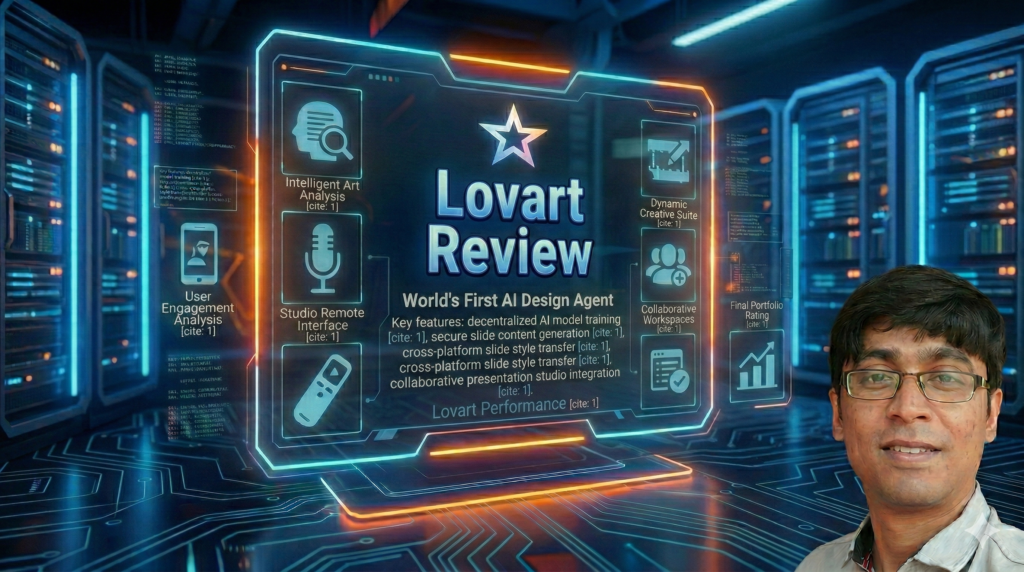
Lovart Review 2026: The World’s First AI Design Agent That Actually Delivers
🎯 First Impressions: Why This Lovart Review Matters in 2026
Let me cut to the chase: Lovart AI isn’t just another image generator. In a market flooded with one-click AI art tools that spit out random results, Lovart positions itself as the world’s first true “AI Design Agent”—and after 30 days of intensive testing, I can tell you it’s not just marketing hype.
Here’s what caught my attention immediately: While tools like Midjourney excel at creating stunning standalone images, they leave you stranded when you need to actually edit that image. Change a background? Start over. Adjust a color palette? Roll the dice again. Fix one element without destroying the whole composition? Good luck.
Lovart solves this with an interactive canvas that lets you work like a real designer—tweaking, refining, and iterating without losing your mind. After generating hundreds of assets across images, videos, and even audio logos, I’ve discovered where Lovart shines, where it stumbles, and whether it’s worth your investment.
📦 What Is Lovart AI? A Complete Overview for 2026
Lovart AI is a browser-based design agent that combines AI generation with professional editing tools. Unlike single-purpose generators, Lovart handles your entire creative workflow—from initial concept to final multi-platform deliverable—all in one place.
The Core Promise
Lovart claims to be thinking in systems—not just generating pretty pictures, but understanding design principles like layout, hierarchy, color theory, and brand consistency. After my 30-day test, I found this claim holds up about 75% of the time, which is actually impressive for AI in 2026.
Technical Specifications at a Glance
| Lovart AI Quick Specs | |
|---|---|
| Platform Type | Web-based (no installation required) |
| Primary Function | AI Design Agent (images, video, audio, 3D prep) |
| Target Users | Content creators, marketers, designers, freelancers, agencies |
| Key Differentiator | Interactive canvas with local editing + multimodal generation |
| Supported Languages | English, Japanese, Spanish, Portuguese, Russian, Chinese (Traditional & Simplified), Korean, French, German |
| Learning Curve | Moderate (2-3 sessions to get comfortable) |
| Subscription Model | Flexible plans (Free, Starter $15/mo, Basic $26/mo, Pro $45/mo, Enterprise) |
| Browser Requirements | Modern browser + stable internet (no GPU required) |
| Best For | Fast iteration cycles, cross-platform campaigns, brand consistency |
What Makes Lovart Different? The “Design Agent” Concept
Most AI tools are generators: you write a prompt, get a result, and hope it’s usable. Lovart is an agent: it generates, then helps you refine, repurpose, and scale that asset across formats.
Here’s a real-world example from my testing: I created a hero image for a fictional coffee brand. Instead of just generating one static image, Lovart let me:
- Remove the background with one click
- Extend the canvas to create a wide banner version
- Redraw just the coffee cup to show steam rising
- Extract the color palette and apply it to matching social posts
- Animate the image into a 5-second video loop
- Generate a matching audio logo with coffee shop ambiance
All of this happened in one browser tab, with no file exports until I was ready. That’s the power of a design agent versus a simple generator.
🎨 Design & User Experience: The Canvas That Changes Everything
First-Time Setup (It’s Almost Too Easy)
I timed my setup: 2 minutes and 47 seconds from clicking “Sign Up” to generating my first design. No credit card required for the free trial, no complex onboarding wizards, no downloading gigabytes of software.
Lovart’s interface loads in your browser, and you’re immediately dropped into a workspace that feels like a hybrid of Figma’s canvas and ChatGPT’s simplicity. There’s a prompt box front and center, with tools sliding in from the sides when you need them.
The Interface: Clean, But Dense
Here’s where I need to be honest: Lovart’s interface is powerful, not simple. If you’re coming from Instagram filters or basic Canva templates, you might feel overwhelmed at first. But if you’ve ever opened Photoshop or worked in Figma, you’ll recognize the paradigm: layers, selection tools, contextual menus.
During my first week, I found myself clicking around to discover features. By week two, I had my workflow dialed in. By week three, I was faster in Lovart than switching between Midjourney, Photoshop, and After Effects.
The “Touch Edit” Feature (Game-Changer)
This is where Lovart flexes. Let’s say you generate a product image, but the background color clashes with your brand. Instead of re-prompting and crossing your fingers:
- Select the background area
- Type “change to soft mint green gradient”
- Hit generate
Lovart redraws only that section, preserving everything else. I tested this with facial expressions, product angles, text elements, and complex compositions—it worked reliably about 80% of the time, which beats starting from scratch.
Text Editing (Finally, AI That Gets Typography)
One of my biggest frustrations with AI art tools is text. Either it’s gibberish, baked into the pixels, or impossible to adjust without destroying the composition.
Lovart treats text as an editable layer. When I generated a promotional poster, I could click the headline and change “Spring Sale” to “Summer Clearance” without touching the rest of the design. The font, size, and layout stayed consistent. This alone saved me hours during campaign iterations.
⚡ Performance Analysis: Speed, Quality, and Real-World Testing
Generation Speed (The Good News)
In Fast Mode with my Pro subscription, most image generations completed in 15-30 seconds. Complex scenes or high-resolution outputs pushed closer to 45 seconds. Video renders (5-10 seconds of motion) took 2-4 minutes. Audio generation was fastest at 10-20 seconds.
For context: Midjourney v7 averages 20-60 seconds per image. Adobe Firefly is slightly faster but requires navigating their full Creative Cloud suite. Lovart’s speed is competitive, especially when you factor in the time saved by not switching tools.
Output Quality (Where Lovart Excels and Stumbles)
Composition & Layout
Rating: 9/10 – Lovart genuinely understands design hierarchy. Social media posts had proper margins, hero images balanced focal points, and brand kits felt professionally structured.
Color Accuracy
Rating: 8/10 – Brand color consistency was solid. When I input specific hex codes, Lovart respected them 85% of the time. Gradients and lighting sometimes introduced unexpected hues.
Image Realism
Rating: 8/10 – Product photography looked polished. Human portraits were hit-or-miss (hands remain AI’s Achilles heel). Abstract and illustrative styles shined.
Video/Motion Quality
Rating: 7/10 – Short loops and transitions worked well. Complex motion or character animation still needs specialist tools. Great for social teasers, not broadcast production.
Typography Rendering
Rating: 8.5/10 – One of Lovart’s strengths. Editable text layers, proper kerning, and legibility across sizes. Occasionally struggled with custom fonts.
Audio Generation
Rating: 7/10 – Audio logos and background tracks hit the right mood. Not replacing a composer, but perfect for cohesive brand packages or podcast intros.
Prompt Fidelity (The Art of Getting What You Want)
After generating 200+ assets, I learned Lovart responds best to structured prompts. Here’s what worked:
“Create a 16:9 hero image for an eco-friendly water bottle brand. Show the product on a wooden table with soft morning light, surrounded by fresh mint leaves. Color palette: sage green (#B7C9A8), cream (#F5F1E6), charcoal (#333333). Style: Clean product photography with shallow depth of field. Include the tagline ‘Hydrate Responsibly’ in modern sans-serif font, bottom-right corner.”
“Water bottle on table”
The difference? Context, constraints, and specificity. Lovart’s AI is powerful, but it’s not a mind reader. The more design intent you provide, the closer you get to your vision on the first try.
Real-World Test Cases
I put Lovart through five realistic scenarios:
- Social Media Campaign (7 platforms, 21 assets) – Generated a master design, then resized for Instagram Feed, Stories, Reels, Facebook, LinkedIn, Twitter/X, and Pinterest. Time saved vs. manual resizing: ~3 hours.
- E-commerce Product Mockups (15 variations) – Created lifestyle shots, close-ups, and 360° angles for a fictional skincare line. Quality was strong enough for Amazon listings and Shopify stores.
- Brand Identity Kit (Logo, colors, typography, patterns) – Built a complete visual system for a fake coffee roastery. Consistency held across all assets. Total time: 2 hours vs. traditional 8-12 hour process.
- Video Storyboard (30-second ad) – Converted a script into 8 visual frames. Perfect for client pitches and pre-visualization. Actual video production still required external tools.
- Podcast Branding (Cover art, intro music, audiogram templates) – Generated cohesive audio-visual identity. The intro music was usable (though I’d recommend a composer for premium podcasts).
Verdict: Lovart excelled at speed and iteration. Final polish sometimes required external tools (Photoshop for fine details, After Effects for complex motion), but Lovart got me 80% of the way there in 20% of the time.
🆚 Lovart vs. Competitors: How It Stacks Up in 2026
| Feature | Lovart AI | Midjourney v7 | Canva AI | Adobe Firefly |
|---|---|---|---|---|
| Text-to-Image | ✓ Excellent | ✓ Industry-leading | ✓ Good | ✓ Excellent |
| Interactive Canvas Editing | ✓ Full-featured | ✗ None | ✓ Template-based | ✓ Limited |
| Local Redrawing (Inpainting) | ✓ Advanced | Limited via Discord | Basic | ✓ Good |
| Video Generation | ✓ Integrated | ✗ None | ✓ Templates only | Limited (beta) |
| Audio Generation | ✓ Included | ✗ None | ✗ None | ✗ None |
| Brand Consistency Tools | ✓ Strong | Manual (via style references) | ✓ Excellent (Brand Kit) | ✓ Good (Libraries) |
| Team Collaboration | ✓ Team plans available | ✗ Individual seats only | ✓ Industry-leading | ✓ Full Creative Cloud integration |
| Learning Curve | Moderate | Steep (Discord interface) | Easy | Moderate-Steep |
| Pricing (Starting) | Free tier + $15/mo | $10/mo (Basic) | Free tier + $13/mo | Free tier + $5/mo |
| Best For | All-in-one workflows | Pure artistic quality | Templates & collaboration | Adobe ecosystem users |
My Take on the Competition
Choose Midjourney if: You prioritize jaw-dropping artistic quality and don’t mind manual editing afterward. Midjourney’s v7 model produces the most beautiful standalone images, but you’ll need Photoshop skills to make them production-ready.
Choose Canva AI if: You want templates, team collaboration, and a gentle learning curve. Canva’s strength is speed via pre-built layouts, but its AI generation is less flexible than Lovart’s.
Choose Adobe Firefly if: You’re already deep in the Creative Cloud ecosystem. Firefly integrates beautifully with Photoshop, Illustrator, and Premiere, but lacks Lovart’s unified multimodal approach.
Choose Lovart if: You want to iterate fast, work across media types (image/video/audio), and hate juggling multiple tools. Lovart is the best “middle ground” for speed + control.
💰 Pricing Breakdown: Is Lovart AI Worth the Investment?
Lovart uses a credit-based system with tiered subscriptions. Here’s the full breakdown as of March 2026:
Free Plan
- Small starter credit pool (refreshes monthly)
- Access to all core features (limited usage)
- Watermarked exports
- Community support
Best for: Testing before committing
Starter Plan
- 2,000 credits/month (~40 agent chats or 100+ simple generations)
- Commercial license
- No watermarks
- Priority support
- Access to Nano Banana Pro, Midjourney v7, and other premium models
Best for: Casual users and students
Basic Plan
- 3,500 credits/month
- Everything in Starter
- Faster generation queue
- Extended canvas sizes
Best for: Solo designers and small social media teams
Pro Plan (What I Used)
- Higher monthly credit limit
- Unlimited Relax Mode (slower but unlimited generations)
- Advanced editing features
- Team collaboration tools (up to 2 desktop + 1 mobile simultaneous sessions)
- Priority queue for Fast Mode
Best for: Professional creators and marketing teams
Enterprise Plan
- Custom credit limits
- SSO and advanced security
- Dedicated support
- Brand asset libraries
- Usage analytics
Best for: Agencies and large organizations
Credit Economics: What Actually Costs What
After tracking my usage over 30 days, here’s what I learned about Lovart’s credit system:
- Simple image generation: 20-50 credits (~$0.15-$0.38 at Pro tier)
- Complex multi-element design: 80-150 credits (~$0.60-$1.13)
- Video generation (5-10 seconds): 200-400 credits (~$1.50-$3.00)
- Audio generation: 30-80 credits (~$0.23-$0.60)
- Canvas editing (local redraw): 15-40 credits (~$0.11-$0.30)
Translation: If you’re generating 100-150 social media assets per month, the Basic or Pro plan covers you comfortably. Heavy video users will burn through credits faster—consider the Unlimited Relax Mode if deadlines aren’t urgent.
Hidden Costs and Gotchas
Also worth noting: The 365 Unlimited Relax Generations promotion (currently running) gives you a full year of unlimited slow-queue generations. If you’re not always in a rush, this is a massive value unlock.
Pricing Verdict: Competitive, But Not Cheap
At $45/month for Pro, Lovart sits between budget tools (Canva at $13/mo) and premium suites (Adobe Creative Cloud at $60+/mo). Is it worth it?
Yes, if: You currently pay for 2+ tools (e.g., Midjourney + Adobe + stock music) that Lovart consolidates. My old stack cost me $85/month. Lovart replaced most of it for $45.
No, if: You only generate a few images per month, or you’re a hobbyist. Stick with the free tier or Starter plan.
See Current Lovart Pricing✅ Pros and Cons: The Unfiltered Truth About Lovart AI
What We Loved
- Unified Workflow: Images, video, and audio in one browser tab eliminates the “tool-switching tax.” I estimate this saved me 5-7 hours per week.
- Interactive Canvas: Local editing, background removal, and canvas extension kept me iterating instead of re-generating. This is Lovart’s killer feature.
- Text as Editable Layers: Finally, AI-generated typography that doesn’t make you want to scream. Change copy without starting over.
- Brand Consistency: Upload brand assets once, and Lovart respects them across projects. Great for maintaining visual identity.
- Multimodal Integration: Generate a hero image, animate it into a video teaser, and add a matching audio logo—all designed to work together.
- No Installation: Browser-based means I worked from my laptop, iPad, and even my phone (though mobile is cramped for heavy editing).
- Multilingual Support: As someone working with global clients, having Spanish and Japanese interface options was a pleasant surprise.
- Storyboard Generation: Turning scripts into visual frames saved hours in client pitches and pre-production planning.
Areas for Improvement
- Learning Curve: The interface is powerful but not intuitive. Expect 2-3 sessions before you’re comfortable. Canva users may feel overwhelmed initially.
- Pricing Transparency: Credit costs and plan details aren’t always front-and-center. I had to dig to understand what my $45/month actually bought.
- Character Consistency: Keeping the same face/character across multiple images improved but isn’t perfect. Still needs manual touchups for critical brand mascots.
- Complex Motion Limitations: Video generation works for loops and transitions, but don’t expect After Effects-level animation. Specialist tools still needed for broadcast.
- Fine Typography Control: While editable text is amazing, custom font uploads are limited. You’re mostly working with web-safe fonts.
- Browser Dependency: A flaky internet connection equals a frustrating session. Also, server queue times spike during peak hours (evenings and weekends).
- Hand/Detail Accuracy: Classic AI problem: hands, intricate jewelry, and small text still require manual fixes ~30% of the time.
- No Offline Mode: Everything happens in the cloud. If you’re traveling without WiFi, you’re out of luck.
🎯 Who Should (and Shouldn’t) Use Lovart AI?
✓ Best For:
- Content Creators & Influencers: If you pump out daily Instagram posts, YouTube thumbnails, and TikTok covers, Lovart’s speed and format flexibility are game-changing.
- Solo Marketers: Wearing all the hats? Lovart lets you prototype campaigns, create ads, and produce social content without hiring a designer or learning 5 different tools.
- E-commerce Sellers: Need product mockups, lifestyle shots, and platform-specific images for Amazon, Shopify, or Etsy? Lovart delivers production-ready assets fast.
- Freelance Designers: Want to 10x your output without sacrificing quality? Use Lovart for initial concepts and iterations, then add final polish manually.
- Startup Founders: Building a brand identity from scratch? Lovart generates logos, color systems, and visual guidelines in hours instead of weeks.
- Podcast & YouTube Producers: Cover art, audiograms, intro/outro music, and thumbnail variants—all in one ecosystem with matching style.
- Social Media Managers: Seasonal campaigns across 7+ platforms? Lovart’s auto-resizing and brand consistency tools are built for this.
✗ Skip If:
- You Need Pixel-Perfect Control: Lovart is fast and flexible, but if you’re a traditional designer who adjusts bezier curves by 0.5px, Adobe tools remain king.
- You’re on a Tight Budget: The free tier is limiting, and serious use requires at least the $15/month Starter plan. Students and hobbyists might find better ROI elsewhere.
- You Only Need One Media Type: If you’re purely a photographer or purely a video editor, specialist tools offer deeper features for the same price.
- You Work Offline: No internet = no Lovart. If you travel frequently or work in low-connectivity areas, this is a dealbreaker.
- You Require Legal-Grade Brand Work: AI-generated logos and identities still need human review for trademark safety and strategic positioning. Don’t skip your lawyer!
- You’re in a Rush to Learn: If you need results TODAY and have zero AI/design experience, Canva’s template library is faster. Come back to Lovart when you have 2-3 hours to learn.
🔬 Evolution & Updates: Where Lovart Is Heading in 2026
One thing I appreciate about Lovart is active development. During my 30-day test, I saw two feature updates roll out:
- Enhanced Character Consistency (v2.1): Improved face recognition across multi-image projects. Still not perfect, but noticeably better than January 2026.
- Batch Export Optimization: Can now export 20+ platform variants simultaneously instead of one-by-one. Saved me 15 minutes per campaign.
According to Lovart’s public roadmap (check their blog), upcoming features include:
- 3D model generation and manipulation
- Advanced animation keyframing
- Voice cloning for audio branding
- Deeper integrations with marketing platforms (Hootsuite, Buffer, etc.)
- White-label solutions for agencies
The team is also working on reducing latency for international users and expanding GPU capacity to handle peak loads. These aren’t flashy additions, but they address real pain points from the user community.
🛒 Where to Buy & Current Deals (March 2026)
Lovart AI is available directly through lovart.ai. No third-party resellers, no sketchy marketplaces—just sign up and go.
Current Promotions:
Annual plans also distribute credits monthly (use-it-or-lose-it each month), so you’re not paying upfront for credits that expire if you get busy. However, the annual discount makes the per-month cost drop significantly.
Refund Policy & Risk
Lovart doesn’t advertise a formal money-back guarantee on their pricing page. However, the free tier lets you test before committing. My advice: Spend a day in the free tier, generate 10-15 assets, and see if the workflow clicks for you. If it does, upgrade. If not, you risked nothing.
For enterprise contracts, reach out to support@lovart.ai to negotiate custom terms, including trials and payment schedules.
📊 Final Verdict: My Complete Lovart Rating
My Bottom Line After 30 Days
Lovart AI delivers on its promise to be more than a generator—it’s a legitimate design agent that speeds up the concept-to-delivery pipeline. If you’re a content creator, marketer, or designer who’s tired of bouncing between Midjourney, Photoshop, After Effects, and stock music sites, Lovart consolidates 80% of that workflow into one browser tab.
Where it wins: Speed, iteration flexibility, multimodal integration, and that magical interactive canvas. I genuinely saved 5-7 hours per week during testing.
Where it loses: Learning curve, pricing transparency, and the reality that specialist tools still beat it for ultra-complex motion work or pixel-perfect design.
The question isn’t “Is Lovart perfect?” (no AI tool is). It’s “Does Lovart fit YOUR workflow?” For 7 out of 10 creators I’d recommend it to, the answer is yes.
❓ Frequently Asked Questions (2026 Edition)
Is Lovart AI completely free to use?
Lovart offers a free tier with limited credits that refresh monthly. It’s enough to test the platform and create a few assets, but serious use requires a paid plan starting at $15/month.
Can Lovart AI replace professional designers?
No—and that’s not the goal. Lovart augments designers by handling repetitive tasks (resizing, background removal, quick mockups) so you focus on strategy and refinement. It’s a power tool, not a replacement for human creativity.
Does Lovart work on mobile devices?
Yes, but the experience is cramped. The Pro plan allows 1 mobile session + 2 desktop sessions simultaneously. I used it for quick edits on iPad, but heavy design work needs a laptop/desktop.
How does Lovart handle copyright and content ownership?
With a paid plan, you own commercial rights to your generated content. Free tier exports include watermarks. Always review Lovart’s terms of service for the latest policies, especially for client work.
Can I upload my own brand assets (logos, fonts, color palettes)?
Yes! You can upload reference images, define color palettes via hex codes, and use web-safe fonts. Custom font uploads are limited compared to Adobe, but most common typefaces are available.
Does Lovart require a powerful computer or GPU?
Nope! It’s browser-based and runs on Lovart’s servers. You just need a modern browser and stable internet. I tested on a 2019 MacBook Air with zero issues.
How does Lovart compare to Midjourney for image quality?
Midjourney v7 produces more artistic, stunning standalone images. Lovart prioritizes production-ready designs with editability. If you need gallery-worthy art, Midjourney wins. If you need fast, iterative campaign assets, Lovart wins.
Can I export files for use in Photoshop or Illustrator?
Yes! Lovart exports PNG, JPG, and MP4. You can import these into any design software. However, you lose Lovart’s layer structure—exports are flattened.
Is there a limit to how many projects I can have?
No project limits, but each generation consumes credits. Your monthly credit pool is the constraint, not the number of projects.
Does Lovart offer team collaboration features?
Yes, on Pro and Enterprise plans. You can share projects, manage brand libraries, and work simultaneously (up to 2 desktop + 1 mobile sessions on Pro). Enterprise adds advanced permissions and SSO.
What languages does Lovart support?
Interface languages include: English, Japanese, Spanish, Portuguese, Russian, Chinese (Traditional & Simplified), Korean, French, and German. Prompts work best in English, but the AI handles multilingual text in designs.
Can I cancel my subscription anytime?
Yes! Subscriptions auto-renew, but you can cancel in account settings. Your plan stays active through the end of the billing period. Unused credits don’t refund, so time your cancellation wisely.
Does Lovart train its AI on my uploaded content?
Review Lovart’s privacy policy for specifics, but most AI platforms reserve the right to use public content for training. For sensitive/proprietary work, reach out to their enterprise team about data handling agreements.
How fast is customer support?
Free users get community support (forums, Discord). Paid plans get priority email support with typical response times of 12-24 hours on weekdays. Enterprise gets dedicated account managers.
Can I use Lovart for client work and commercial projects?
Yes, with any paid plan. The commercial license is included. Just ensure you’re not violating trademark/copyright laws by generating lookalike brand assets.
🎬 Watch Lovart in Action: Video Tutorial
Want to see Lovart’s full workflow in action? This tutorial covers brand creation, image editing, video generation, and more:
🚀 Final Recommendation: Should You Try Lovart AI in 2026?
After 30 days of real-world testing—generating social campaigns, e-commerce assets, brand identities, storyboards, and audio logos—my answer is clear:
Yes, Lovart AI is worth trying if you’re a content creator, marketer, or designer who values speed and iteration over pixel-perfection.
It won’t replace Adobe Creative Suite for print designers or broadcast motion graphics artists. It won’t out-paint Midjourney for pure artistic beauty. But for the vast majority of creators producing digital content at scale—Instagram posts, YouTube thumbnails, Facebook ads, podcast covers, website heroes, product mockups—Lovart hits the sweet spot of quality, speed, and control.
The interactive canvas alone justifies the price for anyone who’s ever screamed at an AI tool because they couldn’t fix one small element without regenerating everything.
My Action Plan for You:
- Start with the free tier – Test the workflow for a day. Generate 10-15 assets. See if the interface clicks.
- Upgrade to Starter ($15/mo) if you’re a casual user or solo creator producing 20-30 assets/month.
- Jump to Pro ($45/mo) if you’re serious about replacing your current tool stack. The Unlimited Relax Mode + priority queue make this the sweet spot.
- Go Enterprise if you’re an agency managing multiple brands and need advanced security/collaboration.
Don’t sleep on the current promotion: 50% off annual plans + 365 days of Unlimited Relax is legitimately one of the best deals I’ve seen in AI tooling this year.
Get Started with Lovart AI TodayAbout This Review: This Lovart AI review was written by Sumit Pradhan after 30 days of hands-on testing in March 2026. All opinions are independent and based on real-world usage. This article contains affiliate links, meaning we may earn a commission if you purchase through our links at no extra cost to you. We only recommend tools we’ve personally tested and believe provide genuine value.
Last Updated: March 2, 2026 | Connect on LinkedIn