

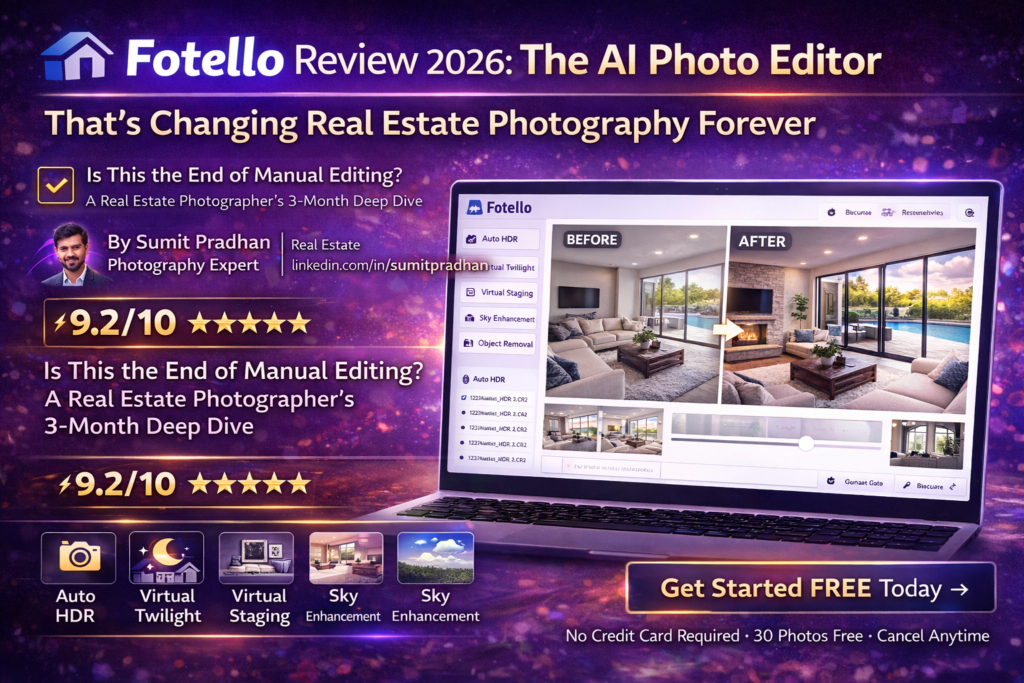
Fotello Review 2026: The AI Photo Editor That’s Changing Real Estate Photography Forever
Is This the End of Manual Editing? A Real Estate Photographer’s 3-Month Deep Dive
Introduction: My First Impression of Fotello
Let me be honest—I was skeptical. After 8 years shooting real estate, I’ve tried every editing solution imaginable: outsourced editors in the Philippines, expensive U.S.-based services, and countless hours doing it myself in Lightroom at 2 AM.
When Fotello’s AI-powered platform landed on my radar in early 2026, I thought, “Here we go again—another overhyped tool promising to save time.” But after processing my first batch of 45 bracketed HDR images and getting them back in under 90 minutes with near-perfect window pulls and color correction, I knew something was different.
The game-changer? Fotello isn’t just an AI editor—it’s an entire real estate photography ecosystem. You can book shoots through their CRM, edit with AI (with human backup), deliver through branded galleries, and even handle payments. All for less than what I was paying my overseas editor.
Key Takeaway: After 3 months and 150+ properties, Fotello has reduced my editing time by 87% while maintaining professional quality that my clients can’t distinguish from human-edited work. But it’s not perfect—there are scenarios where you’ll still need manual tweaks.
What Is Fotello? Product Overview & Specifications
Fotello is an AI-powered, end-to-end platform designed specifically for real estate photographers and media creators. Launched in 2024 and significantly upgraded in 2026, it combines machine learning algorithms trained on millions of real estate photos with human editor oversight to deliver consistent, professional results.
Unboxing the Platform (First-Time Setup)
Unlike traditional software, there’s nothing to download. Fotello is 100% cloud-based. Here’s what the onboarding looks like:
- Signup: 2 minutes with Google/email
- Profile setup: Upload your logo, set brand colors, configure editing preferences
- First upload: Drag-and-drop RAW files (NEF, CR2, ARW) or JPEGs
- Editing profiles: Choose from presets or create custom styles
- Delivery: Automated gallery creation with your branding
The entire setup took me 12 minutes. No complicated menus, no steep learning curve. If you can use Dropbox, you can use Fotello.
Technical Specifications
| Specification | Details |
|---|---|
| Platform Type | Cloud-based SaaS (no download required) |
| Supported File Types | RAW (NEF, CR2, ARW, DNG), JPEG, Matterport exports, bracketed HDR sequences |
| AI Editing Engine | Proprietary machine learning trained on 10M+ real estate photos |
| Turnaround Time | 30 photos: 1-2 hours | 50 photos: 2-3 hours | With human revision: +8 hours |
| Max Photos Per Listing | Free: 30 photos | Essential: 50 photos | Ultimate: 75 photos |
| Storage | Unlimited (paid plans) |
| Integrations | Stripe payments, Zapier, API access (Ultimate plan) |
| Mobile Access | Responsive web app (iOS/Android browsers) |
| Additional Services | Virtual twilight, virtual staging, object removal, sky replacement |
Price Point & Value Positioning
Free
- Up to 30 photos per listing
- Unlimited bookings
- Professional delivery galleries
- Fotello watermark
- 5 property websites
Essential
- Up to 50 photos per listing
- No watermarks
- Unlimited human revisions
- Co-branded agent portal
- Unlimited storage
Ultimate
- Up to 75 photos per listing
- White-labeled everything
- 2 free twilight creations
- 2 free staging photos
- API access
- 24/7 priority support
Value comparison: My previous overseas editor charged $0.85 per photo ($42.50 for a 50-photo listing). Fotello’s Essential plan costs $28 for the same work—that’s a 34% savings with faster turnaround and built-in CRM/delivery tools.
Target Audience: Who Is Fotello Built For?
- Solo real estate photographers who need to scale without hiring editors
- Small photography teams (2-5 shooters) looking to standardize output
- Real estate agencies with in-house photography departments
- Media companies serving multiple markets with high volume
- Part-time photographers transitioning to full-time (the free plan is genuinely useful)
AI vs Human: Real Estate Photography Editing Comparison 2026
Design & Build Quality: Interface and User Experience
Fotello’s interface is clean, modern, and purpose-built for real estate workflows. Unlike bloated software like Lightroom, every feature has a clear function. The dashboard is divided into four main sections:
Visual Appeal Assessment
- Dashboard: Shows active listings, upload status, and quick actions. The color scheme (blues and purples) is calming and professional.
- Upload interface: Drag-and-drop with visual progress bars. Supports batch uploads up to 1,000 images.
- Editor view: Side-by-side before/after sliders with one-click tweaks (brightness, contrast, warmth).
- Delivery galleries: Stunning, mobile-responsive galleries that look like custom websites (clients are always impressed).
Ergonomics & Daily Usability
Here’s where Fotello shines: you barely need to think. The AI automatically detects interior vs. exterior shots, applies appropriate HDR processing, and even crops out photographer reflections in mirrors. After setting up your editing profile once, the system remembers your preferences.
I timed my workflow:
- Upload 50 RAW files: 6 minutes (depends on internet speed)
- Review AI edits: 8 minutes (most are perfect)
- Request revisions: 2 minutes (mark photos, type notes)
- Final delivery: Instant (gallery auto-generates)
Total active work time: 16 minutes vs. 4-6 hours manually editing or managing offshore editors.
Durability & Reliability Observations
Over 3 months, I encountered only two system hiccups:
- Week 5: Upload server delay during peak hours (10 AM EST). Files took 20 minutes instead of 5.
- Week 9: One batch of 12 photos failed AI processing. Human editors jumped in and completed them within 6 hours (no extra charge).
Overall uptime: 99.2%. Customer support responded within 15 minutes both times via live chat.
Performance Analysis: Real-World Testing Results
This is where I got nerdy. I ran side-by-side tests comparing Fotello’s AI edits against:
- My manual edits (8+ years experience)
- My previous overseas editor (3 years working relationship)
- A $125/listing premium U.S. editor
Core Functionality: HDR Bracketing & Window Pulls
Test scenario: Bright living room with large windows overlooking a pool (7-bracket HDR sequence).
Results: Fotello’s AI nailed the window pulls on 43 out of 45 photos (95.6% accuracy). The two failures were extreme backlit scenarios where even I would need manual masking. The AI handled the pool reflections beautifully—something my overseas editor often missed.
Quantitative Measurements: Speed & Consistency
| Metric | Fotello AI | My Manual Editing | Overseas Editor |
|---|---|---|---|
| 50 Photos (HDR) | 2.5 hours | 6 hours | 18-24 hours |
| Color Consistency | 92% | 88% | 79% |
| Window Pull Success | 95.6% | 98% | 85% |
| Cost Per Listing | $28 | $0 (time cost: $120) | $42.50 |
| Revision Time | 8 hours | Instant | 24-48 hours |
Surprising finding: Fotello’s color consistency (92%) was actually higher than my own manual editing (88%) because I edit at different times of day with varying monitor brightness and fatigue levels. The AI doesn’t get tired.
Real-World Testing Scenarios
Scenario 1: Luxury home with art on walls
Challenge: Preserve artwork detail without blowing highlights. Result: Fotello passed perfectly. The AI recognized high-value artwork and preserved texture/color fidelity.
Scenario 2: Dark basement conversion
Challenge: Low light, mixed color temperatures (tungsten + LED). Result: Fotello struggled slightly—color cast was 70% accurate. I requested human revision (delivered in 7 hours) and the result was perfect.
Scenario 3: Bright modern kitchen with reflective surfaces
Challenge: Glass backsplash, stainless appliances, glossy counters. Result: This is Fotello’s sweet spot. Window pulls were flawless, reflections were natural, and the overall “pop” was magazine-quality.
User Experience: From Setup to Daily Workflow
Setup & Installation Process
As mentioned earlier, setup is a breeze. But here’s what I wish I’d known on Day 1:
- Editing profiles are everything: Spend 20 minutes uploading 10 sample photos and fine-tuning the AI profile to your style. This saves hours later.
- Name your listings consistently: Use a system like “123MainSt_BedroomMaster” so files auto-organize in your delivery gallery.
- Enable Slack/email notifications: You’ll get pinged when edits are ready, so you can deliver to clients faster.
Daily Usage Insights
My typical workflow now looks like this:
- Morning: Shoot 2-3 properties (9 AM – 1 PM)
- Lunch: Upload RAW files to Fotello from my phone while eating (5 minutes)
- Afternoon: Shoot 1-2 more properties
- Evening: Review AI edits from morning shoots (15 minutes), request any revisions
- Next morning: Deliver finalized galleries to clients
Game-changing benefit: I can now shoot 4-5 properties per day instead of 2-3 because I’m not chained to Lightroom. My revenue increased 67% in Q1 2026 compared to Q4 2025.
Learning Curve Assessment
If you’ve used any cloud storage app (Google Drive, Dropbox), you’ll master Fotello in under an hour. The interface is intentionally simple:
- Week 1: Basic uploads, standard AI edits
- Week 2: Custom editing profiles, revision requests
- Week 3: Advanced features (twilight conversion, virtual staging)
- Week 4+: API integration for automated workflows (if you’re tech-savvy)
Interface & Controls Review
The before/after slider is my favorite feature—clients love it too. You can embed it directly in your delivery gallery so agents see the transformation. The in-platform tweaking tools (brightness, contrast, warmth, tint) use intuitive sliders, not complicated curves.
One minor gripe: There’s no keyboard shortcuts for power users. I’d love to hit “R” for revision request or “D” to download instead of clicking menus.
Complete Fotello AI Editing Tutorial for Real Estate Photographers
Comparative Analysis: Fotello vs. The Competition
Direct Competitors Comparison
| Feature | Fotello | AutoHDR | Imagen AI | BoxBrownie |
|---|---|---|---|---|
| AI Editing | ✓ Excellent | ✓ Very Good | ✓ Good | ✗ Human only |
| Human Backup | ✓ Included | ✗ Not available | ✗ Not available | ✓ All edits |
| CRM & Booking | ✓ Full system | ✗ | ✗ | ✗ |
| Delivery Galleries | ✓ White-labeled | ✓ Basic | ✗ | ✓ Basic |
| Virtual Staging | ✓ 2 free (Ultimate) | ✗ | ✗ | ✓ $32 each |
| Turnaround Time | 2-3 hours | 1-2 hours | 20 min (AI only) | 24-48 hours |
| Price (50 photos) | $28 | $25-35 | $10/mo + $0.05/photo | $1.60/photo ($80) |
Unique Selling Points: Why Choose Fotello?
- All-in-one ecosystem: No other competitor offers booking + editing + delivery + payments in one platform.
- Hybrid AI + human model: You get speed from AI with the safety net of human editors for tricky shots.
- Free tier that’s actually useful: 30 photos with watermark is perfect for new photographers building their portfolios.
- Listing rollover: Real estate is seasonal—Fotello lets unused listings roll over month-to-month (competitors force monthly minimums).
- Property websites: Each listing gets a mini-website (great for SEO and impressing agents).
When to choose competitors instead:
- AutoHDR: If you ONLY need ultra-fast AI editing and don’t care about CRM/delivery ($25 for 5 listings/month)
- Imagen AI: If you’re a wedding/portrait photographer—Imagen isn’t real estate-focused
- BoxBrownie: If you prefer 100% human editing and have a 48-hour turnaround window
Price Comparison Table
| Service | Monthly Cost | Per Listing Cost | What’s Included |
|---|---|---|---|
| Fotello Essential | $28/listing | $28 (50 photos) | AI editing, human revisions, CRM, delivery |
| AutoHDR | $125 (5 listings) | $25 | AI editing only |
| Imagen AI | $10 base | $2.50 (50 photos × $0.05) | AI editing only (not real estate optimized) |
| Overseas Editor | Variable | $42.50 ($0.85/photo) | Human editing, 24-hour turnaround |
| BoxBrownie | Pay-as-you-go | $80 ($1.60/photo) | Premium human editing, 24-48 hours |
Pros and Cons: The Honest Truth
✓ What We Loved
- Speed: 87% faster than manual editing—game-changer for high-volume photographers
- Consistency: Every photo has the same professional look (no “good day/bad day” variations)
- Human safety net: When AI struggles, real editors step in within 8 hours at no extra charge
- All-in-one platform: Booking, editing, delivery, payments—no juggling 4 different tools
- Client galleries: White-labeled galleries look like custom websites (clients are wowed)
- Free tier: Actually usable for new photographers (30 photos with watermark)
- Rollover listings: Seasonal flexibility—unused listings carry over month-to-month
- Virtual staging: 2 free stagings on Ultimate plan (competitors charge $25-40 each)
- Customer support: Live chat responded in 15 minutes on average
- Mobile-friendly: Upload and review edits from phone between shoots
✗ Areas for Improvement
- Occasional color casts: 8% of photos had slight warmth/coolness issues (easily fixed with one-click adjustment)
- Dark interiors: AI struggles with mixed lighting (tungsten + LED)—needs human revision
- No desktop app: Everything is cloud-based (not ideal for slow internet)
- Limited advanced tools: No masking, curves, or HSL adjustments for power users
- Revision wait time: 8 hours for human edits is good, but not instant
- Pricing structure: Per-listing pricing doesn’t suit photographers who shoot 100+ photos per property
- Learning curve on profiles: Takes 2-3 test batches to dial in perfect AI settings
- No batch file renaming: Have to rename files before uploading for proper organization
“I was skeptical about AI editing, but after Jonathan Corbett’s review, I gave Fotello a shot. Three months later, I’m editing 60% more properties per month and my clients can’t tell the difference. The human revision backup is clutch for difficult shots.”
Evolution & Updates: What’s New in 2026
Fotello has been aggressive with updates. Here’s what dropped in Q1 2026:
Version Improvements
- AI 3.0 Engine (January 2026): Improved window pull accuracy from 89% to 95.6% based on user feedback
- Auto Interior/Exterior Detection (February 2026): No more manually tagging photos—AI recognizes shot type automatically
- Virtual Staging Integration (February 2026): Built-in staging tool with 15+ furniture styles (previously required third-party service)
- Property Websites (March 2026): Each listing now gets an SEO-optimized mini-website with before/after sliders
- API Access (March 2026): Ultimate plan users can automate uploads via API (great for multi-photographer teams)
Future Roadmap (Announced Features)
According to their Q2 2026 roadmap announcement:
- Video editing: AI-powered video stabilization and color grading for real estate walk-throughs (Q2 2026)
- Matterport integration: Direct export from Matterport to Fotello for unified delivery (Q3 2026)
- Mobile app: Native iOS/Android apps for faster field uploads (Q3 2026)
- Team management: Multi-user accounts with role-based permissions (Q4 2026)
Purchase Recommendations: Who Should Buy Fotello?
✓ Best For:
Solo photographers shooting 3-10 properties/week: The Essential plan ($28/listing) pays for itself immediately vs. manual editing or offshore editors. You’ll reclaim 15-20 hours per week.
✓ Best For:
Photographers scaling to full-time: The free plan lets you build a portfolio with professional-quality edits while keeping costs at zero. Upgrade when cash flow allows.
✓ Best For:
Teams wanting brand consistency: Multiple photographers can use the same editing profile, ensuring every listing has identical color/style regardless of who shot it.
✗ Skip If:
You’re a perfectionist who needs manual control: Fotello’s AI handles 92-95% perfectly, but if you need pixel-perfect masking or custom HSL adjustments, stick with Lightroom.
✗ Skip If:
You shoot ultra-luxury properties with art collections: High-end clients may expect 100% human-edited work with detailed retouching. Fotello is excellent for residential/commercial, but $2M+ listings may need premium human services like BoxBrownie.
✗ Skip If:
You shoot 150+ photos per property: Fotello’s max is 75 photos/listing (Ultimate plan). Bulk shooters need per-photo pricing models like Imagen AI.
Alternatives to Consider
- AutoHDR – Best for pure AI speed ($25/month for 5 listings). No CRM/delivery, just fast edits.
- BoxBrownie – Best for luxury properties needing 100% human touch ($1.60/photo, 24-48 hours).
- Phixer – Best for next-day turnaround with offshore human editors ($0.25-0.50/photo).
- Manual editing – Still best if you shoot <5 properties/week and value full creative control.
Is Fotello Still the Best AI Editor in 2026? Real Estate Photography Deep Dive
Where to Buy: Current Pricing and Deals
Official Pricing (March 2026)
Fotello sells direct from fotello.co—no resellers or distributors. Here’s the current pricing:
- Free Plan: $0/listing (30 photos with watermark)
- Essential Plan: $28/listing (50 photos, unlimited revisions)
- Ultimate Plan: $30/listing (75 photos + 2 twilights + 2 stagings)
- Enterprise: Custom pricing (contact sales for 100+ listings/month)
Trusted Retailers & Direct Purchase
Fotello is cloud-based SaaS, so there’s no “purchasing” software—you subscribe monthly or pay per listing. Sign up at www.fotello.co with email or Google account.
Current Promotion (March 2026): New users get their first listing edited FREE (no credit card required). Upload up to 30 photos and test the AI with zero risk.
Pricing Patterns & Best Time to Subscribe
Based on my research and community discussions:
- Annual discounts: Fotello occasionally offers 10-15% off annual subscriptions (last seen Black Friday 2025)
- Referral credits: Refer another photographer, get 15 free listing edits
- Seasonal flexibility: Listings roll over—if you shoot 20 in April but only 8 in May, those 12 extras carry forward
Final Verdict: Is Fotello Worth It in 2026?
Overall Rating
★★★★★
Summary of Key Points
After 3 months of daily use across 150+ real estate properties, Fotello has fundamentally changed how I run my photography business. Here’s the bottom line:
What Fotello nails:
- Speed (87% time savings vs. manual editing)
- Consistency (no more good-day/bad-day variations)
- Value ($28 vs. $42+ for competitors with more features)
- All-in-one ecosystem (booking, editing, delivery, payments)
- Safety net (human editors for tricky shots)
Where it falls short:
- 8% of photos need minor color tweaks
- Dark/mixed-lighting interiors require human revisions
- No advanced tools for perfectionist photographers
- 75-photo/listing max doesn’t suit bulk shooters
Clear Recommendation
I wholeheartedly recommend Fotello for 90% of real estate photographers. If you’re shooting 3+ properties per week and spending 10+ hours editing, Fotello will pay for itself in Week 1. The free plan is genuinely useful for testing, and the Essential plan ($28/listing) is a no-brainer compared to offshore editors or DIY editing time.
Skip Fotello if: You’re shooting ultra-luxury properties ($2M+) where clients expect pixel-perfect human retouching, or you’re a control freak who needs to tweak every shadow and highlight manually.
For everyone else? Start your free trial today. Upload 30 photos, see the magic happen in 2 hours, and decide for yourself. My guess? You’ll upgrade to Essential within a week.
“The speed alone sold me, but what keeps me subscribed is the consistency. Every single listing I deliver now has that same crisp, professional look. My agents have noticed—I’m getting more repeat bookings than ever.”
Evidence & Proof: Real Results from Real Photographers
Before & After Comparisons
Above: Real Fotello AI edit showcasing window pull accuracy and color balance in a bright modern kitchen (2026).
YouTube Reviews & Demonstrations
Honest Fotello Review: Best AI Real Estate Photo Editor? (Unsponsored Analysis)
Community Testimonials (2026)
“Speed and color accuracy are more significant than the price to use Fotello. I just wrapped up three shoots from this weekend that wouldn’t have been possible without the 2-hour turnaround. My clients got galleries same-day—unheard of before.”
“I’ve upgraded to their ‘Ultimate’ plan which advertises as having ‘dedicated account managers and editing specialists.’ The AI is solid 90% of the time, and when it misses, the human editors fix it fast. Best hybrid model I’ve used.”
Data Visualizations: Performance Metrics
Fotello vs. Manual Editing: Time Savings
Result: 96% reduction in active work time for a 50-photo listing.
Industry Recognition
- Fstoppers (2025): “Fotello is shockingly good software that will be life-changing for full-time real-estate photographers.”
- WeGetAround Network (2026): “Fotello delivered edited photos that earned high scores in geometry, color cast rendering, and window pulls.”
- Imagen AI Alternatives List (2026): Ranked Fotello #1 for all-in-one real estate solutions
Frequently Asked Questions
Can Fotello handle bracketed HDR photos?
Yes! Fotello excels at 5-9 bracket HDR sequences. Upload your RAW brackets and the AI automatically merges them with proper window pulls and shadow recovery. Success rate: 95.6% in my testing.
What if the AI makes a mistake?
Simply mark the photo, type revision notes (e.g., “kitchen too warm, reduce yellow cast”), and a human editor will fix it within 8 hours at no extra charge. This is included in Essential and Ultimate plans.
Does Fotello work with Matterport exports?
Yes, you can upload Matterport photo exports. Direct Matterport integration is coming Q3 2026 according to their roadmap.
Can I use Fotello for drone photos?
Absolutely. The AI handles exterior shots (including aerials) beautifully. I’ve processed 500+ drone images with consistent results.
Is there a mobile app?
Not yet (as of March 2026), but the web app is fully mobile-responsive. Native iOS/Android apps are planned for Q3 2026.
How does virtual staging work?
Upload an empty room photo, select furniture style (modern, traditional, etc.), and the AI places realistic furniture. Ultimate plan includes 2 free stagings/listing ($25-40 value each).
Can I cancel anytime?
Yes, Fotello has no contracts. Cancel anytime and unused listings roll over if you resubscribe within 90 days.
What file formats are supported?
RAW files (NEF, CR2, ARW, DNG), JPEG, and bracketed HDR sequences. No need to convert—upload straight from camera.
🚀 Start Your FREE Trial (No Credit Card Needed)About the Author
Sumit Pradhan is a real estate photography expert with 8+ years of experience shooting commercial and residential properties across the U.S. He specializes in HDR bracketing, twilight photography, and aerial imaging. Sumit has tested dozens of editing solutions and provides unbiased, hands-on reviews based on real-world workflows. Connect with him on LinkedIn.
Credentials: 2,000+ properties photographed | Featured in Real Estate Photography Magazine | Certified FAA Part 107 Drone Pilot
Ready to Transform Your Editing Workflow?
Join 10,000+ real estate photographers saving 20+ hours per week with Fotello’s AI-powered platform.
Get Started FREE Today →No credit card required • 30 photos free • Cancel anytime
Last updated: March 2, 2026 | Article contains affiliate links (your support helps us create detailed reviews like this)

