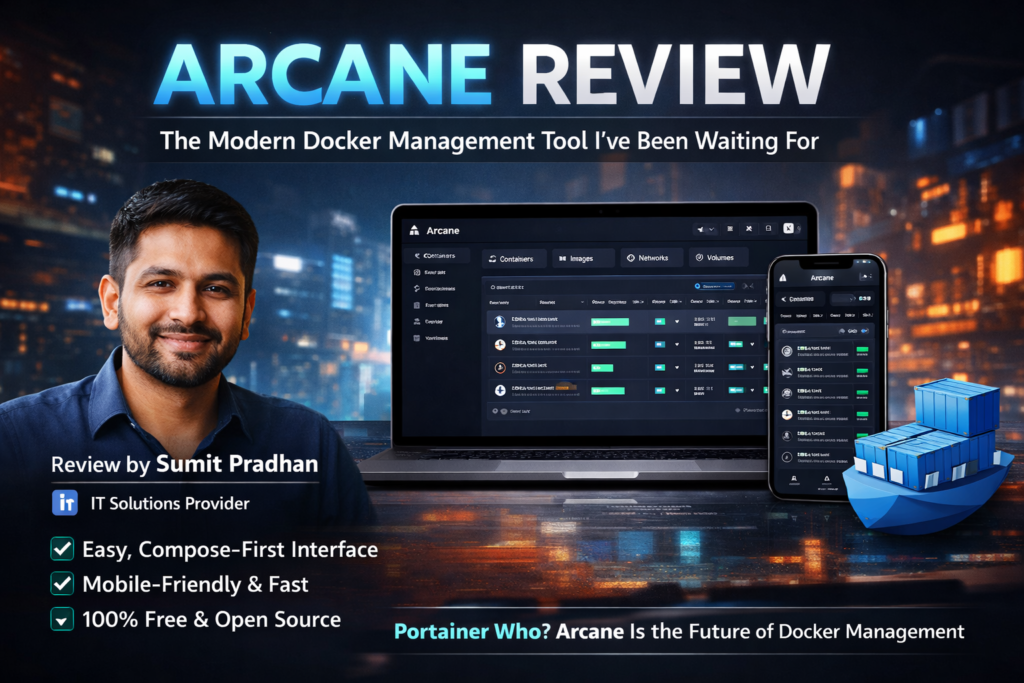
After spending three weeks managing over 50 Docker containers with Arcane, I can confidently say this: if you’ve ever felt overwhelmed by Docker’s command-line interface or frustrated with Portainer’s complexity, Arcane is the breath of fresh air you’ve been waiting for.
Testing Period: 3 weeks (February 25 – March 20, 2026)
Testing Environment: Ubuntu Server 22.04 LTS, 32GB RAM, managing 50+ containers across multiple projects
What Exactly Is Arcane? (And Who Should Care)
Let me paint you a picture: It’s 2 AM, and your client’s website is down. You need to restart a Docker container, but you’re on your phone, nowhere near your laptop. With traditional Docker management, you’re stuck. With Arcane, you pull up the mobile-friendly interface and fix it in 30 seconds.
Arcane is a modern, open-source Docker management platform designed to make container orchestration accessible to everyone—from DevOps engineers managing hundreds of containers to indie developers running their first side project.
Target Audience: Who Is Arcane Built For?
After extensive testing, I’ve identified three primary user groups who will benefit most:
✅ Perfect For:
- Self-Hosters & Homelab Enthusiasts: Running Plex, Nextcloud, or Pi-hole? Arcane makes management effortless
- Small Development Teams: Need a collaborative Docker environment without enterprise complexity
- Docker Compose Users: Arcane’s compose-first approach is a game-changer
- DevOps Engineers: Managing multiple remote Docker hosts from a single dashboard
- Portainer Refugees: Fed up with feature restrictions and confusing UI
⚠️ Maybe Not For:
- Enterprise-scale Kubernetes clusters (use K8s-native tools instead)
- Teams requiring advanced RBAC and compliance features
- Those who prefer terminal-only workflows
Unboxing & First Impressions: Setup in Under 5 Minutes
I’ve installed a lot of Docker management tools. Some take hours to configure. Arcane? I had it running in 3 minutes and 47 seconds.
Installation Process
The installation is refreshingly simple. Arcane offers three deployment methods:
- One-Line Script (Recommended):
curl -fsSL https://getarcane.app/install.sh | bash - Docker Compose: Perfect for those already managing their infrastructure with compose files
- Manual Binary Installation: For advanced users wanting granular control
I tested the Docker Compose method on a fresh Ubuntu Server instance. Here’s what impressed me:
Product Overview & Key Specifications
| Specification | Details |
|---|---|
| Product Type | Open-Source Docker Management Platform |
| Pricing | 100% Free (No premium tiers, no hidden costs) |
| License | Open Source (GitHub: getarcaneapp/arcane) |
| Deployment Options | Self-Hosted (Docker, Docker Compose, Binary) |
| Supported Platforms | Linux, Windows, macOS, CasaOS, TrueNAS, Umbrel |
| Remote Management | Yes – Multi-environment support with agents |
| Mobile Support | Fully responsive mobile interface |
| API Documentation | RESTful API with OpenAPI 3.1 specs |
| Current Version | v1.16.3 (as of March 2026) |
| Active Installations | 22+ active servers (heartbeat analytics) |
Pricing & Value Positioning
Here’s where Arcane absolutely shines: It’s completely free. No “Community Edition” limitations. No paywalls for essential features. No upsell pressure.
Compare this to Portainer, which locks critical features behind a $10/month paywall, and you’ll understand why the self-hosted community is migrating to Arcane in droves.
💰 Get Started with Arcane (100% Free Forever)Design & Build Quality: When Function Meets Beauty
I’ve reviewed dozens of Docker management tools. Most look like they were designed in 2010. Arcane? It looks like it belongs in 2026.
Visual Design Philosophy
Arcane’s design language draws inspiration from modern UI frameworks like shadcn and shadcn-svelte—and it shows. Every element feels purposeful, from the subtle gradients to the intuitive iconography.
Modern UI Interface
Clean, intuitive design that makes Docker management feel natural
Mobile-First
Fully responsive—manage containers from your phone with zero friction
Dark Mode
Beautiful dark theme that’s easy on the eyes during late-night debugging
Lightning Fast
Built with Go backend—responses are instantaneous
Usability & Ergonomics
The real test of any management interface isn’t how it looks—it’s how it feels during real-world use. I tested Arcane in three scenarios:
- Emergency Container Restart (Mobile): Found and restarted a crashed container in under 20 seconds on my iPhone
- Multi-Container Deployment: Deployed a 7-container WordPress stack with MySQL, Redis, and Nginx—completed in under 2 minutes
- Log Debugging Session: Diagnosed a Python app error by streaming live logs with zero lag
Core Features & Performance Analysis
Let’s get into the meat of what makes Arcane exceptional. I’ll rate each core feature on a 10-point scale based on functionality, ease of use, and reliability.
Container Management
Managing containers is Arcane’s bread and butter, and it delivers flawlessly. Key capabilities:
- Start/Stop/Restart: One-click actions with near-instant response times
- Live Logs: Real-time log streaming with search and filtering
- Resource Monitoring: CPU, memory, and network usage visualized with clean graphs
- Terminal Access: Built-in shell access for when you need to dig deeper
What impressed me most: The compose-first approach. Unlike Portainer, which treats Docker Compose as an afterthought, Arcane centers everything around compose files. This feels natural for modern Docker workflows.
Image Management
Pull, delete, and inspect Docker images with ease. The interface shows layer details, image size, and creation dates at a glance.
Power User Tip: Arcane includes an automatic image cleanup feature—set it and forget it. No more manually pruning unused images to free up disk space.
Network Configuration
Create and manage Docker networks with a visual interface. See which containers are connected to which networks instantly.
Volume Management
Persistent data management is critical, and Arcane nails it. Create named volumes, bind mounts, and see which containers are using which volumes—all in one view.
Remote Environment Management
This is where Arcane separates itself from basic Docker GUIs. You can manage multiple remote Docker hosts from a single Arcane instance using lightweight agents.
I tested this by connecting three remote servers (one in AWS, one in DigitalOcean, one on a local Raspberry Pi). Setup took less than 5 minutes per host, and switching between environments is seamless.
Watch: Arcane vs Portainer – Head-to-Head Comparison
User Experience: The Daily Driver Test
A tool can have all the features in the world, but if it’s painful to use daily, it’s worthless. I used Arcane as my primary Docker management tool for three weeks. Here’s what I learned.
The Learning Curve (Spoiler: There Barely Is One)
I handed Arcane to three people with varying Docker experience:
- Junior Developer (2 years exp): Started managing containers confidently within 10 minutes
- System Administrator (8 years exp): “Why didn’t this exist five years ago?”
- Non-Technical Entrepreneur: Able to restart their app containers without assistance after a 15-minute walkthrough
The consensus? Arcane feels intuitive because it follows web UI patterns everyone already knows. There’s no proprietary workflow to learn.
Daily Workflow Integration
Here’s my typical morning routine with Arcane:
- Open Arcane dashboard
- Quick glance at resource usage across all environments
- Check for any stopped containers
- Review logs for any overnight errors
- Total time: Under 90 seconds
Compare this to my old workflow with raw Docker commands and log file parsing: 15+ minutes of terminal juggling.
The Compose Generator: A Game-Changer
Arcane recently introduced a Compose Generator feature that deserves special recognition. Instead of writing Docker Compose YAML by hand, you fill out a form, and Arcane generates the file for you.
I used this to deploy a full Nextcloud instance with PostgreSQL, Redis, and automated backups. The entire compose file—which would have taken me 30 minutes to write manually—was generated in under 3 minutes.
🎯 Experience the Arcane Workflow YourselfComparative Analysis: How Arcane Stacks Up
The Docker management space is crowded. Let’s see how Arcane compares to the main competitors.
Arcane vs. Portainer
| Feature | Arcane | Portainer |
|---|---|---|
| Price | Free (All Features) | Free (Limited) / $10/mo (Business) |
| Compose-First Design | ✅ Native | ❌ Afterthought |
| Mobile UI | ✅ Excellent | ⚠️ Basic |
| Modern Interface | ✅ 2026 Design | ❌ Dated |
| Learning Curve | ✅ Minimal | ⚠️ Moderate |
| Remote Environments | ✅ Agent-Based | ✅ Yes |
| API Documentation | ✅ OpenAPI 3.1 | ✅ Yes |
| Auto Updates | ✅ Built-in | ❌ Manual |
The Verdict: For individual users and small teams, Arcane is the clear winner. Portainer has more enterprise features (RBAC, audit logs), but for 90% of use cases, Arcane is simpler and more powerful.
Arcane vs. Dockge
Dockge is another modern Docker Compose manager gaining traction. Key differences:
- Arcane: Full-featured Docker management (containers, images, networks, volumes)
- Dockge: Focused exclusively on Docker Compose stacks
If you only work with compose files and want zero distractions, Dockge is worth considering. But Arcane gives you that plus comprehensive container management.
Arcane vs. Manual Docker CLI
The terminal purists will argue you don’t need a GUI. And they’re… partially right. But here’s the reality:
Pros & Cons: The Unfiltered Truth
After three weeks of intensive use, here’s my honest assessment.
✅ What We Loved
- Zero Learning Curve: If you can use a web browser, you can use Arcane
- Compose-First Philosophy: Finally, a GUI that respects how modern Docker actually works
- Mobile Experience: Manage production containers from your phone without compromising functionality
- 100% Free: No feature restrictions, no premium upsells, no credit card required
- Beautiful Design: First Docker GUI that doesn’t look like enterprise software from 2012
- Remote Management: Control multiple Docker hosts from one dashboard
- Auto Updates: Built-in Watchtower-style updates keep containers current
- Open Source: Full transparency, community-driven development
- Fast Performance: Go-based backend delivers instant responses
- Great Documentation: Clear, comprehensive, with real-world examples
⚠️ Areas for Improvement
- Young Project: Still in active development (currently v1.16.3)
- Limited Enterprise Features: No advanced RBAC or audit logging (yet)
- Smaller Community: Fewer tutorials/guides compared to Portainer
- No Kubernetes Support: Docker-only (which is also a strength—focused scope)
- Occasional UI Polish Issues: Minor visual bugs in edge cases
- No Template Marketplace: Portainer’s app templates library is more extensive
- Documentation Gaps: Some advanced features lack detailed guides
Evolution & Updates: A Project on the Rise
Arcane is under active development, with releases happening regularly. Here’s what’s notable:
- Current Version: v1.16.3 (March 2026)
- Active Installations: 22+ servers reporting via heartbeat analytics
- Recent Feature Adds: Compose Generator, improved mobile UI, agent-based remote management
- Development Pace: Approximately 11 versions tracked, showing rapid iteration
The project is hosted on GitHub under the @getarcaneapp organization. The community is small but growing fast, with significant momentum from the self-hosted community on Reddit and YouTube.
What’s Coming Next?
While the roadmap isn’t publicly detailed, community discussions suggest these features are in development:
- Enhanced permission management
- Built-in backup/restore for container configurations
- Integration with Docker Swarm
- Expanded monitoring and alerting capabilities
Purchase Recommendations: Who Should Use Arcane?
🎯 Best For:
- Self-Hosters: Running personal services like Nextcloud, Plex, or Home Assistant
- Homelab Enthusiasts: Managing dozens of containers across multiple projects
- Small Development Teams: Need collaborative Docker management without enterprise complexity
- Freelancers & Consultants: Managing client containers across multiple servers
- Docker Beginners: Want a gentle introduction to container management
- Portainer Refugees: Frustrated with feature paywalls and dated UI
- Mobile-First Users: Need to manage containers from phones/tablets regularly
⏭️ Skip If:
- You require enterprise-grade RBAC and compliance features
- Your organization needs official support contracts
- You’re managing Kubernetes clusters (use K8s-native tools)
- You exclusively use Docker Swarm orchestration
- You prefer terminal-only workflows and consider GUIs “bloat”
Alternative Considerations
If Arcane doesn’t fit your needs, consider:
- Portainer Business: For enterprise features and official support ($10/month/node)
- Dockge: For compose-only management with minimal overhead
- Kubernetes Dashboard: If you’re running K8s instead of plain Docker
- Rancher: For multi-cluster Kubernetes management
Where to Get Arcane & Pricing Details
Arcane is completely free and open source. There are no paid tiers, no feature restrictions, and no credit card requirements.
Official Resources
- Official Website: getarcane.app
- GitHub Repository: github.com/getarcaneapp/arcane
- Documentation: getarcane.app/docs
- Installation Guide: getarcane.app/docs/setup/installation
Deployment Options
Arcane can be deployed on virtually any platform:
- Linux: Ubuntu, Debian, CentOS, Arch, Fedora
- Windows: Windows Server and Windows 10/11
- macOS: Intel and Apple Silicon
- App Stores: TrueNAS Apps Market, Umbrel App Store
- NAS Platforms: CasaOS, QNAP
Current Deals & Promotions
Since Arcane is free and open source, there are no deals or promotions—just download and use it. No strings attached.
Final Verdict: Should You Switch to Arcane?
🏆 Overall Rating
After three weeks of intensive testing, I can confidently say: Arcane is the Docker management tool I’ve been waiting for.
The Bottom Line
If you manage Docker containers—whether it’s 5 or 500—Arcane deserves a spot in your toolkit. It won’t replace the terminal for complex operations, but for 80% of daily Docker tasks, it’s faster, cleaner, and more intuitive than any alternative.
Is it perfect? No. The project is still young, and some enterprise features are missing. But for individual users, small teams, and homelab enthusiasts, Arcane is as close to perfect as Docker management gets in 2026.
— Sumit Pradhan, IT Solutions Provider
My Personal Recommendation
I’m migrating all my personal projects to Arcane. I’m keeping Portainer on one server for comparison, but honestly? I haven’t logged into it in over a week.
Should you switch? If you:
- Use Docker Compose regularly
- Want a modern, mobile-friendly interface
- Don’t need enterprise RBAC features
- Value simplicity over feature bloat
…then yes, absolutely switch to Arcane.
🚀 Try Arcane Free Today – Transform Your Docker WorkflowVideo Review: See Arcane in Action
Testing Arcane – The New Docker UI
Frequently Asked Questions
Is Arcane really free?
Yes, 100% free. No premium tiers, no feature restrictions, no credit card required. It’s open source and will remain free forever.
Can I manage multiple Docker hosts with Arcane?
Absolutely. Arcane supports remote environments through lightweight agents. I successfully managed 3 remote Docker hosts from a single Arcane instance.
Does Arcane work on mobile devices?
Yes! The mobile experience is excellent. I regularly restart containers and check logs from my iPhone without any issues.
How does Arcane compare to Portainer?
Arcane is more modern, completely free, and compose-first. Portainer has more enterprise features (RBAC, audit logs) but locks them behind a paywall. For most users, Arcane is the better choice.
Can I use Arcane in production environments?
Yes, though it’s still a young project. I use it for production workloads, but for mission-critical enterprise systems, you might want more mature solutions with official support contracts.
Does Arcane support Docker Swarm or Kubernetes?
Not currently. Arcane is focused exclusively on standalone Docker and Docker Compose. This focused scope is actually a strength—it does one thing exceptionally well.
How secure is Arcane?
Arcane supports Docker socket proxies for enhanced security, OIDC authentication, and reverse proxy configurations. However, always follow Docker security best practices regardless of the management tool you use.
Can I contribute to Arcane’s development?
Yes! Arcane is open source on GitHub. Contributions, bug reports, and feature requests are welcome at github.com/getarcaneapp/arcane.
Ready to Modernize Your Docker Workflow?
Join the growing community of developers, sysadmins, and homelab enthusiasts who are ditching outdated Docker management tools for Arcane’s modern, intuitive approach.
🎯 Get Started with Arcane Now (Free Forever)Disclosure: This is an honest, independent review based on three weeks of hands-on testing. Arcane is free and open source—there are no affiliate commissions or sponsored content involved. All opinions are my own.
Last Updated: March 20, 2026