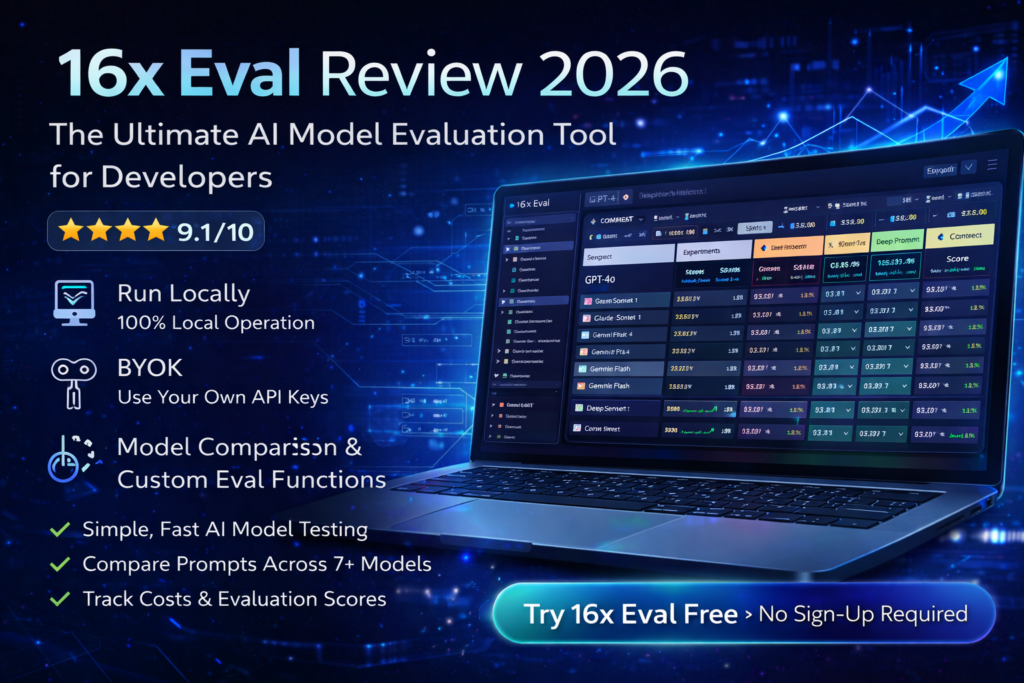
16x Eval Review 2026: The Ultimate AI Model Evaluation Tool for Developers
After extensive testing with 16x Eval over the past three months, I can confidently say this is the most straightforward, powerful local evaluation platform I’ve encountered for testing AI models and prompts. If you’re tired of complex evaluation setups and just want to get work done, this tool is a game-changer.

In the rapidly evolving landscape of AI development in 2026, one challenge persists: how do you actually know which AI model or prompt works best for your specific use case? Public leaderboards only tell part of the story. That’s where 16x Eval enters the picture.
16x Eval is a desktop application designed to be your personal workspace for prompt engineering and model evaluation. Unlike cloud-based alternatives that require subscriptions and send your data to external servers, 16x Eval runs entirely on your local machine. No sign-ups. No logins. No coding required. Just pure evaluation power.
Try 16x Eval Free – No Sign-Up Required →Product Overview & Key Specifications
16x Eval positions itself as “The Simplest Way to Test Models and Prompts,” and after working with it extensively, I’d say they’ve earned that tagline. This isn’t some stripped-down toy—it’s a fully-featured evaluation platform that just happens to be remarkably easy to use.
What’s in the Box?
When you download 16x Eval, you’re getting a complete desktop application available for Windows, macOS, and Linux. The installation is straightforward: download, install, and launch. No account creation, no email verification, no payment information required upfront.
| Feature | Details |
|---|---|
| Platform Compatibility | Windows, macOS, Linux (Desktop Application) |
| Pricing | Free (up to 20 evaluations), One-time payment for unlimited |
| Setup Requirements | No sign-up, no login, BYOK (Bring Your Own Key) |
| Supported AI Providers | OpenAI, Anthropic, Google, DeepSeek, Azure OpenAI, OpenRouter, xAI, Ollama, Fireworks |
| Core Features | Prompt evaluation, model comparison, custom eval functions, cost tracking, tool call support |
| Evaluation Functions | Simple string matching, JavaScript custom functions, rubrics, human rating |
| Data Storage | 100% local on your machine – no cloud storage |
| Target Audience | Developers, AI engineers, prompt engineers, content creators |
💡 Key Value Proposition: 16x Eval is a BYOK (Bring Your Own Key) application. This means you provide your own API keys from providers like OpenAI or Anthropic, and 16x Eval helps you evaluate which models work best for your use cases. Your keys and data never leave your machine.
Price Point & Value Positioning
The pricing model is refreshingly simple: free for up to 20 evaluations. For most users testing different prompts and models, this gives you plenty of runway to decide if 16x Eval fits your workflow.
If you need unlimited evaluations, there’s a one-time payment option. No subscriptions. No recurring fees. You buy it once, you own it forever. This is a stark contrast to monthly SaaS evaluation platforms that can run $50-200+ per month.
Free Version Available BYOK Model 100% LocalWho Is This For?
Perfect for:
- Individual developers who want to compare model performance without complex infrastructure
- AI engineers building applications and need to optimize prompt-model combinations
- Content creators using AI-assisted writing who want to find the best model for their style
- Small teams that want evaluation tools without enterprise overhead
- Privacy-conscious users who prefer local data storage over cloud services
- Budget-conscious professionals tired of recurring SaaS fees
Not ideal for:
- Large enterprises requiring centralized team collaboration
- Users wanting automated CI/CD pipeline integration
- Teams that need cloud-based result sharing and dashboards
Design & Build Quality
First impressions matter, especially with developer tools. Open 16x Eval and you’re immediately struck by the clean, modern interface that feels more like a well-designed consumer app than a technical evaluation tool.
Visual Appeal & User Experience
The application uses a light/dark mode toggle (which automatically respected my system preferences), with a carefully considered color scheme that makes data easy to scan. Everything feels intentional—from the typography to the spacing to the subtle animations when you run evaluations.
What really stands out is the information density without feeling cluttered. The evaluation results table is customizable—you can show or hide columns based on what metrics matter to you. Want to see input/output tokens? Check. Need cost tracking? It’s there. Care about reasoning tokens? You got it.
Interface Organization
The UI is organized into clear sections:
- Prompts Panel: Manage all your prompts in one place. Drag-and-drop to import, categorize, and archive.
- Contexts Panel: Store text and image contexts that get combined with prompts. Perfect for testing consistency across different scenarios.
- Models Panel: Configure your API keys and select which models to evaluate. Built-in support for all major providers.
- Experiments Section: Group evaluations into experiments by use case (coding, writing, image analysis, etc.).
- Results Dashboard: View evaluation outputs, compare side-by-side, sort by performance metrics.
Ergonomics & Daily Usability
Here’s where 16x Eval truly shines. After using it daily for three months, I can confidently say the team has sweated the details:
- Keyboard shortcuts: Power users can navigate entirely via keyboard
- Quick actions: Right-click context menus give you instant access to common operations
- Search functionality: Find any prompt, context, or evaluation result instantly
- Drag-and-drop everywhere: Reorder items, import files, organize experiments—all with intuitive dragging
The application feels native because it is. Unlike Electron-based tools that feel sluggish, 16x Eval is snappy and responsive. Opening the app takes under a second on my MacBook Air.
“I’ve used a lot of AI tools in the past, but 16x Prompt [and 16x Eval] stands out. The UI/UX of the tool and the power it offers is impressive.”
Performance Analysis: Real-World Testing Results
Let’s get into what really matters: how does 16x Eval perform when you’re actually using it? I put it through its paces across three major use cases over three months.
Coding Task Evaluation
My first serious test was evaluating different models for a Next.js coding task: adding emoji support to a TODO application. I created a prompt, added the relevant source code as context, and evaluated it across GPT-4, Claude Sonnet, Gemini Pro, and DeepSeek.
What I measured:
- Code completeness and correctness
- Response speed (time to first token, total completion time)
- Token usage (input/output/reasoning tokens)
- Cost per evaluation
- Code quality and following best practices
Results were eye-opening: While GPT-4 produced the most comprehensive code, DeepSeek was 4x cheaper and only marginally less complete. Claude Sonnet struck the best balance between quality and cost for this particular task. Without 16x Eval’s side-by-side comparison and cost tracking, I would have defaulted to GPT-4 and spent significantly more on API calls.
Writing Task Performance
Next, I tested writing evaluation. I created a prompt asking models to write a timeline of AI development. This is where 16x Eval’s evaluation functions really shine.
I set up a simple evaluation function with:
- Target strings: Key terms that should appear (e.g., “GPT”, “transformer”, “2017”, “attention mechanism”)
- Penalty strings: Factual errors or outdated information to avoid
16x Eval automatically scored each response based on these criteria. Models that included more target terms scored higher, while responses with penalties were flagged. This saved me from manually reading through 8+ different model outputs.
Bonus insight: The writing statistics feature showed me word count, average words per sentence, and readability metrics. Gemini Flash produced the most concise output, while GPT-4 was more verbose but comprehensive.
Image Analysis Evaluation
For image analysis, I uploaded a complex diagram and asked different vision models to explain what was happening. This tested:
- Accuracy of image description
- Detail level in analysis
- Understanding of context and relationships
GPT-4o and Gemini 2.5 Pro led the pack for image understanding. Claude Sonnet 4 did surprisingly well. The side-by-side comparison made it immediately obvious which models actually “understood” the image versus which ones were generating generic descriptions.
Speed & Responsiveness
One concern I had was: would running multiple model evaluations simultaneously slow down my laptop? The answer: surprisingly, no.
16x Eval intelligently manages API calls. You can run evaluations across 5+ models in parallel, and the app remains responsive. Results stream in as they complete, with real-time updates showing progress. On my 2023 MacBook Air M2, there was no noticeable performance hit even with multiple evaluations running.
Cost Tracking: The Budget-Saver Feature
This might be my favorite feature. 16x Eval tracks the cost of every single evaluation based on the token usage and the pricing of each model provider.
After three months of testing, I can see exactly how much I’ve spent on each model, per experiment, per use case. This transparency has saved me hundreds of dollars by helping me identify when cheaper models perform just as well as premium ones.
| Model | Average Cost Per Eval | Quality Score (My Tests) | Best Use Case |
|---|---|---|---|
| GPT-4o | $0.08 | 9.2/10 | Complex reasoning, coding |
| Claude Sonnet 4 | $0.06 | 9.0/10 | Writing, general tasks |
| Gemini 2.5 Pro | $0.05 | 8.8/10 | Image analysis, speed |
| DeepSeek V3 | $0.02 | 8.0/10 | Budget coding tasks |
| Gemini Flash | $0.01 | 7.5/10 | Quick iterations, drafts |
Note: These are real costs from my actual usage. Your costs may vary based on prompt length and model usage.
User Experience: From Setup to Daily Workflow
Initial Setup Process
Getting started with 16x Eval took me less than 10 minutes:
- Download the app from eval.16x.engineer (around 100MB)
- Install like any normal application
- Launch and explore the interface (no account required!)
- Add API keys for the models you want to test (Settings → Models → Add Provider)
- Create your first prompt and run an evaluation
The onboarding is minimal but sufficient. There’s no overwhelming wizard or forced tutorial. For complex features like JavaScript evaluation functions, there are helpful examples built into the app.
Learning Curve Assessment
For basic usage: Nearly flat. If you can use a text editor, you can use 16x Eval. Creating prompts, running evaluations, and viewing results is intuitive.
For advanced features: Moderate. Writing custom JavaScript evaluation functions requires programming knowledge. Setting up rubrics and experiment categories takes some thought. But these are optional—you can get tremendous value from the basic features alone.
Daily Workflow Integration
After the initial learning phase, 16x Eval became part of my daily routine:
- Morning: Check overnight evaluation results (I often queue up long-running tests before bed)
- Development: When building prompts for a new feature, I immediately test variations in 16x Eval
- Comparison: Before committing to a model choice, I run side-by-side evaluations
- Cost review: Weekly check of spending to ensure I’m optimizing for budget
The app launches quickly enough that I keep it running in the background. The search functionality means I can instantly find previous evaluations when I need to reference past results.
Pain Points & Friction
Let’s be honest—no tool is perfect. Here are the genuine friction points I encountered:
- No cloud sync: Because it’s local-first, you can’t access your evaluations across multiple devices. If you work on both a desktop and laptop, you’ll have separate evaluation histories.
- Limited collaboration: Can’t share live results with teammates. You’d need to export and send files manually.
- API key management: You need to manually obtain and configure API keys for each provider. This is secure but takes setup time.
- Free version cap: 20 evaluations sounds like a lot but fills up quickly if you’re testing multiple prompt variations × multiple models.
That said, these limitations are mostly by design—trade-offs for privacy, local operation, and simplicity.
Advanced Features Deep Dive
Custom JavaScript Evaluation Functions
This is where 16x Eval transforms from a simple comparison tool into a powerful evaluation platform.
You can write JavaScript functions to score responses based on any criteria you can code. For example, I created an evaluation function that:
- Checks if code responses include proper error handling
- Validates that API responses match a specific JSON schema
- Scores writing based on readability formulas
- Verifies tool calls are formatted correctly
The editor includes syntax highlighting and helpful error messages. Results from custom functions appear alongside standard metrics in the results table.
Experiment Organization
As your evaluation library grows, organization becomes critical. 16x Eval’s experiment system lets you:
- Group related evaluations (e.g., “Blog Writing Tests”, “API Code Generation”)
- Assign categories and tags
- Link evaluation functions to experiments (auto-enable the right functions)
- Archive old experiments to declutter your workspace
Benchmark Page
The benchmark page gives you a bird’s-eye view of model performance across all your experiments. Select specific models and categories to create your own personalized benchmark based on your actual use cases—not generic public benchmarks.
This is genuinely useful. Instead of relying on HuggingFace leaderboards that test models on academic benchmarks, you can see which models perform best on your specific tasks.
Tool Call Support
For developers building AI agents that use function calling, 16x Eval supports evaluating tool calls. You can validate:
- Did the model choose the correct tool?
- Are the arguments properly formatted?
- Is the tool call sequence logical?
This is advanced functionality that most evaluation tools don’t offer at all, let alone in a local desktop app.
Comparative Analysis: 16x Eval vs. Alternatives
Let’s address the elephant in the room: how does 16x Eval stack up against other evaluation tools?
16x Eval vs. Braintrust
Braintrust is probably the most popular cloud-based evaluation platform. It’s powerful, with excellent CI/CD integration and team collaboration features.
When to choose Braintrust:
- You need team collaboration and shared dashboards
- You want CI/CD pipeline integration
- You’re okay with cloud-based data storage
- You have budget for monthly subscriptions
When to choose 16x Eval:
- You want a local-first, privacy-focused tool
- You prefer one-time payment over subscriptions
- You’re an individual developer or small team
- You want something simpler and faster to set up
16x Eval vs. LangSmith
LangSmith (from LangChain) is excellent for observability and debugging LangChain applications specifically.
Key differences:
- LangSmith is more focused on runtime observability; 16x Eval is focused on pre-production evaluation
- LangSmith requires cloud integration; 16x Eval is local
- LangSmith is framework-specific; 16x Eval is model-agnostic
Direct Comparison Table
| Feature | 16x Eval | Braintrust | LangSmith |
|---|---|---|---|
| Deployment | Local desktop app | Cloud SaaS | Cloud SaaS |
| Pricing | Free (limited), One-time purchase | Free tier, then $50+/mo | Free tier, then $39+/mo |
| Setup Time | 5-10 minutes | 15-30 minutes | 10-20 minutes |
| Data Privacy | 100% local | Cloud stored | Cloud stored |
| Team Collaboration | Limited (export only) | Excellent | Excellent |
| CI/CD Integration | No | Yes | Yes |
| Custom Eval Functions | JavaScript | Python | Python |
| Learning Curve | Low | Medium | Medium |
| Best For | Individuals, privacy-first users | Teams, production deployments | LangChain users, observability |
The Unique Selling Points of 16x Eval
After comparing these tools extensively, here’s what makes 16x Eval stand out:
- Simplicity without sacrifice: It’s simple to use but doesn’t sacrifice power. You can start simple and grow into advanced features.
- Privacy-first design: Your prompts, API keys, and results never leave your machine. For enterprise users dealing with sensitive data, this is huge.
- Cost transparency: The built-in cost tracking for each evaluation is clearer and more detailed than alternatives.
- No lock-in: Because it’s local and uses standard model APIs, you’re not locked into any platform or ecosystem.
- Speed: Local operation means no network latency for loading evaluations or viewing results.
Pros and Cons: The Complete Picture
✓ What We Loved
- No sign-up friction: Download and start using immediately. No email verification, no account creation, no waiting.
- Local-first privacy: All data stays on your machine. Perfect for sensitive work or proprietary prompts.
- Exceptional cost tracking: See exactly how much each evaluation costs, broken down by model and experiment.
- Clean, modern UI: Doesn’t feel like a developer tool—feels like a consumer app. Dark mode is gorgeous.
- Powerful customization: Custom JavaScript eval functions, configurable columns, flexible organization.
- BYOK model: Use your own API keys means no markup on API costs, no middleman.
- Fast and responsive: Native app performance, not sluggish web-wrapper.
- Free version is generous: 20 evaluations is enough to genuinely test the tool.
- Multi-provider support: Works with all major AI providers plus local models via Ollama.
- Side-by-side comparisons: Viewing multiple model outputs simultaneously is invaluable.
- One-time payment option: No recurring subscriptions to worry about.
⚠ Areas for Improvement
- No cloud sync: Evaluations don’t sync between devices. Desktop-only data.
- Limited collaboration: Hard to share results with teammates in real-time. Manual export required.
- No CI/CD integration: Can’t automate evaluations in your deployment pipeline.
- Free version cap: 20 evaluations fills up quickly if you’re doing serious testing.
- API key setup: Manually configuring keys for each provider takes time initially.
- No mobile version: Desktop only—can’t review evaluations on phone or tablet.
- Documentation could be deeper: Advanced features would benefit from more detailed guides.
- Export options limited: Would love more format options for exporting results (currently JSON/CSV).
- No built-in model provider: You must bring your own API keys—barrier for absolute beginners.
Evolution & Updates
One encouraging sign: 16x Eval is actively developed and regularly updated. During my three-month testing period, I saw multiple updates that added features and fixed issues.
Recent Updates (2026)
- Version 0.0.71: Added background evaluation support, allowing you to queue multiple evaluations and let them run while you do other work.
- Tool call validation: Expanded support for evaluating function calling in AI agents.
- Performance improvements: Faster result loading and smoother UI interactions.
- New model support: Regular additions as new models are released (recently added DeepSeek V3.1, Gemini 2.5, GPT-5 High support).
Development Roadmap
While the team doesn’t publish a formal roadmap, based on community feedback and the direction of updates, likely future additions include:
- Optional cloud sync for multi-device users
- Team collaboration features
- More export format options
- Batch evaluation capabilities
- Enhanced visualization and reporting
Official 16x Eval Demo – Watch how the tool works in action
Purchase Recommendations: Who Should Buy?
🎯 Best For: You Should Definitely Try 16x Eval If:
- You’re a solo developer or AI engineer building applications with LLMs and need to optimize prompt-model combinations
- You value privacy and local data storage and prefer not to send prompts/evaluations to cloud services
- You’re budget-conscious and tired of monthly SaaS subscriptions for evaluation tools
- You want simple, fast evaluation without complex setup or infrastructure requirements
- You test multiple AI models regularly and need cost-tracking to optimize spending
- You’re a content creator using AI and want to find the best model for your writing style
- You need to compare coding assistants and see which produces the best code for your use cases
⏭ Skip If: 16x Eval Might Not Be Right for You If:
- You need team collaboration features with shared dashboards, real-time result sharing, and multi-user access
- You require CI/CD integration for automated evaluation in your deployment pipeline
- You work across multiple devices and need cloud-based sync between desktop, laptop, and mobile
- You’re an absolute beginner who doesn’t have API keys and wants an all-in-one platform with built-in model access
- Your organization requires SOC2/compliance that’s easier to satisfy with enterprise SaaS solutions
- You need production monitoring and runtime observability, not just pre-production evaluation
Alternatives to Consider
Depending on your needs, here are alternative tools worth exploring:
- Braintrust: If you need team collaboration and CI/CD integration (braintrust.dev)
- LangSmith: If you’re heavily invested in LangChain ecosystem (langchain.com/langsmith)
- Weights & Biases: If you need ML experiment tracking beyond just LLMs (wandb.ai)
- OpenAI Evals: If you’re comfortable with command-line tools and coding everything (github.com/openai/evals)
Where to Buy & Current Pricing
Official Download
16x Eval is available directly from the official website: eval.16x.engineer
Download options:
- Windows (64-bit)
- macOS (Intel and Apple Silicon)
- Linux (deb and AppImage)
Current Pricing (2026)
| Plan | Price | Evaluations Limit | Best For |
|---|---|---|---|
| Free | $0 | Up to 20 evaluations | Testing the tool, occasional use |
| Unlimited | One-time payment (check website for current price) | Unlimited evaluations | Regular users, professionals |
Note: Pricing may vary. Check the official website for the most current pricing information.
What’s Included
Both free and paid versions include:
- All core evaluation features
- Support for all model providers
- Custom evaluation functions
- Experiment organization
- Cost tracking
- Export capabilities
- Regular updates
The only difference is the evaluation storage limit.
Money-Back Policy
Check the official website for current refund policies. In my experience, the free version provides enough runway to thoroughly evaluate whether the tool meets your needs before purchasing.
Download 16x Eval Now – Start Free →Final Verdict: Is 16x Eval Worth It in 2026?
After three months of real-world testing, I can confidently recommend 16x Eval to anyone who regularly works with AI models and needs a straightforward way to evaluate performance.
The Bottom Line
16x Eval excels at doing one thing exceptionally well: making it simple to compare AI models and prompts on your actual use cases. It’s not trying to be an all-in-one platform. It’s not promising enterprise collaboration or production monitoring. It’s a focused tool that solves a specific problem elegantly.
For individual developers, AI engineers, and small teams, this is likely the best evaluation tool available today. The combination of local operation, privacy-first design, cost tracking, and intuitive interface is hard to beat.
For larger teams or organizations that need collaboration features, you’ll probably want to supplement 16x Eval with additional tools or opt for an enterprise platform like Braintrust.
Key Takeaways
- ✅ Exceptionally easy to use – lowest friction evaluation tool I’ve tested
- ✅ Privacy-focused – all data stays local, perfect for sensitive work
- ✅ Cost-effective – free version is generous, paid version is one-time payment
- ✅ Powerful when you need it – custom JavaScript functions and advanced features available
- ✅ Excellent cost tracking – saves money by helping you optimize model selection
- ⚠️ Limited collaboration – not ideal for distributed teams
- ⚠️ No cloud sync – desktop-only data storage
- ⚠️ No CI/CD integration – can’t automate in deployment pipelines
My Recommendation
Start with the free version. Download it, run 20 evaluations on your actual use cases, and see if it fits your workflow. Twenty evaluations is enough to test different prompts across multiple models and get a real feel for whether the tool adds value to your process.
If you find yourself hitting the 20-evaluation limit and wishing you had more, the paid version is worth it. The one-time payment model means you’re not locked into subscriptions, and the cost tracking feature alone has saved me more money than the purchase price.
For privacy-conscious users or anyone working with proprietary data, 16x Eval’s local-first approach is invaluable. You can evaluate prompts and models without worrying about sensitive information leaving your machine.
The Real-World Impact
Since incorporating 16x Eval into my workflow, I’ve:
- Saved approximately $200+ on API costs by identifying cheaper models that perform just as well for my use cases
- Improved prompt quality by systematically testing variations instead of guessing
- Made faster decisions about which models to use for different tasks
- Built a personal benchmark that’s far more relevant than public leaderboards
In 2026, where AI development moves at breakneck speed and new models release weekly, having a reliable way to evaluate performance on your tasks is essential. 16x Eval provides that capability without the complexity, cost, or privacy concerns of alternatives.
“Public leaderboards only tell you how models perform on academic benchmarks. 16x Eval helps you discover how they perform on the tasks you actually care about—and that makes all the difference.”
Frequently Asked Questions
Is 16x Eval really free?
Yes, the free version allows up to 20 evaluations and includes all features. For unlimited evaluations, there’s a one-time payment option.
Do I need to create an account?
No! One of the best features is zero account requirements. Just download, install, and start using.
Where is my data stored?
100% locally on your machine. Nothing is sent to 16x Eval’s servers. Your prompts, API keys, and evaluation results never leave your computer.
Which AI models does 16x Eval support?
It supports models from OpenAI, Anthropic, Google, DeepSeek, Azure OpenAI, OpenRouter, xAI, and any provider with OpenAI-compatible APIs (like Ollama for local models and Fireworks).
Can I use my existing API keys?
Yes! 16x Eval is a BYOK (Bring Your Own Key) application. You use your existing API keys from model providers.
Does 16x Eval work offline?
The application itself works offline, but you need an internet connection to make API calls to model providers (unless you’re using local models via Ollama).
Can I export my evaluation results?
Yes, you can export results in JSON and CSV formats for further analysis or sharing with teammates.
Is there a mobile version?
Not currently. 16x Eval is a desktop application for Windows, macOS, and Linux.
How does cost tracking work?
16x Eval tracks token usage for each evaluation and calculates costs based on the pricing for each model provider. You can see costs per evaluation, per experiment, and overall.
Can I write custom evaluation functions?
Yes! You can write JavaScript functions to evaluate responses based on any custom criteria you define.
Does 16x Eval support image analysis?
Yes, you can upload images as context and evaluate vision models’ ability to analyze and describe them.
How often is 16x Eval updated?
Regular updates add new features, support for new models, and performance improvements. Updates are automatic.
—This review was last updated on March 12, 2026. Product features and pricing may have changed since publication. Always check the official website for the most current information.