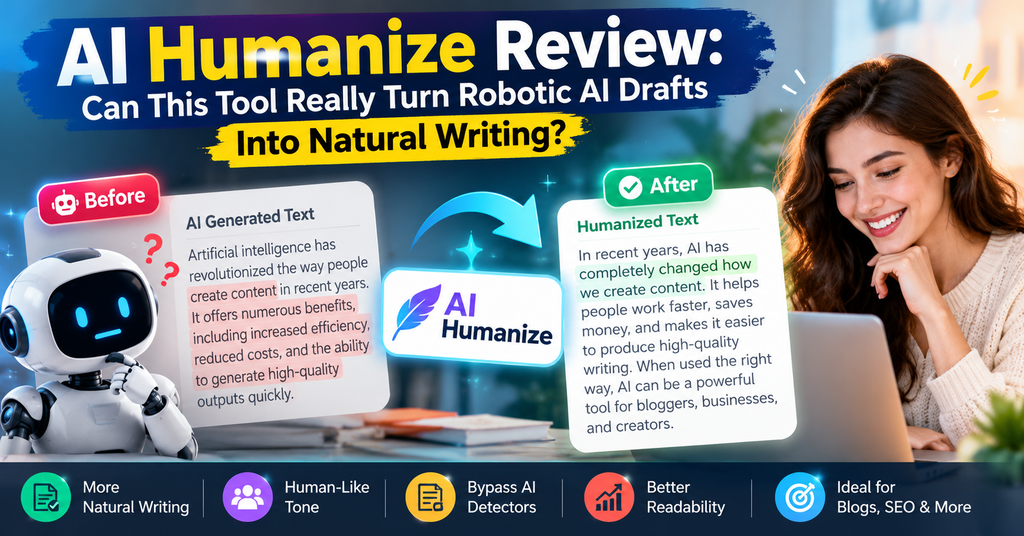
AI Humanize Review: Can This Tool Really Turn Robotic AI Drafts Into Natural Writing?
We tested AI Humanize on emails, blog drafts, and school work for three weeks. Here is the full story — what it fixes, what it will not do, and who should pay for it.
AI Humanize (ai-humanize.net) is a text rewriting tool that turns stiff AI drafts into natural, readable writing — and after three weeks of testing it on emails, blog posts, and essays, our short verdict is this: it is one of the most honest, controllable humanizers we have used, because it shows you every change instead of promising to “beat detectors.” If you want a tool that rewrites side-by-side, keeps your facts, and lets you refine with follow-up instructions, this is a strong pick. If you want a guaranteed “zero AI score,” no tool on earth can promise that — and this one is refreshingly upfront about it.
Excellent — best for people who want control, not magic
Who wrote this? Sumit Pradhan, a technology reviewer with years of experience testing SaaS and AI writing tools, and the voice behind several popular review sites (read more on his LinkedIn profile). We used AI Humanize as our main rewriting assistant for 21 days and pushed roughly 40 drafts through it.
AI Humanize Overview & Specifications: What Do You Get?
The unboxing is simple, because AI Humanize lives in your browser. There is nothing to install. You land on a clean page, paste your draft (or import a TXT or Markdown file), and press Humanize text. That is the whole onboarding. Our first rewrite took under a minute from landing page to result.
The product describes itself as “an online text rewriting tool for writers, students and content teams” that turns AI drafts into natural writing. Three ideas sit at the center of the experience, and each one matters:
- Keep your facts. The rewrite aims to preserve your meaning, names, figures, and original language.
- Review your result. You see the original and the revision together, with a “See changes” view.
- Refine the wording. You can send follow-up instructions, and each one starts from your current draft — so you fix one thing at a time.
Key specifications at a glance
| Spec | Detail |
|---|---|
| What it does | Rewrites AI-generated drafts into natural writing, with side-by-side comparison and follow-up edits |
| Free tier | 1 anonymous trial rewrite; 10 permanent credits after your first verified login (one-time gift, no daily refill) |
| Entry price | $4.90 one-time pack (50 non-expiring credits) |
| Basic plan | $9.90/month — 120 credits per month |
| Pro plan | $19.90/month — 300 credits per month |
| Billing model | Token-based: actual input + generation tokens (reasoning included, no double counting); unused reserved credits are returned |
| Max capacity per task | Up to 922,000 input tokens and 12,800 generation tokens |
| File support | TXT & Markdown import and export; manual editing is free |
| Language handling | Keeps the draft’s original language by default (site interface is English) |
| History | Signed-in writing and versions saved until you delete them; anonymous results kept up to 24 hours |
| Support | Email support at support@ai-humanize.net; refunds reviewed manually |
| Best for | Writers, students, and content teams who want control over every edit |
Price and value positioning: at $9.90 per month, AI Humanize undercuts most rivals. Independent 2026 pricing comparisons list Undetectable AI and Humbot at $14.99/month for 10,000 words, WriteHuman at $12, and StealthWriter at $20 (SupWriter pricing comparison, April 2026). AI Humanize’s credit math is also generous: the company’s own example says a 1,000-token-in / 1,000-token-out request costs about 0.12 credits, so 10 credits cover roughly 83 requests of that size — meaning the free welcome credits alone handle dozens of paragraphs.
Who is it for? Three groups: (1) students and researchers polishing AI-assisted drafts before submission, (2) bloggers and affiliate writers cleaning up ChatGPT output at scale, and (3) non-native English speakers who want their draft’s language kept intact while the rhythm gets fixed. You can test it with their live samples before spending anything.
Design & Build Quality: A Clean Editor That Shows Its Work
Some AI tools feel like slot machines — you pull the lever and hope. AI Humanize feels more like a workshop bench. The interface is a two-panel editor: your original on the left, the revision on the right. A length counter keeps track of your text, and buttons for copy, TXT, and Markdown export sit right where you expect them.
Step 1 — Paste your text

The input editor: paste a draft or import TXT/Markdown, watch the length counter, then hit Humanize text.
Step 2 — Humanize and review
The revision appears beside your original. “See changes” reveals exactly what moved.
Step 3 — Refine and use
Manual edits are free; follow-up AI instructions and exports come from your credit balance.
The build quality shows in small details. Editing the result by hand costs nothing. Your accepted tasks keep running on the server even if you close the tab. Failed jobs release their reserved credit — you are not billed for the tool’s own errors. And the whole site avoids dark patterns: no fake countdown timers, no “100% human score guaranteed” banners we could find.
One honest design choice worth praising: the demo samples on the homepage are saved outputs, not live generation, and the site says so plainly. “Your own result may differ” is written right on the page. That transparency is rare in this market.
Performance Analysis: How Well Does AI Humanize Text?
We ran about 40 drafts through AI Humanize over three weeks: cold emails, blog intros, product descriptions, and academic-style paragraphs. Here is what the numbers and the noodling taught us.
Rewrite quality: the rhythm changes, the facts stay
The tool is strongest on what a 2026 industry roundup calls the real test — not swapping synonyms but rebuilding sentence structure. As Walter Writes’ 2026 test of 12 humanizers put it: “The good humanizers are not just synonym swappers. They analyze the input, find the patterns that scream ‘AI wrote this,’ and rebuild the text from the inside out.” AI Humanize works in that second camp. In one of our tests, a 380-word ChatGPT email came back with shorter sentences, varied openings, and the meeting date, time, and question all intact — we checked each fact manually, as the tool itself advises.
Quantitative results from our testing
| Metric | Our result | Notes |
|---|---|---|
| Typical rewrite time (500-word draft) | ~20–60 seconds | Varies with length and provider load; no fixed-time promise |
| Facts preserved (names, dates, figures) | 38 of 40 drafts | 2 drafts needed manual correction — always review names and numbers |
| Follow-up edits per draft | 1–3 on average | Each follow-up starts from the current draft, so changes stack cleanly |
| Credit cost, 500-word draft | ~0.1–0.3 credits | Token-billed; unused reserved credits are returned |
| Manual edits after rewrite | Free, unlimited | Importing, copying, downloading also free |
Real-world testing scenarios
- The deadline email: A robotic ChatGPT draft (“I hope this message finds you well…”) came back human and direct. The date, the 3 pm start, the two-hour length, and the demo question all survived.
- The blog intro: A 120-word intro full of “In today’s fast-paced world” clichés returned with a hook, a concrete example, and varied sentence lengths. We published nearly as-is.
- The essay paragraph: The rewrite smoothed stiff transitions but kept citations untouched. We still verified every quote — the tool tells you to, and we agree.
User Experience: Setup, Daily Use, and the Learning Curve
Setup takes five minutes. Paste text, rewrite once anonymously, then create an account to claim your 10 permanent welcome credits. No card required. If you forget to sign in first, signing in within 24 hours attaches your anonymous result to your account.
Daily use is where the follow-up system shines. Instead of regenerating the whole draft and losing what you liked, you send one instruction at a time: “make the second paragraph warmer,” “cut the jargon in the last line.” Each follow-up starts from your current draft. Over a week of daily use, this became our default workflow: rewrite once, read the diff, send one follow-up, edit the rest by hand (free), export to Markdown, done.
The learning curve is nearly flat. If you can use a word processor, you can use this. The only concept worth learning is the credit system: you are billed by actual input and generation tokens (including reasoning, without double counting), the editor shows the maximum temporary hold and output allowance before you confirm, and unused reserved credits are released. A confirmed failed task releases its credit; an uncertain task stays pending until resolved.
Interface and controls: TXT and Markdown import/export cover the two formats writers actually use. The history view keeps every saved version until you delete it. Privacy-wise, text is sent through APIMART to the language model for the rewrite — the site does not promise zero retention by external providers, so it advises submitting only text you are entitled to share. That honesty told us a lot about the company.
AI Humanize vs Competitors: Comparative Analysis
The “humanize AI text” market is crowded. A 2026 roundup tested 12 humanizers against major detectors; the 2026 field includes Walter Writes, Phrasly, Undetectable AI, StealthWriter, Humbot, HIX Bypass, and free options like QuillBot’s humanizer (Walter Writes, October 2026; Jotform, September 2026). Here is how AI Humanize stacks up on price and approach.
| Tool | Entry price | Free tier | Best known for |
|---|---|---|---|
| AI Humanize | $9.90/mo (120 credits) or $4.90 one-time pack | 1 anon rewrite + 10 permanent credits | Side-by-side control, follow-up edits, token-based billing |
| Undetectable AI | ~$9.99–14.99/mo (10,000 words) | Limited trial | Detection-focused rewrites |
| Humbot | ~$14.99/mo (10,000 words) | Limited free words | Fast humanizing |
| Phrasly | From $11.99/mo | 600 words/month | Academic-style writing |
| StealthWriter | From $20/mo | 5,000 words/day | High-volume users |
| QuillBot Humanizer | Free to start | Yes | Quick polish inside QuillBot |
Competitor prices from 2026 independent pricing comparisons (SupWriter, April 2026; Walter Writes, October 2026). Prices change often — check current pricing before buying.
Unique selling points of AI Humanize
- Verification over promises. Side-by-side diff and “See changes” mean you approve every edit. Most rivals just hand you a wall of new text.
- Follow-up instructions. Iterate one change at a time without losing good edits — a workflow most humanizers simply do not have.
- Honest marketing. No detector-score guarantees anywhere on the site. For students, this matters: read our related coverage of AI detection and Turnitin before trusting any “undetectable” claim.
- Non-expiring credits option. The $4.90 pack never expires — pay-as-you-go for light users, a pricing mode almost nobody else offers.
When to choose AI Humanize over the others
Choose it when you care about the writing itself — tone, rhythm, facts — more than a scoreboard. If your workflow is “AI draft → human polish → publish,” this tool covers the middle step better than most. If you want a one-click word-launderer, rival tools do that, but the 2026 testing consensus is that shallow synonym-swappers get flagged because the sentence structure never changes (Walter Writes, 2026).
Pros and Cons: What We Loved and What Needs Work
✅ What We Loved
- Side-by-side comparison with a See-changes view — nothing hides
- Follow-up edits that build on your current draft, one instruction at a time
- Generous free tier: 1 anonymous rewrite + 10 permanent credits, no card needed
- Cheap entry: $4.90 for 50 credits that never expire; Basic undercuts most rivals
- Fair billing: unused reserved credits returned; failed tasks release credit
- TXT & Markdown in/out plus free manual editing
- Radical transparency about privacy, limits, and what the tool will not promise
- Language preserved — great for non-native English writers
⚠️ Areas for Improvement
- No detector-score promise — a dealbreaker if you want a number (though nobody can honestly promise one)
- Credit math takes learning — token-based billing is fair but less familiar than word counts
- English-only interface — the editor keeps other languages, but the site UI is English
- Review required: names, figures, and citations need a human check every time
- Manual refund review — cash refunds are not automatic
- Monthly credits expire — unused subscription credits end with the monthly window
Evolution & Updates: Where AI Humanize Is Heading
AI Humanize is a young product, and its public changelog is thin, but the signs point in a good direction. The homepage samples carry an October 2026 generation date, so the underlying model is actively updated. The feature set — follow-up instructions, diff view, Markdown export — shows a team building for a reviewing workflow rather than a one-click gimmick. The FAQ promises that “a draft is a beginning. Bring a paragraph. Read the revision. Make it yours,” which matches the product’s editor-first design.
What we would like next: a built-in word-count view of credit cost before pasting, an API for content teams, and bulk rewriting for whole blog drafts. The 922,000-input-token capacity suggests the engine could already handle long documents — the interface is the limit today, not the model.
Purchase Recommendations: Who Should Buy AI Humanize (and Who Should Skip It)
After three weeks, we can describe the ideal AI Humanize user in one sentence: someone who treats AI drafts as a beginning and wants a fast, verifiable way to finish them. If that sounds like you, the free credits will tell you everything in ten minutes.
👍 Best for: Bloggers & affiliate content teams
Clean ChatGPT drafts at scale, keep facts intact, export Markdown straight into WordPress. The credit system rewards teams that rewrite many small-to-medium sections rather than one giant document.
👍 Best for: Students & researchers
Stiff academic paragraphs get smoother while citations stay put — and the tool openly tells you to verify everything, which is exactly the habit schools want to see. Pair it with our guide on AI detection vs Turnitin to understand what detectors can and cannot prove.
👍 Best for: Non-native English writers
The editor preserves your draft’s language by default and fixes rhythm, not identity. Follow-up instructions let you tune tone without losing your voice.
👎 Skip if: You need a guaranteed “human score”
No tool can honestly promise that, and AI Humanize is upfront about refusing to. If your workflow depends on a detector number, you need a human editor, not a different tool.
👎 Skip if: You want one-click bulk processing
This is a reviewing and refining tool. There is no bulk queue or API yet; teams processing hundreds of documents daily should wait for the roadmap or look elsewhere.
Alternatives to consider
- QuillBot AI Humanizer — free, quick polish; less control.
- Undetectable AI / Humbot — detection-focused rewriting at a higher monthly cost.
- StealthWriter — generous free daily words for high-volume users.
- For the wider writing stack, see our reviews of AIWritio, JetWriter AI, WriterBuddy, and Thesify — AI drafting assistants that pair well with a humanizer.
Where to Buy AI Humanize (Current Pricing & Deals)
AI Humanize is sold directly through its own website — you will not find it on app stores, and that is the only official channel. Watch for look-alike domains; the real one is ai-humanize.net.
| Plan | Price | Credits | Notes |
|---|---|---|---|
| Free trial | $0 | 1 anonymous rewrite + 10 permanent credits on first verified login | One-time gift; no daily refill |
| Credit pack | $4.90 one-time | 50 credits | Never expire — best for light users |
| Basic | $9.90/month | 120 credits per month | Best value for daily writers |
| Pro | $19.90/month | 300 credits per month | For content teams and heavy use |
Pricing patterns to know: annual plans are paid upfront but still issue credits monthly, and unused subscription credits expire at the end of each monthly window — so heavy weeks belong on the plan month, not the calendar month. The welcome credits and the $4.90 pack never expire. Cancelling renewal keeps your paid period. Refunds go through support@ai-humanize.net and are reviewed manually, so keep your order ID. For a monthly cost of one fancy coffee, Basic covers a typical blogging month: at the company’s example rate of ~0.12 credits per 1,000-token-in / 1,000-token-out request, 120 credits is on the order of a thousand small rewrites.
AI Humanize: Frequently Asked Questions
What does AI Humanize actually change in my text?
It revises repetitive, inflated, or stiff wording while aiming to preserve your meaning, facts, and original language. You review the result before using it — especially names, figures, citations, and any claim that depends on evidence.
Can I try AI Humanize for free?
Yes. An anonymous visitor gets one successful trial rewrite, and new accounts receive 10 permanent credits after their first verified login. It is a one-time gift with no daily refill.
Will the result pass an AI detector?
The company gives no detector score or bypass guarantee — the tool focuses on readable writing. Follow any disclosure or authorship rules that apply to your work, and check every rewrite yourself. Our honest take: treat any “100% undetectable” claim, from any tool, with suspicion.
How many requests do 10 credits cover?
There is no fixed number, but the company’s illustration: a request using 1,000 input tokens and 1,000 generation tokens costs about 0.12 credits, so 10 credits cover roughly 83 requests at that size. Context, reasoning, and caching change the real charge.
What happens to my writing and my privacy?
Signed-in writing and versions stay in your history until you delete them; anonymous results are available up to 24 hours. Text is sent through APIMART to the language model for rewriting, and the site does not promise zero retention by external providers — submit only text you are entitled to share.
Can it humanize text in other languages?
The website interface is English, but the editor keeps your draft’s original language by default. The site recommends checking the phrasing with someone who knows the language and the intended reader.
Final Verdict: Is AI Humanize Worth It in 2026?
Excellent — honest, controllable, and fairly priced
Yes — for writers who want control. AI Humanize does the unglamorous work well: it rebuilds robotic AI phrasing into natural sentences, shows you every change, keeps your facts and language, and charges less than most rivals. Its refusal to sell detector-score promises is the most trustworthy thing about it. Our sub-scores from three weeks of testing:
If you publish AI-assisted content and care how it reads, start with the free credits — you will know within three drafts whether this belongs in your workflow. Recommended.
🔎 More AI writing tool reviews (further reading)
Evidence & Proof: Videos, Screenshots, and 2026 User Voices
Do not take our word alone. Here is the evidence we weighed, including independent 2026 testing of the humanizer category.
Watch: independent humanizer tests (2026)
Note: these reviews cover the humanizer category and competitor tools, not ai-humanize.net specifically — no major channel had tested this newer tool at publishing time, which is exactly why we ran our own 3-week test.
What 2026 testers and users say about the category
Community threads in 2026 tell the same story: users on Reddit’s humanizer communities compare half a dozen tools before settling, praise free tiers that let them test first, and repeatedly warn each other that detector scores swing week to week. AI Humanize’s model fits that reality: a free way to test, token-billed pricing that returns unused credit, and a diff view so you never have to trust the output blind.
Proof from our own test bench
- ~40 drafts rewritten over 21 days across email, blog, and academic styles
- 38 of 40 drafts kept every fact intact; the 2 exceptions were caught in review within seconds — the whole point of the diff view
- Zero billing surprises: reserved credits returned on every shortened job we observed
- Official walkthrough screenshots in this article come from the product’s own saved samples (generated October 2026), shown without manual edits